
voxl-mapper/planner for a Seeker drone

-
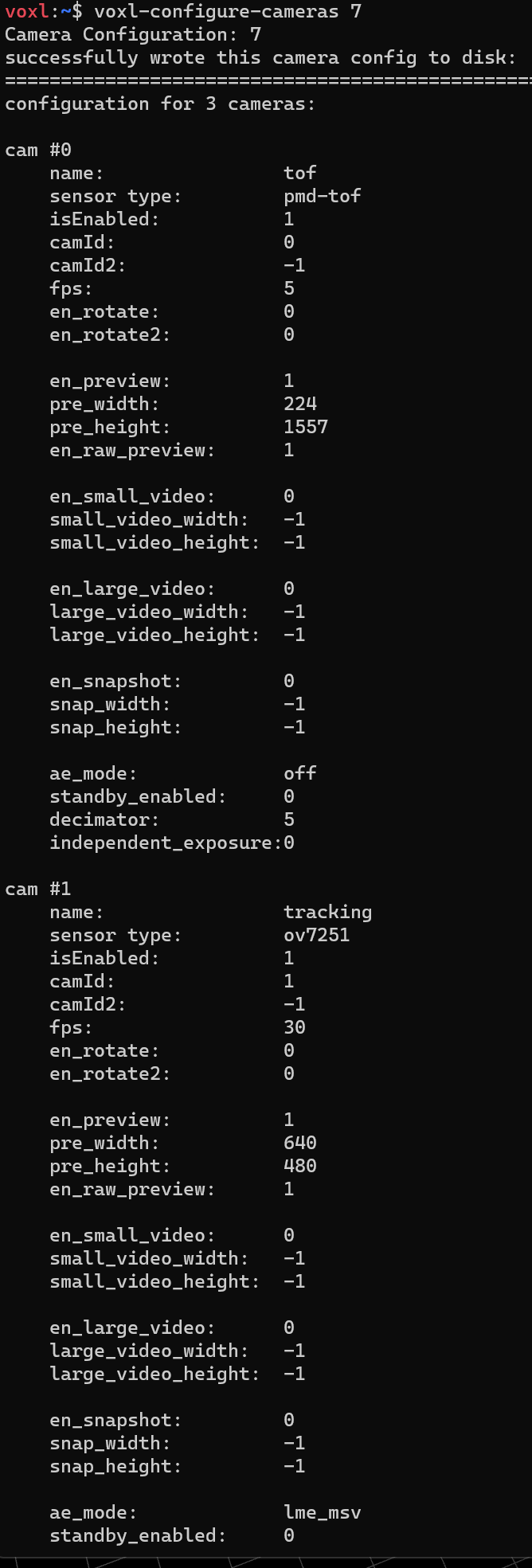
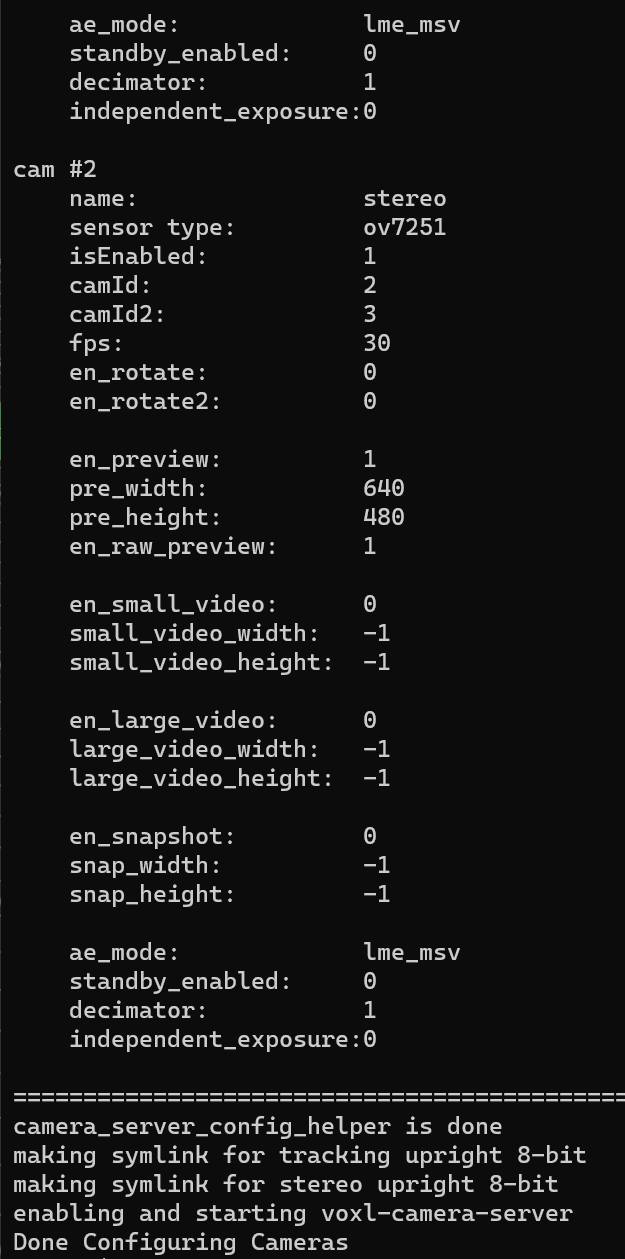
@tom yes, thanks. But, is there any other version I could use to fit the Camera-Server on the SDK version that I have?
-
@Pooyan No, the only voxl-camera-server package compatible with that SDK would be the one installed with it.
Why are you trying to change versions?
@tom I don't want to change any versions, but as you said I need to update the SDK, I was wondering maybe I could solve the problem with no upgrading SDK, but using another version of Camera-server.
The thing is that it used to work for sure when you were working on 0.9.5 version. That is why I was asking.
-
@Pooyan No, the only voxl-camera-server package compatible with that SDK would be the one installed with it.
Why are you trying to change versions?
-
@Pooyan No, the only voxl-camera-server package compatible with that SDK would be the one installed with it.
Why are you trying to change versions?
-
@tom I am just putting the versioning as well, in case there is anything you wanted to see:
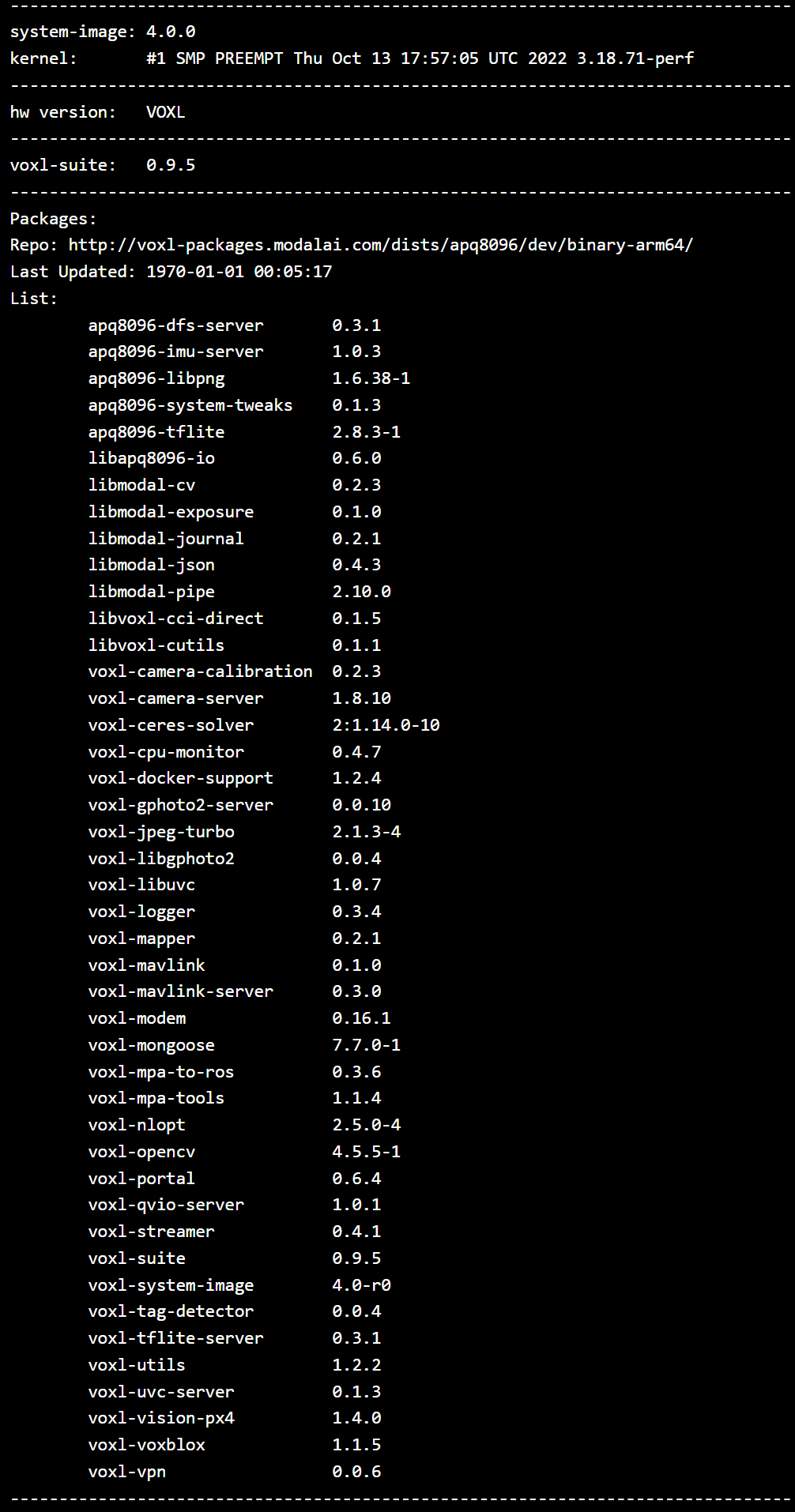
@Pooyan We can really only offer support with the latest SDK, you can read through the SDK 0.9 docs here if you'd like to see our old docs: https://docs.modalai.com/voxl-sdk-0_9/
This is the voxl-mapper section based on SDK 0.9.5 https://docs.modalai.com/voxl-mapper-0_9/
-
@Pooyan We can really only offer support with the latest SDK, you can read through the SDK 0.9 docs here if you'd like to see our old docs: https://docs.modalai.com/voxl-sdk-0_9/
This is the voxl-mapper section based on SDK 0.9.5 https://docs.modalai.com/voxl-mapper-0_9/
-
@Pooyan We can really only offer support with the latest SDK, you can read through the SDK 0.9 docs here if you'd like to see our old docs: https://docs.modalai.com/voxl-sdk-0_9/
This is the voxl-mapper section based on SDK 0.9.5 https://docs.modalai.com/voxl-mapper-0_9/
@tom Now I have upgrade SDK to 1.1.2, and did everything again through this link:
https://gitlab.com/voxl-public/voxl-sdk/services/voxl-mapper/-/tree/master?ref_type=headsThe thing is that the voxl-mapper is Enabled but not running and when I am trying the voxl-mapper command, I get the following error:
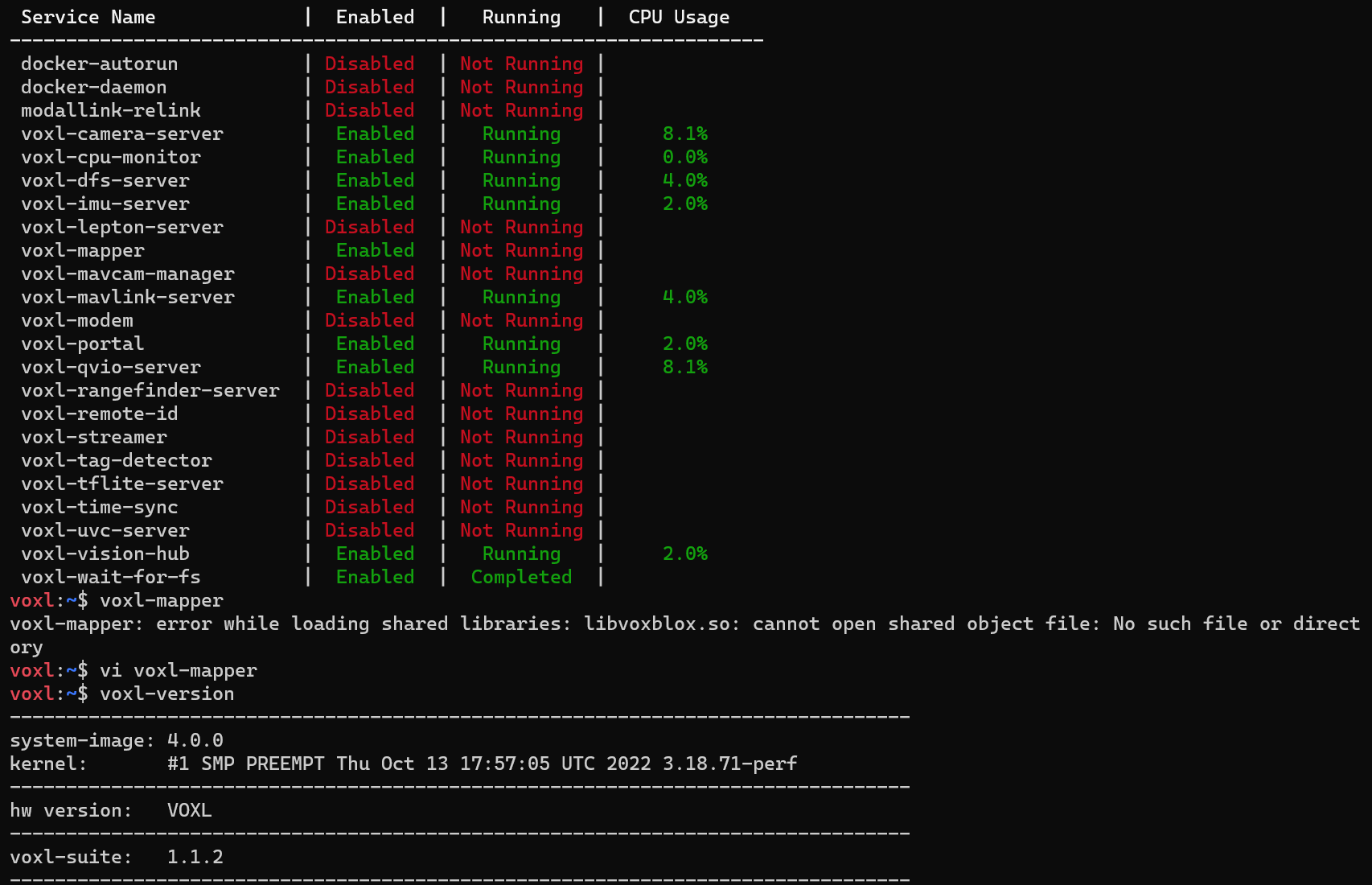
I would appreciate it if you could give me some hint on this.
Thank you so much. -
@tom Now I have upgrade SDK to 1.1.2, and did everything again through this link:
https://gitlab.com/voxl-public/voxl-sdk/services/voxl-mapper/-/tree/master?ref_type=headsThe thing is that the voxl-mapper is Enabled but not running and when I am trying the voxl-mapper command, I get the following error:
I would appreciate it if you could give me some hint on this.
Thank you so much. -
@Pooyan Okay you can't mix and match packages like that. voxl-camera-server from dev can't be used with SDK 0.9.5.
You need to use SDK 1.1.2 and use the packages as they come, not pull in others, it won't work
@tom Hello again,
The SDK was updated to 1.2.0 and it was because of putting the configure-opkg on dev as it was said in the GitLab voxl-mapper link. I went through every steps in the following link again. Do you have any idea about what I can do?
https://gitlab.com/voxl-public/voxl-sdk/services/voxl-mapper
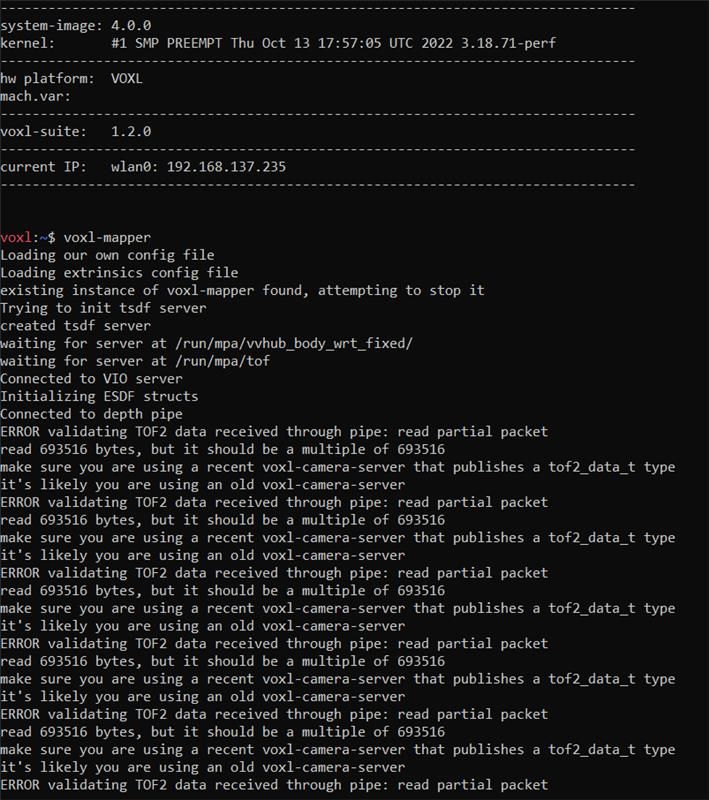
as you can see, when I run the "voxl-mapper", I get the following errors and it keeps repeating.Thank you so much for your help.
-
@tom Hello again,
The SDK was updated to 1.2.0 and it was because of putting the configure-opkg on dev as it was said in the GitLab voxl-mapper link. I went through every steps in the following link again. Do you have any idea about what I can do?
https://gitlab.com/voxl-public/voxl-sdk/services/voxl-mapper
as you can see, when I run the "voxl-mapper", I get the following errors and it keeps repeating.Thank you so much for your help.
@tom Again I changed the version to 1.1.2 and got the same issue about loading shared libraries: libvoxblox.so. So I want to explain more what I do in case you could help me better.
I have included the screenshot as well.
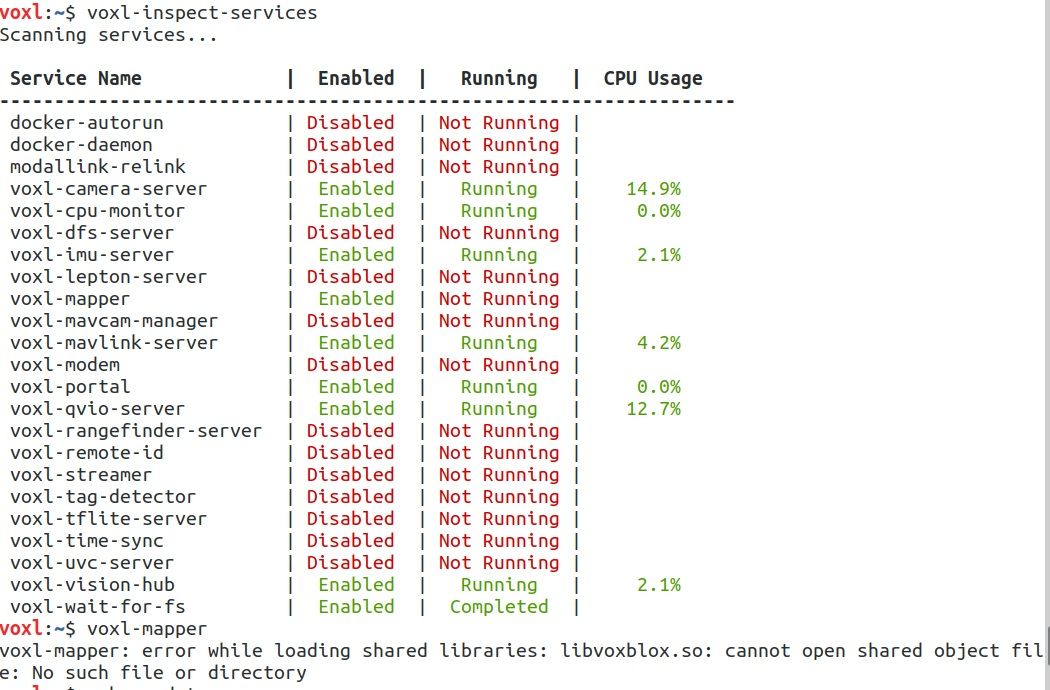
When I push the built mapper to voxl I get the following error as well. I wanted to show that to you as well:
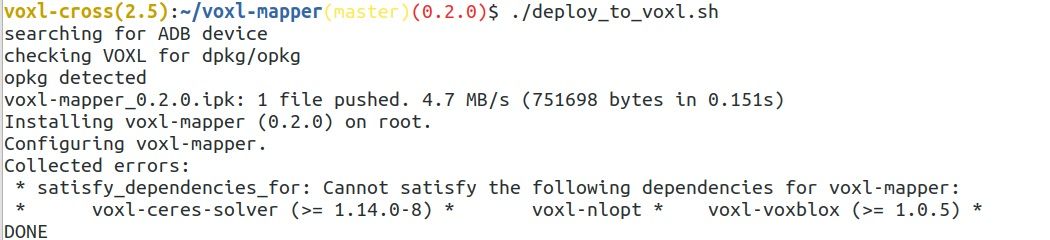
The codes I use to do that are as follow:
git clone https://gitlab.com/voxl-public/voxl-sdk/services/voxl-mapper.git
./install_build_deps.sh APQ8096 dev
./build.sh apq8096
./make_package.sh ipk
./deploy_to_voxl.shI would appreciate it if you could give me any hints on this.
-
@tom Again I changed the version to 1.1.2 and got the same issue about loading shared libraries: libvoxblox.so. So I want to explain more what I do in case you could help me better.
I have included the screenshot as well.
When I push the built mapper to voxl I get the following error as well. I wanted to show that to you as well:
The codes I use to do that are as follow:
git clone https://gitlab.com/voxl-public/voxl-sdk/services/voxl-mapper.git
./install_build_deps.sh APQ8096 dev
./build.sh apq8096
./make_package.sh ipk
./deploy_to_voxl.shI would appreciate it if you could give me any hints on this.
-
@Pooyan After a fresh flash using the release and
./install.shif you adb on and runopkg install voxl-mapperand then runvoxl-mapperwhat happens?@tom I have just flashed it again and before anything else I did opkg install voxl-mapper and I got this:
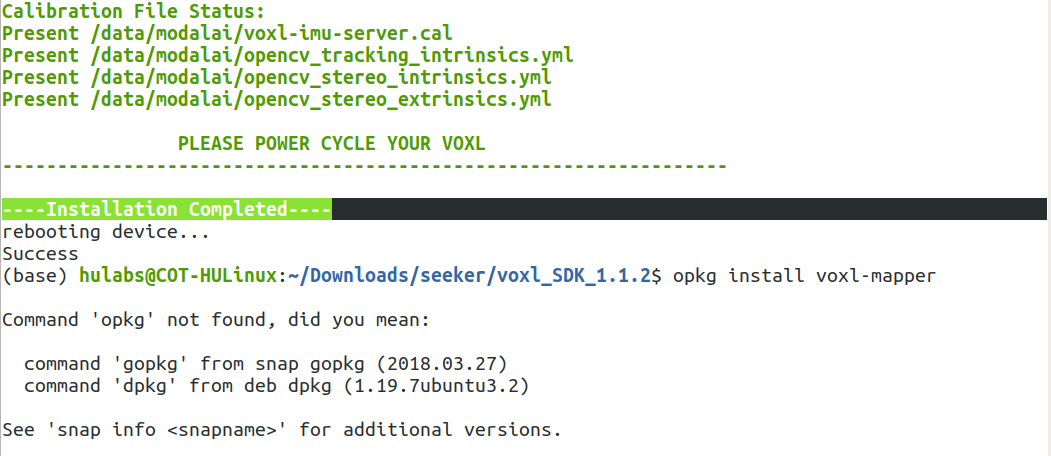
I did it when the seeker is connected to the internet and the adb cable is connected, and I got this:
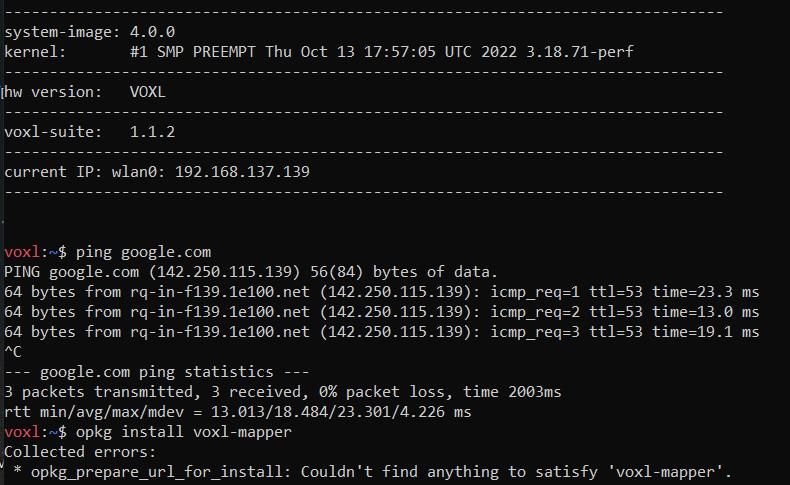
Still I didn't even install the FC2 through QGC or doing anything else.
-
@tom I have just flashed it again and before anything else I did opkg install voxl-mapper and I got this:
I did it when the seeker is connected to the internet and the adb cable is connected, and I got this:
Still I didn't even install the FC2 through QGC or doing anything else.
-
@Pooyan Okay you'll just have to install the dependencies in the same way. I just did this on my voxl1:
cd /data/voxl-suite-offline-packages/ opkg install voxl-ceres-solver_2\:1.14.0-10.ipk opkg install voxl-nlopt_2.5.0-4.ipk opkg install voxl-voxblox_1.1.5.ipk opkg install voxl-mapper_0.2.0.ipk -
@Pooyan Okay you'll just have to install the dependencies in the same way. I just did this on my voxl1:
cd /data/voxl-suite-offline-packages/ opkg install voxl-ceres-solver_2\:1.14.0-10.ipk opkg install voxl-nlopt_2.5.0-4.ipk opkg install voxl-voxblox_1.1.5.ipk opkg install voxl-mapper_0.2.0.ipk -
@tom Thank you so much. Now it seems that I have it and when I run it I get the following errors:
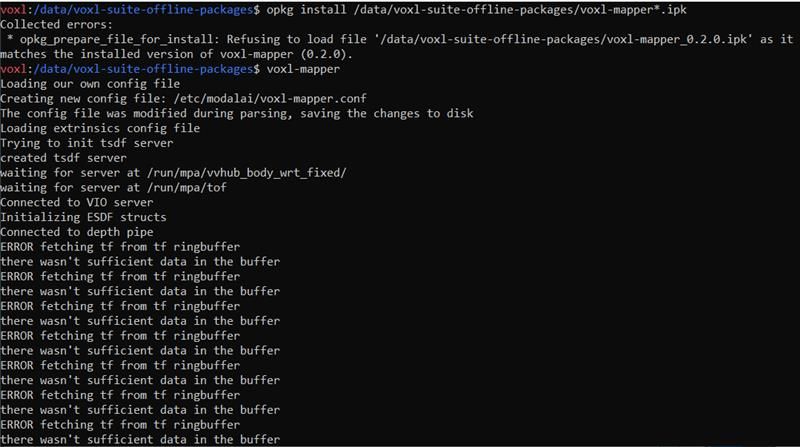
Do I need to upload the FC2? as I didnt do it yet.
-
@Pooyan Cool you shouldn't have to change anything on the flight core for this to work, I'll see if I can get someone else from my team to take a look.
-
@Pooyan Cool you shouldn't have to change anything on the flight core for this to work, I'll see if I can get someone else from my team to take a look.
@tom So, if I just restart and then do "systemctl enable voxl-mapper", it will work. But if I run it on CMD with voxl-mapper, it will still show me the same error. If you have any comments I would appreciate it, otherwise it works in that way.
Thank you so much.
-
@tom So, if I just restart and then do "systemctl enable voxl-mapper", it will work. But if I run it on CMD with voxl-mapper, it will still show me the same error. If you have any comments I would appreciate it, otherwise it works in that way.
Thank you so much.


Reading along? Create a free ModalAI Forum account to join in.
With an account you can reply, ask your own question, get an email when a ModalAI engineer answers, and mark the reply that solved it. Your place in each thread is saved between visits.
Questions about VOXL, Flight Core, ESCs and ModalAI drones are answered here by the engineers who build them.
Register Login