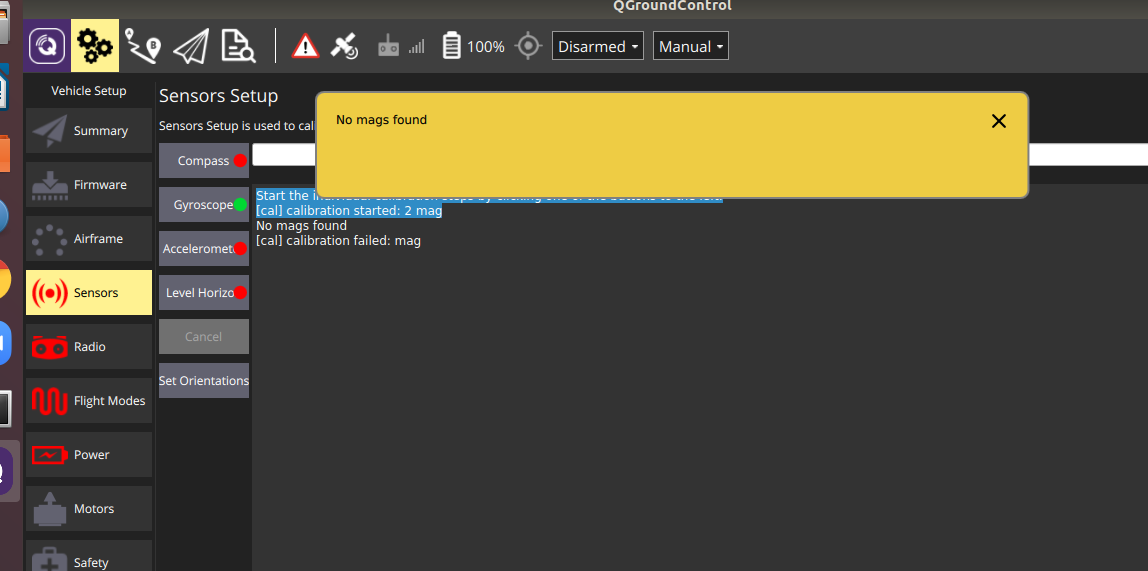
@modaltb my current cmake without the addition you mentioned:
cmake_minimum_required(VERSION 2.8.3)
project(powermodule)
## Compile as C++11, supported in ROS Kinetic and newer
add_compile_options(-std=c++11)
## Find catkin macros and libraries
## if COMPONENTS list like find_package(catkin REQUIRED COMPONENTS xyz)
## is used, also find other catkin packages
find_package(catkin REQUIRED COMPONENTS
roscpp
std_msgs
)
## System dependencies are found with CMake's conventions
# find_package(Boost REQUIRED COMPONENTS system)
## Uncomment this if the package has a setup.py. This macro ensures
## modules and global scripts declared therein get installed
## See http://ros.org/doc/api/catkin/html/user_guide/setup_dot_py.html
# catkin_python_setup()
################################################
## Declare ROS messages, services and actions ##
################################################
## To declare and build messages, services or actions from within this
## package, follow these steps:
## * Let MSG_DEP_SET be the set of packages whose message types you use in
## your messages/services/actions (e.g. std_msgs, actionlib_msgs, ...).
## * In the file package.xml:
## * add a build_depend tag for "message_generation"
## * add a build_depend and a exec_depend tag for each package in MSG_DEP_SET
## * If MSG_DEP_SET isn't empty the following dependency has been pulled in
## but can be declared for certainty nonetheless:
## * add a exec_depend tag for "message_runtime"
## * In this file (CMakeLists.txt):
## * add "message_generation" and every package in MSG_DEP_SET to
## find_package(catkin REQUIRED COMPONENTS ...)
## * add "message_runtime" and every package in MSG_DEP_SET to
## catkin_package(CATKIN_DEPENDS ...)
## * uncomment the add_*_files sections below as needed
## and list every .msg/.srv/.action file to be processed
## * uncomment the generate_messages entry below
## * add every package in MSG_DEP_SET to generate_messages(DEPENDENCIES ...)
## Generate messages in the 'msg' folder
# add_message_files(
# FILES
# Message1.msg
# Message2.msg
# )
## Generate services in the 'srv' folder
# add_service_files(
# FILES
# Service1.srv
# Service2.srv
# )
## Generate actions in the 'action' folder
# add_action_files(
# FILES
# Action1.action
# Action2.action
# )
## Generate added messages and services with any dependencies listed here
# generate_messages(
# DEPENDENCIES
# std_msgs
# )
################################################
## Declare ROS dynamic reconfigure parameters ##
################################################
## To declare and build dynamic reconfigure parameters within this
## package, follow these steps:
## * In the file package.xml:
## * add a build_depend and a exec_depend tag for "dynamic_reconfigure"
## * In this file (CMakeLists.txt):
## * add "dynamic_reconfigure" to
## find_package(catkin REQUIRED COMPONENTS ...)
## * uncomment the "generate_dynamic_reconfigure_options" section below
## and list every .cfg file to be processed
## Generate dynamic reconfigure parameters in the 'cfg' folder
# generate_dynamic_reconfigure_options(
# cfg/DynReconf1.cfg
# cfg/DynReconf2.cfg
# )
###################################
## catkin specific configuration ##
###################################
## The catkin_package macro generates cmake config files for your package
## Declare things to be passed to dependent projects
## INCLUDE_DIRS: uncomment this if your package contains header files
## LIBRARIES: libraries you create in this project that dependent projects also need
## CATKIN_DEPENDS: catkin_packages dependent projects also need
## DEPENDS: system dependencies of this project that dependent projects also need
catkin_package(
#INCLUDE_DIRS ../../include
#LIBRARIES powermdole
#CATKIN_DEPENDS roscpp std_msgs
#DEPENDS system_lib
)
###########
## Build ##
###########
# DOESN'T WORK:
#FASTRPC_STUB_GEN(../../include/io_rpc.idl)
## Specify additional locations of header files
## Your package locations should be listed before other locations
include_directories(
# include
${catkin_INCLUDE_DIRS}
include
./include
/usr/local/include
/usr/include
../../include/
)
link_directories(
../../include
/include
include
/usr/local/lib
/usr/lib
)
## Declare a C++ library
add_library(${PROJECT_NAME}
src/${PROJECT_NAME}.cpp
)
## Add cmake target dependencies of the library
## as an example, code may need to be generated before libraries
## either from message generation or dynamic reconfigure
# add_dependencies(${PROJECT_NAME} ${${PROJECT_NAME}_EXPORTED_TARGETS} ${catkin_EXPORTED_TARGETS})
## Declare a C++ executable
## With catkin_make all packages are built within a single CMake context
## The recommended prefix ensures that target names across packages don't collide
#add_executable (voxl_i2c ../../include/voxl-i2c.c)
#target_link_libraries (voxl_i2c /usr/lib/voxl_io)
add_executable(${PROJECT_NAME}_node
src/main.cpp
src/powermodule.cpp
../../include/colorprinting.cpp
)
## Rename C++ executable without prefix
## The above recommended prefix causes long target names, the following renames the
## target back to the shorter version for ease of user use
## e.g. "rosrun someones_pkg node" instead of "rosrun someones_pkg someones_pkg_node"
# set_target_properties(${PROJECT_NAME}_node PROPERTIES OUTPUT_NAME node PREFIX "")
## Add cmake target dependencies of the executable
## same as for the library above
#add_dependencies(${PROJECT_NAME}_node ${${PROJECT_NAME}_EXPORTED_TARGETS} ${catkin_EXPORTED_TARGETS})
## Specify libraries to link a library or executable target against
target_link_libraries(${PROJECT_NAME}_node
${catkin_LIBRARIES}
/usr/local/lib/
# /usr/lib/aarch64-linux-gnu/libi2c.so
#/usr/lib/rfsa/adsp/libio_rpc.so
#/usr/lib/rfsa/adsp/libio_rpc_skel.so
#/usr/lib/libvoxl_io.so
#/usr/lib/libvoxl_io
)
#############
## Install ##
#############
# all install targets should use catkin DESTINATION variables
# See http://ros.org/doc/api/catkin/html/adv_user_guide/variables.html
## Mark executable scripts (Python etc.) for installation
## in contrast to setup.py, you can choose the destination
# install(PROGRAMS
# scripts/my_python_script
# DESTINATION ${CATKIN_PACKAGE_BIN_DESTINATION}
# )
## Mark executables for installation
## See http://docs.ros.org/melodic/api/catkin/html/howto/format1/building_executables.html
# install(TARGETS ${PROJECT_NAME}_node
# RUNTIME DESTINATION ${CATKIN_PACKAGE_BIN_DESTINATION}
# )
## Mark libraries for installation
## See http://docs.ros.org/melodic/api/catkin/html/howto/format1/building_libraries.html
# install(TARGETS ${PROJECT_NAME}
# ARCHIVE DESTINATION ${CATKIN_PACKAGE_LIB_DESTINATION}
# LIBRARY DESTINATION ${CATKIN_PACKAGE_LIB_DESTINATION}
# RUNTIME DESTINATION ${CATKIN_GLOBAL_BIN_DESTINATION}
# )
## Mark cpp header files for installation
# install(DIRECTORY include/${PROJECT_NAME}/
# DESTINATION ${CATKIN_PACKAGE_INCLUDE_DESTINATION}
# FILES_MATCHING PATTERN "*.h"
# PATTERN ".svn" EXCLUDE
# )
## Mark other files for installation (e.g. launch and bag files, etc.)
# install(FILES
# # myfile1
# # myfile2
# DESTINATION ${CATKIN_PACKAGE_SHARE_DESTINATION}
# )
#############
## Testing ##
#############
## Add gtest based cpp test target and link libraries
# catkin_add_gtest(${PROJECT_NAME}-test test/test_shutdown.cpp)
# if(TARGET ${PROJECT_NAME}-test)
# target_link_libraries(${PROJECT_NAME}-test ${PROJECT_NAME})
# endif()
## Add folders to be run by python nosetests
# catkin_add_nosetests(test)
I think I need to figure out how I can add the IO correctly inside it.
I'll post a new makefile when I did that.