Skip to content

General Questions

2.2k Topics 11.3k Posts

Not sure where your question goes? Ask here. ModalAI engineers and the community answer questions about any VOXL product.

  • Second subscriber on mobilenet_tflite_data, and does that pipe run in the emulator?

    Unsolved
    2
    0 Votes
    2 Posts
    132 Views
    S
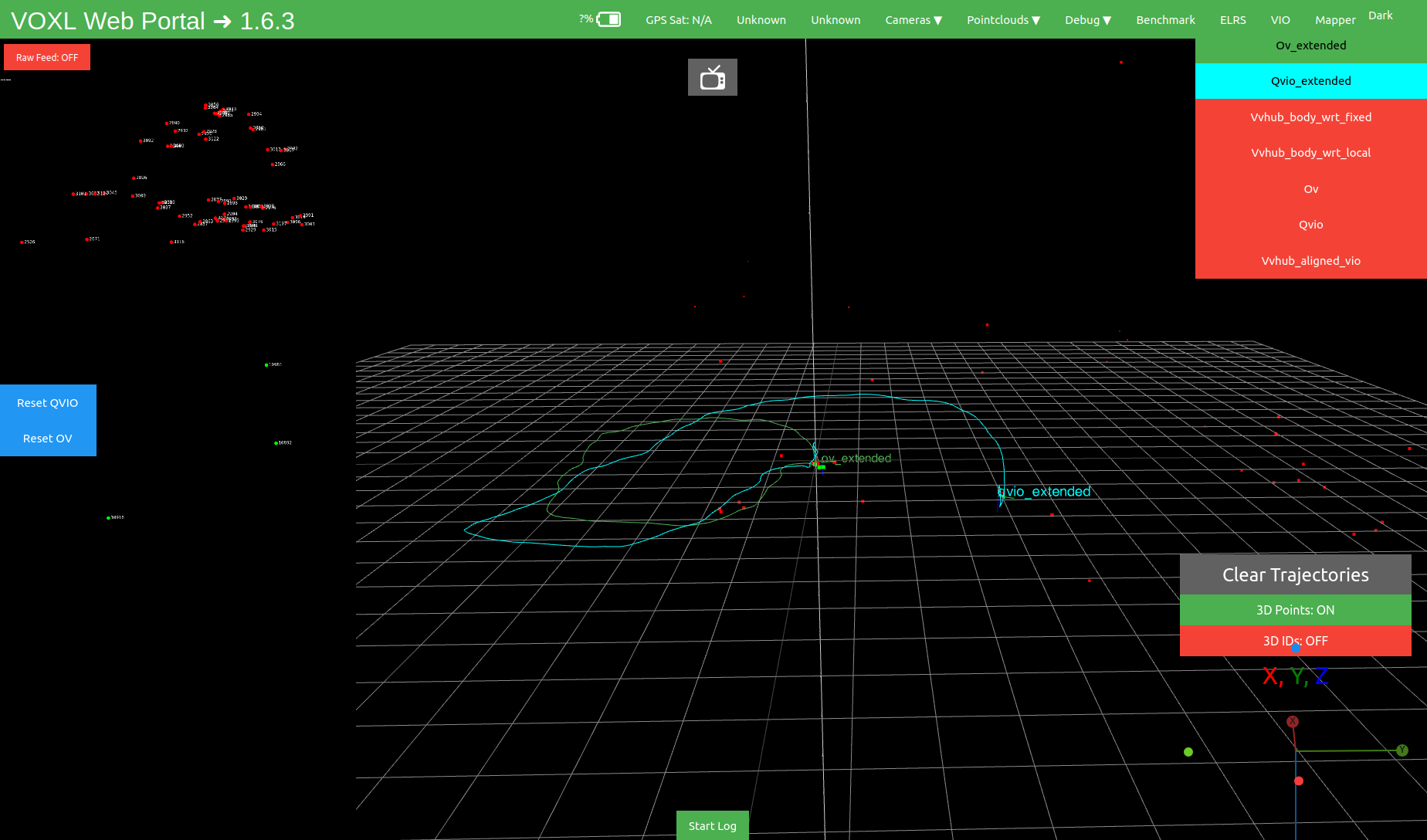
    Hi Philip, I checked this on a VOXL 2. Adding a second subscriber to /run/mpa/mobilenet_tflite_data is a clean fan-out. The Modal Pipe Architecture creates a separate client connection for each subscriber, so the second subscriber does not consume or steal messages from voxl-tflite-server or from an existing subscriber. I tested this with an existing subscriber already running, then attached another subscriber to mobilenet_tflite_data. The system continued running normally and both consumed messages. See picture below. Only caveat is normal concerns about load and that a slow subscriber can miss data but won't affect other subscribers/server. The qrb5165 emulator should support the MPA/libmodal-pipe itself. The pipe can still exist without the board. However, mobilenet_tflite_data will not appear in the arb5165 emulator without additional setup. That pipe is published by voxl-tflite-server, which itself consumes a camera input pipe. The emulator does not provider an emulation of the physical VOXL2 camera pipeline by default. For simulation, I would start by testing the subscriber against recorded or synthetic MPA data rather than trying to emulate the full camera pipeline. Best, Sean [image: 1786389925636-screenshot-from-2026-08-10-14-13-30.png]
  • 0 Votes
    3 Posts
    235 Views
    Alex KushleyevA
    @sebastianp , sorry for the delay. There a lots of questions, let me start with what I can answer right away and will go from there. Hires Video Resolution: Starling 2 Max comes with dual IMX412 cameras (front, down-facing). IMX412 maximum resolution is 4056x3040, which is larger than 4K. 8K is not supported on Starling Max. In general, we do have support for one 8K camera (OV64B), which has maximum resolution of 9248x6944 and that resolution is supported only at 10FPS. The only way to get that camera right now is part of a Flir Hadron combo (Boson + Color camera), which is probably not what you are looking for. So the best bet for Starling 2 Max is to use the provided IMX412 camera. you can see some details regarding operating modes of IMX412 camera here : https://docs.modalai.com/camera-video/low-latency-video-streaming/#imx412-operating-modes Data Pipeline: our camera server application (voxl-camera-server) can publish processed YUV images via shared ION buffers (zero copy) and the user application can receive those buffers for processing without any cpu overhead for doing inter process communication to send the image data. you can also publish raw Bayer data (the exact data that comes from the camera) if that's what you mean by "raw" Optics: no optical zoom is supported on any of our cameras, only digital Onboard AI Compute and Performance I will need to check with colleagues and follow up. Flight Range, Autonomy & Control Starling 2 Max used PX4 as flight controller, so all the standard flight modes are supported Answers to additional questions Camera and Zoom integration: yes, raw and yuv frames can be shared with customer's C/C++ applications via shared buffers (or regular buffers via named pipes, which will have a lot of overhead for duplicating the data). No optical zoom is supported. Examples are available upon request We provide voxl-cross docker image which can be used to build the projects for VOXL2. Majority of ModalAI packages that run on VOXL2 are built using this cross-complier environment and can serve as examples how to build your own applications (you can find most packages here : https://gitlab.com/voxl-public/voxl-sdk) you can mount more hardware on Starling 2 Max, see the following thread regarding flight time : https://forum.modalai.com/topic/3732/starling-2-max-payload-capacity-and-flight-time-impact Frequency selection when you configure your starling 2 max (https://www.modalai.com/products/starling-2-max) , you can select several options and the SKU will change accordingly. The page also has explanation for the different SKU options, so it sounds like you will need: MRB-D0012-4-V4-C28-M11-T9-K2 C28 : dual tracking and dual hi-res cameras M11-T9 : Microhard and Microhard pMDDL2450 and Ghost Atto (2.4Ghz) it seems that this would be a custom SKU that you would need to request a quote for : https://www.modalai.com/pages/contact-us Ground Controller: If the drone ships with an RC transmitter, it should be already bound to the receiver. the controller and receive depends on the selection, see above regarding SKU and the shop page for more description note that the RC controller has no ability to display video, so there is no out-of-the-box ability to stream video without additional setup, such as external computer, display / goggles, etc. I hope that answered a lot of your questions, please let us know additional questions or need clarification regarding anything else. Alex
  • iFlight Commando 8 issue

    Unsolved
    4
    1
    0 Votes
    4 Posts
    186 Views
    Eric KatzfeyE
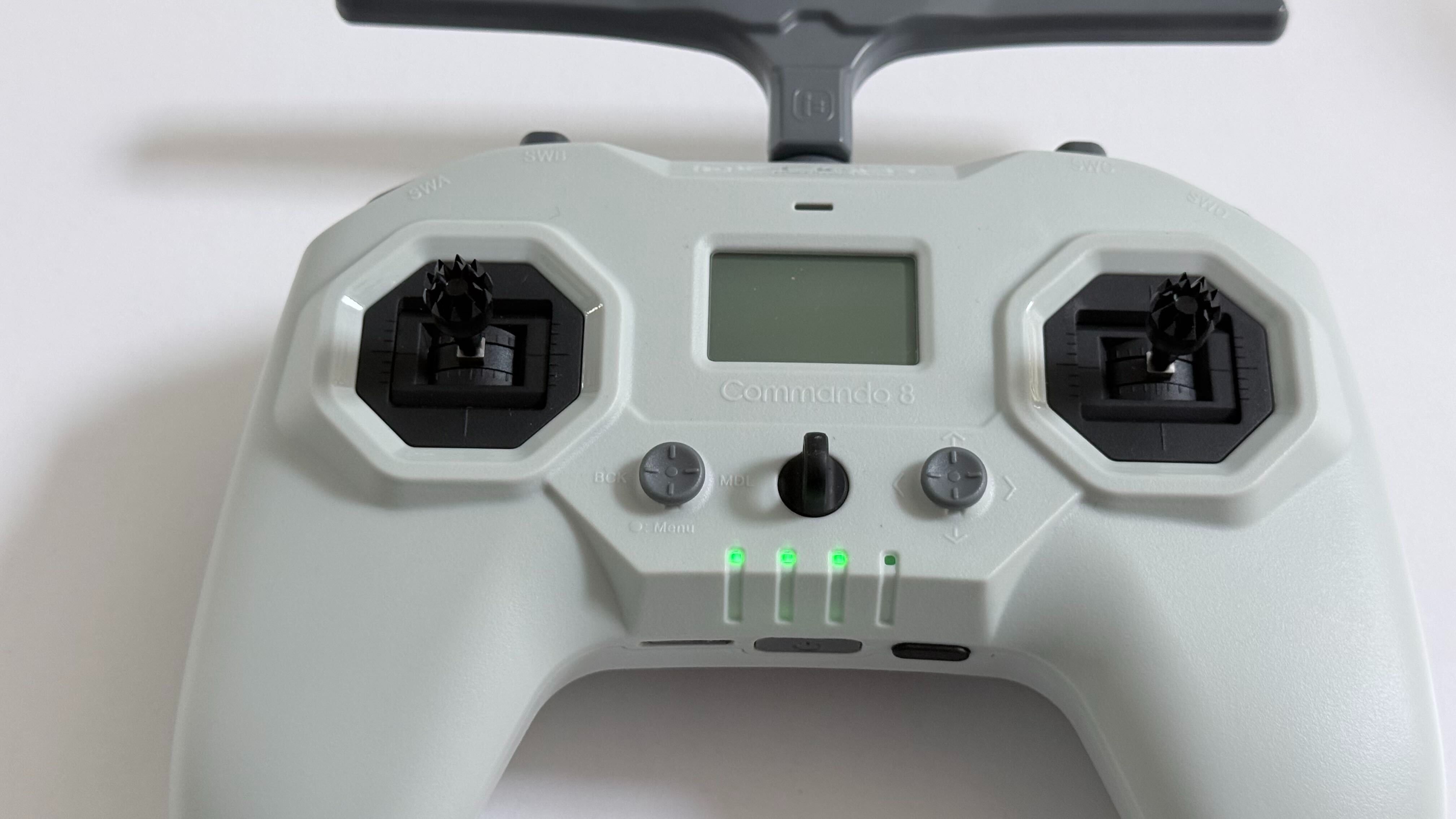
    The Commando 8 user manual is available online
  • tensorflow lite dev setup failing on Ubuntu 22

    Unsolved
    9
    0 Votes
    9 Posts
    2k Views
    A
    I tried cross-compiling latest tflite-server on voxl-corss:V4.4 and got the same error despite adding /usr/include/ in the src/Cmakelist.txt
  • VOXL2 Camera Calibration fails and bad QVIO tracking

    Unsolved
    1
    1
    0 Votes
    1 Posts
    87 Views
    No one has replied
  • How do Framework customers get component origin documentation?

    Unsolved
    1
    0 Votes
    1 Posts
    103 Views
    No one has replied
  • Binding Problem Starling2Max with Radiomaster Boxer

    Unsolved
    5
    0 Votes
    5 Posts
    281 Views
    Ben LinneB
    @heiko.lizan Any elrs radio that's 900mhz or dual band compatible should work when in low band mode. If the transmitter is running v4+ you should be able to downgrade it to v3 following the elrs update guide It's normal that some services aren't running. You may need to re-enable px4 with systemctl enable voxl-px4
  • 0 Votes
    1 Posts
    84 Views
    No one has replied
  • Pre-purchase inquiry: Starling 2 Max Hardware Revisions (V4/GPS) & ROS2 Integration

    Unsolved
    2
    0 Votes
    2 Posts
    698 Views
    D
    I hope you get an answer. They seem to be pretty unresponsive. It seems like a compelling platform, but when I reached out to contact@modalai to ask if the unit operates safely with the current GPS (I thought it was a pretty benign request), they just directed me to the forum. I'm not holding my breath on a response.
  • Starling 2 Max: WiFi dongle USB link (error -71,) - dongle tested good on PC

    Unsolved
    3
    1 Votes
    3 Posts
    164 Views
    K
    Hi @electroaj It's intermittent but it's gotten worse over about three weeks. Dongle would vanished from the USB bus mid-session. And then at boot the dongle enumerated for under a second, then went into the device descriptor read/64, error -71 . No software path recovered adb reboot didn't help. Only a physical restart (unplugging and plugging back to power), would bring back now even that has been inconsistent. Sometimes it would last 30 minutes after physical restart sometimes just a few seconds.
  • VOXL2 + VOXL ESC FPV 4-in-1, voxl-suite 1.6.3 — battery_status never published

    Unsolved
    27
    0 Votes
    27 Posts
    969 Views
    Alex KushleyevA
    OK, thanks for checking. maybe there was a typo before
  • 0 Votes
    11 Posts
    2k Views
    Alex KushleyevA
    @zaimin78 , It looks like I got this working. I modified the kernel to do the following not use the combo mode for J6L and allow using J6U as independent camera GPIO109 is used as a shared reset for cameras in slot 1 and 3 (because that's how the signal routing works on VOXL2 + M0135), so the kernel knows that this reset pin is shared this setup is not set up for camera sync - all cameras are running independently I have not tested any cameras in J8U, it may not work - but it should be possible to enable it, just need to test it. You will need to update the kernel on your voxl2: https://storage.googleapis.com/modalai_public/temp/quad_ov7251_boson/qti-ubuntu-robotics-image-m0054-boot-quad-ov7251.img this kernel is based off the kernel that ships with SDK 1.6.3 you can test it before overwriting the current kernel: https://docs.modalai.com/voxl2-kernel-build-guide/#test -- you should do to reduce the chance of bricking your VOXL2 (just in case) HW Configuration: VOXL2 four OV7251 plugged in to J6L. J6U, J7L, J7U via two M0135 adapters without any mods boson320 plugged into J8L via M0194 (you can use M0181 also) there are no shared CCI buses between the ov7251 cameras - slots 0-3 use CCI 0-3 respectively, so no CCI slave address conflicts SW configuration appropriate sensormodules placed into /usr/lib/camera/ -- you can get them from /usr/share/modalai/chi-cdk/ov7251 and ../boson folders: com.qti.sensormodule.ov7251_0.bin com.qti.sensormodule.ov7251_1.bin com.qti.sensormodule.ov7251_2.bin com.qti.sensormodule.ov7251_3.bin com.qti.sensormodule.boson_4.bin use provided voxl-camera-server.conf : https://storage.googleapis.com/modalai_public/temp/quad_ov7251_boson/voxl-camera-server-quad-ov7251-boson.conf may need to modify your Boson resolution from 320x256 to 640x512 if you you have Boson640 Testing after you have all the cameras connected, boot using the test kernel test to see if all cameras are detected: voxl-camera-server -l ... DEBUG: Cam idx: 0, Cam slot: 0, Slave Address: 0x00E2, Sensor Id: 0x7750 DEBUG: Cam idx: 1, Cam slot: 1, Slave Address: 0x00E2, Sensor Id: 0x7750 DEBUG: Cam idx: 2, Cam slot: 2, Slave Address: 0x00E2, Sensor Id: 0x7750 DEBUG: Cam idx: 3, Cam slot: 3, Slave Address: 0x00E2, Sensor Id: 0x7750 DEBUG: Cam idx: 4, Cam slot: 4, Slave Address: 0x00D4, Sensor Id: 0x00FF ... start voxl-camera-server inspect sterams: voxl-inspect-cam ov7251_0 ov7251_1 ov7251_2 ov7251_3 boson [image: 1785341477366-ee693f10-dcf2-4b76-8181-a11a78db9546-image.jpeg] Please give it a shot and let me know if it works! Alex
  • Questions on Starling 2 Max

    Unsolved
    6
    1
    0 Votes
    6 Posts
    288 Views
    Maxwell SchaeferM
    That red light is for the M0184 ELRS receiver. A constant slow blink from the light means it is disconnected. It will turn solid with a connection. Other LED states are documented here.
  • GPS performance noted on the sales page

    Unsolved
    1
    0 Votes
    1 Posts
    73 Views
    No one has replied
  • Starling 2 VOXL 2 - Suspect 5V bus power margin shortage

    Unsolved
    3
    0 Votes
    3 Posts
    160 Views
    VinnyV
    Hi @electroAJ, thanks for the detailed writeup and follow-up SKU info. From a hardware standpoint, the 200mV droop you are observing on VDC_5V_LOCAL and VDC_5V_LOCAL_USB1 during ToF activity is not a concern at the rail level. That kind of transient is most likely localized contact/pin loss at the connector interface rather than a bulk supply issue. On a 5V rail, 200mV is well within normal operating margin. The eFuse on that rail does not assert until approximately 4.4V, so a 200mV droop from 5V puts you nowhere near that threshold. Downstream logic is regulated from a 3.8V VBAT rail that has demonstrated margin well above the minimum needed, and that rail is permitted to droop past 3.3V before any real issue occurs. The ToF-induced droop is not your RC dropout culprit. Additionally, the M0129 VOXL Mini ESC power stage has been proven to the same load capability and test rigor as our standalone M0041 power module, using the same parts, so the supply itself is not a suspect to me. Would hate to see you chase a red herring. The I2C errors and UART dropout sequencing are worth looking at together as they may share a common upstream cause. Beyond that, this one is likely better handled by our software team who can dig into the dmesg and service state in more detail. I will flag this thread for them.
  • Starling 2 - RC link dropout debug assistance

    Unsolved
    4
    0 Votes
    4 Posts
    146 Views
    E
    @Ben-Linne I'm likely able to perform those updates. A fix is good, but root cause understanding of the issue is better at this point, so I will try updates once all other debug opportunities are spent if I can't reach a deterministic resolution. receiver antenna [...] understood and checked out. I've confirmed the umcc(u.fl) connection is fully seated and no damage is present anywhere. If the transmitter is showing signal but the drone is not responding it's possible you are bound to another transmitter. this is a state I will confirm. So far though, I believe the failure mode is observable with no other transmitters powered, but i will confirm. Thanks.
  • Starling 2 - Mag Alignment

    Unsolved
    4
    0 Votes
    4 Posts
    122 Views
    Eric KatzfeyE
    That'a a calibration parameter that is set automatically by the mag calibration procedure. Normally it should properly detect the orientation / rotation and set it. I'm not sure why that wasn't happening for you when you calibrated the mag.
  • M0213 Wifi board pinout and availability

    Unsolved
    15
    0 Votes
    15 Posts
    5k Views
    Muqing CaoM
    @Vinny we recently experienced wifi disconnection issue with the m0213 board. During flight the wifi just completely disconnected with does not regain connectivity. It seems that the wifi chipset stopped working. We had to do a complete power cycle to regain connectivity. It happened several times during our test. Could you suggest how to resolve this issue? Or is there a way to do soft-reset of the board if we detect wifi connectivity loss?
  • voxl2 mini flashing

    Unsolved
    1
    0 Votes
    1 Posts
    73 Views
    No one has replied
  • Doodle Labs For Voxl 2

    Unsolved
    4
    0 Votes
    4 Posts
    2k Views
    M
    @emarcphera Thanks for the info! What antennas do you use for your setup if you don't mind me asking?