Skip to content
  • Categories
  • Recent
  • Tags
  • Popular
  • Users
  • Groups
Collapse
Brand Logo

ModalAI Forum

  1. ModalAI Support Forum
  2. VOXL Accessories
  3. Microhard Modems
  4. Sony RXO over USB

Sony RXO over USB

Scheduled Pinned Locked Moved Microhard Modems
37 Posts 7 Posters 10.5k Views 5 Watching
  • Oldest to Newest
  • Newest to Oldest
  • Most Votes
Reply
  • Reply as topic
Log in to reply
This topic has been deleted. Only users with topic management privileges can see it.
  • Matt GoddardM Matt Goddard

    Yes, Tom we are getting full telem using the Microhard through QGC, also have used WiFi. Yes, that was odd to me as well?

    tomT Offline
    tomT Offline
    tom
    admin
    wrote on last edited by tom
    #6

    @Matt-Goddard Okay, so I assume you are using voxl-vision-px4 to talk with QGC then. You will want to point voxl-libgphoto2 to the IP address of your ground station on the Microhard network, which would be the same IP address that you are sending voxl-vision-px4 to.

    Right now it seems as though your voxl-libgphoto2 is attempting to send video to QGC over WiFi, when in reality you are connected to QGC over Microhard.

    So, instead of using voxl-libgphoto2 192.168.1.215, you will want to use the same IP address as you are for voxl-vision-px4, which you can find using ifconfig on your ground station or should be in voxl-vision-px4's config file: /etc/modalai/voxl-vision-px4.conf. All Microhard IPs will be in the form 192.168.168.X

    1 Reply Last reply
    0
    • Matt GoddardM Offline
      Matt GoddardM Offline
      Matt Goddard
      wrote on last edited by Matt Goddard
      #7

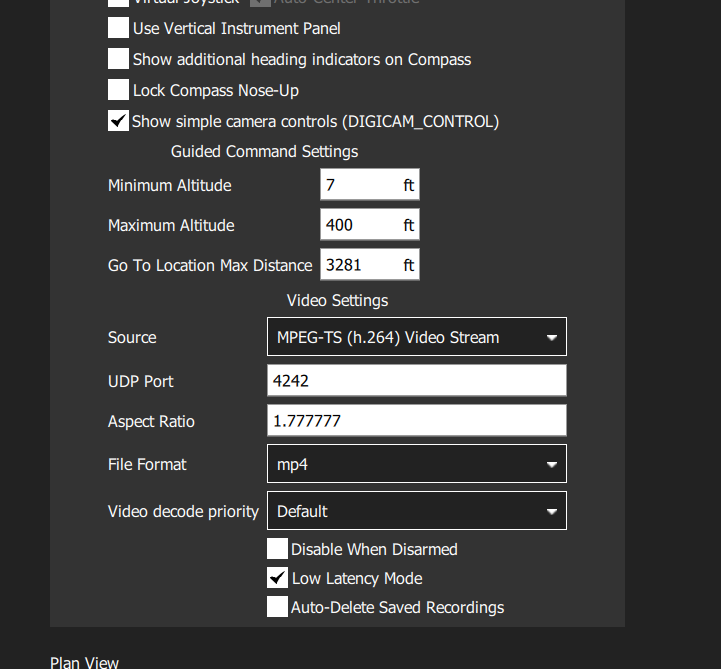
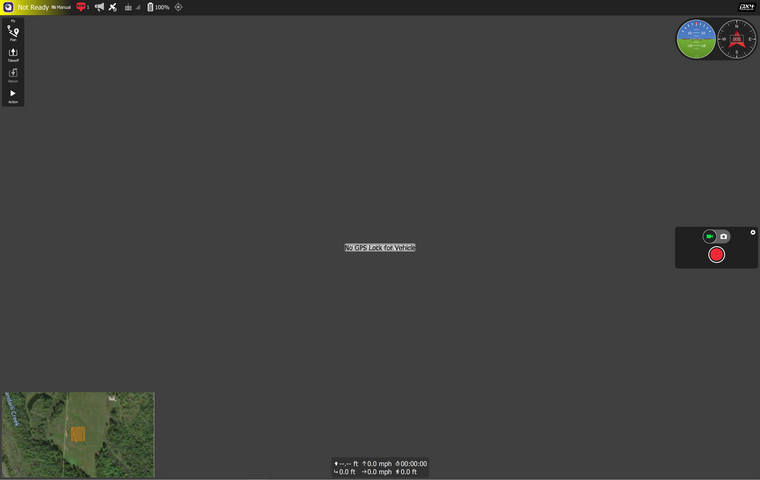
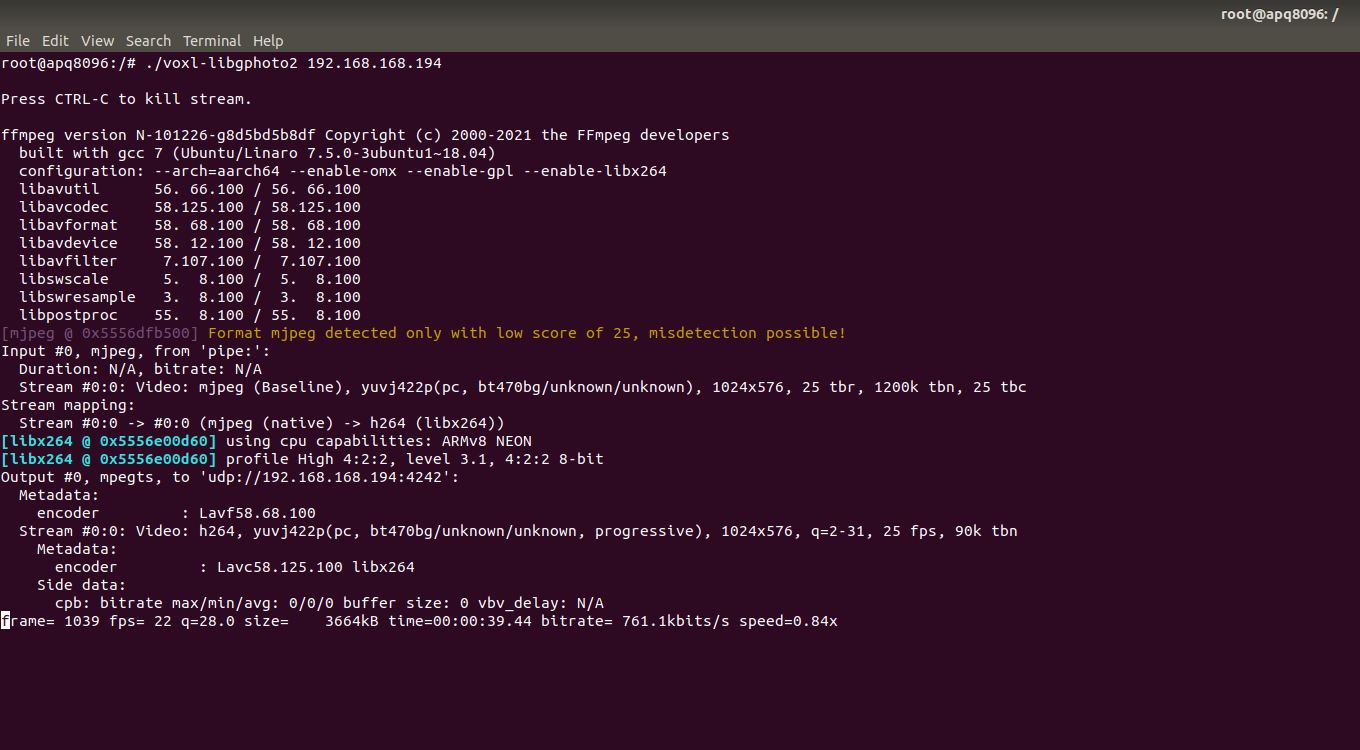
      @tom This is something we have done already

      Screenshot 2021-02-23 125156.png

      Screenshot 2021-02-23 125221.png

      image.png

      1 Reply Last reply
      0
      • tomT Offline
        tomT Offline
        tom
        admin
        wrote on last edited by
        #8

        Are you able to open the video stream with a different program like VLC or ffplay?

        1 Reply Last reply
        0
        • Matt GoddardM Offline
          Matt GoddardM Offline
          Matt Goddard
          wrote on last edited by
          #9

          We have tried VLC with both Linux and Windows, appears to load it with no video stream.

          1 Reply Last reply
          0
          • Matt GoddardM Offline
            Matt GoddardM Offline
            Matt Goddard
            wrote on last edited by
            #10

            @tom is the VOXL streamer apk required in order to use the gphoto2 to stream video?

            tomT 1 Reply Last reply
            0
            • Matt GoddardM Matt Goddard

              @tom is the VOXL streamer apk required in order to use the gphoto2 to stream video?

              tomT Offline
              tomT Offline
              tom
              admin
              wrote on last edited by
              #11

              @Matt-Goddard We have two different implementations for gphoto2 on VOXL. voxl-libgphoto2 which is what you are using and we also have voxl-gphoto2 which is a newer version that also uses voxl-streamer. I think I will have you try voxl-gphoto2 now.

              Here is the link to the build/install instructions for the newer gphoto2 implementation.

              Here is a link to the documentation

              You will need to use this in combination with voxl-streamer and here is some documentation for getting that going.

              1 Reply Last reply
              0
              • Matt GoddardM Offline
                Matt GoddardM Offline
                Matt Goddard
                wrote on last edited by
                #12

                I will try this now and get back to you. Thanks!

                1 Reply Last reply
                0
                • Matt GoddardM Offline
                  Matt GoddardM Offline
                  Matt Goddard
                  wrote on last edited by
                  #13

                  During the process, we managed to brick the board. Will not boot now..

                  tomT 1 Reply Last reply
                  0
                  • Matt GoddardM Matt Goddard

                    During the process, we managed to brick the board. Will not boot now..

                    tomT Offline
                    tomT Offline
                    tom
                    admin
                    wrote on last edited by
                    #14

                    @Matt-Goddard We have some documentation on unbricking here

                    1 Reply Last reply
                    0
                    • Matt GoddardM Offline
                      Matt GoddardM Offline
                      Matt Goddard
                      wrote on last edited by
                      #15

                      Got it, we will order the part and unbrick lol. Thanks for the help!

                      1 Reply Last reply
                      0
                      • Aaron BottkeA Offline
                        Aaron BottkeA Offline
                        Aaron Bottke
                        Contributor
                        wrote on last edited by Aaron Bottke
                        #16

                        The USB and Serial Debug board arrived today. I unbricked the board and installed gphoto2 and VOXL-streamer. The image below is an error I received after running the voxl-gphoto2 command.
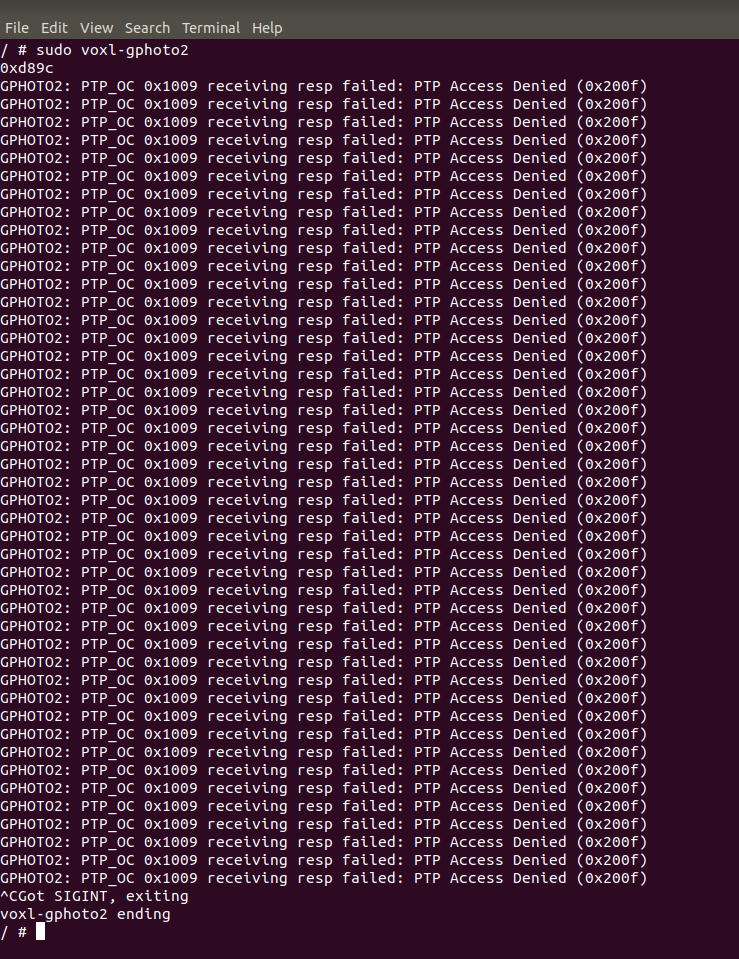
                        beac53fa-5f2c-47f7-a96a-faa02c4f1eb1-image.png

                        Please advise.

                        1 Reply Last reply
                        0
                        • Chad SweetC Offline
                          Chad SweetC Offline
                          Chad Sweet
                          ModalAI Team
                          wrote on last edited by
                          #17

                          Have you tried gphoto2 using a Linux machine to make sure this device is supported?

                          1 Reply Last reply
                          0
                          • Chad SweetC Offline
                            Chad SweetC Offline
                            Chad Sweet
                            ModalAI Team
                            wrote on last edited by
                            #18

                            @Matt-Goddard said in Sony RXO over USB:

                            Sony RXO

                            The RX0 II is on the list, is that what you're using?
                            http://www.gphoto.org/proj/libgphoto2/support.php

                            1 Reply Last reply
                            0
                            • Aaron BottkeA Offline
                              Aaron BottkeA Offline
                              Aaron Bottke
                              Contributor
                              wrote on last edited by Aaron Bottke
                              #19

                              Yes we are attempting to use the RX0. The image below shows that gphoto2 does detect it on an ubuntu machine.
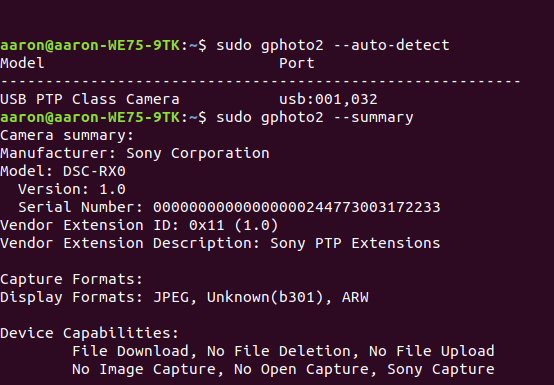
                              7ef3b019-c955-42e4-978b-d16825a4834b-image.png

                              Eric KatzfeyE 2 Replies Last reply
                              0
                              • Aaron BottkeA Aaron Bottke

                                Yes we are attempting to use the RX0. The image below shows that gphoto2 does detect it on an ubuntu machine.
                                7ef3b019-c955-42e4-978b-d16825a4834b-image.png

                                Eric KatzfeyE Offline
                                Eric KatzfeyE Offline
                                Eric Katzfey
                                ModalAI Team
                                wrote on last edited by
                                #20

                                @Aaron-Bottke What happens when you run gphoto2 --capture-preview? Do you get an image?

                                1 Reply Last reply
                                0
                                • Aaron BottkeA Aaron Bottke

                                  Yes we are attempting to use the RX0. The image below shows that gphoto2 does detect it on an ubuntu machine.
                                  7ef3b019-c955-42e4-978b-d16825a4834b-image.png

                                  Eric KatzfeyE Offline
                                  Eric KatzfeyE Offline
                                  Eric Katzfey
                                  ModalAI Team
                                  wrote on last edited by
                                  #21

                                  @Aaron-Bottke Also, can you try running voxl-gphoto2 with debugging information enabled and send us the ouput? For example: voxl-gphoto2 -d -v -g

                                  1 Reply Last reply
                                  0
                                  • Aaron BottkeA Offline
                                    Aaron BottkeA Offline
                                    Aaron Bottke
                                    Contributor
                                    wrote on last edited by
                                    #22

                                    Results of gphoto2 --capture-preview on my host machine as follows.
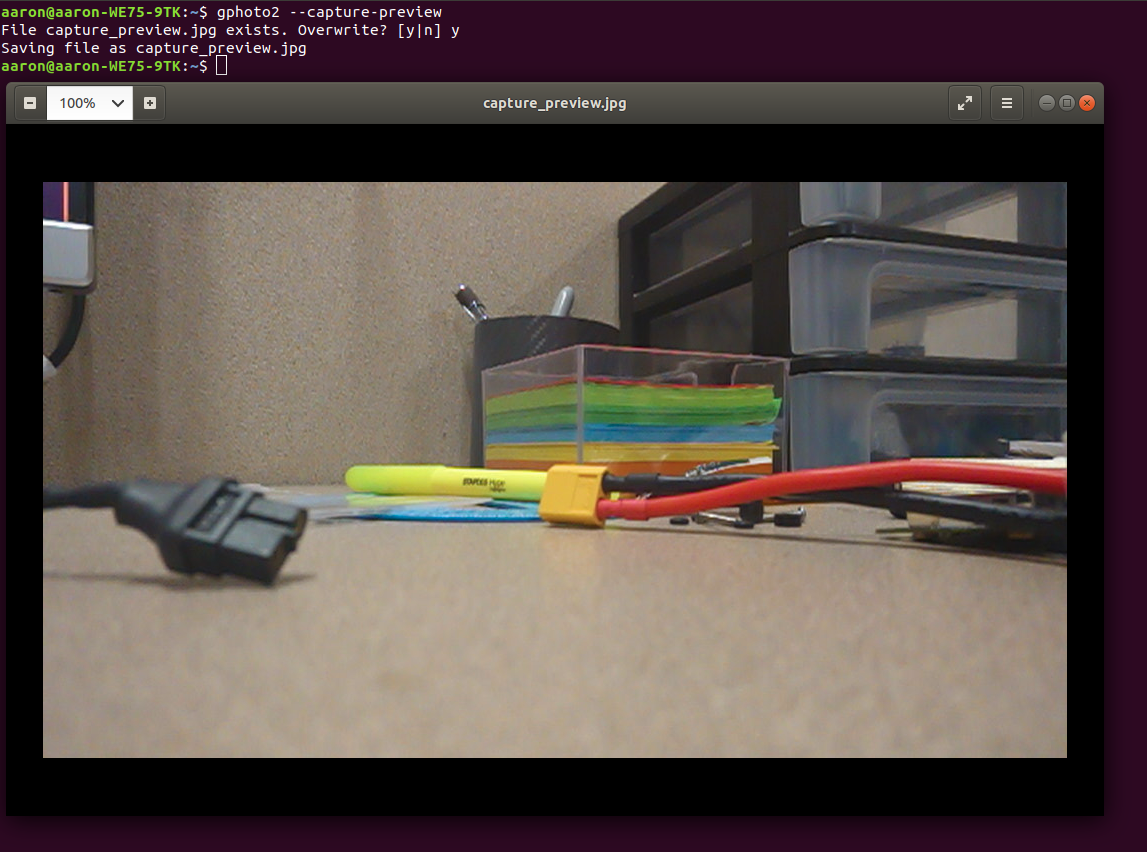
                                    aa6c2695-dab0-411b-870f-8eba4001e34d-image.png

                                    On the VOXL running voxl-gphoto2 -d -v -g yields way to much for me to share here so I will split it up.

                                    voxl-gphoto2 -d below.
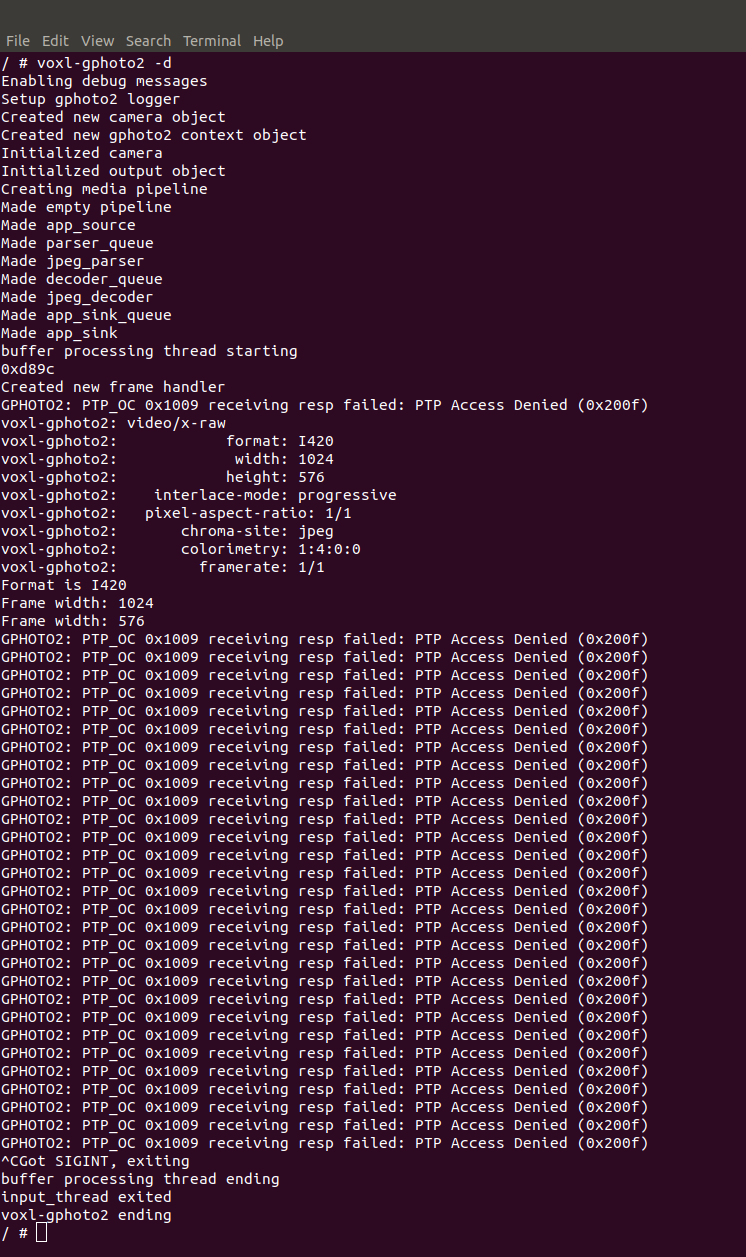
                                    221be522-7609-4e93-80b9-fd50f17fd18f-image.png

                                    voxl-gphoto2 -v yields a lot of messages very quickly.
                                    Output as follows.
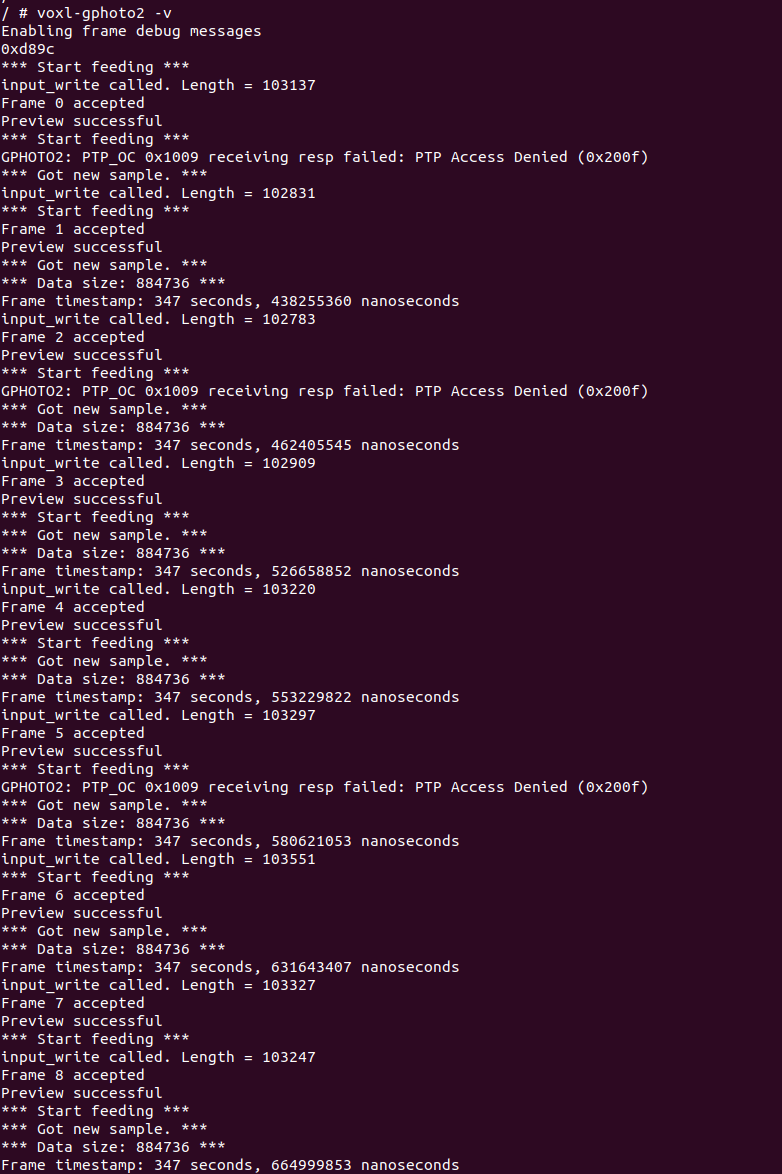
                                    35a2b60a-25fc-4cbe-b9e2-b571115e8499-image.png

                                    voxl-gphoto2 -v yields too many messages for me to upload with a screenshot.
                                    I don't see a way to submit a .txt file but the most interesting part of the output that I see is this.
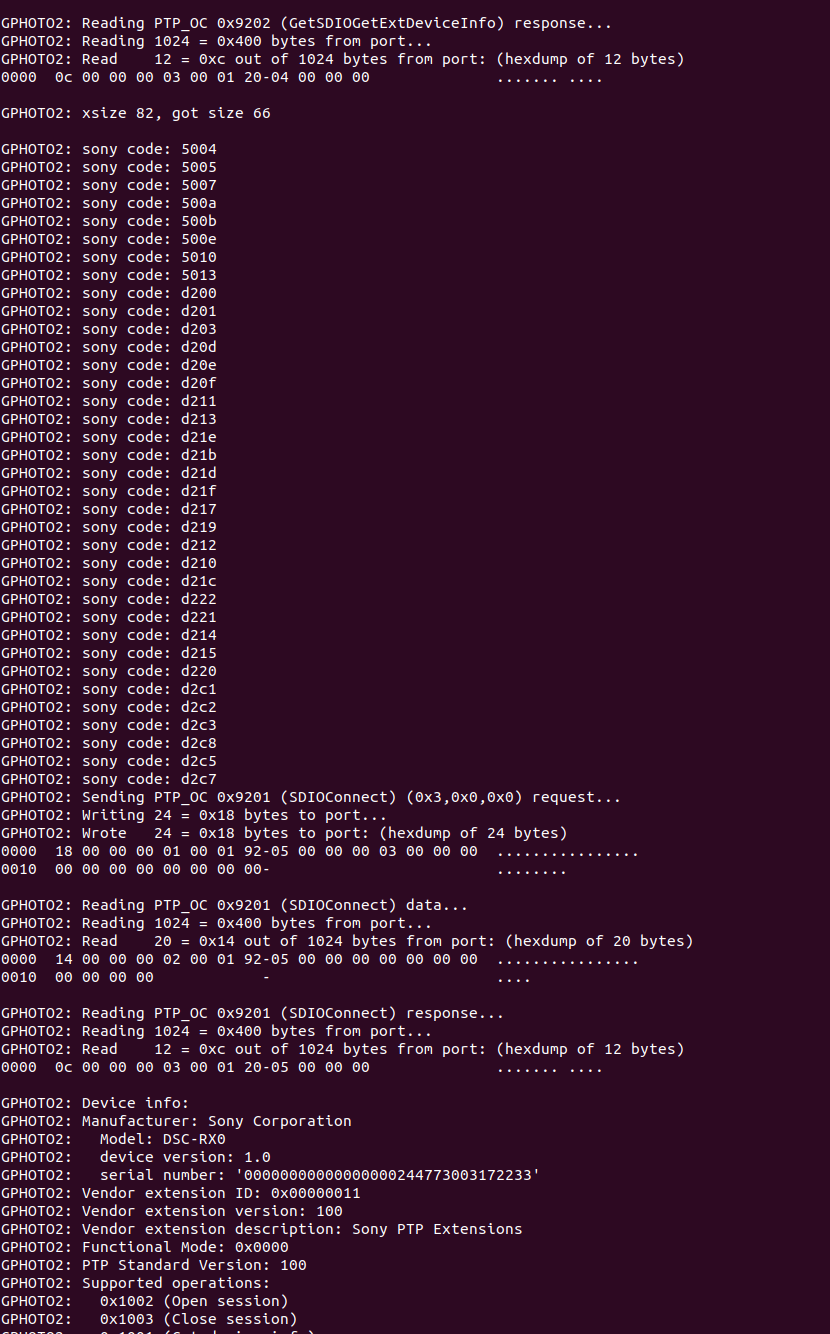
                                    3fafc1d2-4573-43b3-9b1e-88b9e43287c5-image.png

                                    Eric KatzfeyE 1 Reply Last reply
                                    0
                                    • Aaron BottkeA Aaron Bottke

                                      Results of gphoto2 --capture-preview on my host machine as follows.

                                      aa6c2695-dab0-411b-870f-8eba4001e34d-image.png

                                      On the VOXL running voxl-gphoto2 -d -v -g yields way to much for me to share here so I will split it up.

                                      voxl-gphoto2 -d below.
                                      221be522-7609-4e93-80b9-fd50f17fd18f-image.png

                                      voxl-gphoto2 -v yields a lot of messages very quickly.
                                      Output as follows.

                                      35a2b60a-25fc-4cbe-b9e2-b571115e8499-image.png

                                      voxl-gphoto2 -v yields too many messages for me to upload with a screenshot.
                                      I don't see a way to submit a .txt file but the most interesting part of the output that I see is this.

                                      3fafc1d2-4573-43b3-9b1e-88b9e43287c5-image.png

                                      Eric KatzfeyE Offline
                                      Eric KatzfeyE Offline
                                      Eric Katzfey
                                      ModalAI Team
                                      wrote on last edited by
                                      #23

                                      @Aaron-Bottke Okay, thanks! That's very helpful information. It looks like the camera is producing images and voxl-gphoto2 is processing them correctly. So try voxl-streamer and see if you can stream the video. That error message seems to be coming from the gphoto2 library but doesn't seem to be hurting anything.

                                      1 Reply Last reply
                                      0
                                      • Aaron BottkeA Offline
                                        Aaron BottkeA Offline
                                        Aaron Bottke
                                        Contributor
                                        wrote on last edited by Aaron Bottke
                                        #24

                                        Unless I am missing something in the command this is the result from running voxl-streamer and voxl-gphoto2.
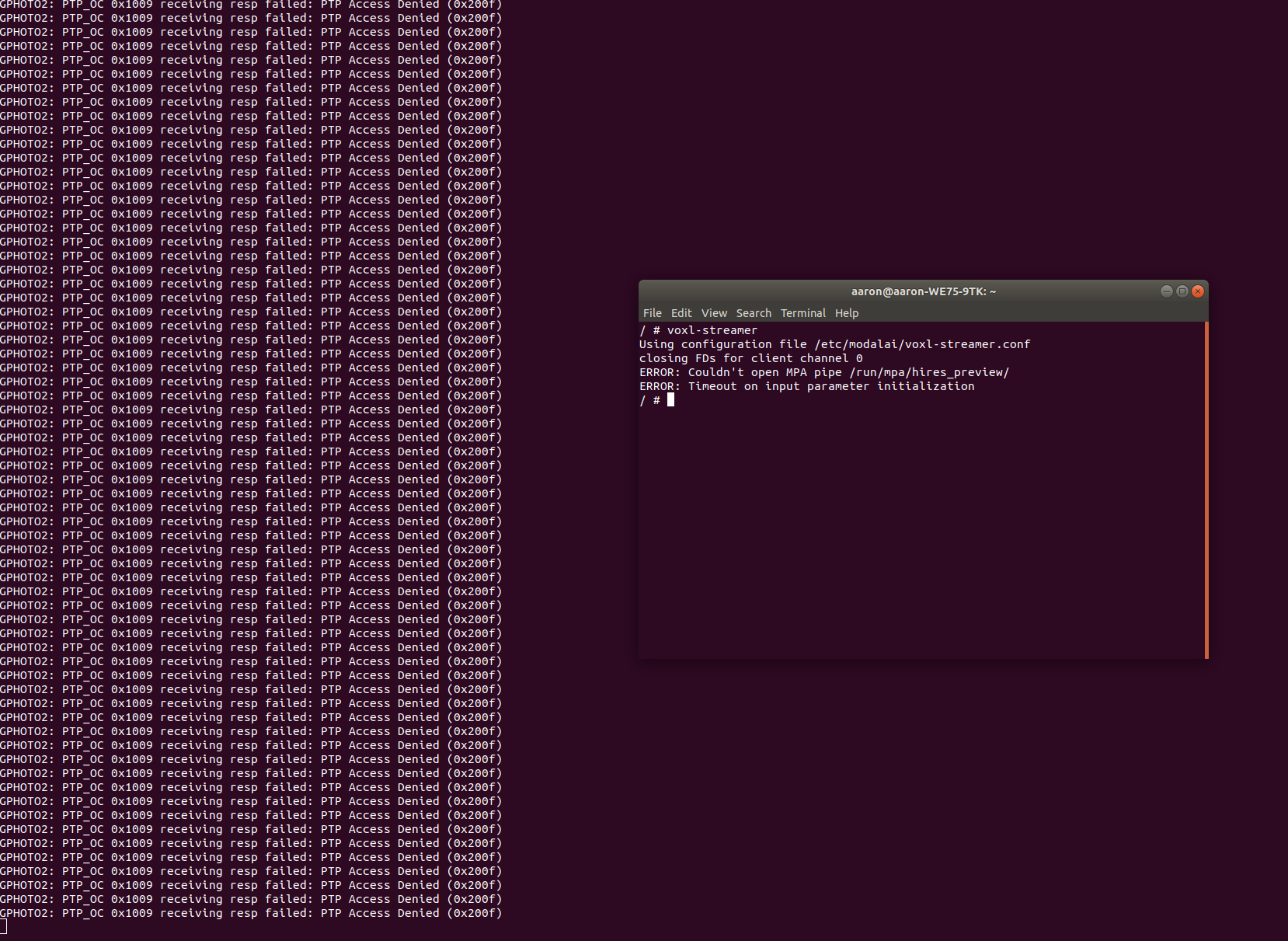
                                        2dd15cf3-2883-4a6b-a366-11b05879e1ff-image.png

                                        Thanks for all the help.

                                        Eric KatzfeyE 1 Reply Last reply
                                        0
                                        • Aaron BottkeA Aaron Bottke

                                          Unless I am missing something in the command this is the result from running voxl-streamer and voxl-gphoto2.
                                          2dd15cf3-2883-4a6b-a366-11b05879e1ff-image.png

                                          Thanks for all the help.

                                          Eric KatzfeyE Offline
                                          Eric KatzfeyE Offline
                                          Eric Katzfey
                                          ModalAI Team
                                          wrote on last edited by
                                          #25

                                          @Aaron-Bottke Documentation on voxl-streamer is here: https://docs.modalai.com/voxl-streamer/

                                          For gphoto2 you will want to look at the gphoto2-mpa configuration in /etc/modalai/voxl-streamer.conf. You can use this configuration record by launching with voxl-streamer -c gphoto2-mpa

                                          1 Reply Last reply
                                          0

                                          Hello! It looks like you're interested in this conversation, but you don't have an account yet.

                                          Getting fed up of having to scroll through the same posts each visit? When you register for an account, you'll always come back to exactly where you were before, and choose to be notified of new replies (either via email, or push notification). You'll also be able to save bookmarks and upvote posts to show your appreciation to other community members.

                                          With your input, this post could be even better 💗

                                          Register Login
                                          Reply
                                          • Reply as topic
                                          Log in to reply
                                          • Oldest to Newest
                                          • Newest to Oldest
                                          • Most Votes


                                          ModalAI
                                          Categories Recent Tags ModalAI.com Docs
                                          © 2026 ModalAI® · Accelerating autonomy for smaller, smarter, safer drones · Powered by NodeBB
                                          • Login

                                          • Don't have an account? Register

                                          • Login or register to search.
                                          • First post
                                            Last post
                                          0
                                          • Categories
                                          • Recent
                                          • Tags
                                          • Popular
                                          • Users
                                          • Groups