Skip to content

Ask your questions right here!

2.3k Topics 11.7k Posts

Note sure where to post? Ask questions here for direct access to the ModalAI engineering team

Subcategories


  • 164 Topics
    751 Posts
    Ben LinneB
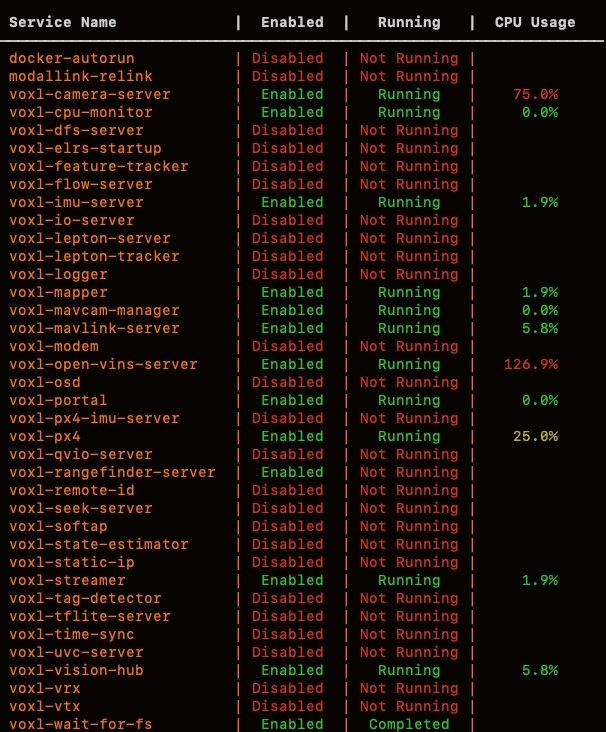
    @heiko.lizan Any elrs radio that's 900mhz or dual band compatible should work when in low band mode. If the transmitter is running v4+ you should be able to downgrade it to v3 following the elrs update guide It's normal that some services aren't running. You may need to re-enable px4 with systemctl enable voxl-px4
  • Do you have a great idea for our products you would like to see implemented?

    27 90
    27 Topics
    90 Posts
    Serhii RovnyiS
    Hello everyone, I am looking for some expert advice on a VOXL 2 companion computer setup for a long-range platform. I have two main integration challenges: Challenge A: VIO at Higher Altitudes To solve the motion blur and pixel density issues at higher altitudes, I am planning a 6-camera configuration. I want to use 4 downward-facing sensors (2 daylight + 2 IR) equipped with narrow-angle lenses, alongside 2 standard wide-angle sensors (front and rear). Could you advise on the best supported sensors (e.g., IMX series) for this? Has anyone successfully tuned the voxl-qvio-server for narrow-angle lenses, and what were the altitude limits you achieved? Challenge B: LAN Integration & WireGuard The payload data flow will be: External RTSP Camera -> Ethernet -> VOXL 2 (WireGuard encryption) -> Ethernet -> Digital RX. Because VOXL 2 lacks multiple LAN ports, I will need a miniature industrial Ethernet switch. Does ModalAI have any tested hardware recommendations for this? Furthermore, what is the best practice for routing this VPN traffic through the VOXL 2 Ubuntu environment without bottlenecking the CPU? We are currently evaluating the VOXL 2 for a broader fleet deployment and want to ensure the ecosystem can support this custom optics requirement. Any feedback on off-the-shelf solutions or standard configurations for this use case would be greatly appreciated. Thank you!
  • Are you looking for a 3D model of one of our products?

    33 86
    33 Topics
    86 Posts
    Alex KushleyevA
    @nl_vdi , if you log into developer.modalai.com, you will see the CAD models. the latest model we have is: D0012-4-V3-C28-M36-T7-K0-Starling2-Max-V3-20260317.step [image: 1781036132877-376bf0dd-494a-4bf1-8d92-1b2d91afb83d-image.png]
  • 1 Votes
    6 Posts
    824 Views
    S
    @Alex-Kushleyev Thank you very much for your reply! We bought the USB C adapter from Flir and followed your guide to enable MIPI. Now it works and I can get the video from the Boson over MIPI. Thanks for your help!
  • Add thrid party library to voxl-cross

    4
    0 Votes
    4 Posts
    536 Views
    zauberflote1Z
    @remill You can also add a FetchContent CMake declaration that will build your library during compilation. Here is an example for yaml-cpp include(FetchContent) # Fetch yaml-cpp from GitHub FetchContent_Declare( yaml-cpp GIT_REPOSITORY https://github.com/jbeder/yaml-cpp.git GIT_TAG yaml-cpp-0.6.3 ) # Disable yaml-cpp tests set(YAML_CPP_BUILD_TESTS OFF CACHE BOOL "" FORCE) set(YAML_BUILD_SHARED_LIBS ON CACHE BOOL "" FORCE) #cross 4.0 quits the chat if building static FetchContent_MakeAvailable(yaml-cpp) # Confirm target exists if (TARGET yaml-cpp) add_library(yaml-cpp::yaml-cpp ALIAS yaml-cpp) endif() install(FILES ${yaml-cpp_BINARY_DIR}/libyaml-cpp.so ${yaml-cpp_BINARY_DIR}/libyaml-cpp.so.0.6 ${yaml-cpp_BINARY_DIR}/libyaml-cpp.so.0.6.3 DESTINATION ${CMAKE_INSTALL_LIBDIR} )
  • Robust way of setting static IP

    2
    0 Votes
    2 Posts
    334 Views
    Alex KushleyevA
    @jonathankampia , Here is something i tried, you can try as well. You are right, there is a background service that may be taking over, I think i found how to disable it: systemctl disable QCMAP_ConnectionManagerd systemctl disable qti_pppd systemctl disable qtid rm /lib/systemd/system/multi-user.target.wants/QCMAP_ConnectionManagerd.service rm /lib/systemd/system/multi-user.target.wants/qti_pppd.service rm /lib/systemd/system/multi-user.target.wants/qtid.service #edit: instead of disabling the above 3 services and removing the entries from `multi-user.target.wants`, it seems you can do the following: systemctl mask QCMAP_ConnectionManagerd systemctl mask qti_pppd systemctl mask qtid # you may want to disable dhcpcd as well, but i dont think that is strictly necessary: systemctl disable dhcpcd Now, set up static connection: #create a new network interface file vi /etc/systemd/network/10-eth0.network [Match] Name=eth0 [Network] Address=192.168.xx.xx/24 Gateway=192.168.xx.1 DNS=8.8.8.8 1.1.1.1 enable networkd systemctl enable systemd-networkd Then reboot voxl2... I think if dhcpcd is enabled, it may first take over the interface, but then networkd takes it back.. For example, here is the log from networkd when dhcpcd is enabled: ... Dec 10 06:01:00 m0054 systemd-networkd[1126]: dummy0: Gained carrier Dec 10 06:01:00 m0054 systemd-networkd[1126]: dummy0: Gained IPv6LL Dec 10 06:01:11 m0054 systemd-networkd[1126]: eth0: Gained carrier Dec 10 06:02:13 m0054 systemd-networkd[1126]: eth0: Gained IPv6LL Dec 10 06:02:13 m0054 systemd-networkd[1126]: eth0: Configured Dec 10 06:02:13 m0054 systemd-networkd[1126]: docker0: Link UP Dec 10 06:02:21 m0054 systemd-networkd[1126]: eth0: Lost carrier Dec 10 06:02:36 m0054 systemd-networkd[1126]: eth0: Gained carrier Dec 10 06:02:38 m0054 systemd-networkd[1126]: eth0: Gained IPv6LL Dec 10 06:02:38 m0054 systemd-networkd[1126]: eth0: Configured and the log with dhcpcd disabled: ... Dec 10 06:02:13 m0054 systemd-networkd[1126]: bond0: Link is not managed by us Dec 10 06:02:13 m0054 systemd-networkd[1126]: sit0: Link is not managed by us Dec 10 06:02:14 m0054 systemd-networkd[1126]: eth0: Link UP Dec 10 06:02:38 m0054 systemd-networkd[1126]: eth0: Gained carrier Dec 10 06:09:56 m0054 systemd-networkd[1126]: eth0: Gained IPv6LL Dec 10 06:09:56 m0054 systemd-networkd[1126]: eth0: Configured Dec 10 06:09:56 m0054 systemd-networkd[1126]: docker0: Link UP Can you try and see if that solves your issue? Alex
  • 0 Votes
    9 Posts
    2k Views
    Alex KushleyevA
    Hi @joseph-vale , i tested the python script from FLIR help site (Radiometry.py). I just had to modify it to use the correct USB and Video devices. The script ran find, but since my Boson does not support radiometric output, the reported temperature was like 70 degrees colder than it should be (reporting -50C at room temperature). Are you able to get correct temperatures with your device using this script? As i mentioned before, there is a way of getting the image data from voxl-camera-server into python. I think it would be interesting to try running the same exact conversion and annotation code from the FLIR example. This would allow you to first check the temperatures using a USB connection and then check them using the VOXL2 pipeline. I am going to set up an example that that uses pympa (python wrapper for MPA) to get the 16bit data from Boson and plot + convert it to temperature using the reference code. Alex
  • VOXL2 Time

    4
    0 Votes
    4 Posts
    374 Views
    Eric KatzfeyE
    @voxltester Only if it is connected to a GCS that sends the Mavlink SYSTEM_TIME message.
  • M0201 gimbal passthrough pinout

    4
    2 Votes
    4 Posts
    1k Views
    Alex KushleyevA
    @Zachary-Lowell-0 and @smiley , I just updated the docs to include more info on this https://docs.modalai.com/M0153/#misc-connector-pinout Also verified that i could ping a i2c device connected to M0201 J4 and M0201 itself is connected to VOXL2 J7 via M0181 (there are other options how to connect M0201 to VOXL). IMU -> [JST GH cable] -> (M0201 J4) .... (M0201 J2) -> [MIPI COAX cable] -> (M0181 J1) .... (M0181) -> (VOXL2 J7) voxl2:/$ i2cdetect -r -y 4 0 1 2 3 4 5 6 7 8 9 a b c d e f 00: -- -- -- -- -- -- -- -- -- -- -- -- -- 10: -- -- -- -- -- -- -- -- -- -- -- -- -- -- -- -- 20: -- -- -- -- -- -- -- -- -- -- -- -- -- -- -- -- 30: -- -- -- -- -- -- -- -- -- -- -- -- -- -- -- -- 40: -- -- -- -- -- -- -- -- -- -- -- -- -- -- -- -- 50: -- -- -- -- -- -- -- -- -- -- -- -- -- -- -- -- 60: -- -- -- -- -- -- -- -- 68 -- -- -- -- -- -- -- 70: -- -- -- -- -- -- -- -- (able to ping an i2c IMU board connected to /dev/i2c-4). Please let me know if you have any additional questions. Alex
  • Using an RTK GPS with the VOXL2

    2
    0 Votes
    2 Posts
    259 Views
    Alex KushleyevA
    @alan123 , yes, the 12-pin connector on VOXL2 (J19) was designed such that the first 6 pins are compatible with a lot of existing GPS recevier modules. Please double check the pins and you should use a 12-pin connector to plug into VOXL2 (may need to re-pin your cable). Alex
  • This topic is deleted!

    1
    0 Votes
    1 Posts
    1 Views
    No one has replied
  • Flashing Custom Ardupilot Firmware

    2
    0 Votes
    2 Posts
    339 Views
    Eric KatzfeyE
    @clange Yes, definitely. All the support to build a Debian package for installation is in https://github.com/ArduPilot/ardupilot/tree/master/libraries/AP_HAL_QURT/packaging
  • voxl qvio coordinate frame change

    1
    0 Votes
    1 Posts
    185 Views
    No one has replied
  • Running M0166 on VOXL 2

    4
    0 Votes
    4 Posts
    695 Views
    Alex KushleyevA
    @cbay , We support any camera that is compatible with UVC (plugged into a usb port). Please look into voxl-uvc-server. https://docs.modalai.com/voxl-uvc-server/ Regarding NIR, have you considered using a regular camera (most cameras are sensitive to NIR) and install a lens with a NIR pass filter (if you dont want to see visible light)? Then you could use one of our hi-res cameras like IMX412 or IMX664. I can get you spectral response plot of those sensors if you need. Alex
  • This topic is deleted!

    1
    0 Votes
    1 Posts
    2 Views
    No one has replied
  • MDK-M0048-2-00

    1
    0 Votes
    1 Posts
    207 Views
    No one has replied
  • 0 Votes
    2 Posts
    411 Views
    Seungjae BaekS
    @Seungjae-Baek [image: 1763679737134-image.png] [image: 1763679737747-img_0429-resized.jpg] One more question: Should we use 5G antenna, not LTE? As I know when we buy the 5g modem the default antenna is the one with LTE.
  • Starling 2 flying into ceiling

    9
    2
    0 Votes
    9 Posts
    1k Views
    G
    @Cliff-Wong Thanks! I will try this as soon as possible and report how it works out.
  • 0 Votes
    5 Posts
    457 Views
    Eric KatzfeyE
    @aspen The landing detector in PX4 isn't perfect (obviously) so in this case it didn't detect the landing. I would map one of the switches to toggle between arm and disarm so that when the drone lands you can disarm via switch. Did you try the v1.16 package?
  • Voxl2 Docker (Ubuntu 22) with OpenCL/Adreno

    20
    0 Votes
    20 Posts
    5k Views
    Alex KushleyevA
    @Peter-Milani , I see. this looks like a generic implementation of OpenCL for ARM from 3rd party (not Qualcomm), and i think it also overwrites the proprietary opencl libraries, disabling the GPU opencl support. However, you could make two separate docker images, one for each use case (cpu and gpu) Alex
  • voxl2 unbrick fails

    5
    0 Votes
    5 Posts
    584 Views
    N. ChenN
    @N-Chen To anyone reading this, maybe encountering the same issue in the future. I've tested the board with a guy that has a lot of experience with the voxl2 board, According to him, the board was faulty, probably some electrical issue, the amperage did not cross 0.1, and the board usually runs on something like 0.5. I've replaced my board as well as my power-supply cables (which were also under par).
  • M0094

    1
    0 Votes
    1 Posts
    267 Views
    No one has replied
  • Blue UAS Certification of PX4 Autonomy Developer Kit & Camera Mounting

    2
    0 Votes
    2 Posts
    296 Views
    VinnyV
    Hi @dylangresham Stinger is intended to be a complete drone package for developers, integrators, and system providers who do not require additional customization. We believe it includes all the necessary functionality for the FPV use case. Starling 2, Starling 2 Max, and the PX4 Developer Editions, on the other hand, are designed to be customizable platforms that developers and integrators can modify to suit their specific products and use cases. By design, these are not fully Blue List–certified turnkey drones, since any additions, removals, or changes made by the end developer would require recertification. That said, because most (if not all) of the subcomponents used in these platforms are already listed on the Blue UAS components list, the end-user certification process should be straightforward. ModalAI parts will pass screening easily thanks to their existing certifications. I hope that clarifies the rationale.