Skip to content
  • Categories
  • Recent
  • Tags
  • Popular
  • Users
  • Groups
Collapse
Brand Logo

ModalAI Forum

  1. ModalAI Support Forum
  2. VOXL Compute & Autopilot
  3. VOXL
  4. Not able to flash using debug board

Not able to flash using debug board

Scheduled Pinned Locked Moved VOXL
22 Posts 7 Posters 6.0k Views 4 Watching
  • Oldest to Newest
  • Newest to Oldest
  • Most Votes
Reply
  • Reply as topic
Log in to reply
This topic has been deleted. Only users with topic management privileges can see it.
  • G Gaurav Borade

    Hi Team, if anyone have the video link, please share so we can try to unbrick it.

    modaltbM Offline
    modaltbM Offline
    modaltb
    ModalAI Team
    wrote on last edited by
    #9

    @Gaurav-Borade not sure why it didn't make it to youtube yet, but here's a link for now: https://drive.google.com/file/d/1lPK5ypVNkRDaCLJSWZa_J7Cx84tZ2Q_G/view?usp=sharing

    G 1 Reply Last reply
    0
    • modaltbM modaltb

      @Gaurav-Borade not sure why it didn't make it to youtube yet, but here's a link for now: https://drive.google.com/file/d/1lPK5ypVNkRDaCLJSWZa_J7Cx84tZ2Q_G/view?usp=sharing

      G Offline
      G Offline
      Gaurav Borade
      Contributor
      wrote on last edited by
      #10

      @modaltb Thank you for this

      1 Reply Last reply
      0
      • G Offline
        G Offline
        Gaurav Borade
        Contributor
        wrote on last edited by Gaurav Borade
        #11

        Hi, @modaltb I tried with it, but still have not succeeded 😐

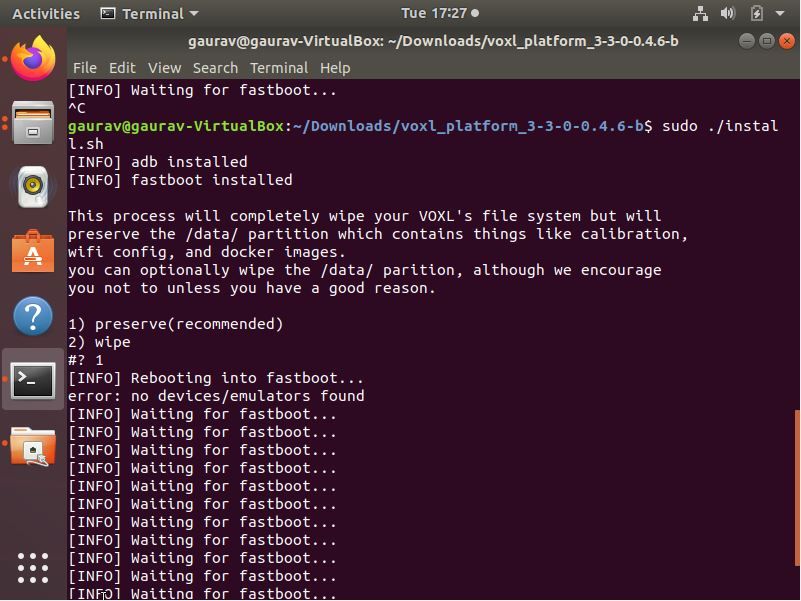
        terminal logs.JPG

        Two things I want to confirm

        1. Am I using the right system image? I am using VOXL Platform Release 3-3-0 0.4.6 b downloaded from https://developer.modalai.com/asset

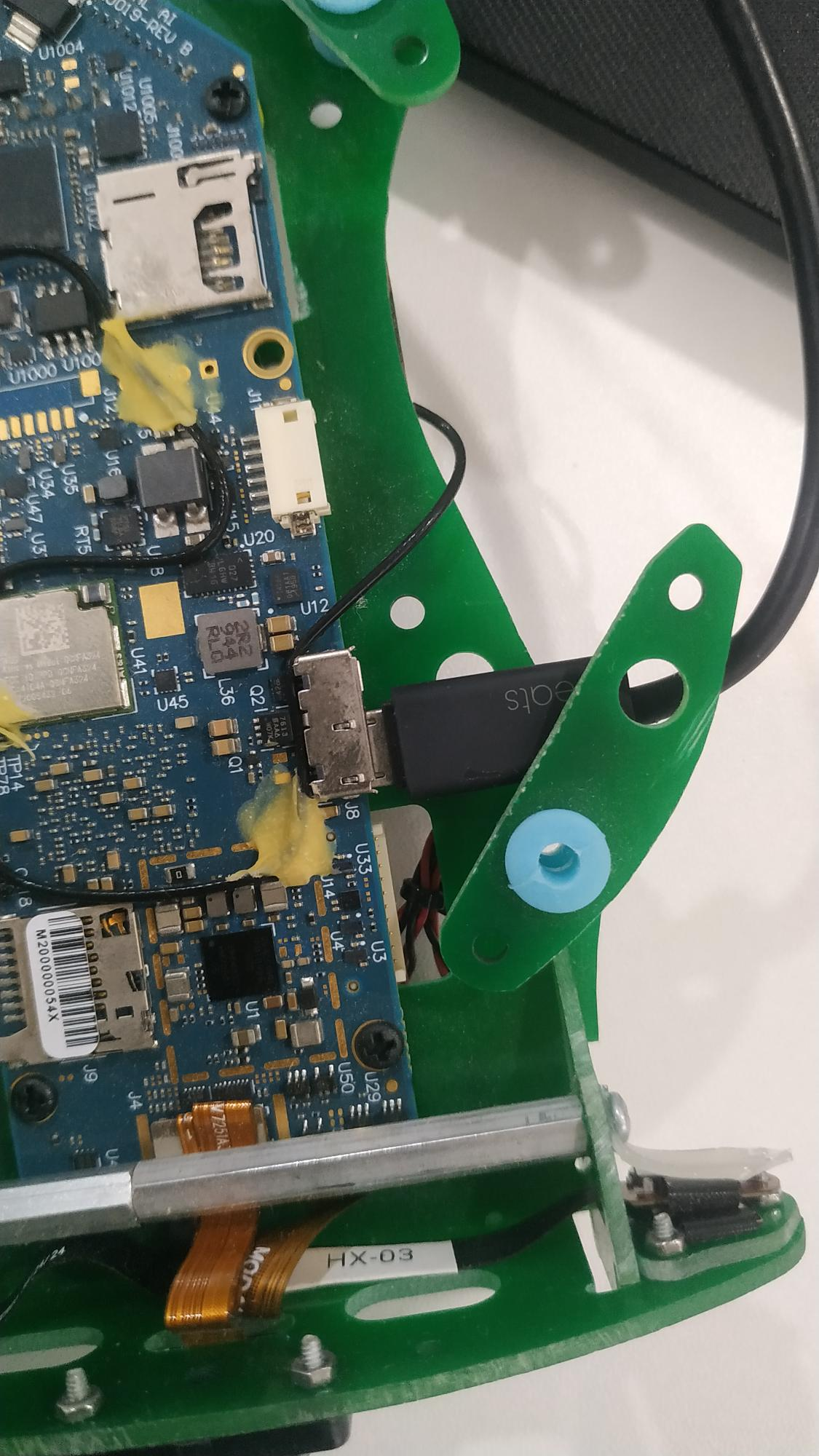
        2. The cable, in the video I can see the cable like below cable in video.JPG
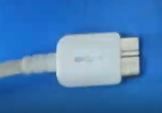
          But I am using the cable, MicrosoftTeams-image (3).png

        Is this cable will work? or do I need the same cable shown in the video? please let me know if am doing something wrong here.

        1 Reply Last reply
        0
        • modaltbM Offline
          modaltbM Offline
          modaltb
          ModalAI Team
          wrote on last edited by
          #12

          Hi @Gaurav-Borade ,

          You are correct, the USB cable you have is fine and the image is also OK.

          Question: are you using an Ubuntu VM on another host machine? This is something I'm not positive about, should be OK but just not something we've tested too much.

          G 1 Reply Last reply
          0
          • modaltbM modaltb

            Hi @Gaurav-Borade ,

            You are correct, the USB cable you have is fine and the image is also OK.

            Question: are you using an Ubuntu VM on another host machine? This is something I'm not positive about, should be OK but just not something we've tested too much.

            G Offline
            G Offline
            Gaurav Borade
            Contributor
            wrote on last edited by
            #13

            @modaltb Thank you for the confirmation on the USB cable.
            Yes, I am using Ubuntu Virtual Box. The board was communicating fine with the Virtual Box previously (Before bricked) so unbricking on that only. I will try it on another machine as well.

            1 Reply Last reply
            0
            • Jae ParkJ Offline
              Jae ParkJ Offline
              Jae Park
              wrote on last edited by
              #14

              @tom Hi, I'm the op of this post (link) but thought I would ask my question here since it seems to belong here now.
              Screenshot from 2022-02-08 21-32-16.png

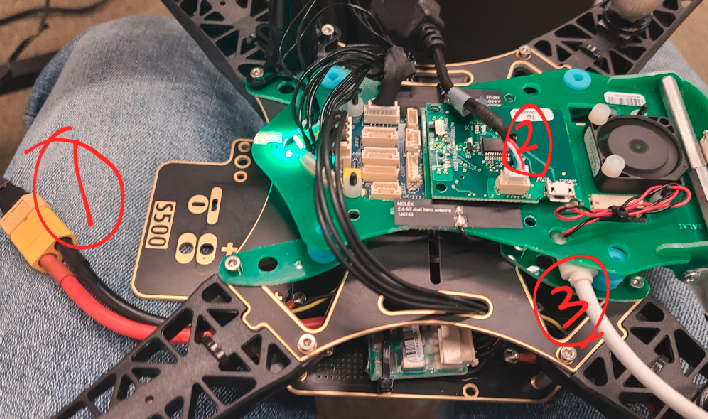
              I am following the Unbricking VOXL instruction. More specifically, here's what I'm doing.

              • Before anything is plugged in, I left the FASTBOOT switch on and the Debug board is already attached.
              • Plug in the (1) cable for power
              • Plug in cable (3) -- just a micro-usb
              • Wait 5 sec, turn off the FASTBOOT switch.
              • sudo fastboot devices
                And this returns nothing. I've also tried adding cable (2) right after I plug in power which didn't work (I've tried many things..)
                Please advise if I'm doing anything wrong. Thank you!

              Jae

              tomT 1 Reply Last reply
              0
              • Jae ParkJ Jae Park

                @tom Hi, I'm the op of this post (link) but thought I would ask my question here since it seems to belong here now.

                Screenshot from 2022-02-08 21-32-16.png

                I am following the Unbricking VOXL instruction. More specifically, here's what I'm doing.

                • Before anything is plugged in, I left the FASTBOOT switch on and the Debug board is already attached.
                • Plug in the (1) cable for power
                • Plug in cable (3) -- just a micro-usb
                • Wait 5 sec, turn off the FASTBOOT switch.
                • sudo fastboot devices
                  And this returns nothing. I've also tried adding cable (2) right after I plug in power which didn't work (I've tried many things..)
                  Please advise if I'm doing anything wrong. Thank you!

                Jae

                tomT Offline
                tomT Offline
                tom
                admin
                wrote on last edited by
                #15

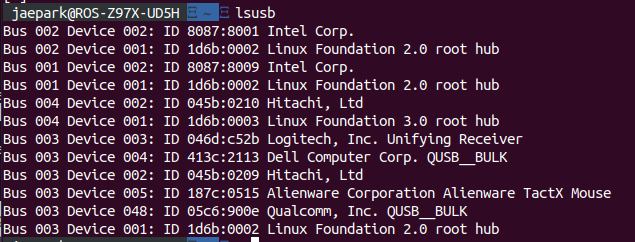
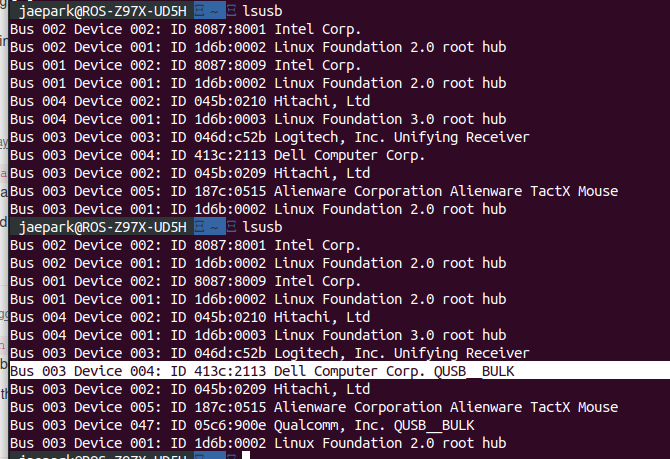
                @Jae-Park if you do a watch fastboot devices do you ever see it come up? Another thing to check, what is your output of lsusb after about 30 seconds of having the Voxl-flight powered up and plugged in to your pc?

                Also cable “2” is unrelated to this process
                Jae ParkJ 1 Reply Last reply
                0
                • tomT tom

                  @Jae-Park if you do a watch fastboot devices do you ever see it come up? Another thing to check, what is your output of lsusb after about 30 seconds of having the Voxl-flight powered up and plugged in to your pc?

                  Also cable “2” is unrelated to this process

                  Jae ParkJ Offline
                  Jae ParkJ Offline
                  Jae Park
                  wrote on last edited by Jae Park
                  #16

                  Screenshot from 2022-02-10 22-13-00.png

                  Here is the output from lsusb. (once before attaching the power&micro-usb and again but 30 seconds after attaching them)
                  Also, I retried it again, following the exact steps I had described above, while watching on watch -n 1 fastboot devices. And, nothing had showed up.

                  1 Reply Last reply
                  0
                  • tomT Offline
                    tomT Offline
                    tom
                    admin
                    wrote on last edited by
                    #17

                    @Jae-Park Can you do the same lsusb test without the debug board attached?

                    Jae ParkJ 1 Reply Last reply
                    0
                    • tomT tom

                      @Jae-Park Can you do the same lsusb test without the debug board attached?

                      Jae ParkJ Offline
                      Jae ParkJ Offline
                      Jae Park
                      wrote on last edited by Jae Park
                      #18

                      @tom Screenshot from 2022-02-11 12-54-59.png

                      This is after attaching cable (1) and (3), in the order, and running lsusb (waited some time before running the command).

                      1 Reply Last reply
                      0
                      • tomT Offline
                        tomT Offline
                        tom
                        admin
                        wrote on last edited by
                        #19

                        @Jae-Park It appears to me as though the VOXL portion of your VOXL-Flight is in a "bricked" state that is not fixable without sending it in for inspection. Refer to this RMA page for more info: https://modalai.com/rma

                        Jae ParkJ 1 Reply Last reply
                        0
                        • tomT tom

                          @Jae-Park It appears to me as though the VOXL portion of your VOXL-Flight is in a "bricked" state that is not fixable without sending it in for inspection. Refer to this RMA page for more info: https://modalai.com/rma

                          Jae ParkJ Offline
                          Jae ParkJ Offline
                          Jae Park
                          wrote on last edited by Jae Park
                          #20
                          This post is deleted!
                          1 Reply Last reply
                          0
                          • Jae ParkJ Offline
                            Jae ParkJ Offline
                            Jae Park
                            wrote on last edited by
                            #21

                            @tom Would it be going in for RMA PCB or Drone? It seems like PCB is what I'd want to choose.
                            Also, if that is the case, can I ship out just the board, or would it have to be the entire drone itself? Thank you.

                            tomT 1 Reply Last reply
                            0
                            • Jae ParkJ Jae Park

                              @tom Would it be going in for RMA PCB or Drone? It seems like PCB is what I'd want to choose.
                              Also, if that is the case, can I ship out just the board, or would it have to be the entire drone itself? Thank you.

                              tomT Offline
                              tomT Offline
                              tom
                              admin
                              wrote on last edited by
                              #22

                              @Jae-Park You should ship out the entire drone so that the team can verify that all of the components are functional, fix anything else that you may not have seen, and do a final flight test before sending back.

                              1 Reply Last reply
                              0

                              Hello! It looks like you're interested in this conversation, but you don't have an account yet.

                              Getting fed up of having to scroll through the same posts each visit? When you register for an account, you'll always come back to exactly where you were before, and choose to be notified of new replies (either via email, or push notification). You'll also be able to save bookmarks and upvote posts to show your appreciation to other community members.

                              With your input, this post could be even better 💗

                              Register Login
                              Reply
                              • Reply as topic
                              Log in to reply
                              • Oldest to Newest
                              • Newest to Oldest
                              • Most Votes


                              ModalAI
                              Categories Recent Tags ModalAI.com Docs
                              © 2026 ModalAI® · Accelerating autonomy for smaller, smarter, safer drones · Powered by NodeBB
                              • Login

                              • Login or register to search.
                              • First post
                                Last post
                              0
                              • Categories
                              • Recent
                              • Tags
                              • Popular
                              • Users
                              • Groups