Skip to content
  • Categories
  • Recent
  • Tags
  • Popular
  • Users
  • Groups
Collapse
Brand Logo

ModalAI Forum

  1. ModalAI Support Forum
  2. Ask your questions right here!
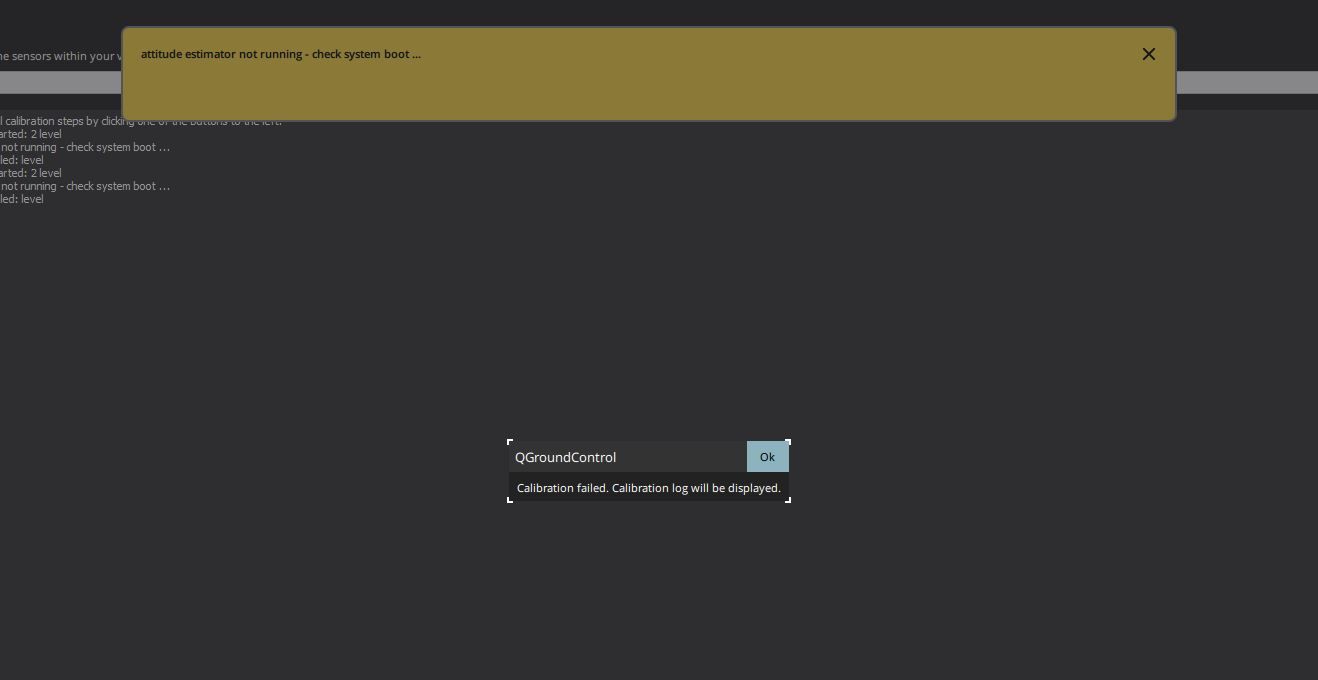
  3. Voxl2 flight deck -attitude estimator not running ( works fine before )

Voxl2 flight deck -attitude estimator not running ( works fine before )
Scheduled Pinned Locked Moved Ask your questions right here!
14 Posts 5 Posters 2.6k Views 3 Watching
  • Oldest to Newest
  • Newest to Oldest
  • Most Votes
Reply
  • Reply as topic
Log in to reply
This topic has been deleted. Only users with topic management privileges can see it.
  • bensusanaB bensusana

    @Eric-Katzfey
    thanks for the quick reply ,
    version 1.12.31 beta , we didn't change any version from the versions provided with the flight deck .
    we tried also reset to default version parameters and nothing changed .

    Eric KatzfeyE Offline
    Eric KatzfeyE Offline
    Eric Katzfey
    ModalAI Team
    wrote on last edited by
    #5

    @bensusana I'm guessing that the lack of barometer data is what is causing the trouble here so let's see if we can figure out what is going on with that. Can you log into the VOXL2 (adb or ssh) and type the command px4-listener sensor_baro? You should see barometer data and if you keep entering that command you should see that data changing.

    bensusanaB 2 Replies Last reply
    0
    • Eric KatzfeyE Eric Katzfey

      @bensusana I'm guessing that the lack of barometer data is what is causing the trouble here so let's see if we can figure out what is going on with that. Can you log into the VOXL2 (adb or ssh) and type the command px4-listener sensor_baro? You should see barometer data and if you keep entering that command you should see that data changing.

      bensusanaB Offline
      bensusanaB Offline
      bensusana
      Contributor
      wrote on last edited by
      #6

      @Eric-Katzfey
      Hi Eric
      I’ve contacted through and shell
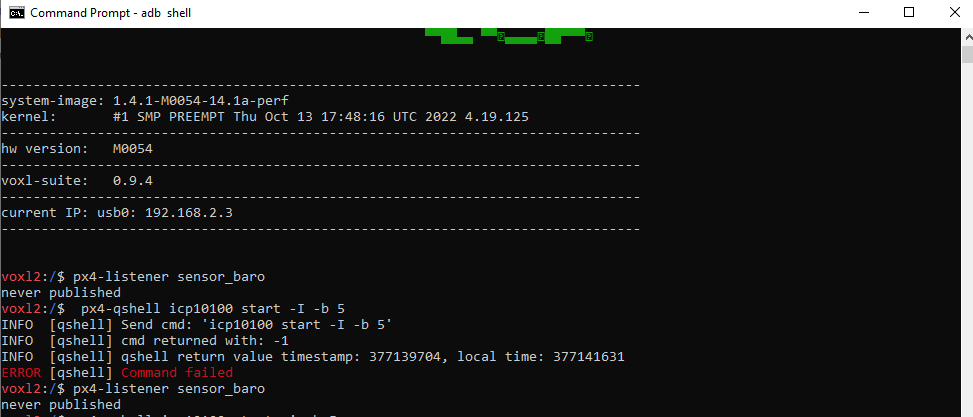
      When entering px4-listener sensor_baro
      I’m getting : “ never published “

      1 Reply Last reply
      0
      • Eric KatzfeyE Eric Katzfey

        @bensusana I'm guessing that the lack of barometer data is what is causing the trouble here so let's see if we can figure out what is going on with that. Can you log into the VOXL2 (adb or ssh) and type the command px4-listener sensor_baro? You should see barometer data and if you keep entering that command you should see that data changing.

        bensusanaB Offline
        bensusanaB Offline
        bensusana
        Contributor
        wrote on last edited by
        #7

        @Eric-Katzfey
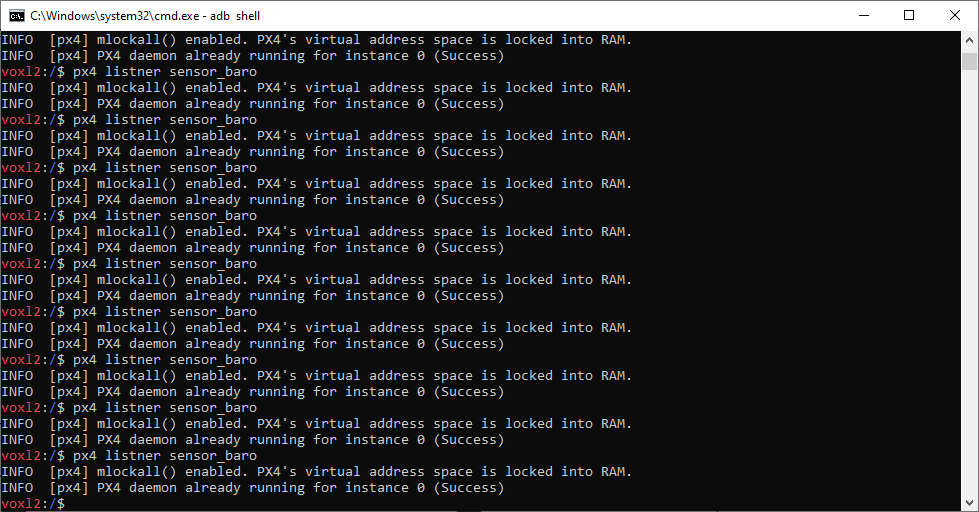
        ok tried it again , I'm getting this : Capture.PNG
        tomT 1 Reply Last reply
        0
        • bensusanaB bensusana

          @Eric-Katzfey
          ok tried it again , I'm getting this : Capture.PNG

          tomT Offline
          tomT Offline
          tom
          admin
          wrote on last edited by
          #8

          @bensusana In that screenshot you have a few mispellings in the command,

          you're running px4 listner sensor_baro, you should be running px4-listener sensor_baro

          bensusanaB 1 Reply Last reply
          0
          • tomT tom

            @bensusana In that screenshot you have a few mispellings in the command,

            you're running px4 listner sensor_baro, you should be running px4-listener sensor_baro

            bensusanaB Offline
            bensusanaB Offline
            bensusana
            Contributor
            wrote on last edited by
            #9

            @tom my bad ,
            So as I mentioned in the last comment, I’m getting “never published “ after checking baro status with the correct command.

            @Eric-Katzfey

            Eric KatzfeyE 1 Reply Last reply
            0
            • bensusanaB bensusana

              @tom my bad ,
              So as I mentioned in the last comment, I’m getting “never published “ after checking baro status with the correct command.

              @Eric-Katzfey

              Eric KatzfeyE Offline
              Eric KatzfeyE Offline
              Eric Katzfey
              ModalAI Team
              wrote on last edited by
              #10

              @bensusana Okay, that's not a good sign. Can you do the command px4-qshell icp10100 start -I -b 5 , wait a couple of seconds, and then try the px4-listener sensor_baro command again? If the barometer driver is not able to communicate with the barometer then that indicates some sort of hardware failure.

              bensusanaB 1 Reply Last reply
              0
              • Eric KatzfeyE Eric Katzfey

                @bensusana Okay, that's not a good sign. Can you do the command px4-qshell icp10100 start -I -b 5 , wait a couple of seconds, and then try the px4-listener sensor_baro command again? If the barometer driver is not able to communicate with the barometer then that indicates some sort of hardware failure.

                bensusanaB Offline
                bensusanaB Offline
                bensusana
                Contributor
                wrote on last edited by
                #11

                @Eric-Katzfey baro2.PNG

                I'm not getting anything...
                hardware problem ?

                1 Reply Last reply
                0
                • Adrian HidalgoA Offline
                  Adrian HidalgoA Offline
                  Adrian Hidalgo
                  ModalAI Team
                  wrote on last edited by
                  #12

                  @bensusana could you try flashing the Voxl and then loading the latest PX4 helper files?

                  bensusanaB 1 Reply Last reply
                  0
                  • Adrian HidalgoA Adrian Hidalgo

                    @bensusana could you try flashing the Voxl and then loading the latest PX4 helper files?

                    bensusanaB Offline
                    bensusanaB Offline
                    bensusana
                    Contributor
                    wrote on last edited by bensusana
                    #13

                    @Adrian-Hidalgo @Alex-Kushleyev @Eric-Katzfey
                    UPDATE:
                    we have open the flightdeck and surprisingly discovered that the barometer sensor was stuck in his cover and ripped off
                    , look like it was glued to the barometer cover , that explain all.

                    you should check to see if something in this cover is too tight or glued .

                    we have 4 flightdeck's and now we afraid to move the voxl board from it
                    since we never took the board out of the deck or crashed it i cant see another reason .
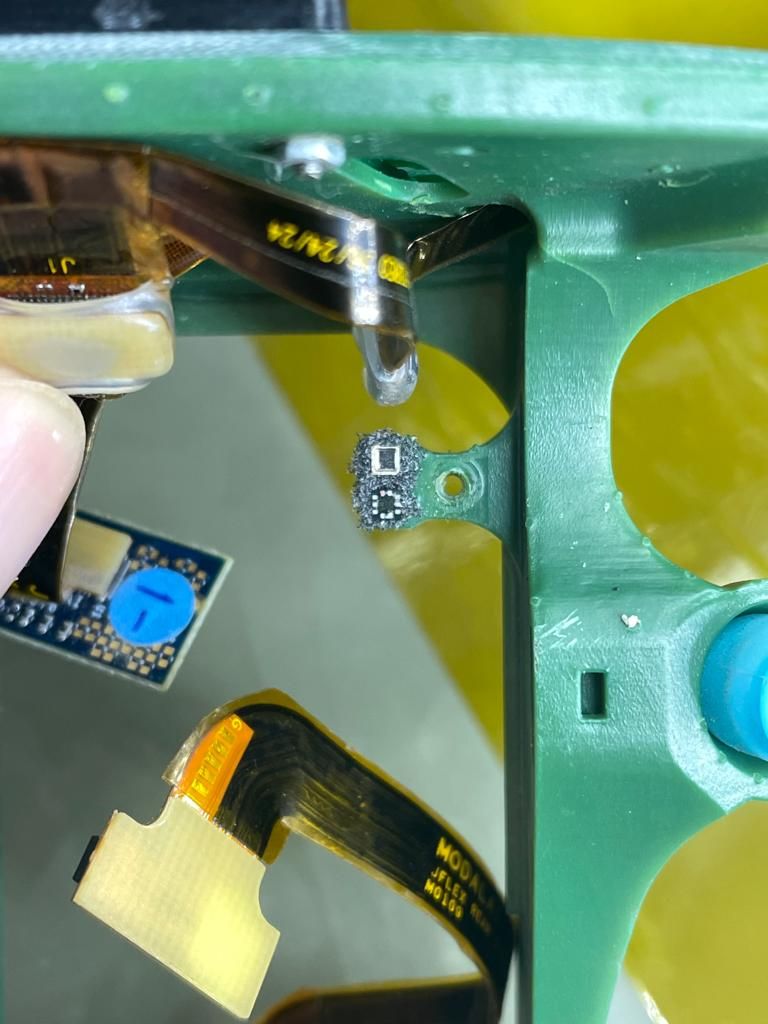
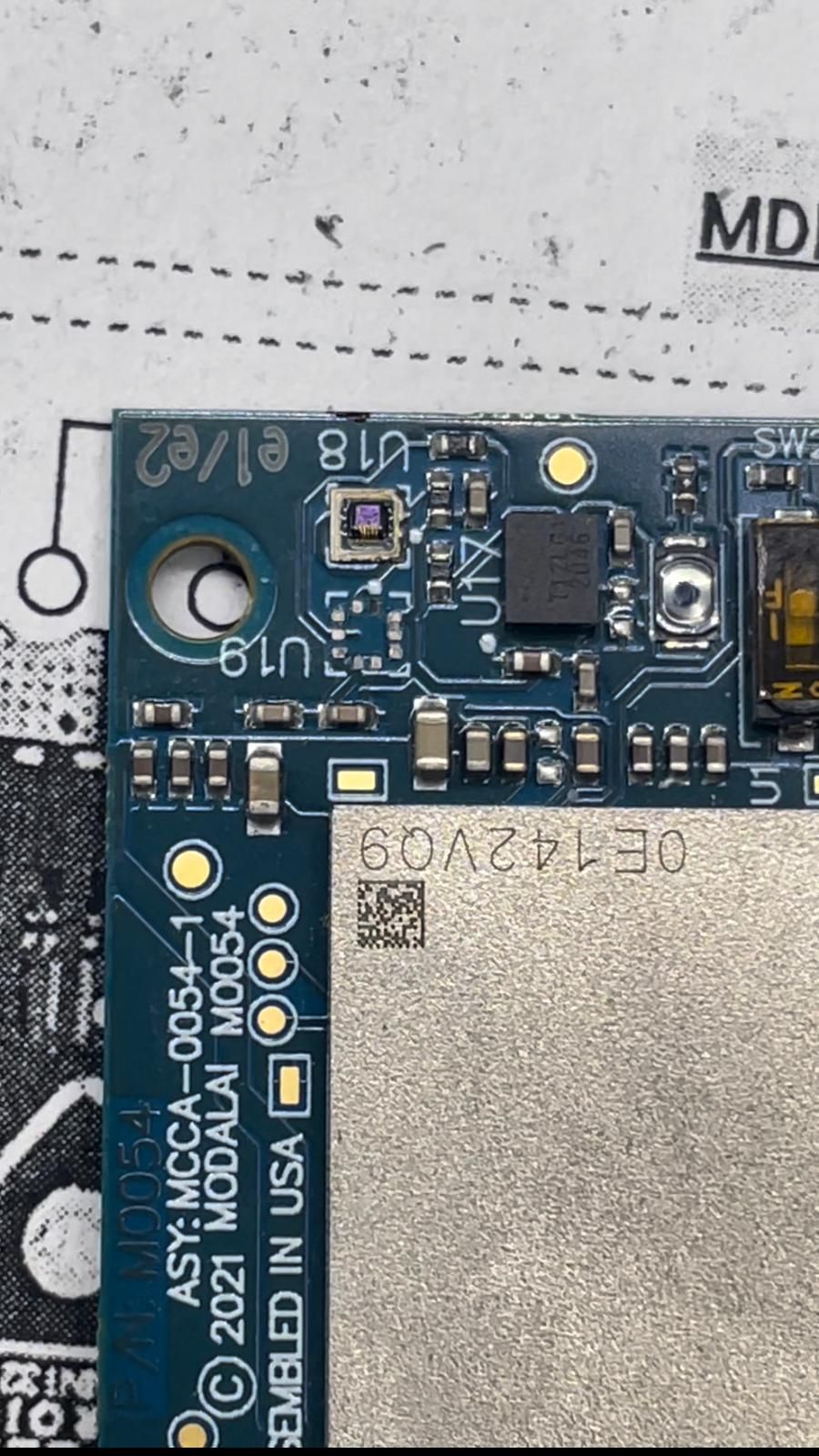
                    PHOTO-2023-06-14-15-53-19.jpg PHOTO-2023-06-14-15-53-40.jpg PHOTO-2023-06-14-16-21-28.jpg .

                    Adrian HidalgoA 1 Reply Last reply
                    0
                    • bensusanaB bensusana

                      @Adrian-Hidalgo @Alex-Kushleyev @Eric-Katzfey
                      UPDATE:
                      we have open the flightdeck and surprisingly discovered that the barometer sensor was stuck in his cover and ripped off
                      , look like it was glued to the barometer cover , that explain all.

                      you should check to see if something in this cover is too tight or glued .

                      we have 4 flightdeck's and now we afraid to move the voxl board from it
                      since we never took the board out of the deck or crashed it i cant see another reason .
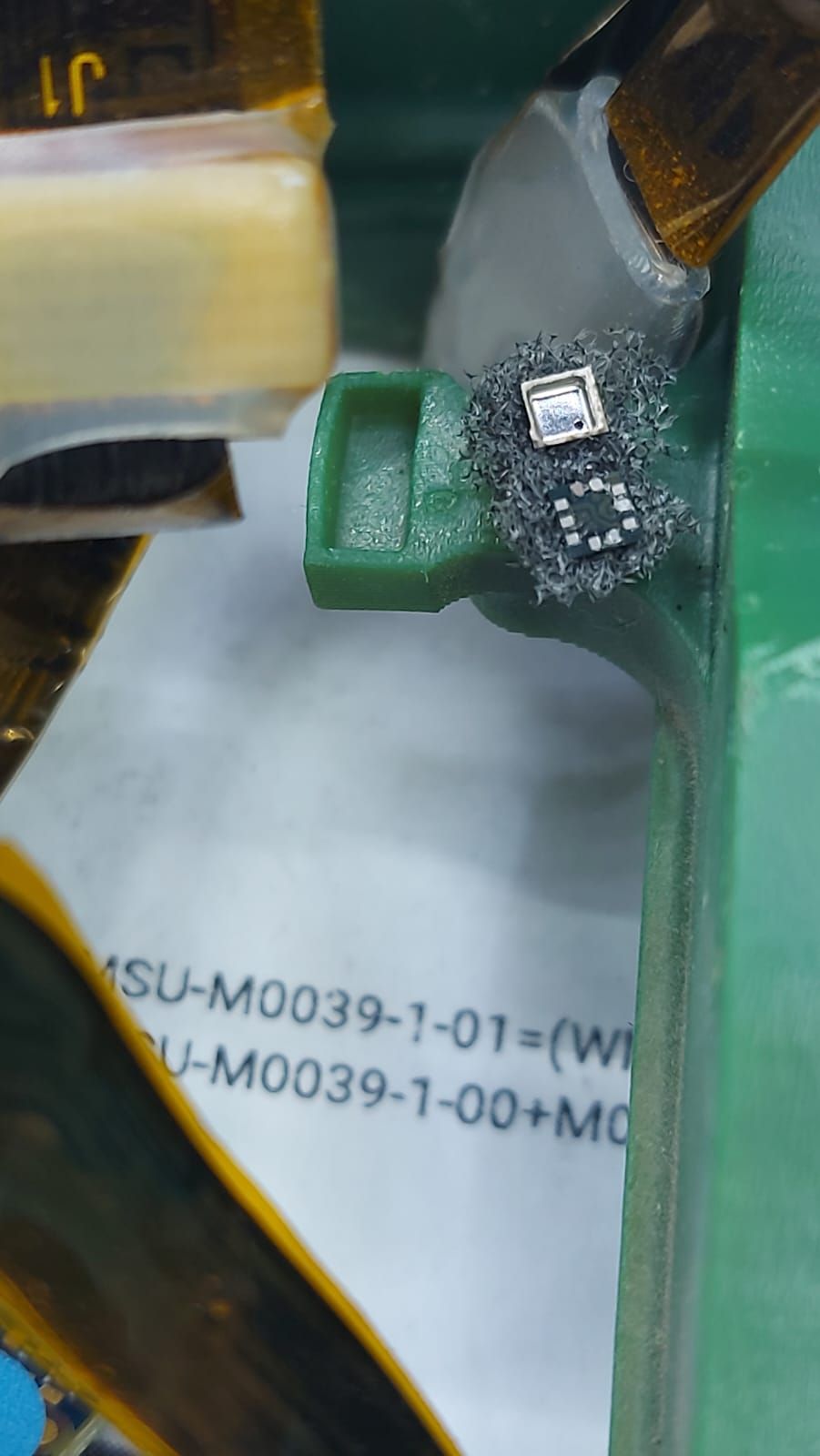
                      PHOTO-2023-06-14-15-53-19.jpg PHOTO-2023-06-14-15-53-40.jpg PHOTO-2023-06-14-16-21-28.jpg .

                      Adrian HidalgoA Offline
                      Adrian HidalgoA Offline
                      Adrian Hidalgo
                      ModalAI Team
                      wrote on last edited by
                      #14

                      @bensusana That'll cause the error for sure.
                      I can assure you that the barometer cap and foam are not glued to the barometer. There would have had to been a significant force applied to have it ripped off. A crash could inflict the above, but not regular disassembly.

                      We apologize for the inconvenience this has caused you. Please fill out our RMA form with all prevalent information and send it to: contact@modalai.com where one of our representatives will reach out.
                      Once again, we apologize for the inconvenience and hope to resolve this in a timely manner.

                      1 Reply Last reply
                      0

                      Hello! It looks like you're interested in this conversation, but you don't have an account yet.

                      Getting fed up of having to scroll through the same posts each visit? When you register for an account, you'll always come back to exactly where you were before, and choose to be notified of new replies (either via email, or push notification). You'll also be able to save bookmarks and upvote posts to show your appreciation to other community members.

                      With your input, this post could be even better 💗

                      Register Login
                      Reply
                      • Reply as topic
                      Log in to reply
                      • Oldest to Newest
                      • Newest to Oldest
                      • Most Votes


                      ModalAI
                      Categories Recent Tags ModalAI.com Docs
                      © 2026 ModalAI® · Accelerating autonomy for smaller, smarter, safer drones · Powered by NodeBB
                      • Login

                      • Don't have an account? Register

                      • Login or register to search.
                      • First post
                        Last post
                      0
                      • Categories
                      • Recent
                      • Tags
                      • Popular
                      • Users
                      • Groups