
Not going in Position mode
-
@gauravshukla914 Okay, in that case we will want to get you updated to System Image 3.2.0 / voxl-suite 0.3.4.
Before we do that though, I want to make sure you are able to backup your camera calibration files so that you won't need to re-calibrate.
In order to do this you can use the
voxl-backuputility which should currently be installed on your VOXL as it is included in thevoxl-utilspackage.First you will use
voxl-backup -b BACKUP_PATHin order to save your camera calibration files to the specified path. Then, I would recommend pulling these files off of your voxl usingadb pull BACKUP_PATH HOST_PC_DIRso that you have them saved for the future.You can then go ahead and flash System Image 3.2.0, located here.
After you finish flashing you can
adb pushyour camera cal files back onto your VOXL and usevoxl-backup -r BACKUP_ROOTin order to restore them to their correct locations. -
@tom I did that. I flashed with the image that you asked me to. Unfortunately the problem is still there. I'm able to see the odometry on my terminal once I do the "voxl-version-px4 -o". But no luck with the QgroundControl. Basically the same problem!
adb shell / # voxl-version cat: /etc/modalai/voxl-software-bundle-version.txt: No such file or directory -------------------------------------------------------------------------------- system-image: ModalAI 3.2.0 BUILDER: ekatzfey BUILD_TIME: 2021-02-05_19:54 kernel: #1 SMP PREEMPT Fri Feb 5 20:03:22 UTC 2021 3.18.71-perf factory-bundle: 1.0.1 (Yocto installation) -------------------------------------------------------------------------------- architecture: aarch64 processor: apq8096 os: GNU/Linux -------------------------------------------------------------------------------- voxl-suite: Package: voxl-suite Version: 0.3.4 Depends: voxl-utils (>= 0.6.0), libmodal_json (>= 0.3.4), libmodal_pipe (>= 1.7.8), librc_math (>= 1.1.4), libvoxl_io (>= 0.5.4), mavlink-camera-manager (>= 0.0.1), opencv (>= 4.5.1), openmp (>= 10.0.1), voxl-camera-server (>= 0.5.6), voxl-dfs-server (>= 0.0.7), voxl-docker-support (>= 1.1.1), voxl-gphoto2 (>= 0.0.5), voxl-hal3-tof-cam-ros (>= 0.0.5), voxl-imu-server (>= 0.7.8), voxl-modem (>= 0.11.0), voxl-mpa-tflite-server (>= 0.0.2), voxl-mpa-tools (>= 0.1.6), voxl-nodes (>= 0.1.3), voxl-qvio-server (>= 0.2.1), voxl-rtsp (>= 1.0.3), voxl-streamer (>= 0.2.1), voxl-vision-px4 (>= 0.8.1), voxl-vpn (>= 0.0.3) Status: install user installed Section: base Architecture: all Maintainer: james@modalai.com MD5Sum: e1e5bf1a125affe5036099f6ce895bed Size: 1818 Filename: voxl-suite_0.3.4.ipk Description: meta-package for voxl-suite stable release Installed-Time: 1622142966 Package: voxl-suite Version: 0.2.0 Depends: docker, imu_app (= 0.0.6), libvoxl_io (= 0.5.2), voxl-cam-manager (= 0.2.2), voxl-docker-support (= 1.1.1), voxl-hal3-tof-cam-ros (= 0.0.2), voxl-modem (= 0.10.0), voxl-nodes (= 0.0.8), voxl-rtsp (= 1.0.2), voxl-utils (= 0.5.2), voxl-vision-px4 (= 0.6.8), voxl_imu (= 0.0.4), voxl-time-sync (= 0.0.1), voxl-vpn (= 0.0.2), librc_math (= 1.1.2), libmodal_pipe (= 1.2.2), modalai-vl (= 0.1.3) Status: unknown ok not-installed Section: base Architecture: armv7a Maintainer: james@modalai.com MD5Sum: af706cd3c1ea59f274f2ed9b93141f1d Size: 870 Filename: voxl-suite_0.2.0.ipk Description: meta-package to install all of the voxl-suite -
@tom said in Not going in Position mode:
cat /etc/modalai/voxl-vision-px4.conf
cat /etc/modalai/voxl-vision-px4.conf /** * VOXL Vision PX4 Configuration File * */ { "qgc_ip": "192.168.100.174", "en_localhost_mavlink_udp": true, "en_secondary_qgc": false, "secondary_qgc_ip": "192.168.1.214", "qgc_udp_port_number": 14550, "localhost_udp_port_number": 14551, "en_vio": true, "en_voa": false, "en_send_vio_to_qgc": true, "en_send_voa_to_qgc": false, "en_adsb": true, "adsb_uart_bus": 7, "adsb_uart_baudrate": 57600, "px4_uart_bus": 5, "px4_uart_baudrate": 921600, "offboard_mode": "off", "follow_tag_id": 0, "en_apriltag_fixed_frame": false, "fixed_frame_filter_len": 5, "en_transform_mavlink_pos_setpoints_from_fixed_frame": true } -
@tom @modaltb @Jeremy-Schmidt is there anything else I can send?
-
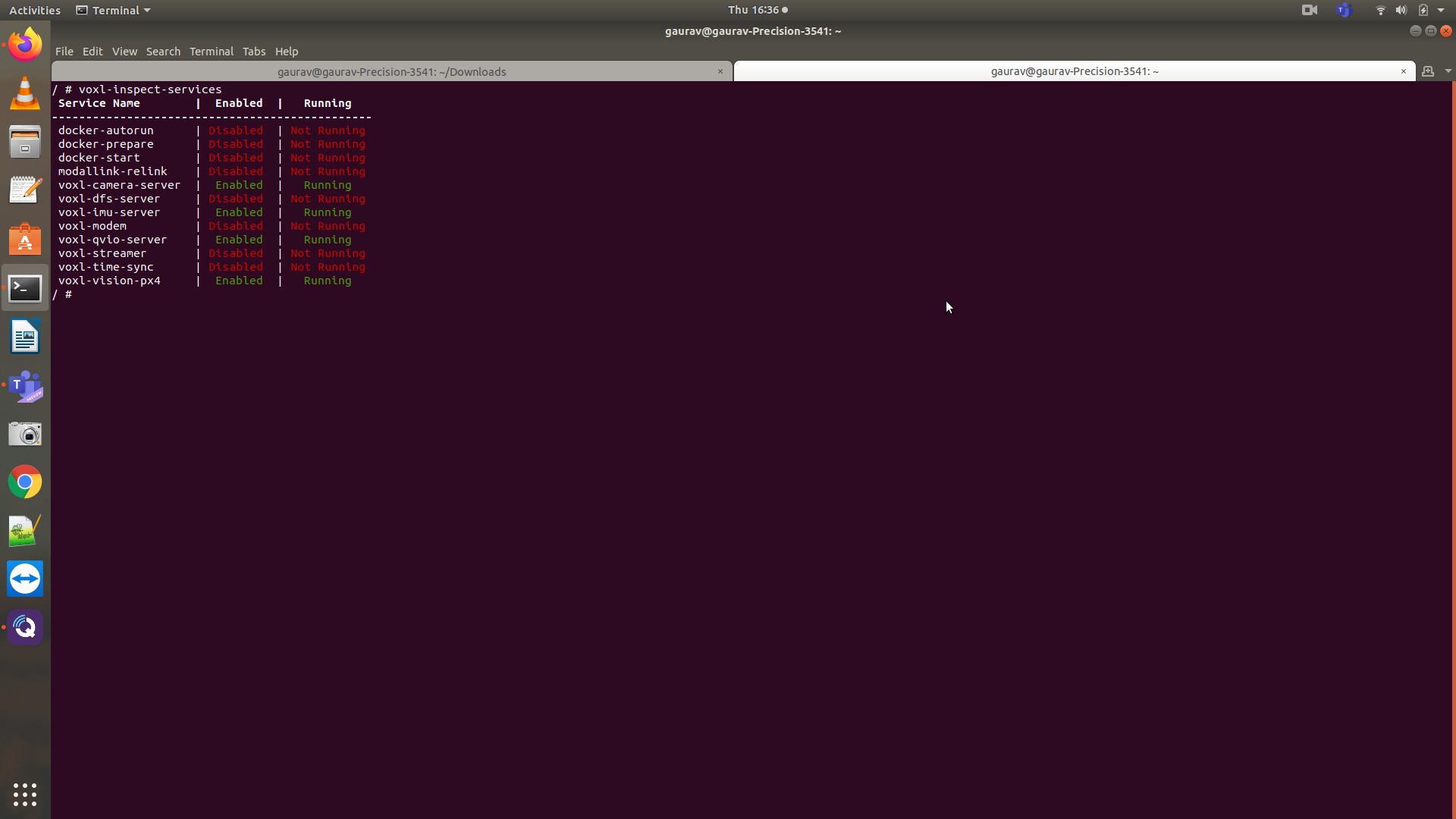
@gauravshukla914 see this post here. In there case they had the same symptom. To fix, they made sure voxl-imu-server and voxl-camera-server were running on boot and feeding the data to voxl-qvio-server
-
@Chad-Sweet I made sure this, but still no luck with the local position ned and its still failing to go into position mode. I have attached the screenshots.
@modaltb @tom @Jeremy-Schmidt is there a way we can set up a screen share for this? I think it'd be great if we can do that and may be together we can come up with a solution for this.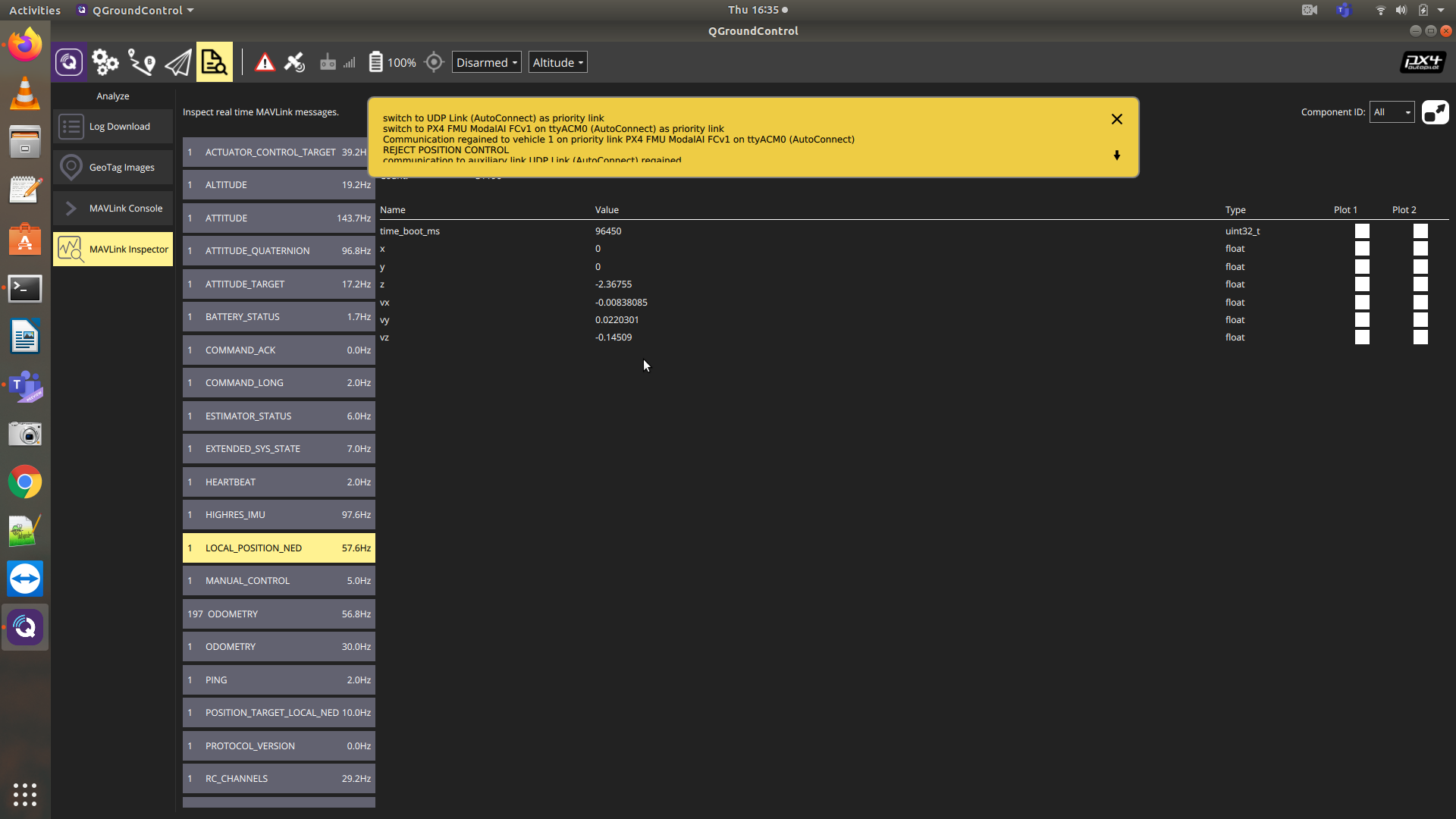
-
Can you report what your EKF2_AID_MASK is set to in PX4 and post the value? thanks.
-
@Cliff-Wong its set to 280. I have also posted the PX4 param above somewhere in the beginning and you can have a look at that too.
-
Have you changed the firmware in some way? This is not normal behavior. You could try going to original firmware and settings: https://docs.modalai.com/flight-core-firmware/
-
@Cliff-Wong its set to 280. I have also posted the PX4 param above somewhere in the beginning and you can have a look at that too.
@gauravshukla914
thanks, if you are using standard firmware as Chad mentioned in the following post, PX4 (not voxl) selectively stops certain position updates in order to trigger specific logic in ECL. Saying that, the behavior you're seeing appears just like aid mask (280) is being ignored. If you watch this: https://drive.google.com/file/d/15MPZeez2zgfBQySNgxlsEqq3Ttj34b7M/view?usp=sharing I think I recreated your behavior as described (note "afla" = udp). Thus, you may want to explicitly set aid_mask/reboot to confirm the same behavior which will help us narrow down the problem to mavlink (possible crc issue) or px4-general logic.If you are using custom firmware, it very likely the aid mask param is not setting the internal modes properly.
-
@Chad-Sweet No I have not changed the firmware. The firmware version is 1.11.3. I have also attached the picture of it in my previous comments. We are running out of ideas now.
@Cliff-Wong - Thanks for the video. We did set the aid mask explicitly to 280 multiple times and rebooted PX4, but still no luck
-
Do you have a GPS/Mag plugged in? If not please try plugging in a GPS/Mag and set the PX4 parameter SYS_HAS_MAG to 1. There is a PX4 bug that prevents VIO-only operation if a magnetometer is missing, even if the magnetometer is not in use.
We've been trying to get the bugfix approved and merged into PX4 master for over a year now but it seems to be a lost cause. For now our own branch of PX4 has the bugfix along with some custom tools for our ESCs. If your system starts working again with the magnetometer then we know somehow a standard PX4 image got onto your flight core instead of one of our own.
Regards,
James




Reading along? Create a free ModalAI Forum account to join in.
With an account you can reply, ask your own question, get an email when a ModalAI engineer answers, and mark the reply that solved it. Your place in each thread is saved between visits.
Questions about VOXL, Flight Core, ESCs and ModalAI drones are answered here by the engineers who build them.
Register Login