
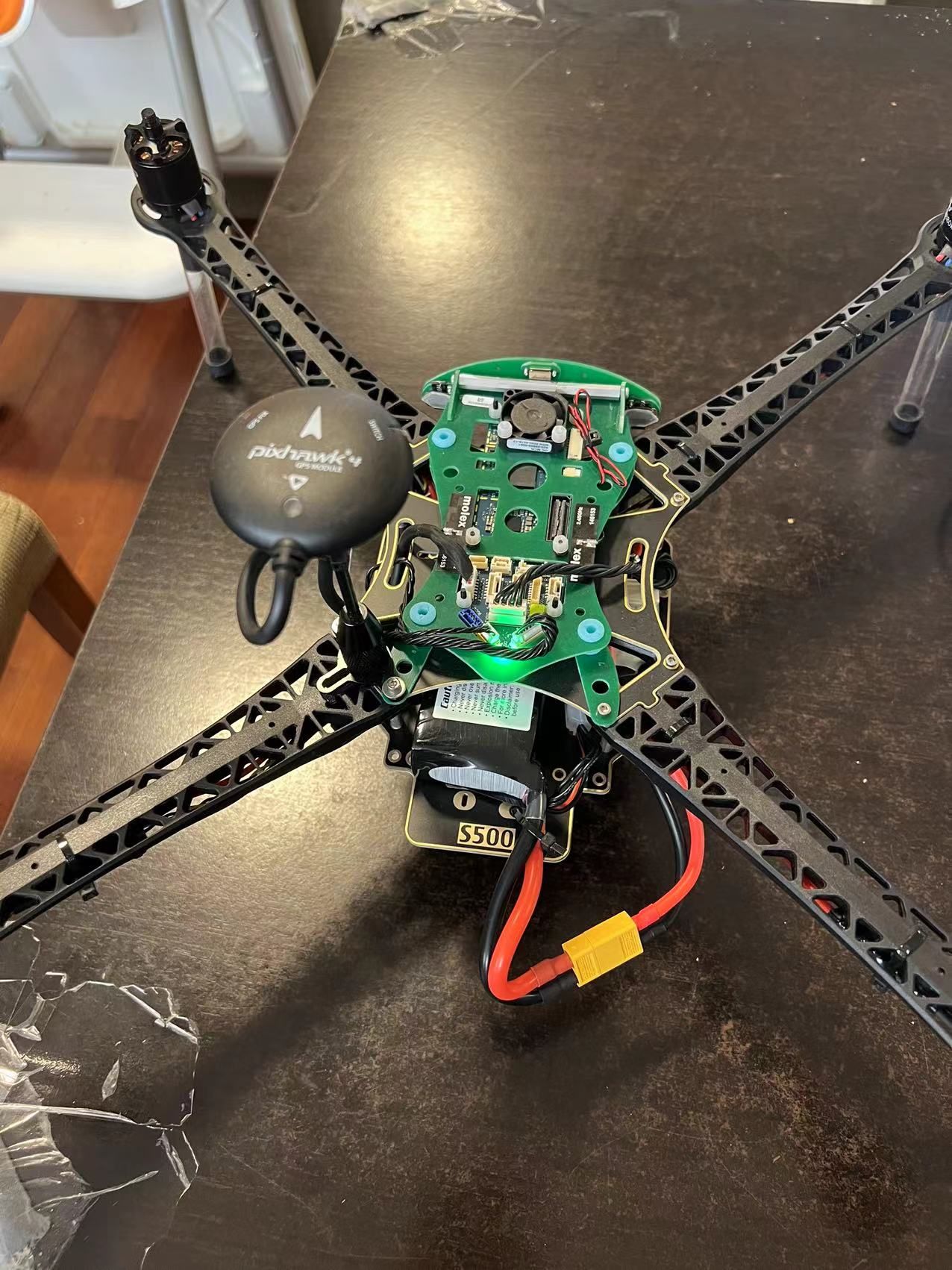
VOXL m500 GPS not working and no light indicating
-
Otherwise, you need to be outside for GPS to lock
-
Please see this post here: https://forum.modalai.com/topic/623/gps-led-not-lighting-up?_=1641961403054
@Chad-Sweet I just double-checked that the current firmware version is v1.11.3. So, should I need to upgrade the firmware to the mentioned v1.11.3-0.2.3? If so, could you please introduce the upgrade instruction video or any links about it would be much appreciated? I am currently learning about the development of m500.
I found this link showing that the upgrade could be managed in the QGroundControl, so is it what I need to go for?
https://docs.modalai.com/upload-px4-parameters/
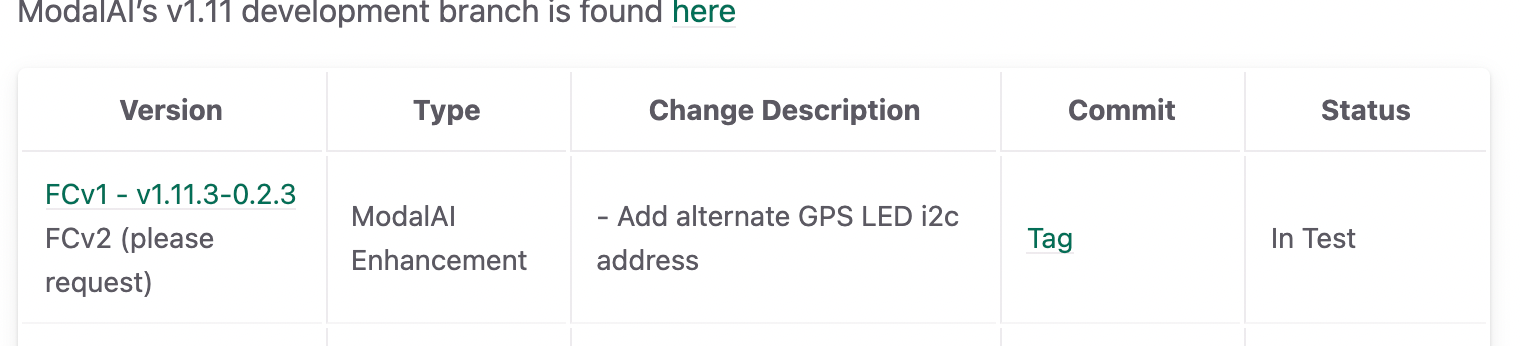
Also, I should go to this branch, right?
What if I brick the board, should I use the USB extension add-on to recovery the firmware? Any video instruction about the recovery?
By the way, what if I would make any modifications to the source code of VOXL, e.g., the GPS-denied navigation module, I do not need to recompile the flight firmware, and I should only need to re-load a complied module to the system, right?
-
You should not change the firmware that shipped with the drone. The drone was flown right before putting in the box and it is tested to be in working order.
Are you outside testing GPS?
The instructions before are in case you accidentally changed the firmware.
Everything you are looking for can be found at https://docs.modalai.com
-
You should not change the firmware that shipped with the drone. The drone was flown right before putting in the box and it is tested to be in working order.
Are you outside testing GPS?
The instructions before are in case you accidentally changed the firmware.
Everything you are looking for can be found at https://docs.modalai.com
-
You should not change the firmware that shipped with the drone. The drone was flown right before putting in the box and it is tested to be in working order.
Are you outside testing GPS?
The instructions before are in case you accidentally changed the firmware.
Everything you are looking for can be found at https://docs.modalai.com
-
@Chad-Sweet I took off the propellers for a safe test, so I am not sure if this is an issue. Will the firmware be able to check if the propellers are not ready?
-
Hi @yu-zhang ,
I'm sorry you have this issue. GPS can be a pain sometimes.
I'm curious what part of the world are you located? Somtimes if the GPS location is very far from the original GPS lock, it can take a long time to get a new GPS lock.
For debugging, can you capture and share a log?
Outside with no propellers, arm the drone. Disable after 1 minute. Upload the log here privately: https://review.px4.io/
Share the link to the log after it's loaded into flight review. Maybe there will be some hints there, etc.Another question, does the LED flash when you transition from manual to altitude to position flight modes while disarmed on the ground? QGC should update telling you that your flight modes have changed.
Also, what is the value of your EKF2_AID_MASK? Sometimes that value can be left in vision mode, something like 280 as opposed to 1 for GPS outdoor flight.
Thanks,
Rich -
Hi @RichieRich ,
Thanks for that.I am located in Melbourne, Australia. I am not quite sure if this issue is caused due to different regions, and I am wondering if the original GPS lock is located in USA?
All right, I will collect a log for double-check. So, should I simply use "logcat" command to output the log during the arm for 1 min?
The LED flash is disabled when I transition from manual to altitude to position flight modes, and it seems the firmware issue mentioned in the post: https://forum.modalai.com/topic/623/gps-led-not-lighting-up?_=1641961403054. QGC works well to tell me different modes when changed.
And can you please advise where could I check the value of EKF2_AID_MASK? I am currently learning the SDK.
-
The drone was built at our headquarters in San Diego, California.
The PX4 flight log can be downloaded through QGC.
The PX4 parameters can be viewed and updated through QGC as well.
If the LED is disabled, it's possible it has newer hardware that will need the updated firmware. But, let's first see if the GPS unit is OK.
-
The drone was built at our headquarters in San Diego, California.
The PX4 flight log can be downloaded through QGC.
The PX4 parameters can be viewed and updated through QGC as well.
If the LED is disabled, it's possible it has newer hardware that will need the updated firmware. But, let's first see if the GPS unit is OK.
Hi @RichieRich ,
I just made a test and uploaded the log to this link: https://review.px4.io/plot_app?log=94b707d4-8deb-4f32-84fe-f102c8d243b1
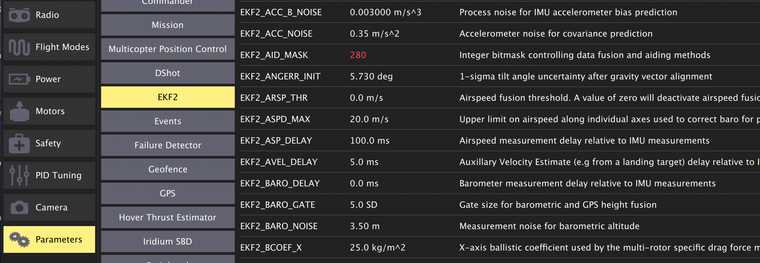
And the value of EKF2_AID_MASK is 280 during the test:
For this time, it seems the drone gets a GPS lock (after flying 40-50s), but QGC couldn't show the map.
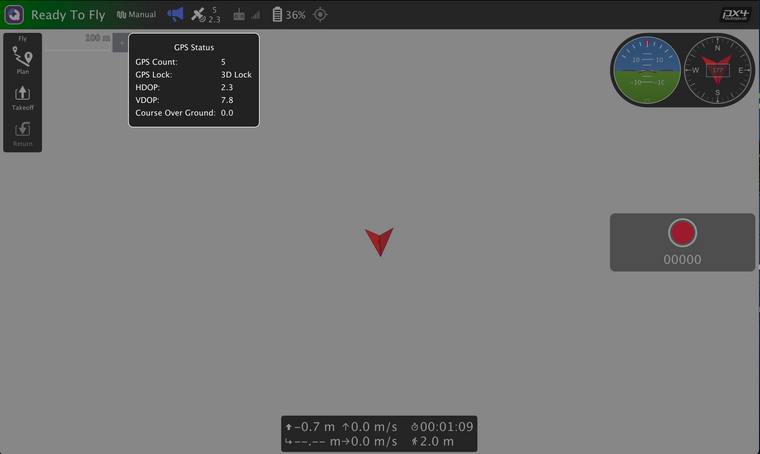
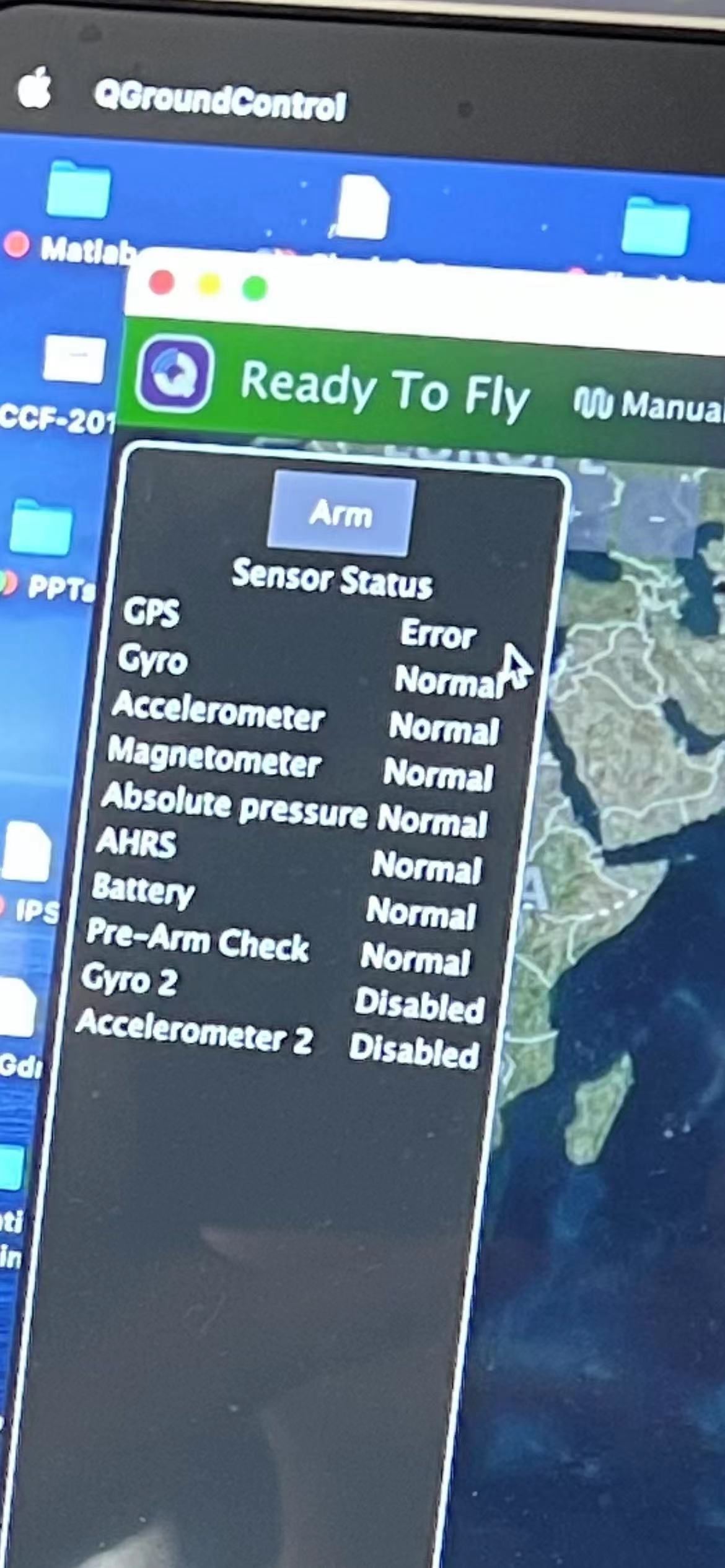
However, it seems the sensor status is still showing that GPS has an error.
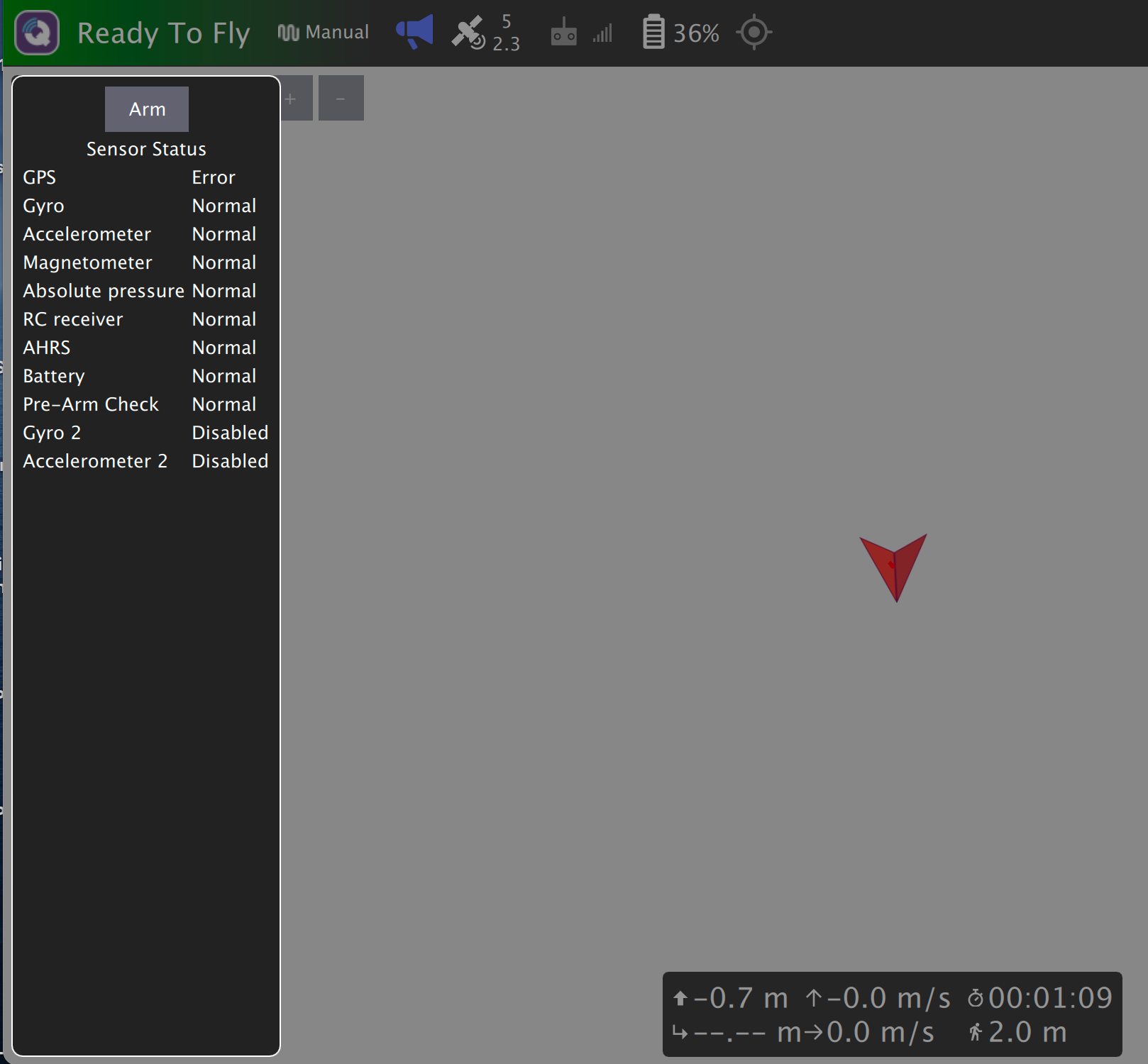
So, please any advice about this?
By the way, I am wondering how to use the RC controller to take off the drone? I saw in the quick start video that the pilot used a default mapping (turning the left stick down-right for take-off and down-left for disable) to control it. But, in my case that I used DX6e with 6 channels, I couldn't control the take-off, and turning left stick up is the disable as default. It seems that I couldn't config it in QGC.
-
Great, looks like the GPS is now working

This document is helpful for a few m500 things: https://docs.modalai.com/voxl-m500-getting-started/
If you would like to use GPS for position flight, you'll need to update the parameters, especially ekf2_aid_mask, which should be set to 1. You can use the helpers here to load the correct value for outdoor setup: https://gitlab.com/voxl-public/flight-core-px4/px4-parameters/-/tree/master/helpers/m500
If you're indoors, it's possible the GPS may get a fix, but still have a large error in vertical or horizontal speed.
To use a DX6e, ensure that is bound to the satellite receiver (the orange LED should be illuminated on the receiver). The document linked above shows you how to bind to a new R/C. You also need to calibrate a new R/C in the QGC radio menu as well.
Regarding the map in QGC, you need an internet connection to cache the map before connecting to an isolated WiFi network, such at the m500 hostspot. You can also download maps using the QGC application settings.
It takes a while to get up to speed, but I'm sure you'll figure out all these little things quickly
-
Great, looks like the GPS is now working
This document is helpful for a few m500 things: https://docs.modalai.com/voxl-m500-getting-started/
If you would like to use GPS for position flight, you'll need to update the parameters, especially ekf2_aid_mask, which should be set to 1. You can use the helpers here to load the correct value for outdoor setup: https://gitlab.com/voxl-public/flight-core-px4/px4-parameters/-/tree/master/helpers/m500
If you're indoors, it's possible the GPS may get a fix, but still have a large error in vertical or horizontal speed.
To use a DX6e, ensure that is bound to the satellite receiver (the orange LED should be illuminated on the receiver). The document linked above shows you how to bind to a new R/C. You also need to calibrate a new R/C in the QGC radio menu as well.
Regarding the map in QGC, you need an internet connection to cache the map before connecting to an isolated WiFi network, such at the m500 hostspot. You can also download maps using the QGC application settings.
It takes a while to get up to speed, but I'm sure you'll figure out all these little things quickly
@RichieRich Thanks for your advice! I will figure that out very soon

One quick question, what is the m500's maximum flight speed? It seems this spec doesn't show it in the m500's list, but I see the maximum speed of the latest Qualcomm Flight RB5 is about 5 m/s. So, I am not sure if m500 can reach the same speed.
If so, are there any restraints (e.g., code or parameter settings should be updated) for enabling flying at high speed? And is that possible that we could speed m500 over 5 m/s like up to 7-10 m/s?
-
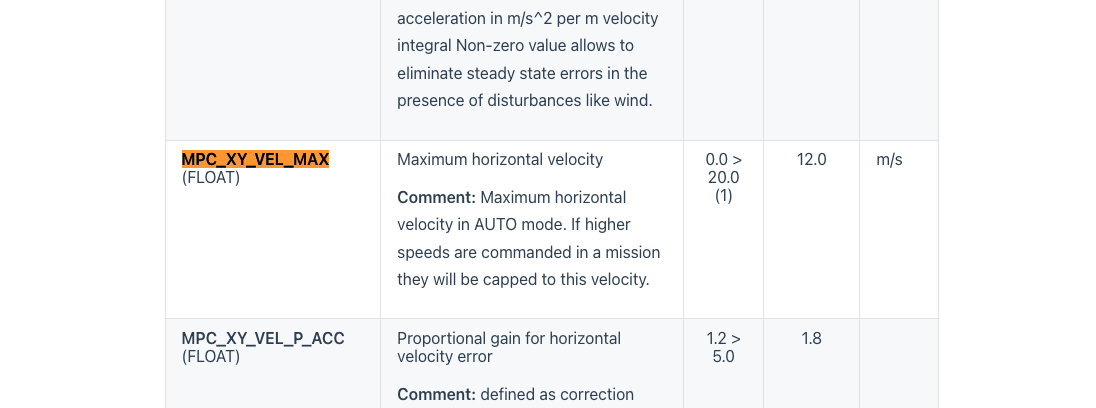
https://docs.px4.io/master/en/advanced_config/parameter_reference.html#multicopter-attitude-controlThe RB5 and m500 are very close physically (same motors and frame) with some changes to main fuelselage.
The m500 can easily fly 10 m/s +. You might have to update the parameter noted here, which is set at default at 12 m/s. In addition, when you run a mission you can set the speed directly when flying to each waypoint. You can experiment and see how it updates, etc.
-
https://docs.px4.io/master/en/advanced_config/parameter_reference.html#multicopter-attitude-controlThe RB5 and m500 are very close physically (same motors and frame) with some changes to main fuelselage.
The m500 can easily fly 10 m/s +. You might have to update the parameter noted here, which is set at default at 12 m/s. In addition, when you run a mission you can set the speed directly when flying to each waypoint. You can experiment and see how it updates, etc.



Reading along? Create a free ModalAI Forum account to join in.
With an account you can reply, ask your own question, get an email when a ModalAI engineer answers, and mark the reply that solved it. Your place in each thread is saved between visits.
Questions about VOXL, Flight Core, ESCs and ModalAI drones are answered here by the engineers who build them.
Register Login