
Requesting the factory original calibration files for ADK Ser#M2500000185
-
@tom Absolutely. I'd definitely like to have the correct files, On a closer look
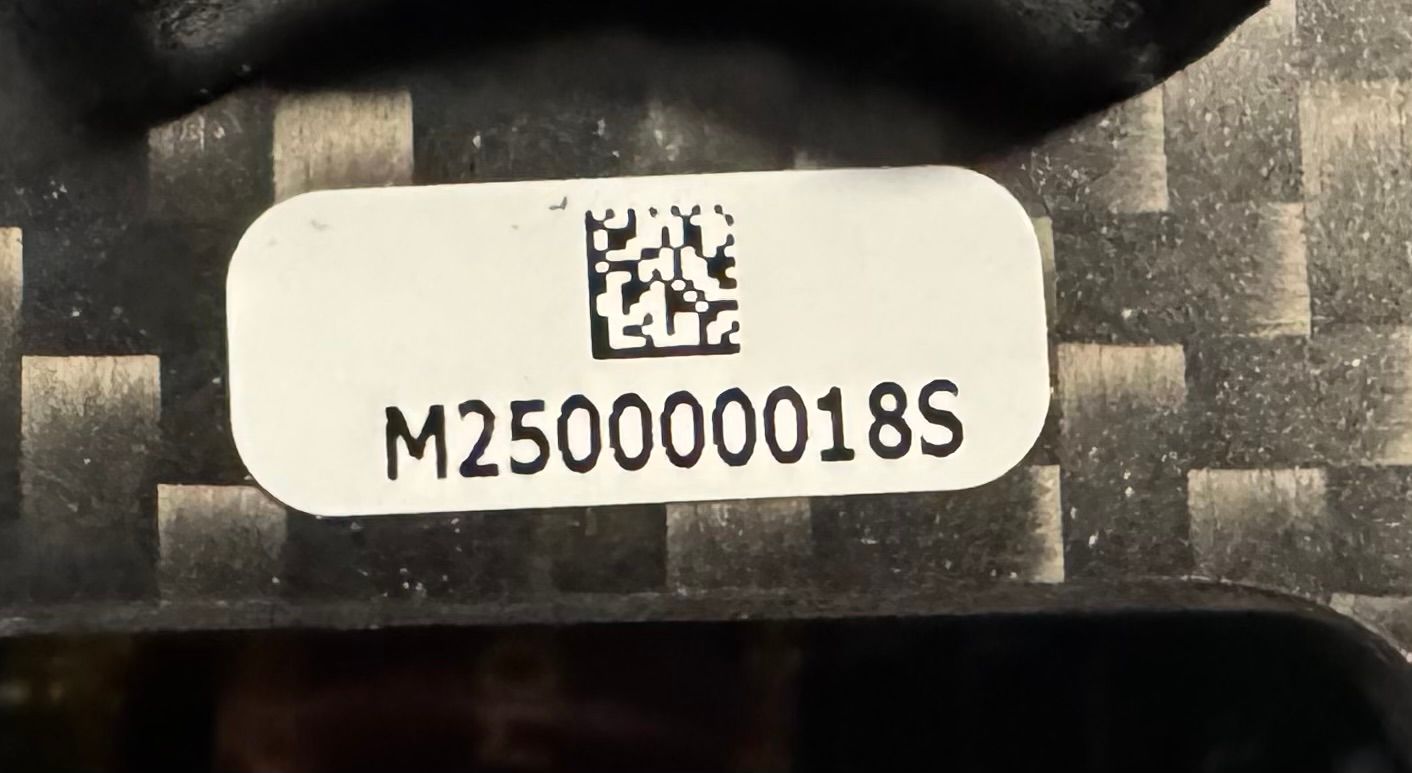 I probably read the S as a "5" - the serial number I think is "M250000018S" - that probably changes everything. Here's a photo of the drone:
You'll send me the voxl-imu-server.cal also, right? It's been flagged as missing. Thanks!
I'm also attaching the packing slip so we can finalize on what the correct SKU should be.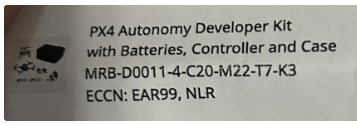
@latif Hi @tom, thank you for sending me the yml file. Applying that I get a good healthcheck, after calibrating the imu.
I do still have a problem with the cameras. I see that voxl-camera-server is not running (fails at startup).My SKU is the following, having taken the default cam config of 20:
family code: MRB-D0011 (px4-autonomy-dev-kit)
compute board: 4 (voxl2)
hw version: 1
cam config: 20
modem config: 0 (none)
tx config: 7 (elrs_beta_fpv)
extras config: 0 (none)
SKU: MRB-D0011-4-V1-C20-T7-M0-X0I did see this error while running voxl-configure-mpa: FAILED TO EXECUTE: voxl-configure-cameras 20
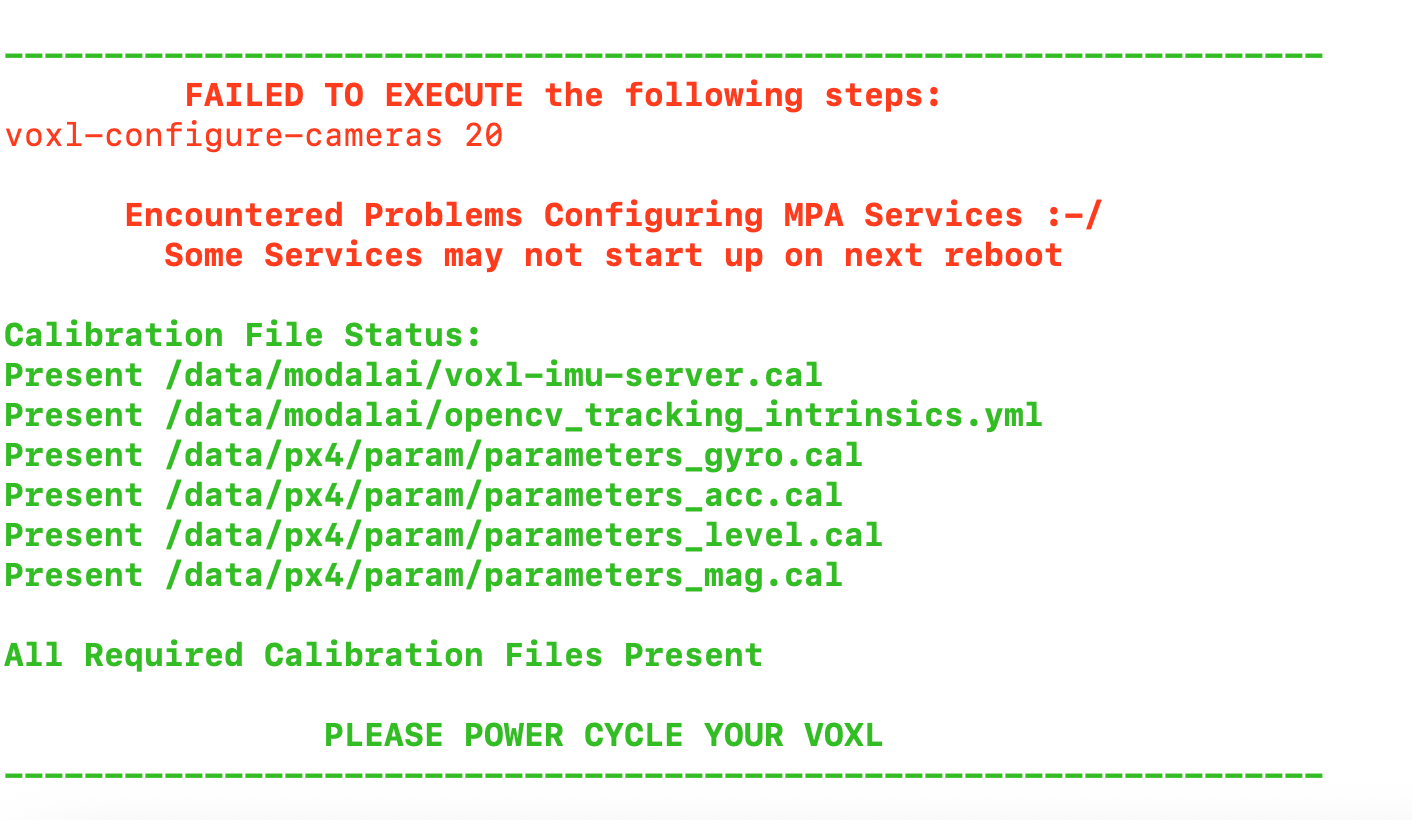
Please advise what camera configuration to use. FYI, I did try 19, and with that it was able to run "voxl-configure-cameras 20", but the final result was the same, voxl-camera-server was not running.
-
@latif Hi @tom, thank you for sending me the yml file. Applying that I get a good healthcheck, after calibrating the imu.
I do still have a problem with the cameras. I see that voxl-camera-server is not running (fails at startup).My SKU is the following, having taken the default cam config of 20:
family code: MRB-D0011 (px4-autonomy-dev-kit)
compute board: 4 (voxl2)
hw version: 1
cam config: 20
modem config: 0 (none)
tx config: 7 (elrs_beta_fpv)
extras config: 0 (none)
SKU: MRB-D0011-4-V1-C20-T7-M0-X0I did see this error while running voxl-configure-mpa: FAILED TO EXECUTE: voxl-configure-cameras 20
Please advise what camera configuration to use. FYI, I did try 19, and with that it was able to run "voxl-configure-cameras 20", but the final result was the same, voxl-camera-server was not running.
-
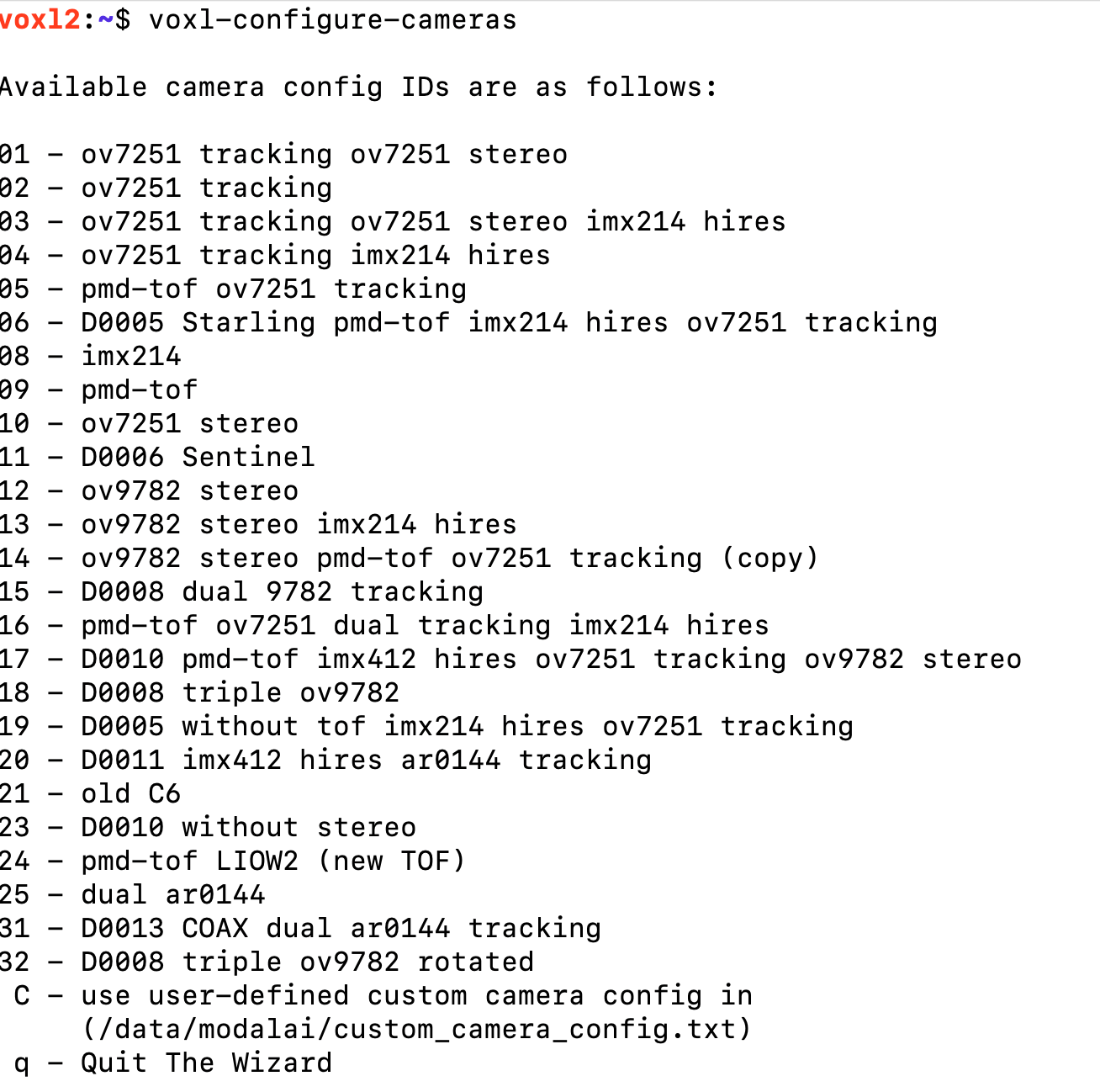
@latif I wonder if you have the wrong kernel on there. If you run
voxl-configure-cameraswhat options does it give you? -
Maybe a different issue, running configure stand-alone shows this problem:

Checking space I see this:

-
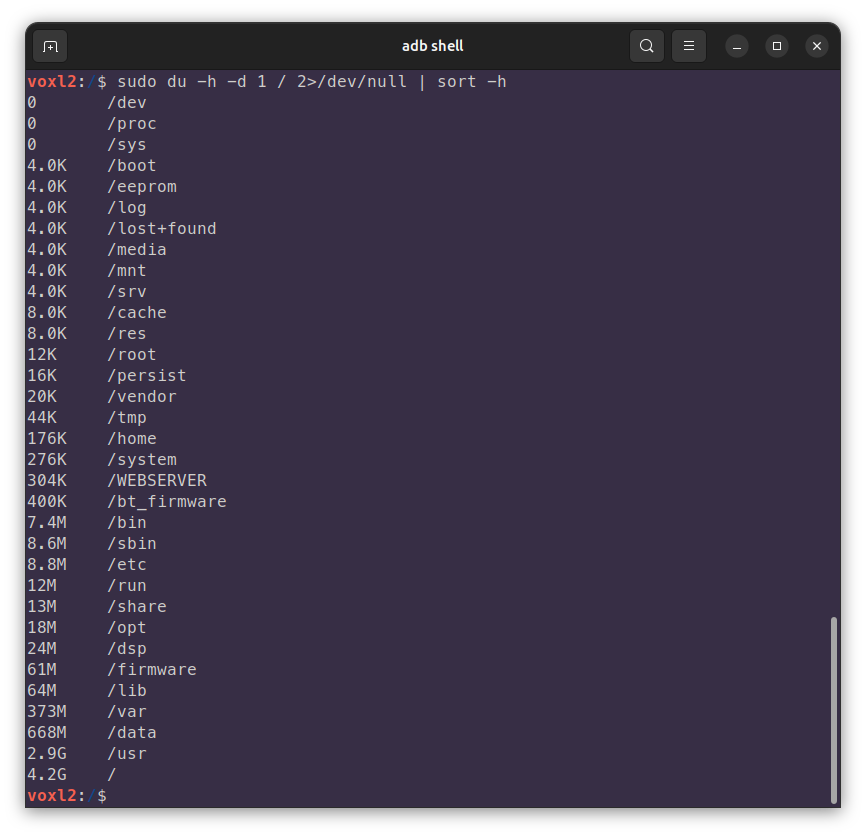
@latif oh boy, well that is certainly an issue, can you run
sudo du -h -d 1 / 2>/dev/null | sort -hto see which directory/partition is full?@tom Yeah, it's starting to look bleak! Here's the output:
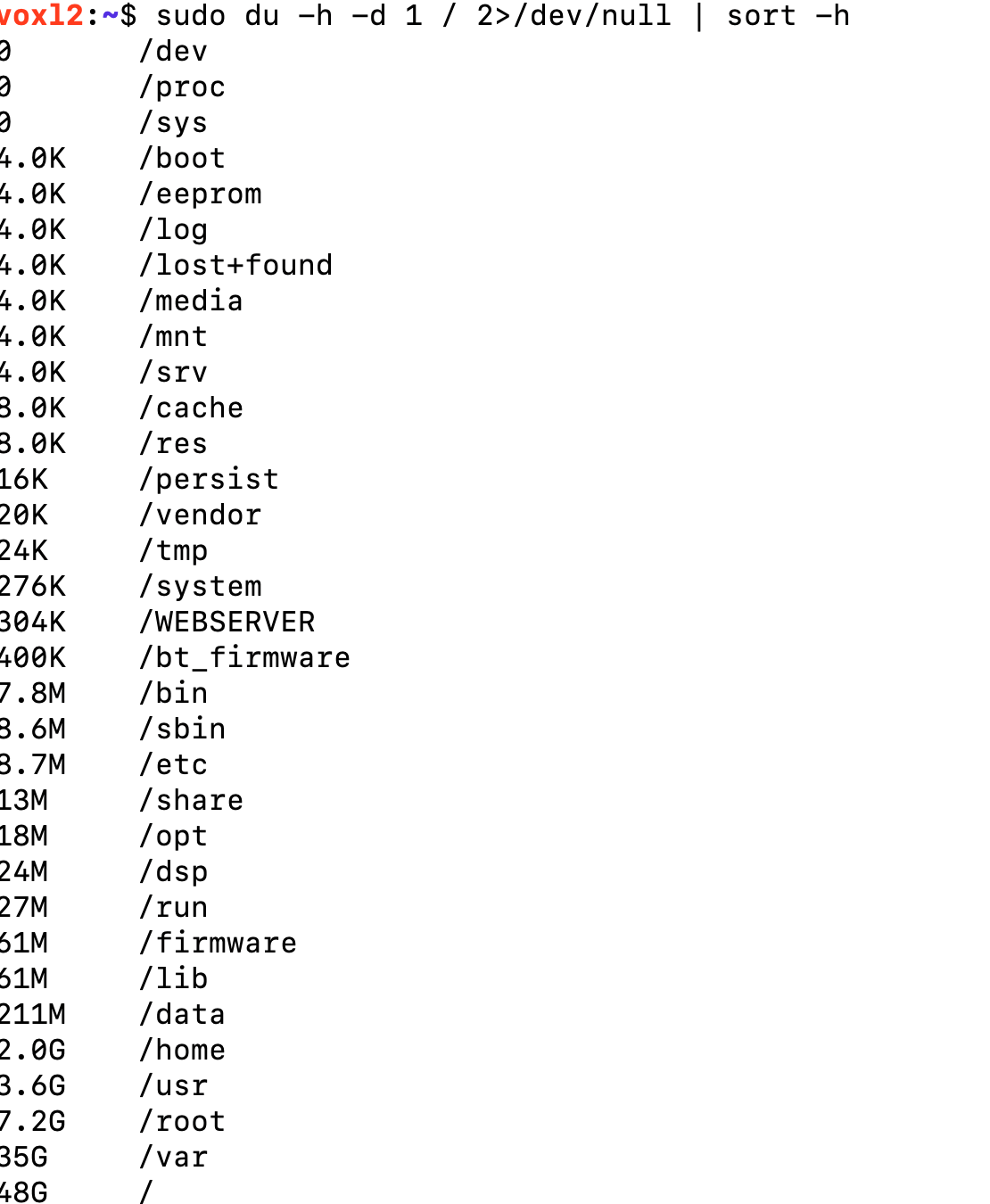
The only user data I have is under /home/root, about 1.8GB. I can free up some of it, but how do I redirect the configuration processes to use a different directory other than /usr, /lib, etc.?
Also, is there a way to increase the overall storage size? I see that the biggest partition ("sda") is only 118G and now full. -
@tom Yeah, it's starting to look bleak! Here's the output:
The only user data I have is under /home/root, about 1.8GB. I can free up some of it, but how do I redirect the configuration processes to use a different directory other than /usr, /lib, etc.?
Also, is there a way to increase the overall storage size? I see that the biggest partition ("sda") is only 118G and now full. -
@latif oh boy, well that is certainly an issue, can you run
sudo du -h -d 1 / 2>/dev/null | sort -hto see which directory/partition is full?@tom Yeah, it's starting to look dangerous. Here's the output:
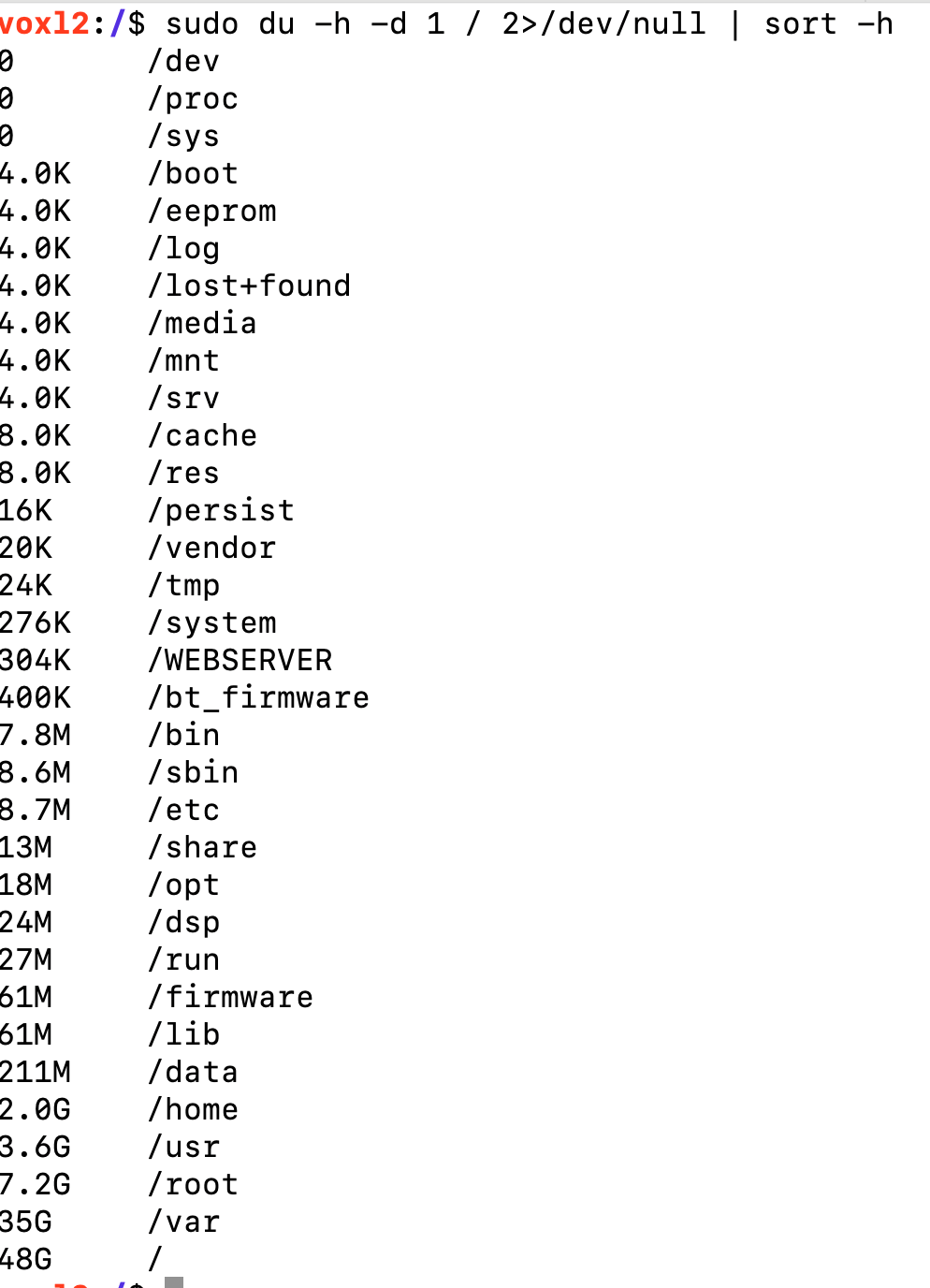
-
@latif Thanks! syslog was 27G! Emptied it out and running voxl-configure-cameras again. Hopefully this will fix the other issues.
@latif Hi @tom, cleaning up the /var/syslog file enabled the camera server to run - so the cameras are fine. I'm still not sure if all the calibrations are right, I see an error message
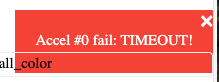 when I try to bind the Commando8 Controller. Also, could never get a "READY" sign on QGroundControl. Should I run the "Sensor Calibration" options? Not knowing what that'd do, I didn't run them.
If this is relevant information: I'm not getting GPS data consistently (right now getting nothing, but earlier at some point in time I did), right now I see this on QGC: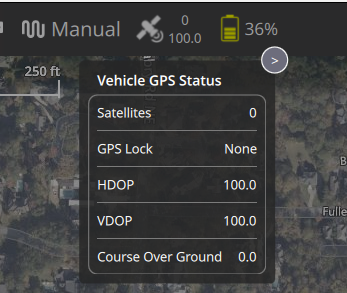
-
@latif Hi @tom, cleaning up the /var/syslog file enabled the camera server to run - so the cameras are fine. I'm still not sure if all the calibrations are right, I see an error message
when I try to bind the Commando8 Controller. Also, could never get a "READY" sign on QGroundControl. Should I run the "Sensor Calibration" options? Not knowing what that'd do, I didn't run them.
If this is relevant information: I'm not getting GPS data consistently (right now getting nothing, but earlier at some point in time I did), right now I see this on QGC: -
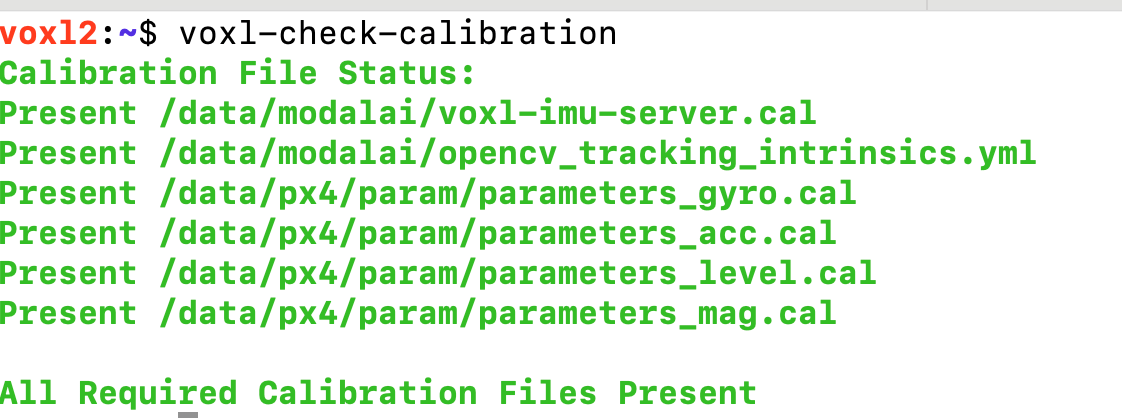
@latif What do you see if you run
voxl-check-calibration?It sometimes takes a while to get a GPS lock for the first time in a new location, may have to let the drone sit outside for 5-10 minutes for the initial lock, will be much faster after that.
-
@tom I'll let it sit outside for a few minutes for GPS locks. Here's the output for voxl-check-calibration:
Still seeing things like

@latif You'll want to load the GPS specific px4 param file in order for "position" mode to use GPS position as opposed to VIO position.
If you run
voxl-configure-px4-params -wand navigate toEKF2_helpersyou should be able to see the relevant options. -
@latif You'll want to load the GPS specific px4 param file in order for "position" mode to use GPS position as opposed to VIO position.
If you run
voxl-configure-px4-params -wand navigate toEKF2_helpersyou should be able to see the relevant options.@tom Now that I seem to have a good health check and the cameras working, I'd like to do the simplest possible first flight -- I went through the video directions in the Bootcamp, but wasn't able to go beyond trying to "arm" it.
- I can't tell if it is binding or not. Tried the voxl-elrs -b, which seems to take it as the blue flashing lights become steady, but no movement of the propellers on trying to arm. I'm seeing a "model mismatch" message on the Commando8 Remote Controller. This shipped with the ADK and nothing has been done to it.
- I need some help in flying it, indoors if that's ealier without GPS, but ultimately with GPS mission-planning, but I seem to be far from it, because I haven't done even a simple off-the-shelf type of flight.
- This is my first time handling a drone of any kind, so I'm lacking some knowledge and could use some instructions to get this simple first flight job done.
-
@tom Now that I seem to have a good health check and the cameras working, I'd like to do the simplest possible first flight -- I went through the video directions in the Bootcamp, but wasn't able to go beyond trying to "arm" it.
- I can't tell if it is binding or not. Tried the voxl-elrs -b, which seems to take it as the blue flashing lights become steady, but no movement of the propellers on trying to arm. I'm seeing a "model mismatch" message on the Commando8 Remote Controller. This shipped with the ADK and nothing has been done to it.
- I need some help in flying it, indoors if that's ealier without GPS, but ultimately with GPS mission-planning, but I seem to be far from it, because I haven't done even a simple off-the-shelf type of flight.
- This is my first time handling a drone of any kind, so I'm lacking some knowledge and could use some instructions to get this simple first flight job done.
-
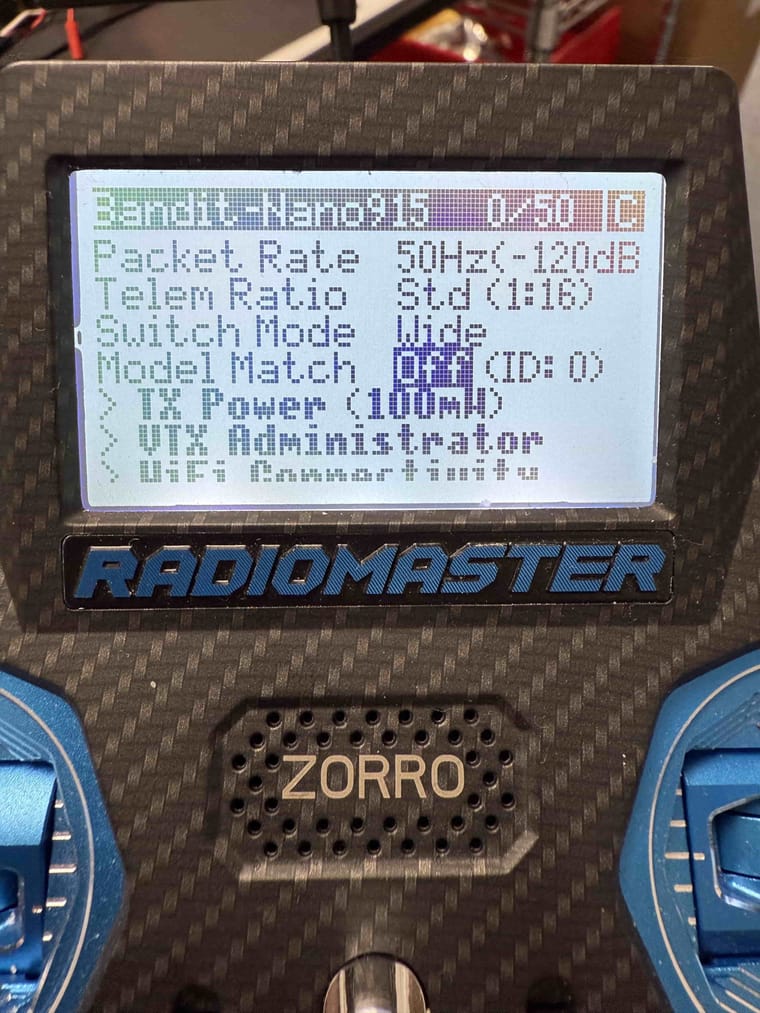
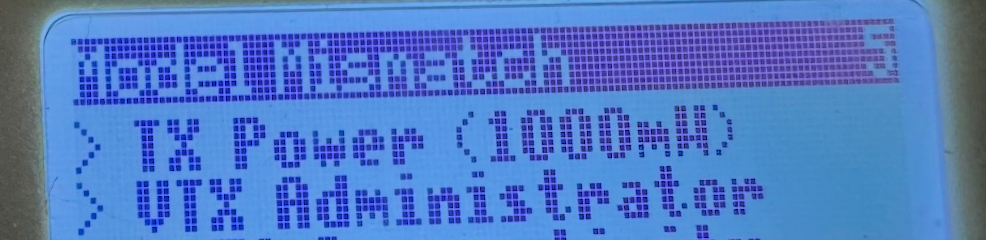
@latif You should be able to disable the model match feature on the same screen which displayed the "Model Mismatch" error. By setting the model match id to 0, it will ignore the model match id set on the receiver and connect. The ExpressLRS documentation has more detail about how to set up the RC connection here.
-
@latif You should be able to disable the model match feature on the same screen which displayed the "Model Mismatch" error. By setting the model match id to 0, it will ignore the model match id set on the receiver and connect. The ExpressLRS documentation has more detail about how to set up the RC connection here.
@Maxwell-Schaefer Thank you! I was able to set the model match to off using the controller screen.


Reading along? Create a free ModalAI Forum account to join in.
With an account you can reply, ask your own question, get an email when a ModalAI engineer answers, and mark the reply that solved it. Your place in each thread is saved between visits.
Questions about VOXL, Flight Core, ESCs and ModalAI drones are answered here by the engineers who build them.
Register Login