
Outdoor navigation GPS problem
-
@Moderator Yes, how can I do that?
@Eric-Katzfey, yes I am trying outdoors. I am even waiting more than 10 minutes too see if the GPS locks but it doesnt
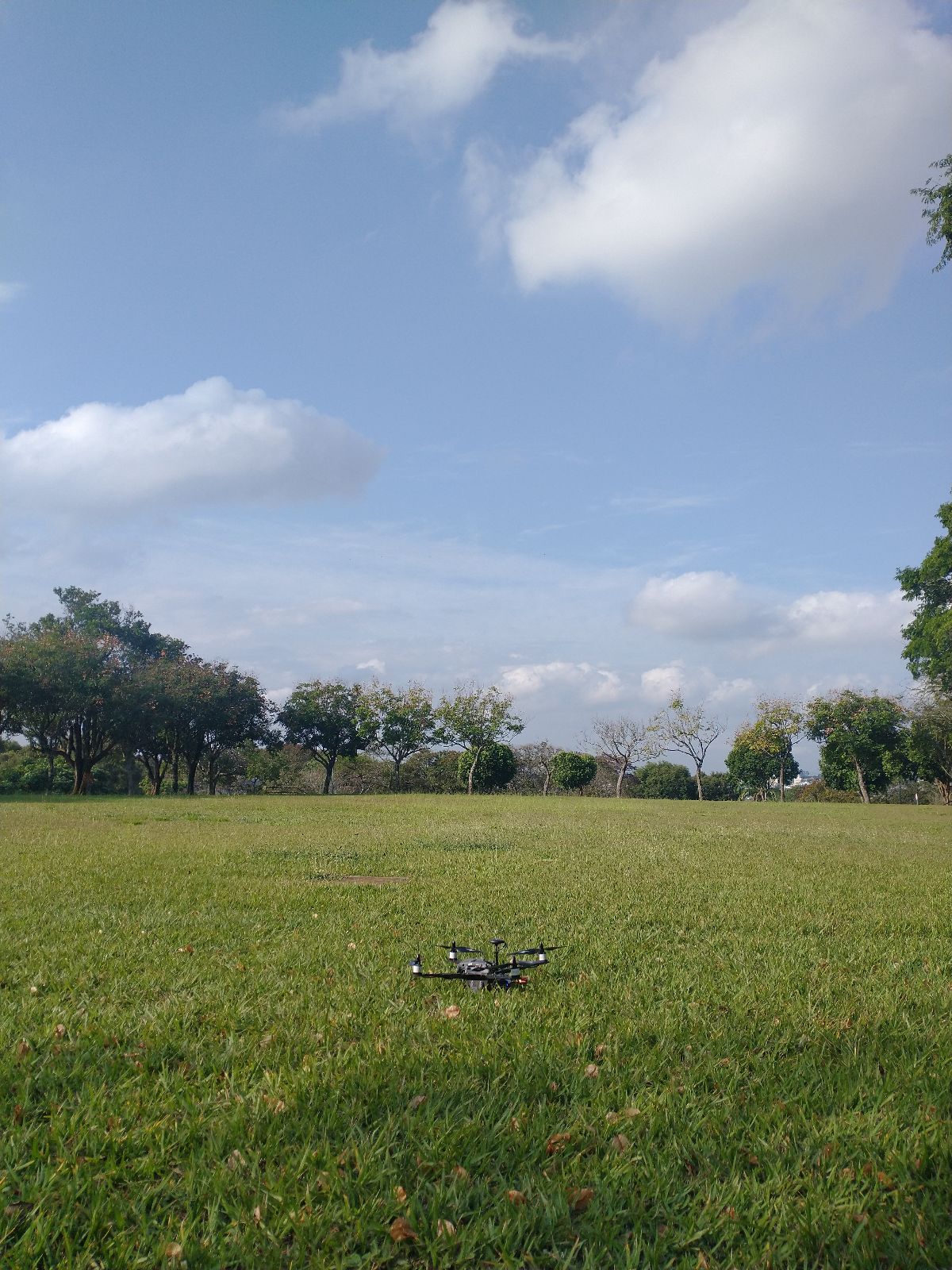
Here are the logs of two of the outdoor flight attempts with manual flight mode: https://www.mediafire.com/folder/qhidipn0n1xng/RB5-outdoor-flight-logs
When I tried the outdoor flights with manual flight mode, one of the drone's rotors seemed to not be working properly. You can see it in this video: https://www.youtube.com/watch?v=F7ug6u2W8Yw
Is there any PX4 parameter I could change in order to try to fix it?
It happened after upgrading from VOXL SDK 0.9.5 to 1.1.2...
Thanks in advance!
-
@Moderator Yes, how can I do that?
@Eric-Katzfey, yes I am trying outdoors. I am even waiting more than 10 minutes too see if the GPS locks but it doesnt
Here are the logs of two of the outdoor flight attempts with manual flight mode: https://www.mediafire.com/folder/qhidipn0n1xng/RB5-outdoor-flight-logs
When I tried the outdoor flights with manual flight mode, one of the drone's rotors seemed to not be working properly. You can see it in this video: https://www.youtube.com/watch?v=F7ug6u2W8Yw
Is there any PX4 parameter I could change in order to try to fix it?
It happened after upgrading from VOXL SDK 0.9.5 to 1.1.2...
Thanks in advance!
@vjuliani So, the GPS seems to be working okay. It's not clear why you cannot get a global position in PX4 using that data. Let me look through the parameters and see if I can suggest some others to change.
-
@Moderator Yes, how can I do that?
@Eric-Katzfey, yes I am trying outdoors. I am even waiting more than 10 minutes too see if the GPS locks but it doesnt
Here are the logs of two of the outdoor flight attempts with manual flight mode: https://www.mediafire.com/folder/qhidipn0n1xng/RB5-outdoor-flight-logs
When I tried the outdoor flights with manual flight mode, one of the drone's rotors seemed to not be working properly. You can see it in this video: https://www.youtube.com/watch?v=F7ug6u2W8Yw
Is there any PX4 parameter I could change in order to try to fix it?
It happened after upgrading from VOXL SDK 0.9.5 to 1.1.2...
Thanks in advance!
@vjuliani Can you please open a separate forum post for the drone not flying properly? Let's keep this one for the GPS issue only. Thanks!
-
@vjuliani So, the GPS seems to be working okay. It's not clear why you cannot get a global position in PX4 using that data. Let me look through the parameters and see if I can suggest some others to change.
@Eric-Katzfey You can try setting EKF2_GPS_CHECK back to the default 245 value. Then experiment with the various GPS thresholds to see if you can increase any of them to get the drone to go into position mode. The relevant parameters are:
Maximum allowed PDOP set by EKF2_REQ_PDOP
Maximum allowed horizontal position error set by EKF2_REQ_EPH
Maximum allowed vertical position error set by EKF2_REQ_EPV
Maximum allowed speed error set by EKF2_REQ_SACC
Maximum allowed horizontal position rate set by EKF2_REQ_HDRIFT. This check will only run when the vehicle is on ground and stationary.
Maximum allowed vertical position rate set by EKF2_REQ_VDRIFT. This check will only run when the vehicle is on ground and stationary.
Maximum allowed horizontal speed set by EKF2_REQ_HDRIFT. This check will only run when the vehicle is on ground and stationary.
Maximum allowed vertical velocity discrepancy set by EKF2_REQ_VDRIFT -
@Eric-Katzfey You can try setting EKF2_GPS_CHECK back to the default 245 value. Then experiment with the various GPS thresholds to see if you can increase any of them to get the drone to go into position mode. The relevant parameters are:
Maximum allowed PDOP set by EKF2_REQ_PDOP
Maximum allowed horizontal position error set by EKF2_REQ_EPH
Maximum allowed vertical position error set by EKF2_REQ_EPV
Maximum allowed speed error set by EKF2_REQ_SACC
Maximum allowed horizontal position rate set by EKF2_REQ_HDRIFT. This check will only run when the vehicle is on ground and stationary.
Maximum allowed vertical position rate set by EKF2_REQ_VDRIFT. This check will only run when the vehicle is on ground and stationary.
Maximum allowed horizontal speed set by EKF2_REQ_HDRIFT. This check will only run when the vehicle is on ground and stationary.
Maximum allowed vertical velocity discrepancy set by EKF2_REQ_VDRIFT@Eric-Katzfey Since it was originally complaining about speed accuracy then maybe you can increase EKF2_REQ_SACC and see if that error goes away. I do notice from the log that there is a lot of GPS noise and jamming. Not sure if that is part of the issue here though. Is there another open field in a different location that you can try as well?
-
V vjuliani referenced this topic on
-
Yeah, I will try in another open field in a different location and experiment with the various GPS thresholds you mentioned. Thanks!
We did a site survey in the open field area we tried the flights and we got the results below:
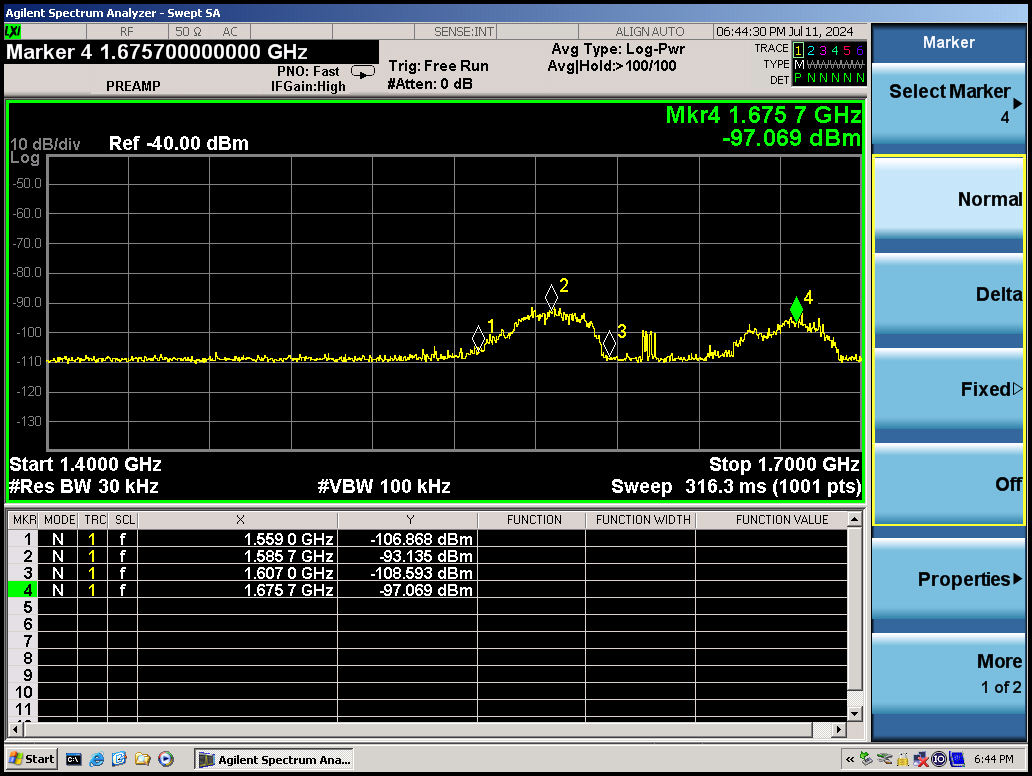
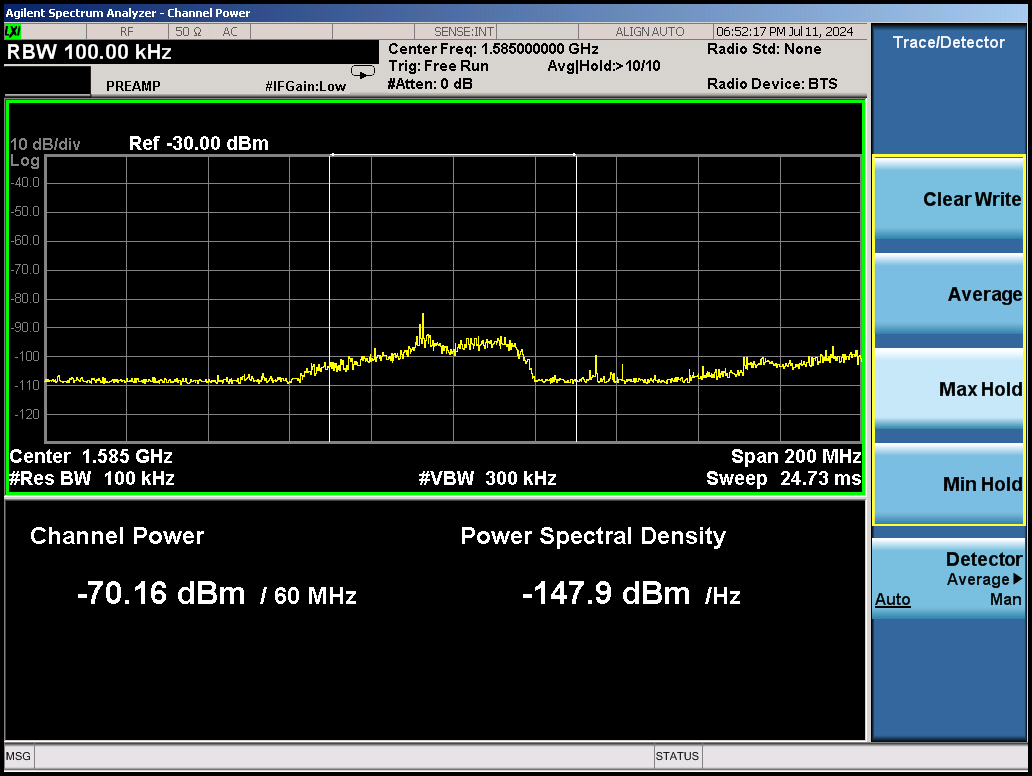
We used an AARONIA AG HyperLOG Broadband Directional antenna and a Spectrum Analyzer.
It might help.
-
As you said, QGC and PX4 were receiving GPS data from M8N, however, EKF2 couldn't estimate the global and local valid positions.
After changing EKF2_MAG_TYPE, which value was as None, to Automatic, EKF2 could finished the global and local valid positions estimation and the drone became Ready to Fly with no issues from QGC.
So, now, after changing EKF2_REQ_SACC to 0.8m/s and EKF2_MAG_TYPE to Automatic, the drone became Ready to Fly and I could arm it using GPS.
Which is curious though is that here https://gitlab.com/voxl-public/voxl-sdk/utilities/voxl-px4-params/-/blob/master/params/v1.14/EKF2_helpers/outdoor_gps_baro.params in the EKF2 helper file, which I used to first configure the drone's PX4 params after upgrading from VOXL SDK 0.9.5 to 1.1.2, it says to set EKF2_MAG_TYPE to 0, so I am not sure if setting EKF2_MAG_TYPE to Automatic is the right fix, what are your thoughts? Is 0 meaning Automatic?
After setting EKF2_MAG_TYPE to Automatic, I tried some flights in Position Flight Mode and had the same problems of when I had tried the Manual Flight Mode flights (The one showed in the youtube video above), which @Alex-Kushleyev is helping me to figure it out in the https://forum.modalai.com/topic/3634/rb5-can-t-leave-the-ground-properly-when-flying-in-manual-flight-mode/ topic. The logs can be seen here https://www.mediafire.com/folder/jbuu2or25tjdr/position-flight-mode-logs
Thanks!
-
V vjuliani referenced this topic on
-
As you said, QGC and PX4 were receiving GPS data from M8N, however, EKF2 couldn't estimate the global and local valid positions.
After changing EKF2_MAG_TYPE, which value was as None, to Automatic, EKF2 could finished the global and local valid positions estimation and the drone became Ready to Fly with no issues from QGC.
So, now, after changing EKF2_REQ_SACC to 0.8m/s and EKF2_MAG_TYPE to Automatic, the drone became Ready to Fly and I could arm it using GPS.
Which is curious though is that here https://gitlab.com/voxl-public/voxl-sdk/utilities/voxl-px4-params/-/blob/master/params/v1.14/EKF2_helpers/outdoor_gps_baro.params in the EKF2 helper file, which I used to first configure the drone's PX4 params after upgrading from VOXL SDK 0.9.5 to 1.1.2, it says to set EKF2_MAG_TYPE to 0, so I am not sure if setting EKF2_MAG_TYPE to Automatic is the right fix, what are your thoughts? Is 0 meaning Automatic?
After setting EKF2_MAG_TYPE to Automatic, I tried some flights in Position Flight Mode and had the same problems of when I had tried the Manual Flight Mode flights (The one showed in the youtube video above), which @Alex-Kushleyev is helping me to figure it out in the https://forum.modalai.com/topic/3634/rb5-can-t-leave-the-ground-properly-when-flying-in-manual-flight-mode/ topic. The logs can be seen here https://www.mediafire.com/folder/jbuu2or25tjdr/position-flight-mode-logs
Thanks!
@vjuliani Yes, 0 is automatic.
-
@vjuliani Yes, 0 is automatic.
Ok, thanks
Can I use the file:
https://gitlab.com/voxl-public/voxl-sdk/utilities/voxl-px4-params/-/blob/master/params/v1.14/ci_helpers/ci_sentinel.paramsTo configure RB5 px4 parameters using QGC?
I didn't find a specific file to RB5 in the folder
-
Ok, thanks
Can I use the file:
https://gitlab.com/voxl-public/voxl-sdk/utilities/voxl-px4-params/-/blob/master/params/v1.14/ci_helpers/ci_sentinel.paramsTo configure RB5 px4 parameters using QGC?
I didn't find a specific file to RB5 in the folder
-
After running "voxl-configure-px4-params --platform MRB-D0006" to configure RB5 PX4 parameters, I could perform an outdoors flight with RB5 using Position Flight Mode without GPS or motor problems: https://youtu.be/D8zP0hOx8wc
It seems that the issue was RB5 running with Sentinel PX4 parameters after SDK upgrade.
Thank you very much guys for your help


Reading along? Create a free ModalAI Forum account to join in.
With an account you can reply, ask your own question, get an email when a ModalAI engineer answers, and mark the reply that solved it. Your place in each thread is saved between visits.
Questions about VOXL, Flight Core, ESCs and ModalAI drones are answered here by the engineers who build them.
Register Login