Skip to content
  • Categories
  • Recent
  • Tags
  • Popular
  • Users
  • Groups
Collapse
Brand Logo

ModalAI Forum

  1. ModalAI Support Forum
  2. VOXL Dev Drones
  3. Qualcomm Flight RB5 5G Drone
  4. Issues about ssh RB5

Issues about ssh RB5
Scheduled Pinned Locked Moved Qualcomm Flight RB5 5G Drone
19 Posts 4 Posters 2.3k Views 2 Watching
  • Oldest to Newest
  • Newest to Oldest
  • Most Votes
Reply
  • Reply as topic
Log in to reply
This topic has been deleted. Only users with topic management privileges can see it.
  • tomT tom

    @Qin-Yang Are both your macbook and rb5 connected to the hostpot?

    Did you use voxl-wifi station SSID PASS on the rb5?

    Qin YangQ Offline
    Qin YangQ Offline
    Qin Yang
    wrote on last edited by
    #9

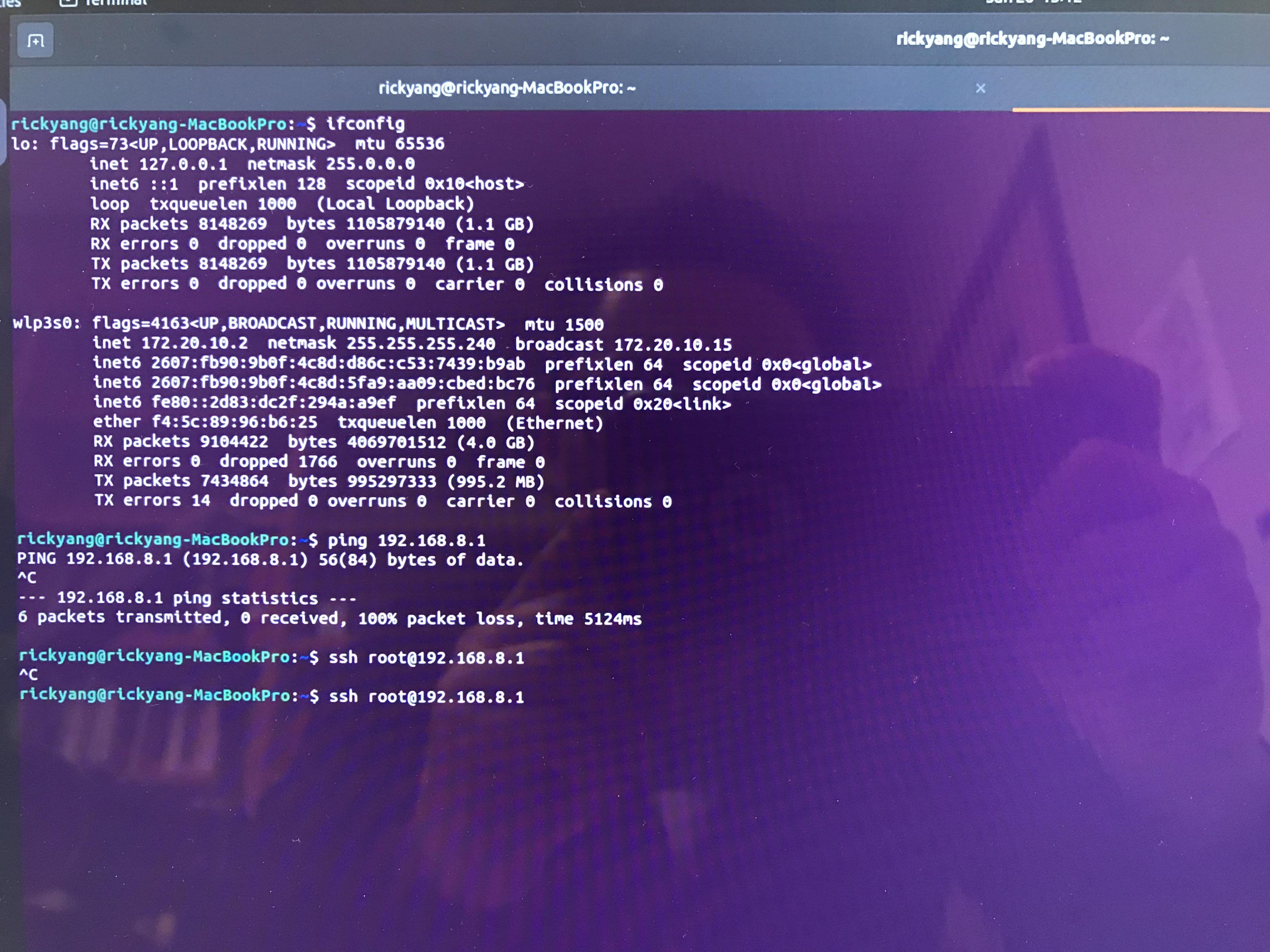
    @tom Yes, the macbook and rb5 both connected to the hostpot. By the way, I installed the macbook with Ubuntu 22.04 not MAC OS.

    I did not use the voxl-wifi station SSID PASS on the rb5. I just follow the link text.

    Can you guide me how to do that?

    Thanks.

    tomT 1 Reply Last reply
    0
    • Qin YangQ Qin Yang

      @tom Yes, the macbook and rb5 both connected to the hostpot. By the way, I installed the macbook with Ubuntu 22.04 not MAC OS.

      I did not use the voxl-wifi station SSID PASS on the rb5. I just follow the link text.

      Can you guide me how to do that?

      Thanks.

      tomT Online
      tomT Online
      tom
      admin
      wrote on last edited by
      #10

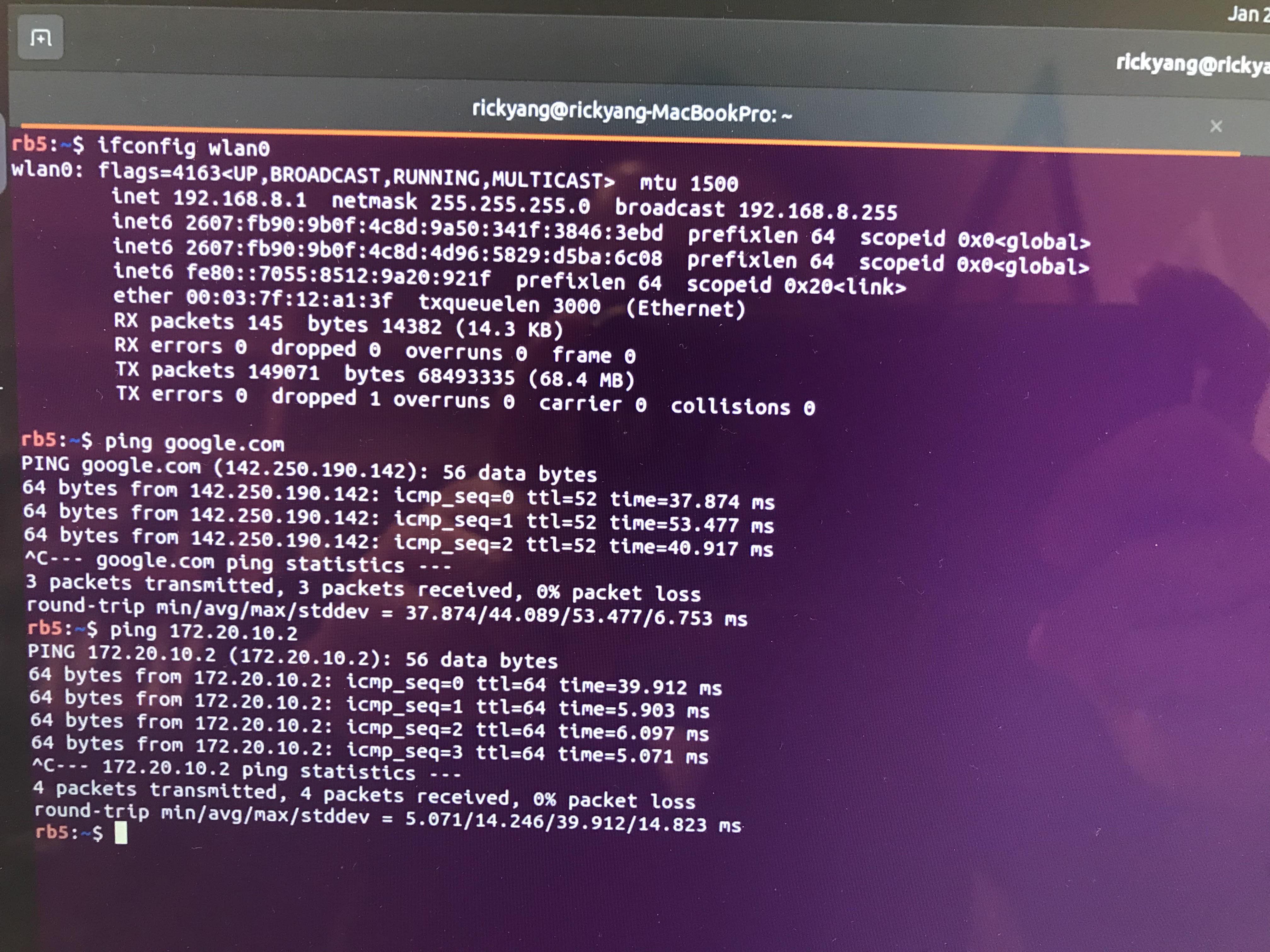
      @Qin-Yang You'll want the RB5 to be connected to the same WiFi network that you connected your macbook to.

      You can do this on RB5 by running voxl-wifi station SSID PASSWORD where SSID is the name of the WiFi network you'd like to connect to and PASSWORD is the password to that network

      Qin YangQ 1 Reply Last reply
      0
      • tomT tom

        @Qin-Yang You'll want the RB5 to be connected to the same WiFi network that you connected your macbook to.

        You can do this on RB5 by running voxl-wifi station SSID PASSWORD where SSID is the name of the WiFi network you'd like to connect to and PASSWORD is the password to that network

        Qin YangQ Offline
        Qin YangQ Offline
        Qin Yang
        wrote on last edited by
        #11

        @tom Thank you very much for your guiding. It works.
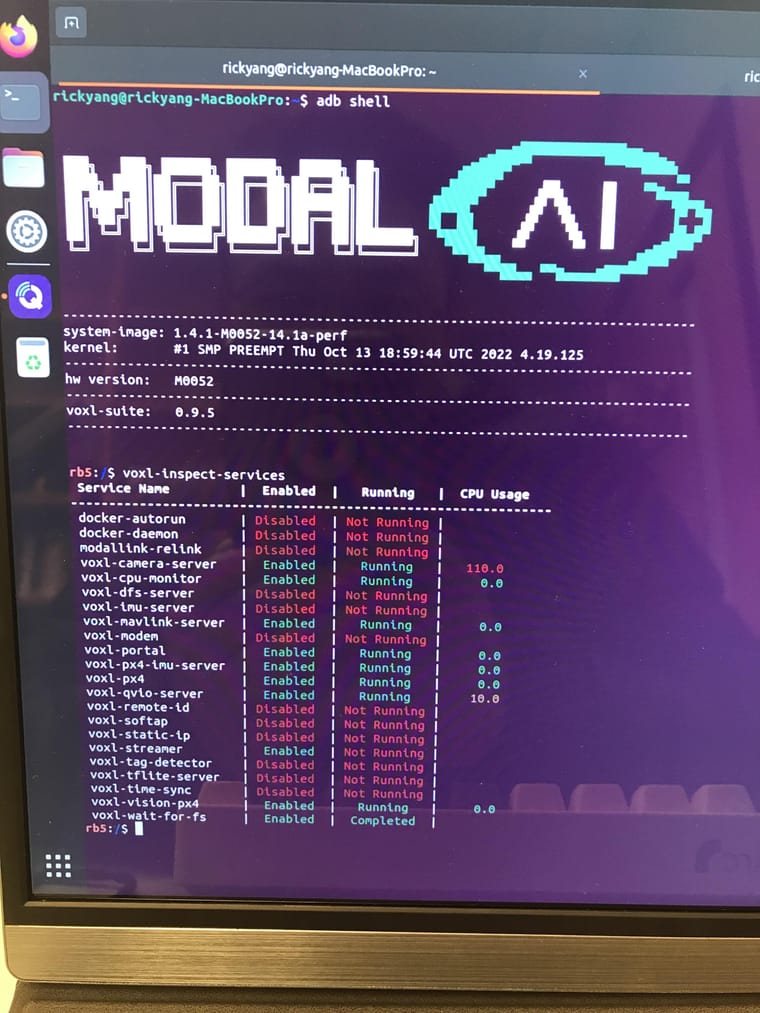
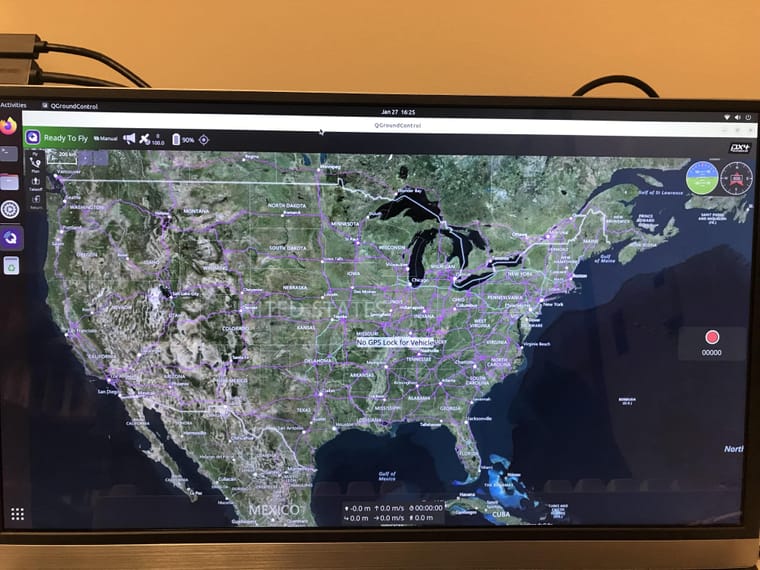
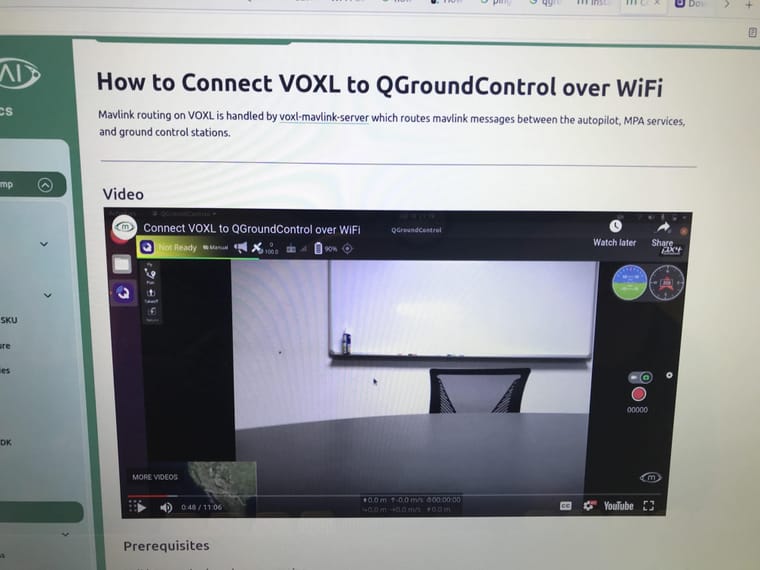
        However, I got another issues about the camera. I follow the instruction How to Connect VOXL to QGroundControl over WiFi
        , but my rb5 did not have any video showing in the QGC. And I run the voxl-inspect-services and found voxl-streamer did not run. Moreover, my rb5 software might be an old version since I can not find the command like: voxl-inspect-mavlink. Can you give me some suggestions?

        please check the below picture:

        1-min.jpeg

        2-min.jpeg

        3-min.jpeg

        Thank you very much for your help and support.

        ModeratorM 1 Reply Last reply
        0
        • Qin YangQ Qin Yang

          @tom Thank you very much for your guiding. It works.
          However, I got another issues about the camera. I follow the instruction How to Connect VOXL to QGroundControl over WiFi
          , but my rb5 did not have any video showing in the QGC. And I run the voxl-inspect-services and found voxl-streamer did not run. Moreover, my rb5 software might be an old version since I can not find the command like: voxl-inspect-mavlink. Can you give me some suggestions?

          please check the below picture:

          1-min.jpeg

          2-min.jpeg

          3-min.jpeg

          Thank you very much for your help and support.

          ModeratorM Offline
          ModeratorM Offline
          Moderator
          ModalAI Team
          wrote on last edited by
          #12

          @Qin-Yang your software is too old for that feature. Please update to the latest, see the guide here: https://docs.modalai.com/Qualcomm-Flight-RB5-voxl-sdk-upgrade-guide/

          Qin YangQ 1 Reply Last reply
          0
          • ModeratorM Moderator

            @Qin-Yang your software is too old for that feature. Please update to the latest, see the guide here: https://docs.modalai.com/Qualcomm-Flight-RB5-voxl-sdk-upgrade-guide/

            Qin YangQ Offline
            Qin YangQ Offline
            Qin Yang
            wrote on last edited by
            #13

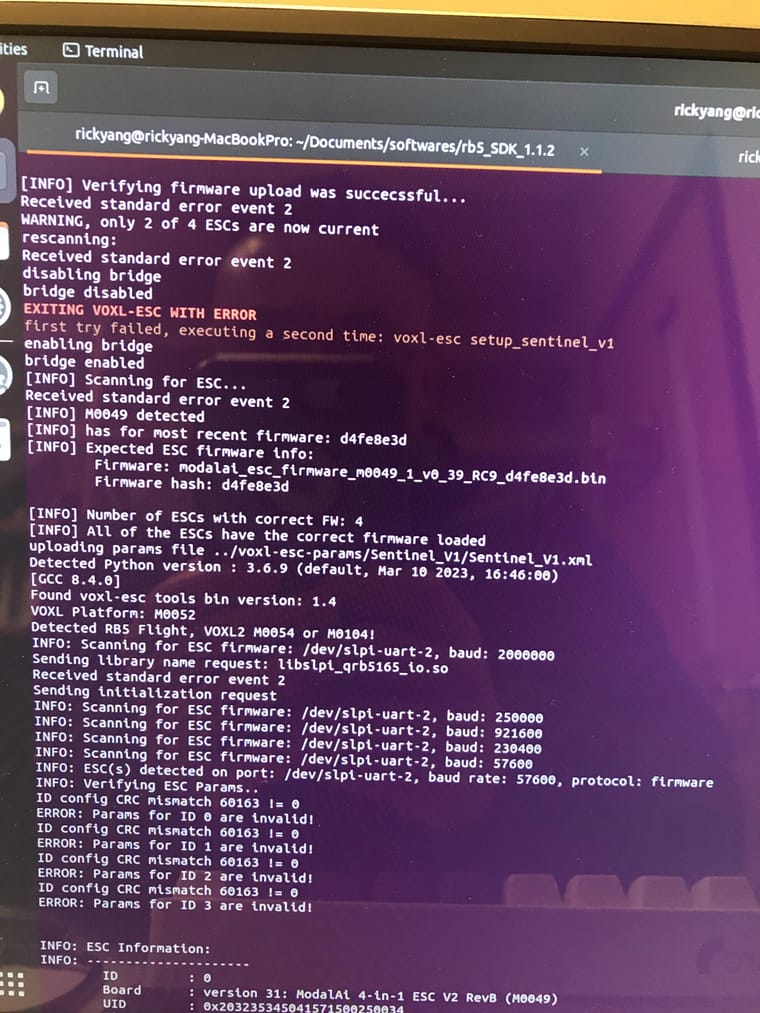
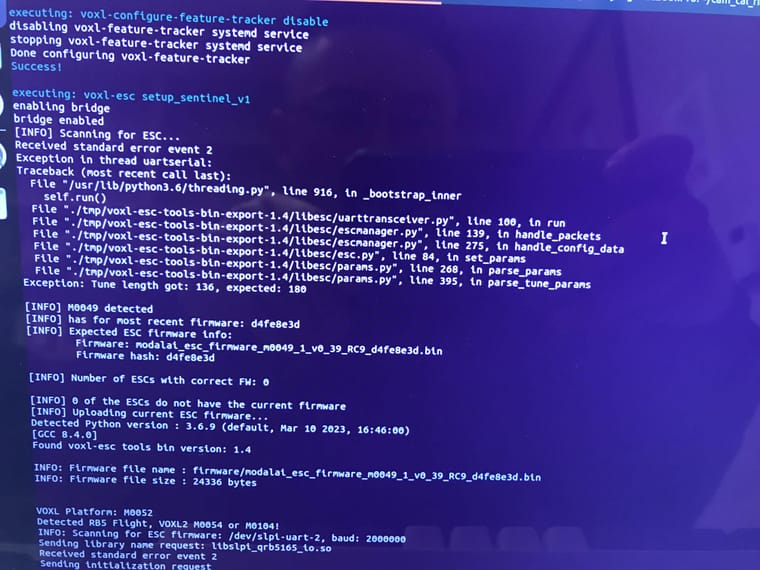
            @Moderator Thank you very much for your suggestions. Currently, I install the latest version 1.1.2. And everything looks back in normal.
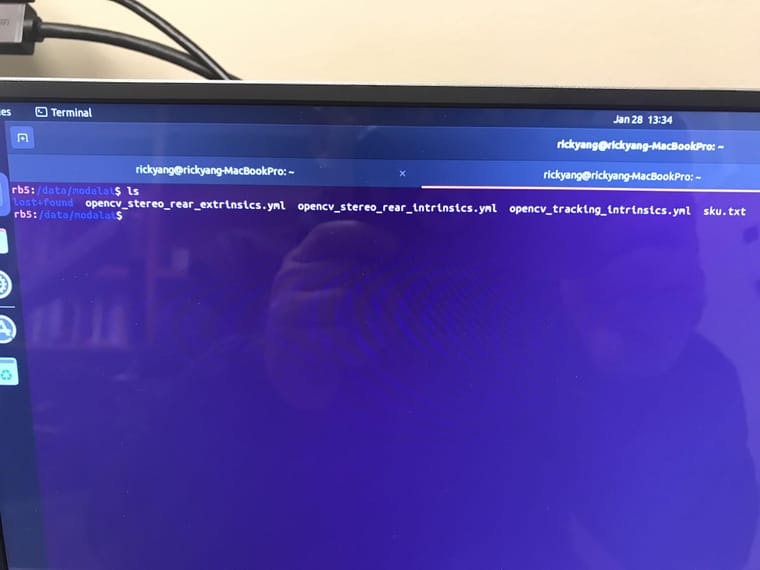
            However, in the process of installation, I met some errors and I did not know whether it is a big issue.
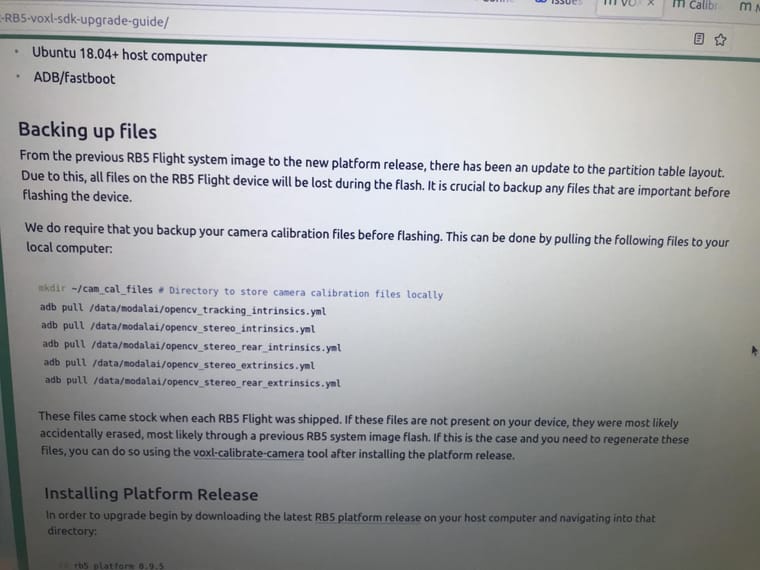
            Also, I found my original file miss some file : "opencv_stereo_intrinsics.yml" and "opencv_stereo_extrinsics.yml", can you send them to me.
            Please check the pictures for more details:
            1-min.jpeg

            2-min.jpeg

            3-min.jpeg

            4-min.jpeg

            tomT 1 Reply Last reply
            0
            • Qin YangQ Qin Yang

              @Moderator Thank you very much for your suggestions. Currently, I install the latest version 1.1.2. And everything looks back in normal.
              However, in the process of installation, I met some errors and I did not know whether it is a big issue.
              Also, I found my original file miss some file : "opencv_stereo_intrinsics.yml" and "opencv_stereo_extrinsics.yml", can you send them to me.
              Please check the pictures for more details:
              1-min.jpeg

              2-min.jpeg

              3-min.jpeg

              4-min.jpeg

              tomT Online
              tomT Online
              tom
              admin
              wrote on last edited by
              #14

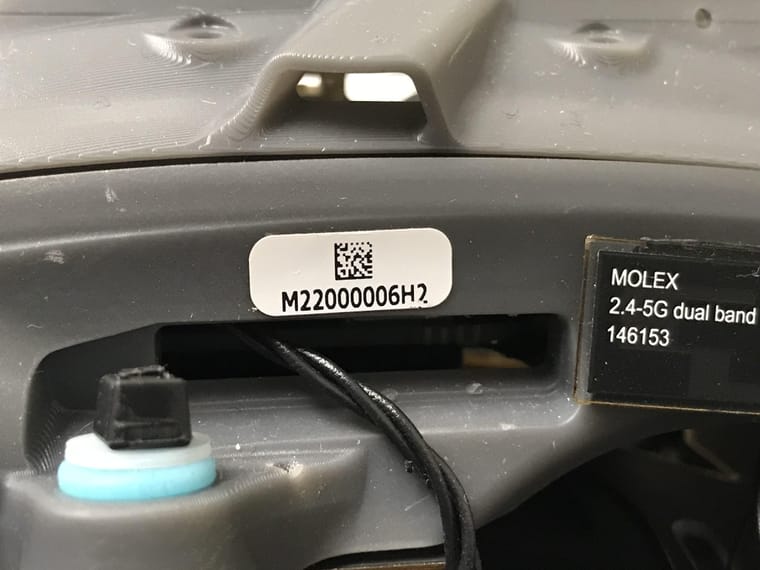
              @Qin-Yang What is the serial number of your RB5 drone? There should be a sticker on the drone with a serial number in the form MXX00000XXX

              Qin YangQ 1 Reply Last reply
              0
              • tomT tom

                @Qin-Yang What is the serial number of your RB5 drone? There should be a sticker on the drone with a serial number in the form MXX00000XXX

                Qin YangQ Offline
                Qin YangQ Offline
                Qin Yang
                wrote on last edited by
                #15

                @tom The serial number is M22000006H2, please check the picture for more details. By the way, this rb5 bought in Sep. 29, 2023.
                1-min.jpeg

                Alex KushleyevA tomT 2 Replies Last reply
                0
                • Qin YangQ Qin Yang

                  @tom The serial number is M22000006H2, please check the picture for more details. By the way, this rb5 bought in Sep. 29, 2023.

                  1-min.jpeg

                  Alex KushleyevA Offline
                  Alex KushleyevA Offline
                  Alex Kushleyev
                  ModalAI Team
                  wrote on last edited by
                  #16

                  @Qin-Yang , I saw you also had some issues with ESC params not being updated correctly. Sorry about that, this sometimes happens when transitioning form older ESC firmware (which automatically happened during the SDK update)

                  You should be able to bring the ESC to the latest firmware / params using the following procedure : https://gitlab.com/voxl-public/voxl-sdk/utilities/voxl-esc/-/blob/dev/voxl-esc-tools/recovery.md

                  Thank you

                  Qin YangQ 1 Reply Last reply
                  0
                  • Qin YangQ Qin Yang

                    @tom The serial number is M22000006H2, please check the picture for more details. By the way, this rb5 bought in Sep. 29, 2023.

                    1-min.jpeg

                    tomT Online
                    tomT Online
                    tom
                    admin
                    wrote on last edited by
                    #17

                    @Qin-Yang I will send your cal files to the email associated to your forum account

                    Qin YangQ 1 Reply Last reply
                    0
                    • tomT tom

                      @Qin-Yang I will send your cal files to the email associated to your forum account

                      Qin YangQ Offline
                      Qin YangQ Offline
                      Qin Yang
                      wrote on last edited by
                      #18

                      @tom Thank you very much, I got it.

                      1 Reply Last reply
                      0
                      • Alex KushleyevA Alex Kushleyev

                        @Qin-Yang , I saw you also had some issues with ESC params not being updated correctly. Sorry about that, this sometimes happens when transitioning form older ESC firmware (which automatically happened during the SDK update)

                        You should be able to bring the ESC to the latest firmware / params using the following procedure : https://gitlab.com/voxl-public/voxl-sdk/utilities/voxl-esc/-/blob/dev/voxl-esc-tools/recovery.md

                        Thank you

                        Qin YangQ Offline
                        Qin YangQ Offline
                        Qin Yang
                        wrote on last edited by
                        #19

                        @Alex-Kushleyev Thank you very much for the solution, I fix it and it works. : )

                        1 Reply Last reply
                        0

                        Hello! It looks like you're interested in this conversation, but you don't have an account yet.

                        Getting fed up of having to scroll through the same posts each visit? When you register for an account, you'll always come back to exactly where you were before, and choose to be notified of new replies (either via email, or push notification). You'll also be able to save bookmarks and upvote posts to show your appreciation to other community members.

                        With your input, this post could be even better 💗

                        Register Login
                        Reply
                        • Reply as topic
                        Log in to reply
                        • Oldest to Newest
                        • Newest to Oldest
                        • Most Votes


                        ModalAI
                        Categories Recent Tags ModalAI.com Docs
                        © 2026 ModalAI® · Accelerating autonomy for smaller, smarter, safer drones · Powered by NodeBB
                        • Login

                        • Don't have an account? Register

                        • Login or register to search.
                        • First post
                          Last post
                        0
                        • Categories
                        • Recent
                        • Tags
                        • Popular
                        • Users
                        • Groups