Skip to content
  • Categories
  • Recent
  • Tags
  • Popular
  • Users
  • Groups
Collapse
Brand Logo

ModalAI Forum

  1. ModalAI Support Forum
  2. VOXL Dev Drones
  3. Qualcomm Flight RB5 5G Drone
  4. qvio error: IMU_MISSING STALLED

qvio error: IMU_MISSING STALLED

Scheduled Pinned Locked Moved Qualcomm Flight RB5 5G Drone
8 Posts 3 Posters 1.8k Views 1 Watching
  • Oldest to Newest
  • Newest to Oldest
  • Most Votes
Reply
  • Reply as topic
Log in to reply
This topic has been deleted. Only users with topic management privileges can see it.
  • B Offline
    B Offline
    bgaudel
    Contributor
    wrote on last edited by
    #1

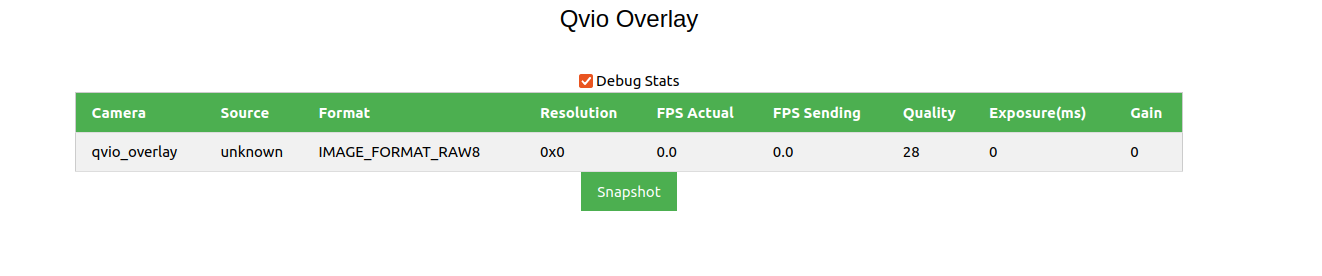
    The qvio is not showing any data.
    6d41326b-e37c-4ded-bf4d-f4175d81f0cf-image.png

    7029c0b7-0c7c-4bde-980e-3bbed5a3aa20-image.png

    8752dedb-0283-4641-aaf5-dd4ee2d4be16-image.png

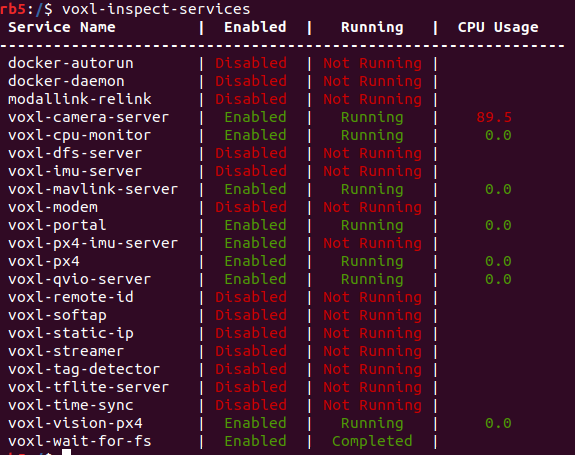
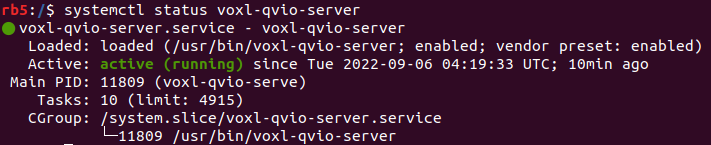
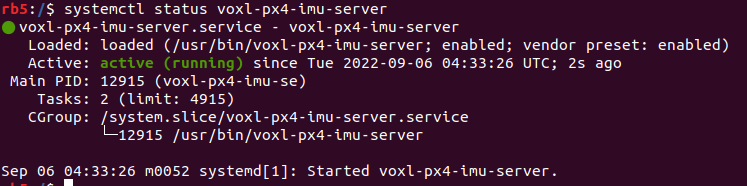
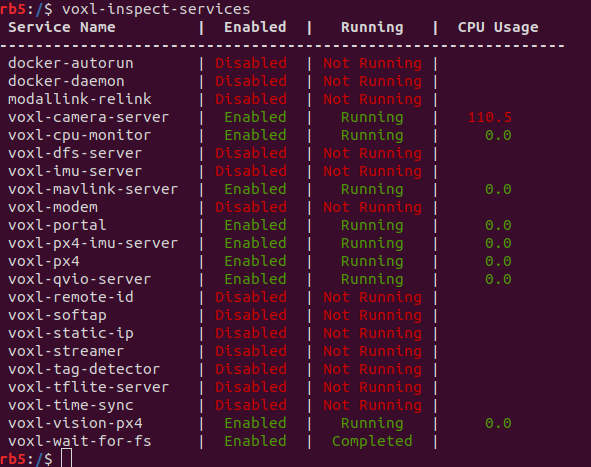
    qvio was working before, but now we got the error. All voxl-camera-server, voxl-px4-imu-server and ```voxl-qvio-server`` are running.

    The output of systemctl status * looks alright:

    b2708732-fa11-4e60-921f-f044555bdbf8-image.png
    079dbb02-cec6-4cc2-9570-e0ef2f264025-image.png
    6d295c67-2a69-42f4-aeca-f3d85c822ce3-image.png

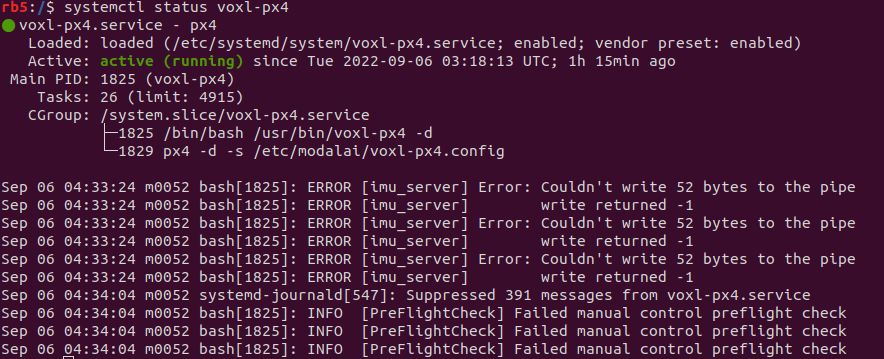
    But, I found the imu_server error in systemctl status voxl-px4

    15276287-0b80-499f-961c-335da978fb47-image.png

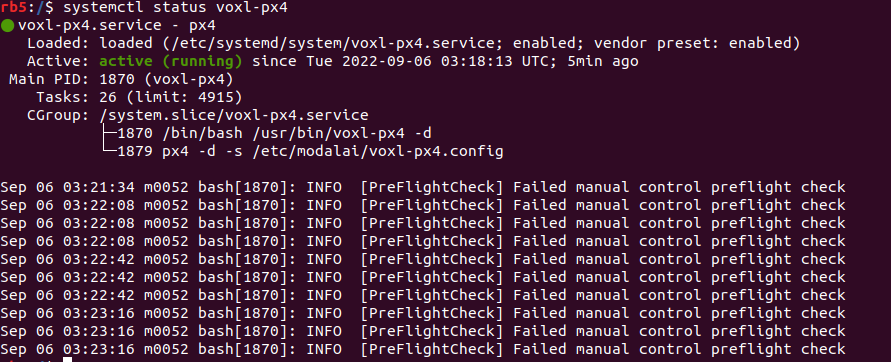
    I did systemctl restart voxl-px4 that fixed the problem with px4 as well.
    81a0f0a0-1e96-413c-94b1-b4ea68207263-image.png

    After this,
    e8d06b04-3238-460d-b211-917abb5ac9ad-image.png

    And I tried to see the qvio data again, but it still throws the imu error.

    f286d95b-6c6f-4a72-ba2f-ee416054aadf-image.png

    I had also done the voxl-configure-mpa before. How can I fix this?

    B 1 Reply Last reply
    1
    • B bgaudel

      The qvio is not showing any data.
      6d41326b-e37c-4ded-bf4d-f4175d81f0cf-image.png

      7029c0b7-0c7c-4bde-980e-3bbed5a3aa20-image.png

      8752dedb-0283-4641-aaf5-dd4ee2d4be16-image.png

      qvio was working before, but now we got the error. All voxl-camera-server, voxl-px4-imu-server and ```voxl-qvio-server`` are running.

      The output of systemctl status * looks alright:

      b2708732-fa11-4e60-921f-f044555bdbf8-image.png
      079dbb02-cec6-4cc2-9570-e0ef2f264025-image.png
      6d295c67-2a69-42f4-aeca-f3d85c822ce3-image.png

      But, I found the imu_server error in systemctl status voxl-px4

      15276287-0b80-499f-961c-335da978fb47-image.png

      I did systemctl restart voxl-px4 that fixed the problem with px4 as well.
      81a0f0a0-1e96-413c-94b1-b4ea68207263-image.png

      After this,
      e8d06b04-3238-460d-b211-917abb5ac9ad-image.png

      And I tried to see the qvio data again, but it still throws the imu error.

      f286d95b-6c6f-4a72-ba2f-ee416054aadf-image.png

      I had also done the voxl-configure-mpa before. How can I fix this?

      B Offline
      B Offline
      bgaudel
      Contributor
      wrote on last edited by
      #2

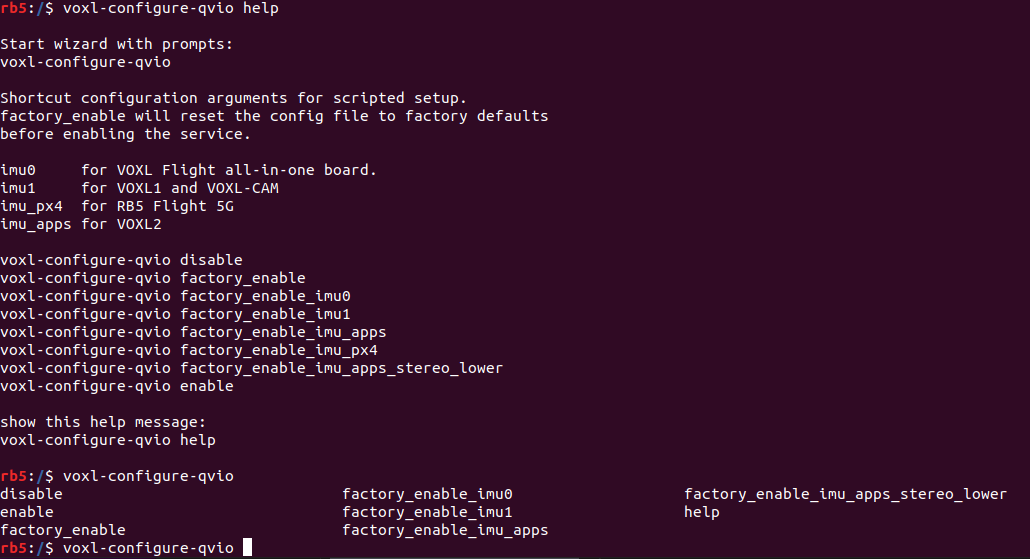
      @bgaudel when I configure the voxl-configure-qvio, I didn't get voxl-configure-qvio factory_enable_imu_px4 option.

      abd5cfd6-0893-4010-8047-992e0d7ac56e-image.png

      S 1 Reply Last reply
      0
      • B bgaudel

        @bgaudel when I configure the voxl-configure-qvio, I didn't get voxl-configure-qvio factory_enable_imu_px4 option.

        abd5cfd6-0893-4010-8047-992e0d7ac56e-image.png

        S Offline
        S Offline
        sansoy
        Contributor
        wrote on last edited by
        #3

        @bgaudel Did you ever get this resolved. I'm experiencing the same thing with IMU_MISSING STALLED

        tomT 1 Reply Last reply
        0
        • S sansoy

          @bgaudel Did you ever get this resolved. I'm experiencing the same thing with IMU_MISSING STALLED

          tomT Online
          tomT Online
          tom
          admin
          wrote on last edited by
          #4

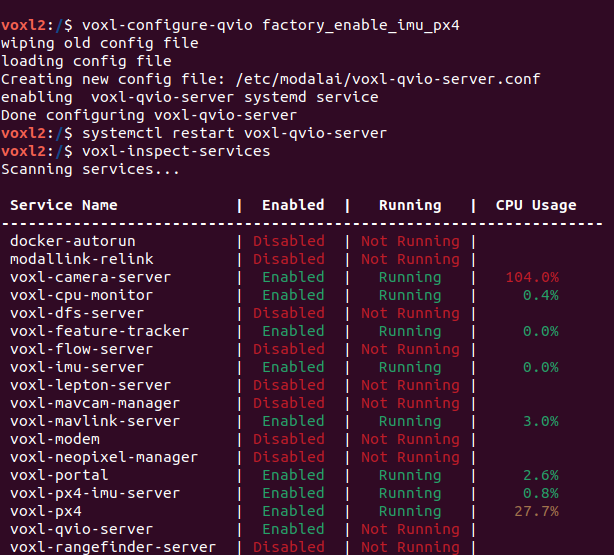
          @sansoy Even though it's missing from the bash autocomplete options, what happens if you run voxl-configure-qvio factory_enable_imu_px4

          S 1 Reply Last reply
          0
          • tomT tom

            @sansoy Even though it's missing from the bash autocomplete options, what happens if you run voxl-configure-qvio factory_enable_imu_px4

            S Offline
            S Offline
            sansoy
            Contributor
            wrote on last edited by
            #5

            @tom Screenshot from 2024-02-14 15-48-11.png i did that and tried restarting the voxl-qvio-server but it wont start.

            S 1 Reply Last reply
            0
            • S sansoy

              @tom Screenshot from 2024-02-14 15-48-11.png i did that and tried restarting the voxl-qvio-server but it wont start.

              S Offline
              S Offline
              sansoy
              Contributor
              wrote on last edited by
              #6

              @tom i ran
              journalctl -u voxl-qvio-server
              and saw this message as the extrinsics.conf file doesnot exist

              failed to find extrinsics from imu_px4 to tracking in /etc/modalai/extrinsics.conf

              tomT 1 Reply Last reply
              0
              • S sansoy

                @tom i ran
                journalctl -u voxl-qvio-server
                and saw this message as the extrinsics.conf file doesnot exist

                failed to find extrinsics from imu_px4 to tracking in /etc/modalai/extrinsics.conf

                tomT Online
                tomT Online
                tom
                admin
                wrote on last edited by
                #7

                @sansoy Okay you're switching between rb5 and voxl2, the approaches are different for each.

                The easiest way for either is to run voxl-configure-sku -w and go through the wizard, then running voxl-configure-mpa

                S 1 Reply Last reply
                0
                • tomT tom

                  @sansoy Okay you're switching between rb5 and voxl2, the approaches are different for each.

                  The easiest way for either is to run voxl-configure-sku -w and go through the wizard, then running voxl-configure-mpa

                  S Offline
                  S Offline
                  sansoy
                  Contributor
                  wrote on last edited by
                  #8

                  @tom thanks tom!

                  with voxl-configure-sku -w
                  I assumed the option to select is
                  6) px4-autonomy-dev-kit

                  i then ran voxl-configure-mpa
                  saw a few errors but the qvio is working now with no errors.

                  Sabri

                  1 Reply Last reply
                  0

                  Hello! It looks like you're interested in this conversation, but you don't have an account yet.

                  Getting fed up of having to scroll through the same posts each visit? When you register for an account, you'll always come back to exactly where you were before, and choose to be notified of new replies (either via email, or push notification). You'll also be able to save bookmarks and upvote posts to show your appreciation to other community members.

                  With your input, this post could be even better 💗

                  Register Login
                  Reply
                  • Reply as topic
                  Log in to reply
                  • Oldest to Newest
                  • Newest to Oldest
                  • Most Votes


                  ModalAI
                  Categories Recent Tags ModalAI.com Docs
                  © 2026 ModalAI® · Accelerating autonomy for smaller, smarter, safer drones · Powered by NodeBB
                  • Login

                  • Don't have an account? Register

                  • Login or register to search.
                  • First post
                    Last post
                  0
                  • Categories
                  • Recent
                  • Tags
                  • Popular
                  • Users
                  • Groups