Skip to content
  • Categories
  • Recent
  • Tags
  • Popular
  • Users
  • Groups
Collapse
Brand Logo

ModalAI Forum

W

will.huang.oksi

@will.huang.oksi
Contributor
Unfollow Follow
About
Posts
25
Topics
6
Shares
0
Groups
1
Followers
0
Following
0

Posts

Recent Best Controversial

  • Malfunction the J connector on VOXL 2 investigation
    W will.huang.oksi

    Hello @Vinny

    After checking with my coworkers, we confirmed that the Doodle Nano radio receives 5 V power through its connection to the ModalAI ESC, not as I previously described. Sorry for the earlier confusion.

    Does this clarification help you suggest the next step we can take for verification?

    We also refreshed the SDK on the VOXL2, but the issue persists, so we can likely rule out software as a potential root cause.

    Looking forward to hearing from you. Please let me know if any further questions.

    Ask your questions right here!

  • Malfunction the J connector on VOXL 2 investigation
    W will.huang.oksi

    Hello @Vinny
    thank you for the clear guidance and I will keep you posted after our experiment.

    Ask your questions right here!

  • Malfunction the J connector on VOXL 2 investigation
    W will.huang.oksi

    Hello @Vinny
    thank you for the response.

    I understand and appreciate your point about the incorrect power configuration,
    and we will definitely work on addressing that.

    However,
    the same board with the same Doodle Nano works properly on other VOXL2 units.
    This suggests that even with the incorrect power, the Doodle Nano remains functional and can still communicate with other Doodle Nano devices.

    For this reason, we’d like to investigate whether the J port itself is still functioning.
    Could you suggest any methods we can use in our lab to verify if the J port on this particular VOXL2 is operational?
    Or besides the power configuration part, any other spec you would recommend we investigate?

    Ask your questions right here!

  • Malfunction the J connector on VOXL 2 investigation
    W will.huang.oksi

    @tom
    Thank you for the quick response.
    However,
    it doesn't explain why the same board with the same doodle lab nano radio works with the VOXL 2 previously ( just suddenly doesn't work anymore ) and work with other VOXL 2.

    And
    we are using
    https://techlibrary.doodlelabs.com/doodle-labs-nano-oem-mesh-rider-radio-24002482-mhz

    It doesn't require that much power
    8b15be7c-1e6c-4c43-ab08-6131d478a5ac-image.png

    please let me know if any misunderstanding, any suggestion, or any command/method we can use to verify the J port
    Thank you.

    Ask your questions right here!

  • Malfunction the J connector on VOXL 2 investigation
    W will.huang.oksi

    @tom

    we use this board
    https://www.modalai.com/products/m0151?variant=47083939791152
    with the Doodle lab nano radio
    https://doodlelabs.com/product/nano-mesh-rider-radio/

    Thank you for the quick response and please let me know if any further quesitons.

    Ask your questions right here!

  • Malfunction the J connector on VOXL 2 investigation
    W will.huang.oksi

    To whom it may concern,

    Is there a command or diagnostic procedure to verify the operational status of the J port on a VOXL2?

    Details:
    We have integrated a board that includes a radio device with the VOXL2 via the J port. Initially, the VOXL2 detected the connection and the interface appeared as eth0. However, this VOXL2 has since stopped recognizing the connection. When the same board and radio device are tested with a different VOXL2, the connection is detected normally, which suggests the problem is isolated to this particular unit.

    Could you advise on tools, commands, or logs that can be used to determine whether the J port hardware or the associated network interface on this VOXL2 is functioning correctly?

    Please let me know if you need more details or questions
    Thank you.

    Ask your questions right here!

  • ESC Mini 4-in-1 M0129 is not controllable through QGC
    W will.huang.oksi

    @Alex-Kushleyev
    Thank you so much for the detailed explanation!
    I will keep you posted with the update shortly.

    Ask your questions right here!

  • ESC Mini 4-in-1 M0129 is not controllable through QGC
    W will.huang.oksi

    Hello @Alex-Kushleyev and @Moderator ,
    Thank you for the response!!!

    As Alex pointed out, the baud rate seems to be the issue preventing the motors from spinning through the Actuator Testing feature in QGC. I have another ESC configured with a 2M baud rate, and it works as expected with Actuator Testing.

    My question now is: how can I update the baud rate on the ESC?

    In QGC, the baud rate is already set to 2M.
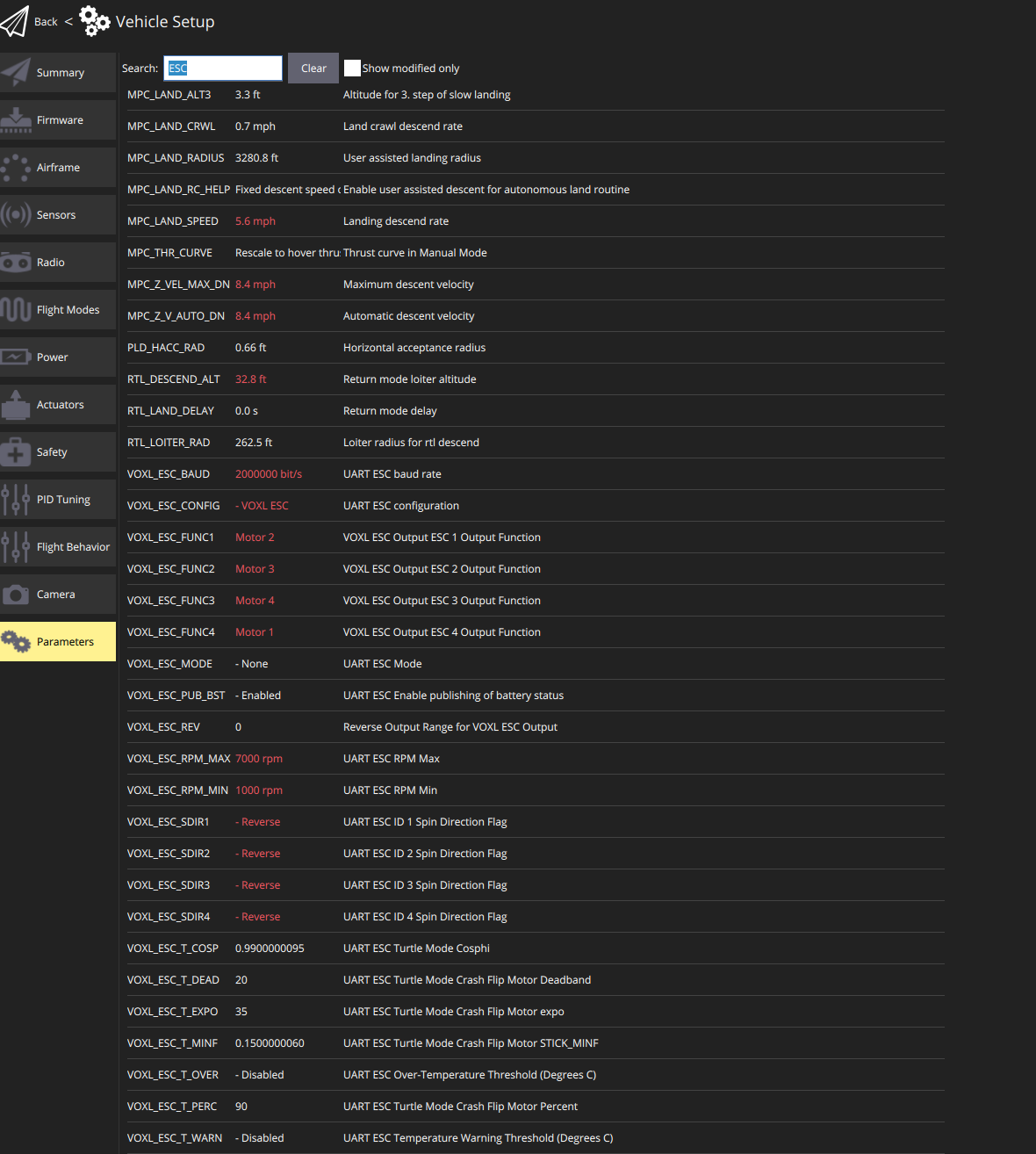
    DRONE_II_ESC_IN_QGC.png

    In https://gitlab.com/voxl-public/voxl-sdk/utilities/voxl-esc/-/tree/master/voxl-esc-tools,
    I came across the command:

    ./voxl-esc-upload-params.py --params-file ../params/esc_params_modalai_4_in_1.xml
    

    However, I wasn’t able to locate this XML file on the VOXL.
    Here's what I found in the VOXL:
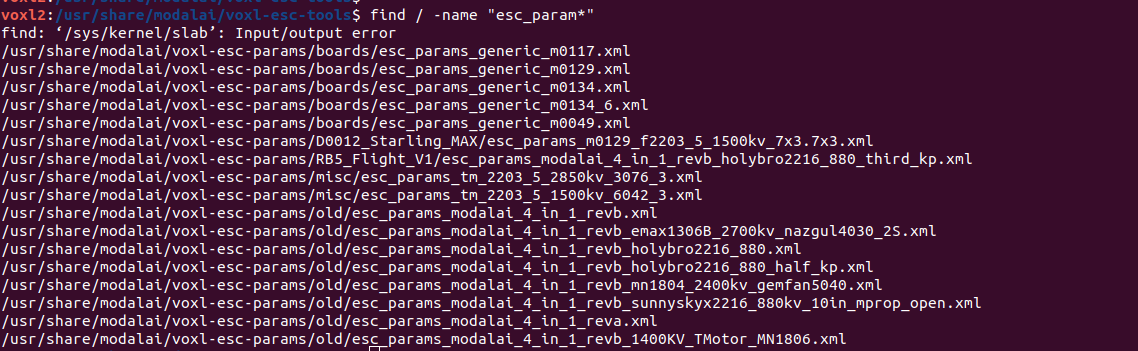
    32b065aa-1eaf-4c5d-900f-63205ff3c1cc-image.png

    In the repo I found is esc_params_modalai_4_in_1_revb_mn1804_2400kv_gemfan5040.xml
    Should I upload this xml to /usr/share/modalai/voxl-esc-params/boards/, rename it to esc_params_modalai_4_in_1.xml, and use the python command above?

    I also tried to manually change the baud rate to 2M in those XML files but it gets overwritten after a reboot.

    Could you please provide more detailed instructions on how to properly update the ESC baud rate?

    Thank you.

    Ask your questions right here!

  • ESC Mini 4-in-1 M0129 is not controllable through QGC
    W will.huang.oksi

    To whom it may concern,

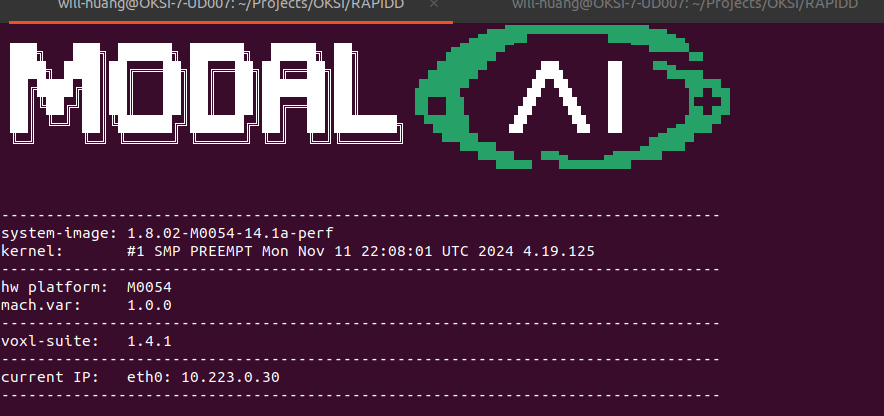
    My VOXL2 Flight Deck is currently running the following SDK version:
    voxl-sdk-version.png

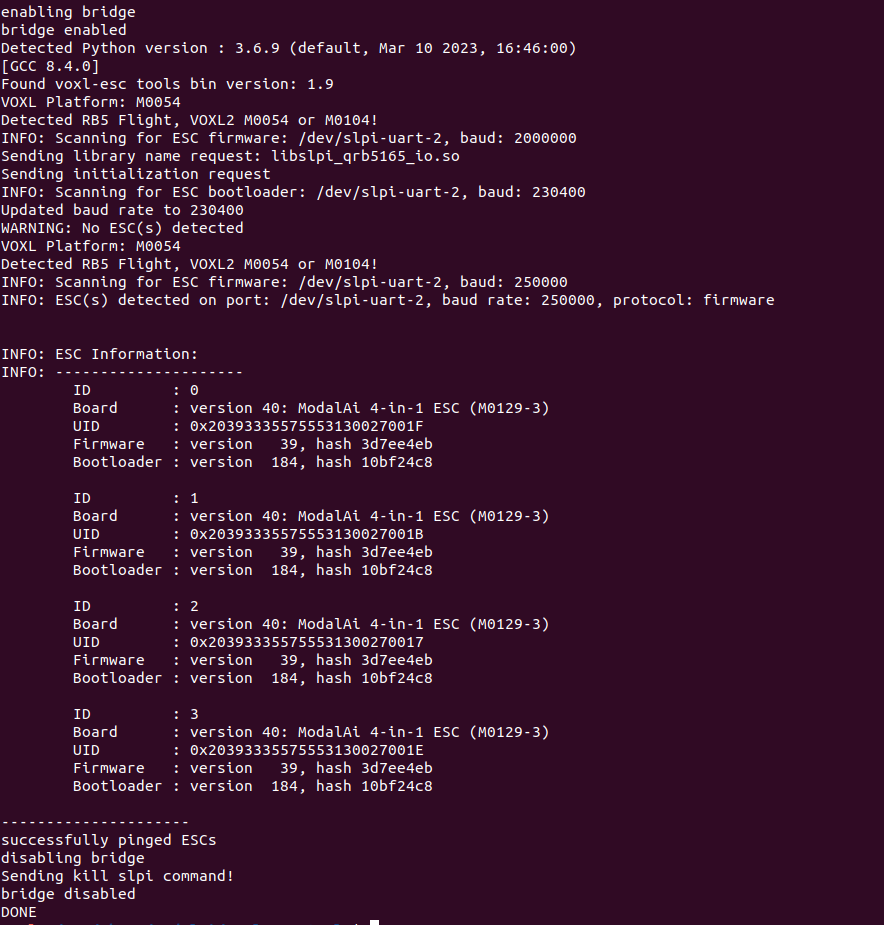
    The ESC Mini 4-in-1 is using the following firmware version:
    voxl-esc_scan.png

    I am able to successfully spin the motors using the command:

    voxl-esc 3) spin
    

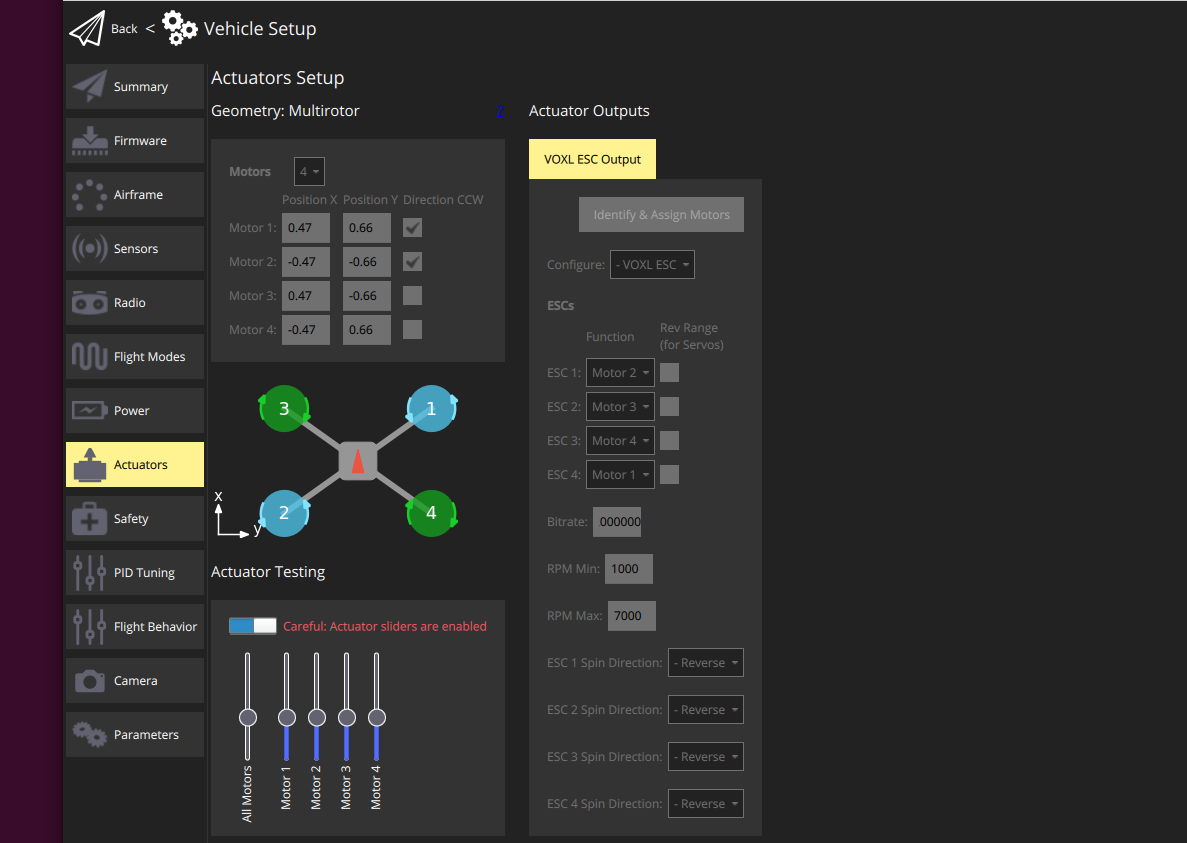
    However, I am unable to spin the motors in QGroundControl using the Actuator Testing feature.
    Could you advise if there are any steps I might have missed?
    motor_not_controlled_by_qgc.png

    ====

    Additionally, I have connected the VOXL2 to a QGC instance running on an Ubuntu machine within the same network.
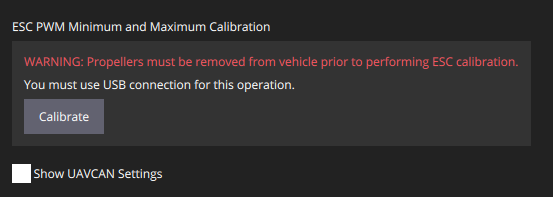
    I noticed that the ESC PWM Minimum and Maximum Calibration in QGC requires a USB connection.
    must_use_usb_msg.png

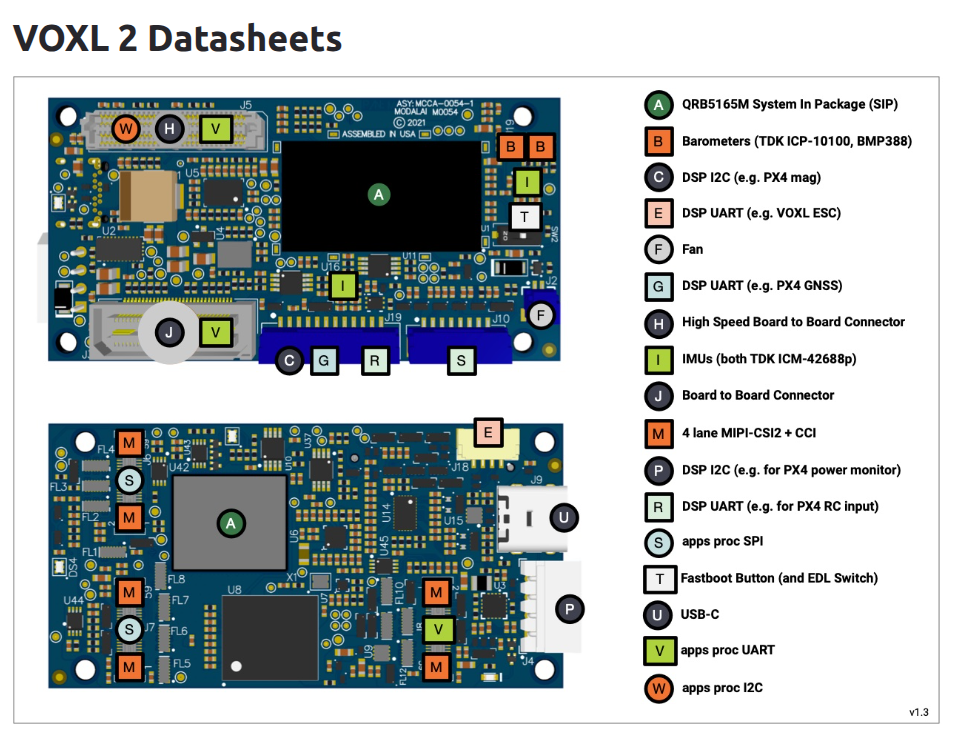
    I attempted to connect the VOXL2 to the Ubuntu machine via the USB-C port labeled "U" in the VOXL2 datasheet, but it did not establish a connection.
    fe98b14d-3d05-4731-9761-be23e24279fa-image.png

    Could you clarify which port should be used for this USB connection to ensure proper calibration support in QGC?

    Thank you for your assistance and please let me know if you need more details.

    Ask your questions right here!

  • Follow up the MAVLink custom port to GCS
    W will.huang.oksi

    @Eric-Katzfey
    Very sorry for the late response and thank you for pointing out the mavlink-router approach, https://github.com/mavlink-router/mavlink-router.
    I will try it and keep you posted here.
    Thank you for answering my quesiton.

    Ask your questions right here!

  • QDL device not connected
    W will.huang.oksi

    Hello @Nathan-Raras and @Nathan-Raras ,

    I don't see any Qualcomm device with running "lsusb".
    I also have confirmed that the USB-C cable is able to access another VOXL device.
    So I have submitted the RMA
    d45c5737-8bf3-4c8b-9e7d-851acbfe82a8-image.png

    Please let me know if any questions or suggestions.
    Thank you very much for supporting.

    Ask your questions right here!

  • QDL device not connected
    W will.huang.oksi

    Hello ModalAI Team,
    Here is the HW and SDK info

    • ModalAI Flight Deck M0054
    • VOXL system image 1.8.02-M0054-14.1a-perf
    • VOXL suite 1.4.1

    Thank you.

    Ask your questions right here!

  • QDL device not connected
    W will.huang.oksi

    Hello ModalAI Team,
    If you need any additional information regarding the issue I’m currently experiencing, please don’t hesitate to let me know.
    I appreciate your time and support on this matter.

    Ask your questions right here!

  • QDL device not connected
    W will.huang.oksi

    Hello,
    if you need any other information for this question,
    please don't hesitate to let me know.
    Thank you for helping!

    Ask your questions right here!

  • QDL device not connected
    W will.huang.oksi

    To whom it may concern,

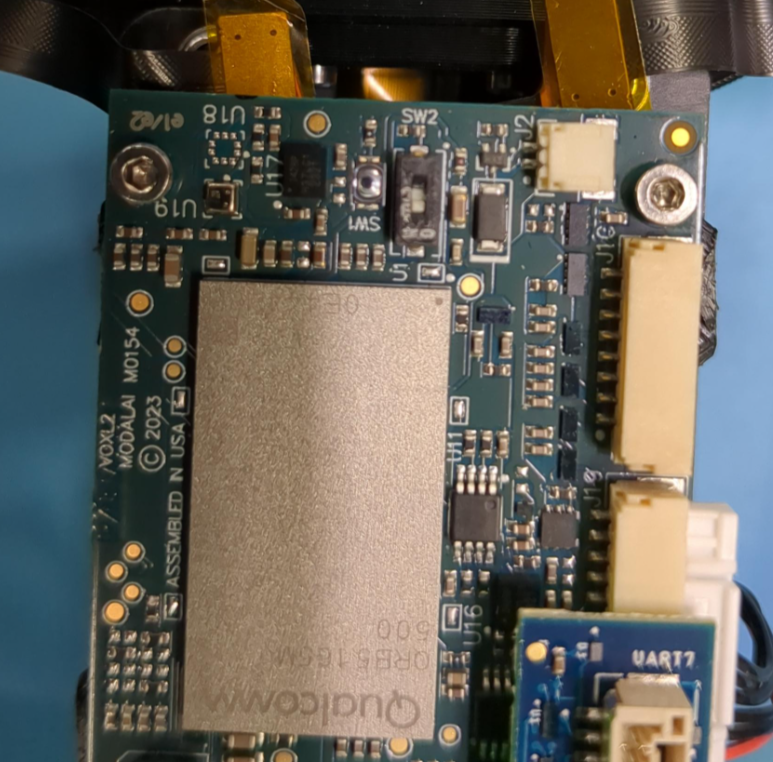
    following this instruction to https://docs.modalai.com/voxl2-unbricking/

    slide the SW2 switch into the ON position,

    26feb7e9-e497-4cb4-89be-ffeec74306e0-image.png

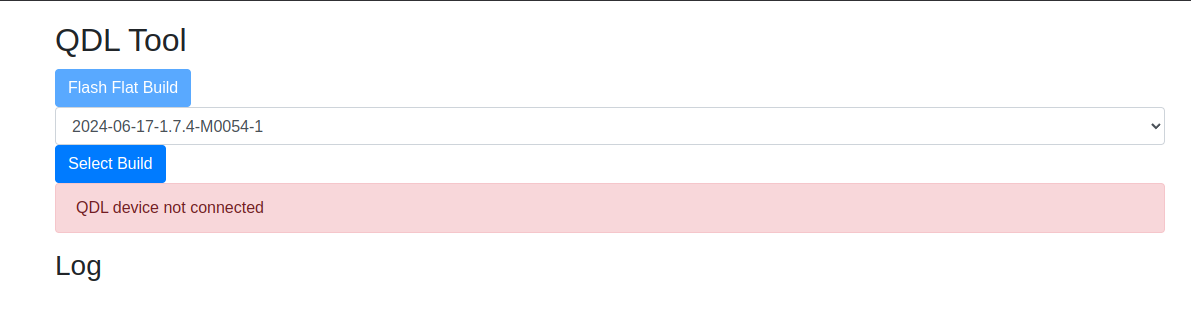
    but in QDL Tool, it shows QDL device not connected.

    c3679163-9bb1-4e6d-a8a0-624623e7bf36-image.png

    I have confirmed that the USB-C cable works with other VOXL devices.

    Any suggestions or anything I missed?

    Thank you for your precious time on this.

    Ask your questions right here!

  • Follow up the MAVLink custom port to GCS
    W will.huang.oksi

    Re: MAVLink custom port to GCS

    Hello @Eric-Katzfey ,
    is there any plan for ModalAI to support this request?
    I am also interested in having this feature.
    Thank you for your precious time on this matter.
    Best,

    Ask your questions right here!

  • SYS_AUTOSTART param missing, shown in QGC, after flashing the flight deck with voxl2_SDK_1.4.1
    W will.huang.oksi

    @Eric-Katzfey

    From other discussion,
    I add

    qshell gps start -d 7 -b 115200
    

    and get the GPS now.

    Here is my setting and please let me know if any questions.
    Thank you for your precious time on this matter.

    AIRFRAME=MULTICOPTER
    GPS=AUTODETECT
    RC=CRSF_RAW
    ESC=VOXL_ESC
    POWER_MANAGER=VOXLPM
    AIRSPEED_SENSOR=NONE
    DISTANCE_SENSOR=NONE
    OSD=DISABLE
    DAEMON_MODE=ENABLE
    SENSOR_CAL=ACTUAL
    ARTIFACT_MODE=DISABLE
    EXTRA_STEPS=(
    qshell gps start -d 7 -b 115200
    )

    Ask your questions right here!
  • Login

  • Don't have an account? Register

  • Login or register to search.
  • First post
    Last post
0
  • Categories
  • Recent
  • Tags
  • Popular
  • Users
  • Groups