Skip to content
  • Categories
  • Recent
  • Tags
  • Popular
  • Users
  • Groups
Collapse
Brand Logo

ModalAI Forum

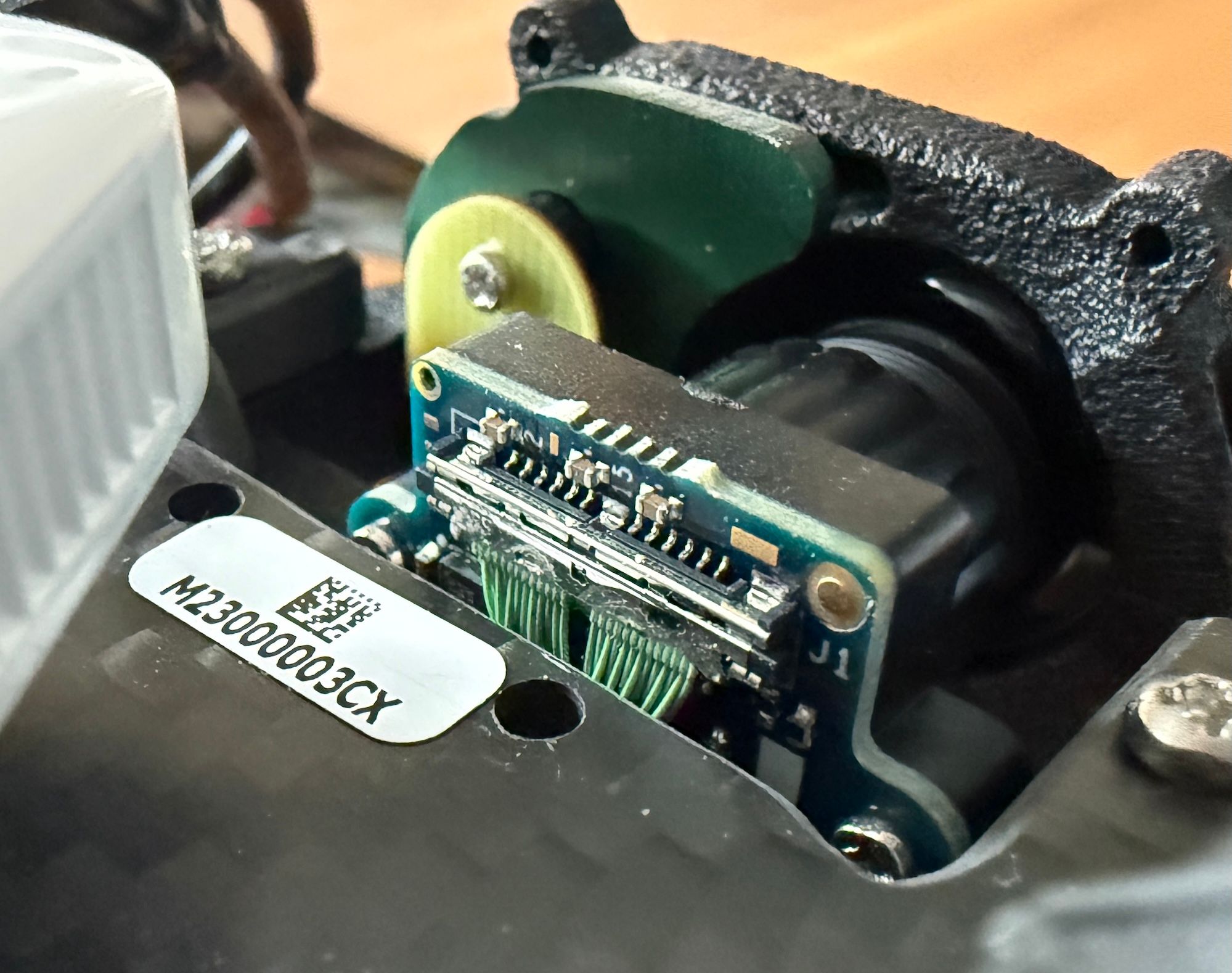
  1. ModalAI Support Forum
  2. Ask your questions right here!
  3. Support Request Format for Best Results
  4. VOXL Starling 2 Max hires_front camera unresponsive

VOXL Starling 2 Max hires_front camera unresponsive
Scheduled Pinned Locked Moved Support Request Format for Best Results
16 Posts 3 Posters 2.1k Views 1 Watching
  • Oldest to Newest
  • Newest to Oldest
  • Most Votes
Reply
  • Reply as topic
Log in to reply
This topic has been deleted. Only users with topic management privileges can see it.
  • B Offline
    B Offline
    brandon
    Contributor
    wrote on last edited by
    #1

    Hello,

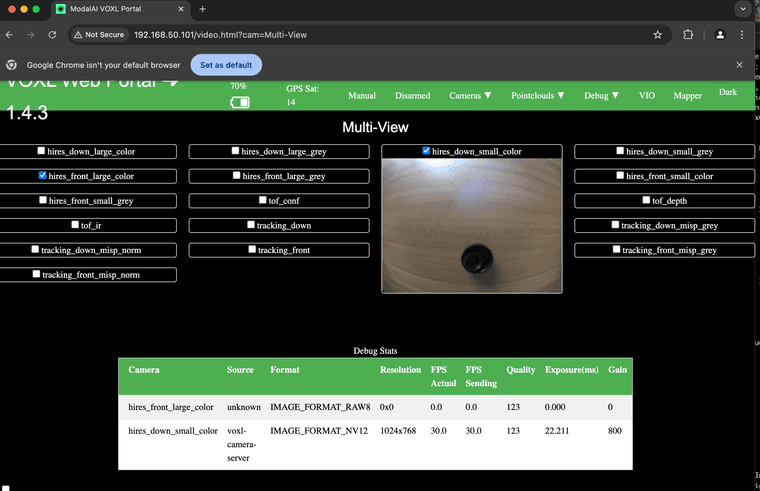
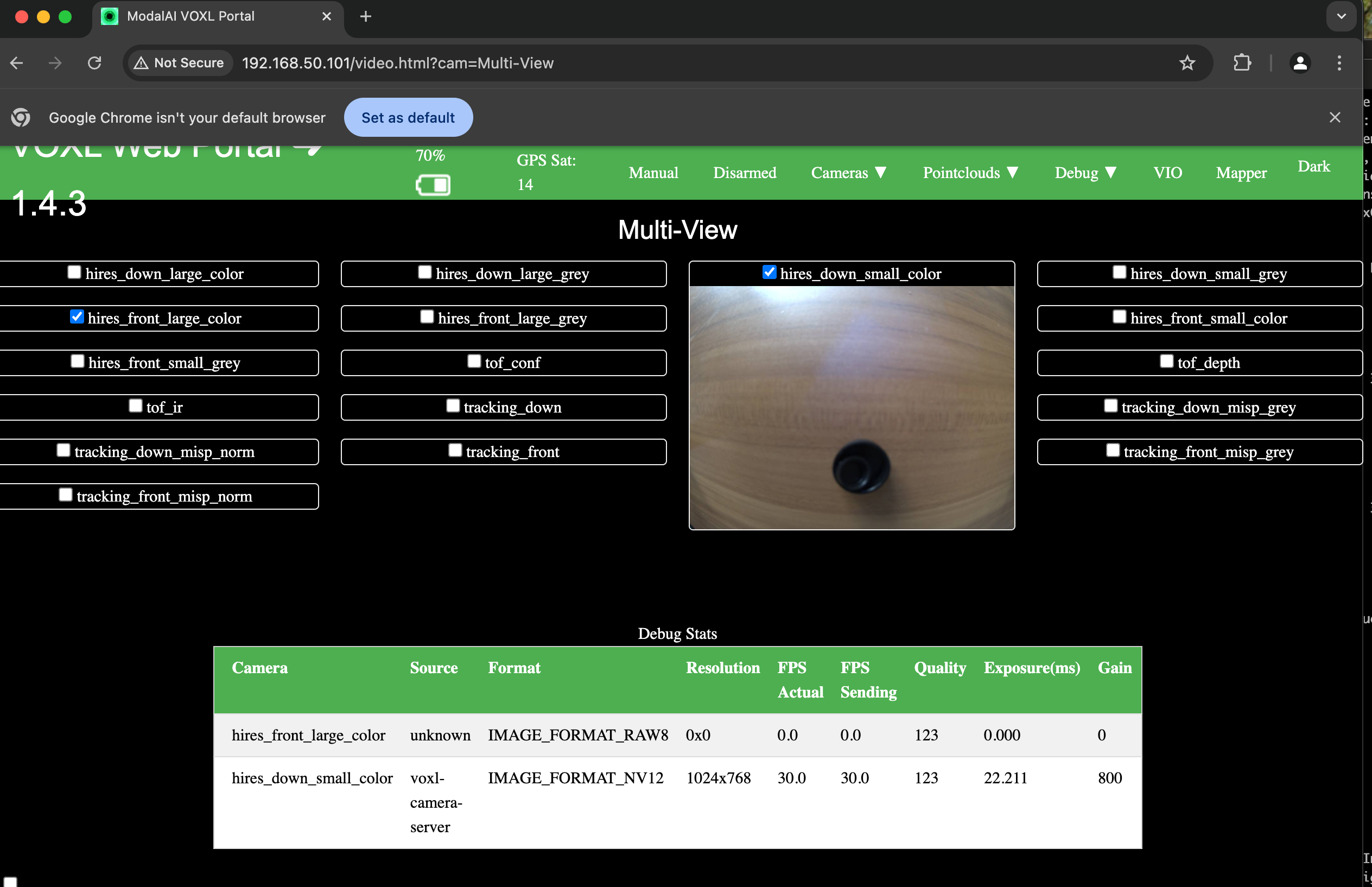
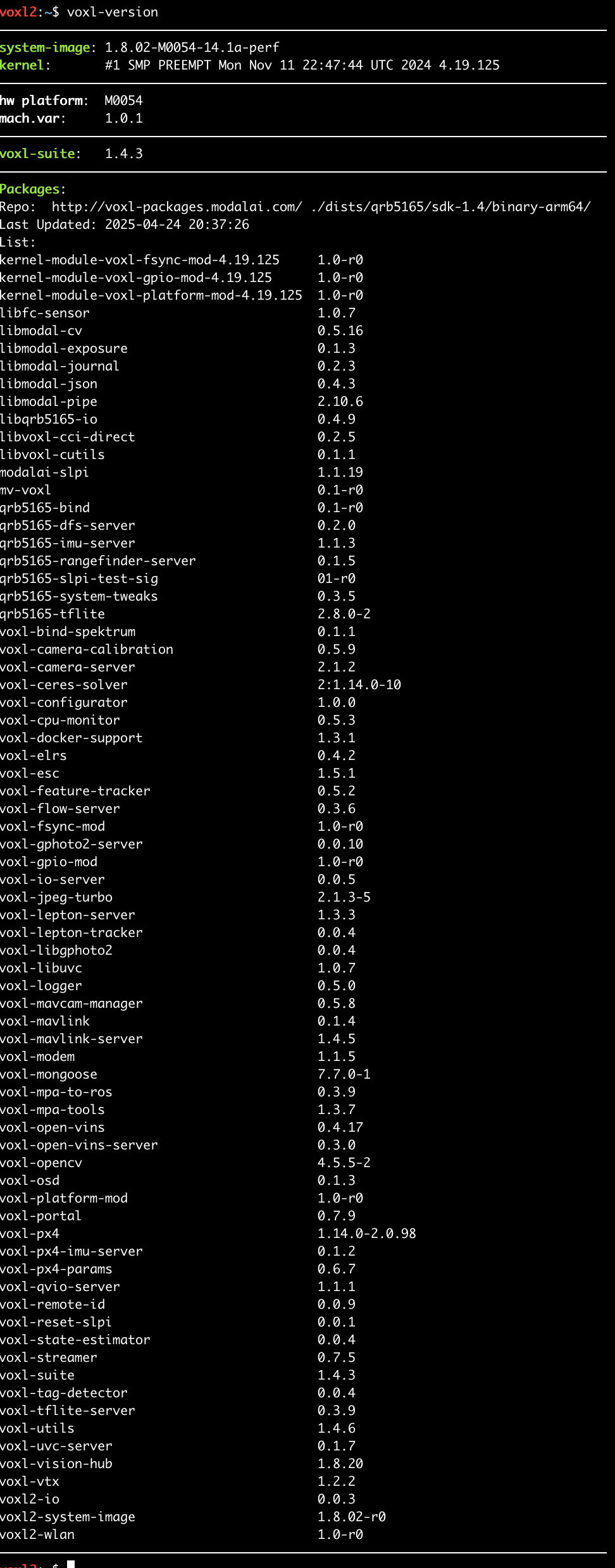
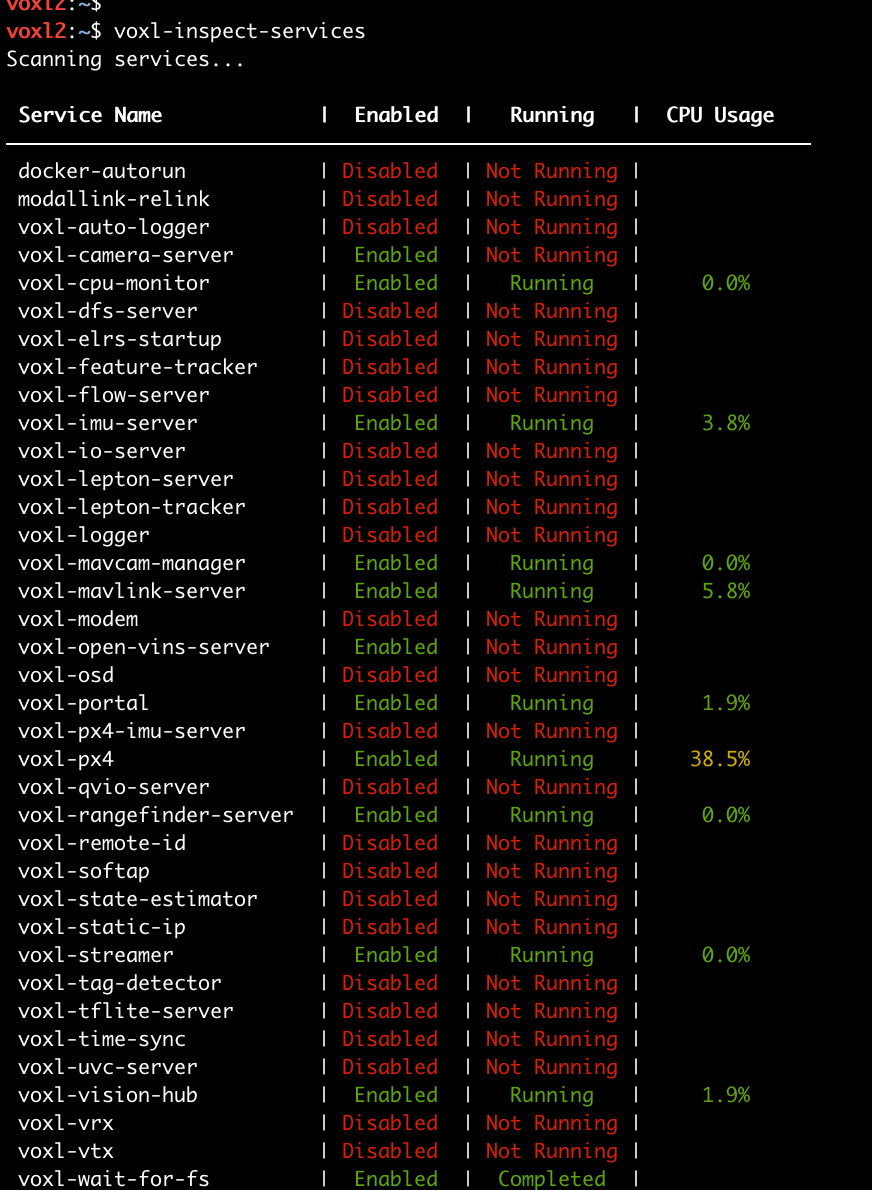
    I just started developing with the Starling 2 Max (sku:MRB-D0012-4-V2-C29-T9-M24-X0) and am unable to see video from the hires_front camera. I saw a post here: https://forum.modalai.com/topic/4139/voxl-portal-wont-display-live-camera-feeds-after-sdk-1-4-0-upgrade that might have a similar issue, but my model has the latest software. Does anyone have ideas on what steps I can take to debug this?

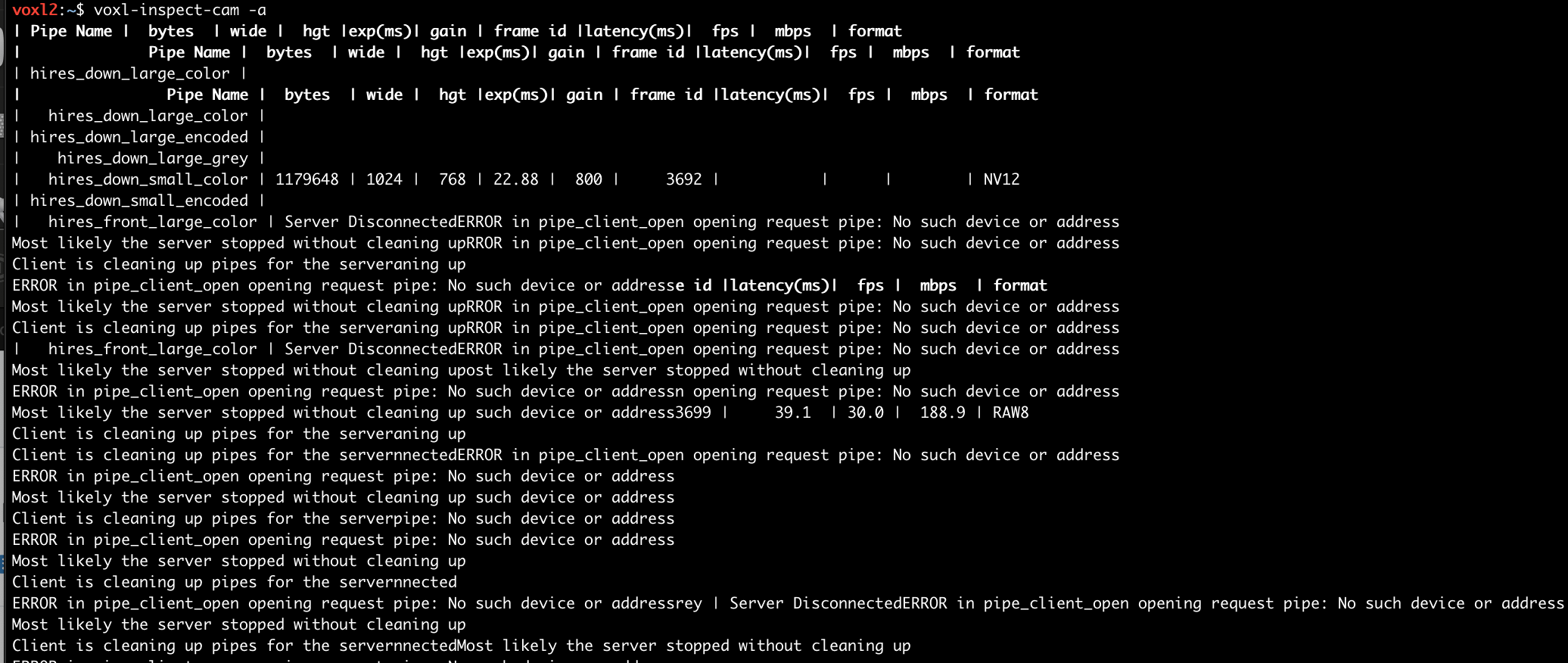
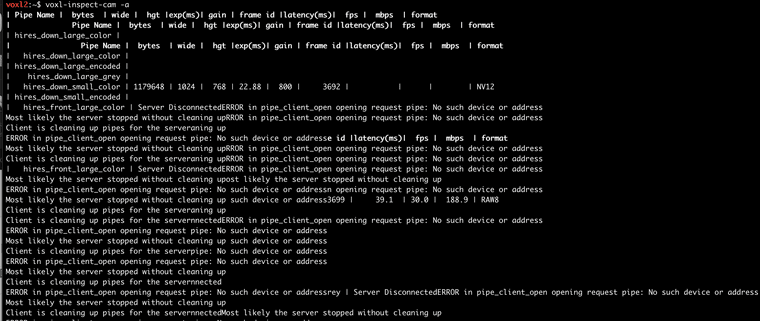
    The voxl-inspect-cam -a output is garbled with messages like "ERROR in pipe_client_open opening request pipe: No such device or address".
    c800db33-89fa-41cf-ba75-958b958c3c28-image.png

    4e5b3a35-943f-431c-9400-97f25545ff38-image.png

    4c565cf3-6b47-4ba9-b0f4-e3258bda858c-image.png

    57f58a9e-bc92-4b25-a8bd-c02720533646-image.png

    B 1 Reply Last reply
    0
    • B brandon

      Hello,

      I just started developing with the Starling 2 Max (sku:MRB-D0012-4-V2-C29-T9-M24-X0) and am unable to see video from the hires_front camera. I saw a post here: https://forum.modalai.com/topic/4139/voxl-portal-wont-display-live-camera-feeds-after-sdk-1-4-0-upgrade that might have a similar issue, but my model has the latest software. Does anyone have ideas on what steps I can take to debug this?

      The voxl-inspect-cam -a output is garbled with messages like "ERROR in pipe_client_open opening request pipe: No such device or address".
      c800db33-89fa-41cf-ba75-958b958c3c28-image.png

      4e5b3a35-943f-431c-9400-97f25545ff38-image.png

      4c565cf3-6b47-4ba9-b0f4-e3258bda858c-image.png

      57f58a9e-bc92-4b25-a8bd-c02720533646-image.png

      B Offline
      B Offline
      brandon
      Contributor
      wrote on last edited by
      #2

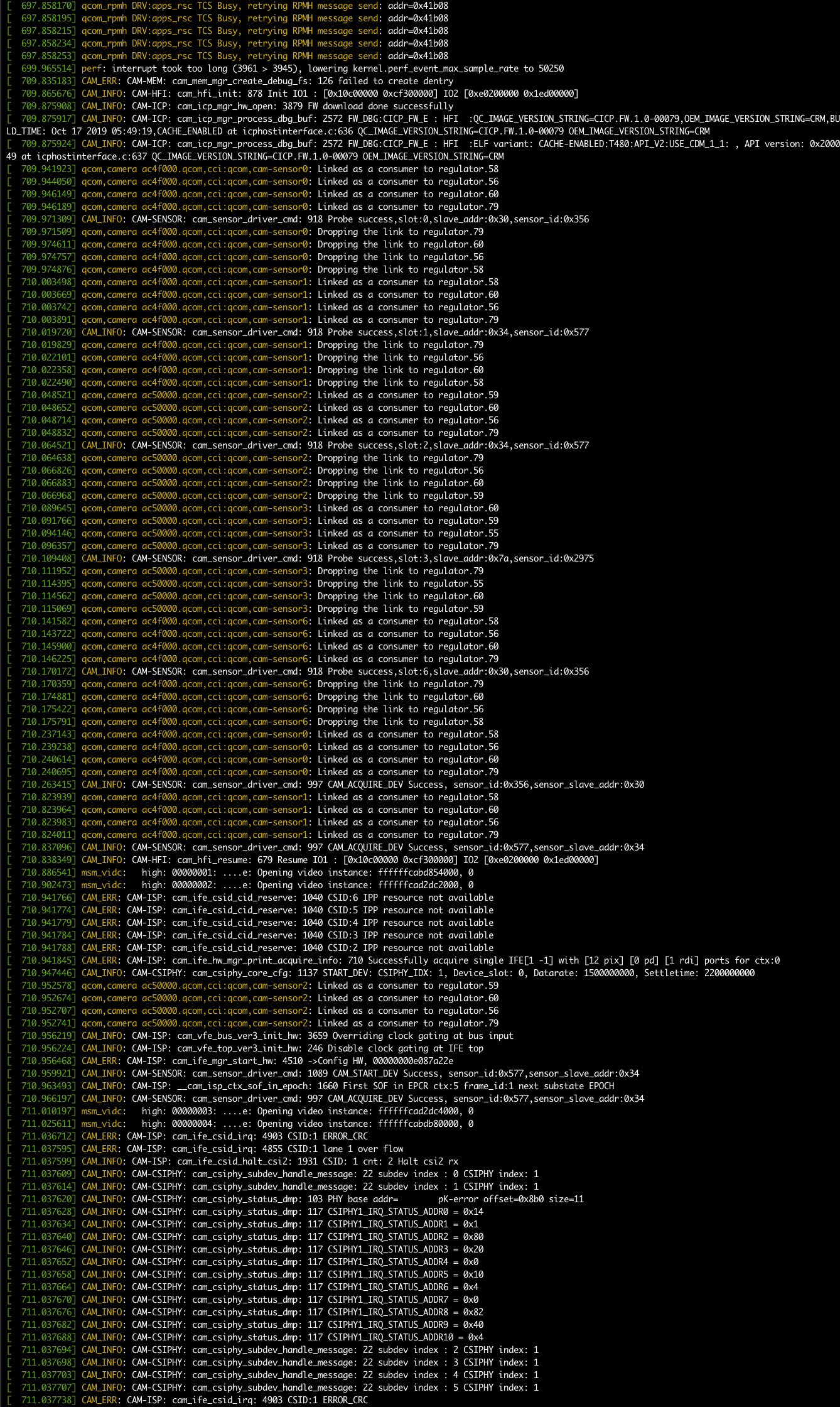
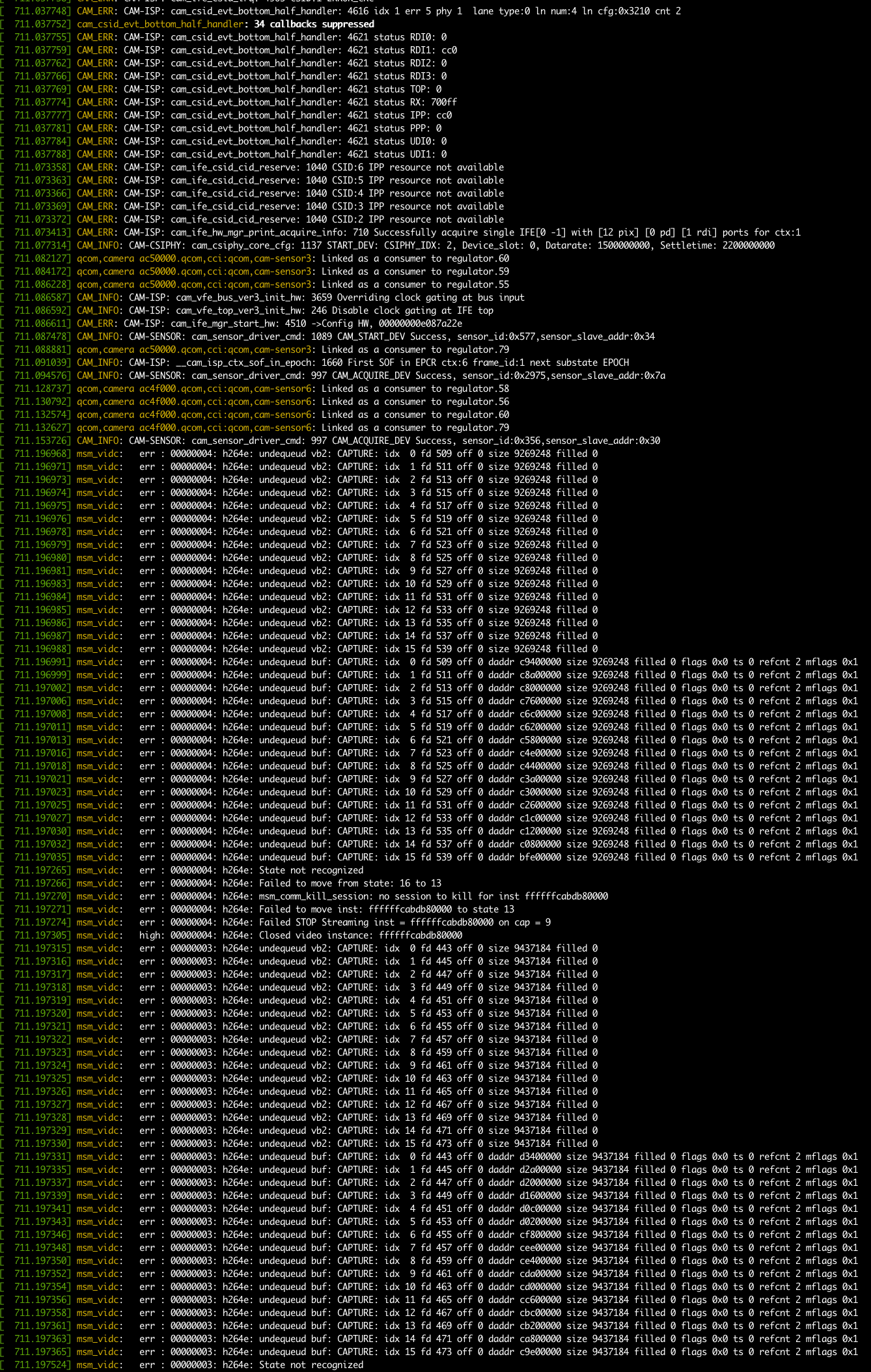
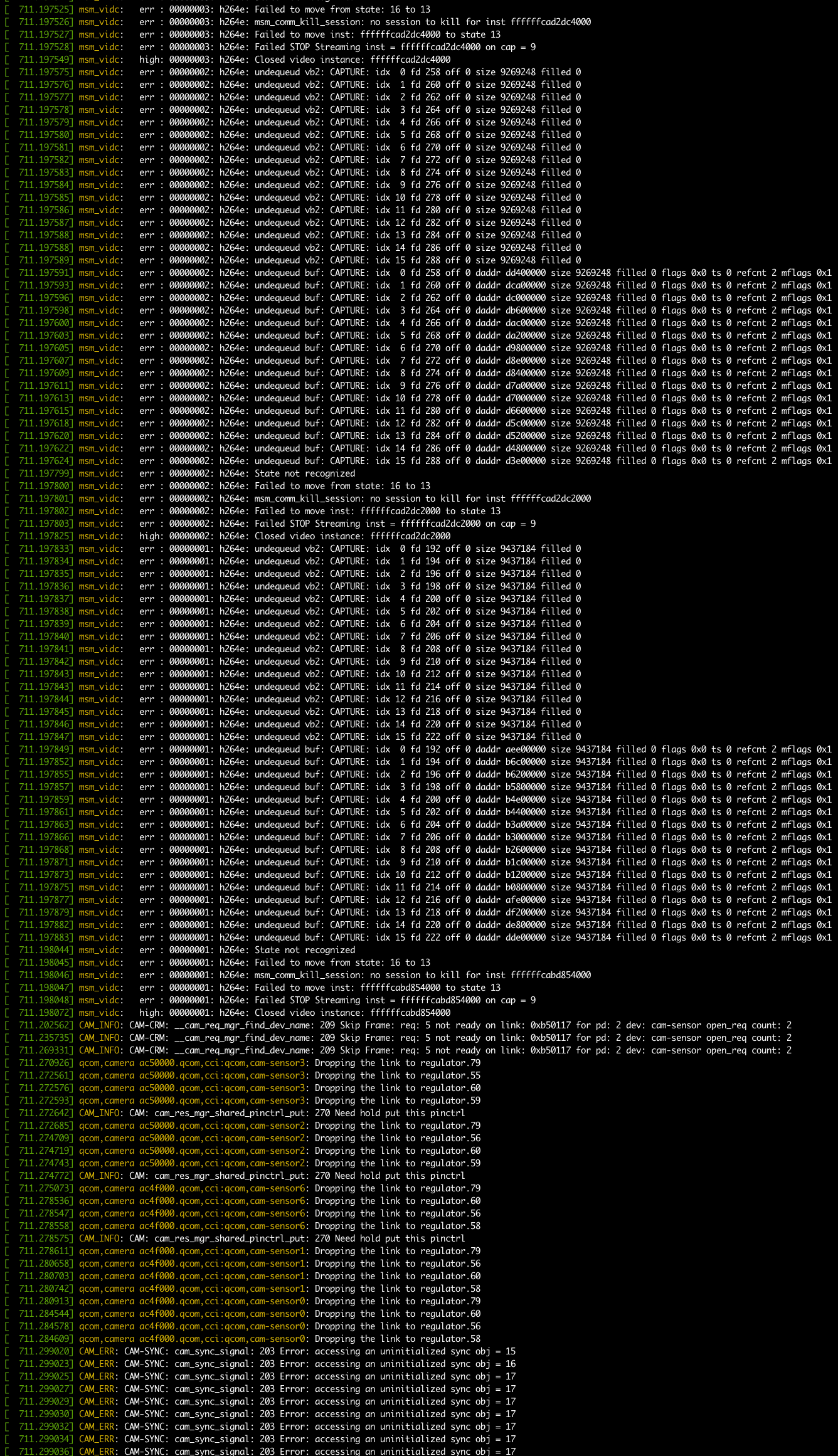
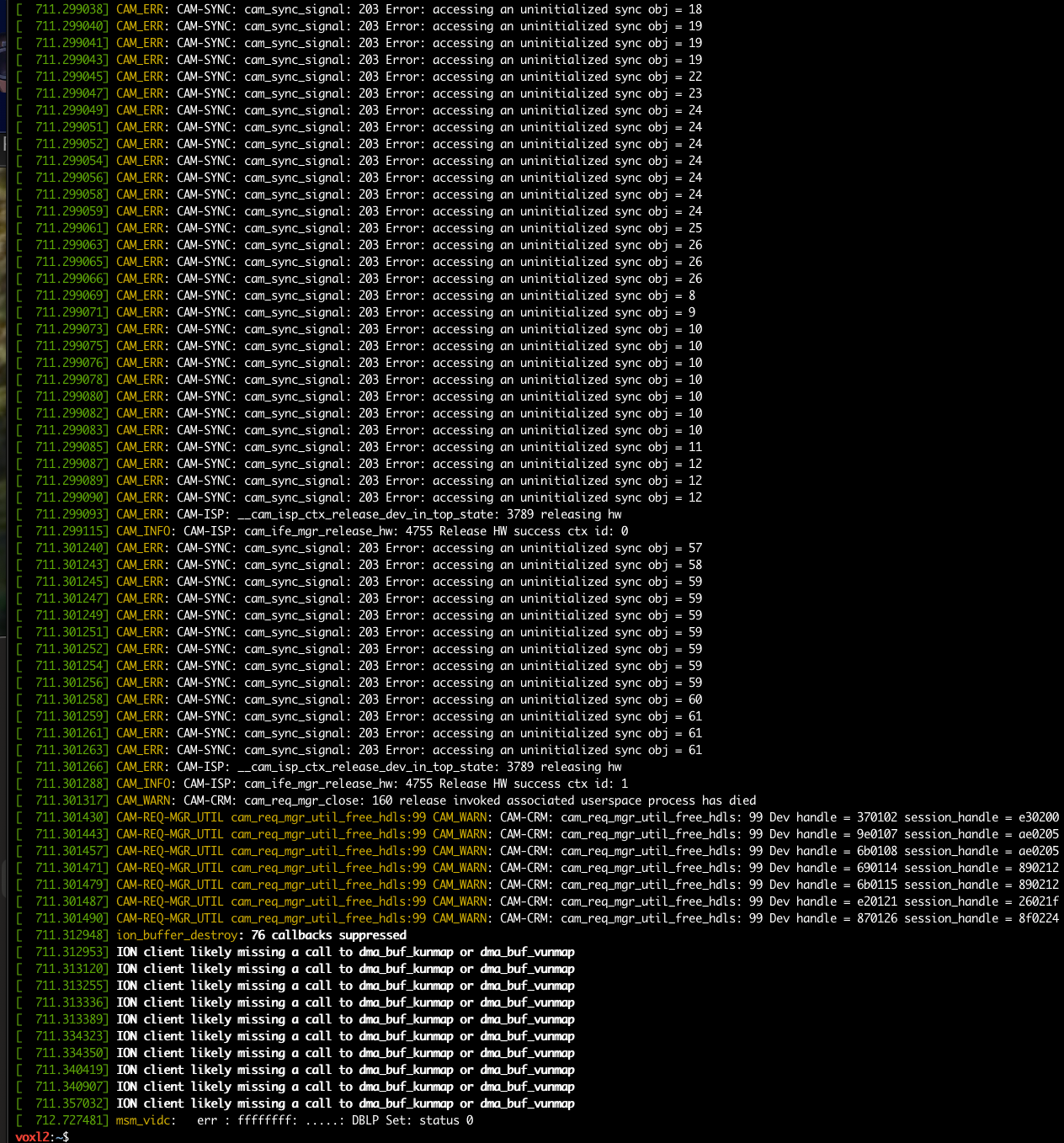
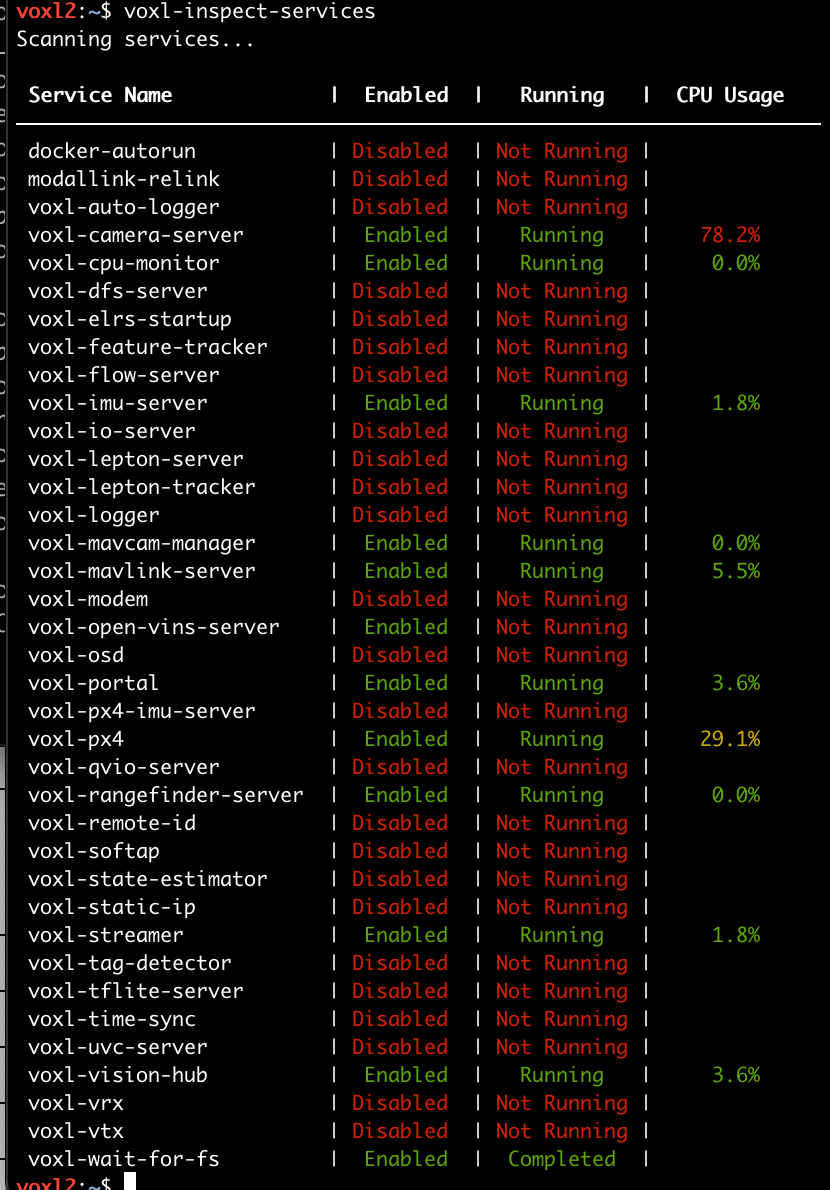
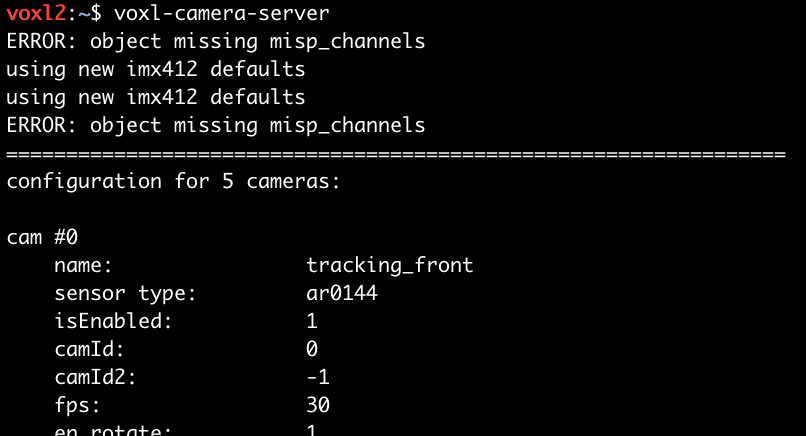
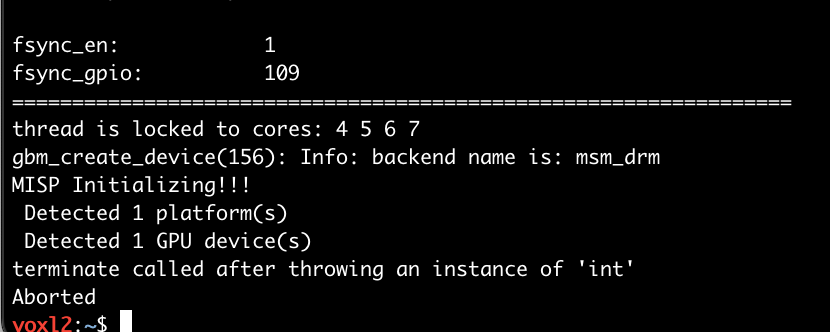
      @brandon Just posting some more context. When looking around the forum I found that I should provide a dmesg log because it looked like voxl-camera-server was aborting.
      0519cd2f-8f72-44e3-b2c6-ddb454c87e0b-image.png

      d1f8cfab-0493-4fdf-90ff-cbfea3a9699b-image.png
      c5873679-6777-4c9d-8672-e73ed7159acc-image.png

      facaa5a1-38e5-4120-9171-8e70226fa791-image.png
      fbf67597-af54-447b-bfe6-775df7773412-image.png
      690c3630-a211-476c-82c3-5be115b43553-image.png
      a8058773-8477-410b-aa6e-3aed8611ae97-image.png

      Alex KushleyevA 1 Reply Last reply
      0
      • B brandon

        @brandon Just posting some more context. When looking around the forum I found that I should provide a dmesg log because it looked like voxl-camera-server was aborting.
        0519cd2f-8f72-44e3-b2c6-ddb454c87e0b-image.png

        d1f8cfab-0493-4fdf-90ff-cbfea3a9699b-image.png
        c5873679-6777-4c9d-8672-e73ed7159acc-image.png

        facaa5a1-38e5-4120-9171-8e70226fa791-image.png
        fbf67597-af54-447b-bfe6-775df7773412-image.png
        690c3630-a211-476c-82c3-5be115b43553-image.png
        a8058773-8477-410b-aa6e-3aed8611ae97-image.png

        Alex KushleyevA Offline
        Alex KushleyevA Offline
        Alex Kushleyev
        ModalAI Team
        wrote on last edited by
        #3

        Hi @brandon ,

        it looks like there are some CRC errors during image transmission from one of the high-res cameras.

        Can you please try to narrow down which camera it is by disabling one of the IMX412 cameras at a time in /etc/modalai/voxl-camera-server.conf. You can simply set the enabled parameter to false for a corresponding camera and restart the camera server. Then you check to make sure that other cameras are still working.

        Your issue does not seem to be related to the link you posted above regarding a bug in voxl-portal in SDK 1.4.0.

        Thank you

        Alex

        B 1 Reply Last reply
        0
        • Alex KushleyevA Alex Kushleyev

          Hi @brandon ,

          it looks like there are some CRC errors during image transmission from one of the high-res cameras.

          Can you please try to narrow down which camera it is by disabling one of the IMX412 cameras at a time in /etc/modalai/voxl-camera-server.conf. You can simply set the enabled parameter to false for a corresponding camera and restart the camera server. Then you check to make sure that other cameras are still working.

          Your issue does not seem to be related to the link you posted above regarding a bug in voxl-portal in SDK 1.4.0.

          Thank you

          Alex

          B Offline
          B Offline
          brandon
          Contributor
          wrote on last edited by
          #4

          Hi @Alex-Kushleyev, thanks for the feedback.

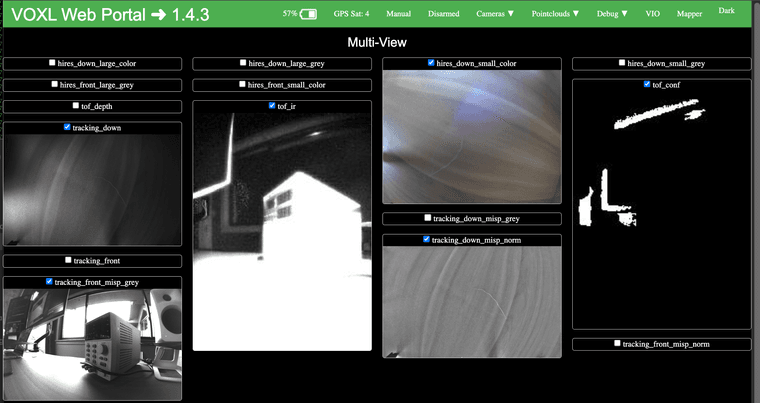
          I disabled the hires_front and things seem a lot more stable. What steps can I take to debug the hires_front crc errors?
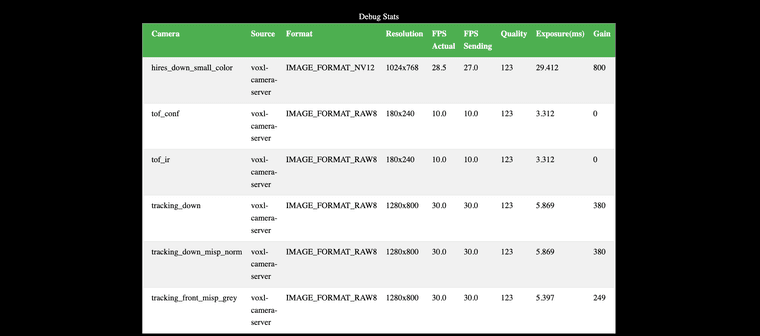
          43f218a6-9452-4508-87ba-4fbd58e3c9eb-image.png
          261b2687-297b-4ec6-bd01-6b4f422bb194-image.png

          Alex KushleyevA 1 Reply Last reply
          0
          • B brandon

            Hi @Alex-Kushleyev, thanks for the feedback.

            I disabled the hires_front and things seem a lot more stable. What steps can I take to debug the hires_front crc errors?

            43f218a6-9452-4508-87ba-4fbd58e3c9eb-image.png
            261b2687-297b-4ec6-bd01-6b4f422bb194-image.png

            Alex KushleyevA Offline
            Alex KushleyevA Offline
            Alex Kushleyev
            ModalAI Team
            wrote on last edited by
            #5

            @brandon , usually this is a sign of a hardware issue, most likely the cabling between the camera and VOXL2 (while there is also M0173 in between).

            Has this camera ever worked before?

            Alex

            B 1 Reply Last reply
            0
            • Alex KushleyevA Alex Kushleyev

              @brandon , usually this is a sign of a hardware issue, most likely the cabling between the camera and VOXL2 (while there is also M0173 in between).

              Has this camera ever worked before?

              Alex

              B Offline
              B Offline
              brandon
              Contributor
              wrote on last edited by
              #6

              @Alex-Kushleyev I have not seen the camera work before. I just started developing with it and thought it might be related to a software bug I was seeing on the forum.

              Alex KushleyevA 1 Reply Last reply
              0
              • B brandon

                @Alex-Kushleyev I have not seen the camera work before. I just started developing with it and thought it might be related to a software bug I was seeing on the forum.

                Alex KushleyevA Offline
                Alex KushleyevA Offline
                Alex Kushleyev
                ModalAI Team
                wrote on last edited by
                #7

                @brandon , I will double check with the team how to proceed.

                Can you please do another test, where you re-enable the front hires camera and disable the down-facing one? In this case, the front one still does not work?

                Alex

                B 2 Replies Last reply
                0
                • Alex KushleyevA Alex Kushleyev

                  @brandon , I will double check with the team how to proceed.

                  Can you please do another test, where you re-enable the front hires camera and disable the down-facing one? In this case, the front one still does not work?

                  Alex

                  B Offline
                  B Offline
                  brandon
                  Contributor
                  wrote on last edited by
                  #8

                  @Alex-Kushleyev I performed the next test and the voxl-camera-server crash occurs after a short period of time. I was able to bring up a few camera feeds and then the service died. I was never able to see a frame from the hires_front.
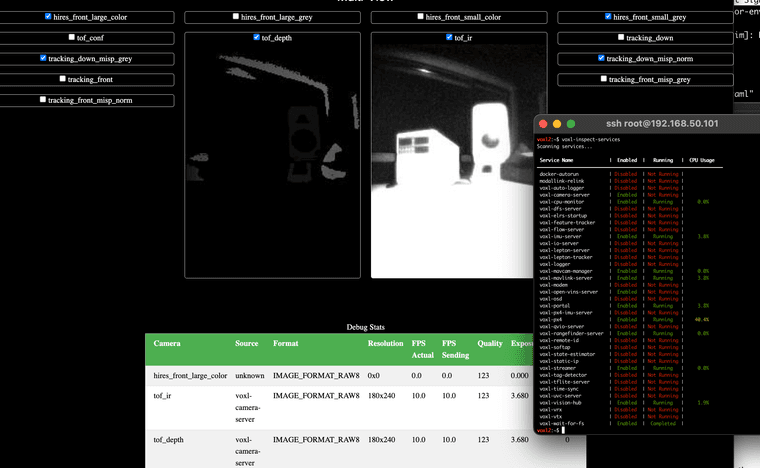
                  51f4e1ad-3617-495b-a072-145f63a710d0-image.png

                  1 Reply Last reply
                  0
                  • Alex KushleyevA Alex Kushleyev

                    @brandon , I will double check with the team how to proceed.

                    Can you please do another test, where you re-enable the front hires camera and disable the down-facing one? In this case, the front one still does not work?

                    Alex

                    B Offline
                    B Offline
                    brandon
                    Contributor
                    wrote on last edited by
                    #9

                    @Alex-Kushleyev What did your team recommend? Should I reach out to ModalAI directly?

                    Dobry KolaczD 1 Reply Last reply
                    0
                    • B brandon

                      @Alex-Kushleyev What did your team recommend? Should I reach out to ModalAI directly?

                      Dobry KolaczD Offline
                      Dobry KolaczD Offline
                      Dobry Kolacz
                      ModalAI Team
                      wrote on last edited by
                      #10

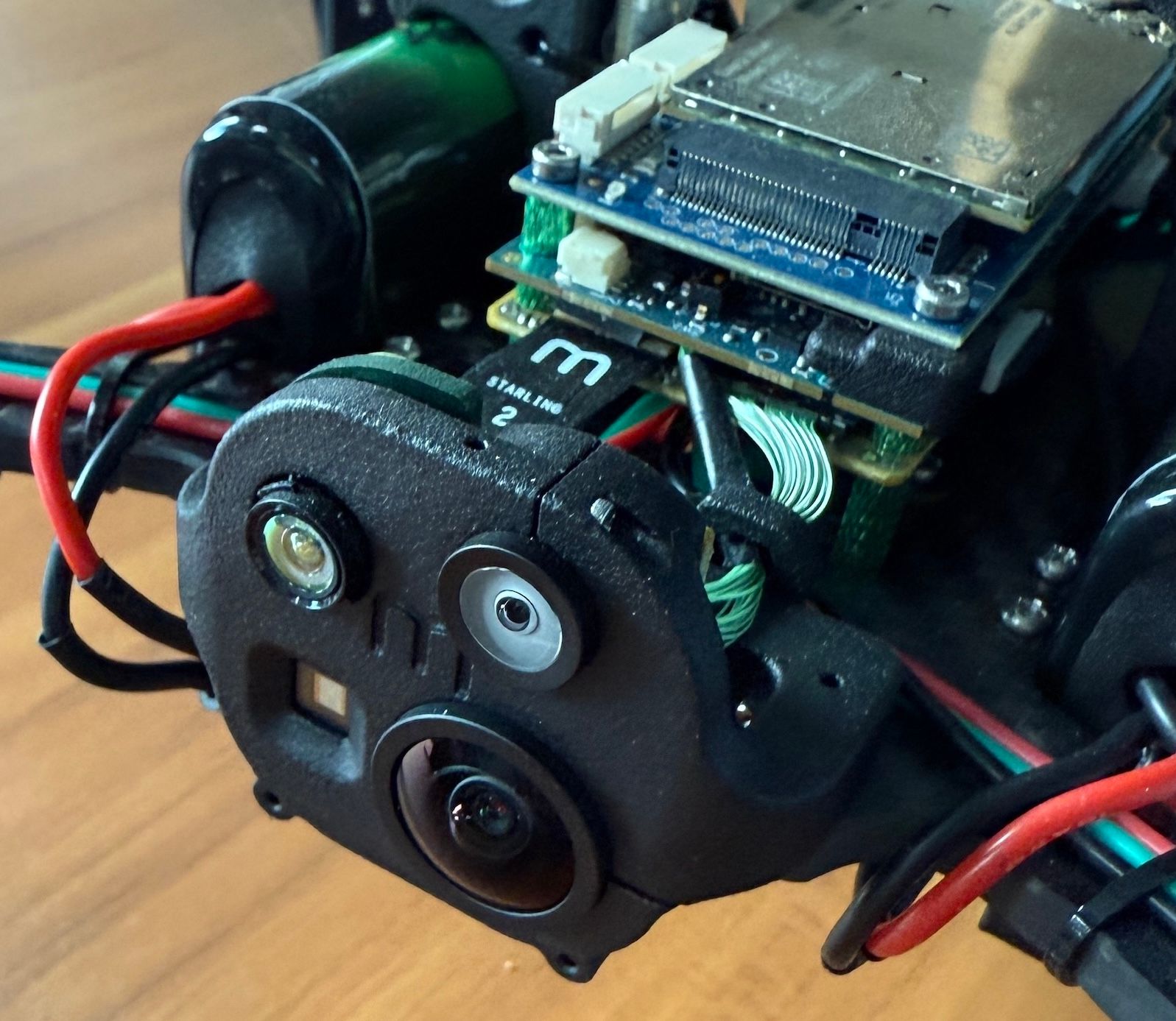
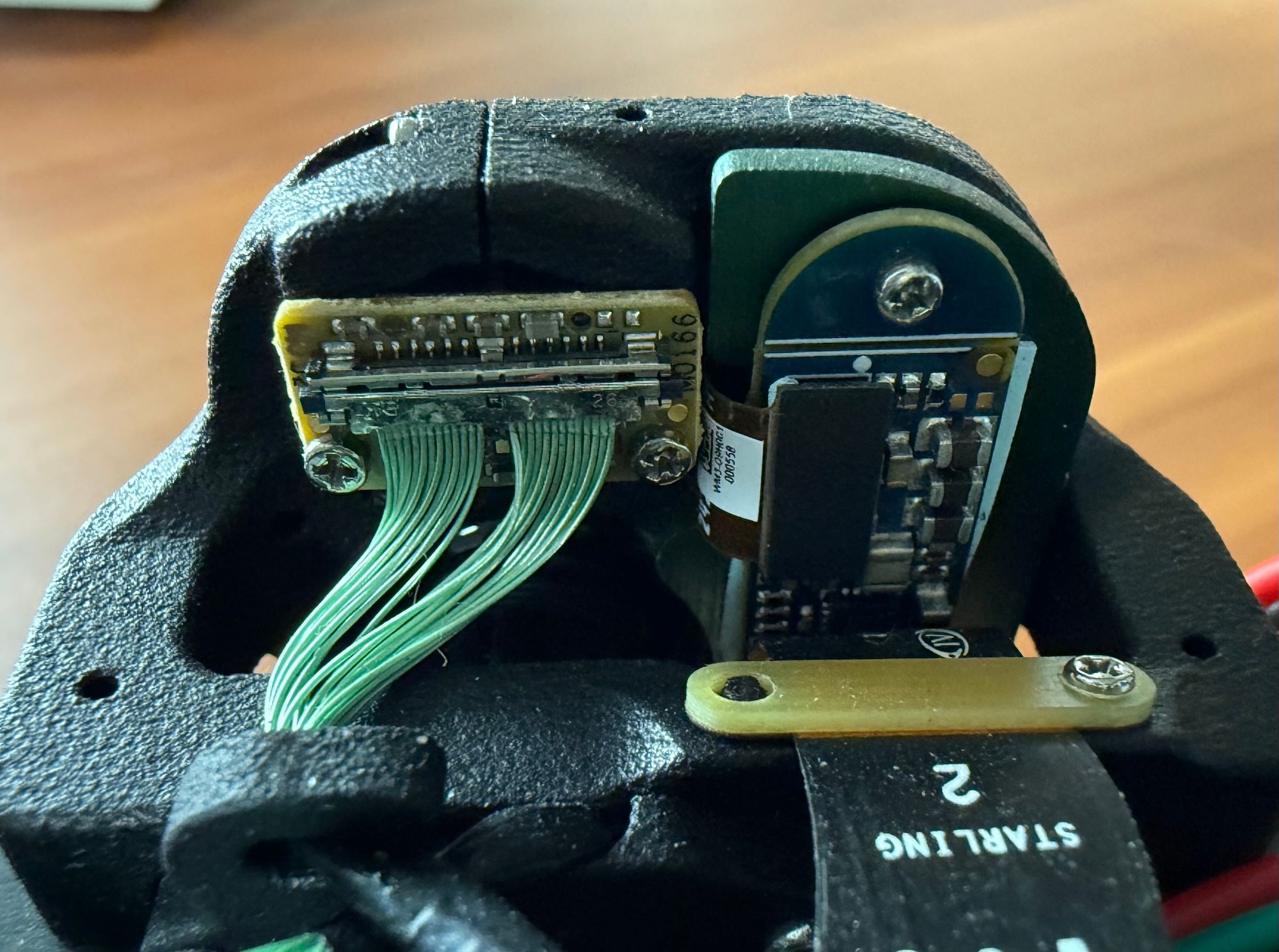
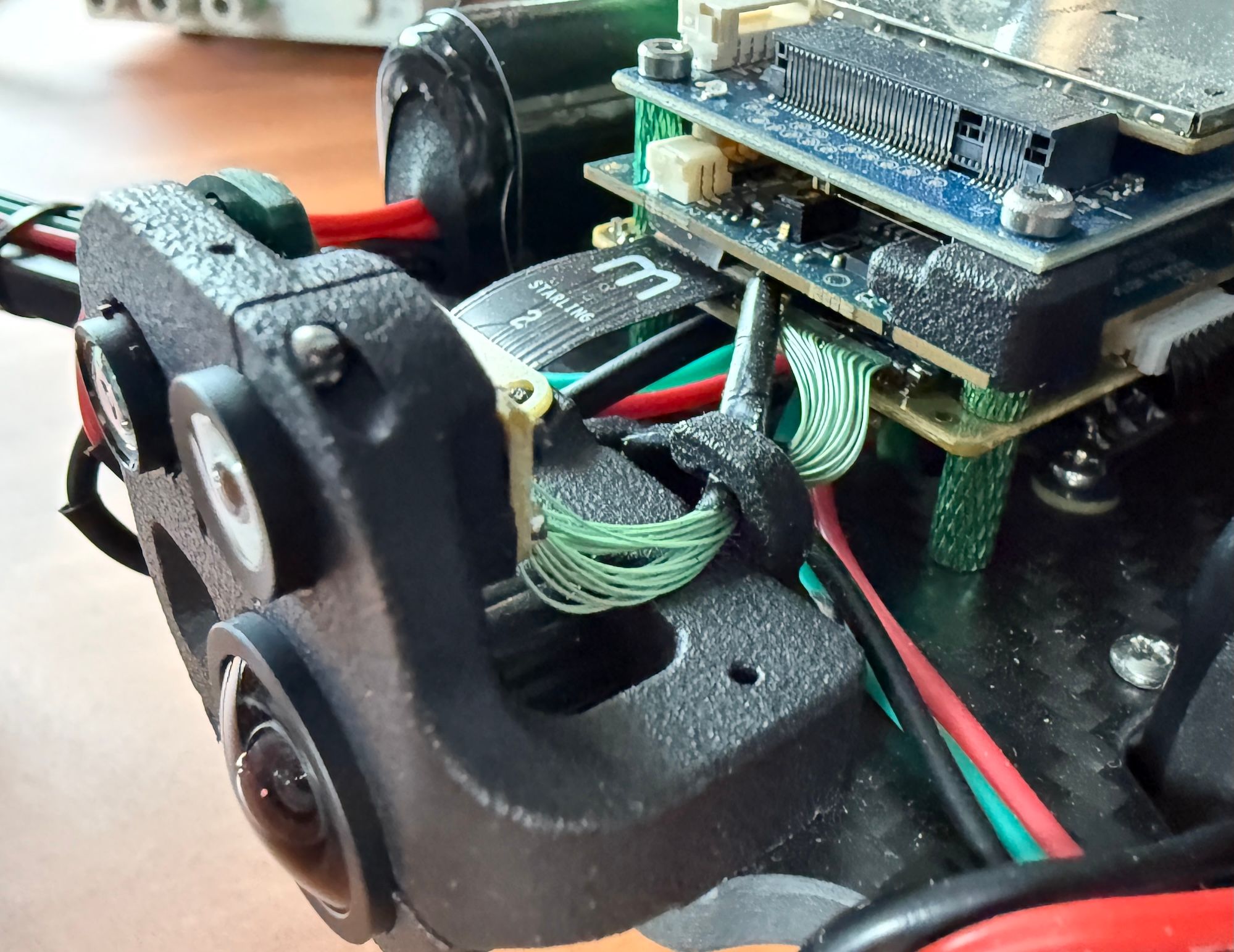
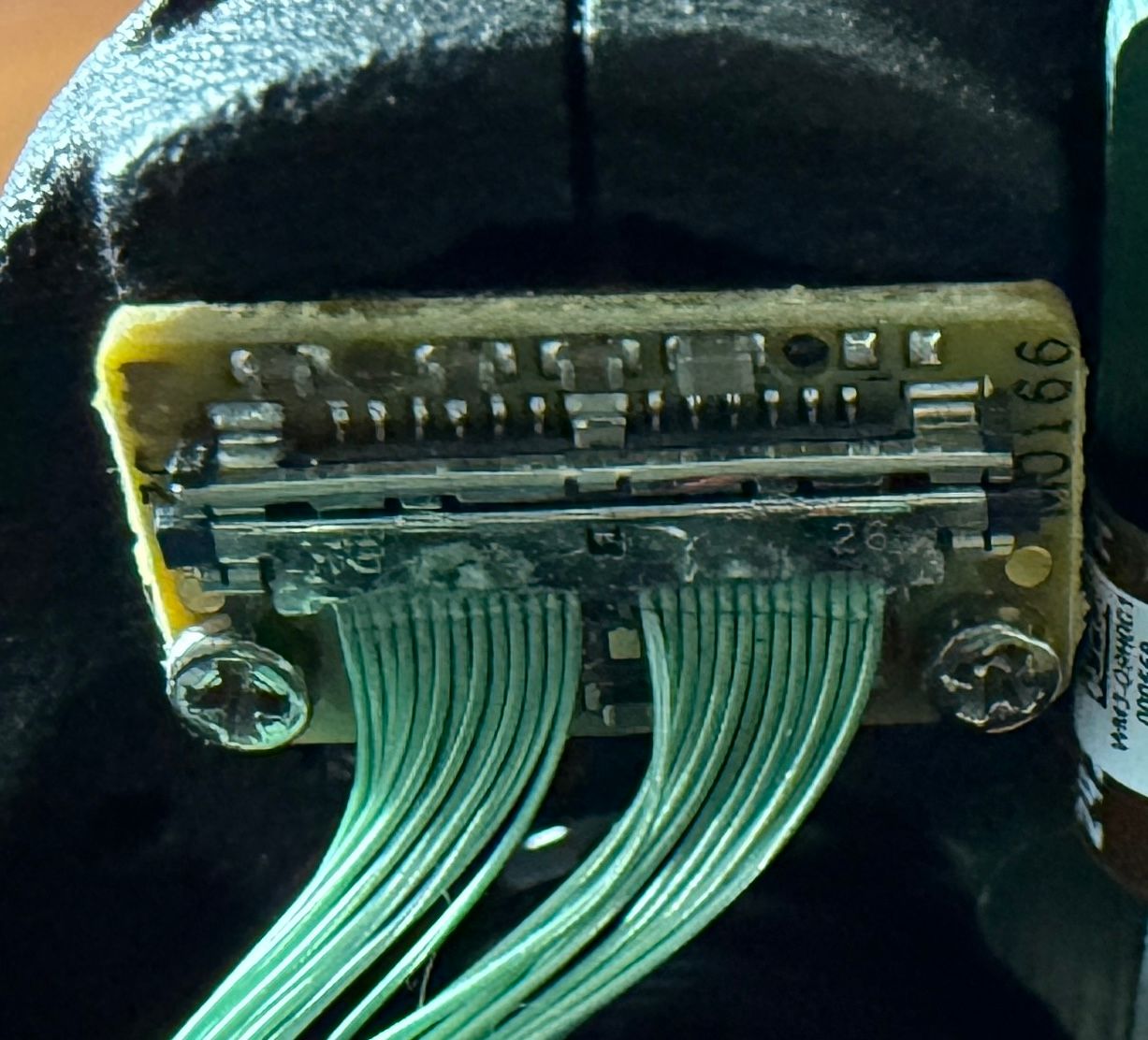
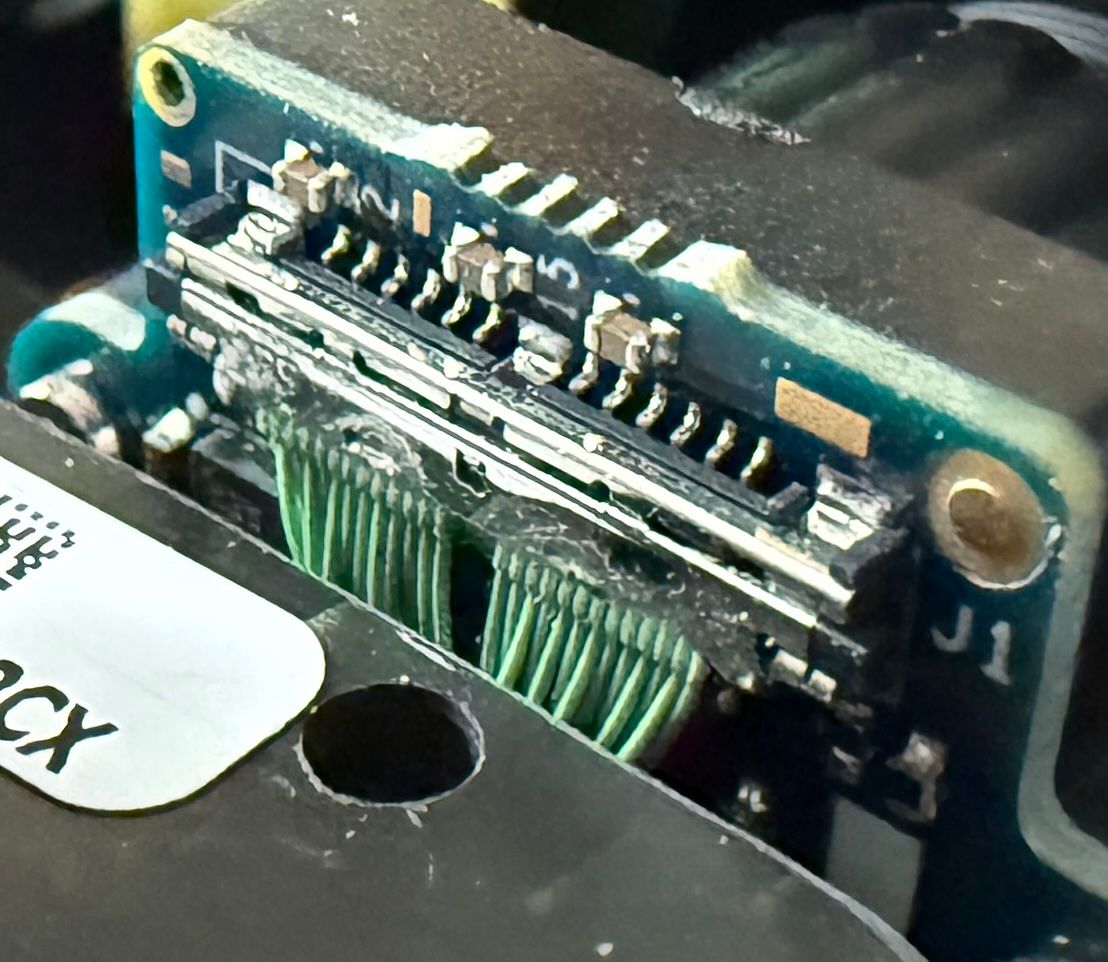
                      @brandon Could you please send some photos of what your front camera assembly looks like. I'd like too see all the connections, some views of the camera itself, and what the plastic housing around the cams look like. We verify all cameras are working and get them focused during assembly so I'm trying to track down what could have caused the failure.

                      B 2 Replies Last reply
                      0
                      • Dobry KolaczD Dobry Kolacz

                        @brandon Could you please send some photos of what your front camera assembly looks like. I'd like too see all the connections, some views of the camera itself, and what the plastic housing around the cams look like. We verify all cameras are working and get them focused during assembly so I'm trying to track down what could have caused the failure.

                        B Offline
                        B Offline
                        brandon
                        Contributor
                        wrote on last edited by
                        #11

                        @Dobry-Kolacz

                        IMG_8064.JPG

                        IMG_8068.JPG

                        IMG_8069.JPG

                        IMG_8072.JPG

                        IMG_8068 2.JPG

                        IMG_8072 2.JPG

                        1 Reply Last reply
                        0
                        • Dobry KolaczD Dobry Kolacz

                          @brandon Could you please send some photos of what your front camera assembly looks like. I'd like too see all the connections, some views of the camera itself, and what the plastic housing around the cams look like. We verify all cameras are working and get them focused during assembly so I'm trying to track down what could have caused the failure.

                          B Offline
                          B Offline
                          brandon
                          Contributor
                          wrote on last edited by
                          #12

                          @Dobry-Kolacz I’ve seen a few frames come through before, and one time I’ve seen half a valid frame and static noise on the other half of the frame. I didn’t take a picture at the time because I didn’t know it was a problem yet. I was just learning how to ssh in and connect the drone to my WiFi network.

                          Dobry KolaczD 2 Replies Last reply
                          0
                          • B brandon

                            @Dobry-Kolacz I’ve seen a few frames come through before, and one time I’ve seen half a valid frame and static noise on the other half of the frame. I didn’t take a picture at the time because I didn’t know it was a problem yet. I was just learning how to ssh in and connect the drone to my WiFi network.

                            Dobry KolaczD Offline
                            Dobry KolaczD Offline
                            Dobry Kolacz
                            ModalAI Team
                            wrote on last edited by Dobry Kolacz
                            #13
                            This post is deleted!
                            1 Reply Last reply
                            0
                            • B brandon

                              @Dobry-Kolacz I’ve seen a few frames come through before, and one time I’ve seen half a valid frame and static noise on the other half of the frame. I didn’t take a picture at the time because I didn’t know it was a problem yet. I was just learning how to ssh in and connect the drone to my WiFi network.

                              Dobry KolaczD Offline
                              Dobry KolaczD Offline
                              Dobry Kolacz
                              ModalAI Team
                              wrote on last edited by
                              #14

                              @brandon Hmm, they look fairly well plugged in as far as I can tell. I'd say look at it from a side profile and if you see anything sticking out or bulging, you'll know it was a poorly seated connector.

                              Just for good measure, go ahead and press against the back of those connectors just to be sure they're fully seated in there. From a side profile, everything should look flat/parallel with the board.

                              B 1 Reply Last reply
                              0
                              • Dobry KolaczD Dobry Kolacz

                                @brandon Hmm, they look fairly well plugged in as far as I can tell. I'd say look at it from a side profile and if you see anything sticking out or bulging, you'll know it was a poorly seated connector.

                                Just for good measure, go ahead and press against the back of those connectors just to be sure they're fully seated in there. From a side profile, everything should look flat/parallel with the board.

                                B Offline
                                B Offline
                                brandon
                                Contributor
                                wrote on last edited by brandon
                                #15

                                @Dobry-Kolacz Here is another connector that I think is relevant that I didn't include in the last post. I'm not sure how I should apply force but I tried to push them in a little bit as instructed. Nothing seemed to move and there is no change on the Voxl Portal.
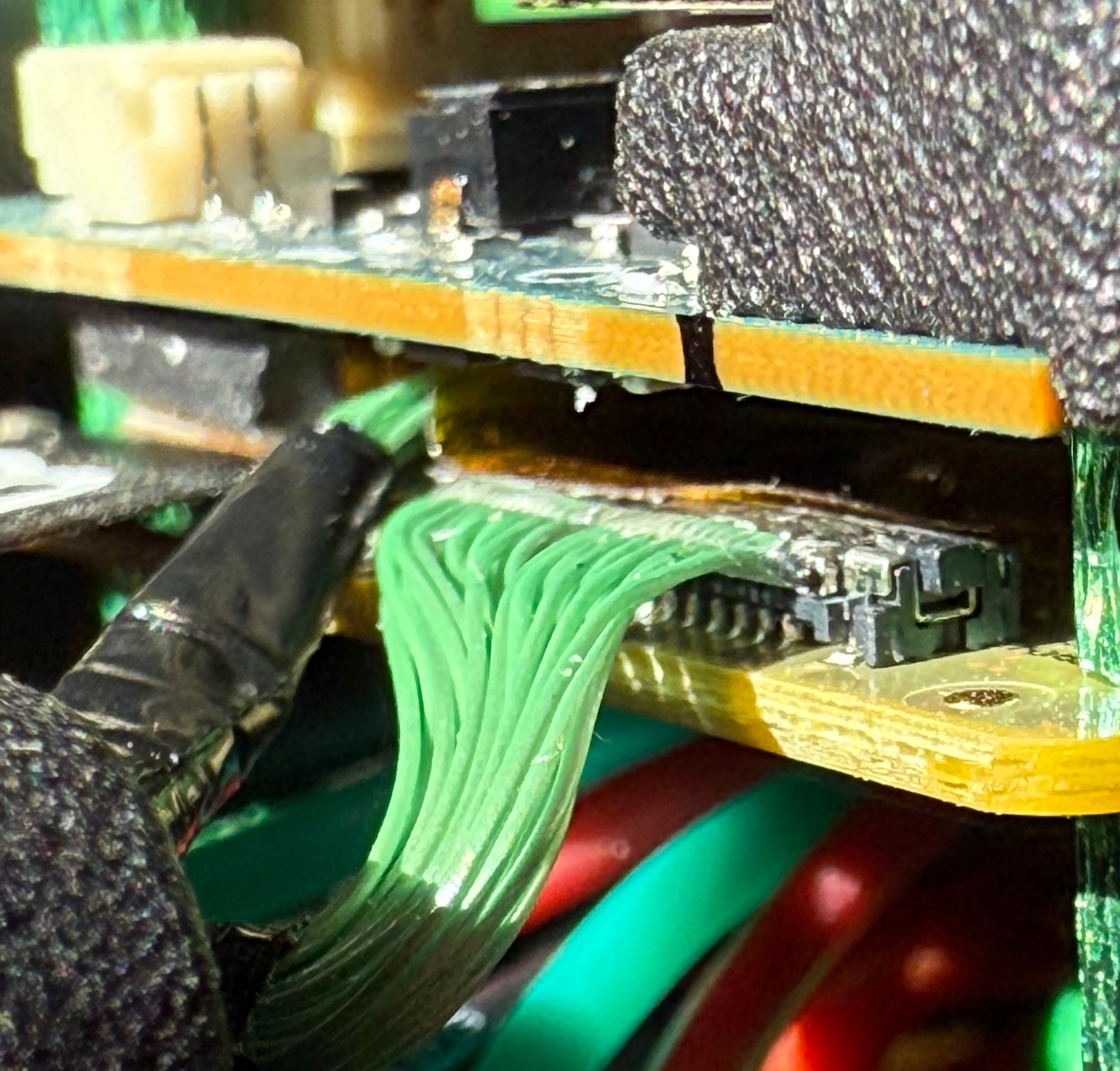
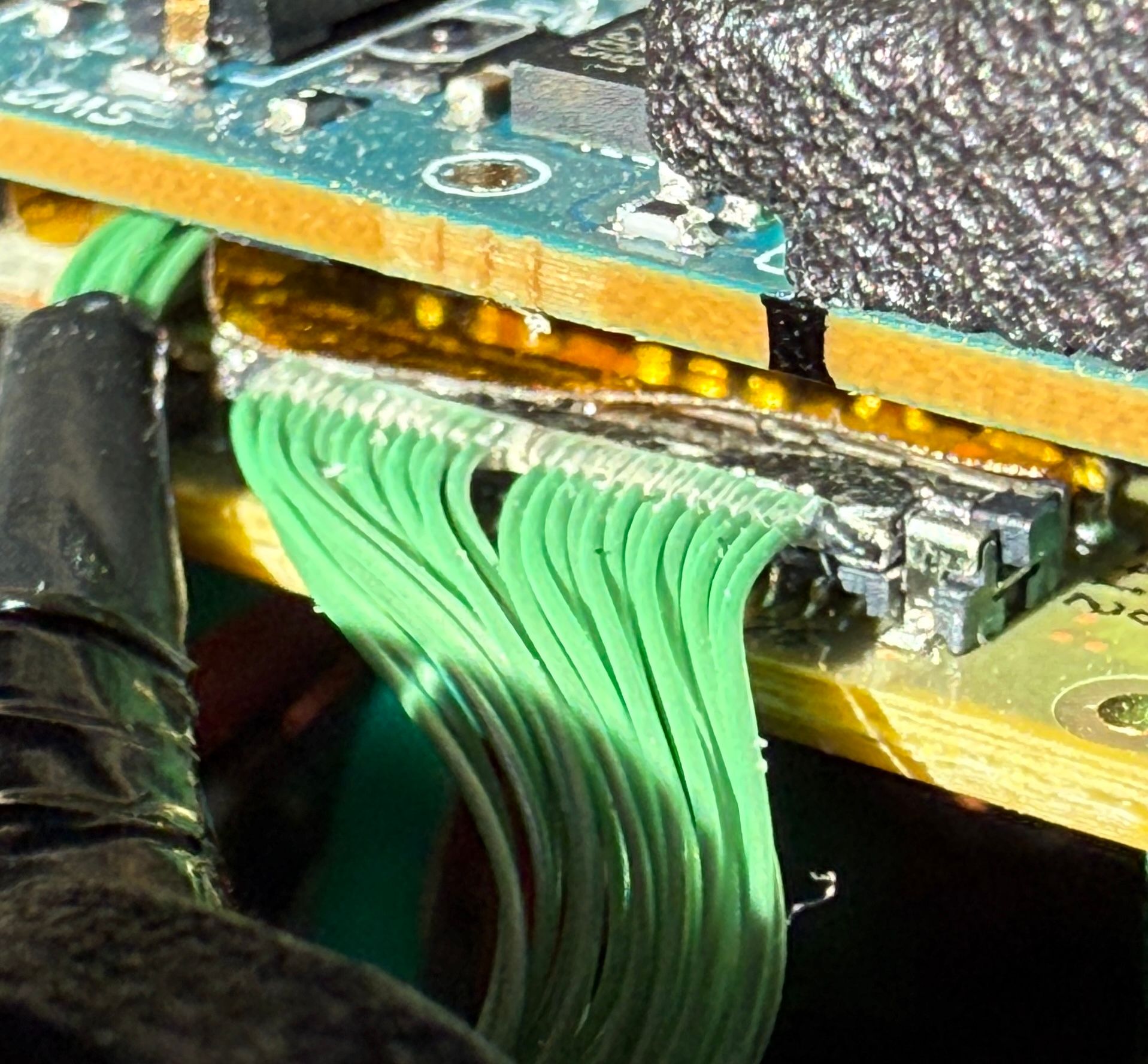
                                IMG_8076.JPG

                                IMG_8077.JPG

                                IMG_8074.JPG

                                Dobry KolaczD 1 Reply Last reply
                                0
                                • B brandon

                                  @Dobry-Kolacz Here is another connector that I think is relevant that I didn't include in the last post. I'm not sure how I should apply force but I tried to push them in a little bit as instructed. Nothing seemed to move and there is no change on the Voxl Portal.
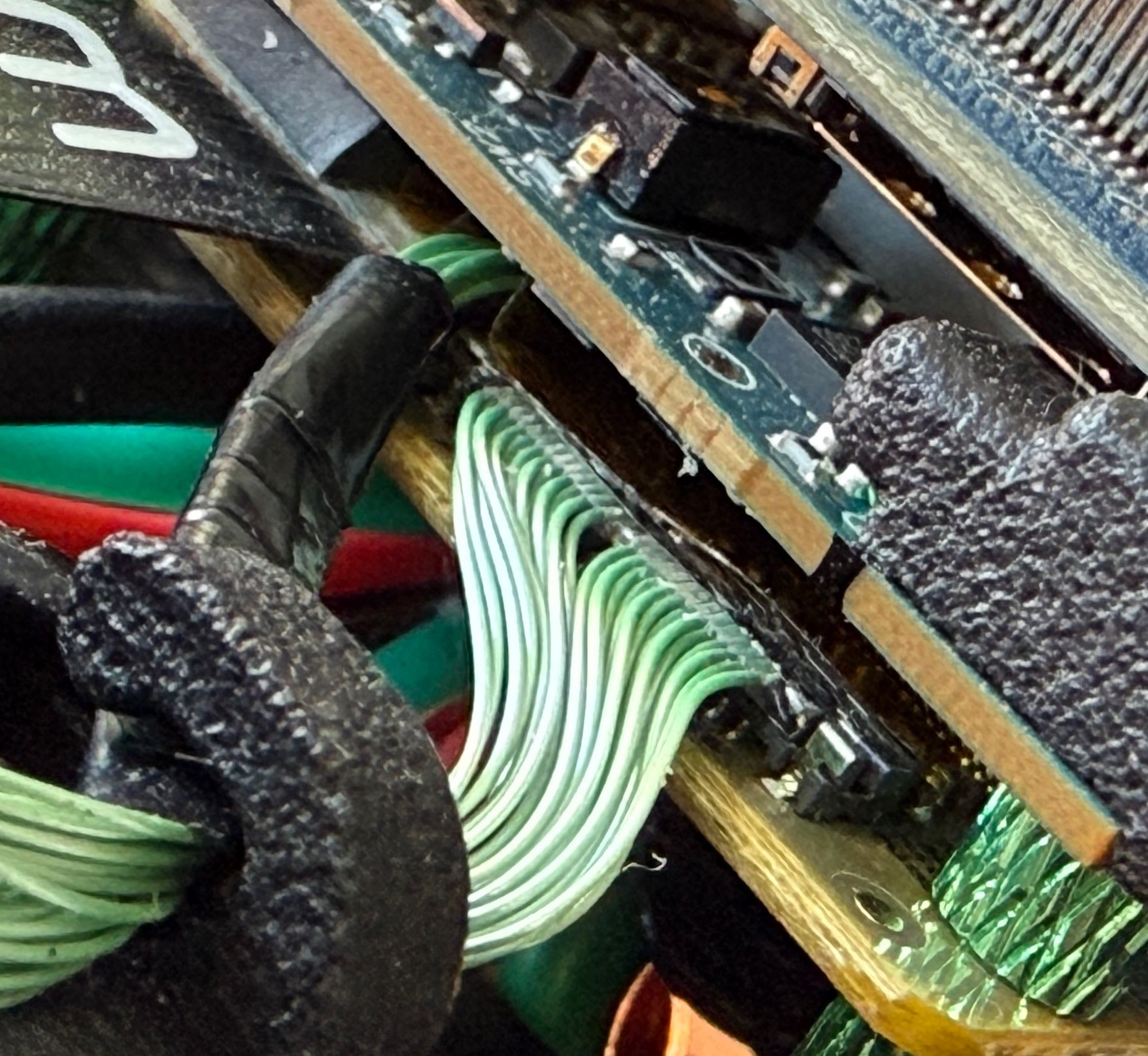
                                  IMG_8076.JPG

                                  IMG_8077.JPG

                                  IMG_8074.JPG

                                  Dobry KolaczD Offline
                                  Dobry KolaczD Offline
                                  Dobry Kolacz
                                  ModalAI Team
                                  wrote on last edited by Dobry Kolacz
                                  #16

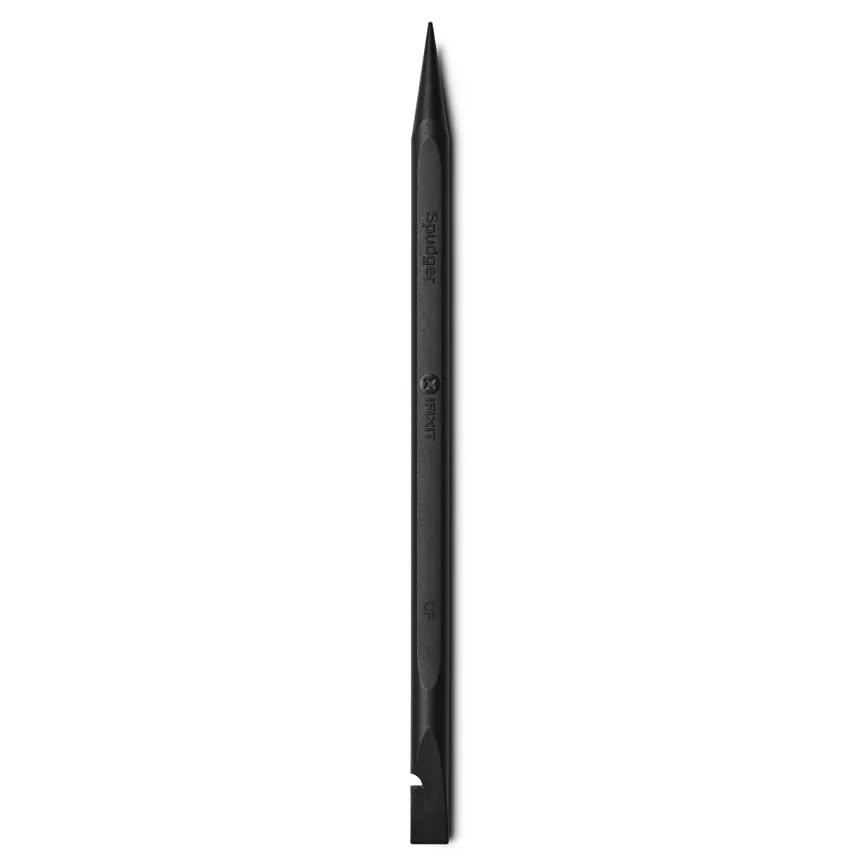
                                  @brandon Do you have a plastic spudger tool? Something like this. A plastic tool will significantly reduce the possibility of damaging any components (compared to using anything hard like metal). Press only on the metal part of the connector to prevent warping that plastic nub end.
                                  Typically we use a fingernail to press those connectors in place but for that connector in particular it would be hard to reach with a fingernail. 6d21bb38-e0a6-4d12-b21a-d201dd4fc446-image.png

                                  1 Reply Last reply
                                  0

                                  Hello! It looks like you're interested in this conversation, but you don't have an account yet.

                                  Getting fed up of having to scroll through the same posts each visit? When you register for an account, you'll always come back to exactly where you were before, and choose to be notified of new replies (either via email, or push notification). You'll also be able to save bookmarks and upvote posts to show your appreciation to other community members.

                                  With your input, this post could be even better 💗

                                  Register Login
                                  Reply
                                  • Reply as topic
                                  Log in to reply
                                  • Oldest to Newest
                                  • Newest to Oldest
                                  • Most Votes


                                  ModalAI
                                  Categories Recent Tags ModalAI.com Docs
                                  © 2026 ModalAI® · Accelerating autonomy for smaller, smarter, safer drones · Powered by NodeBB
                                  • Login

                                  • Login or register to search.
                                  • First post
                                    Last post
                                  0
                                  • Categories
                                  • Recent
                                  • Tags
                                  • Popular
                                  • Users
                                  • Groups