
Configuring extrinsics on Starling (Voxl2)
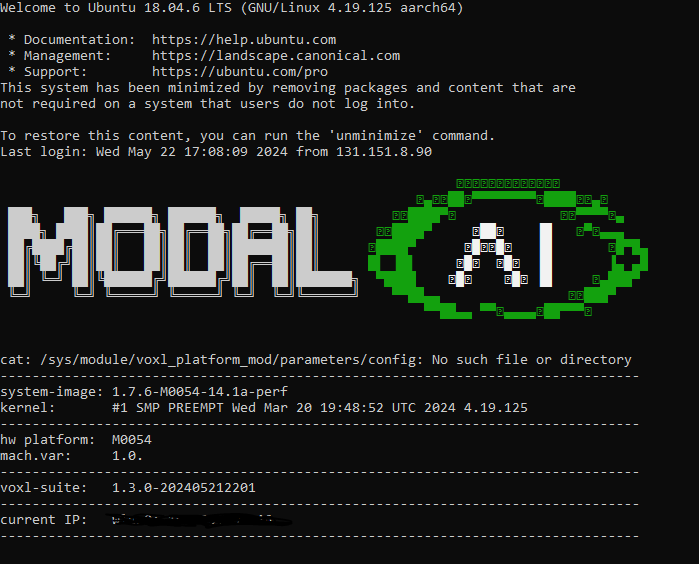
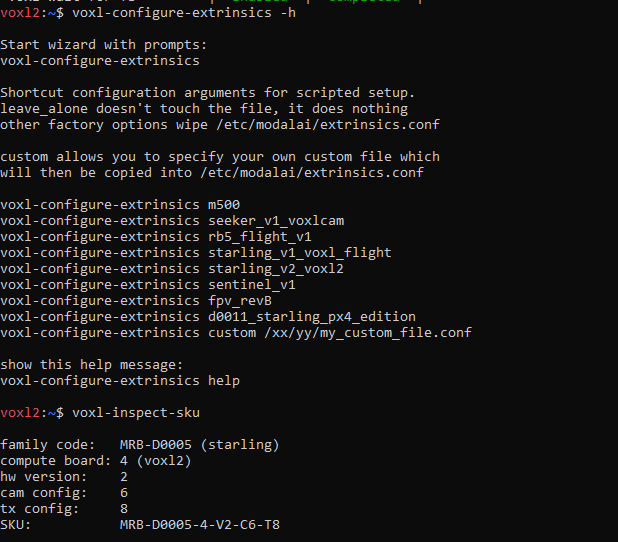
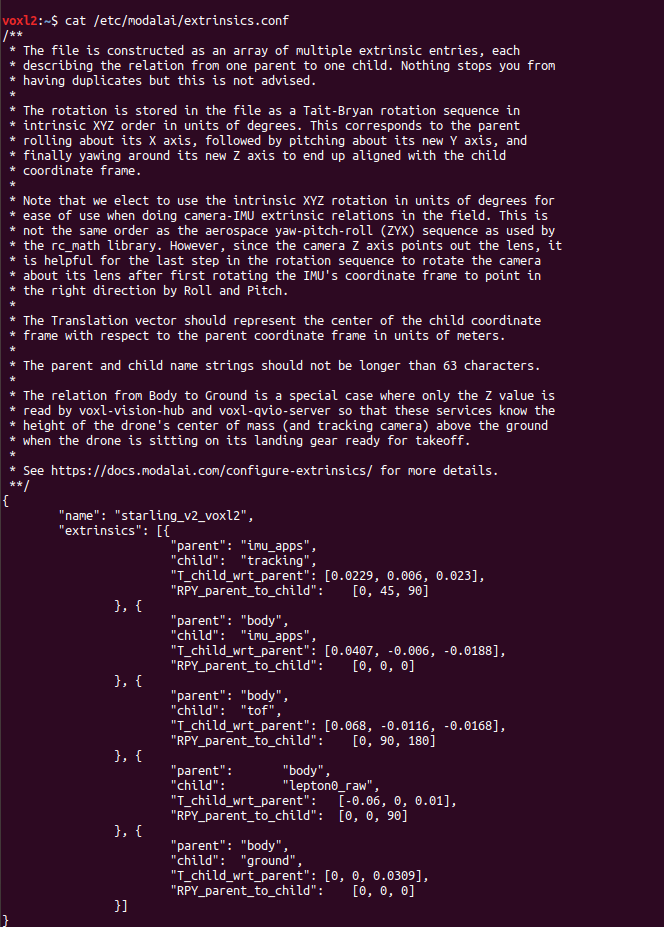
-
@tom Thank you. I tried running
voxl-configure-skuandvoxl-configure-mpaand flew the drone. It just do not hold position and qvio goes to -1.I then tried running
voxl-configure-extrinsics starling_v2_voxl2and flew the drone again. The result was the same. The drone is not holding its position.voxl2:~$ voxl-version -------------------------------------------------------------------------------- system-image: 1.7.6-M0054-14.1a-perf kernel: #1 SMP PREEMPT Wed Mar 20 19:48:52 UTC 2024 4.19.125 -------------------------------------------------------------------------------- hw platform: M0054 mach.var: 1.0 -------------------------------------------------------------------------------- voxl-suite: 1.2.0 -------------------------------------------------------------------------------- Packages: Repo: http://voxl-packages.modalai.com/ ./dists/qrb5165/sdk-1.2/binary-arm64/ Last Updated: 2024-05-22 21:32:55 List: kernel-module-voxl-fsync-mod-4.19.125 1.0-r0 kernel-module-voxl-gpio-mod-4.19.125 1.0-r0 kernel-module-voxl-platform-mod-4.19.125 1.0-r0 libfc-sensor 1.0.5 libmodal-cv 0.4.0 libmodal-exposure 0.1.0 libmodal-journal 0.2.2 libmodal-json 0.4.3 libmodal-pipe 2.10.0 libqrb5165-io 0.4.5 libvoxl-cci-direct 0.2.1 libvoxl-cutils 0.1.1 modalai-slpi 1.1.12 mv-voxl 0.1-r0 qrb5165-bind 0.1-r0 qrb5165-dfs-server 0.2.0 qrb5165-imu-server 1.0.1 qrb5165-rangefinder-server 0.1.1 qrb5165-slpi-test-sig 01-r0 qrb5165-system-tweaks 0.2.6 qrb5165-tflite 2.8.0-2 voxl-bind-spektrum 0.1.1 voxl-camera-calibration 0.5.4 voxl-camera-server 1.9.1 voxl-ceres-solver 2:1.14.0-10 voxl-configurator 0.5.6 voxl-cpu-monitor 0.4.8 voxl-docker-support 1.3.1 voxl-elrs 0.1.3 voxl-esc 1.4.0 voxl-feature-tracker 0.3.2 voxl-flow-server 0.3.3 voxl-fsync-mod 1.0-r0 voxl-gphoto2-server 0.0.10 voxl-gpio-mod 1.0-r0 voxl-jpeg-turbo 2.1.3-5 voxl-lepton-server 1.2.0 voxl-libgphoto2 0.0.4 voxl-libuvc 1.0.7 voxl-logger 0.4.0 voxl-mavcam-manager 0.5.3 voxl-mavlink 0.1.1 voxl-mavlink-server 1.4.0 voxl-microdds-agent 2.4.1-0 voxl-modem 1.0.9 voxl-mongoose 7.7.0-1 voxl-mpa-to-ros 0.3.7 voxl-mpa-to-ros2 0.0.3 voxl-mpa-tools 1.1.5 voxl-neopixel-manager 0.0.3 voxl-open-vins 0.4.4 voxl-open-vins-server 0.2.18 voxl-opencv 4.5.5-2 voxl-platform-mod 1.0-r0 voxl-portal 0.6.5 voxl-px4 1.14.0-2.0.68 voxl-px4-imu-server 0.1.2 voxl-px4-params 0.3.8 voxl-qvio-server 1.0.2 voxl-remote-id 0.0.9 voxl-ros2-foxy 0.0.1 voxl-streamer 0.7.4 voxl-suite 1.2.0 voxl-tag-detector 0.0.4 voxl-tflite-server 0.3.2 voxl-utils 1.3.9 voxl-uvc-server 0.1.6 voxl-vision-hub 1.7.4 voxl2-system-image 1.7.6-r0 voxl2-wlan 1.0-r0 -------------------------------------------------------------------------------- voxl2:~$ voxl-inspect-sku family code: MRB-D0005 (starling) compute board: 4 (voxl2) hw version: 2 cam config: 6 tx config: 8 SKU: MRB-D0005-4-V2-C6-T8 voxl2:~$ voxl-configure-extrinsics starling_v2_voxl2 wiping old extrinsics config file copying /usr/share/modalai/extrinsic_configs/starling_v2_voxl2.conf to /etc/modalai/extrinsics.conf loading and updating file with voxl-inspect-extrinsics -q done configuring extrinsics voxl2:~$@riteshsharma Have you taken a look at: https://docs.modalai.com/flying-with-vio/#troubleshooting-vio?
-
@riteshsharma Have you taken a look at: https://docs.modalai.com/flying-with-vio/#troubleshooting-vio?
@Eric-Katzfey I troubleshooted using the instruction on the https://docs.modalai.com/flying-with-vio/#troubleshooting-vio. Still as soon as the drone takes off, the quality of qvio goes down to -1.
I also tried to reflash the drone with the system image VOXL 2 SDK 1.2.0 and enabled every thing to factory settings, still the drone starts drifting and qvio falls below -1. But qvio at the ground always shows 100% quality,
Do you have any other suggestion?
-
@Eric-Katzfey I troubleshooted using the instruction on the https://docs.modalai.com/flying-with-vio/#troubleshooting-vio. Still as soon as the drone takes off, the quality of qvio goes down to -1.
I also tried to reflash the drone with the system image VOXL 2 SDK 1.2.0 and enabled every thing to factory settings, still the drone starts drifting and qvio falls below -1. But qvio at the ground always shows 100% quality,
Do you have any other suggestion?
@riteshsharma , which version of the SDK did you have before the upgrade? If you used
voxl-configure-extrinsics factory_starling_v1before, we can check whether that matches the extrinsics that you have after the installation now. -
@riteshsharma , which version of the SDK did you have before the upgrade? If you used
voxl-configure-extrinsics factory_starling_v1before, we can check whether that matches the extrinsics that you have after the installation now.@Moderator @Alex-Kushleyev Hi Alex, I actually don't remember exact version.
I am sharing my flight logs(links: [https://drive.google.com/drive/folders/1v0FVU-SGO8WZukiOfFMfS7vYAGeJIq3E?usp=drive_link](link url)) and video of what happens when I try to fly in position mode. It just keeps climbing and had to press kill-switch. Just to let you know I am using starling drone in its factory setting (without any hardware damage) and re-flashed it with VOXL 2 SDK 1.2.0 using the option
./install.sh -wMy current configurations:
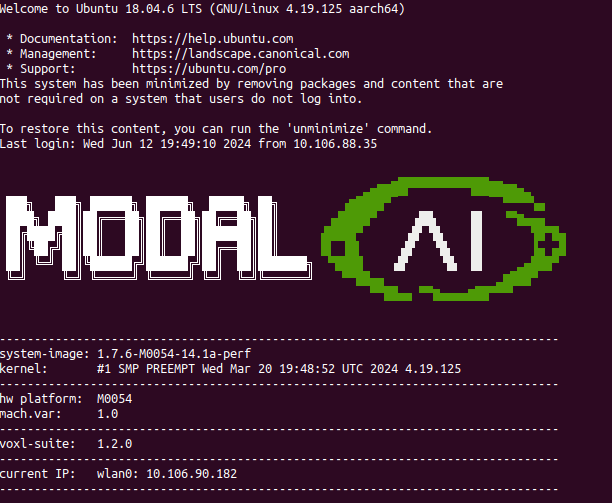
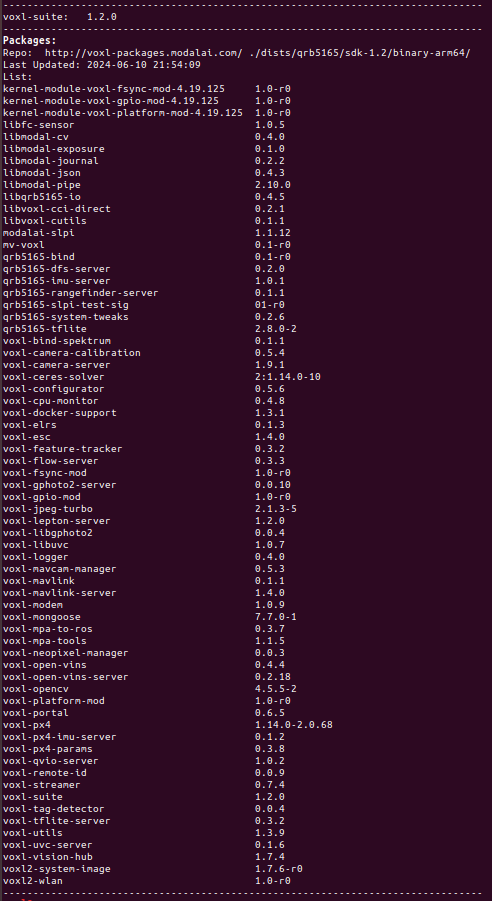
Also, when i run voxl-health-check, it fail the test. however I can see all my camera server working in Voxl-portal
voxl2:~$ voxl-health-check SKU: MRB-D0005-4-V2-C6-T8 >> calOk: True >> compute: > imageSensor0 probe: CAM_START_DEV Success, sensor_id:0x3d,sensor_slave_addr:0x7a result: True > imageSensor1 probe: error result: False > imageSensor2 probe: CAM_START_DEV Success, sensor_id:0x7750,sensor_slave_addr:0xe2 result: True >> voxl-camera-server: > result: False > running: True > mpaOk: True > tof_conf: False > tof_pc: True > tof_depth: False > tof_ir: False > tracking: False > hires_large_color: False > hires_large_grey: False > hires_large_encoded: False > hires_small_color: False > hires_small_grey: False > hires_small_encoded: False > tof_confPipe: error > tof_pcPipe: /run/mpa/tof_pc/info > tof_depthPipe: error > tof_irPipe: error > trackingPipe: error > hires_large_colorPipe: error > hires_large_greyPipe: error > hires_large_encodedPipe: error > hires_small_colorPipe: error > hires_small_greyPipe: error > hires_small_encodedPipe: error >> voxl-mavlink-server: > result: True > running: True >> voxl-px4: > result: True > running: True > error: False > execStart: /usr/bin/voxl-px4 > sensor_accel x: -0.10558 y: -0.07159 z: -9.90697 result: True > sensor_gyro x: 0.01312 y: 0.00221 z: -0.02396 result: True > sensor_baro temperature: 31.71471 pressure: 97145.28125 result: True > sensor_mag x: -0.26683 y: -0.28708 z: 0.62417 result: True > battery_status voltage_filtered_v: 8.62994 result: True > sensor_gps lon: 0.0 lat: 0.0 alt: -17000.0 vel_m_s: 0.0 satellites_used: 0 device_id: 11272245 result: True >> voxl-imu-server: > result: True > running: True > mpaPipe: /run/mpa/imu_apps/info > device: ICM42688 >> voxl-qvio-server: > result: True > running: True > mpaPipe: /run/mpa/qvio/info >> voxl-vision-hub: > result: True > running: True > mpaPipeVoaPcOut: /run/mpa/voa_pc_out/info > mpaPipeFixed: /run/mpa/vvhub_body_wrt_fixed/info > mpaPipeLocal: /run/mpa/vvhub_body_wrt_local/info > mpaPipeFixedPoseInput: /run/mpa/vvhub_fixed_pose_input Health Check: Fail voxl2:~$ -
@Moderator @Alex-Kushleyev Hi Alex, I actually don't remember exact version.
I am sharing my flight logs(links: [https://drive.google.com/drive/folders/1v0FVU-SGO8WZukiOfFMfS7vYAGeJIq3E?usp=drive_link](link url)) and video of what happens when I try to fly in position mode. It just keeps climbing and had to press kill-switch. Just to let you know I am using starling drone in its factory setting (without any hardware damage) and re-flashed it with VOXL 2 SDK 1.2.0 using the option
./install.sh -wMy current configurations:
Also, when i run voxl-health-check, it fail the test. however I can see all my camera server working in Voxl-portal
voxl2:~$ voxl-health-check SKU: MRB-D0005-4-V2-C6-T8 >> calOk: True >> compute: > imageSensor0 probe: CAM_START_DEV Success, sensor_id:0x3d,sensor_slave_addr:0x7a result: True > imageSensor1 probe: error result: False > imageSensor2 probe: CAM_START_DEV Success, sensor_id:0x7750,sensor_slave_addr:0xe2 result: True >> voxl-camera-server: > result: False > running: True > mpaOk: True > tof_conf: False > tof_pc: True > tof_depth: False > tof_ir: False > tracking: False > hires_large_color: False > hires_large_grey: False > hires_large_encoded: False > hires_small_color: False > hires_small_grey: False > hires_small_encoded: False > tof_confPipe: error > tof_pcPipe: /run/mpa/tof_pc/info > tof_depthPipe: error > tof_irPipe: error > trackingPipe: error > hires_large_colorPipe: error > hires_large_greyPipe: error > hires_large_encodedPipe: error > hires_small_colorPipe: error > hires_small_greyPipe: error > hires_small_encodedPipe: error >> voxl-mavlink-server: > result: True > running: True >> voxl-px4: > result: True > running: True > error: False > execStart: /usr/bin/voxl-px4 > sensor_accel x: -0.10558 y: -0.07159 z: -9.90697 result: True > sensor_gyro x: 0.01312 y: 0.00221 z: -0.02396 result: True > sensor_baro temperature: 31.71471 pressure: 97145.28125 result: True > sensor_mag x: -0.26683 y: -0.28708 z: 0.62417 result: True > battery_status voltage_filtered_v: 8.62994 result: True > sensor_gps lon: 0.0 lat: 0.0 alt: -17000.0 vel_m_s: 0.0 satellites_used: 0 device_id: 11272245 result: True >> voxl-imu-server: > result: True > running: True > mpaPipe: /run/mpa/imu_apps/info > device: ICM42688 >> voxl-qvio-server: > result: True > running: True > mpaPipe: /run/mpa/qvio/info >> voxl-vision-hub: > result: True > running: True > mpaPipeVoaPcOut: /run/mpa/voa_pc_out/info > mpaPipeFixed: /run/mpa/vvhub_body_wrt_fixed/info > mpaPipeLocal: /run/mpa/vvhub_body_wrt_local/info > mpaPipeFixedPoseInput: /run/mpa/vvhub_fixed_pose_input Health Check: Fail voxl2:~$Can you please try the following test:
- make sure the RC is off and QGC is not running, so there is no way to arm the drone (for safety)
- start qvio server if not already running
- connect to the drone using
voxl-portal - look at the qvio overlay stream, which should show the image from tracking camera and detected features
- while stationary, features should be locked, vio should show good quality (if not, please place the drone so that there are lots of good features with corners in the view of the camera)
- slowly pick up the drone by hand and observe whether the overlay is showing that the features being tracked (the feature mark locations are not jumping, but correctly following the actual features)
- if the above step looks good, you can carry the drone around the room and come back and put it in exact same location as you started
- the final position should be close to the origin (0,0,0) if everything is working properly (within 10-20cm, depending on the environment, etc). You can check vio position using
voxl-inspect-qvio
** If VIO blows up (features not tracked, jump around) as soon as you pick up the drone, then it is very likely that the imu to camera transform is still somehow incorrect.
Alex
-
Can you please try the following test:
- make sure the RC is off and QGC is not running, so there is no way to arm the drone (for safety)
- start qvio server if not already running
- connect to the drone using
voxl-portal - look at the qvio overlay stream, which should show the image from tracking camera and detected features
- while stationary, features should be locked, vio should show good quality (if not, please place the drone so that there are lots of good features with corners in the view of the camera)
- slowly pick up the drone by hand and observe whether the overlay is showing that the features being tracked (the feature mark locations are not jumping, but correctly following the actual features)
- if the above step looks good, you can carry the drone around the room and come back and put it in exact same location as you started
- the final position should be close to the origin (0,0,0) if everything is working properly (within 10-20cm, depending on the environment, etc). You can check vio position using
voxl-inspect-qvio
** If VIO blows up (features not tracked, jump around) as soon as you pick up the drone, then it is very likely that the imu to camera transform is still somehow incorrect.
Alex
I tried your suggestion. It works until I move the drone quickly or shake it abruptly. The quality goes to -1 and feature which were being tracked are not longer following actual features.
Also, regarding camera transform, the starling drone( with silver motor) drone I have is in factory assembly. It would be great, if you could share the config file for camera transform.
-
I tried your suggestion. It works until I move the drone quickly or shake it abruptly. The quality goes to -1 and feature which were being tracked are not longer following actual features.
Also, regarding camera transform, the starling drone( with silver motor) drone I have is in factory assembly. It would be great, if you could share the config file for camera transform.
Just to clarify, if you don't move quickly or shake, you are able to move the drone around the room and come back to the same location without VIO "blowing up"? if this is the case, then the transform is probably correct.
Are you able to share a video for a good run (had held) and a bad one (where you move quickly) - I am just trying to understand exactly what is going on. What i mean by "video" - output of the VIO overlay stream that shows the original image, features and vio stats.
I will ask the team to point you to the exact transform for your vehicle, so you can confirm whether what is configured now matches what it should be.
Alex
-
Just to clarify, if you don't move quickly or shake, you are able to move the drone around the room and come back to the same location without VIO "blowing up"? if this is the case, then the transform is probably correct.
Are you able to share a video for a good run (had held) and a bad one (where you move quickly) - I am just trying to understand exactly what is going on. What i mean by "video" - output of the VIO overlay stream that shows the original image, features and vio stats.
I will ask the team to point you to the exact transform for your vehicle, so you can confirm whether what is configured now matches what it should be.
Alex
@riteshsharma , i found the exitrinsics file that was used if you previously used the following command on old SDK
voxl-configure-extrinsics factory_starling_v1However, from later commit (link), you can see that
starling_v1config file was later renamed tostarling_v1_voxl_flight, which means it was used for VOXL1 with Flight Core, not VOXL2.If possible, can you please send a picture of your drone that shows the orientation of the tracking camera (you have not changed the camera or its orientation, right?). From the picture we can confirm the actual mechanical configuration of the vehicle and then check which extrinsics parameters should be used.
Alex
-
@riteshsharma , i found the exitrinsics file that was used if you previously used the following command on old SDK
voxl-configure-extrinsics factory_starling_v1However, from later commit (link), you can see that
starling_v1config file was later renamed tostarling_v1_voxl_flight, which means it was used for VOXL1 with Flight Core, not VOXL2.If possible, can you please send a picture of your drone that shows the orientation of the tracking camera (you have not changed the camera or its orientation, right?). From the picture we can confirm the actual mechanical configuration of the vehicle and then check which extrinsics parameters should be used.
Alex
@Alex-Kushleyev
Hi Alex, I was able to take picture and prepare video as you asked. Please find here Video & Images -
@Alex-Kushleyev
Hi Alex, I was able to take picture and prepare video as you asked. Please find here Video & Images@riteshsharma , thanks for the pictures and videos!
From the videos you provided, i can conclude the following:
- the transform between camera and IMU is specified correctly. If the transform was off by a 90 degree rotation (or multiple of 90), VIO would not track the features at all even in the slow test case
- the slow test seems to work perfectly, as you would expect
- aggressive shaking test shows VIO working for the first few seconds of fast motion, but then VIO blows up. In order to reset blown-up vio, i believe you need to be stationary for VIO to init (it is a qvio param, documented here - you could check your qvio server params
- the aggressive test is actually not shaking, but rotating, which is most difficult for VIO because many features are moving very fast and also getting out of frame, and features cannot be localized well due to small translational motion (compared to rotation).
So far, i don't see anything that looks out of ordinary. I think your aggressive test is too much for VIO to handle, and I am not surprised.
Now, for the next step, i suggest the following test:
- manual flight (angle + thrust)
- QVIO running and record screen capture, then we can check how QVIO did during the manual flight (without risking a crash in case QVIO is not working properly). It is possible that there is too much vibration in flight, which we can investigate using px4 log. Maybe something came loose (either camera or VOXL2 board).
- if you do run this test, please post the px4 log and also qvio output video, it would help us figure out what is going on.
Alex
-
@riteshsharma , thanks for the pictures and videos!
From the videos you provided, i can conclude the following:
- the transform between camera and IMU is specified correctly. If the transform was off by a 90 degree rotation (or multiple of 90), VIO would not track the features at all even in the slow test case
- the slow test seems to work perfectly, as you would expect
- aggressive shaking test shows VIO working for the first few seconds of fast motion, but then VIO blows up. In order to reset blown-up vio, i believe you need to be stationary for VIO to init (it is a qvio param, documented here - you could check your qvio server params
- the aggressive test is actually not shaking, but rotating, which is most difficult for VIO because many features are moving very fast and also getting out of frame, and features cannot be localized well due to small translational motion (compared to rotation).
So far, i don't see anything that looks out of ordinary. I think your aggressive test is too much for VIO to handle, and I am not surprised.
Now, for the next step, i suggest the following test:
- manual flight (angle + thrust)
- QVIO running and record screen capture, then we can check how QVIO did during the manual flight (without risking a crash in case QVIO is not working properly). It is possible that there is too much vibration in flight, which we can investigate using px4 log. Maybe something came loose (either camera or VOXL2 board).
- if you do run this test, please post the px4 log and also qvio output video, it would help us figure out what is going on.
Alex
@Alex-Kushleyev Hi Alex,
I uploaded the qvio overlay video and logs at the link https://drive.google.com/drive/folders/105QyDrfBvA52eWwrdS9NHI0q9LHTPbMA?usp=drive_link for you to review. Can you please have a look at it?
-
@Alex-Kushleyev Hi Alex,
I uploaded the qvio overlay video and logs at the link https://drive.google.com/drive/folders/105QyDrfBvA52eWwrdS9NHI0q9LHTPbMA?usp=drive_link for you to review. Can you please have a look at it?
@Alex-Kushleyev Did you have a chance to look at the logs and the video?
-
@Alex-Kushleyev Did you have a chance to look at the logs and the video?
@riteshsharma Hi @admin @Moderator @Alex-Kushleyev Can you please help me in this regard? I am stuck at it and could not move further for almost a month now.
-
@riteshsharma Hi @admin @Moderator @Alex-Kushleyev Can you please help me in this regard? I am stuck at it and could not move further for almost a month now.
@riteshsharma For VIO to work, you need to fly slow and gently in more of an autonomous fashion. Quick jerky movements will cause it to fail
-
@riteshsharma Hi @admin @Moderator @Alex-Kushleyev Can you please help me in this regard? I am stuck at it and could not move further for almost a month now.
@riteshsharma , I apologize for the delay in response.
Another suggestion is to try to fly in more feature-rich environments. Your environment has a carpet which has very few unique features and the walls are plain white. Additionally, the room is very small, so even small motion / rotation causes features to go in and out of frame, which affects VIO performance.
I do not see anything that would immediately stand out as wrong, just seems like a difficult environment for VIO to work.
Alex
-
@riteshsharma , I apologize for the delay in response.
Another suggestion is to try to fly in more feature-rich environments. Your environment has a carpet which has very few unique features and the walls are plain white. Additionally, the room is very small, so even small motion / rotation causes features to go in and out of frame, which affects VIO performance.
I do not see anything that would immediately stand out as wrong, just seems like a difficult environment for VIO to work.
Alex
@Alex-Kushleyev Hi Alex, When I hold the drone in hand and move around the room, I see that VIO is at 100%. It only fails when I shake the drone or start flying it. I'm not sure what's going wrong.



Reading along? Create a free ModalAI Forum account to join in.
With an account you can reply, ask your own question, get an email when a ModalAI engineer answers, and mark the reply that solved it. Your place in each thread is saved between visits.
Questions about VOXL, Flight Core, ESCs and ModalAI drones are answered here by the engineers who build them.
Register Login