
ADB devices not found on after following "boot camp" on wsl windows 10
-
I followed all instructions in the "boot camp" section and after all updates/installs, kill-server, start-server...etc.
No ADB devices are visible in wsl.
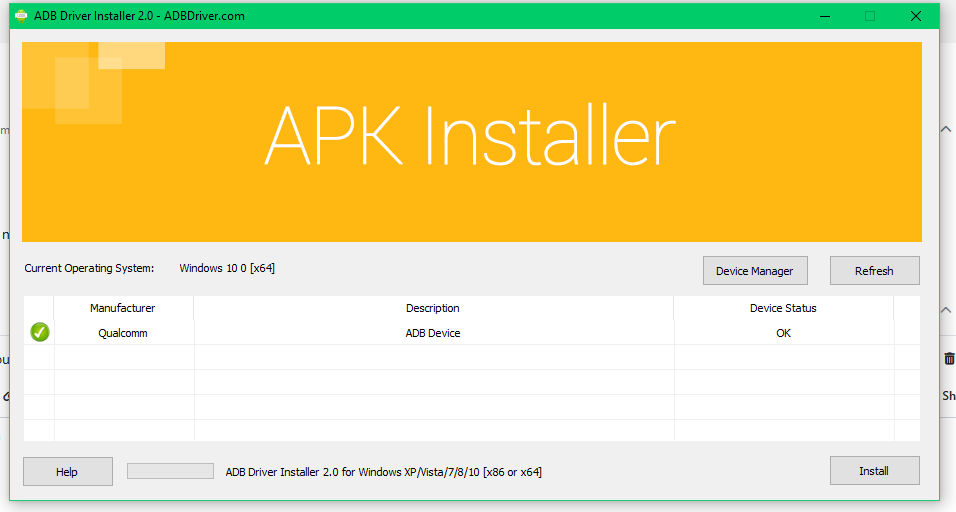
VOXL is visible when running ADB Driver 2.0 on the PC, but cannot see devices in wsl.Suggestions?
Thanks,
RDJ -
I followed all instructions in the "boot camp" section and after all updates/installs, kill-server, start-server...etc.
No ADB devices are visible in wsl.
VOXL is visible when running ADB Driver 2.0 on the PC, but cannot see devices in wsl.Suggestions?
Thanks,
RDJ -
@rdjarvis Our resident WSL expert says to do the following:
In normal windows command prompt (outside of WSDL)
adb kill-server

adb start-server
then check in WSL
-
@rdjarvis Our resident WSL expert says to do the following:
In normal windows command prompt (outside of WSDL)
adb kill-server

adb start-server
then check in WSL
-
@tom this is what windows command prompt tells me when running "adb kill-server"
'adb' is not recognized as an internal or external command,
operable program or batch file. -
@rdjarvis I was under the impression that "VOXL is visible when running ADB Driver 2.0 on the PC" meant you were able to access adb on your normal command prompt
-
@rdjarvis I'm not familiar with that tool unfortunately, I would follow the instructions here starting with the section titled "How to set up ADB on Microsoft Windows" with the Android SDK installed from https://dl.google.com/android/repository/platform-tools-latest-windows.zip
-
@rdjarvis I'm not familiar with that tool unfortunately, I would follow the instructions here starting with the section titled "How to set up ADB on Microsoft Windows" with the Android SDK installed from https://dl.google.com/android/repository/platform-tools-latest-windows.zip
-
Hi @rdjarvis ,
Once you have adb tools installed on your PC, I've successfully used WSL as Tom mentioned only after trying the kill and restart commands in command window/prompt. Sometimes it may take a few tries in the command prompt, but once I get Windows command prompt to see the adb device, WSL always sees it.
I cannot speak to other utilities, but command prompt always works for me.
I tried the reverse and it doesn't work, so I think some configurations require Windows to see the adb device first before it let's WSL see it.
Hope that helps. -
Hi @rdjarvis ,
Once you have adb tools installed on your PC, I've successfully used WSL as Tom mentioned only after trying the kill and restart commands in command window/prompt. Sometimes it may take a few tries in the command prompt, but once I get Windows command prompt to see the adb device, WSL always sees it.
I cannot speak to other utilities, but command prompt always works for me.
I tried the reverse and it doesn't work, so I think some configurations require Windows to see the adb device first before it let's WSL see it.
Hope that helps. -
UPDATE
ADB Devices are now visible in Windows CMD after I updated the system path in environment variables.Now the fun begins



Reading along? Create a free ModalAI Forum account to join in.
With an account you can reply, ask your own question, get an email when a ModalAI engineer answers, and mark the reply that solved it. Your place in each thread is saved between visits.
Questions about VOXL, Flight Core, ESCs and ModalAI drones are answered here by the engineers who build them.
Register Login