
Starling - 3D Mapping & Path Planning features aren't working
-
Hi,
I recently bought VOXL 2 Starling Indoor and Outdoor SLAM & Autonomy Development Drone from ModalAI.
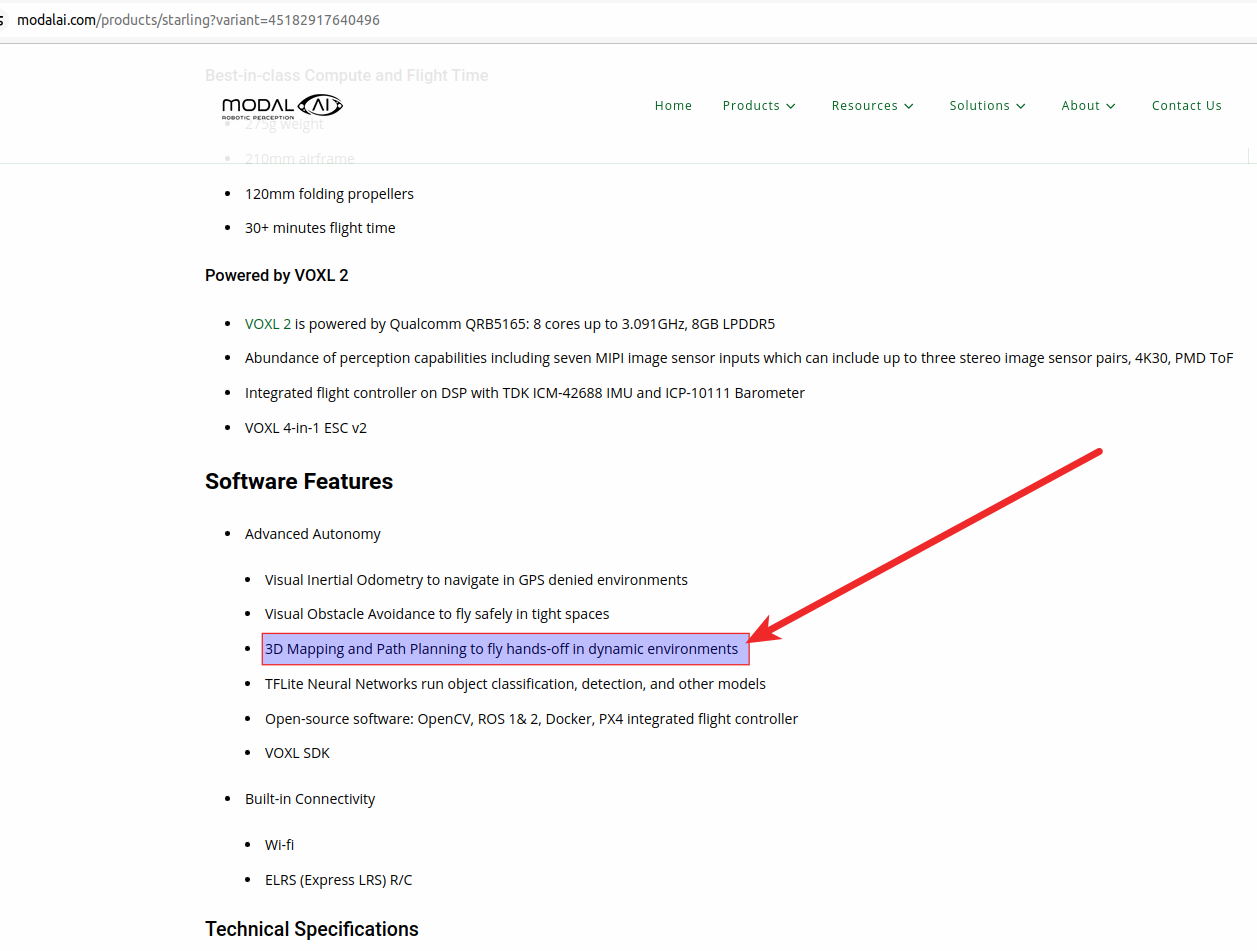
I am trying to test the 3D Mapping and Path Planning feature in indoors.The first thing is the lack of the documentation about the said features.
I didn't get any clue how to do the 3D mapping, but only found (here) how to plan the path for autonomous flight indoors.But, the path planning is also not working as I saw in the video given on the guide page.
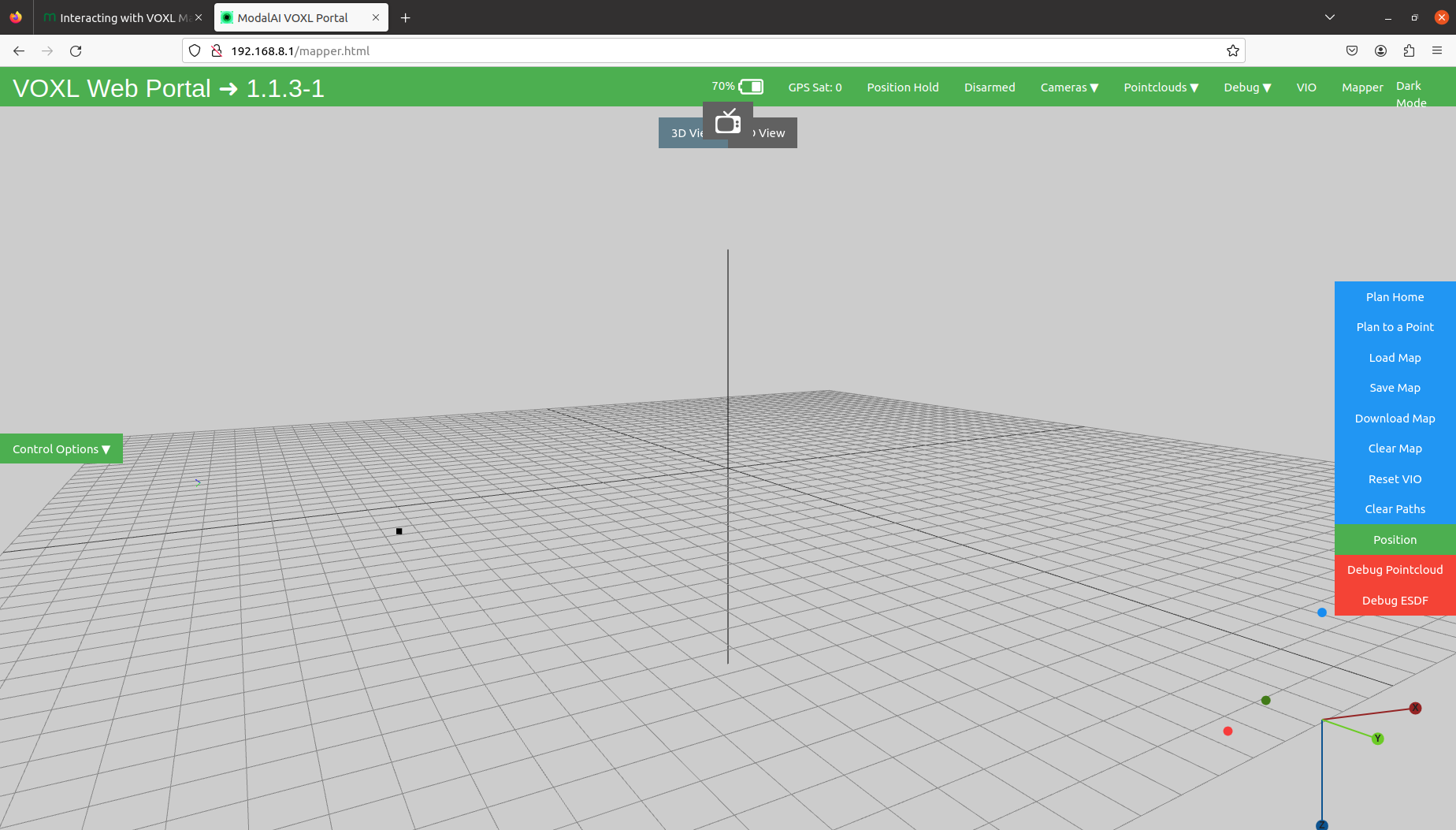
The guide shows that there will be a "Follow Path" button after putting a point (Plan to a Point) on the 3D map, but that button isn't appearing on my interface of the mapper.
I am attaching the images of what I got.Please guide us how we can do the 3D Mapping and then the Path Planning.
-
@Eric-Katzfey @Alex-Kushleyev @nickyblanch Can I please get some help over here?
-
@Eric-Katzfey @Alex-Kushleyev @nickyblanch Can I please get some help over here?
@muhammadbilal1 Hi, did you install voxl-mapper on the VOXL2? I didn't realize that I had to install it separately until after a while of trying to get an output (although, I was on VOXL, not VOXL2).
If it's already installed, make sure it's enabled and running with
voxl-inspect-servicesIf the voxl-mapper service isn't enabled or running, you may need to run something like
systemctl enable voxl-mapper systemctl start voxl-mapper -
@muhammadbilal1 Hi, did you install voxl-mapper on the VOXL2? I didn't realize that I had to install it separately until after a while of trying to get an output (although, I was on VOXL, not VOXL2).
If it's already installed, make sure it's enabled and running with
voxl-inspect-servicesIf the voxl-mapper service isn't enabled or running, you may need to run something like
systemctl enable voxl-mapper systemctl start voxl-mapperThis post is deleted! -
@muhammadbilal1 Hi, did you install voxl-mapper on the VOXL2? I didn't realize that I had to install it separately until after a while of trying to get an output (although, I was on VOXL, not VOXL2).
If it's already installed, make sure it's enabled and running with
voxl-inspect-servicesIf the voxl-mapper service isn't enabled or running, you may need to run something like
systemctl enable voxl-mapper systemctl start voxl-mapper@nickyblanch @nickyblanch Hi,
The voxl-mapper service wasn't there when I checked that.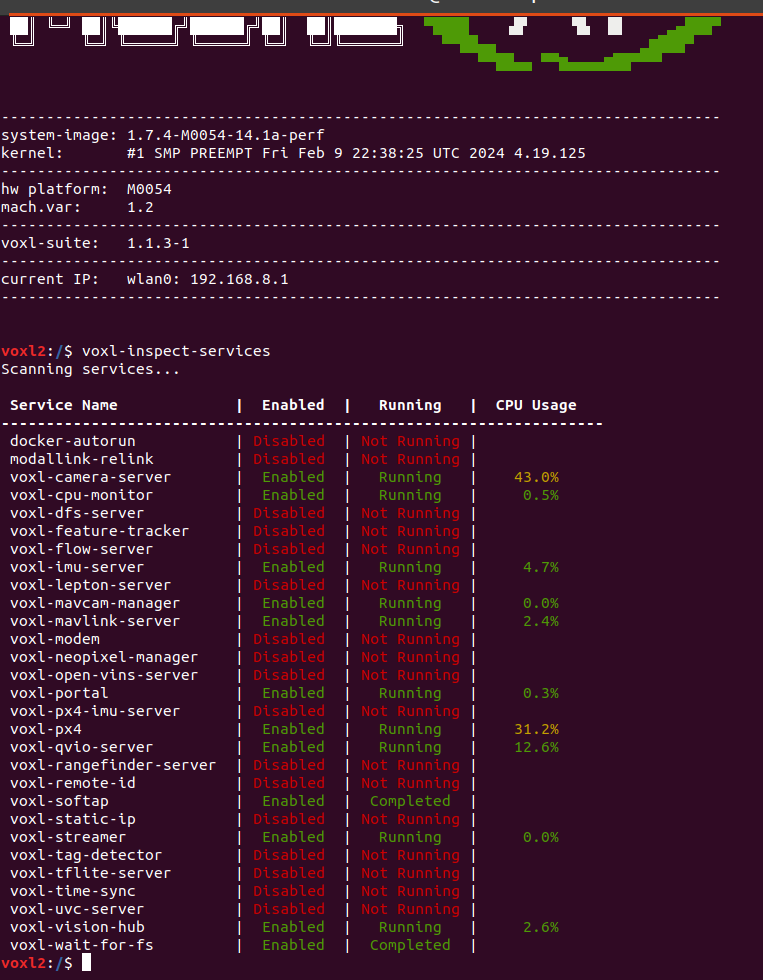
I went the link of voxl-mapper that you gave, but the instructions were given for the "opkg" repository.
I had done some R&D and found out that VOXL2 supports "apt".
Then I installed the required packages with the below commands:- voxl2:/$ apt update && apt upgrade -y
- voxl2:/$ apt install voxl-portal voxl-mapper
The documentation says that "voxl-vision-px4" package is also required, but it's not available in the VOXL2.
There is another service which is called "voxl-vision-hub" that replaced "voxl-vision-px4".- voxl2:/$ systemctl enable voxl-mapper
- voxl2:/$ systemctl start voxl-mapper
Below image shows the status of services "voxl-inspect-services" after installing/enabling/starting the mapper service.
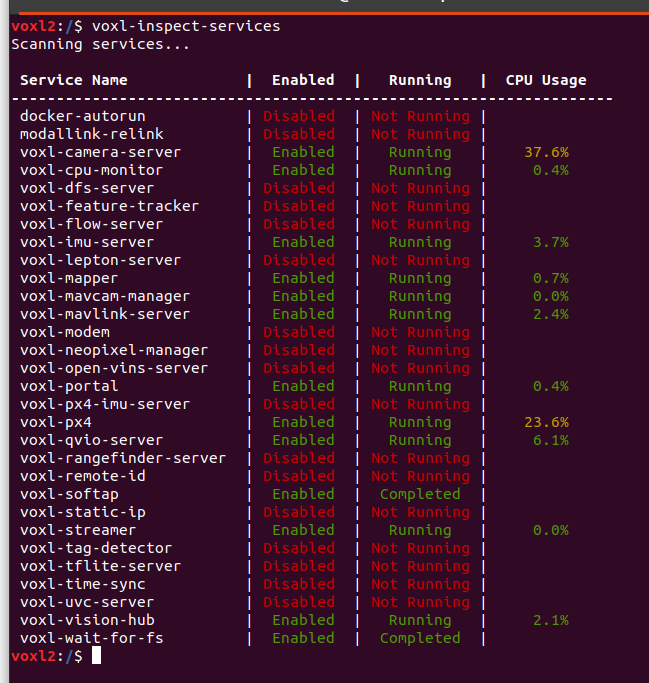
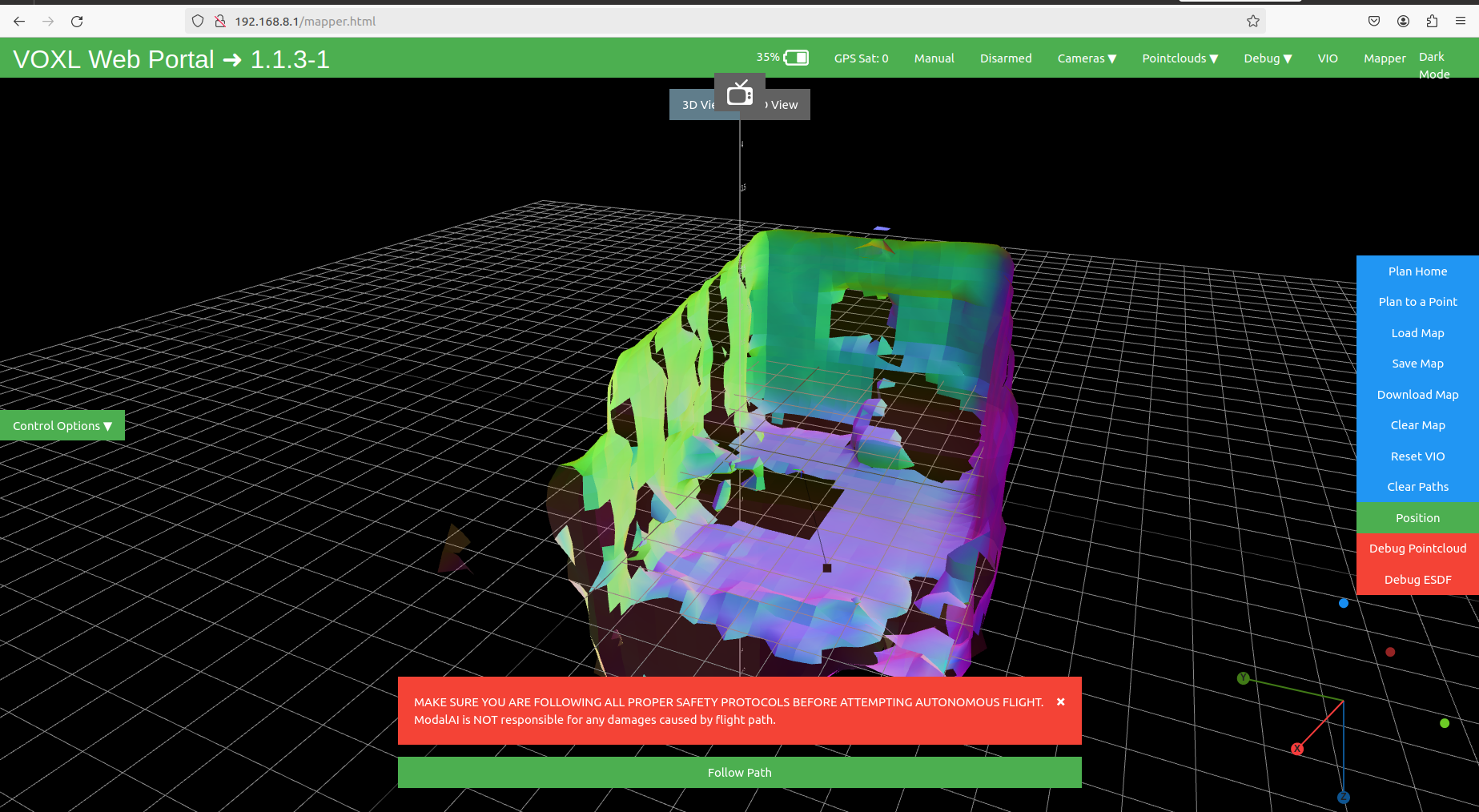
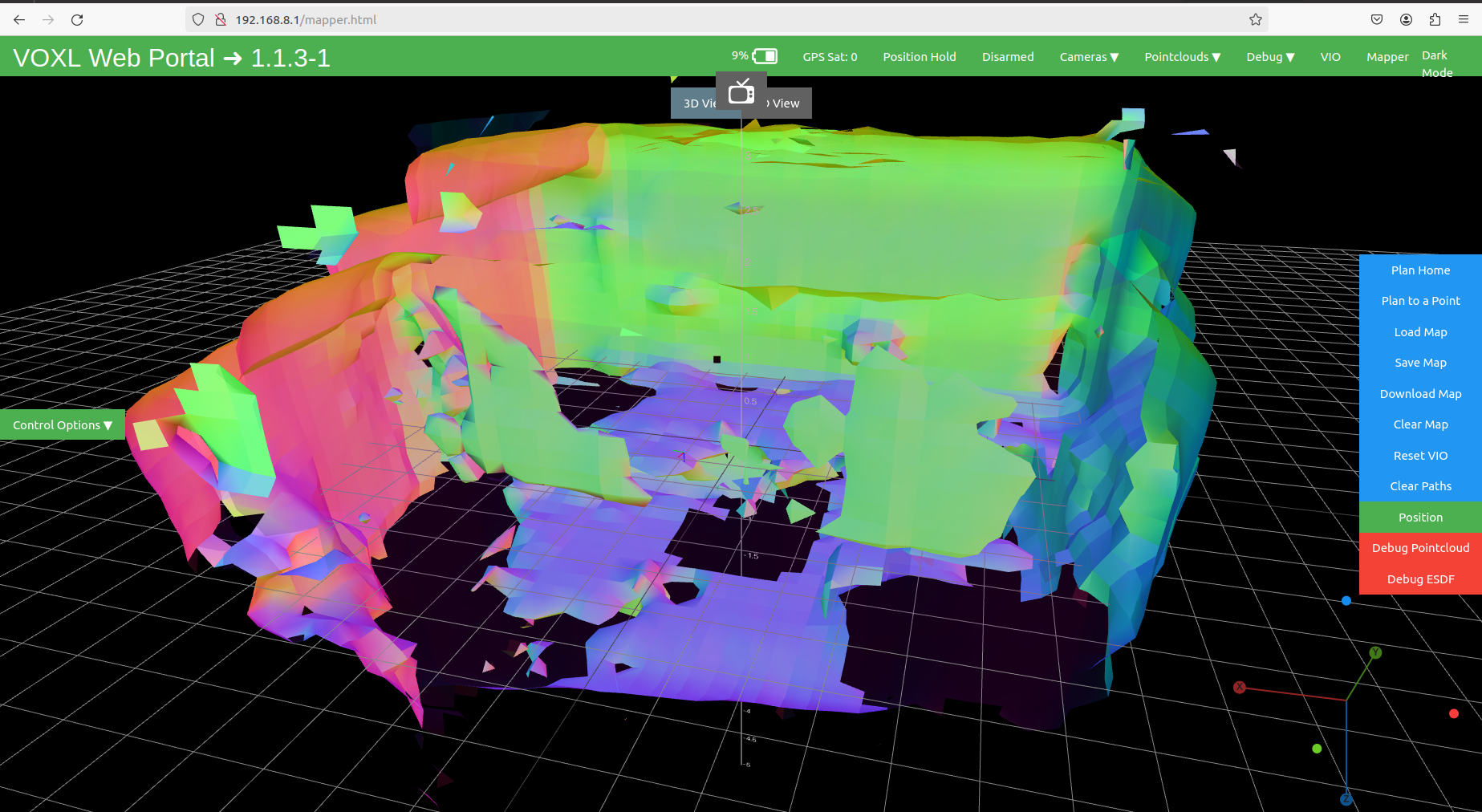
After the installation of the "voxl-mapper" service, I do see some difference in the mapping area of the portal. But, the drone is still not following the path given in the 3D Map upon clicking the "Follow Path" (After "Plan to a Point --> Go").
Is this possible to add multiple points at the same time on the map? As of now, I am allowed to put only 1 point on the 3D Map, but the drone isn't even moving towards that point.
I tried to do the "Follow Path" while the drone is in air (Position mode), while the drone is on the ground and ready to take off (Position mode), and while the drone is in air (offboard mode). But, the drone isn't going towards the point I put, it just kept hovering.
-
@nickyblanch @nickyblanch Hi,
The voxl-mapper service wasn't there when I checked that.I went the link of voxl-mapper that you gave, but the instructions were given for the "opkg" repository.
I had done some R&D and found out that VOXL2 supports "apt".
Then I installed the required packages with the below commands:- voxl2:/$ apt update && apt upgrade -y
- voxl2:/$ apt install voxl-portal voxl-mapper
The documentation says that "voxl-vision-px4" package is also required, but it's not available in the VOXL2.
There is another service which is called "voxl-vision-hub" that replaced "voxl-vision-px4".- voxl2:/$ systemctl enable voxl-mapper
- voxl2:/$ systemctl start voxl-mapper
Below image shows the status of services "voxl-inspect-services" after installing/enabling/starting the mapper service.
After the installation of the "voxl-mapper" service, I do see some difference in the mapping area of the portal. But, the drone is still not following the path given in the 3D Map upon clicking the "Follow Path" (After "Plan to a Point --> Go").
Is this possible to add multiple points at the same time on the map? As of now, I am allowed to put only 1 point on the 3D Map, but the drone isn't even moving towards that point.
I tried to do the "Follow Path" while the drone is in air (Position mode), while the drone is on the ground and ready to take off (Position mode), and while the drone is in air (offboard mode). But, the drone isn't going towards the point I put, it just kept hovering.
@muhammadbilal1 I'm glad you got VOXL-MAPPER installed and running! Unfortunately, I'm not familiar with the path planning functionality as I have never used it. One of ModalAI's people will need to chime in about this.
However, it is certainly true that the drone will need to be in OFFBOARD mode for path planning to work. PX4 won't accept external commands otherwise.
-
@muhammadbilal1 I'm glad you got VOXL-MAPPER installed and running! Unfortunately, I'm not familiar with the path planning functionality as I have never used it. One of ModalAI's people will need to chime in about this.
However, it is certainly true that the drone will need to be in OFFBOARD mode for path planning to work. PX4 won't accept external commands otherwise.
What does /etc/modalai/voxl-vision-hub.conf contain?
Did you follow the setup instructions and configure
offboard_modetotrajectory?


Reading along? Create a free ModalAI Forum account to join in.
With an account you can reply, ask your own question, get an email when a ModalAI engineer answers, and mark the reply that solved it. Your place in each thread is saved between visits.
Questions about VOXL, Flight Core, ESCs and ModalAI drones are answered here by the engineers who build them.
Register Login