Skip to content
  • Categories
  • Recent
  • Tags
  • Popular
  • Users
  • Groups
Collapse
Brand Logo

ModalAI Forum

T

TomP

@TomP
Contributor
Unfollow Follow
About
Posts
43
Topics
10
Shares
0
Groups
1
Followers
0
Following
0

Posts

Recent Best Controversial

  • Tap UART TX (RC) pin signal elsewhere
    T TomP

    Hello everyone,
    I had a crash with my VOXL2 Mini, which caused the J19 connector to come loose. A solder joint was also torn off, so the connector cannot simply be soldered back on. Apart from that, the VOXL2 Mini still works perfectly.

    The loose connection is this pin:
    RC_UART_TX (Output) slpi_proc, SSC_QUP7, GPIO_178, 3.3V signal levels

    I really need it because it controls the gimbal. Can I solder a strand of wire to any other point on the board to tap the signal?

    Best regards,
    Tom
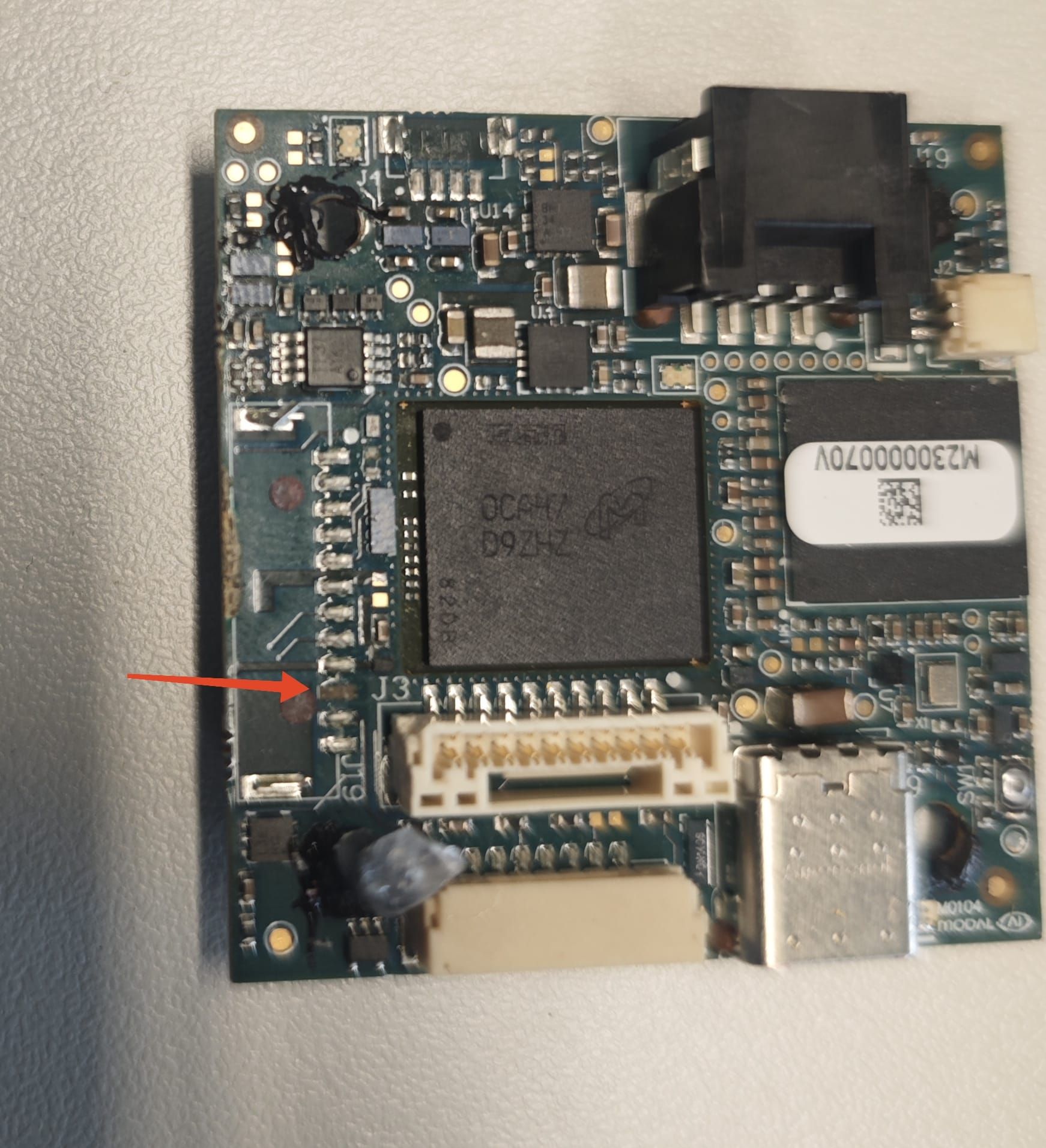
    WhatsApp Image 2025-08-28 at 13.18.38.jpeg

    VOXL 2 Mini

  • Rotate imx412 stream
    T TomP

    @Alex-Kushleyev I have now found the correct file in the /usr/share/modalai/chi-cdk directory. Now everything works as it should. Many thanks for your support!

    Video and Image Sensors

  • Rotate imx412 stream
    T TomP

    @Alex-Kushleyev the chi-cdk directory does not exist. here is the content of the /etc/modalai/ directory:

    voxl2-mini:/etc/modalai$ ls
    extrinsics.conf voxl-camera-server.conf voxl-px4-hitl-set-default-parameters.config
    extrinsics.conf.thermal voxl-cpu-monitor.conf voxl-px4.conf
    lost+found voxl-dfs-server.conf voxl-streamer.conf
    network_interface_preferences.txt voxl-elrs.conf voxl-tag-detector.conf
    tag_locations.conf voxl-imu-server.conf voxl-tflite-server.conf
    vio_cams.conf voxl-mavlink-server.conf voxl-uvc-server.conf
    vio_cams.conf.boson voxl-modem.conf voxl-vision-hub.conf
    vio_cams.conf.seek voxl-px4-fake-imu-calibration.config voxl-vtx.conf

    Video and Image Sensors

  • Rotate imx412 stream
    T TomP

    @Alex-Kushleyev The most current file name in the list in the directory is com.qti.sensormodule.imx412_flip_2.bin.

    We have ordered and installed this camera:

    Image Sensor 4k High-resolution, Low-light Sensor for VOXL® (Starvis IMX412 w/ micro-coax & M12-style Lens) (MSU-M0161)
    Video and Image Sensors

  • Rotate imx412 stream
    T TomP

    @Alex-Kushleyev We use the ISP mode (“ae_mode”: “isp”) and the hires_small_encoded pipeline.
    Thank you very much for your support. 🙂

    Video and Image Sensors

  • Rotate imx412 stream
    T TomP

    @TomP Any ideas? There should be a rotation parameter somewhere.

    Video and Image Sensors

  • Rotate imx412 stream
    T TomP

    Hello everyone,
    I have accidentally turned my camera 180 degrees. Turning it round does not work because it is firmly attached to a bracket.
    How can I rotate the video stream 180 degrees again? Where can I configure this?

    Best regards,
    Tom

    Video and Image Sensors

  • ArduPilot on Voxl2
    T TomP

    @Eric-Katzfey said in ArduPilot on Voxl2:

    @TomP Wonderful! So glad to hear. And I would really love to hear how the flight testing goes. We've never tried a VOXL 2 (or VOXL 2 mini) on a fixed wing (with ArduPilot) so be careful and triple check to make sure everything looks setup correctly before launching.

    It is an honor for me to report. We will be careful. Of course, a crash can also occur independently of the VOXL2. This is a new drone that we are building.

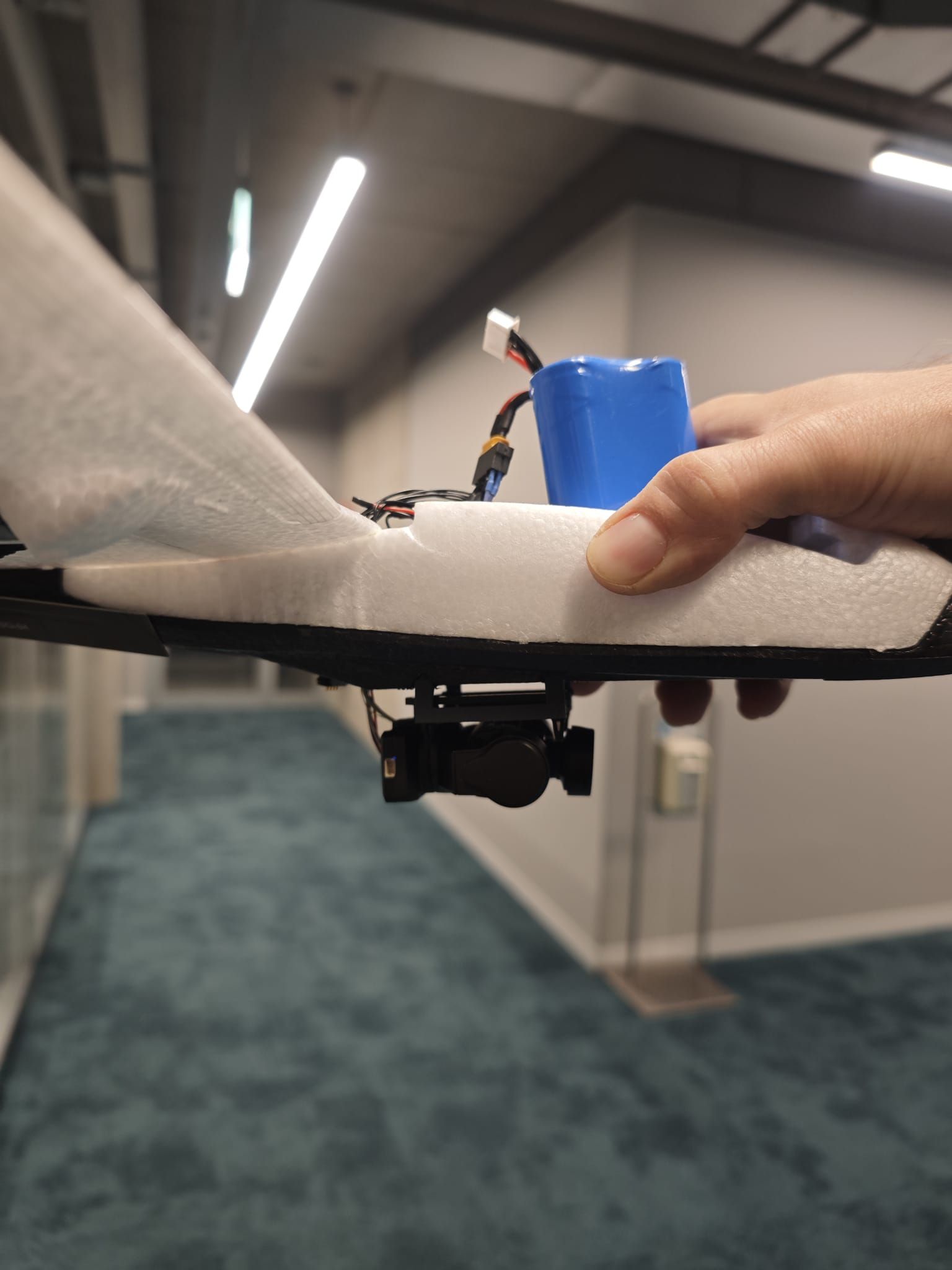
    What might be relevant for you is that we have found a gimbal that will fit one of your cameras with a bit of hardware hacking. The gimbal can also be controlled via serial interface using Ardupilot. We have already successfully tested this with the VOXL2-Mini.
    WhatsApp Image 2025-03-29 at 00.03.08.jpeg

    Flight Core v2

  • ArduPilot on Voxl2
    T TomP

    @Eric-Katzfey said in ArduPilot on Voxl2:

    voxl-2-io

    It works! Many thanks for the great support! 🙂
    The firmware upgrade was the solution.

    Flight Core v2

  • ArduPilot on Voxl2
    T TomP

    @Eric-Katzfey said in ArduPilot on Voxl2:

    @TomP A new voxl-ardupilot package with debug information added. But we may not need that. Try voxl-2-io detect and then if that is successful then try voxl-2-io scan

    voxl2-mini:~$ voxl-2-io detect
    enabling bridge
    bridge enabled
    [INFO] Detected VOXL2 IO on default port (2).

    ESC detected: ModalAi I/O Expander (M0065)

    disabling bridge
    bridge disabled
    voxl2-mini:~$ voxl-2-io scan
    enabling bridge
    bridge enabled
    Successfully pinged VOXL2 IO on default port (2).
    INFO: VOXL2 IO Information:

        Board      : version 35 : ModalAi I/O Expander (M0065)
        UID        : 0x8108322152518882066BFF54
        Firmware   : version 1, hash 6b5ec459
        Bootloader : version 0, hash 5ba5857f
    

    disabling bridge
    bridge disabled

    Flight Core v2

  • ArduPilot on Voxl2
    T TomP

    @Eric-Katzfey said in ArduPilot on Voxl2:

    Yep, that all looks fine. Shoot. I may need to send you a new package with extra debug information to help debug this since by default there really isn't much we can see.

    What do you mean by that?
    "a new package with extra debug information"

    Flight Core v2

  • ArduPilot on Voxl2
    T TomP

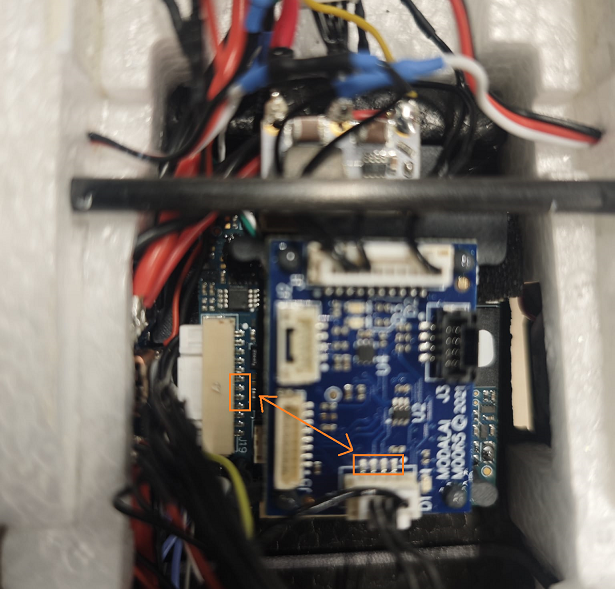
    @Eric-Katzfey Here is the pin configuration (J19 on VOXL2-Mini to J4 on IO Board):

    VOXL2-Mini-----IO Board
    9-----------------1
    8-----------------3
    7-----------------2
    6-----------------4

    (I mistyped the table at the beginning. I have corrected the typo.)

    Flight Core v2

  • ArduPilot on Voxl2
    T TomP

    @Eric-Katzfey I can rule out connection problems. I checked the contacts on the VOXL2-Mini and the IO board with a continuity tester. Everything is well connected.

    I know that with ardupilot you can at least control the servos without arming. Is this perhaps implemented differently here? Then I would have to calibrate the sensors etc. to test this.

    voxl2_mini_durchgangspruefer.png

    Flight Core v2

  • ArduPilot on Voxl2
    T TomP

    @Eric-Katzfey Here are my settings (no PWM output):

    SERVO1_FUNCTION,4
    SERVO1_MAX,1900
    SERVO1_MIN,1100
    SERVO1_REVERSED,0
    SERVO1_TRIM,1500
    SERVO2_FUNCTION,19
    SERVO2_MAX,1900
    SERVO2_MIN,1100
    SERVO2_REVERSED,0
    SERVO2_TRIM,1500
    SERVO3_FUNCTION,70
    SERVO3_MAX,1900
    SERVO3_MIN,1100
    SERVO3_REVERSED,0
    SERVO3_TRIM,1100
    SERVO4_FUNCTION,21
    SERVO4_MAX,1900
    SERVO4_MIN,1100
    SERVO4_REVERSED,0
    SERVO4_TRIM,1500
    SERVO5_FUNCTION,0
    SERVO5_MAX,1900
    SERVO5_MIN,1100
    SERVO5_REVERSED,0
    SERVO5_TRIM,1500
    SERVO6_FUNCTION,0
    SERVO6_MAX,1900
    SERVO6_MIN,1100
    SERVO6_REVERSED,0
    SERVO6_TRIM,1500
    SERVO7_FUNCTION,0
    SERVO7_MAX,1900
    SERVO7_MIN,1100
    SERVO7_REVERSED,0
    SERVO7_TRIM,1500
    SERVO8_FUNCTION,0
    SERVO8_MAX,1900
    SERVO8_MIN,1100
    SERVO8_REVERSED,0
    SERVO8_TRIM,1500

    Flight Core v2

  • ArduPilot on Voxl2
    T TomP

    @Eric-Katzfey The battery monitor works. Thank you very much! I'm sure the PWM will also work and then it's off to the test flight. 🙂

    Flight Core v2

  • ArduPilot on Voxl2
    T TomP

    Hi,

    There is another problem. The PWM board does not output PWMs. I have also measured this with an oscilloscope. According to SERVO_OUTPUT_RAW, however, the FC should output PWM values.

    Do I have to set another parameter in Arduplane so that the VOXL 2 I/O Expander Board is controlled correctly?

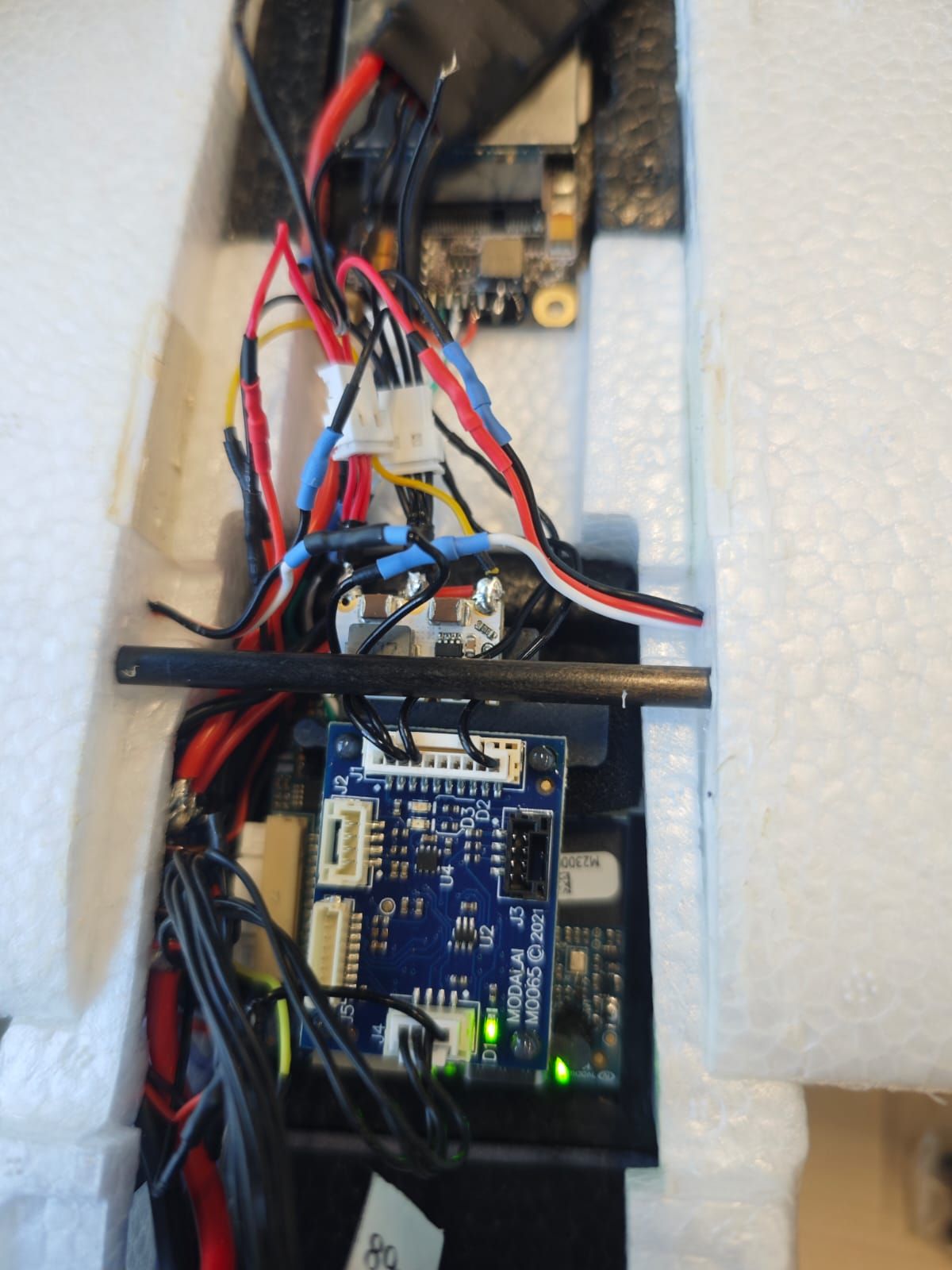
    I use the VOXL2-Mini J19 connector: GND, pin 7, pin 8 and VREG_3P3V_RC for the power supply.

    Here is my setup:
    WhatsApp Image 2025-03-28 at 15.35.26.jpeg

    Flight Core v2

  • ArduPilot on Voxl2
    T TomP

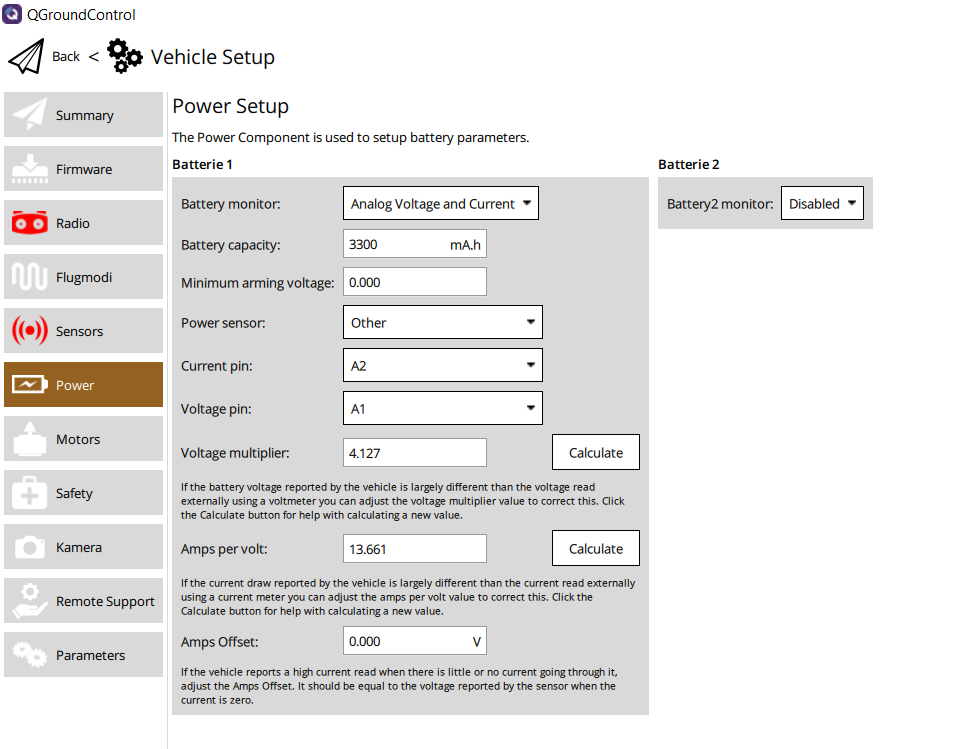
    @Eric-Katzfey No, this is not detected. The configuration does not seem to be correct either. The parameter list mentions "Analog Voltage and Current" and corresponding pins.
    Here is a screenshot:
    Arduplane_VOXL2_Mini.png

    Flight Core v2

  • ArduPilot on Voxl2
    T TomP

    Hi,

    How can I configure the battery monitor for ArduPlane on the VOXL2-Mini?
    Which value do I have to enter for BATT_MONITOR and which values for BATT_I2C_ADDR and BAT_I2C_BUS?

    The "VOXL 2 Mini Power" transmits the current and voltage measurement data via I2C.

    Best regards,
    Tom

    Flight Core v2

  • VOXL2-MINI Serial Pin Mapping for Ardupilot
    T TomP

    Re: ArduPilot on Voxl2
    Hi,

    Which pins on the J19 connector of the VOXL2-Mini are mapped to ArduPilot's SERIALx ports?

    For the VOXL2-Mini J19 connector, one of the UART connections (pins 7 and 😎 is reserved for PWM signals. With pins 2 and 3 dedicated to GPS, which ArduPilot SERIALx port does that correspond to? Additionally, which SERIALx port is mapped to pins 10 and 11?

    Best regards,
    Tom

    Flight Core v2

  • ArduPilot on Voxl2
    T TomP

    @Eric-Katzfey We use GPS, compass and the IO board for a PWM-controlled ESC and two servos. We also need two more PWM channels for gimbal control. That's it.

    We do not use an RC. The control is purely via MAVLink. Joystick inputs are made via the MAVLink command MANUAL_CONTROL. Data is transmitted via the mobile network.

    Flight Core v2
  • Login

  • Login or register to search.
  • First post
    Last post
0
  • Categories
  • Recent
  • Tags
  • Popular
  • Users
  • Groups