
TELEMETRY DATA
-
Hello support,
How can I get telemetry data for my starling 2 drone? Is there an App available?
Thanks.
Regards,
Taiwo@taiwohazeez This is what most people use: https://qgroundcontrol.com/
-
@taiwohazeez This is what most people use: https://qgroundcontrol.com/
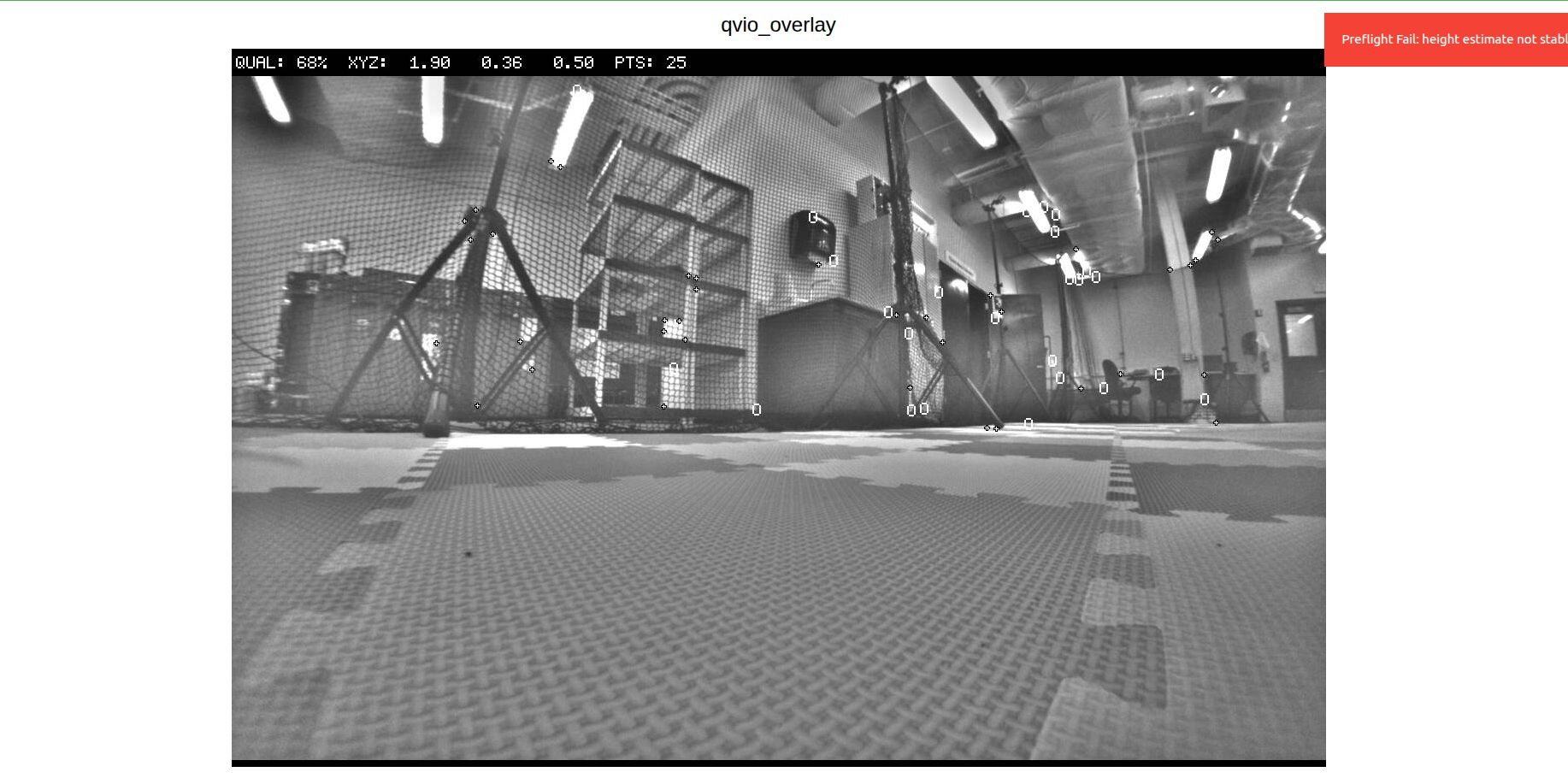
@Eric-Katzfey thank you for that. I have another issue, when i toggle the controller from manual mode to position mode, sometimes he drone holds it height, but sometimes, it just flies away and crashes. I have calibrated the compass, gyro and accelerometer, it still exhibit same behavior (infact thats how all the drones behave), so that means there is something I am not doing right, or I am missing. I ran ros2 topic echo /fmu/out/vehicle_odometry to see whats happening with the VIO, this was the output:
timestamp: 1770551010017542
timestamp_sample: 1770551010015689
pose_frame: 1
position: [1.8852728605270386, 0.3567788600921631, -7.352701663970947]
q: [0.9946960806846619, 0.013231446966528893, -0.00516587495803833, 0.1018725335597992]
velocity_frame: 1
velocity: [-0.0011717384913936257, 0.002392425434663892, -0.004358584061264992]
angular_velocity: [0.0007909969426691532, -0.003044810611754656, -0.0005365335382521152]
position_variance: [0.00031149128335528076, 0.00031149270944297314, 0.0004529791767708957]
orientation_variance: [1.4802474652242381e-05, 1.478460126236314e-05, 0.00020037211652379483]
velocity_variance: [0.0006313467747531831, 0.0006313963094726205, 0.0006925623747520149]
reset_counter: 25
quality: 0This is weird because the drone is on the ground, why is my Z reading -7.352?
Also, i keep getting heading_good_for_control: False (what can i do to fix it?)I moved the drone round the lab to capture features, yet the quality is still zero, and why does it keep resetting (from the reset_counter)?.
Kindly help.
Thanks
-
@Eric-Katzfey thank you for that. I have another issue, when i toggle the controller from manual mode to position mode, sometimes he drone holds it height, but sometimes, it just flies away and crashes. I have calibrated the compass, gyro and accelerometer, it still exhibit same behavior (infact thats how all the drones behave), so that means there is something I am not doing right, or I am missing. I ran ros2 topic echo /fmu/out/vehicle_odometry to see whats happening with the VIO, this was the output:
timestamp: 1770551010017542
timestamp_sample: 1770551010015689
pose_frame: 1
position: [1.8852728605270386, 0.3567788600921631, -7.352701663970947]
q: [0.9946960806846619, 0.013231446966528893, -0.00516587495803833, 0.1018725335597992]
velocity_frame: 1
velocity: [-0.0011717384913936257, 0.002392425434663892, -0.004358584061264992]
angular_velocity: [0.0007909969426691532, -0.003044810611754656, -0.0005365335382521152]
position_variance: [0.00031149128335528076, 0.00031149270944297314, 0.0004529791767708957]
orientation_variance: [1.4802474652242381e-05, 1.478460126236314e-05, 0.00020037211652379483]
velocity_variance: [0.0006313467747531831, 0.0006313963094726205, 0.0006925623747520149]
reset_counter: 25
quality: 0This is weird because the drone is on the ground, why is my Z reading -7.352?
Also, i keep getting heading_good_for_control: False (what can i do to fix it?)I moved the drone round the lab to capture features, yet the quality is still zero, and why does it keep resetting (from the reset_counter)?.
Kindly help.
Thanks
@taiwohazeez HI There,
What SDK version are you using. Anything over version 1.5.3, we recommend using the openvins VIO implementation rather than Qvio.
Typically a different XYZ value from actual indicates VIO reset during flight. What you want to try 1st is a bench test to confirm vio is set up correctly. Essentially power up the drone on a level surface, then connect to it and bring up voxl-portal (http://<ip of the drone>) and goto the VIO page. The page will show the drone in local space (0,0,0 xyz) if you pick up the drone and move it in a 3D plus pattern the vio page in portal should reflect that. If it does not, then we a configuration issue.
-
@taiwohazeez HI There,
What SDK version are you using. Anything over version 1.5.3, we recommend using the openvins VIO implementation rather than Qvio.
Typically a different XYZ value from actual indicates VIO reset during flight. What you want to try 1st is a bench test to confirm vio is set up correctly. Essentially power up the drone on a level surface, then connect to it and bring up voxl-portal (http://<ip of the drone>) and goto the VIO page. The page will show the drone in local space (0,0,0 xyz) if you pick up the drone and move it in a 3D plus pattern the vio page in portal should reflect that. If it does not, then we a configuration issue.
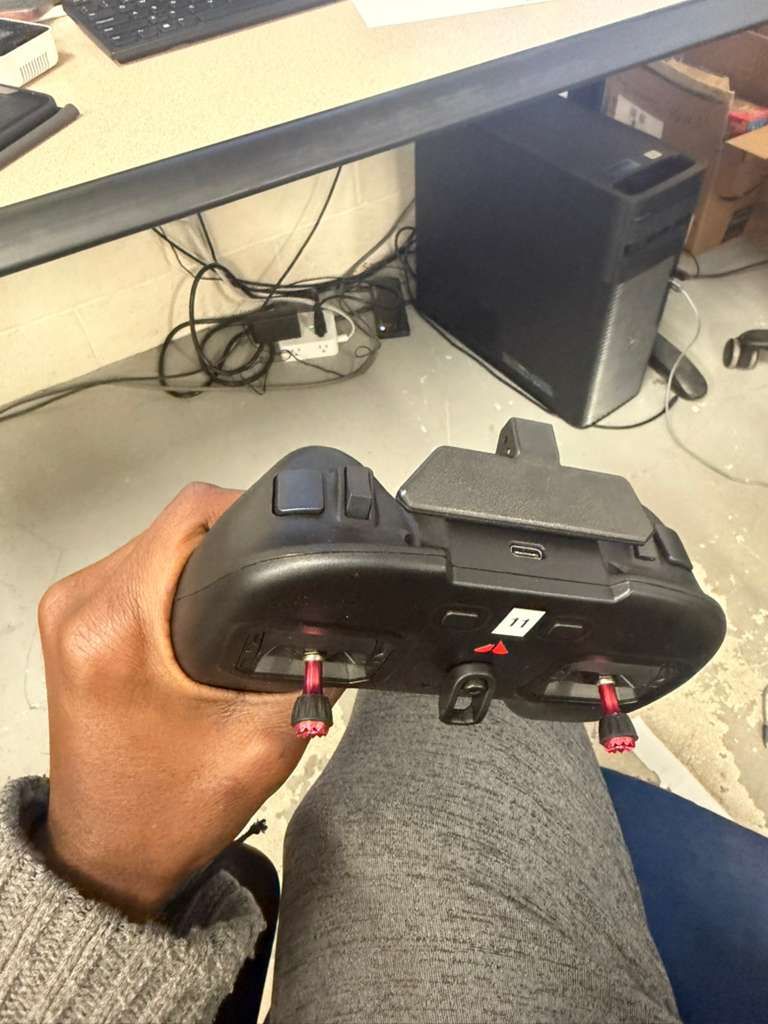
@Cliff-Wong the drone is on SDK 1.5.0, I switched to open vins, and the vio portal reflected the movement, but when i toggled my controller from manual mode to position mode, the drone crashed for the first fight, on the second and third trial the drone kept landing, when i tried the fourth time, the drone finally maintained the height and hovered. Why do I have that unpredictable behavior ? I have attached images of my controller to show the toggling i meant.
Kindly advice.
Thanks.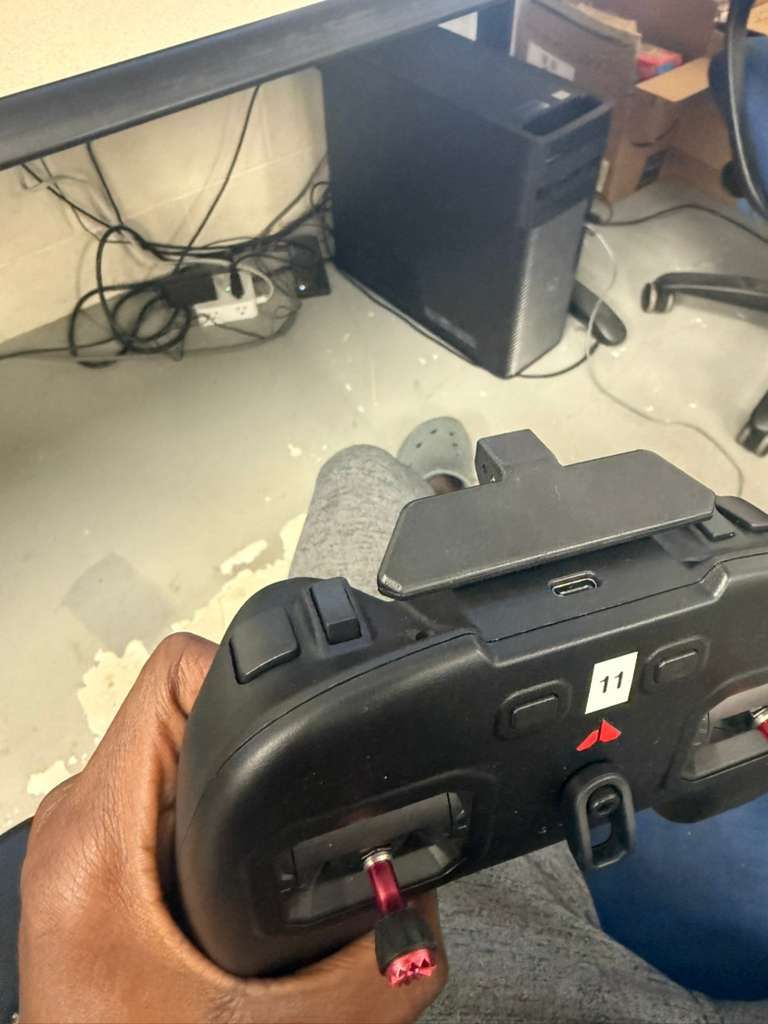


Reading along? Create a free ModalAI Forum account to join in.
With an account you can reply, ask your own question, get an email when a ModalAI engineer answers, and mark the reply that solved it. Your place in each thread is saved between visits.
Questions about VOXL, Flight Core, ESCs and ModalAI drones are answered here by the engineers who build them.
Register Login