
VOXL2 Mini Not Detected via ADB/Fastboot – QDL Mode Behavior and Flashing Issues
-
Hello Modal AI Team,
I am facing an issue with my VOXL2 Mini and would appreciate your assistance. Below are my detailed observations and the steps I’ve taken so far:
Observation 1: ADB and Fastboot Detection Failure
- Initially, when the VOXL2 Mini is powered with SW2 in the OFF position, the device does not appear when running
adb devicesoradb shell. - It is also not detected in
lsusb. - When I turn ON the SW2 switch, the device shows up in QDL mode in the
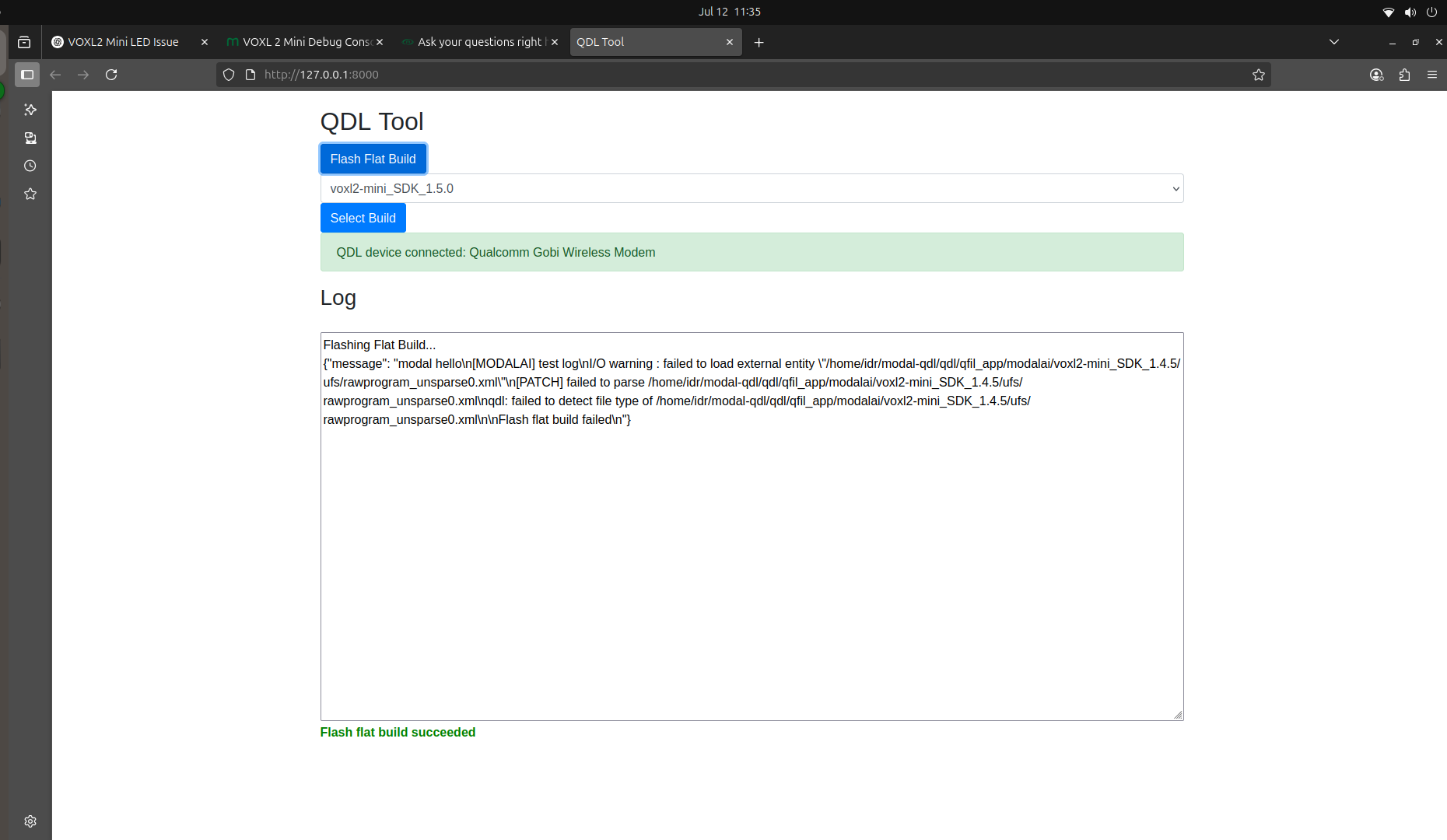
lsusboutput. - At this point, I attempted to reflash the image using the Flash Flat Build method, but the process failed (see attached screenshots).
- I also tried using the
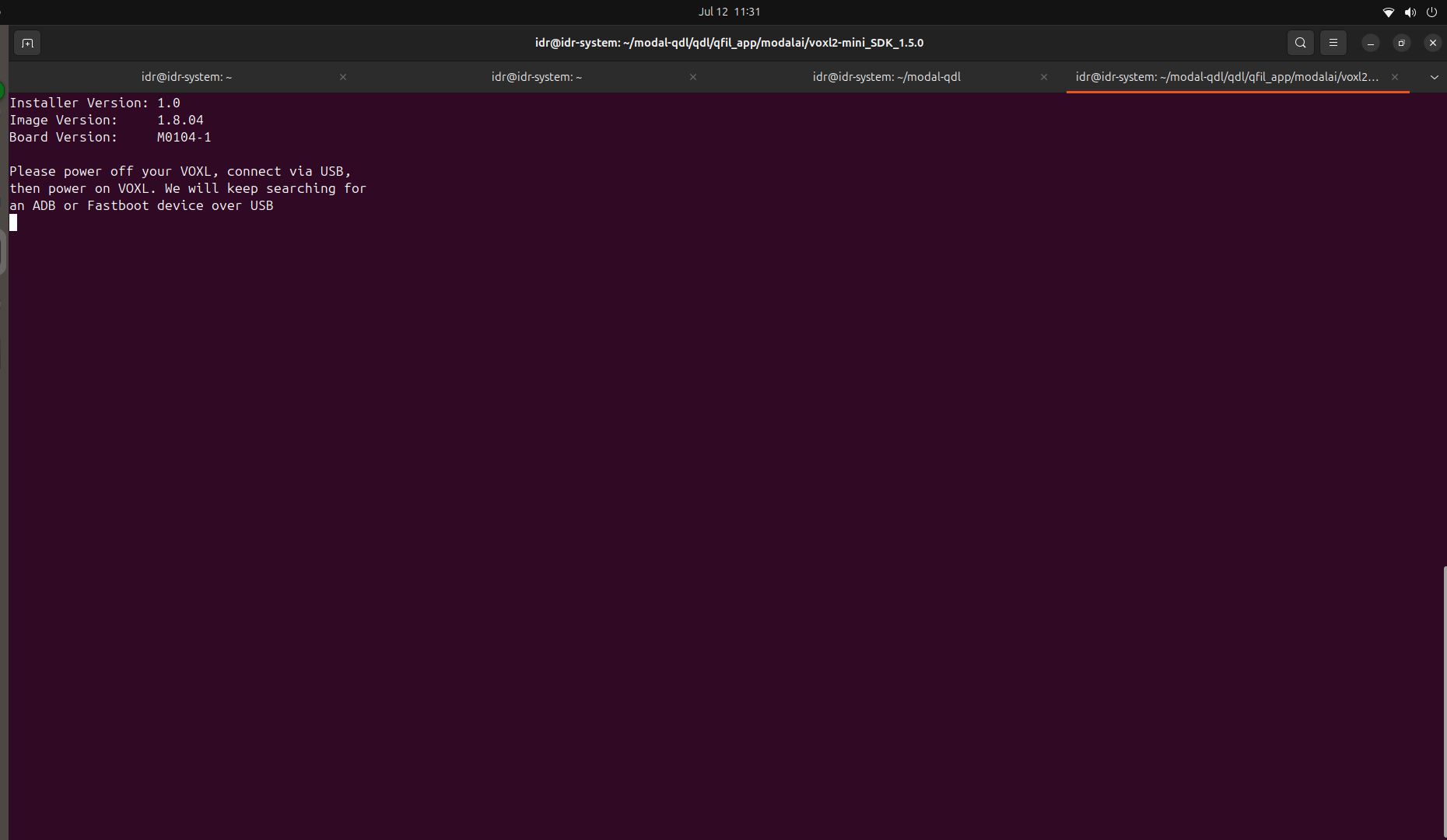
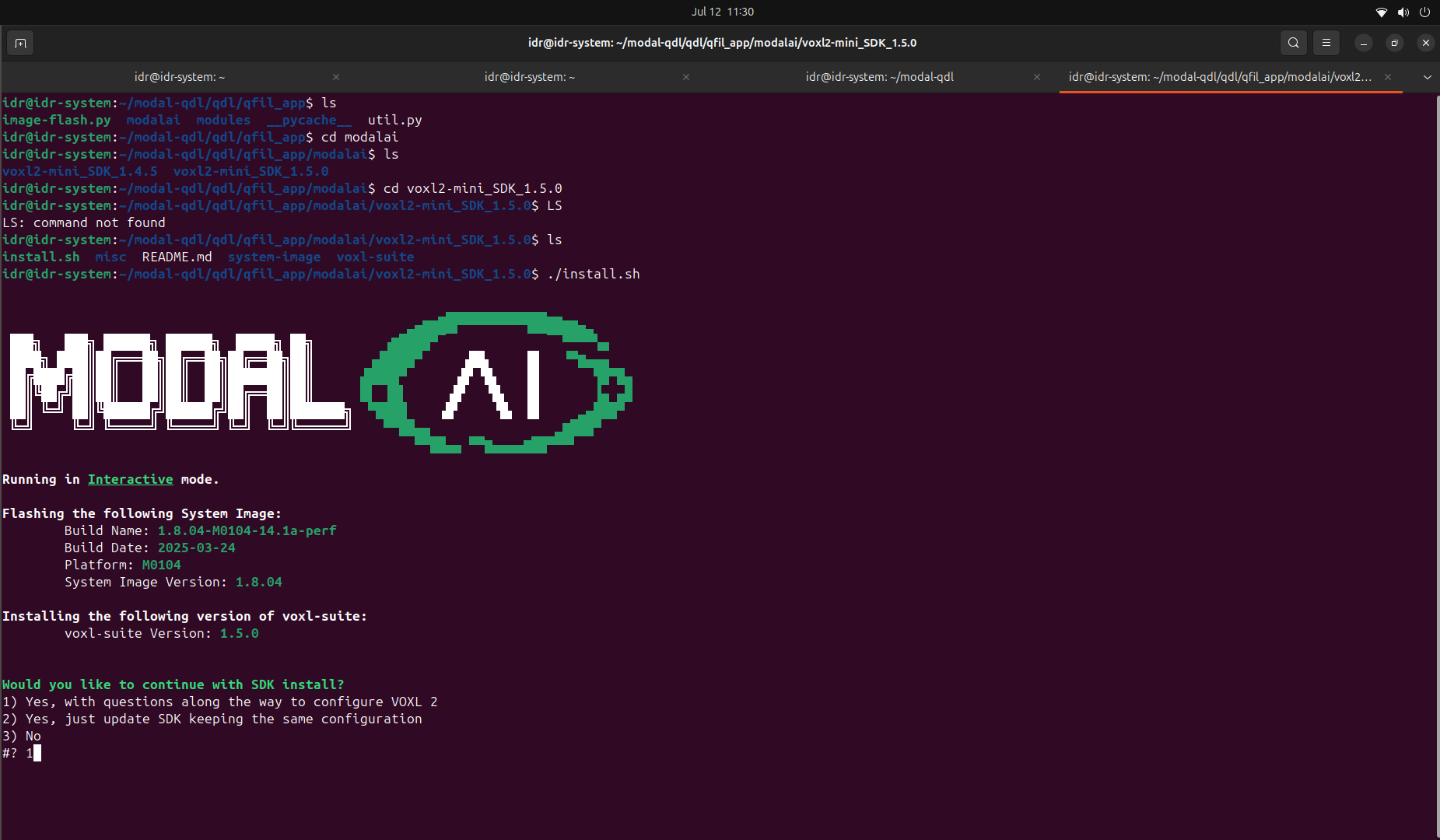
install.shscript to flash the image, but it couldn’t detect the VOXL2 Mini—neither throughadbnorfastboot.
Observation 2: Delayed QDL Mode Detection
When SW2 is OFF and the board is powered:
- Only the D1 LED turns on initially.
- Nothing is detected in
lsusb. - However, after 7–8 minutes, the DS2 LED turns on, and now the device appears in QDL mode in lsusb—even though SW2 remains OFF.
Additional Info:
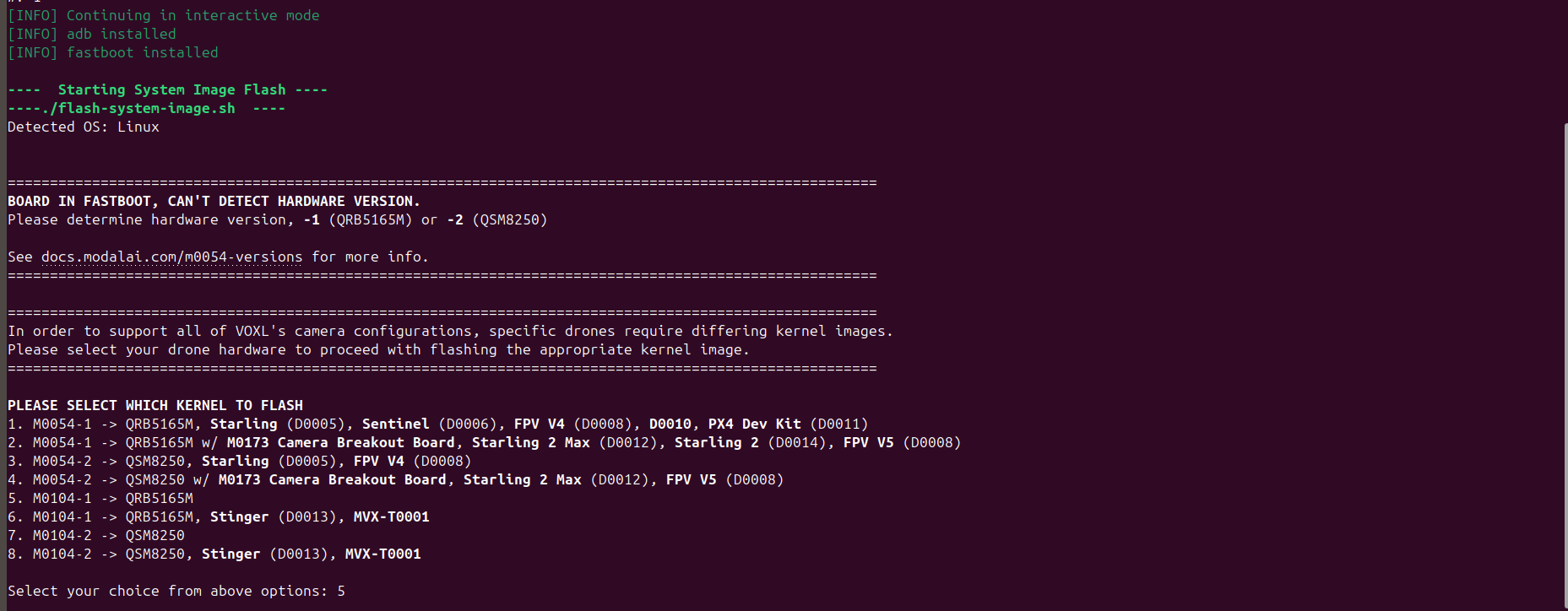
Screenshots of the QDL detection and flash errors are attached for your reference.
I would like help understanding:
- Why ADB/Fastboot modes are not accessible.
- Why the board defaults or switches to QDL mode after some delay even when SW2 is OFF.
- How to properly recover or reflash the VOXL2 Mini in this state.
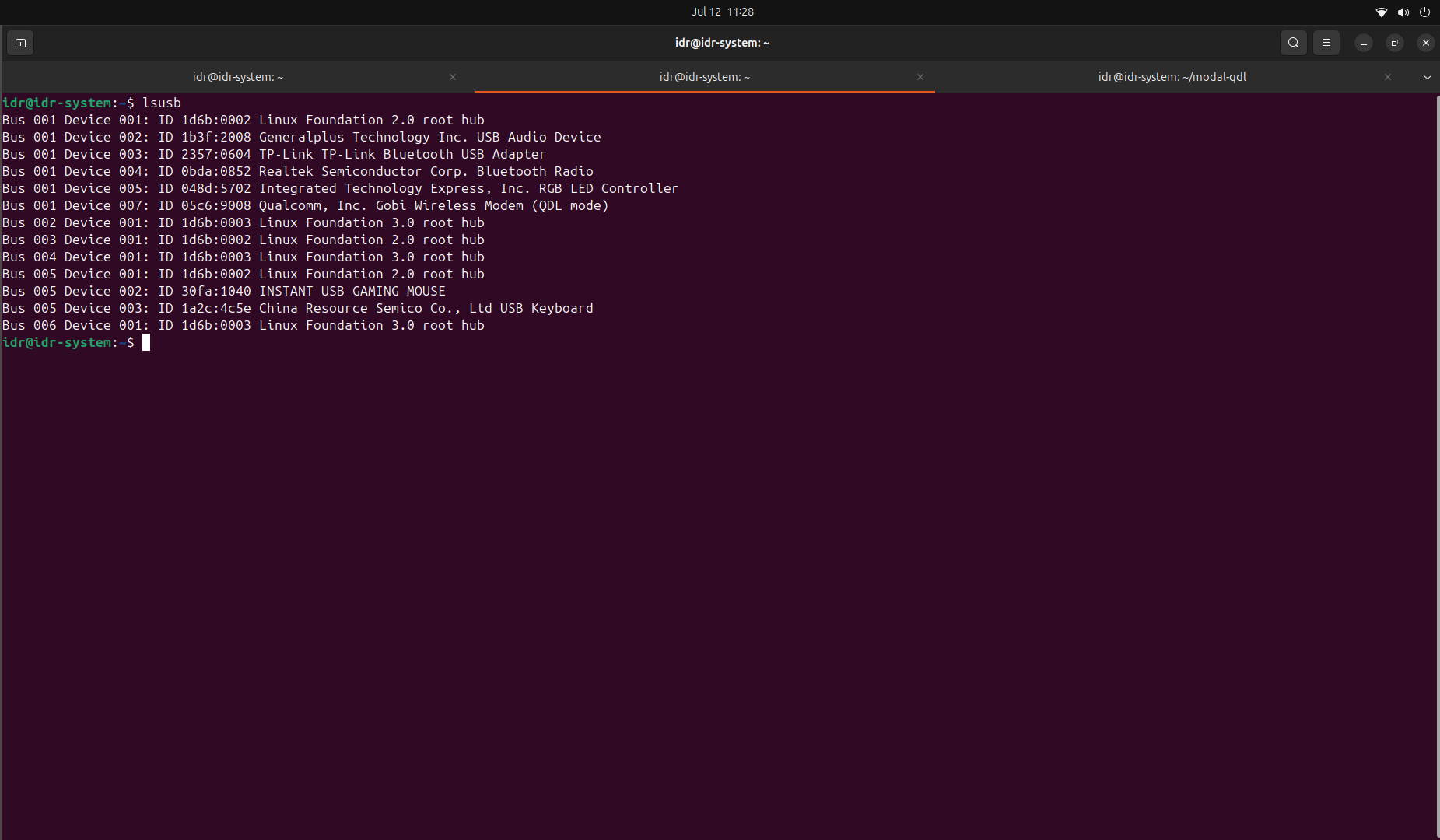
- Initially, when the VOXL2 Mini is powered with SW2 in the OFF position, the device does not appear when running
-
Hello Modal AI Team,
I am facing an issue with my VOXL2 Mini and would appreciate your assistance. Below are my detailed observations and the steps I’ve taken so far:
Observation 1: ADB and Fastboot Detection Failure
- Initially, when the VOXL2 Mini is powered with SW2 in the OFF position, the device does not appear when running
adb devicesoradb shell. - It is also not detected in
lsusb. - When I turn ON the SW2 switch, the device shows up in QDL mode in the
lsusboutput. - At this point, I attempted to reflash the image using the Flash Flat Build method, but the process failed (see attached screenshots).
- I also tried using the
install.shscript to flash the image, but it couldn’t detect the VOXL2 Mini—neither throughadbnorfastboot.
Observation 2: Delayed QDL Mode Detection
When SW2 is OFF and the board is powered:
- Only the D1 LED turns on initially.
- Nothing is detected in
lsusb. - However, after 7–8 minutes, the DS2 LED turns on, and now the device appears in QDL mode in lsusb—even though SW2 remains OFF.
Additional Info:
Screenshots of the QDL detection and flash errors are attached for your reference.
I would like help understanding:
- Why ADB/Fastboot modes are not accessible.
- Why the board defaults or switches to QDL mode after some delay even when SW2 is OFF.
- How to properly recover or reflash the VOXL2 Mini in this state.
@tom , would you be able to help?
- Initially, when the VOXL2 Mini is powered with SW2 in the OFF position, the device does not appear when running
-
check the folder inside qdl/qfill_app/modalai/voxl2-mini_SDK......
Make sure that the ufc folder is present inside (occasionally after downloading the Flat Build and unzipping there might be voxl2-mini_SDL/voxl-2_mini_SDK). Make sure the path is qdl/qfill_app/modalai/voxl2-mini_SDK....../ufs
Edit: Also, you have the wrong download for the flat build. You are currently using the SDK instead of the flat build file. We will send you the correct link to the folder in a few minutes
-
check the folder inside qdl/qfill_app/modalai/voxl2-mini_SDK......
Make sure that the ufc folder is present inside (occasionally after downloading the Flat Build and unzipping there might be voxl2-mini_SDL/voxl-2_mini_SDK). Make sure the path is qdl/qfill_app/modalai/voxl2-mini_SDK....../ufs
Edit: Also, you have the wrong download for the flat build. You are currently using the SDK instead of the flat build file. We will send you the correct link to the folder in a few minutes
@ZuraNeb Please provide the correct link.

Reading along? Create a free ModalAI Forum account to join in.
With an account you can reply, ask your own question, get an email when a ModalAI engineer answers, and mark the reply that solved it. Your place in each thread is saved between visits.
Questions about VOXL, Flight Core, ESCs and ModalAI drones are answered here by the engineers who build them.
Register Login