Skip to content
  • Categories
  • Recent
  • Tags
  • Popular
  • Users
  • Groups
Collapse
Brand Logo

ModalAI Forum

  1. ModalAI Support Forum
  2. Ask your questions right here!
  3. Mavlink Camera Manager not appearing on QGC

Mavlink Camera Manager not appearing on QGC

Scheduled Pinned Locked Moved Ask your questions right here!
19 Posts 4 Posters 4.4k Views 2 Watching
  • Oldest to Newest
  • Newest to Oldest
  • Most Votes
Reply
  • Reply as topic
Log in to reply
This topic has been deleted. Only users with topic management privileges can see it.
  • Daniel RyuD Offline
    Daniel RyuD Offline
    Daniel Ryu
    Regular
    wrote on last edited by Daniel Ryu
    #1

    I'm trying to run the Mavlink Camera Manager (https://docs.modalai.com/mavlink-camera-manager/), and I am not able to locate the camera selector drop down menu in the camera controls on QGC. Here are the steps I took in order. My VOXL version is 3.3.0, and voxl-suite is 0.4.6:

    1. Start the drone, connect the autopilot to QGC, and SSH into the drone over wifi
    2. Start the voxl-streamer for hires and tracking cameras.
    voxl-streamer -c hires
    voxl-streamer -c tracking -p 8901
    
    1. Start the mavlink camera manager voxl tool. 192.168.8.75 is my computer's ip address, and 192.168.168.1 is my drone's ip address (wifi).
    mavlink-camera-manager -g 192.168.8.75 -r rtsp://192.168.8.1:8900/live -n hires
    mavlink-camera-manager -g 192.168.8.75 -r rtsp://192.168.8.1:8901/live -i 1 -n hires
    
    1. Open QGC. I have this image that according to online guides, should have the dropdown menu for selecting cameras. However, no such dropdown exists.
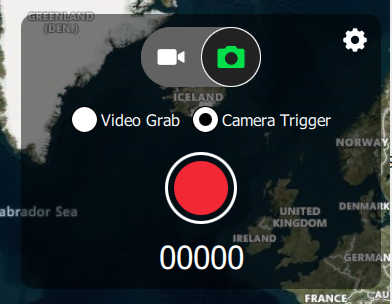
      14091119-0a4f-4d22-9b66-477ed86b720e-image.png

    Where can I go from here? There seems to be communication from the qgc and the drone, because when I press the red button for camera trigger, I receive a "WARNING: Command system ID is not a match" from the ssh terminal where the mavlink camera manager command is running from the drone. Please advise on where I should go from here.

    P.S. By opening the application menu, I can access this menu where I can stream just one camera at a time. This doesn't require mavlink camera manager and not what I am looking for.
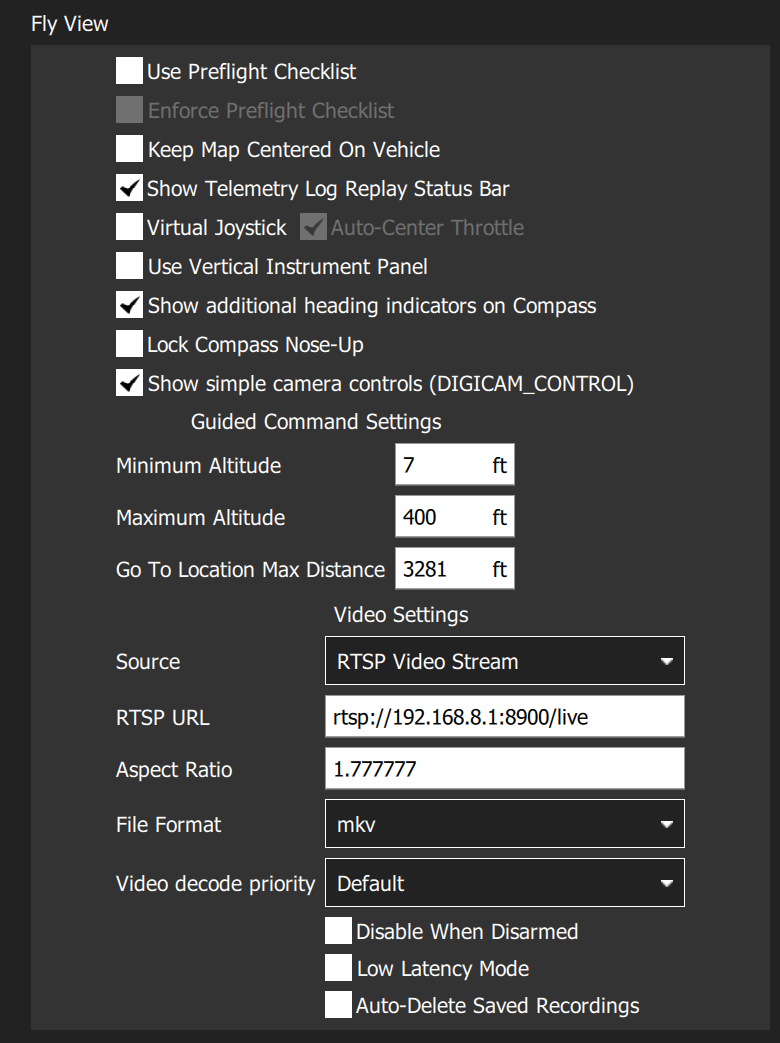
    ac9243f2-e0e9-4d26-b97d-7b2547b7d281-image.png

    I installed QGC quite recently using these instructions: https://docs.qgroundcontrol.com/master/en/getting_started/download_and_install.htmlv

    1 Reply Last reply
    0
    • Eric KatzfeyE Online
      Eric KatzfeyE Online
      Eric Katzfey
      ModalAI Team
      wrote on last edited by
      #2

      Can you try QGroundControl v3.5.6? That is what was used during development and the best place to troubleshoot this issue.

      Daniel RyuD 1 Reply Last reply
      0
      • Eric KatzfeyE Eric Katzfey

        Can you try QGroundControl v3.5.6? That is what was used during development and the best place to troubleshoot this issue.

        Daniel RyuD Offline
        Daniel RyuD Offline
        Daniel Ryu
        Regular
        wrote on last edited by
        #3

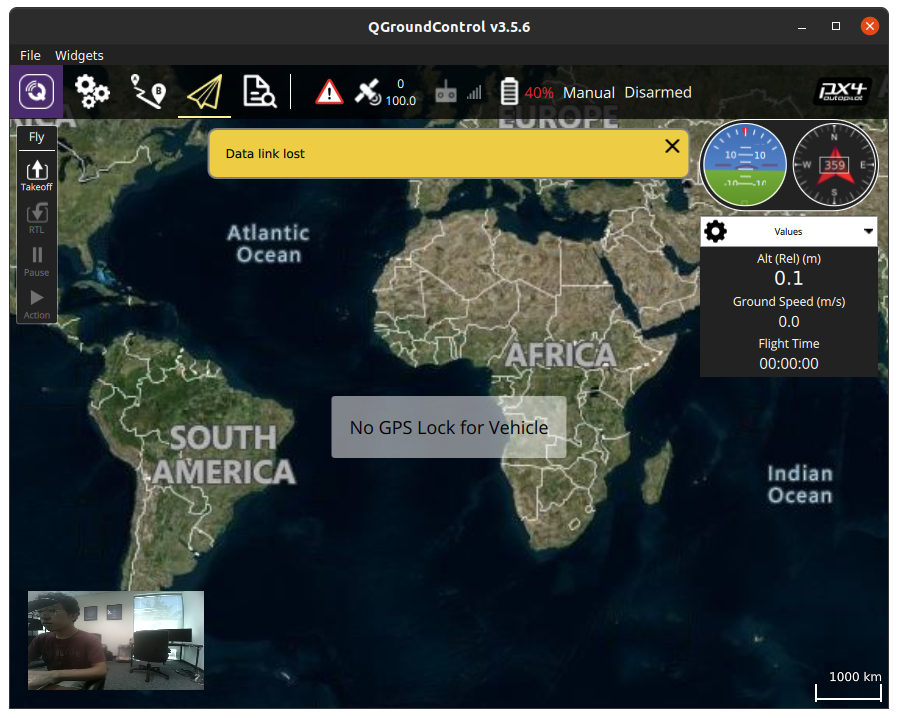
        @Eric-Katzfey Same problem, but this time not even the camera sidebar appears. I can only stream video with the same above method. Screenshot from 2021-08-27 12-27-23.png
        1 Reply Last reply
        0
        • Daniel RyuD Offline
          Daniel RyuD Offline
          Daniel Ryu
          Regular
          wrote on last edited by Daniel Ryu
          #4

          Can I have the exact steps the development team used on the QGC side? The documentation only provides instructions on setup the stream on the drone, not actually on how to use those streams with the QGC

          1 Reply Last reply
          0
          • Eric KatzfeyE Online
            Eric KatzfeyE Online
            Eric Katzfey
            ModalAI Team
            wrote on last edited by
            #5

            Do you have an active connection to the autopilot when you are attempting to use mavlink-camera-manager?

            Daniel RyuD 1 Reply Last reply
            0
            • Eric KatzfeyE Online
              Eric KatzfeyE Online
              Eric Katzfey
              ModalAI Team
              wrote on last edited by
              #6

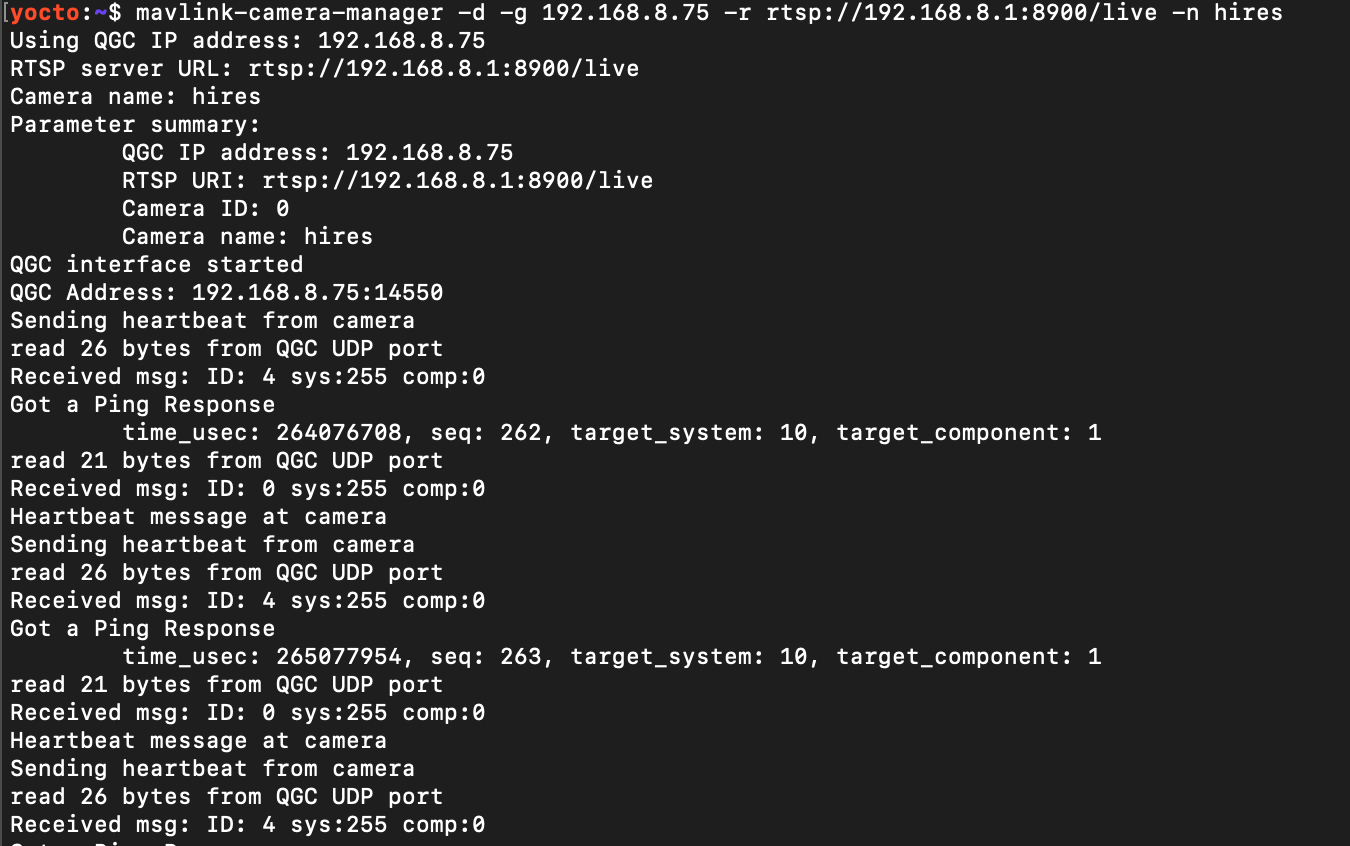
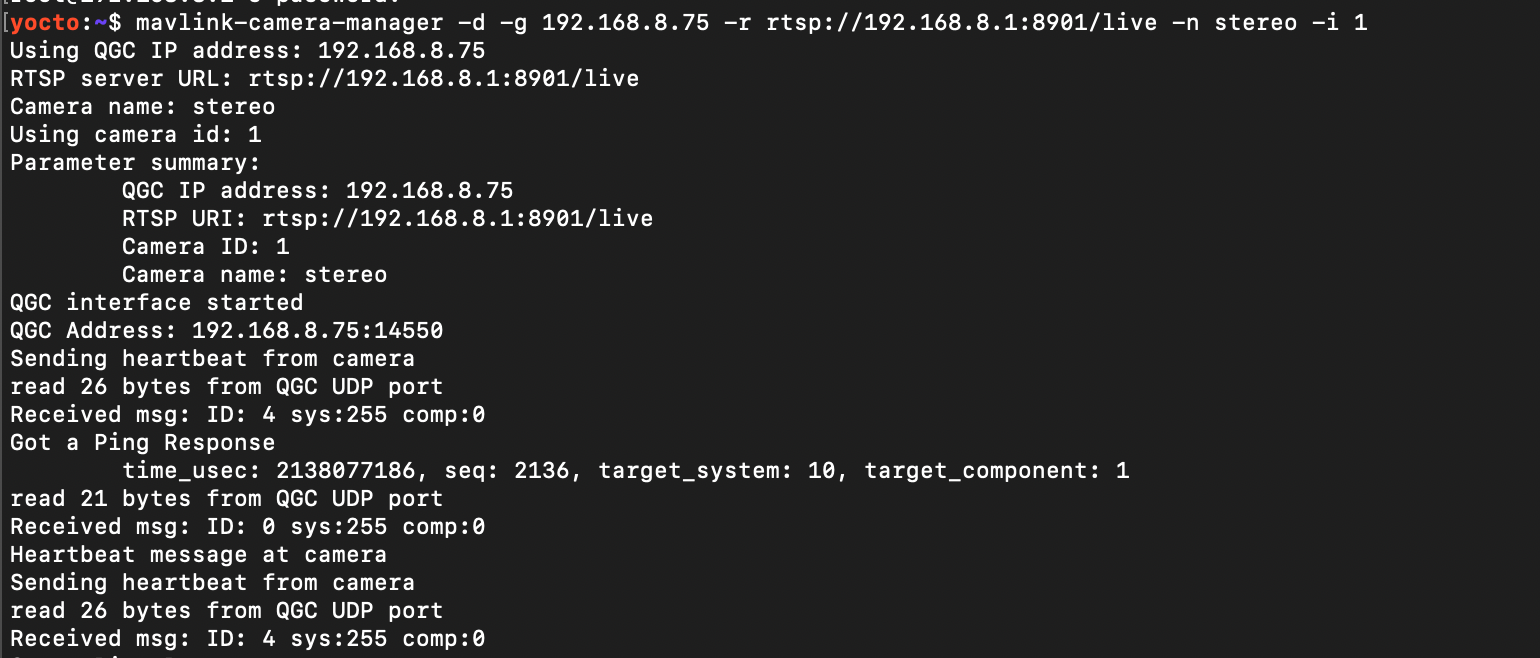
              You can also run mavlink-camera-manager with the debug flag -d to show the protocol messages being transferred to QGC.

              Daniel RyuD 1 Reply Last reply
              0
              • Eric KatzfeyE Eric Katzfey

                Do you have an active connection to the autopilot when you are attempting to use mavlink-camera-manager?

                Daniel RyuD Offline
                Daniel RyuD Offline
                Daniel Ryu
                Regular
                wrote on last edited by
                #7

                @Eric-Katzfey I did have an active autopilot connection. I'll try running with the debug flag and see what I get

                1 Reply Last reply
                0
                • Eric KatzfeyE Eric Katzfey

                  You can also run mavlink-camera-manager with the debug flag -d to show the protocol messages being transferred to QGC.

                  Daniel RyuD Offline
                  Daniel RyuD Offline
                  Daniel Ryu
                  Regular
                  wrote on last edited by
                  #8

                  @Eric-Katzfey Here is my update regarding the Mavlink Camera Manager. I switched to QGC 3.5.6 (the latest does not in fact work with mavlink camera manager) and I was able to stream one camera using the mavlink camera manager, but only one camera at a time (no dropdown screen). I had all three cameras running simultaneously with voxl-streamer and mavlink-camera-manager, all with different ports and ids. Individually, I could stream each one to QGC, which would only show the first camera service that I would start up and not give me an option for switching to the others.

                  Strange behavior: I had all three mavlink-camera-manager services running. I can only see the first camera I start on the QGC screen (lets say its hires, for this example). I then CTRL-C (stop) the mavlink-camera-manager process thats running the hires. However, the hires stream doesn't stop and continues streaming as normal. This continues until I stop all three mavlink-camera-manager services, which is when the QGC then shows a "Waiting for video" screen.
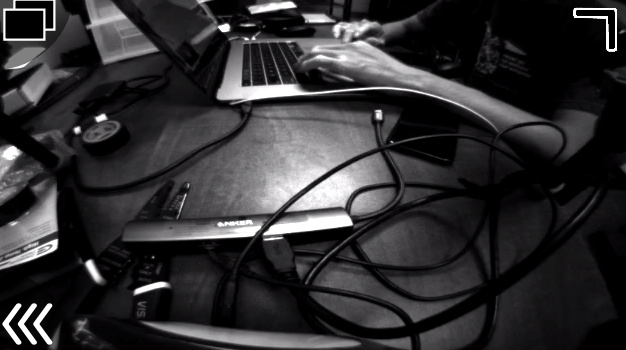
                  Screen Shot 2021-09-02 at 3.35.48 PM.png

                  When i tried clicking the double boxes in the top left corner, the QGC went into a non-responsive state and I had to force quit QGC.

                  Commands I ran and error messages I received

                  Screen Shot 2021-09-02 at 3.34.44 PM.png
                  Screen Shot 2021-09-02 at 3.34.59 PM.png
                  Screen Shot 2021-09-02 at 3.38.02 PM.png

                  QGC error message (this was repeated multiple times when running more than one stream, up to 4):
                  Screen Shot 2021-09-02 at 3.36.19 PM.png

                  Eric KatzfeyE 1 Reply Last reply
                  0
                  • Daniel RyuD Daniel Ryu

                    @Eric-Katzfey Here is my update regarding the Mavlink Camera Manager. I switched to QGC 3.5.6 (the latest does not in fact work with mavlink camera manager) and I was able to stream one camera using the mavlink camera manager, but only one camera at a time (no dropdown screen). I had all three cameras running simultaneously with voxl-streamer and mavlink-camera-manager, all with different ports and ids. Individually, I could stream each one to QGC, which would only show the first camera service that I would start up and not give me an option for switching to the others.

                    Strange behavior: I had all three mavlink-camera-manager services running. I can only see the first camera I start on the QGC screen (lets say its hires, for this example). I then CTRL-C (stop) the mavlink-camera-manager process thats running the hires. However, the hires stream doesn't stop and continues streaming as normal. This continues until I stop all three mavlink-camera-manager services, which is when the QGC then shows a "Waiting for video" screen.

                    Screen Shot 2021-09-02 at 3.35.48 PM.png

                    When i tried clicking the double boxes in the top left corner, the QGC went into a non-responsive state and I had to force quit QGC.

                    Commands I ran and error messages I received

                    Screen Shot 2021-09-02 at 3.34.44 PM.png
                    Screen Shot 2021-09-02 at 3.34.59 PM.png
                    Screen Shot 2021-09-02 at 3.38.02 PM.png

                    QGC error message (this was repeated multiple times when running more than one stream, up to 4):

                    Screen Shot 2021-09-02 at 3.36.19 PM.png

                    Eric KatzfeyE Online
                    Eric KatzfeyE Online
                    Eric Katzfey
                    ModalAI Team
                    wrote on last edited by
                    #9

                    @Daniel-Ryu I'm going to have to resurrect my development station to look into this. The mavlink camera manager doesn't actually do any streaming. It's job is to just run the mavlink camera protocol to allow you to easily connect to a stream coming from voxl-streamer (or other application). Can you show the output of the mavlink camera manager application(s) when the debug "-d" option is used? That will show the protocol messages being transferred between the GCS and Voxl.

                    Daniel RyuD 1 Reply Last reply
                    0
                    • Eric KatzfeyE Eric Katzfey

                      @Daniel-Ryu I'm going to have to resurrect my development station to look into this. The mavlink camera manager doesn't actually do any streaming. It's job is to just run the mavlink camera protocol to allow you to easily connect to a stream coming from voxl-streamer (or other application). Can you show the output of the mavlink camera manager application(s) when the debug "-d" option is used? That will show the protocol messages being transferred between the GCS and Voxl.

                      Daniel RyuD Offline
                      Daniel RyuD Offline
                      Daniel Ryu
                      Regular
                      wrote on last edited by Daniel Ryu
                      #10

                      @Eric-Katzfey

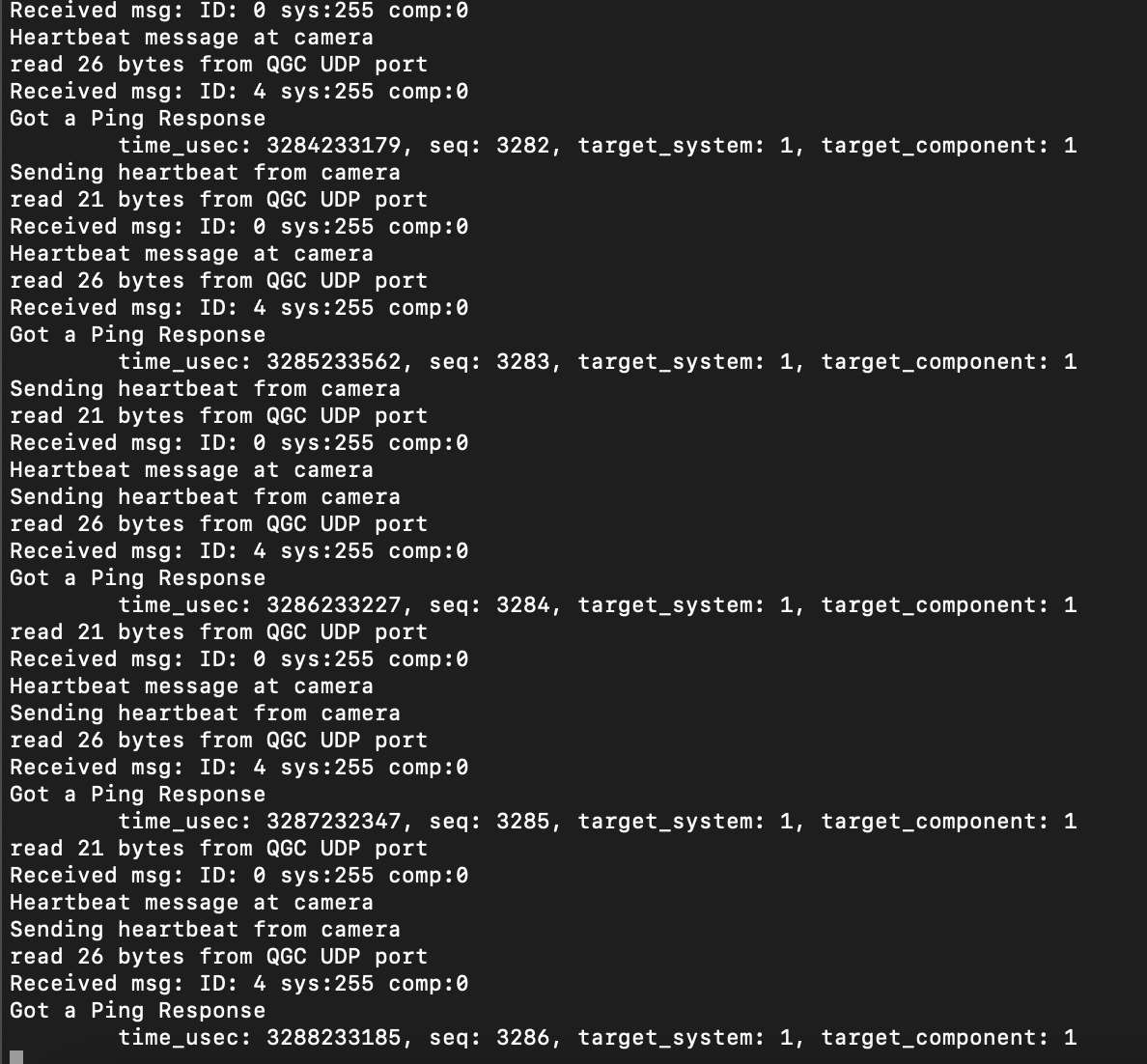
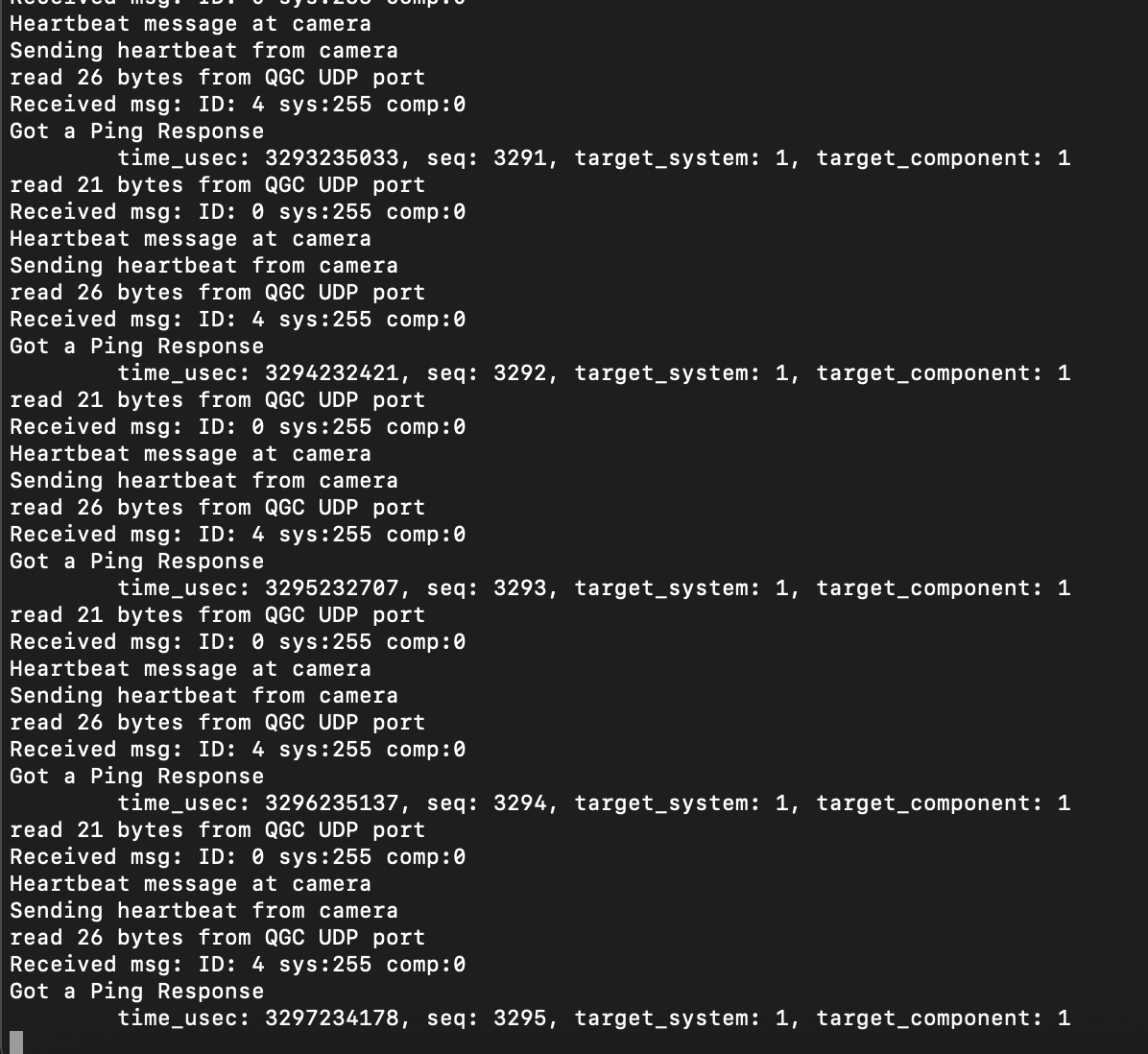
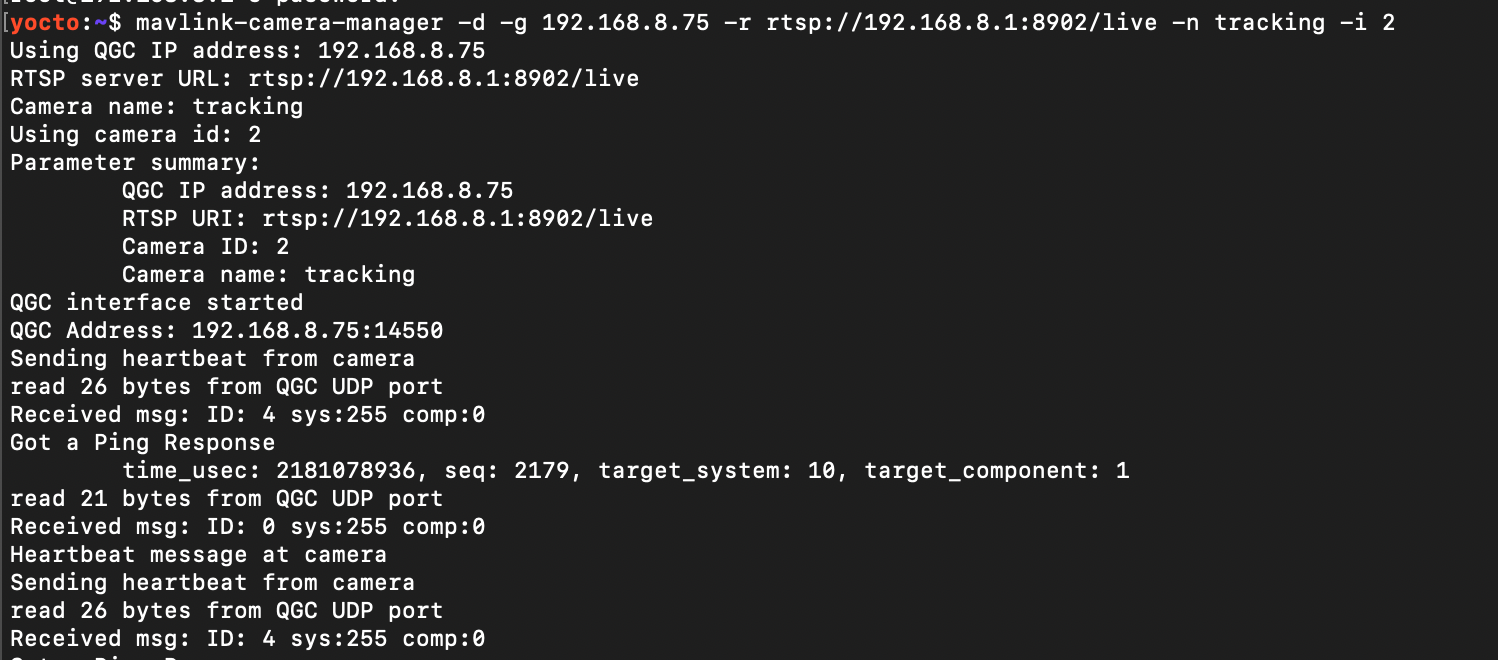
                      Hires, stereo, tracking mavlink-camera-manager debug outputs (in this order). All three are running at the same time:
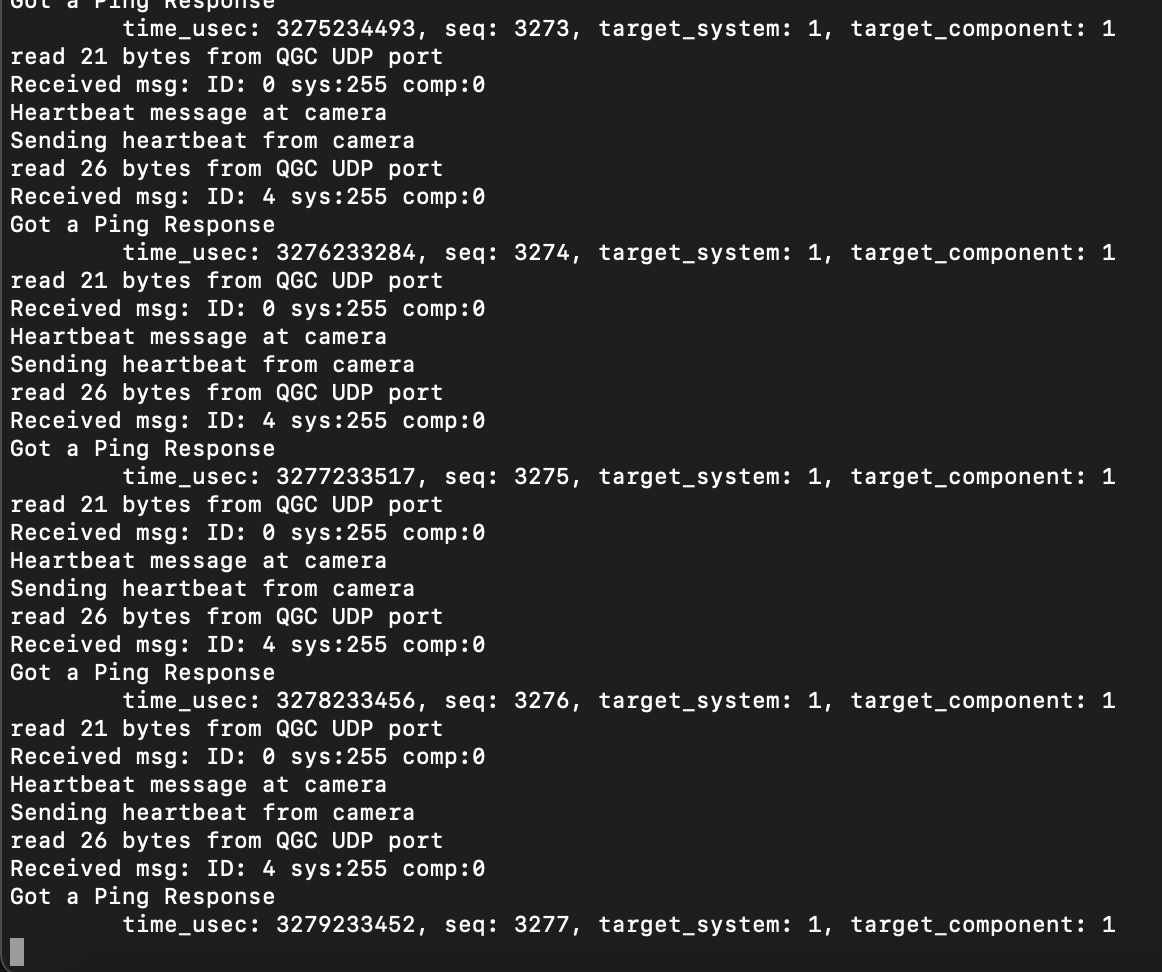
                      Screen Shot 2021-09-03 at 12.39.55 PM.png

                      Screen Shot 2021-09-03 at 12.40.04 PM.png

                      Screen Shot 2021-09-03 at 12.40.13 PM.png

                      Voxl-streamer debug output for hires (only hires had updated debug output, other voxl-streamers only had the standard bootup debug)
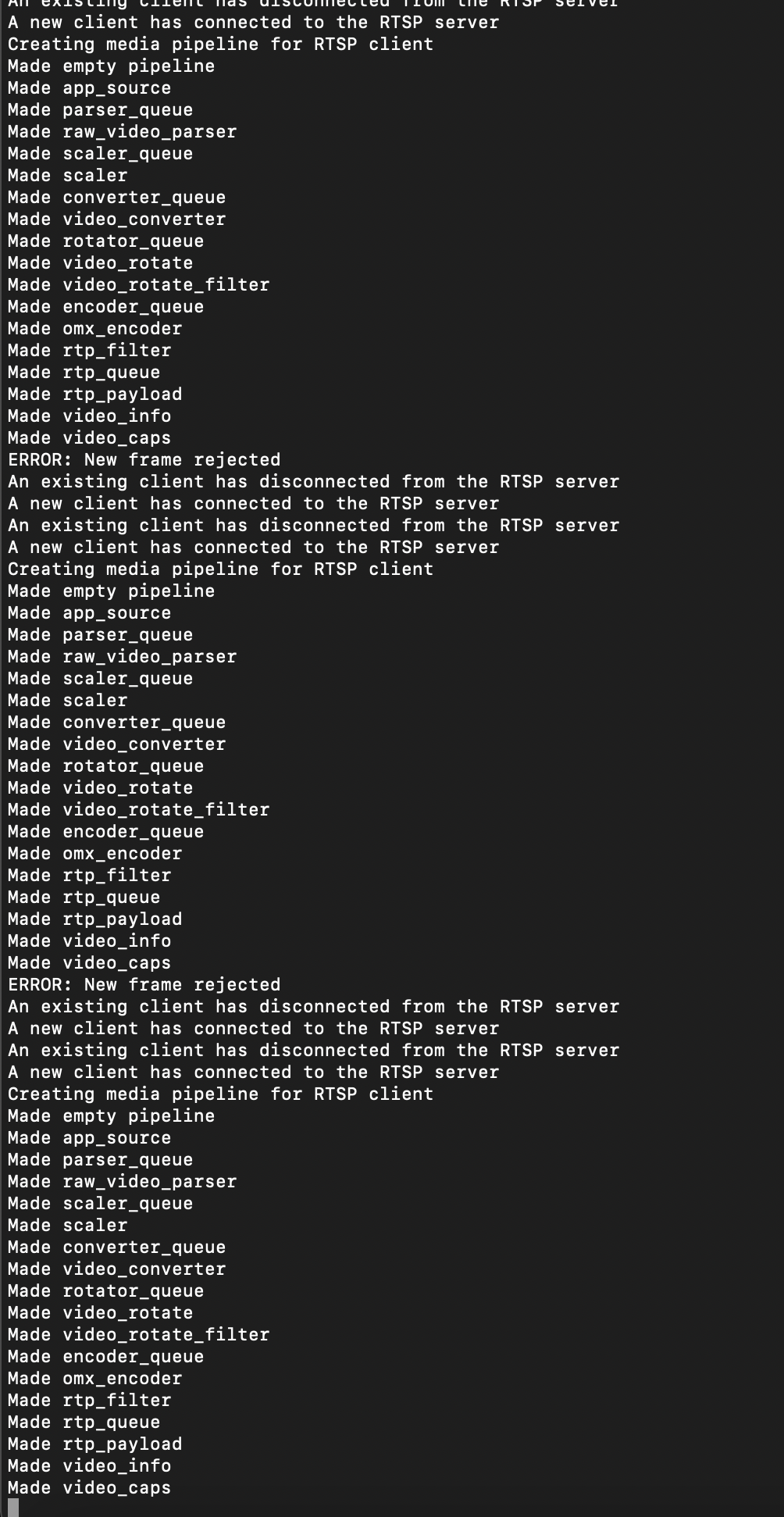
                      Screen Shot 2021-09-03 at 12.40.33 PM.png

                      1 Reply Last reply
                      0
                      • Eric KatzfeyE Online
                        Eric KatzfeyE Online
                        Eric Katzfey
                        ModalAI Team
                        wrote on last edited by
                        #11

                        Okay, thanks! That shows, at least, a mavlink protocol session has been initiated with the mavlink-camera-manager. The camera protocol is documented here: https://mavlink.io/en/services/camera.html. The mavlink-camera-manager module is implementing a portion of that protocol. When it first connects there should be a flurry of protocol messages going back and forth. Once things are setup then it is just heartbeat messages as you see in the debug output above. So the key part of the debug output is the very beginning.

                        Daniel RyuD 1 Reply Last reply
                        0
                        • Eric KatzfeyE Eric Katzfey

                          Okay, thanks! That shows, at least, a mavlink protocol session has been initiated with the mavlink-camera-manager. The camera protocol is documented here: https://mavlink.io/en/services/camera.html. The mavlink-camera-manager module is implementing a portion of that protocol. When it first connects there should be a flurry of protocol messages going back and forth. Once things are setup then it is just heartbeat messages as you see in the debug output above. So the key part of the debug output is the very beginning.

                          Daniel RyuD Offline
                          Daniel RyuD Offline
                          Daniel Ryu
                          Regular
                          wrote on last edited by
                          #12

                          @Eric-Katzfey Where can I go from here then, to be able to swap streams from a dropdown menu in QGC?

                          1 Reply Last reply
                          0
                          • Eric KatzfeyE Online
                            Eric KatzfeyE Online
                            Eric Katzfey
                            ModalAI Team
                            wrote on last edited by
                            #13

                            Look at the beginning of the debug output from mavlink-camera-manager. Do you see anything besides the heartbeat / ping messages? If so, can you paste that here?

                            Daniel RyuD 1 Reply Last reply
                            0
                            • Eric KatzfeyE Eric Katzfey

                              Look at the beginning of the debug output from mavlink-camera-manager. Do you see anything besides the heartbeat / ping messages? If so, can you paste that here?

                              Daniel RyuD Offline
                              Daniel RyuD Offline
                              Daniel Ryu
                              Regular
                              wrote on last edited by
                              #14

                              @Eric-Katzfey

                              Screen Shot 2021-09-09 at 9.17.48 AM.png

                              Screen Shot 2021-09-09 at 9.48.55 AM.png

                              Screen Shot 2021-09-09 at 9.49.34 AM.png

                              1 Reply Last reply
                              0
                              • J Offline
                                J Offline
                                jaredjohansen
                                Regular
                                wrote on last edited by
                                #15

                                @Eric-Katzfey , we got it working. The secret we were missing was our MAV_SYS_ID was not set to 1, which, apparently, is what this capability expects. Thanks!

                                Eric KatzfeyE 1 Reply Last reply
                                0
                                • J jaredjohansen

                                  @Eric-Katzfey , we got it working. The secret we were missing was our MAV_SYS_ID was not set to 1, which, apparently, is what this capability expects. Thanks!

                                  Eric KatzfeyE Online
                                  Eric KatzfeyE Online
                                  Eric Katzfey
                                  ModalAI Team
                                  wrote on last edited by
                                  #16

                                  @jaredjohansen Great! Glad to hear it!

                                  1 Reply Last reply
                                  0
                                  • wilkinsafW Offline
                                    wilkinsafW Offline
                                    wilkinsaf
                                    ModalAI Team
                                    wrote on last edited by
                                    #17

                                    We are facing a similar issue. Is it correct to say there is not one singular service on VOXL that will automatically stream all cameras to QGC?

                                    We have to write our own script for it correct?

                                    Daniel RyuD 1 Reply Last reply
                                    0
                                    • wilkinsafW wilkinsaf

                                      We are facing a similar issue. Is it correct to say there is not one singular service on VOXL that will automatically stream all cameras to QGC?

                                      We have to write our own script for it correct?

                                      Daniel RyuD Offline
                                      Daniel RyuD Offline
                                      Daniel Ryu
                                      Regular
                                      wrote on last edited by
                                      #18

                                      @wilkinsaf Way we handled it was creating our own services/scripts for streaming to QGC automatically with mavlink-camera-manager. Hope it helps

                                      wilkinsafW 1 Reply Last reply
                                      0
                                      • Daniel RyuD Daniel Ryu

                                        @wilkinsaf Way we handled it was creating our own services/scripts for streaming to QGC automatically with mavlink-camera-manager. Hope it helps

                                        wilkinsafW Offline
                                        wilkinsafW Offline
                                        wilkinsaf
                                        ModalAI Team
                                        wrote on last edited by
                                        #19

                                        @Daniel-Ryu

                                        I figured. We just wanted to double check that this was the case. Thank you!

                                        1 Reply Last reply
                                        0
                                        • C ctitus referenced this topic on

                                        Hello! It looks like you're interested in this conversation, but you don't have an account yet.

                                        Getting fed up of having to scroll through the same posts each visit? When you register for an account, you'll always come back to exactly where you were before, and choose to be notified of new replies (either via email, or push notification). You'll also be able to save bookmarks and upvote posts to show your appreciation to other community members.

                                        With your input, this post could be even better 💗

                                        Register Login
                                        Reply
                                        • Reply as topic
                                        Log in to reply
                                        • Oldest to Newest
                                        • Newest to Oldest
                                        • Most Votes


                                        ModalAI
                                        Categories Recent Tags ModalAI.com Docs
                                        © 2026 ModalAI® · Accelerating autonomy for smaller, smarter, safer drones · Powered by NodeBB
                                        • Login

                                        • Login or register to search.
                                        • First post
                                          Last post
                                        0
                                        • Categories
                                        • Recent
                                        • Tags
                                        • Popular
                                        • Users
                                        • Groups