
Intergrating VL53L1x Range Finder with VOXL2
-
Hello,
I'm using a VL53L1x rangefinder for reducing drift accumulated during VIO on a Starling system. I'm using the sensor VL53L1X, which I'm connecting to VOXL2 through J19 port where I2C communication lanes (Pins 7,8) are available.
When I enable range finder parameters in QGC, I'm not getting any data from the rangefinder in mavlink inspector or mavlink console. As mentioned in ModalAI documentation, this sensor is directly compatable with VOXL2. Is there any specific functional parameter which is to be enabled in PX4 config seperately?
-
Hi @Jetson-Nano our implementation is used on the applications processor (not the DSP) so you would want to use this reference:
https://gitlab.com/voxl-public/voxl-sdk/services/qrb5165-rangefinder-server/-/tree/master -
Hello,
I'm using a VL53L1x rangefinder for reducing drift accumulated during VIO on a Starling system. I'm using the sensor VL53L1X, which I'm connecting to VOXL2 through J19 port where I2C communication lanes (Pins 7,8) are available.
When I enable range finder parameters in QGC, I'm not getting any data from the rangefinder in mavlink inspector or mavlink console. As mentioned in ModalAI documentation, this sensor is directly compatable with VOXL2. Is there any specific functional parameter which is to be enabled in PX4 config seperately?
Hi @Jetson-Nano
The I2C port on J19 is connected to the Sensors DSP and therefore can't be accessed from the main applications processor.
Here is a new documentation page describing how to hook up and use these sensors.
-
Thank you @modaltb @James-Strawson,
Will check and get back. Apart from VL53L1x what are the other Rangefinder sensors which are compatible with VOXL2?
-
Thank you @modaltb @James-Strawson,
Will check and get back. Apart from VL53L1x what are the other Rangefinder sensors which are compatible with VOXL2?
@James-Strawson @modaltb , I checked with reference to the documentation you shared, but still it was not working.
I used the M0141 USB2 Breakout Board with the VL53L1X Rangefinder, and ran the commands that was there in the documentation.
voxl-configure-rangefinders 1_downward_on_m0141And I got the similar output for the following commands
voxl2:/$ voxl-configure-rangefinders 1_downward_on_m0141
creating new config file for 1 downward TOF without multiplexer
DONE
enabling  voxl-rangefinder-server systemd service
Done configuring voxl-rangefinder-server
voxl2:/$ cat /etc/modalai/voxl-rangefinder-server.conf
/**
 * Rangefinder Configuration File
 * This file is used by voxl-rangefinder-server
 * please use voxl-rangefinder-server --config {arrangement}
 * to set up this file.
 *
 * FOV for VL53l1X TOF rangefinder is a diagonal FOV in degrees and
 * can be set between 15 and 27 degrees.
 *
 * vl53l1x_timing_budget_ms MUST be one of 20, 33, 50, 100, 200, 500
 * 100 is default
 * vl53l1x FOV options are 15, 20, and 27 degrees
 * default is 27
 *
 * set id_for_mavlink to a valid id (0+) to publish that sensor reading to
 * mavlink as a DOWNWARD sensor for the autopilot to use
 * set to -1 to disable this feature.
 */
{
	"i2c_bus":	1,
	"vl53l1x_timing_budget_ms":	50,
	"id_for_mavlink":	0,
	"sensors":	[{
			"enabled":	true,
			"sensor_id":	0,
			"type":	"TOF_VL53L1X",
			"fov_deg":	15,
			"range_max_m":	3,
			"location_wrt_body":	[-0.02500000037252903, 0.019999999552965164, 0.00800000037997961],
			"direction_wrt_body":	[0, 0, 1],
			"is_on_mux":	false,
			"i2c_mux_address":	112,
			"i2c_mux_port":	0
		}]
}
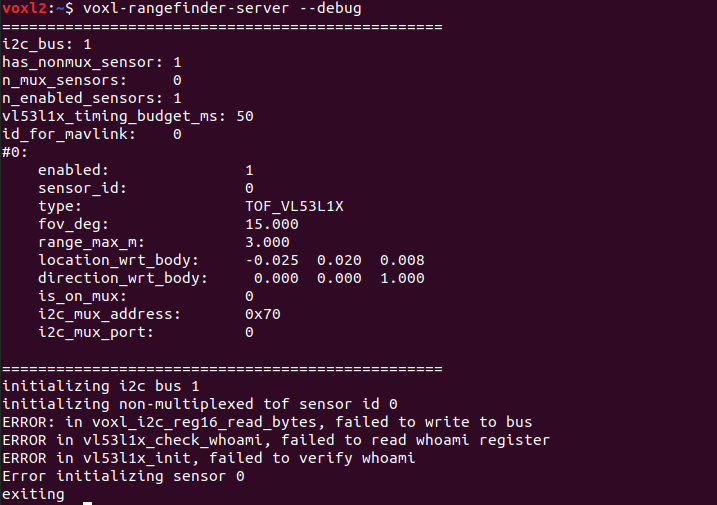
But the rangefinder server in not running, even after starting the server. It is enabled but not running.
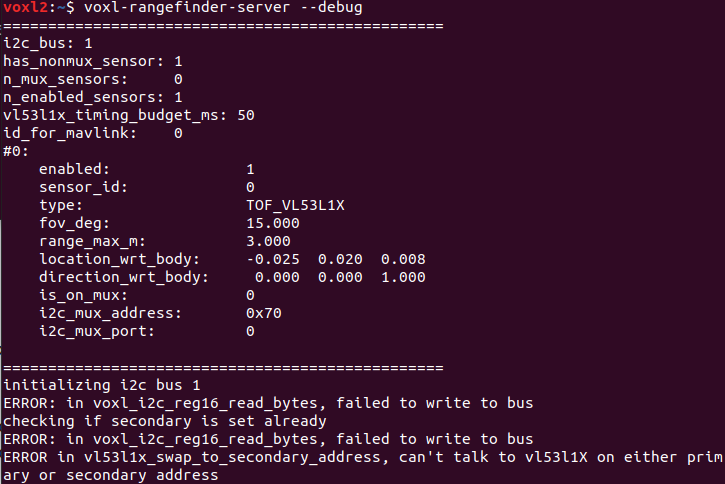

-
Can you detect the sensor on the I2C bus, e.g https://docs.modalai.com/voxl2-linux-user-guide/#i2cdetect-usage ?
-
Can you detect the sensor on the I2C bus, e.g https://docs.modalai.com/voxl2-linux-user-guide/#i2cdetect-usage ?
-
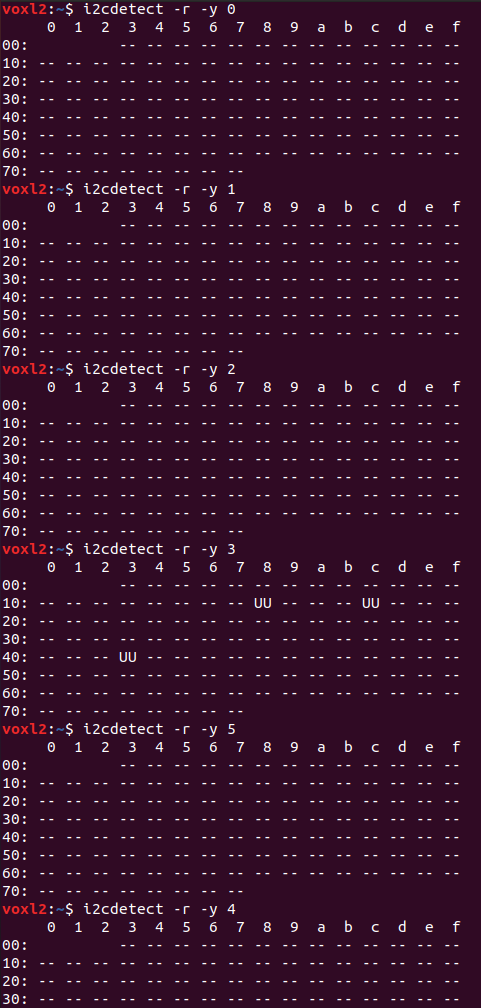
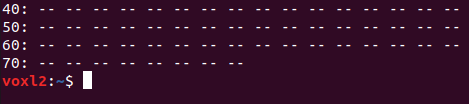
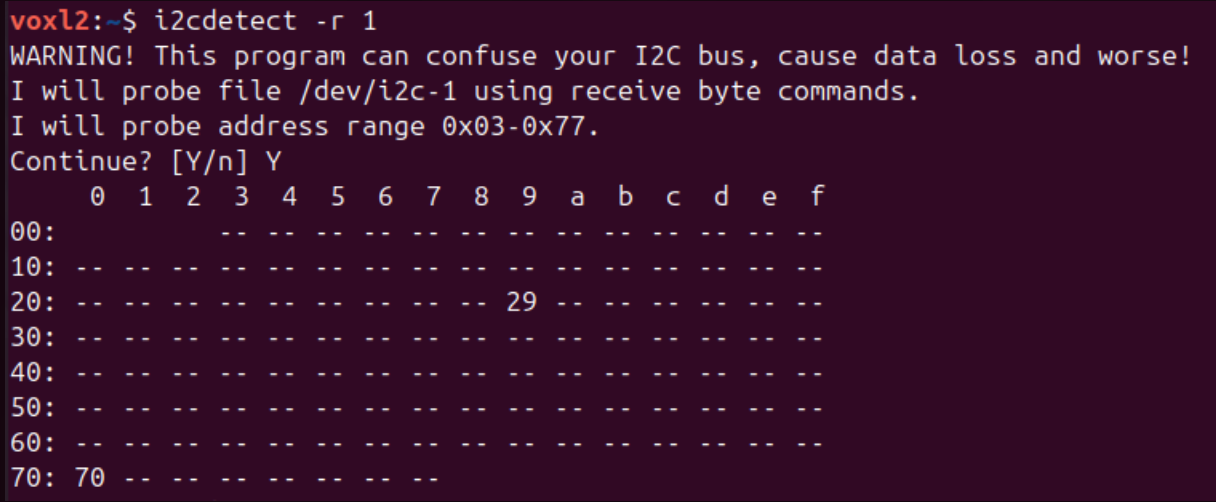
@modaltb I tried detecting in all i2c bus, 0 to 5, it wasn't detected, I got three devices in 4, but it was UU and I think it is the cameras.
-
-
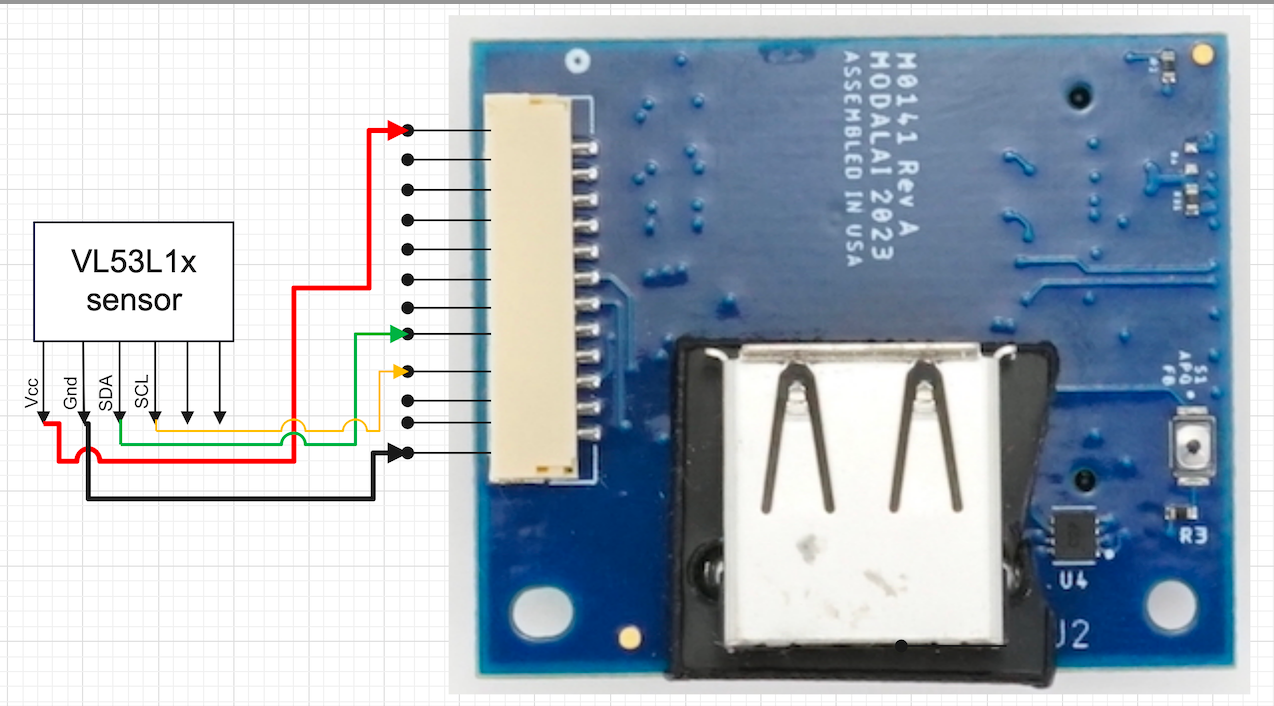
This is the wiring diagram of the sensor with the USB Expansion Board.
-
@modaltb Is there any specific SDK we could check for the working of Range-Finder with?
@Jetson-Nano are you using our M0070 board like this? https://docs.modalai.com/rangefinders/#single-rangefinder-using-m0141-expansion-board
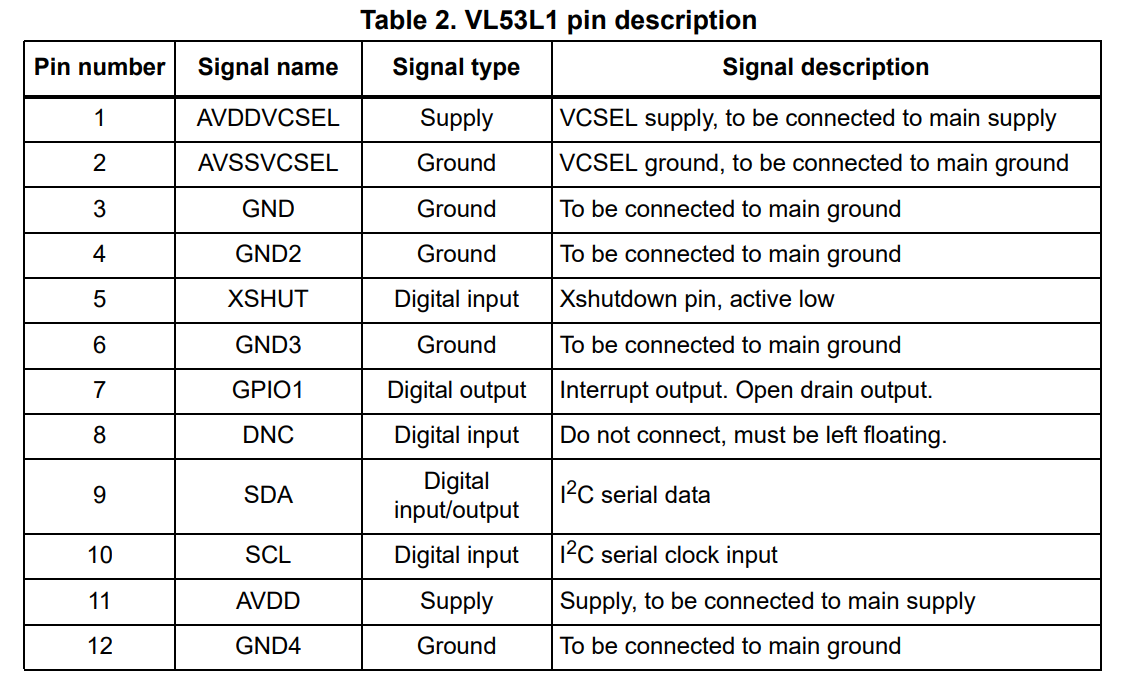
Or custom? If custom check pin 5, which on our M0070 board is pulled up to 3.3VDC.
-
@Jetson-Nano are you using our M0070 board like this? https://docs.modalai.com/rangefinders/#single-rangefinder-using-m0141-expansion-board
Or custom? If custom check pin 5, which on our M0070 board is pulled up to 3.3VDC.
-
@modaltb I'm using M0141 expansion board.
-
@Jetson-Nano what is the VL53L1X on?
-
@modaltb is connected on J5 port of M0141.
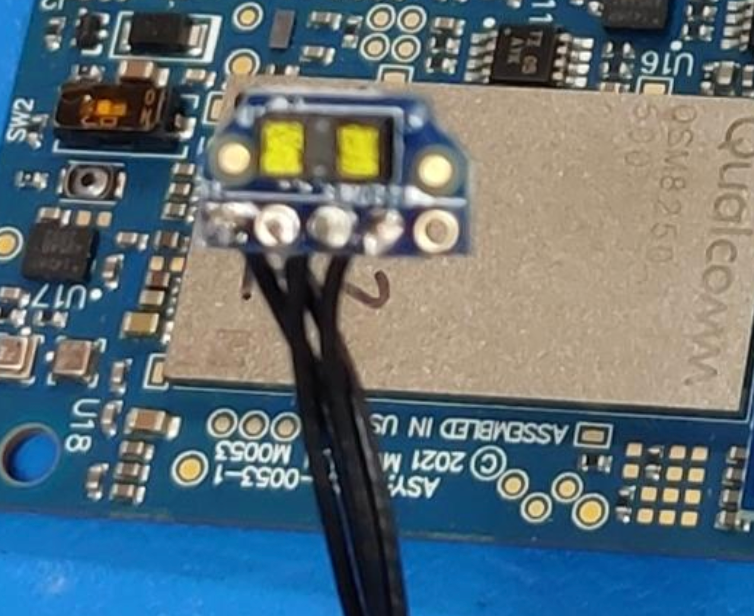
@Jetson-Nano can you take a picture? for example, we make a M0070 board that has this sensor on it. Are you making your own carrier board for the sensor?
-
@Jetson-Nano can you take a picture? for example, we make a M0070 board that has this sensor on it. Are you making your own carrier board for the sensor?
-
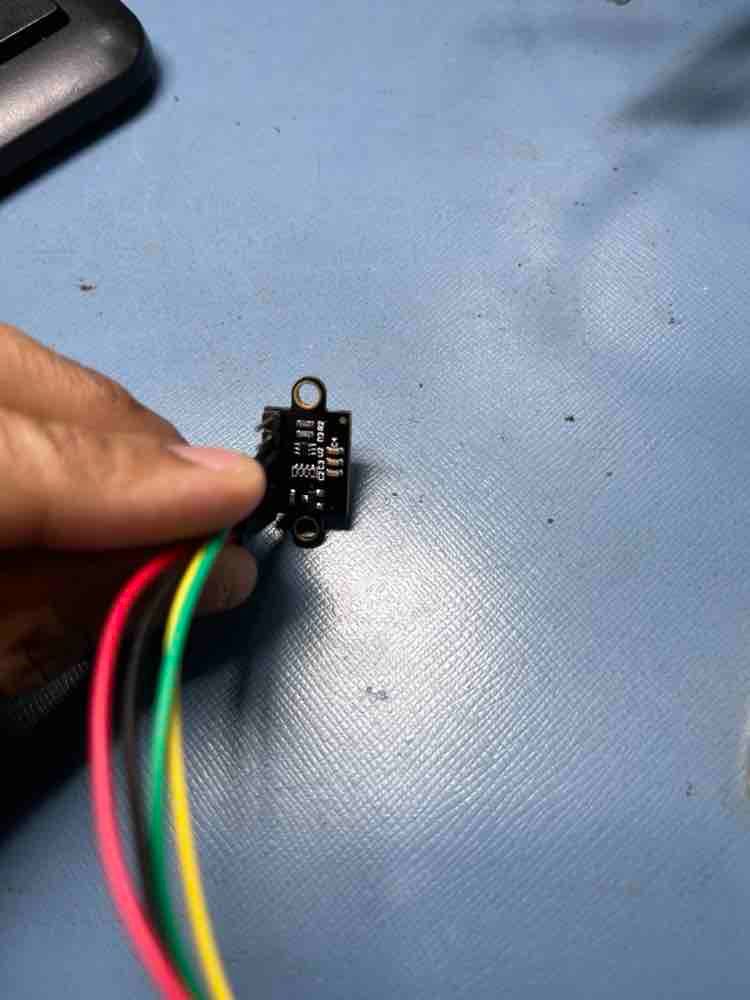
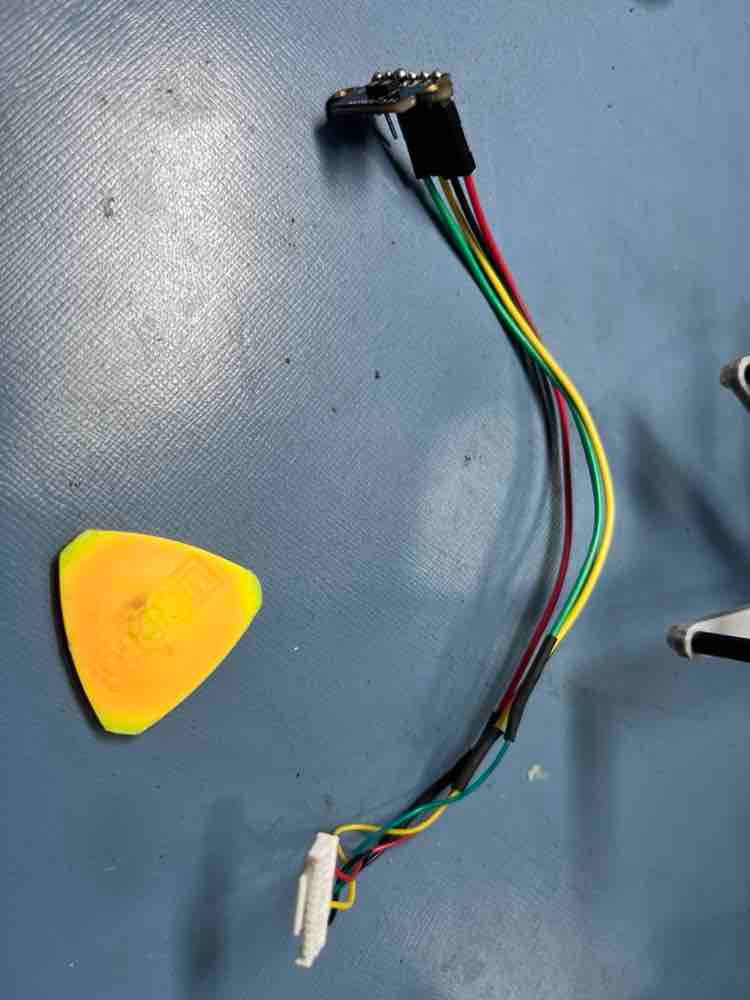
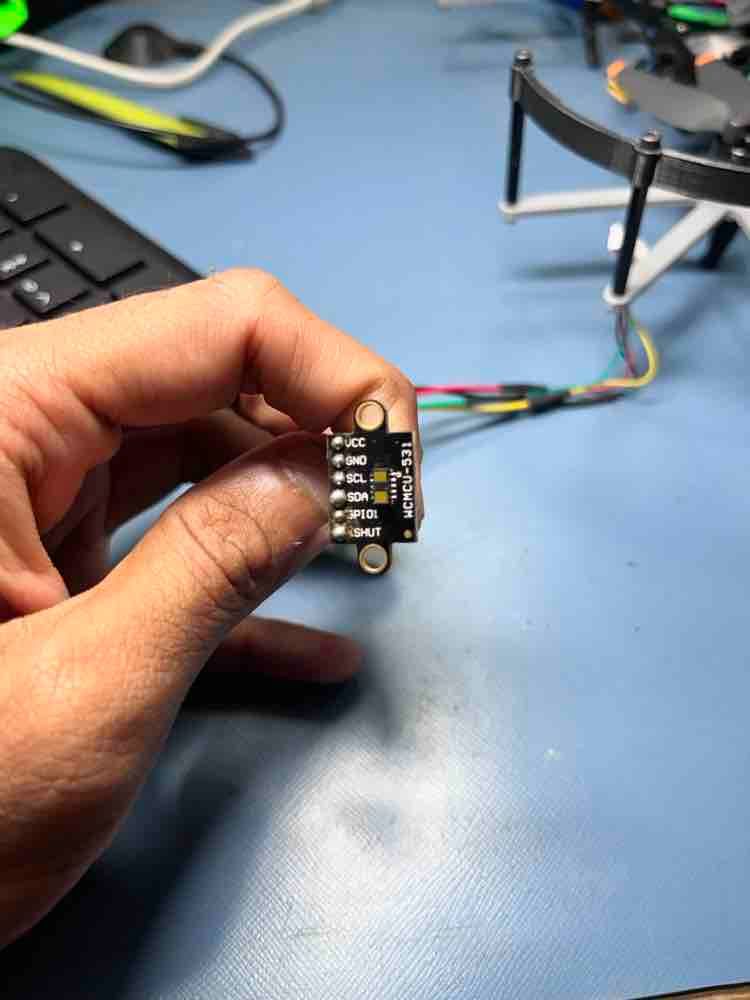
@modaltb This is our setup,
HI @Jetson-Nano
We have not seen that module before.
Is there a product link you can share so we can investigate for voltage and signal compatibility?Thanks!




Reading along? Create a free ModalAI Forum account to join in.
With an account you can reply, ask your own question, get an email when a ModalAI engineer answers, and mark the reply that solved it. Your place in each thread is saved between visits.
Questions about VOXL, Flight Core, ESCs and ModalAI drones are answered here by the engineers who build them.
Register Login