
Vision-hub and VOA
-
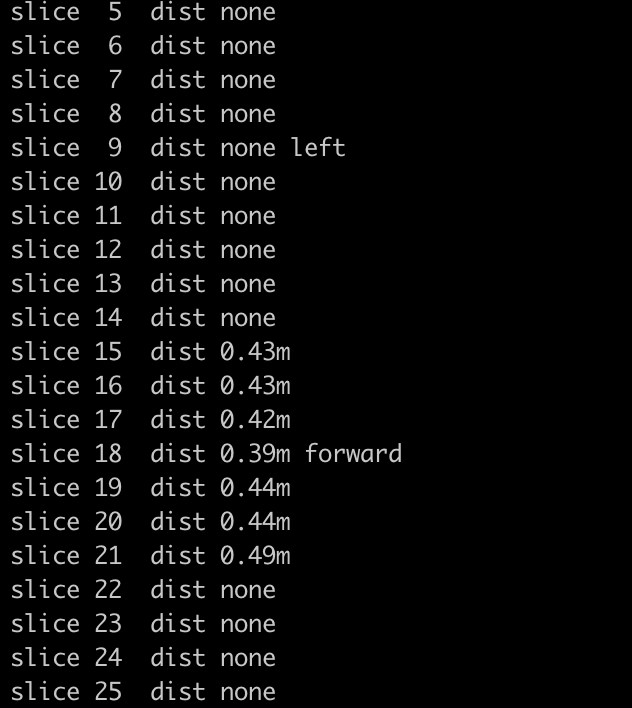
@Caio-Licínio-Vasconcelos-Pantarotto I also get when initialising
Detected Autopilot Mavlink SYSID 1
starting tag manager
starting voa manager
starting horizon cal module
Connected to VOA input pipe: tof
Init complete
Vision Started@Caio-Licínio-Vasconcelos-Pantarotto Did you get it working, I am also facing the same issue
-
@Caio-Licínio-Vasconcelos-Pantarotto Did you get it working, I am also facing the same issue
Hi all, couple things to clear up on this feature:
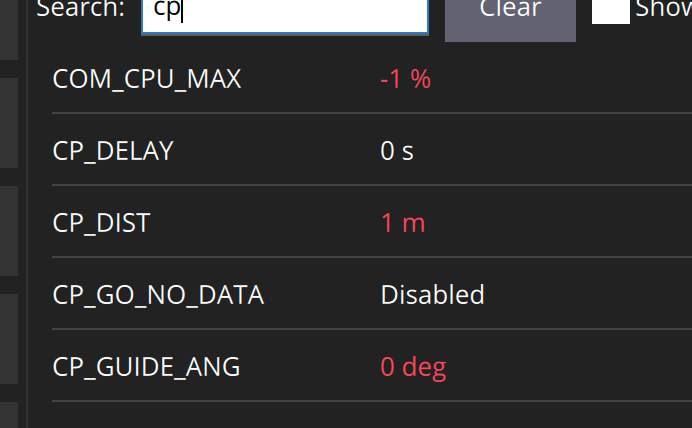
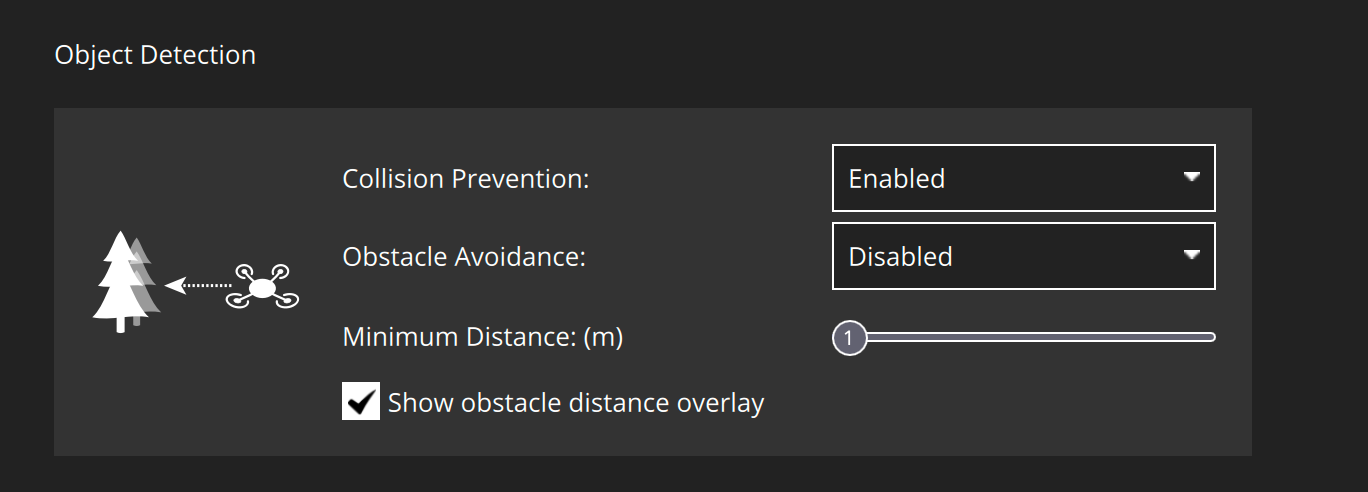
With the above parameters you are both setting limits for obstacle avoidance (OA) and collision prevention (CP)--2 different features. Details of each are here: OA and CP
To enable obstacle avoidance, make sure these parameters are being used.
Now collision prevention takes the additional step where you need to set param COM_OBS_AVOID=1. If you get a "Avoidance system not ready" message then that is a know s/w bug that is will be available on our development updates repo shortly. Also note these modes only work when MPC_POS_MODE is 0.
Lastly to disable OA, use these parameters.
-
Hi all, couple things to clear up on this feature:
With the above parameters you are both setting limits for obstacle avoidance (OA) and collision prevention (CP)--2 different features. Details of each are here: OA and CP
To enable obstacle avoidance, make sure these parameters are being used.
Now collision prevention takes the additional step where you need to set param COM_OBS_AVOID=1. If you get a "Avoidance system not ready" message then that is a know s/w bug that is will be available on our development updates repo shortly. Also note these modes only work when MPC_POS_MODE is 0.
Lastly to disable OA, use these parameters.
This post is deleted! -
Hi all, couple things to clear up on this feature:
With the above parameters you are both setting limits for obstacle avoidance (OA) and collision prevention (CP)--2 different features. Details of each are here: OA and CP
To enable obstacle avoidance, make sure these parameters are being used.
Now collision prevention takes the additional step where you need to set param COM_OBS_AVOID=1. If you get a "Avoidance system not ready" message then that is a know s/w bug that is will be available on our development updates repo shortly. Also note these modes only work when MPC_POS_MODE is 0.
Lastly to disable OA, use these parameters.
@Cliff-Wong @Cliff-Wong Three things
I want to do collision prevention, and I set all those parameters, and I tested in position mode, but the prevention is not happening
If I set COM_OBS_AVOID to 1 the system shows it is not ready to fly in QGC, and how soon will the bug be resolved?
For me both Obstacle Avoidance and Collision Prevention didn't work and I have already set those parameters. -
@Cliff-Wong @Cliff-Wong Three things
I want to do collision prevention, and I set all those parameters, and I tested in position mode, but the prevention is not happening
If I set COM_OBS_AVOID to 1 the system shows it is not ready to fly in QGC, and how soon will the bug be resolved?
For me both Obstacle Avoidance and Collision Prevention didn't work and I have already set those parameters.@Jetson-Nano
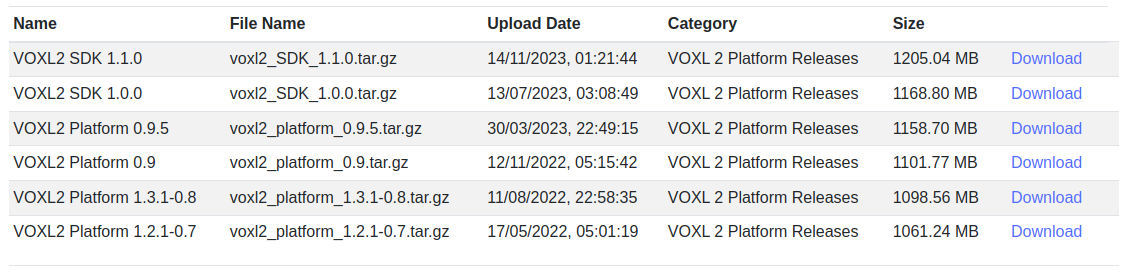
Hey there, yes, if you are getting the QGC message that the "system is not ready" and will not let you arm in position mode, then you need a patch that sends the correct heartbeat message in PX4 to allow arming. It is in the SDK1.1.1 release, So I believe anapt-get upgradeshould solve your problem.But if needed the code is described here.
-
@Jetson-Nano
Hey there, yes, if you are getting the QGC message that the "system is not ready" and will not let you arm in position mode, then you need a patch that sends the correct heartbeat message in PX4 to allow arming. It is in the SDK1.1.1 release, So I believe anapt-get upgradeshould solve your problem.But if needed the code is described here.
@Cliff-Wong Thank you for your response, but the SDK 1.1.1 is not available for download yet
-
@Cliff-Wong @Cliff-Wong Three things
I want to do collision prevention, and I set all those parameters, and I tested in position mode, but the prevention is not happening
If I set COM_OBS_AVOID to 1 the system shows it is not ready to fly in QGC, and how soon will the bug be resolved?
For me both Obstacle Avoidance and Collision Prevention didn't work and I have already set those parameters.@Jetson-Nano SDK 1.1.1 is now available. Please use the installer in the voxl2_SDK_1.1.1.tar.gz archive to install this. This should fix this issue.
-
@Jetson-Nano SDK 1.1.1 is now available. Please use the installer in the voxl2_SDK_1.1.1.tar.gz archive to install this. This should fix this issue.
@Eric-Katzfey Hey
Thanks for the timely release of SDK.
We were having issues with flashing the firmware for voxl 2 io which has to be used with the new SDK.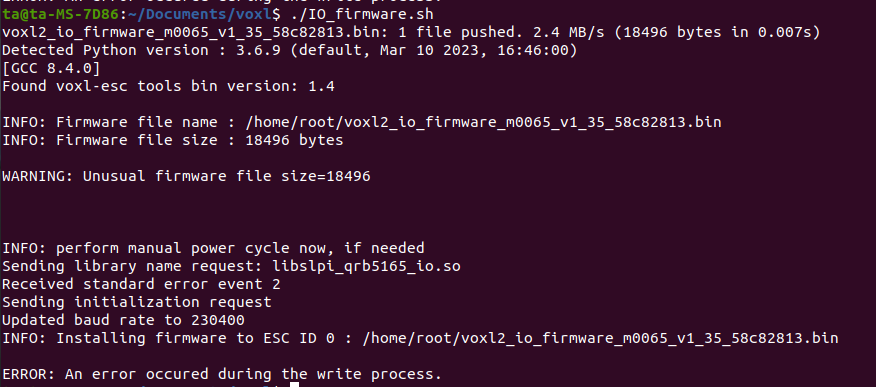
-
@Eric-Katzfey Hey
Thanks for the timely release of SDK.
We were having issues with flashing the firmware for voxl 2 io which has to be used with the new SDK.@Jetson-Nano Do you have the new bootloader? The legacy bootloader (SDKs before 1.1.1) and the new firmware are not compatible, you won't be able to update the firmware on your Voxl2 IO using the legacy bootloader (it doesn't support flashing via UART). The new bootloader will enable firmware updates for Voxl2 IO board via Voxl2 (removing the need for STLink). We aren't currently distributing the new bootloader so you will need to send your Voxl2 IO back to us and we can send you replacement(s) with the new bootloader and firmware already loaded. You can email contact@modalai.com to get this process started.
-
@Jetson-Nano Do you have the new bootloader? The legacy bootloader (SDKs before 1.1.1) and the new firmware are not compatible, you won't be able to update the firmware on your Voxl2 IO using the legacy bootloader (it doesn't support flashing via UART). The new bootloader will enable firmware updates for Voxl2 IO board via Voxl2 (removing the need for STLink). We aren't currently distributing the new bootloader so you will need to send your Voxl2 IO back to us and we can send you replacement(s) with the new bootloader and firmware already loaded. You can email contact@modalai.com to get this process started.
@Eric-Katzfey We will send a new VOXL 2 IO board immediately upon request, we just ask that you send back your older one after you are setup with your new one
-
@Eric-Katzfey We will send a new VOXL 2 IO board immediately upon request, we just ask that you send back your older one after you are setup with your new one
@Moderator @Eric-Katzfey Will we be able to upload the new firmware in the IO board with STLink? If yes I am not able to do it. I followed your documentation but it failed, and there is no supporting videos for updating the firmware with STLink, there is a video on the documentation for updating the firmware via adb shell and STLink, but apparently both the videos are the same, there is no video for updating using STLink
-
@Moderator @Eric-Katzfey Will we be able to upload the new firmware in the IO board with STLink? If yes I am not able to do it. I followed your documentation but it failed, and there is no supporting videos for updating the firmware with STLink, there is a video on the documentation for updating the firmware via adb shell and STLink, but apparently both the videos are the same, there is no video for updating using STLink
@Jetson-Nano Please do not attempt to update the firmware with STLink. We will send you new boards properly programmed.




Reading along? Create a free ModalAI Forum account to join in.
With an account you can reply, ask your own question, get an email when a ModalAI engineer answers, and mark the reply that solved it. Your place in each thread is saved between visits.
Questions about VOXL, Flight Core, ESCs and ModalAI drones are answered here by the engineers who build them.
Register Login