
Cannot change TOF framerate
-
Hello,
I am working with TOF and problem is I am not able to change the framerate. Even after passing the value for the argument frame_rate it does not seems to have any affect on the performance.yocto:/# roslaunch voxl_hal3_tof_cam_ros tof.launch frame_rate:=5 ... logging to /home/root/.ros/log/1e64ae08-1dd2-11b2-b299-ec5c68cd1745/roslaunch-apq8096-8701.log Checking log directory for disk usage. This may take awhile. Press Ctrl-C to interrupt Done checking log file disk usage. Usage is <1GB. started roslaunch server http://10.42.0.157:32875/ SUMMARY ======== PARAMETERS * /rosdistro: indigo * /rosversion: 1.11.21 * /tof/voxl_hal3_tof_cam_ros_node/auto_exposure: 0 * /tof/voxl_hal3_tof_cam_ros_node/camera_id: 1 * /tof/voxl_hal3_tof_cam_ros_node/exposure_time: 800 * /tof/voxl_hal3_tof_cam_ros_node/flip_image: True * /tof/voxl_hal3_tof_cam_ros_node/frame_rate: 5 * /tof/voxl_hal3_tof_cam_ros_node/ir_image_mode: False * /tof/voxl_hal3_tof_cam_ros_node/laser_scan_line: 86 * /tof/voxl_hal3_tof_cam_ros_node/publish_depth_image: True * /tof/voxl_hal3_tof_cam_ros_node/publish_ir_image: True * /tof/voxl_hal3_tof_cam_ros_node/publish_laser_scan: True * /tof/voxl_hal3_tof_cam_ros_node/publish_point_cloud: True * /tof/voxl_hal3_tof_cam_ros_node/scan_width_degrees: 96 NODES /tof/ voxl_hal3_tof_cam_ros_node (voxl_hal3_tof_cam_ros/voxl_hal3_tof_cam_ros_node) / base_link_laser_scan (tf2_ros/static_transform_publisher) base_link_tof_cam (tf2_ros/static_transform_publisher) ROS_MASTER_URI=http://localhost:11311/ core service [/rosout] found process[base_link_tof_cam-1]: started with pid [8723] process[base_link_laser_scan-2]: started with pid [8724] process[tof/voxl_hal3_tof_cam_ros_node-3]: started with pid [8733] DEPTH_IMAGE IR: 1 ..... Cloud: 1 ..... Laser: 1 Camera id: 1 Image width: 224 Image height: 1557 Number of frames to dump: 0 Camera mode: preview SUCCESS: Camera module opened Camera Id: 0 .. Available raw sizes: raw size: 4208x3120 Camera Id: 1 .. Available raw sizes: raw size: 224x1557 (TOF?) Camera Id: 2 .. Available raw sizes: raw size: 640x480 SUCCESS: TOF interface created! =========== modalai Royale3.31, Spectre4.7 CameraDevice::activateUseCase() : return SUCCESS!! =========== modalai Royale3.31, Spectre4.7 CameraDevice::activateUseCase() : return SUCCESS!! Libcamera sending RAW16 TOF data. App calling the PMD libs to postprocess the RAW16 data [ INFO] [1613747443.833934348]: Loading lens parameters from /data/misc/camera/irs10x0c_lens.cal. [ INFO] [1613747443.836526236]: cx/cy 114.822 89.022 fx/fy 111.394 111.394 tan coeff -0.00222965 -0.00368372 rad coeff -0.261745 0.098178 -0.0166875 Camera HAL3 ToF camera app is now running Frame: 0 SensorTimestamp = 1007492959341 Frame: 30 SensorTimestamp = 1008492961341 Frame: 60 SensorTimestamp = 1009492982341 Frame: 90 SensorTimestamp = 1010492981341 Frame: 120 SensorTimestamp = 1011492984341 Frame: 150 SensorTimestamp = 1012493005341 Frame: 180 SensorTimestamp = 1013493045341 Frame: 210 SensorTimestamp = 1014493011341It seems that the frame_rate is hardcoded in hello_hal3_camera.h
static const uint8_t FrameRate = 30;was it supposed to be hard-coded? if yes than how can I try different configuration as mention in the TOF data sheet
Rate: 5 - 45FPS in configurable option modes for distance / accuracy / framerate
Exposure Time: 4.8 ms typ. @ 45 fps / 30 ms typ. @ 5 fps
Range :4 - 6m
Depth Resolution: <= 1% of distance (0.5 – 4m @ 5fps) <= 2% of distance (0.1 – 1m @ 45fps)
Here are the results for different FPS. They all look the same. Seems to have no effect of framerate argument
1FPS
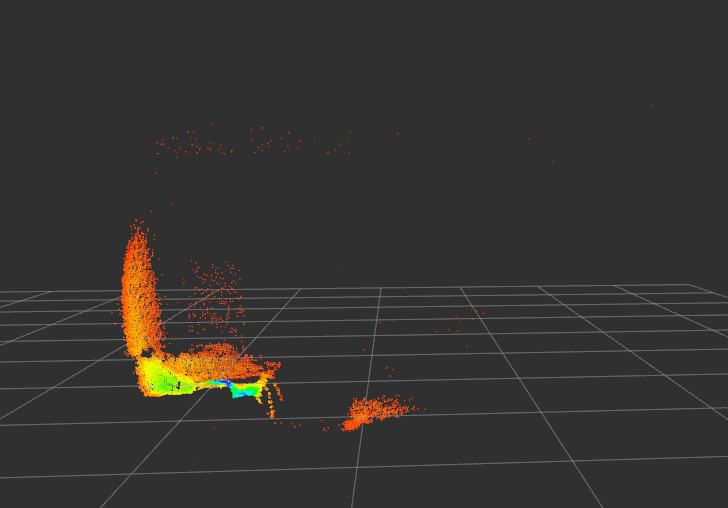
5FPS
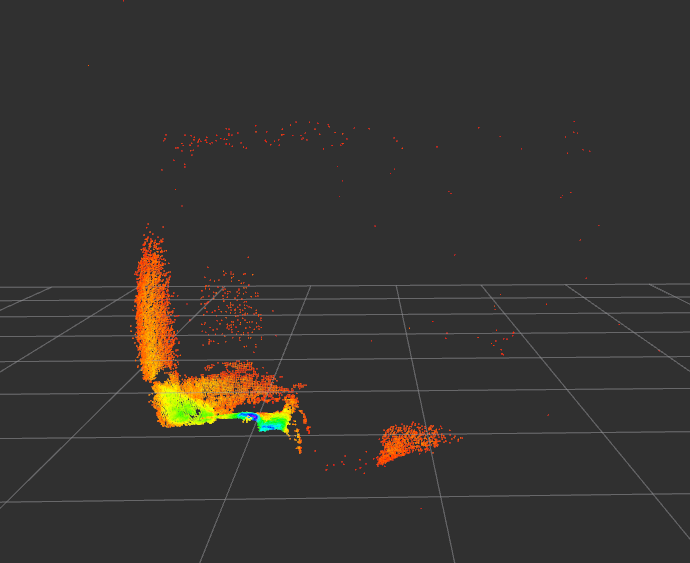
30FPS
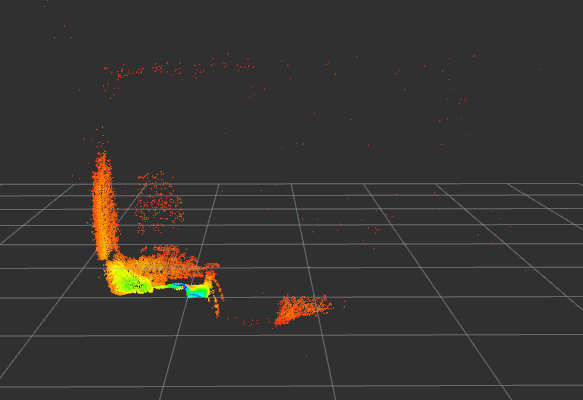
45FPS
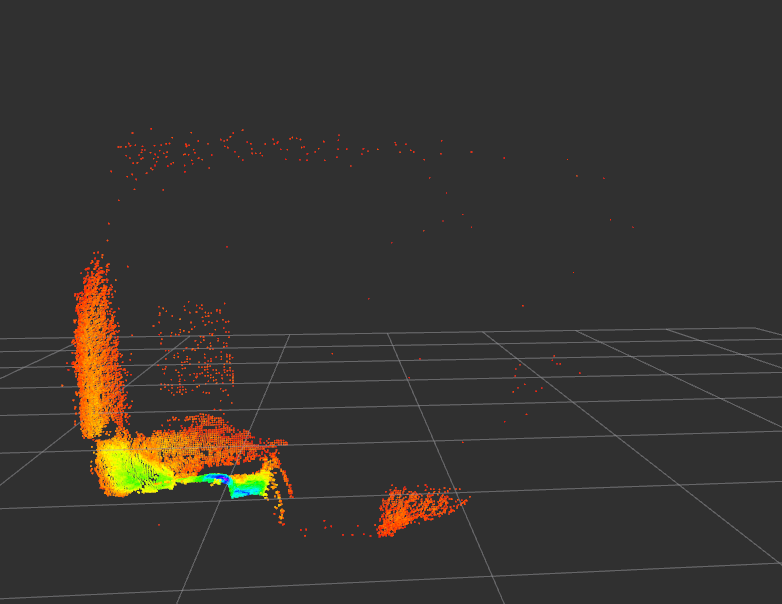
Thanks
-
Hi @gauravshukla914 let us take a look at this and get some info for you. Nice pictures, I always love seeing these

-
any updates regarding this issue?
-
Hi @gauravshukla914 ,
This looks to be supported in a new feature that is in our 'beta' system image release version 3.2.0 (available at developer.modalai.com for download).
It requires an unreleased version of
voxl-hal3-tof-cam-ros, see here
https://gitlab.com/voxl-public/ros/voxl-hal3-tof-cam-ros/-/blob/release/v0.0.5/source/launch/tof.launch#L31We haven't merged this into a release yet, so we don't have a packaged release for this, but you could build from source if needed until then if you're up to try it out.
-
The ipk is available here now : http://voxl-packages.modalai.com/stable/voxl-hal3-tof-cam-ros_0.0.5.ipk - you should be able to use the launch file to choose between two modes (5=short range and 9=long range) and fps, which are listed in the launch file.


Reading along? Create a free ModalAI Forum account to join in.
With an account you can reply, ask your own question, get an email when a ModalAI engineer answers, and mark the reply that solved it. Your place in each thread is saved between visits.
Questions about VOXL, Flight Core, ESCs and ModalAI drones are answered here by the engineers who build them.
Register Login