Skip to content
  • Categories
  • Recent
  • Tags
  • Popular
  • Users
  • Groups
Collapse
Brand Logo

ModalAI Forum

  1. ModalAI Support Forum
  2. VOXL Dev Drones
  3. Qualcomm Flight RB5 5G Drone
  4. RB5 not detected by QGroundControl

RB5 not detected by QGroundControl
Scheduled Pinned Locked Moved Qualcomm Flight RB5 5G Drone
14 Posts 3 Posters 2.4k Views 1 Watching
  • Oldest to Newest
  • Newest to Oldest
  • Most Votes
Reply
  • Reply as topic
Log in to reply
This topic has been deleted. Only users with topic management privileges can see it.
  • tomT Offline
    tomT Offline
    tom
    admin
    wrote on last edited by
    #4

    @Alejandro-M Here is a link to our "unbricking" process: https://docs.modalai.com/Qualcomm-Flight-RB5-QDL/

    A 1 Reply Last reply
    0
    • tomT tom

      @Alejandro-M Here is a link to our "unbricking" process: https://docs.modalai.com/Qualcomm-Flight-RB5-QDL/

      A Offline
      A Offline
      Alejandro M.
      wrote on last edited by Alejandro M.
      #5

      Hello @tom.
      We have followed the steps for unbricking the device.
      First, with QDL the drone was reseted to a factory image.
      Second, RB5 System Image 1.0.5-M0052-9.1-perf was installed.
      After this, RB5 SDK rb5-flight-sdk-1.1.3 was installed.

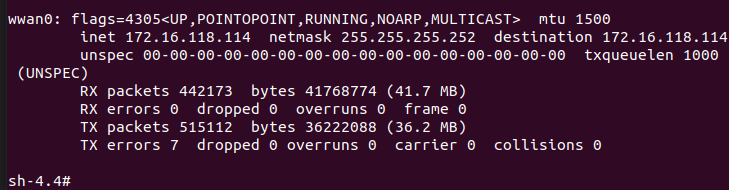
      After this the drone seemed to be fixed and working again, but we have found that when enabling PX4 service the drone reboot itself into QUSB_BULK_SN as before the restoration.

      8aaf967f-74bd-4d76-95f1-2512146078b0-image.png

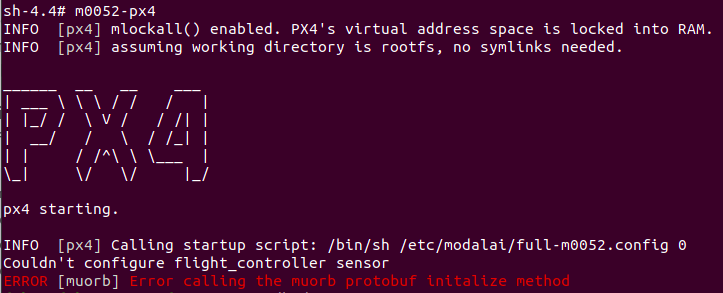
      If we execute systemctl disable rb5-px4-start the drone is stable and does not reboot. Also what we get from m0052-px4 is the following:
      69db9233-b80b-494e-8574-e1e000638e7b-image.png

      Can you help us to find out how to solve this issue? Thanks in advance for your help.

      1 Reply Last reply
      0
      • tomT Offline
        tomT Offline
        tom
        admin
        wrote on last edited by
        #6

        @Alejandro-M After doing the unbricking process I would recommend flashing our newest system image + VOXL SDK by following the process here: https://docs.modalai.com/Qualcomm-Flight-RB5-voxl-sdk-upgrade-guide/

        1 Reply Last reply
        0
        • A Offline
          A Offline
          Alejandro M.
          wrote on last edited by
          #7

          Hi @tom,

          Thanks for your support. Our Flight RB5 is now updated to VOXL as you recommended.
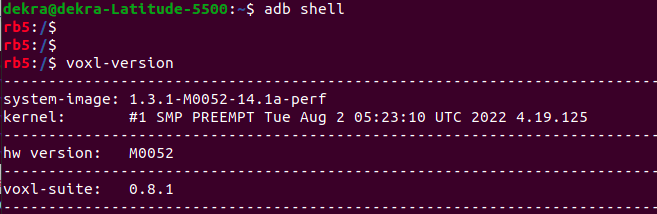
          de4b9157-eb93-436c-8139-0fa4b1151cc5-image.png

          We have observed that PX4 commands for checking that the drone is functional are no longer working: systemctl status rb5-px4-start . However the blue LEDs are blinking, so can we asume that the system is working properly and it is ready to connect with QGC?

          On the other hand, we are finding difficulties to establish the VPN connection following this guide https://docs.modalai.com/Qualcomm-Flight-RB5-user-guide-connect-gcs/#connecting-to-qgc-over-5g. Our OpenVPN is active but when we try to connect the dron's client it, we receive the following response:
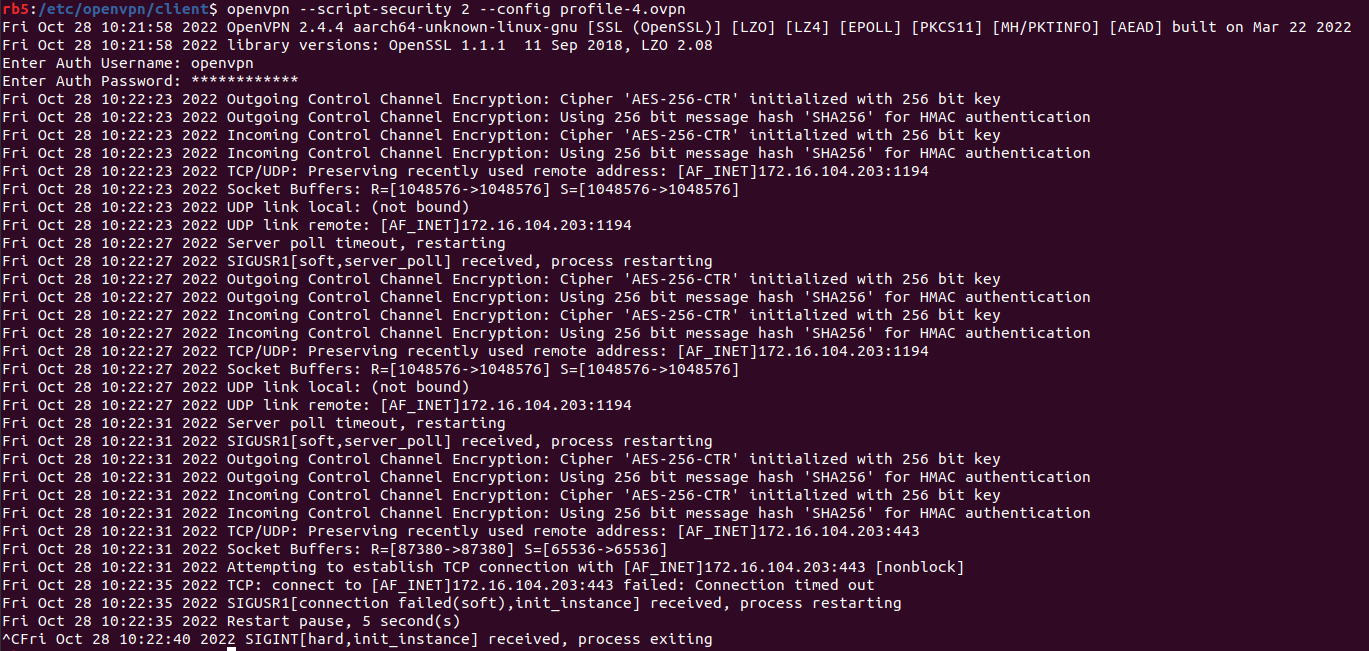
          8d6d13a7-f004-44ce-89ef-b8b5b731712c-image.png
          Do you know what could be missed in order to make the client connect to the server?

          Again, thanks a lot for your help and your time.

          1 Reply Last reply
          0
          • tomT Offline
            tomT Offline
            tom
            admin
            wrote on last edited by
            #8

            @Alejandro-M Recently I've been recommending people try out https://tailscale.com/ for getting a quick VPN connection. it's just an apt install away on RB5 / VOXL2

            1 Reply Last reply
            0
            • tomT Offline
              tomT Offline
              tom
              admin
              wrote on last edited by
              #9

              @Alejandro-M Also to address your first question, now that you're on VOXL SDK, none of the rb5-* commands will be used anymore and you can refer to the VOXL SDK docs for info: https://docs.modalai.com/voxl-sdk/

              A good way to see status is with systemctl status voxl-vision-px4

              Also make sure you have enabled systemctl enable voxl-mavlink-server

              A 1 Reply Last reply
              0
              • tomT tom

                @Alejandro-M Also to address your first question, now that you're on VOXL SDK, none of the rb5-* commands will be used anymore and you can refer to the VOXL SDK docs for info: https://docs.modalai.com/voxl-sdk/

                A good way to see status is with systemctl status voxl-vision-px4

                Also make sure you have enabled systemctl enable voxl-mavlink-server

                A Offline
                A Offline
                Alejandro M.
                wrote on last edited by
                #10

                Hi @tom,

                Firstly, thank you for recommending the tailscale solution for connecting using a VPN. This way we were able to establish connection between QGC and the RB5. Also, the guide for VOXL was helpful too.

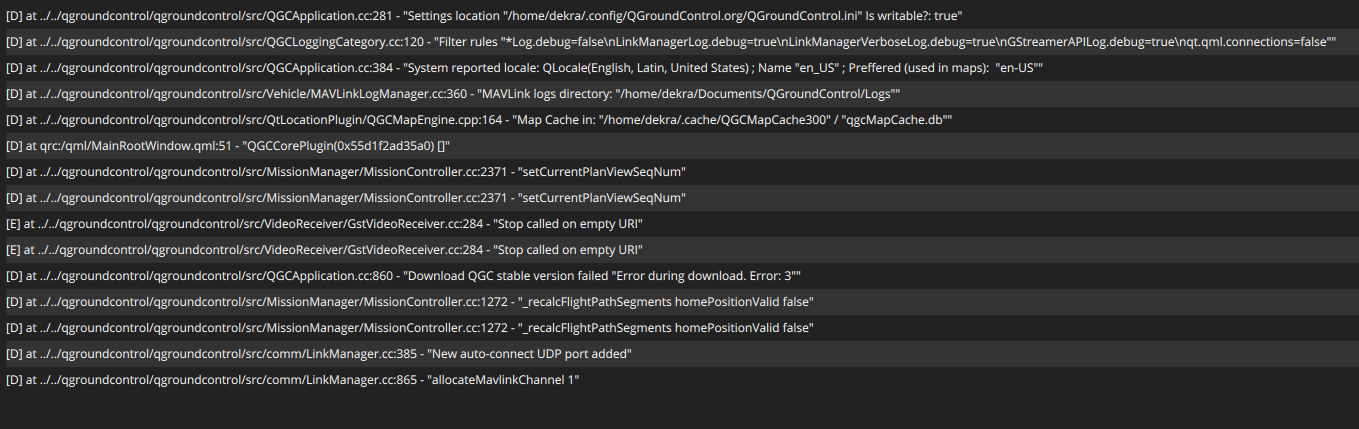
                However, we would like to ask for your help since after QGC connects with the RB5 the following error is received:
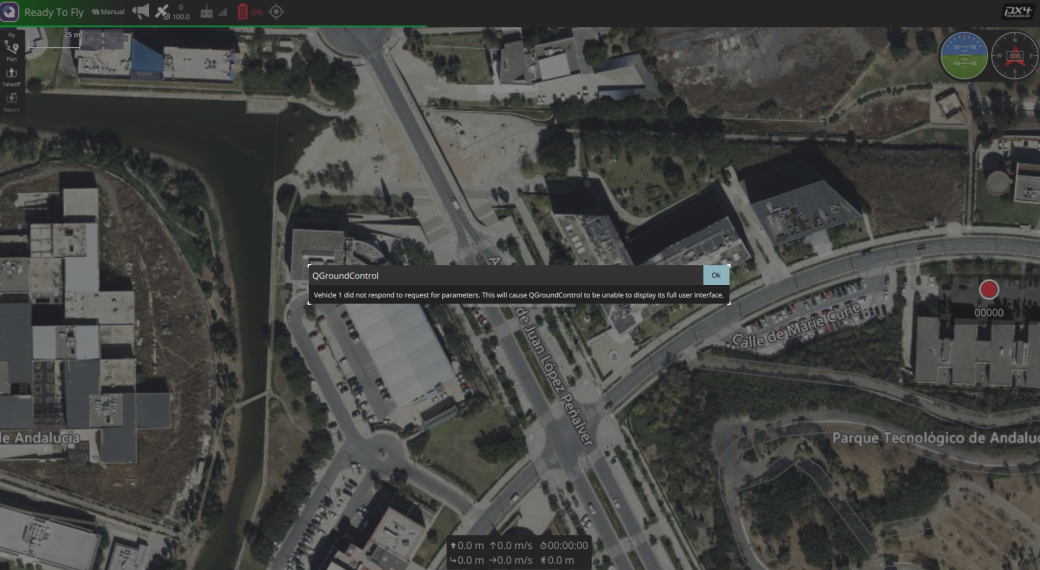
                568ccb30-8560-42ee-8720-b1f39615495d-MicrosoftTeams-image.png

                On the RB5 side the error is the following:
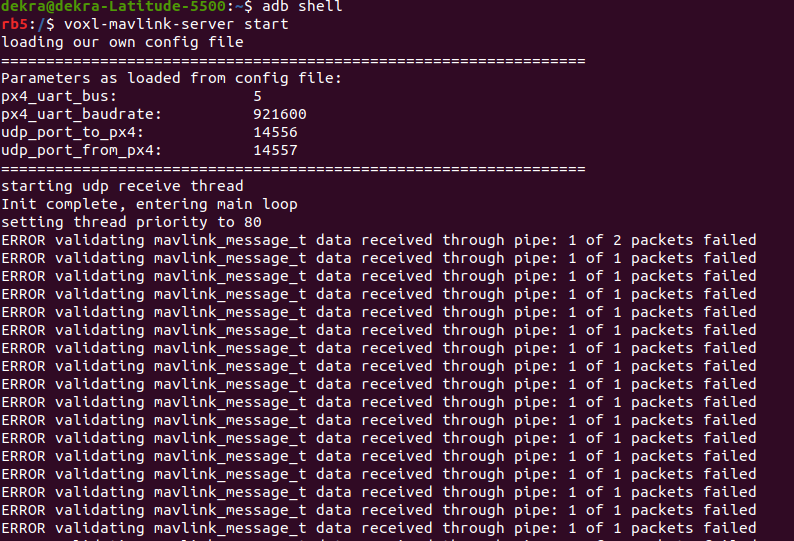
                8a90596b-3934-4c65-90fc-4d2e9d91616b-MicrosoftTeams-image (1).png

                Do you know what could be wrong?

                Thanks in advance for your help.

                1 Reply Last reply
                0
                • tomT Offline
                  tomT Offline
                  tom
                  admin
                  wrote on last edited by
                  #11

                  @Alejandro-M Do you have the voxl-mavlink-server sysytemd service enabled and running? I see you're running it from the command line, just wondering if it's getting ran twice.

                  A 1 Reply Last reply
                  0
                  • tomT tom

                    @Alejandro-M Do you have the voxl-mavlink-server sysytemd service enabled and running? I see you're running it from the command line, just wondering if it's getting ran twice.

                    A Offline
                    A Offline
                    Alejandro M.
                    wrote on last edited by
                    #12

                    Hi @tom, thank you very much for your responses and support. We managed to finish the Qualcomm RB5 Drone configuration properly. The drone is now ready to fly apparently but we were wondering whether it is possible to get any guide or help in order to prepare a flight with the drone.
                    Thank you again and we are looking forward to you reply.

                    tomT alfa budimanA 2 Replies Last reply
                    0
                    • A Alejandro M.

                      Hi @tom, thank you very much for your responses and support. We managed to finish the Qualcomm RB5 Drone configuration properly. The drone is now ready to fly apparently but we were wondering whether it is possible to get any guide or help in order to prepare a flight with the drone.
                      Thank you again and we are looking forward to you reply.

                      tomT Offline
                      tomT Offline
                      tom
                      admin
                      wrote on last edited by
                      #13

                      @Alejandro-M I would follow this guide for your first flight: https://docs.modalai.com/Qualcomm-Flight-RB5-user-guide-first-flight/

                      1 Reply Last reply
                      0
                      • A Alejandro M.

                        Hi @tom, thank you very much for your responses and support. We managed to finish the Qualcomm RB5 Drone configuration properly. The drone is now ready to fly apparently but we were wondering whether it is possible to get any guide or help in order to prepare a flight with the drone.
                        Thank you again and we are looking forward to you reply.

                        alfa budimanA Offline
                        alfa budimanA Offline
                        alfa budiman
                        Contributor
                        wrote on last edited by
                        #14

                        @Alejandro-M
                        I documented the steps I took to get my RB5 drone from out of the box to flying programmatically with MAVROS. It includes intermediate steps such as wifi and QGround control setup.

                        Link Preview Image
                        Build software better, together

                        GitHub is where people build software. More than 150 million people use GitHub to discover, fork, and contribute to over 420 million projects.

                        favicon

                        GitHub (github.com)

                        1 Reply Last reply
                        0
                        • Martin BrandtM Martin Brandt referenced this topic on

                        Hello! It looks like you're interested in this conversation, but you don't have an account yet.

                        Getting fed up of having to scroll through the same posts each visit? When you register for an account, you'll always come back to exactly where you were before, and choose to be notified of new replies (either via email, or push notification). You'll also be able to save bookmarks and upvote posts to show your appreciation to other community members.

                        With your input, this post could be even better 💗

                        Register Login
                        Reply
                        • Reply as topic
                        Log in to reply
                        • Oldest to Newest
                        • Newest to Oldest
                        • Most Votes


                        ModalAI
                        Categories Recent Tags ModalAI.com Docs
                        © 2026 ModalAI® · Accelerating autonomy for smaller, smarter, safer drones · Powered by NodeBB
                        • Login

                        • Don't have an account? Register

                        • Login or register to search.
                        • First post
                          Last post
                        0
                        • Categories
                        • Recent
                        • Tags
                        • Popular
                        • Users
                        • Groups