
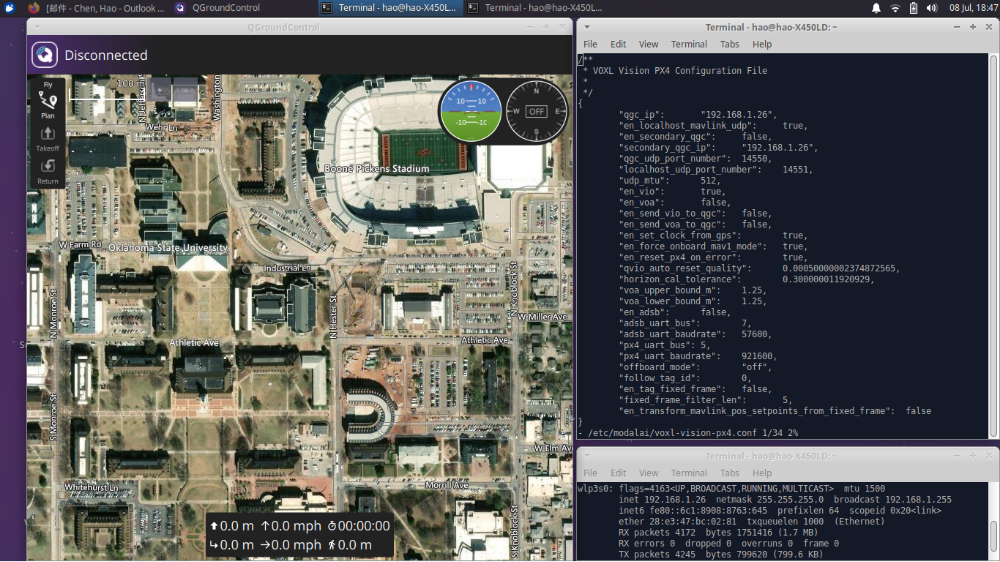
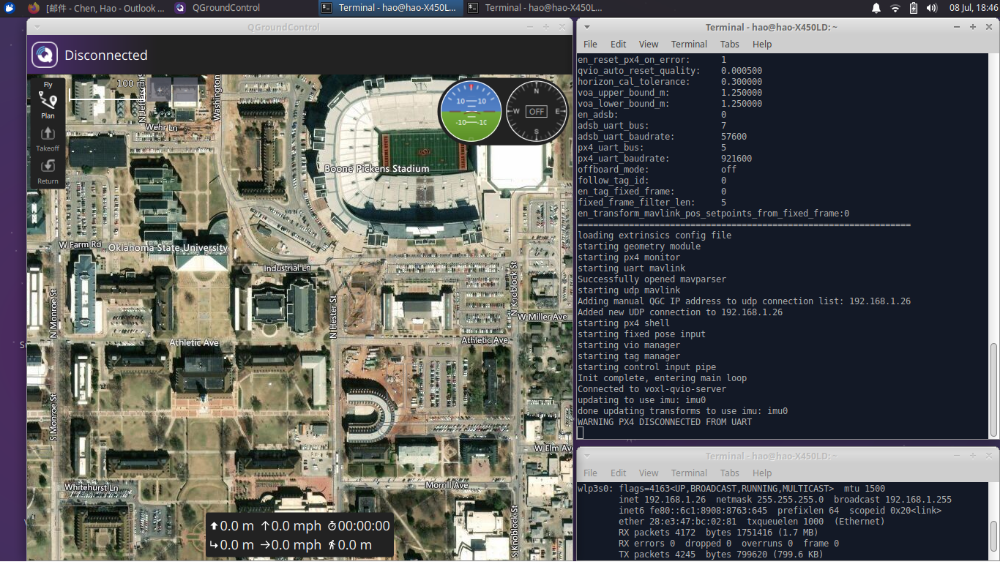
PX4 disconnected from UART & QGC cannot connected to modalAI
-
HI,
I also found this post which has the same issue with me. I tried to follow the suggestion in this post:I open a MAVLink connection over USB to the flight core, and run mavlink status from the nutshell
NuttShell (NSH)
nsh> mavlink status

instance #0:
    GCS heartbeat:    267144 us ago
    mavlink chan: #0
    type:        USB CDC
    flow control: OFF
    rates:
      tx: 15.682 kB/s
      txerr: 0.000 kB/s
      tx rate mult: 1.000
      tx rate max: 800000 B/s
      rx: 0.046 kB/s
    FTP enabled: YES, TX enabled: YES
    mode: Config
    MAVLink version: 2
    transport protocol: serial (/dev/ttyACM0 @2000000)
    ping statistics:
      last: 1.72 ms
      mean: 2.18 ms
      max: 6541.72 ms
      min: 0.19 ms
      dropped packets: 5

instance #1:
    mavlink chan: #1
    type:        GENERIC LINK OR RADIO
    flow control: ON
    rates:
      tx: 1.564 kB/s
      txerr: 0.000 kB/s
      tx rate mult: 1.000
      tx rate max: 2880 B/s
      rx: 0.000 kB/s
    FTP enabled: YES, TX enabled: YES
    mode: Normal
    MAVLink version: 1
    transport protocol: serial (/dev/ttyS6 @57600)

instance #2:
    mavlink chan: #2
    type:        GENERIC LINK OR RADIO
    flow control: OFF
    rates:
      tx: 14.672 kB/s
      txerr: 0.000 kB/s
      tx rate mult: 1.000
      tx rate max: 46080 B/s
      rx: 0.000 kB/s
    FTP enabled: YES, TX enabled: YES
    mode: Onboard
    MAVLink version: 2
    transport protocol: serial (/dev/ttyS4 @921600)

instance #3:
    mavlink chan: #3
    type:        GENERIC LINK OR RADIO
    flow control: ON
    rates:
      tx: 1.564 kB/s
      txerr: 0.000 kB/s
      tx rate mult: 1.000
      tx rate max: 2880 B/s
      rx: 0.000 kB/s
    FTP enabled: YES, TX enabled: YES
    mode: Normal
    MAVLink version: 1
    transport protocol: serial (/dev/ttyS1 @57600)
From above information, I cannot track where the issue is, any suggestion?
-
@DarkKnightCH
Hi, Please try restarting the voxl-vision-px4 by runningsystemctl restart voxl-vision-px4.
Try enablingvoxl-mavlink-server
Also ensure you have right qgc ip address in /etc/modalai/voxl-vision-px4.@keil
Hi, keil, Thanks for help.
I tried to run the systemctl restart voxl-vision-px4, but it doesn't help.What do you mean enabling voxl-mavlink-server?
QGC ip address is correct.
-
HI,
I also found this post which has the same issue with me. I tried to follow the suggestion in this post:I open a MAVLink connection over USB to the flight core, and run mavlink status from the nutshell
NuttShell (NSH)
nsh> mavlink status

instance #0:
    GCS heartbeat:    267144 us ago
    mavlink chan: #0
    type:        USB CDC
    flow control: OFF
    rates:
      tx: 15.682 kB/s
      txerr: 0.000 kB/s
      tx rate mult: 1.000
      tx rate max: 800000 B/s
      rx: 0.046 kB/s
    FTP enabled: YES, TX enabled: YES
    mode: Config
    MAVLink version: 2
    transport protocol: serial (/dev/ttyACM0 @2000000)
    ping statistics:
      last: 1.72 ms
      mean: 2.18 ms
      max: 6541.72 ms
      min: 0.19 ms
      dropped packets: 5

instance #1:
    mavlink chan: #1
    type:        GENERIC LINK OR RADIO
    flow control: ON
    rates:
      tx: 1.564 kB/s
      txerr: 0.000 kB/s
      tx rate mult: 1.000
      tx rate max: 2880 B/s
      rx: 0.000 kB/s
    FTP enabled: YES, TX enabled: YES
    mode: Normal
    MAVLink version: 1
    transport protocol: serial (/dev/ttyS6 @57600)

instance #2:
    mavlink chan: #2
    type:        GENERIC LINK OR RADIO
    flow control: OFF
    rates:
      tx: 14.672 kB/s
      txerr: 0.000 kB/s
      tx rate mult: 1.000
      tx rate max: 46080 B/s
      rx: 0.000 kB/s
    FTP enabled: YES, TX enabled: YES
    mode: Onboard
    MAVLink version: 2
    transport protocol: serial (/dev/ttyS4 @921600)

instance #3:
    mavlink chan: #3
    type:        GENERIC LINK OR RADIO
    flow control: ON
    rates:
      tx: 1.564 kB/s
      txerr: 0.000 kB/s
      tx rate mult: 1.000
      tx rate max: 2880 B/s
      rx: 0.000 kB/s
    FTP enabled: YES, TX enabled: YES
    mode: Normal
    MAVLink version: 1
    transport protocol: serial (/dev/ttyS1 @57600)
From above information, I cannot track where the issue is, any suggestion?
This post is deleted! -
More tests have done:
(1) First, I can ssh into voxl through my laptop. And this means the wifi in VOXL is working.
(2) I can adb into voxl board, which means that my voxl board is not bricked?
(3)I can connect my flight core with my QGC via USB.
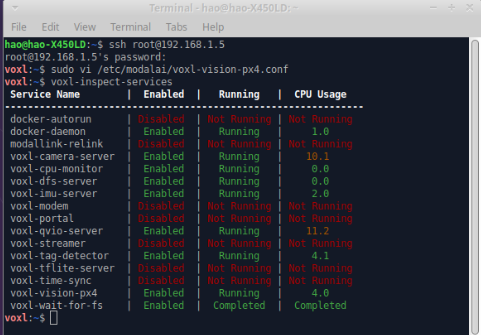
(4)I tried to run voxl-inspect-services, and it shows
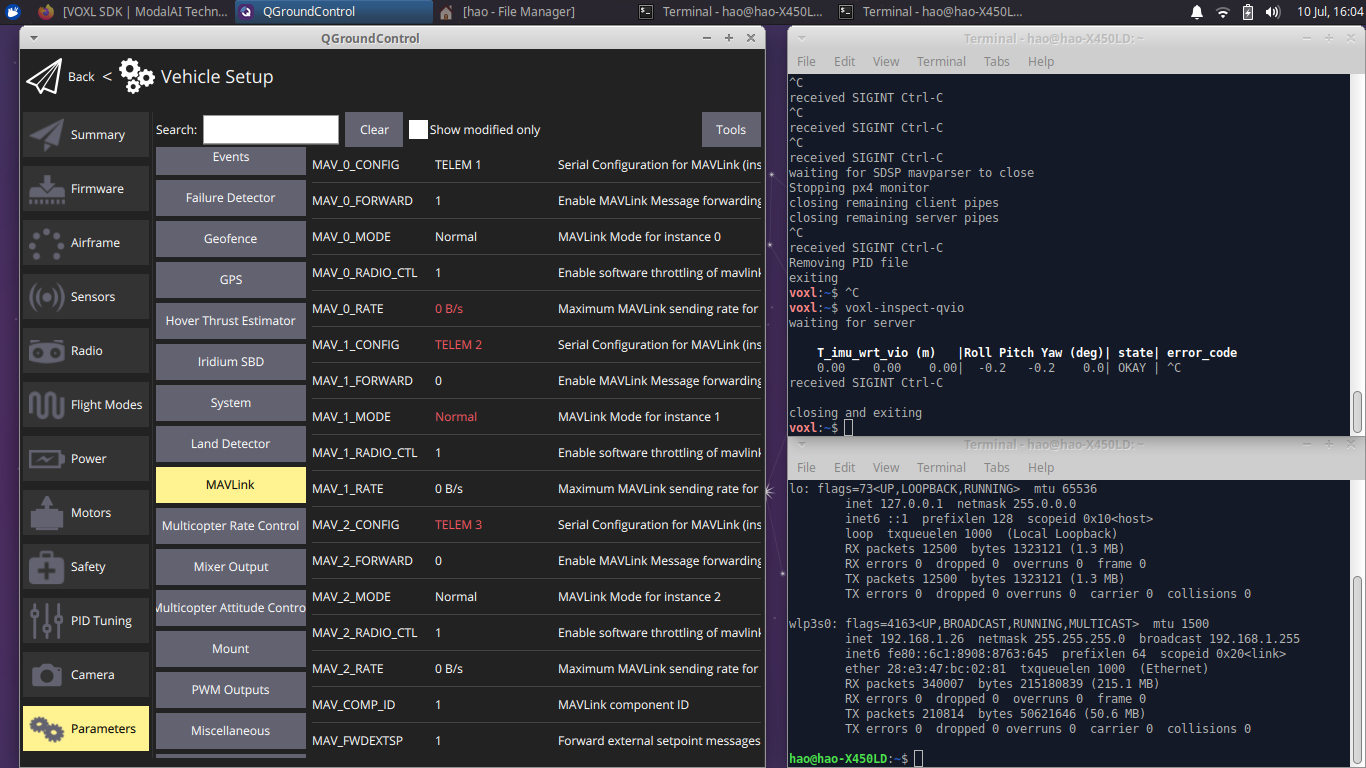
(5)I also tried to run voxl-inspect-qvio, and it shows that
(6)I also tried to reset the voxl-vision-px4 by running voxl-configure-vision-px4 as follows
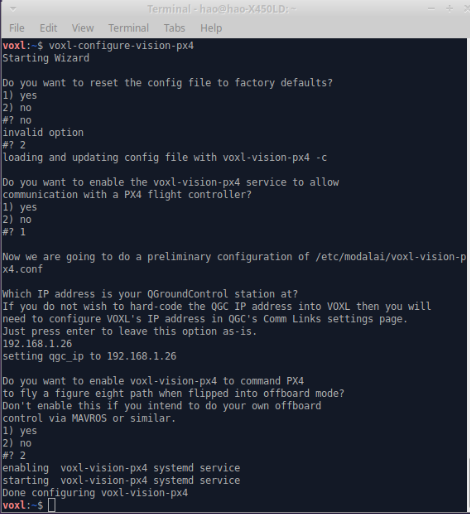
But there still is a WARNING show PX4 disconnected from UART.
Any suggestion
 ?
? -
That warning implies there is an issue in the comms between the Snapdragon and the STM32F7. Maybe try to reload the STM32F7 (Flight Core) firmware and see if that helps?
-
@Chad-Sweet Yeah. I already reload a flight core firmware and it doesn't help. Is it possible that voxl-vision-px4 server is broken? The UART wire physical connection looks pretty valid. it is hard for me to find out where the issue is from.
-
@Chad-Sweet I would like to update my voxl-suite-ipk meta package since I doubt maybe something is wrong about the voxl-vision-px4? is there a simple way to do it except flashing a new system image of voxl? should I use the following command to do it?
opkg update && opkg upgrade -
That warning implies a hardware issue more than a software issue. What if you try the nuttx shell to test connectivity between the Snapdragon and Flight Core?
-
That warning implies a hardware issue more than a software issue. What if you try the nuttx shell to test connectivity between the Snapdragon and Flight Core?
@Chad-Sweet I tried to follow your advice and it shows
voxl:~$ voxl-px4-shell
ERROR opening /run/mpa/vvpx4_shell/
most likely the voxl-vision-px4 service is not running
I also tried to run
systemctl restart voxl-vision-px4and
voxl-vision-px4 statusand it shows
voxl:~$ voxl-vision-px4 status
loading our own config file
=================================================================
Parameters as loaded from config file:
qgc_ip:                     192.168.0.121
en_localhost_mavlink_udp    1
en_secondary_qgc:           0
secondary_qgc_ip:           192.168.1.214
qgc_udp_port_number:        14550
localhost_udp_port_number:  14551
udp_mtu:                    512
en_vio:                     1
en_voa:                     1
en_send_vio_to_qgc:         0
en_send_voa_to_qgc:         0
en_set_clock_from_gps:      1
en_force_onboard_mav1_mode: 1
en_reset_px4_on_error:      1
qvio_auto_reset_quality:    0.000500
horizon_cal_tolerance:      0.300000
voa_upper_bound_m:          1.250000
voa_lower_bound_m:          1.250000
en_adsb:                    0
adsb_uart_bus:              7
adsb_uart_baudrate:         57600
px4_uart_bus:               5
px4_uart_baudrate:          921600
offboard_mode:              off
follow_tag_id:              0
en_tag_fixed_frame:         0
fixed_frame_filter_len:     5
en_transform_mavlink_pos_setpoints_from_fixed_frame:0
=================================================================
loading extrinsics config file
starting geometry module
starting px4 monitor
starting uart mavlink
Successfully opened mavparser
starting udp mavlink
Adding manual QGC IP address to udp connection list: 192.168.0.121
Added new UDP connection to 192.168.0.121
starting px4 shell
starting fixed pose input
starting vio manager
starting tag manager
starting voa manager
starting control input pipe
Init complete, entering main loop
Connected to voxl-qvio-server
updating to use imu: imu0
done updating transforms to use imu: imu0
Connected to voxl-tag-detector
Connected to voxl-dfs-server
WARNING PX4 DISCONNECTED FROM UART
any suggestion?
-
You could try a fresh install by following the instructions here: https://docs.modalai.com/voxl-suite/ . There does seem to be a chance your hardware is damaged though.
-
You could try a fresh install by following the instructions here: https://docs.modalai.com/voxl-suite/ . There does seem to be a chance your hardware is damaged though.
@Chad-Sweet Yeah. I tried the following command
voxl-configure-opkgand
opkg updateand then try to restart the voxl-vision-px4 and it seems nothing helps.
Since I can connect to voxl through wifi and adb, I have no idea why voxl will broken since I treat it very carefully. Indeed sometimes this QGC disconnection issue happens randomly. Could I mail back the Flight Core and VOXL to you and would you mind helping me check what is the issue?
-
@DarkKnightCH
Hi,
Are you able to connect to QGC now. if yes, what was the issue and how you rectified it?
Thanks!@Anubhav and @DarkKnightCH: Was there any movement on this?
We have 7 drones with FCv2 (all of our other m500 drones have different FC's) that were also sent to us with the wrong radios. We were able to reconfigure the PX4 for the desired radios (and confirm RC connection to QGC), but running
voxl-mavlink-servermanually shows a UART error on the console. We are RMA'ing the 7 units with the bad mavlink back to ModalAI for a fix, but it would be great to save the shipping if a fix was found here.

Reading along? Create a free ModalAI Forum account to join in.
With an account you can reply, ask your own question, get an email when a ModalAI engineer answers, and mark the reply that solved it. Your place in each thread is saved between visits.
Questions about VOXL, Flight Core, ESCs and ModalAI drones are answered here by the engineers who build them.
Register Login