
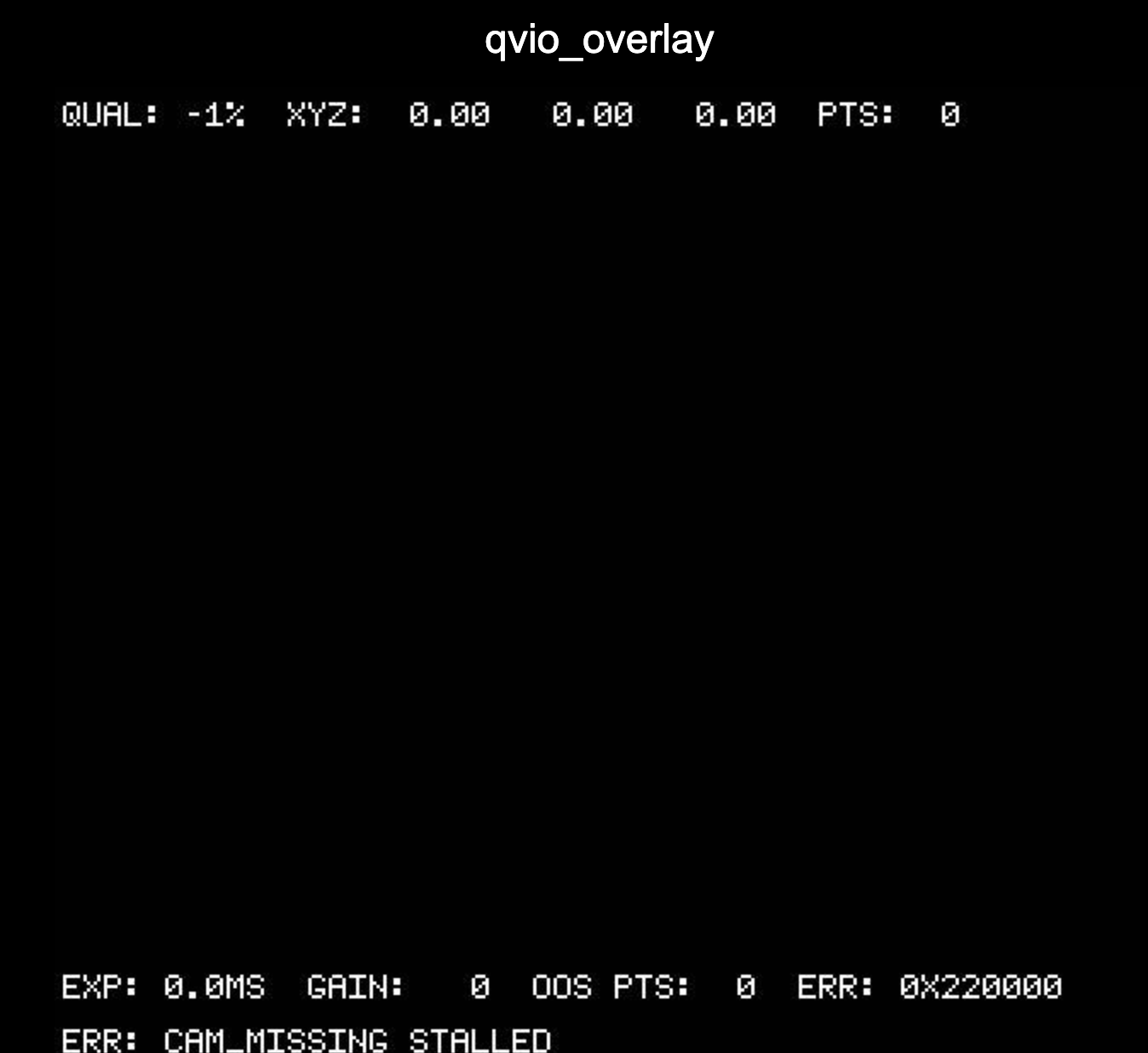
Vision sensors not detected in VOXL2
-
@modaltb @Alex-Kushleyev @Chad-Sweet Some help in this would be really appreciated.
Thanks!
@Jetson-Nano , sorry for the delay.
I have noticed that you are running the hires camera (IMX214) at full resolution 4208x3120@30fps (large video). We recently found that in some cases, this can cause the camera server to abort. Just to test the theory, can you please try reducing the FPS of hires camera from 30 to 25 and see if the issue goes away. If it does not go away, please try to disable the cameras one by one in
voxl-camera-server.confto try to isolate which one is causing the issue.Alex
-
A Alex Kushleyev referenced this topic on
-
@Jetson-Nano , sorry for the delay.
I have noticed that you are running the hires camera (IMX214) at full resolution 4208x3120@30fps (large video). We recently found that in some cases, this can cause the camera server to abort. Just to test the theory, can you please try reducing the FPS of hires camera from 30 to 25 and see if the issue goes away. If it does not go away, please try to disable the cameras one by one in
voxl-camera-server.confto try to isolate which one is causing the issue.Alex
@Alex-Kushleyev I'll test the solution what you told for High res and get back, what about the ToF?
-
@Alex-Kushleyev I'll test the solution what you told for High res and get back, what about the ToF?
@Jetson-Nano , I guess I am a little confused whether you have one or more issues right now.
Let's focus on the TOF sensor. if you simply unplug all the sensors except for TOF and set up your
voxl-camera-server.confto only have TOF streaming enabled, does TOF work? If not, do you have more than one TOF sensor to check?Alex
-
@Jetson-Nano , I guess I am a little confused whether you have one or more issues right now.
Let's focus on the TOF sensor. if you simply unplug all the sensors except for TOF and set up your
voxl-camera-server.confto only have TOF streaming enabled, does TOF work? If not, do you have more than one TOF sensor to check?Alex
@Alex-Kushleyev In my current system I have a Tracking(ov7251), Highres(imx214) and a pmd-tof. I have removed and tracking and highres and had only only ToF connected.
I setup the camera config for ToF only. The ToF was connected to J6 Lower through interposer to Voxl2. Using the command
voxl-inspect-cam -aI'm not able to see the details of ToF connected.
In the same setup I use another ToF sensor and check, initially it doesn't get detected but upon running the camera config config couple of times and after few mins post starting the
voxl-camera-serverthrough terminal, I get the ToF feed in VOXL portal. -
@Alex-Kushleyev In my current system I have a Tracking(ov7251), Highres(imx214) and a pmd-tof. I have removed and tracking and highres and had only only ToF connected.
I setup the camera config for ToF only. The ToF was connected to J6 Lower through interposer to Voxl2. Using the command
voxl-inspect-cam -aI'm not able to see the details of ToF connected.
In the same setup I use another ToF sensor and check, initially it doesn't get detected but upon running the camera config config couple of times and after few mins post starting the
voxl-camera-serverthrough terminal, I get the ToF feed in VOXL portal.@Jetson-Nano , please note that when you attach a new TOF V1 sensor to VOXL2, the first time you run
voxl-camera-server, it will try to see if there is a calibration file downloaded from the TOF sensor and stored on VOXL2. This calibration file contains device-specific information (lens calibration, etc) that is used by the TOF software library to process the raw data and create the point clouds. If the calibration file is not present on VOXL2 (it is checked by the serial number of the TOF device), the calibration file will be downloaded from the TOF sensor byvoxl-camera-server. This download process takes about 1 minute to complete and it may seem like the camera server / TOF is not working at that time (it will just sit quietly, unless you runvoxl-camera-server -d 0to enable the debug messages).I believe that this may be an issue you saw then you used "another ToF sensor" - perhaps you did not initially wait long enough for the calibration file to be downloaded by voxl-camera-server. But after the calibration file has been downloaded, the TOF sensor started working.
Alex
-
@Jetson-Nano , please note that when you attach a new TOF V1 sensor to VOXL2, the first time you run
voxl-camera-server, it will try to see if there is a calibration file downloaded from the TOF sensor and stored on VOXL2. This calibration file contains device-specific information (lens calibration, etc) that is used by the TOF software library to process the raw data and create the point clouds. If the calibration file is not present on VOXL2 (it is checked by the serial number of the TOF device), the calibration file will be downloaded from the TOF sensor byvoxl-camera-server. This download process takes about 1 minute to complete and it may seem like the camera server / TOF is not working at that time (it will just sit quietly, unless you runvoxl-camera-server -d 0to enable the debug messages).I believe that this may be an issue you saw then you used "another ToF sensor" - perhaps you did not initially wait long enough for the calibration file to be downloaded by voxl-camera-server. But after the calibration file has been downloaded, the TOF sensor started working.
Alex
@Alex-Kushleyev Thanks for reverting. Where is the calibration file saved in VOXL2?
-
@Alex-Kushleyev Thanks for reverting. Where is the calibration file saved in VOXL2?
@Jetson-Nano you can see in the docs the calibration is stored in /data/modalai https://docs.modalai.com/calibrate-cameras/
-
@Jetson-Nano you can see in the docs the calibration is stored in /data/modalai https://docs.modalai.com/calibrate-cameras/
@Moderator I meant to ask, where are calibration files of ToF is located?
-
@Moderator I meant to ask, where are calibration files of ToF is located?
@Jetson-Nano , for TOF V1, the calibration should be downloaded from the sensor when the camera server sees it for the very first time. The location should be
/data/misc/camera/<sensor_serial_number>.TOF V2 does not store the data on VOXL2, instead the calibration data is downloaded every time and is used by the TOF processing library to generate the point clouds.
Alex
-
@Jetson-Nano , for TOF V1, the calibration should be downloaded from the sensor when the camera server sees it for the very first time. The location should be
/data/misc/camera/<sensor_serial_number>.TOF V2 does not store the data on VOXL2, instead the calibration data is downloaded every time and is used by the TOF processing library to generate the point clouds.
Alex
@Alex-Kushleyev Thanks for reverting. But not always I have compute compute connected to internet in
stationmode, rather it stays insoftap. In the case of latter, when I reconfigure thevoxl-camera-serverhow will calib files be downloaded? -
@Alex-Kushleyev Thanks for reverting. But not always I have compute compute connected to internet in
stationmode, rather it stays insoftap. In the case of latter, when I reconfigure thevoxl-camera-serverhow will calib files be downloaded?@Jetson-Nano , the ToF V1 calibration file is downloaded from the sensor itself via i2c . No internet connection is required.


Reading along? Create a free ModalAI Forum account to join in.
With an account you can reply, ask your own question, get an email when a ModalAI engineer answers, and mark the reply that solved it. Your place in each thread is saved between visits.
Questions about VOXL, Flight Core, ESCs and ModalAI drones are answered here by the engineers who build them.
Register Login