Skip to content
  • Categories
  • Recent
  • Tags
  • Popular
  • Users
  • Groups
Collapse
Brand Logo

ModalAI Forum

  1. ModalAI Support Forum
  2. Ask your questions right here!
  3. ADB Device Offline

ADB Device Offline

Scheduled Pinned Locked Moved Ask your questions right here!
7 Posts 4 Posters 3.3k Views 4 Watching
  • Oldest to Newest
  • Newest to Oldest
  • Most Votes
Reply
  • Reply as topic
Log in to reply
This topic has been deleted. Only users with topic management privileges can see it.
  • G Offline
    G Offline
    Gaurav Borade
    Contributor
    wrote on last edited by
    #1

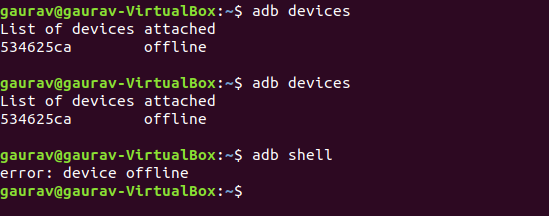
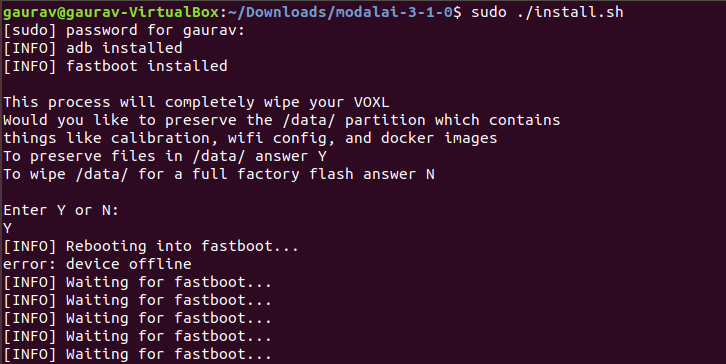
    Hi, I am facing the same issue mentioned in post: https://forum.modalai.com/topic/151/adb-device-offline?_=1624343494928
    fbc5fadc-7b05-4f47-a3fa-a93cdd9ab235-image.png
    1c0f5add-e9e9-41bc-90a8-01be8d139afd-image.png

    Please help me to resolve it

    Also, I don't have a USB Expander and Debug Add-On Board (https://docs.modalai.com/usb-expander-and-debug-manual/)
    So is there any other way so we can Force VOXL into Fastboot Mode. (any onboard button/ any other technic ) so I can flash it

    1 Reply Last reply
    1
    • modaltbM Offline
      modaltbM Offline
      modaltb
      ModalAI Team
      wrote on last edited by
      #2

      Hi @Gaurav-Borade ,

      There's the software way to reboot to fastboot (adb reboot bootloader) which requires an active adb connection, or the hardware approach which requires the debug add-on board....

      If you type fastboot devices or sudo fastboot devices does anything show up?

      G 1 Reply Last reply
      0
      • M Offline
        M Offline
        Matthew Howlett
        Contributor
        wrote on last edited by Matthew Howlett
        #3

        Hello,
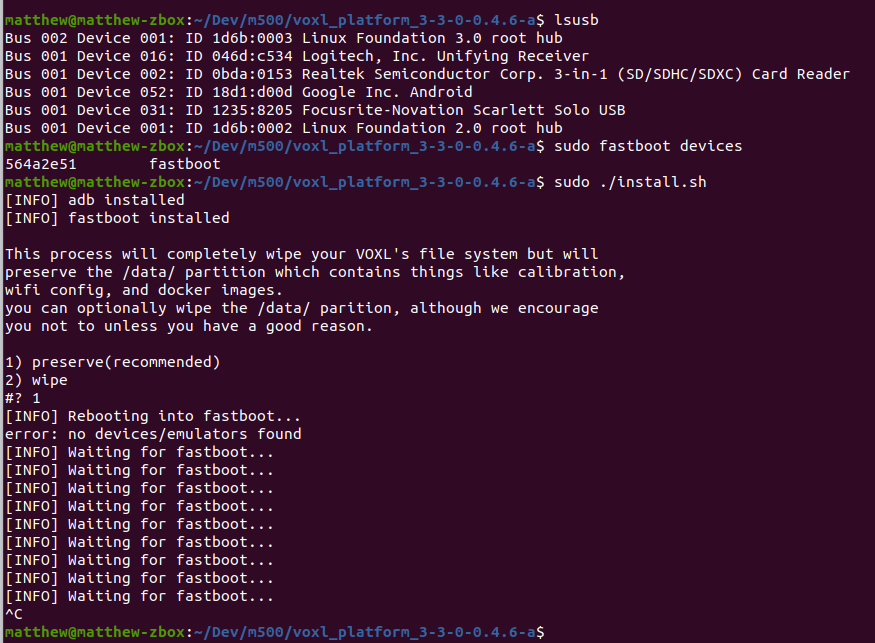
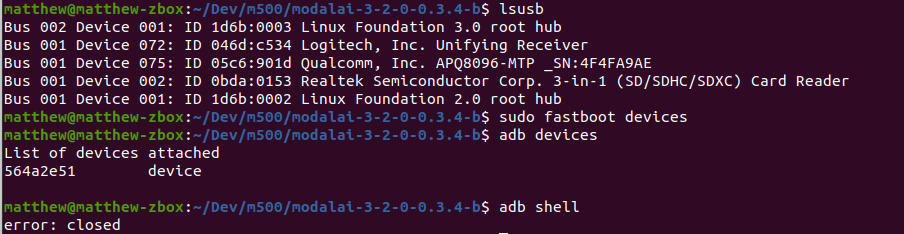
        I am experiencing the same problem. Although, I do have the debug add-on board. I have been able to detect an adb and fastboot device a handful of times, but whenever I try a follow-up command I get an error and the device goes offline. Any suggestions?

        Note: I have tried powering the m500 from both a lipo & the standard 12V/3A wall outlet as suggested on this forum. I also have tried toggling the fastboot switch and running the install.sh program within 10 seconds of booting, but the device continues to go offline.

        No luck with restarting the adb server and reconnecting the device either.
        Screenshot from 2021-06-24 13-53-37.png

        Screenshot from 2021-06-24 12-37-46.png

        1 Reply Last reply
        0
        • Chad SweetC Offline
          Chad SweetC Offline
          Chad Sweet
          ModalAI Team
          wrote on last edited by
          #4

          When you go into fastboot, are you physically switching the fastboot switch back to normal? That switch needs to behave like a button (volume down on an Android phone). If the switch stays fastboot enabled, it will restart after 10 seconds

          M 1 Reply Last reply
          1
          • Chad SweetC Chad Sweet

            When you go into fastboot, are you physically switching the fastboot switch back to normal? That switch needs to behave like a button (volume down on an Android phone). If the switch stays fastboot enabled, it will restart after 10 seconds

            M Offline
            M Offline
            Matthew Howlett
            Contributor
            wrote on last edited by Matthew Howlett
            #5

            @Chad-Sweet I power on the device with fastboot switched on, then I switch fastboot off and leave it off.

            ... Although, if I leave fastboot enabled I don't notice the device restart after 10 seconds (LED stays lit and the fan continues spinning). Is that expected?

            1 Reply Last reply
            0
            • M Offline
              M Offline
              Matthew Howlett
              Contributor
              wrote on last edited by
              #6

              Update: I didn't realize how fast this operation needed to be done until reading this: "power on VOXL and then QUICKLY turn switch off and then hit ENTER to run the ./install.sh script" from this thread. After trying that a couple of times, it flashed, and appears to be functioning correctly now! 😃

              1 Reply Last reply
              0
              • modaltbM modaltb

                Hi @Gaurav-Borade ,

                There's the software way to reboot to fastboot (adb reboot bootloader) which requires an active adb connection, or the hardware approach which requires the debug add-on board....

                If you type fastboot devices or sudo fastboot devices does anything show up?

                G Offline
                G Offline
                Gaurav Borade
                Contributor
                wrote on last edited by Gaurav Borade
                #7

                @modaltb Thank you for helping

                I Tried it & Got following
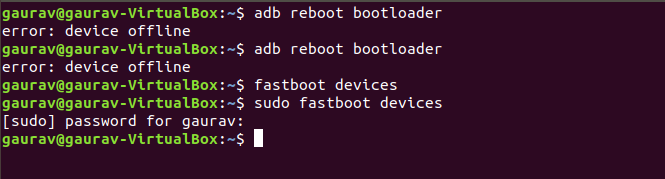
                13dc3479-2fc3-439f-8f34-076c144200bc-image.png

                I don't have the hardware (debug add-on board) with me now, Will receive probably in next week

                1 Reply Last reply
                0

                Hello! It looks like you're interested in this conversation, but you don't have an account yet.

                Getting fed up of having to scroll through the same posts each visit? When you register for an account, you'll always come back to exactly where you were before, and choose to be notified of new replies (either via email, or push notification). You'll also be able to save bookmarks and upvote posts to show your appreciation to other community members.

                With your input, this post could be even better 💗

                Register Login
                Reply
                • Reply as topic
                Log in to reply
                • Oldest to Newest
                • Newest to Oldest
                • Most Votes


                ModalAI
                Categories Recent Tags ModalAI.com Docs
                © 2026 ModalAI® · Accelerating autonomy for smaller, smarter, safer drones · Powered by NodeBB
                • Login

                • Login or register to search.
                • First post
                  Last post
                0
                • Categories
                • Recent
                • Tags
                • Popular
                • Users
                • Groups