
Reference frames extrinsics clarification
-
Hi everyone,
I have the following questions regarding the reference frames present in extrinsics.conf file:- It is my understanding that the body frame is a NED frame located in the geometric center (or center of gravity?) of the drone, but where is the origin along the z axis? Is it considered to be at the center of gravity of the drone?
- Is the ground frame still a NED frame? Where it should be located with respect to the body frame?
Thank you in advance for your response!
-
Hi everyone,
I have the following questions regarding the reference frames present in extrinsics.conf file:- It is my understanding that the body frame is a NED frame located in the geometric center (or center of gravity?) of the drone, but where is the origin along the z axis? Is it considered to be at the center of gravity of the drone?
- Is the ground frame still a NED frame? Where it should be located with respect to the body frame?
Thank you in advance for your response!
I also have the same issue:
on the Starling V2, without changing any reference frame name (how to do that? is it possible?) I get everything pitched up
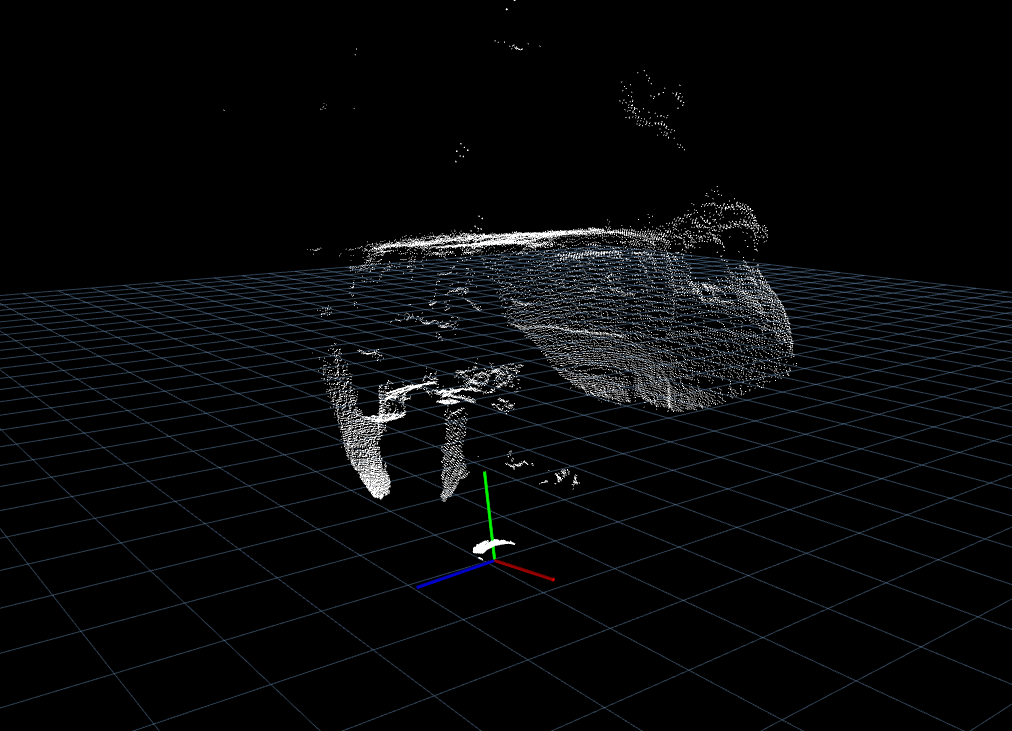
is there any guide one can follow to configure this?
-
I also have the same issue:
on the Starling V2, without changing any reference frame name (how to do that? is it possible?) I get everything pitched up
is there any guide one can follow to configure this?
@tiralonghipol if you viewed the data through voxl-portal, it would already be rotated properly. It's not clear which viewer you are using for the data.
The Starling's extrinsic parameters can be found here, which should help you configure your tools
-
@tiralonghipol if you viewed the data through voxl-portal, it would already be rotated properly. It's not clear which viewer you are using for the data.
The Starling's extrinsic parameters can be found here, which should help you configure your tools
@Moderator I am using ROS and the visualized reference frame is wrt qvio
the pcl is from the pmd sensor and fixed frame is world
it seems like the tof is pitched 90 deg wrt to qvioI also tried to edit the file you mentioned, reboot (needed? since it is a service running at boot..) but there is not change in the extrinsics
Any other suggestion? -
@Moderator I am using ROS and the visualized reference frame is wrt qvio
the pcl is from the pmd sensor and fixed frame is world
it seems like the tof is pitched 90 deg wrt to qvioI also tried to edit the file you mentioned, reboot (needed? since it is a service running at boot..) but there is not change in the extrinsics
Any other suggestion?@tiralonghipol I confirm that the same is happening in the portal, it is not a matter of visualization I believe
the platform is flat on the desk, pointing forward, the visualized pointcloud is relatively pointing up
default starling2_voxl2 parameters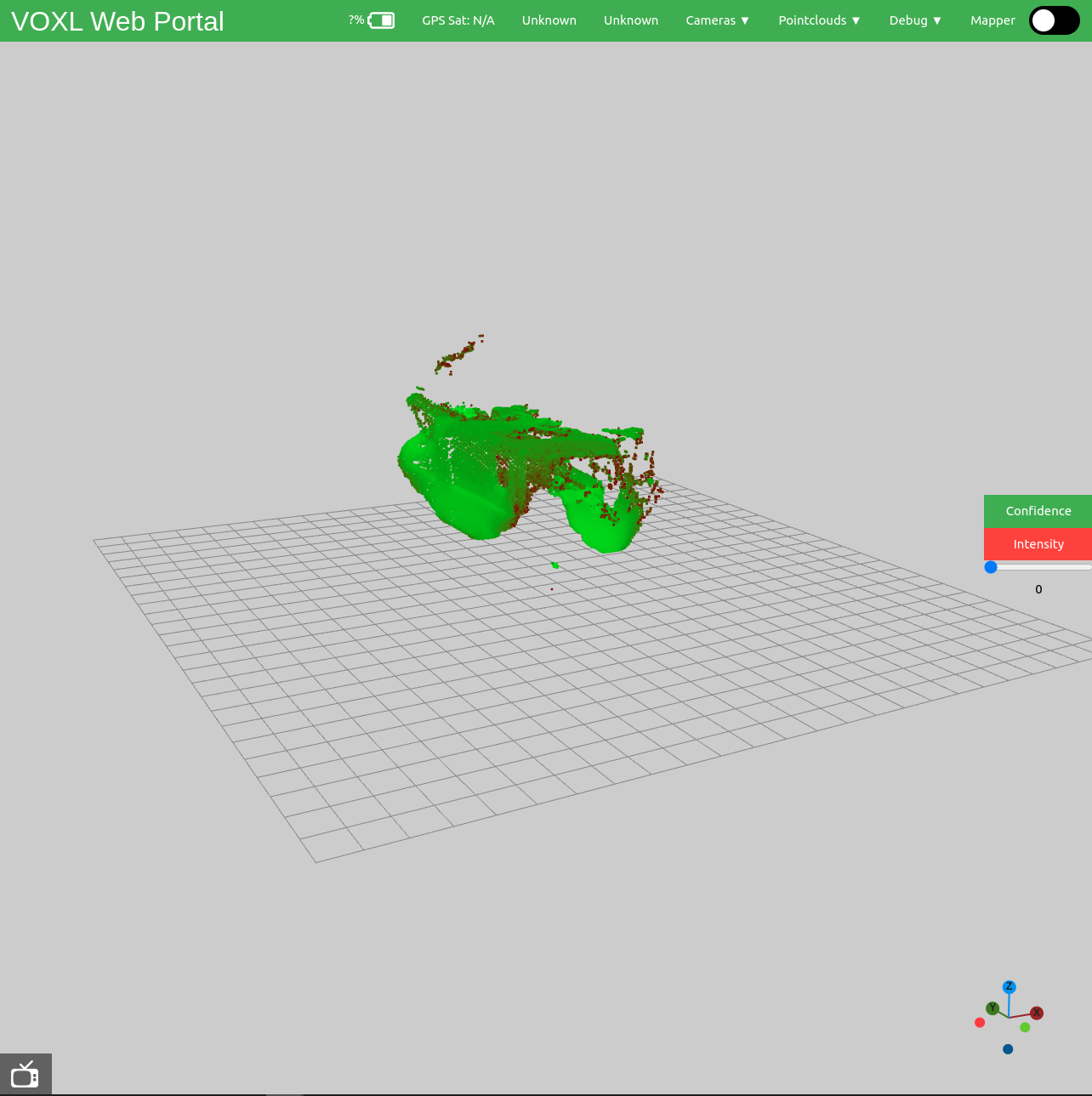
-
@tiralonghipol I confirm that the same is happening in the portal, it is not a matter of visualization I believe
the platform is flat on the desk, pointing forward, the visualized pointcloud is relatively pointing up
default starling2_voxl2 parameters@tiralonghipol yes, the ToF is rotated per the extrinsics. You will need to modify your urdf to match
-
@tiralonghipol yes, the ToF is rotated per the extrinsics. You will need to modify your urdf to match
@Chad-Sweet thank you for the reply
The this that I am struggling to understand is how to be sure that this parameters are actually applied after the .conf file is modified
I tried to apply modification to any parent-child relation (putting absurd values to make it obvious) and there is no change is any of the frames.
Is there any way to rotate the tof sensor?Where is the urdf you metioned located?
Thank you again
-
@Chad-Sweet thank you for the reply
The this that I am struggling to understand is how to be sure that this parameters are actually applied after the .conf file is modified
I tried to apply modification to any parent-child relation (putting absurd values to make it obvious) and there is no change is any of the frames.
Is there any way to rotate the tof sensor?Where is the urdf you metioned located?
Thank you again
@tiralonghipol Sorry for the confusion. The portal's web view for raw point clouds won't use the extrinsics. The voxl-mapper uses the extrinsics when building a map. You should use the extrinsics though for your URDF if you want to rotate the point cloud for your ROS application
-
@tiralonghipol Sorry for the confusion. The portal's web view for raw point clouds won't use the extrinsics. The voxl-mapper uses the extrinsics when building a map. You should use the extrinsics though for your URDF if you want to rotate the point cloud for your ROS application
@Moderator That makes way more sense, thank you for the clarification
As far as I could understand, there is no text saying that the .conf for the extrinsics is only used for the voxl-mapper on the modalai.docs, I think that is where my confusion came from



Reading along? Create a free ModalAI Forum account to join in.
With an account you can reply, ask your own question, get an email when a ModalAI engineer answers, and mark the reply that solved it. Your place in each thread is saved between visits.
Questions about VOXL, Flight Core, ESCs and ModalAI drones are answered here by the engineers who build them.
Register Login