
@Matthew-Booker 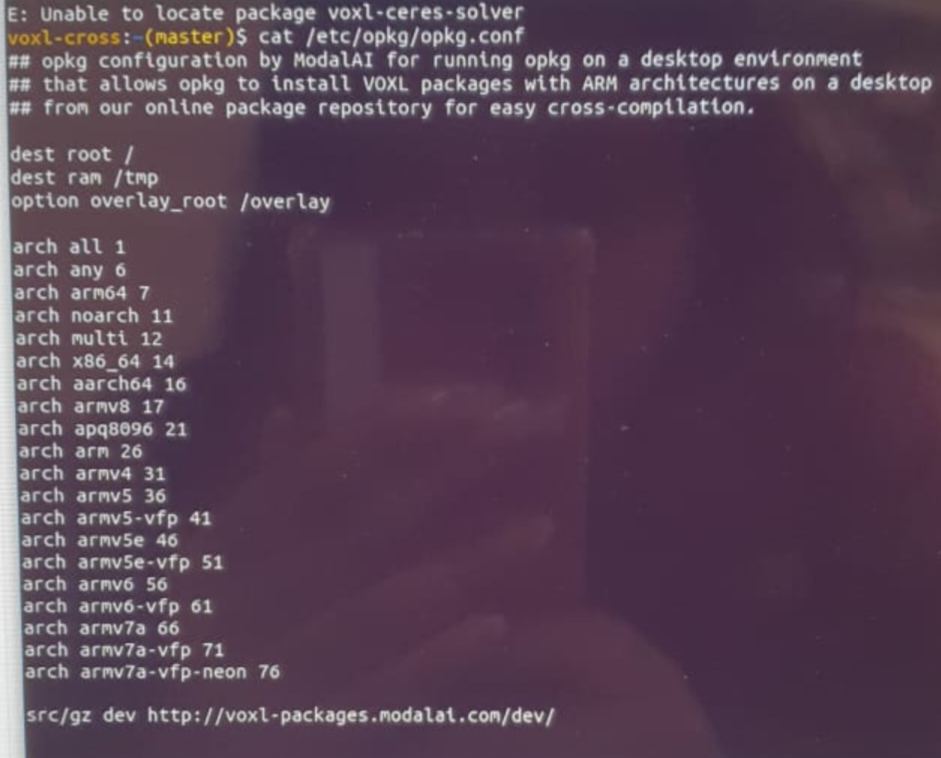
This is the output on voxl cross.but on voxl2 we couldn't run the command for opkg.
Can you please tell the equivalent command for voxl 2 ?
Posts
-
modifying voxl-mapper -
modifying voxl-mapper@Matthew-Booker
Sorry for being late, we were trying to build the package again on voxl cross,
We got the following error,
https://docs.google.com/document/d/1C1fZl-i5CzY3OUXER0KUOl3I6TGEhlw1XSsiebbMCr4/edit?usp=drivesdk
After analysis we felt that ceres server package was missing hence we installed it using the instructions provided on the ceres server page. https://ceres-solver.org/installation.html
We even customised the build by using tye commandcmake -DCMAKE_CXX_FLAGS="-march=native" /home/root/ceres-solverAfter running make install as seen in above link
We noticed that the libceres.a file was in /usr/local/bin and not in /usr/lib64
Hence we copied libceres.a file to usr/lib64 but we ended up getting the following error, '/usr/lib64/libceres.a: error adding symbols: file in wrong format'
The scenario can be seen in the below document.https://docs.google.com/document/d/1Q_5aam02v79-E3MosS6sw1BJ_0q3x1HUCCt_twu33Ao/edit?usp=drivesdk
Please help us in solving the error
Thanks! -
modifying voxl-mapperHello team,
We wanted to modify the source code of voxl-mapper to send z coordinate. We have changed the code and now we would like to build it. We tried building it using voxl-cross but we got the following errorCMakeFiles/Makefile2:340: recipe for target 'server/voxblox_loco_planner/CMakeFiles/voxblox_loco_planner.dir/all' failed make[1]: *** [server/voxblox_loco_planner/CMakeFiles/voxblox_loco_planner.dir/all] Error 2 Makefile:135: recipe for target 'all' failed make: *** [all] Error 2Do we need to use voxl-emulator or something?can you please help us with this.
thank you -
Change home position in Voxl-mapperHey, Thank you , that worked really well.
- Where can we find the 'voxl_mapper.cc' script in the filesystem of voxl?
- We are interested to provide a 3d goal point rather than only providing goal x,y coordinates with z fixed. Will point to point navigation work if a 3d goal point is provided (i.e. providing x,y and z coordinates rather than only giving x and y coordinates with a constant z) with the current package?
-
Change home position in Voxl-mapper@Matthew-Booker sure, will do that. Can you please elaborate a little on loco_scale_time parameter ? what does that parameter do?
Thank you -
Change home position in Voxl-mapper@Matthew-Booker No , I have changed it to trajectory
-
Change home position in Voxl-mapperHey,
So today I tried sending x and y coordinates as mentioned above, we could see the path on voxl portal and the trajectory was sent to voxl vison px4 , however when we switched to offboard mode and pressed follow button, the vehicle didn't follow the path instead it yawed by some angle and went a little forward. What could be the issue?
Thanks!! -
Change home position in Voxl-mapperOh okay, That was helpful ,Thank you

-
Error in sending trajectory to voxl-vision-px4@Matthew-Booker will do that, thank you!!
-
Change home position in Voxl-mapperHello,
I would like to send the coordinates for PLAN TO POINT in Voxl-Mapper rather than selecting in the map. While going through the codes I found this line where the goal_pose is being updated.
So can I use a python script to send goal_pose and when I click PLAN TO POINT, it plans a path to that point?
For this where should I place the python file? How can I find the voxl-mapper package inside voxl? -
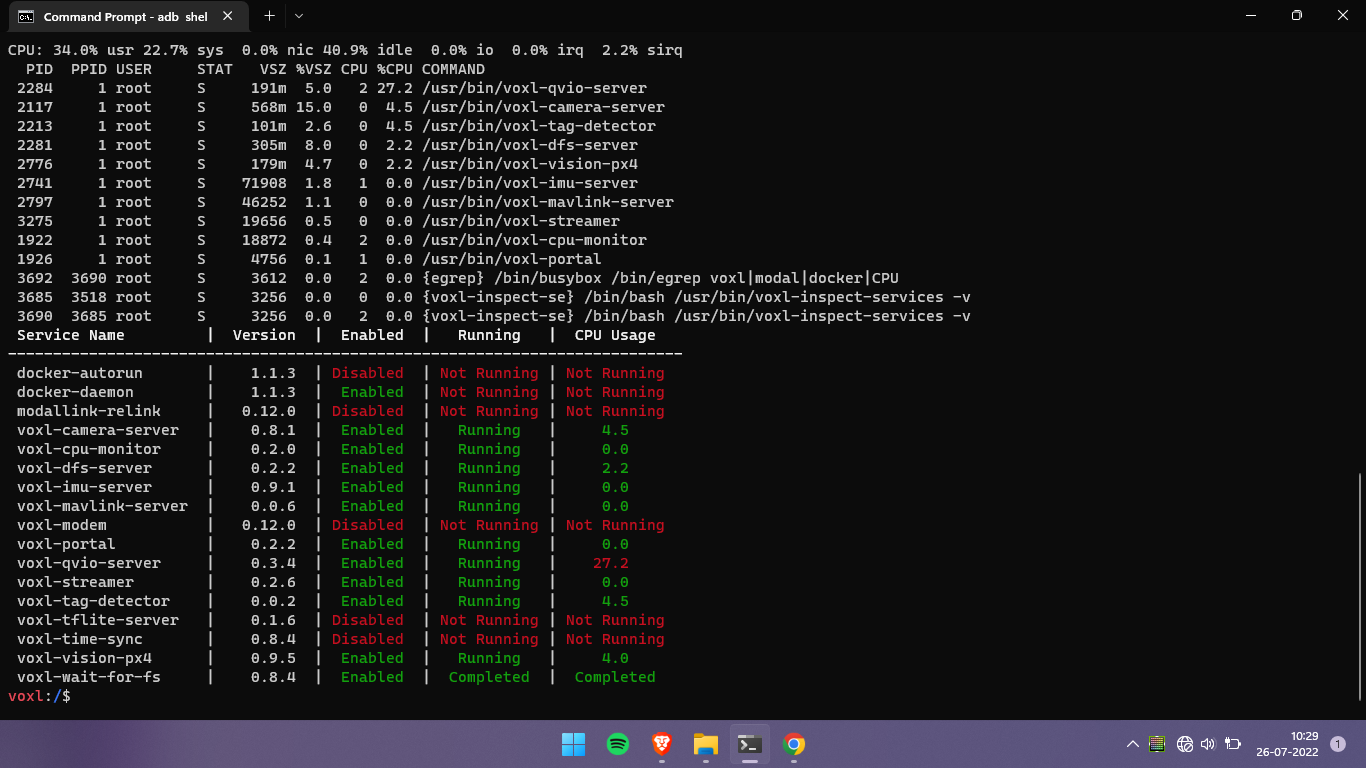
Error in sending trajectory to voxl-vision-px4sorry for the delay,
here is the output ofvoxl-inspect-services -v
-
ERROR: received unreasonably large camera frame size@Chad-Sweet No, I didn't try changing any code
Should I try reinstalling voxl-mpa-to-ros ? -
Error in sending trajectory to voxl-vision-px4Currently I am not in the office, but I remember that the version of voxl mapper was 0.0.5. What could possibly be causing this error? Do I need to update anything?
Thank you -
Error in sending trajectory to voxl-vision-px4I am still stuck with this, can someone help me please
Thank you -
Error in sending trajectory to voxl-vision-px4hi,
I was trying out voxl-mapper ,when It generates the paths and sends , voxl-vision-px4 throws the following error
ERROR validating trajectory data received through pipe: read partial packet
I tried updating voxl-mapper to v0.0.5 but still no luck , how can I solve this error? -
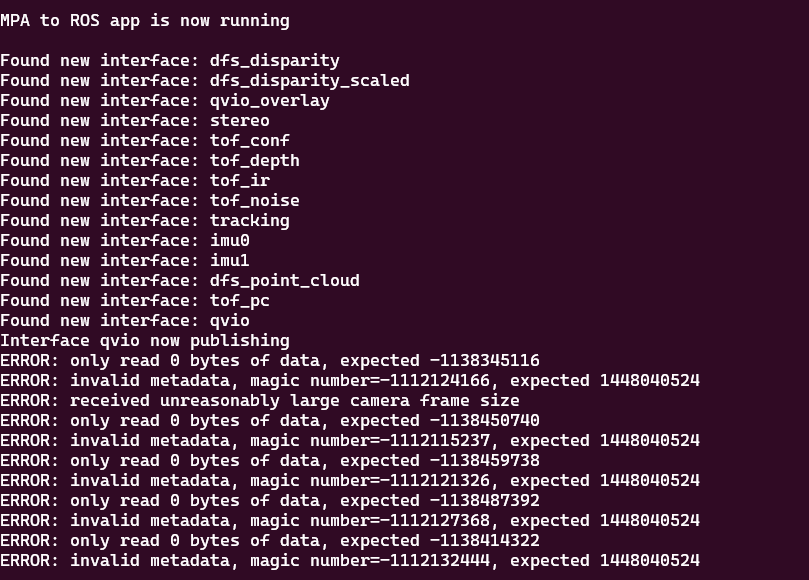
ERROR: received unreasonably large camera frame sizehello,
I was trying to get ros topic /qvio/odometry using voxl_mpa_to_ros but I am getting this error. This happens only for qvio topics not for other topics.
Help would be appreciated
Thank you -
connecting Voxl cam and pixhawk cube@Zachary-Lowell thanks a lot, will surely try