
Obstacle_Detection messages not appearing
-
It looks like everything is set up properly, can you run
voxl-inspect-cam dfs-disparityand check to see that you're getting output there? -
It looks like everything is set up properly, can you run
voxl-inspect-cam dfs-disparityand check to see that you're getting output there?@Alex-Gardner Doesn't seem like it, its stuck on this screen.

-
can you do the same but with stereo:
voxl-inspect-cam stereo, if the dfs service is running and receiving frames it should be outputting data -
can you do the same but with stereo:
voxl-inspect-cam stereo, if the dfs service is running and receiving frames it should be outputting data@Alex-Gardner I'm getting output just fine from stereo alone

-
What version of voxl suite/system image do you have?
voxl-versionshould print this out -
What version of voxl suite/system image do you have?
voxl-versionshould print this out@Alex-Gardner System image 3.3.0. Voxl-suite 0.4.6
-
do you see dfs topics when you do
ls /run/mpa -
wait the name is dfs_disparity, not dfs-disparity, what does the inspect cam say with that
voxl-inspect-cam dfs_disparity -
wait the name is dfs_disparity, not dfs-disparity, what does the inspect cam say with that
voxl-inspect-cam dfs_disparity@Alex-Gardner Output is generated for dfs_disparity

-
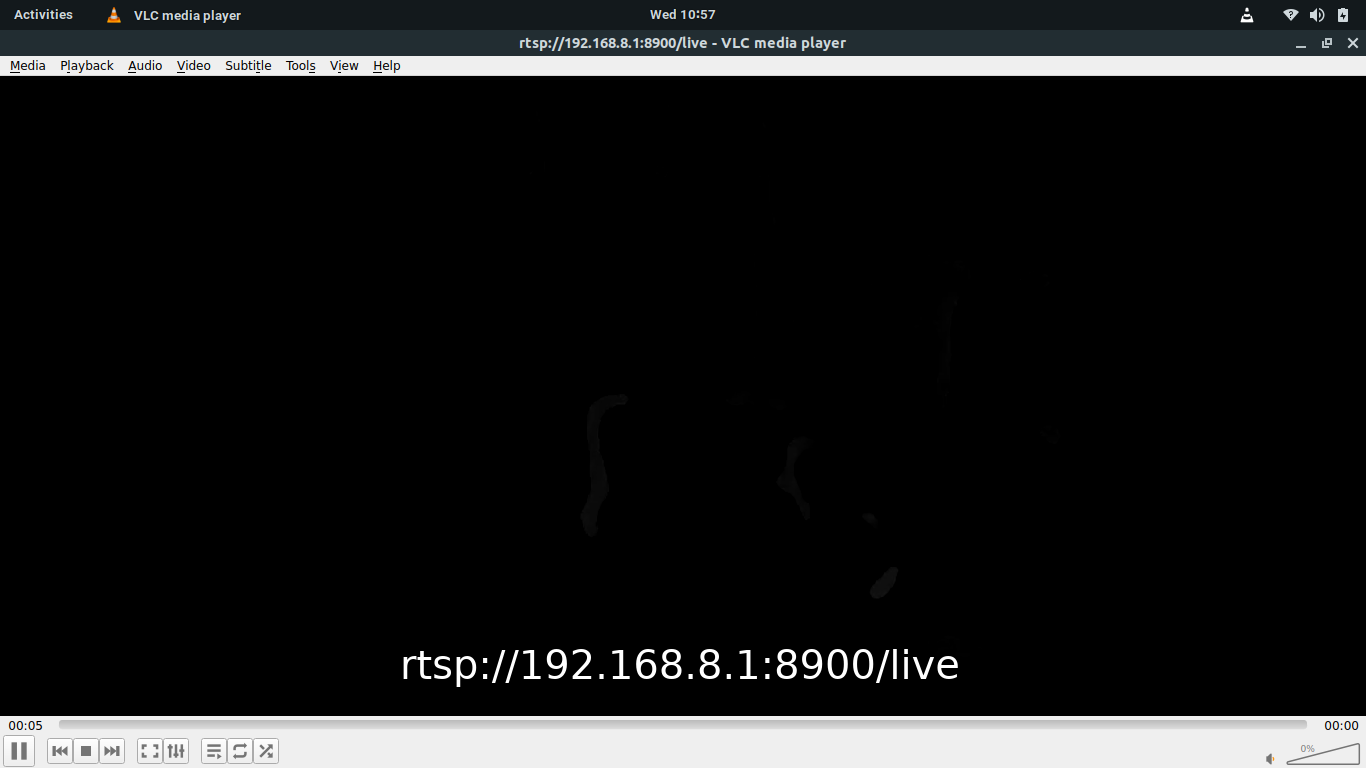
-
The image is showing some disparity data there, the image is often very dark because it will be black if the dfs algo is unable to match regions and we do a lot of filtering to get rid of noise, but you can see 2 blobs there that it recognizes. If you're shoing the stereo cameras a blank wall or a repeating pattern it will be unable to properly match data.
-
The image is showing some disparity data there, the image is often very dark because it will be black if the dfs algo is unable to match regions and we do a lot of filtering to get rid of noise, but you can see 2 blobs there that it recognizes. If you're shoing the stereo cameras a blank wall or a repeating pattern it will be unable to properly match data.
@Alex-Gardner That's good to know! How can I get the Obstacle Detection message to be sent to the QGC?
-
the file at /etc/modalai/voxl-vision-px4.conf has settings for QGC IP, enabling VOA, and sending VOA to QGC. Make sure that the latter two are enabled and that your qgc ip is correct and it should send to QGC
-
the file at /etc/modalai/voxl-vision-px4.conf has settings for QGC IP, enabling VOA, and sending VOA to QGC. Make sure that the latter two are enabled and that your qgc ip is correct and it should send to QGC
@Alex-Gardner That was it, the ip address was not inputted correctly. Thanks!

Reading along? Create a free ModalAI Forum account to join in.
With an account you can reply, ask your own question, get an email when a ModalAI engineer answers, and mark the reply that solved it. Your place in each thread is saved between visits.
Questions about VOXL, Flight Core, ESCs and ModalAI drones are answered here by the engineers who build them.
Register Login