Skip to content
  • Categories
  • Recent
  • Tags
  • Popular
  • Users
  • Groups
Collapse
Brand Logo

ModalAI Forum

  1. ModalAI Support Forum
  2. General Questions
  3. VOXL VIO not sending position over Odometry Message

VOXL VIO not sending position over Odometry Message

Scheduled Pinned Locked Moved Unsolved General Questions
4 Posts 2 Posters 617 Views 1 Watching
  • Oldest to Newest
  • Newest to Oldest
  • Most Votes
Reply
  • Reply as topic
Log in to reply
This topic has been deleted. Only users with topic management privileges can see it.
  • Daniel RyuD Offline
    Daniel RyuD Offline
    Daniel Ryu
    Regular
    wrote on last edited by
    #1

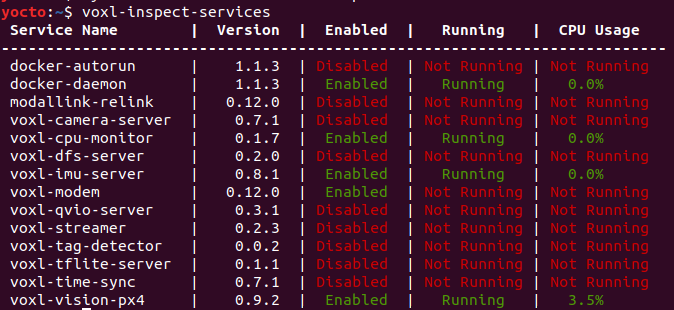
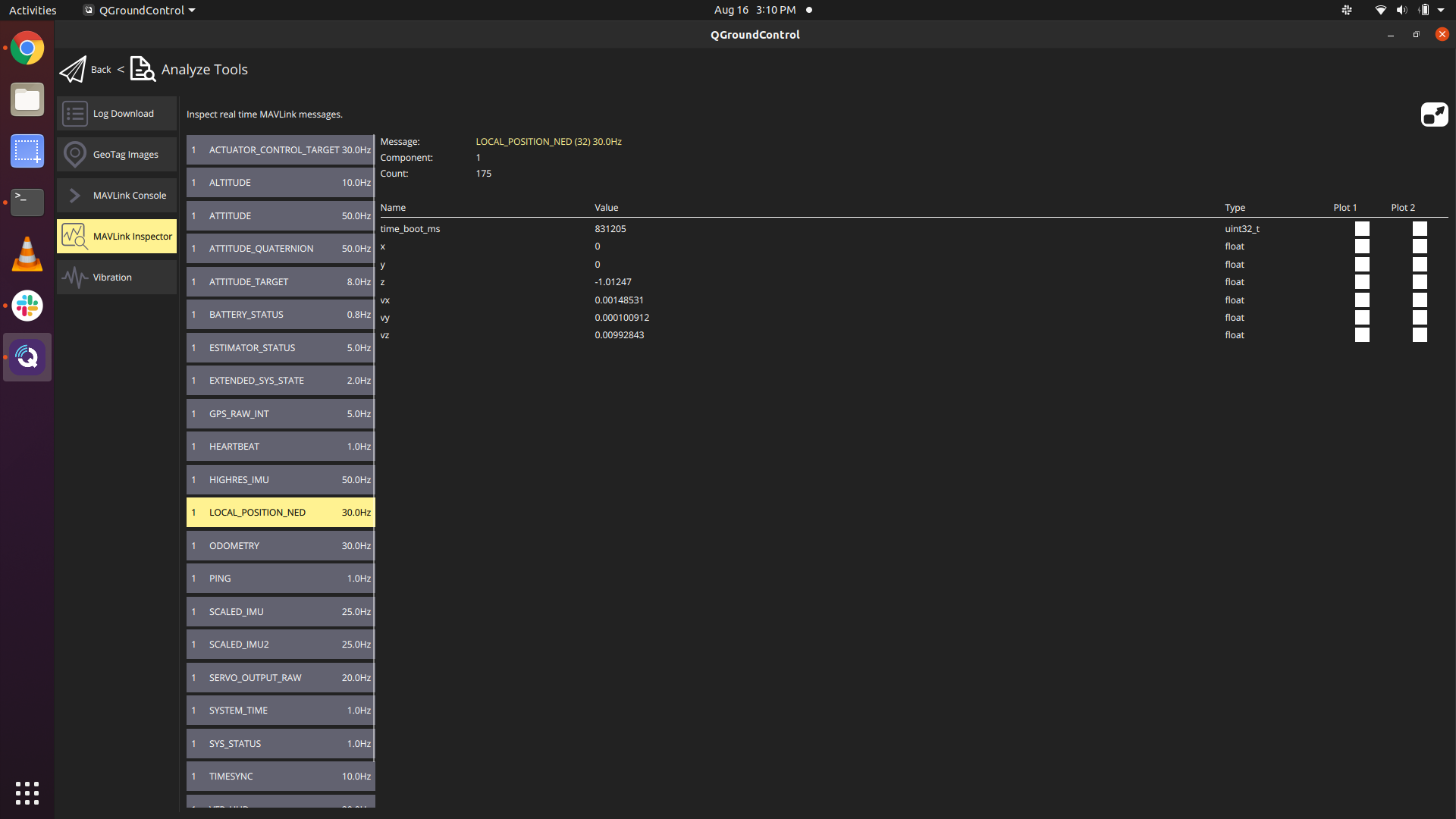
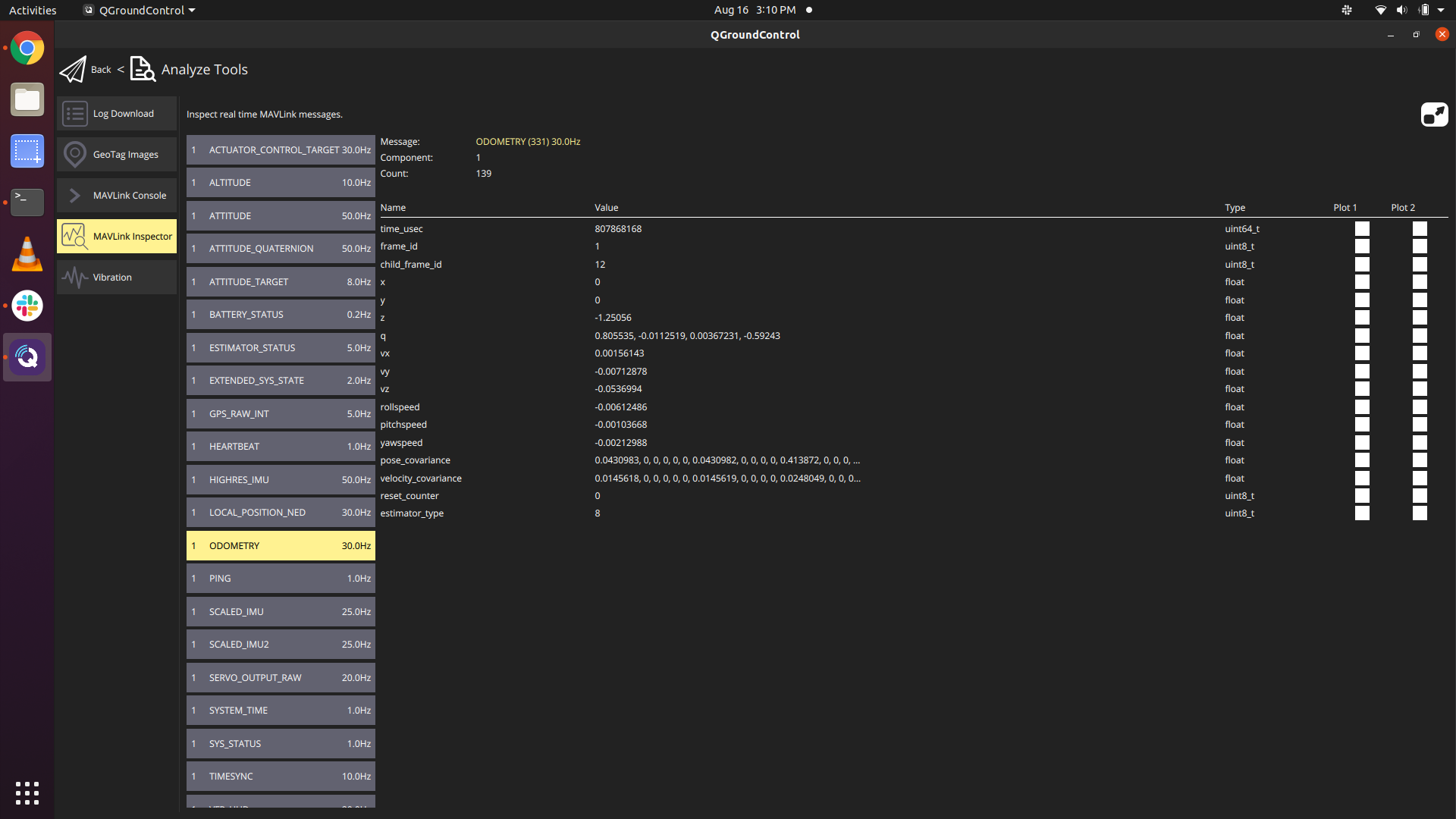
    I switched into system image 3.3 as so here: https://forum.modalai.com/topic/382/collision-prevention because I want to be able to use VIO and collision avoidance. However, after doing so, I am no longer able to get VIO updates to x and y in the Odometry message on QGC. Screenshot from 2021-08-16 15-07-55.png Screenshot from 2021-08-16 15-07-24.png
    Screenshot from 2021-08-16 15-10-31.png Screenshot from 2021-08-16 15-10-08.png

    Previously I was able to receive changes to Odometry in version 3.2, it is only now that I can't receive those changes.

    1 Reply Last reply
    0
    • ? Offline
      ? Offline
      A Former User
      wrote on last edited by [[global:former-user]]
      #2

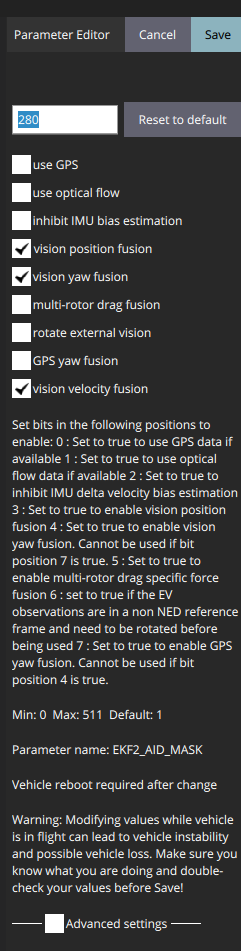
      In your px4 parameters, what is EKF2_AID_MASK? If you're trying to run in vio mode, you need to set the aid mask to 280 (vision position fusion + vision yaw fusion + vision velocity fusion)
      94027f34-e719-4983-9016-d3ea23d77308-image.png

      Daniel RyuD 1 Reply Last reply
      0
      • ? A Former User

        In your px4 parameters, what is EKF2_AID_MASK? If you're trying to run in vio mode, you need to set the aid mask to 280 (vision position fusion + vision yaw fusion + vision velocity fusion)

        94027f34-e719-4983-9016-d3ea23d77308-image.png

        Daniel RyuD Offline
        Daniel RyuD Offline
        Daniel Ryu
        Regular
        wrote on last edited by
        #3

        @Alex-Gardner Also 280. I loaded in the configuration file here https://gitlab.com/voxl-public/flight-core-px4/px4-parameters/-/blob/master/helpers/ekf2_indoor_vio.params

        1 Reply Last reply
        0
        • Daniel RyuD Offline
          Daniel RyuD Offline
          Daniel Ryu
          Regular
          wrote on last edited by
          #4

          @Alex-Gardner

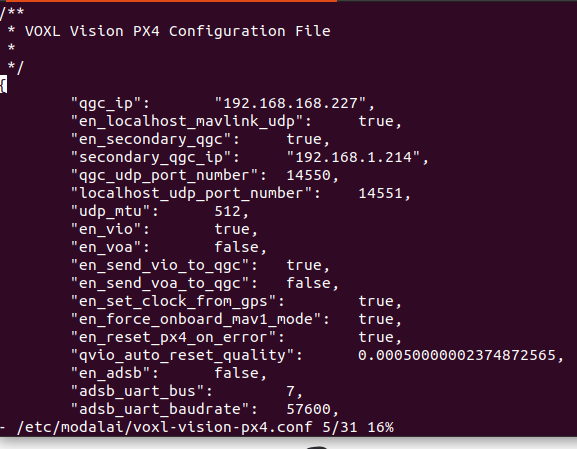
          Found the solution. Here are the steps to make sure VIO is working properly.

          1. Make sure VIO is enabled in the voxl-vision-px4.conf file

          2. Make sure PX4 parameters are updated

          3. Ensure voxl-camera-server, voxl-qvio-server, and voxl-vision-px4 services are all running in the background

          If you could add step 2 into the documentation it would help a lot. As is, I had to do a lot of forum searching to figure this out. https://forum.modalai.com/topic/140/vio-indoor-navigation

          1 Reply Last reply
          0

          Reading along? Create a free ModalAI Forum account to join in.

          With an account you can reply, ask your own question, get an email when a ModalAI engineer answers, and mark the reply that solved it. Your place in each thread is saved between visits.

          Questions about VOXL, Flight Core, ESCs and ModalAI drones are answered here by the engineers who build them.

          Register Login
          Reply
          • Reply as topic
          Log in to reply
          • Oldest to Newest
          • Newest to Oldest
          • Most Votes


          ModalAI
          Categories Recent Tags ModalAI.com Docs
          © 2026 ModalAI® · Accelerating autonomy for smaller, smarter, safer drones · Powered by NodeBB
          • Login

          • Don't have an account? Register

          • Login or register to search.
          • First post
            Last post
          0
          • Categories
          • Recent
          • Tags
          • Popular
          • Users
          • Groups