
issue with starting the cameras on my VOXL 2 device.
-
I am facing an issue with starting the cameras on my VOXL 2 device. Previously, all cameras were visible in the VOXL web portal, but currently, only the "hires" camera is showing up. Additionally, the cameras are not working in QGroundControl or VLC.
I have tried several troubleshooting steps, such as configuring the video settings in the General tab of QGroundControl, adding the RTSP URL, and setting the aspect ratio, but there is still no output.
When I run voxl-camera-server, only the "hires" camera is enabled, while others are not visible. Could you please guide me on how to get all cameras working again in both VOXL web portal and QGroundControl/VLC?
This is the VOXL version:
Vol version: --------------------------------------------------------------------------------
system-image: 1.3.1-M0054-14.1a-perf
kernel: #1 SMP PREEMPT Tue Aug 2 05:23:05 UTC 2022 4.19.125hw version: M0054
voxl-suite: 0.8.1
This is what I get when I do:
voxl2:/$ voxl-inspect-services
Service Name | Enabled | Running | CPU Usagedocker-autorun | Disabled | Not Running |
docker-daemon | Disabled | Not Running |
modallink-relink | Enabled | Not Running |
voxl-camera-server | Enabled | Running | 0.0
voxl-cpu-monitor | Enabled | Running | 0.0
voxl-dfs-server | Disabled | Not Running |
voxl-imu-server | Enabled | Running | 0.0
voxl-mavlink-server | Enabled | Running | 0.0
voxl-modem | Enabled | Running | 0.0
voxl-portal | Enabled | Running | 15.0
voxl-px4-imu-server | Disabled | Not Running |
voxl-px4 | Enabled | Running | 0.0
voxl-qvio-server | Enabled | Running | 0.0
voxl-softap | Disabled | Not Running |
voxl-static-ip | Disabled | Not Running |
voxl-streamer | Enabled | Running | 0.0
voxl-tag-detector | Disabled | Not Running |
voxl-tflite-server | Disabled | Not Running |
voxl-time-sync | Disabled | Not Running |
voxl-vision-px4 | Enabled | Running | 0.0
voxl-wait-for-fs | Enabled | Completed | -
I am facing an issue with starting the cameras on my VOXL 2 device. Previously, all cameras were visible in the VOXL web portal, but currently, only the "hires" camera is showing up. Additionally, the cameras are not working in QGroundControl or VLC.
I have tried several troubleshooting steps, such as configuring the video settings in the General tab of QGroundControl, adding the RTSP URL, and setting the aspect ratio, but there is still no output.
When I run voxl-camera-server, only the "hires" camera is enabled, while others are not visible. Could you please guide me on how to get all cameras working again in both VOXL web portal and QGroundControl/VLC?
This is the VOXL version:
Vol version: --------------------------------------------------------------------------------
system-image: 1.3.1-M0054-14.1a-perf
kernel: #1 SMP PREEMPT Tue Aug 2 05:23:05 UTC 2022 4.19.125hw version: M0054
voxl-suite: 0.8.1
This is what I get when I do:
voxl2:/$ voxl-inspect-services
Service Name | Enabled | Running | CPU Usagedocker-autorun | Disabled | Not Running |
docker-daemon | Disabled | Not Running |
modallink-relink | Enabled | Not Running |
voxl-camera-server | Enabled | Running | 0.0
voxl-cpu-monitor | Enabled | Running | 0.0
voxl-dfs-server | Disabled | Not Running |
voxl-imu-server | Enabled | Running | 0.0
voxl-mavlink-server | Enabled | Running | 0.0
voxl-modem | Enabled | Running | 0.0
voxl-portal | Enabled | Running | 15.0
voxl-px4-imu-server | Disabled | Not Running |
voxl-px4 | Enabled | Running | 0.0
voxl-qvio-server | Enabled | Running | 0.0
voxl-softap | Disabled | Not Running |
voxl-static-ip | Disabled | Not Running |
voxl-streamer | Enabled | Running | 0.0
voxl-tag-detector | Disabled | Not Running |
voxl-tflite-server | Disabled | Not Running |
voxl-time-sync | Disabled | Not Running |
voxl-vision-px4 | Enabled | Running | 0.0
voxl-wait-for-fs | Enabled | Completed |@Rawdha-R I think the best first step would be to load the latest SDK on your VOXL 2 as that SDK is a few years old at this point.
I would recommend flashing the latest SDK (1.3.3) from downloads.modalai.com under "VOXL 2 Platform Releases"
Just follow the instructions here to do so: https://docs.modalai.com/flash-system-image/#flashing-a-voxl-sdk-release
-
@Rawdha-R I think the best first step would be to load the latest SDK on your VOXL 2 as that SDK is a few years old at this point.
I would recommend flashing the latest SDK (1.3.3) from downloads.modalai.com under "VOXL 2 Platform Releases"
Just follow the instructions here to do so: https://docs.modalai.com/flash-system-image/#flashing-a-voxl-sdk-release
@tom said in issue with starting the cameras on my VOXL 2 device.:
@Rawdha-R I think the best first step would be to load the latest SDK on your VOXL 2 as that SDK is a few years old at this point.
I would recommend flashing the latest SDK (1.3.3) from downloads.modalai.com under "VOXL 2 Platform Releases"
Just follow the instructions here to do so: https://docs.modalai.com/flash-system-image/#flashing-a-voxl-sdk-release
Reply
I tried flashing the latest SDK (1.3.3) from downloads modalai under VOXL 2 platform release[link text]
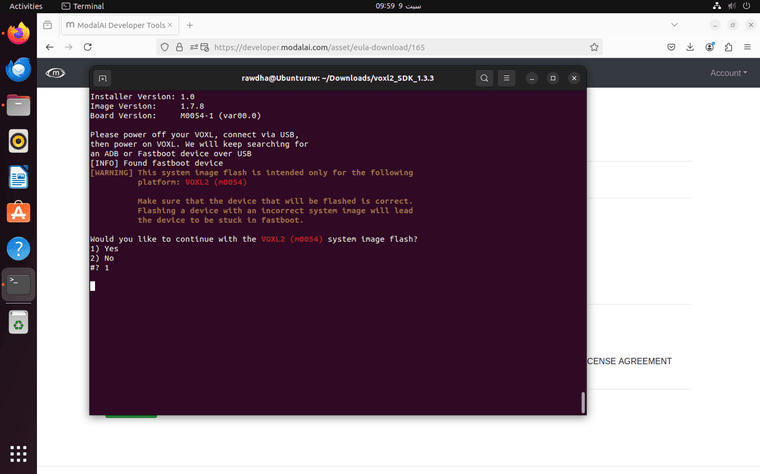 It is stuck at this point, please see the screenshot above.
 -
@tom said in issue with starting the cameras on my VOXL 2 device.:
@Rawdha-R I think the best first step would be to load the latest SDK on your VOXL 2 as that SDK is a few years old at this point.
I would recommend flashing the latest SDK (1.3.3) from downloads.modalai.com under "VOXL 2 Platform Releases"
Just follow the instructions here to do so: https://docs.modalai.com/flash-system-image/#flashing-a-voxl-sdk-release
Reply
I tried flashing the latest SDK (1.3.3) from downloads modalai under VOXL 2 platform release[link text]
It is stuck at this point, please see the screenshot above.@Rawdha-R Seems as though there is a permissions issue where fastboot isn't able to see the device.
These are the permissions my user has, can you confirm your user has
sudo,dialout, andplugdevpermissions, and if not add them and restart your computer. image url)
 -
@Rawdha-R Seems as though there is a permissions issue where fastboot isn't able to see the device.
These are the permissions my user has, can you confirm your user has
sudo,dialout, andplugdevpermissions, and if not add them and restart your computer. -
@tom Yes the permissions are there, I have attached a screenshot of the permissions. In the previous post sceenshot it shows as "[INFO} Found fastboot device", but once I send 1 and enter it's stuck.
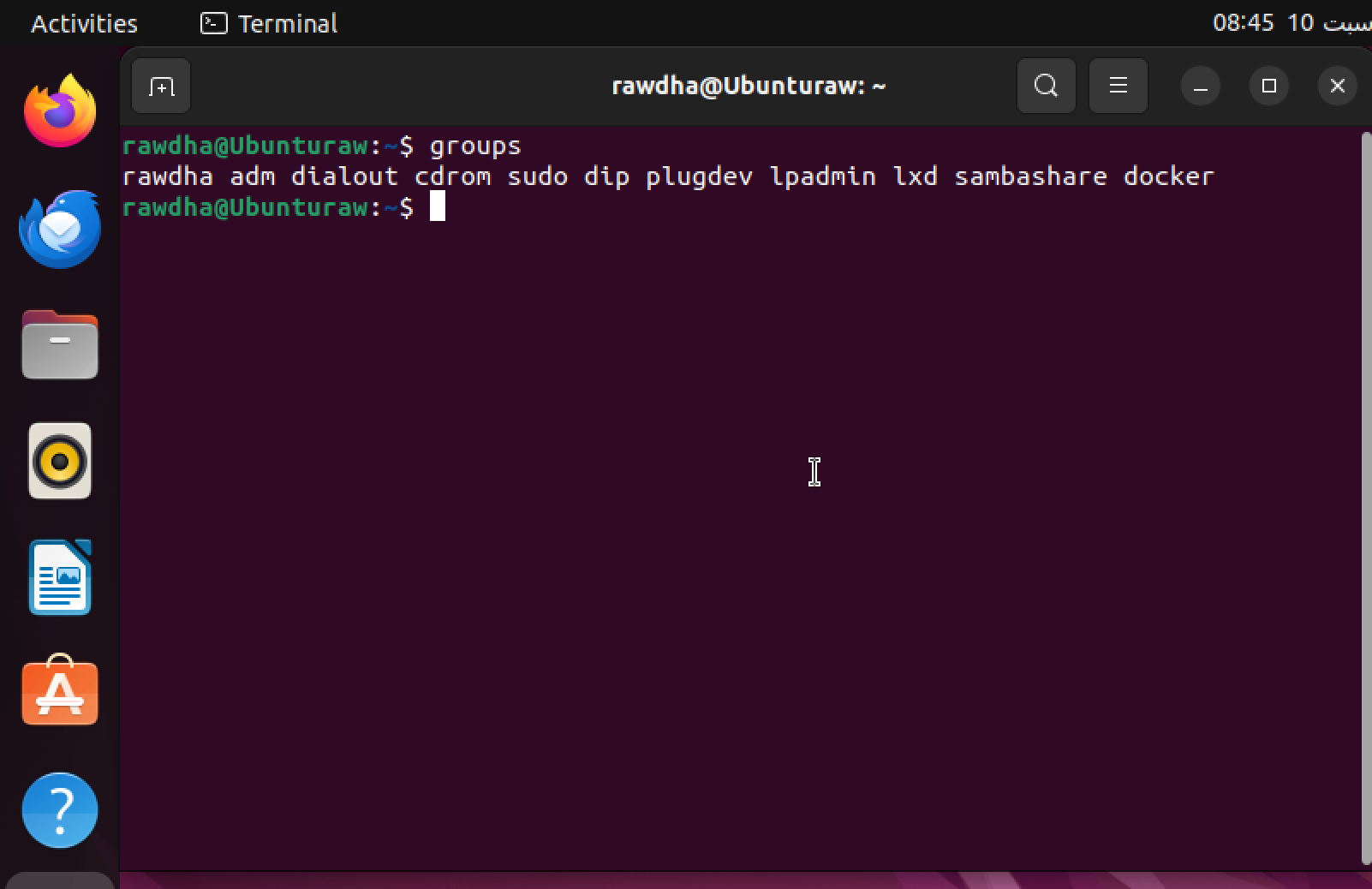
-
@Rawdha-R Interesting, if you run
dmesg -wHin another terminal while going through this process do you see the device enumerate and then drop out maybe?Also, are you running Ubuntu in a VM or directly on your hardware?
@tom
Hello,I followed your instructions and ran sudo dmesg -wH to monitor the kernel messages while reproducing the issue. I observed the output, which I’ve attached as a screenshot.
For context, I am running Ubuntu on a virtual machine (VM) and not directly on my hardware. I attempted the first flight of the drone, (VPN Tailscale) and while everything else was running smoothly, the only issue I faced was that the cameras did not turn on.
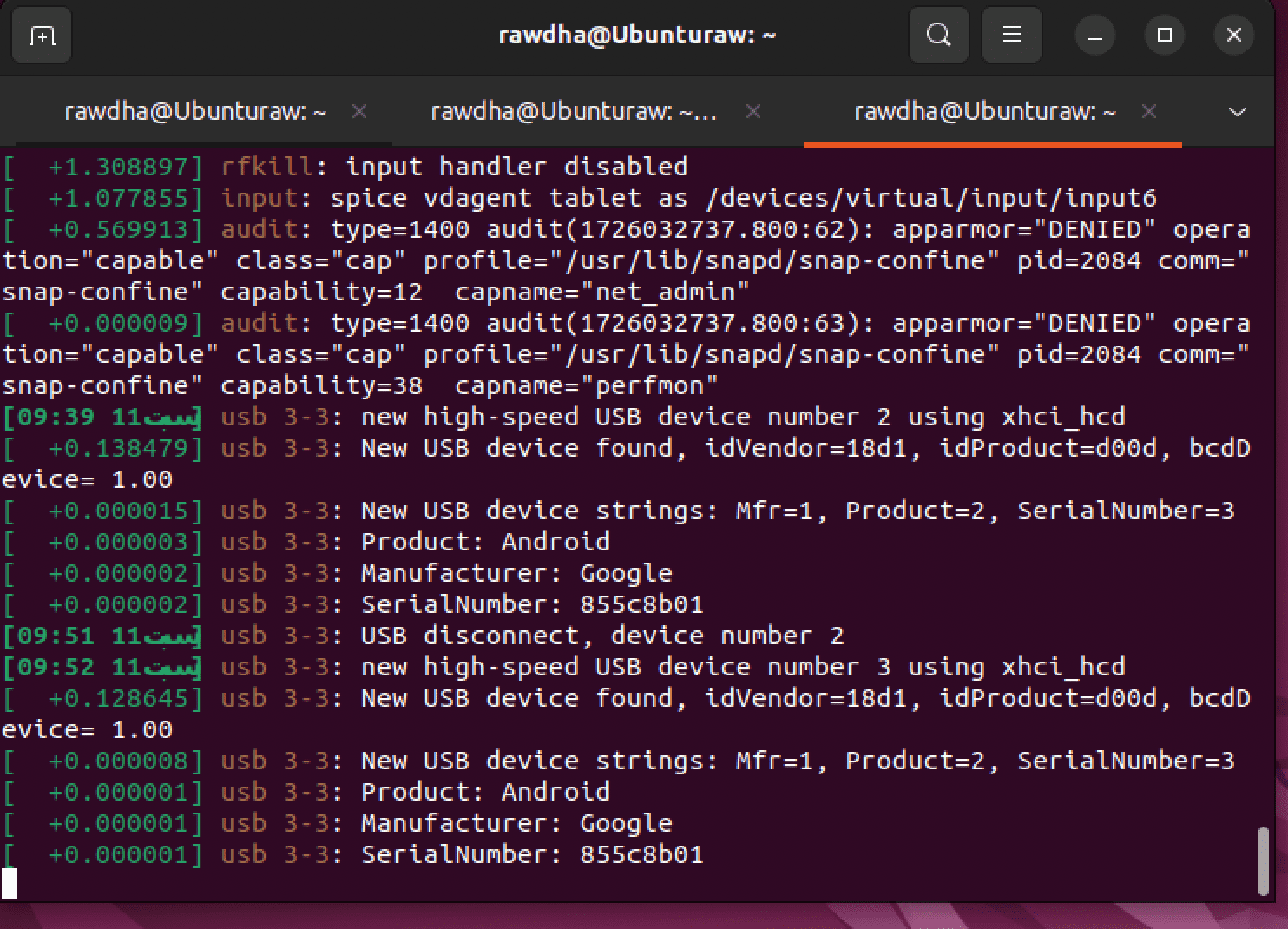
-
@tom
Hello,I followed your instructions and ran sudo dmesg -wH to monitor the kernel messages while reproducing the issue. I observed the output, which I’ve attached as a screenshot.
For context, I am running Ubuntu on a virtual machine (VM) and not directly on my hardware. I attempted the first flight of the drone, (VPN Tailscale) and while everything else was running smoothly, the only issue I faced was that the cameras did not turn on.
@Rawdha-R Okay that is a good sign, it seems as though the board is going into fastboot correctly and the ubuntu machine is recognizing it that way. I still wonder if there is some permissions weirdness in play. What if you try running the install script with
sudopermissions? -
@Rawdha-R Okay that is a good sign, it seems as though the board is going into fastboot correctly and the ubuntu machine is recognizing it that way. I still wonder if there is some permissions weirdness in play. What if you try running the install script with
sudopermissions? -
@Rawdha-R Okay that is a good sign, it seems as though the board is going into fastboot correctly and the ubuntu machine is recognizing it that way. I still wonder if there is some permissions weirdness in play. What if you try running the install script with
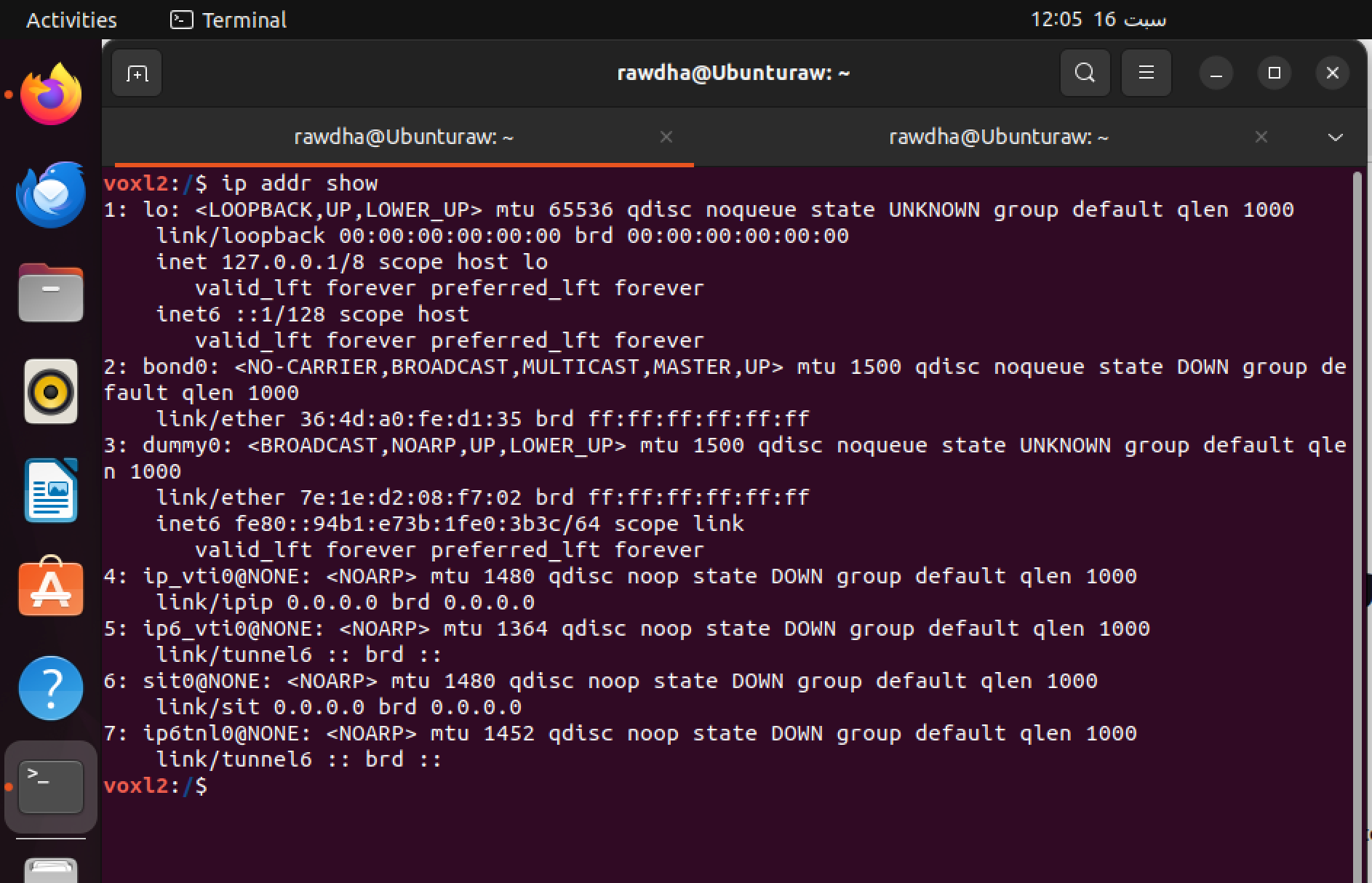
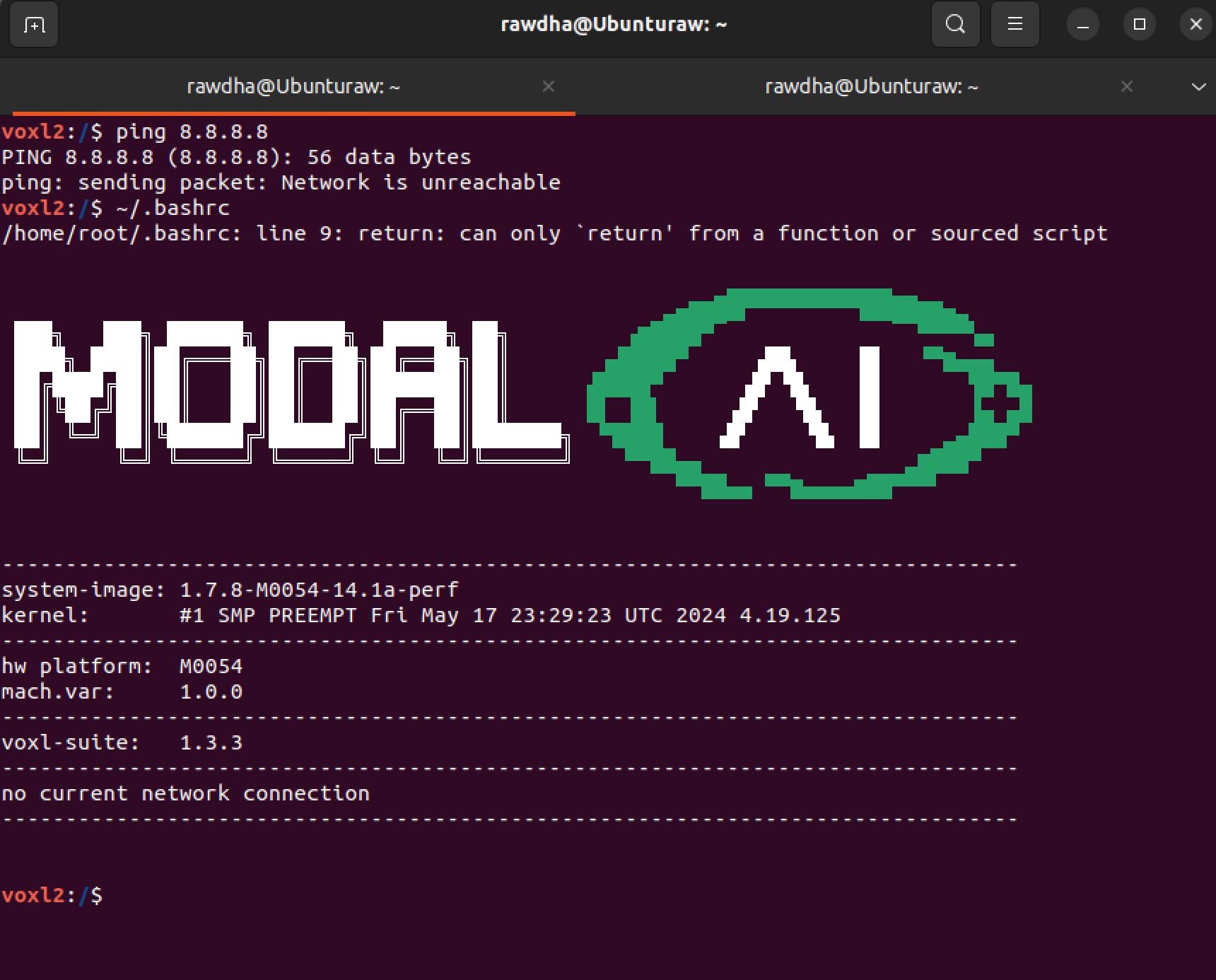
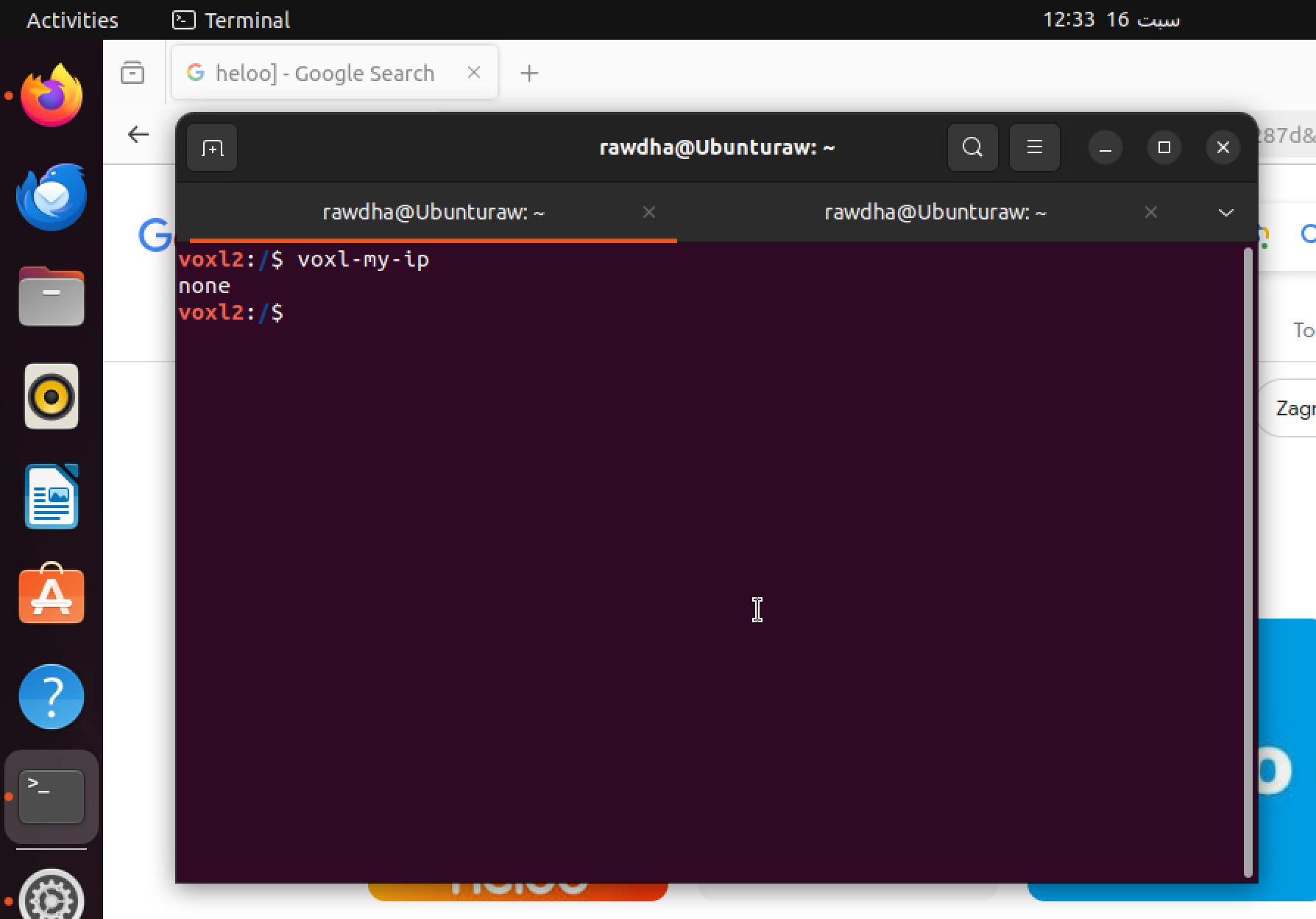
sudopermissions?@tom I'm having trouble pinging the drone. I've set it up using a 5G modem (since the drone that I have doesnt have a wifi dongle) [VOXL AL & 5G Development drone-sentinel 5G LTE Modem] to connect to QGroundControl and proceed with installing the VPN on the drone. However, when I attempt to ping
google.com, I get an error stating "unknown server," and I'm unable to see the drone's IP address. Prior to updating the SDK, I had successfully configured the modem and connected to QGroundControl via Tailscale VPN and I don't know why I'm getting these issues now. Any assistance in resolving this issue would be appreciated.
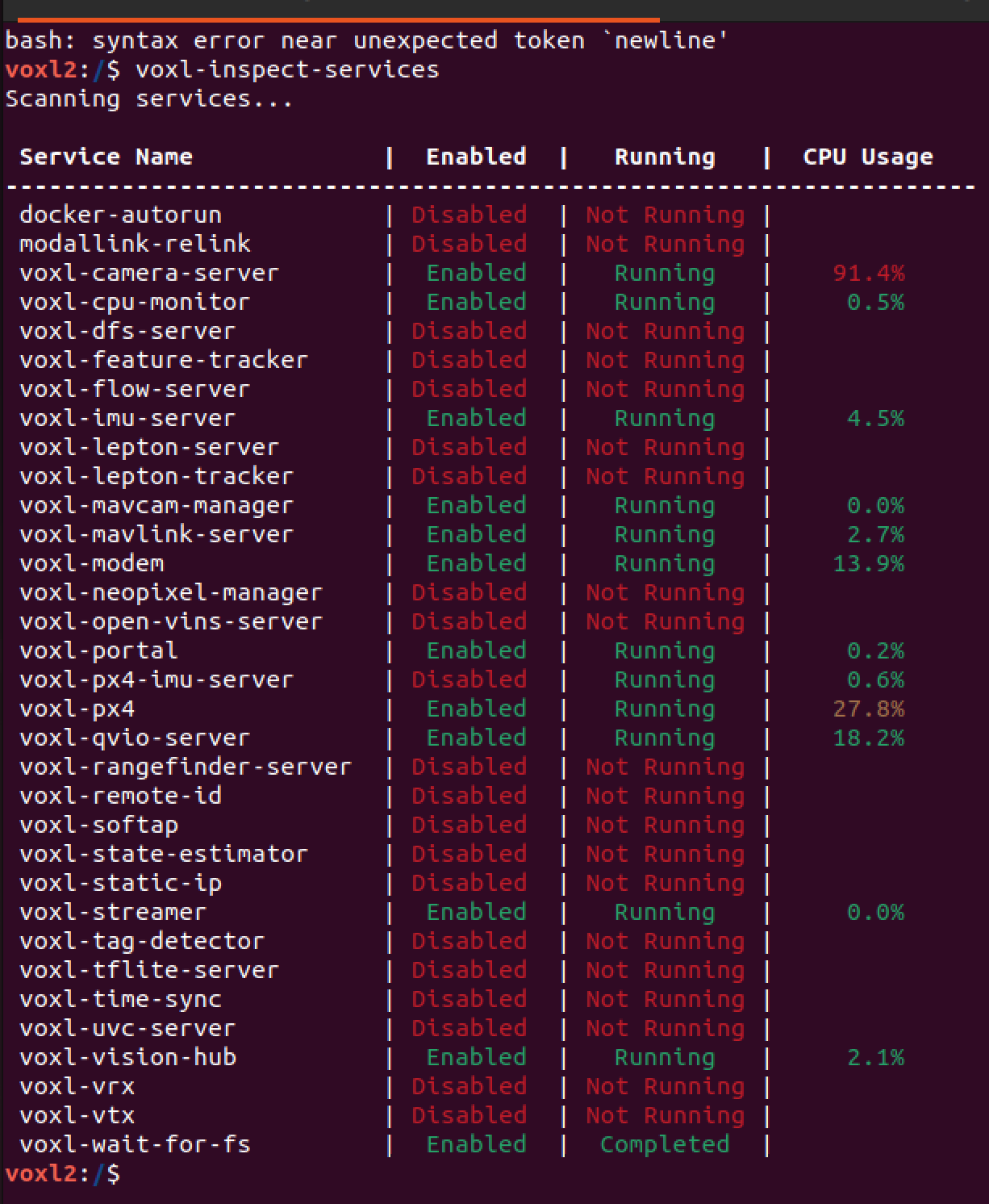
-
@tom I'm having trouble pinging the drone. I've set it up using a 5G modem (since the drone that I have doesnt have a wifi dongle) [VOXL AL & 5G Development drone-sentinel 5G LTE Modem] to connect to QGroundControl and proceed with installing the VPN on the drone. However, when I attempt to ping
google.com, I get an error stating "unknown server," and I'm unable to see the drone's IP address. Prior to updating the SDK, I had successfully configured the modem and connected to QGroundControl via Tailscale VPN and I don't know why I'm getting these issues now. Any assistance in resolving this issue would be appreciated.
-
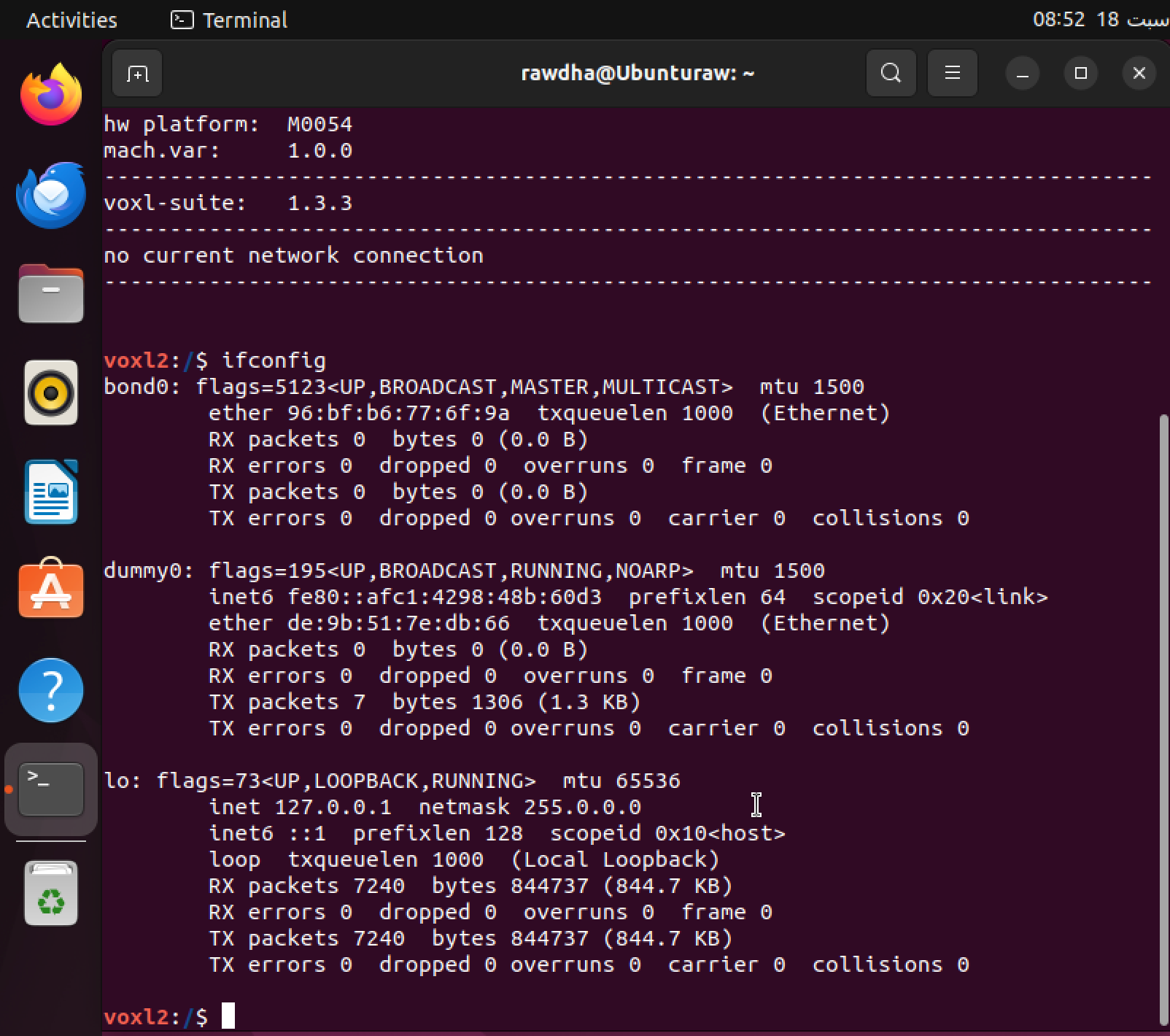
@Rawdha-R What do you see with
ifconfig? I'm not seeing awwan0network interface that I would expect to see with 5G modem -
@tom
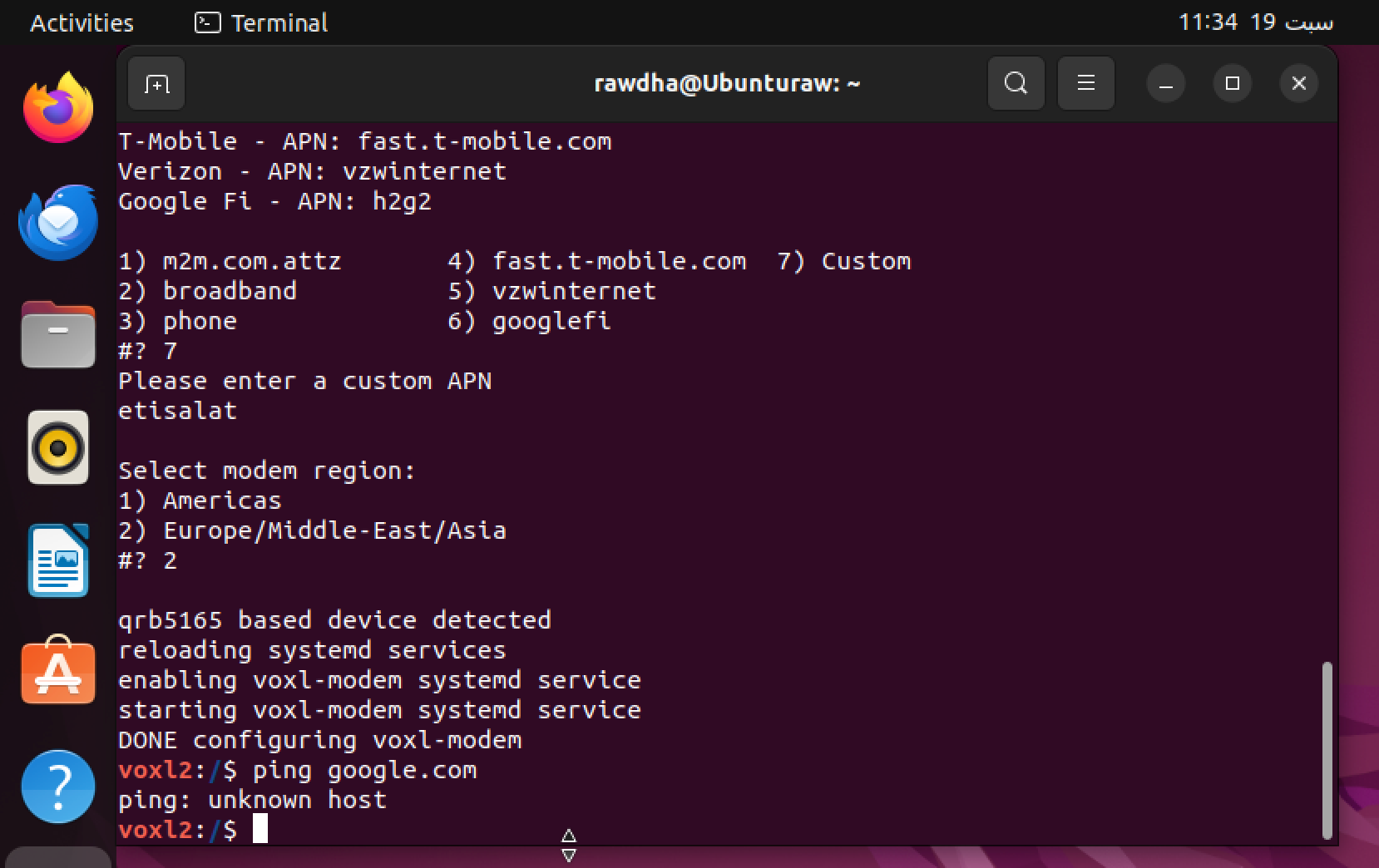
I have double-checked that the 5G add-on board is fully seated, and I followed the same process that worked successfully before the update. Given the current issue, what would you recommend I check next to help resolve this? I have attached a screenshot where I tried to reconfigured the modem and the issue still persists. -
@tom
I have double-checked that the 5G add-on board is fully seated, and I followed the same process that worked successfully before the update. Given the current issue, what would you recommend I check next to help resolve this? I have attached a screenshot where I tried to reconfigured the modem and the issue still persists. -
@Rawdha-R What do you see with
systemctl status voxl-modem?If it is indeed not enumerating because of hardware there's nothing on the software side that will resolve it so we need to determine whether it is hw or sw at this point
This post is deleted! -
@Rawdha-R What do you see with
systemctl status voxl-modem?If it is indeed not enumerating because of hardware there's nothing on the software side that will resolve it so we need to determine whether it is hw or sw at this point
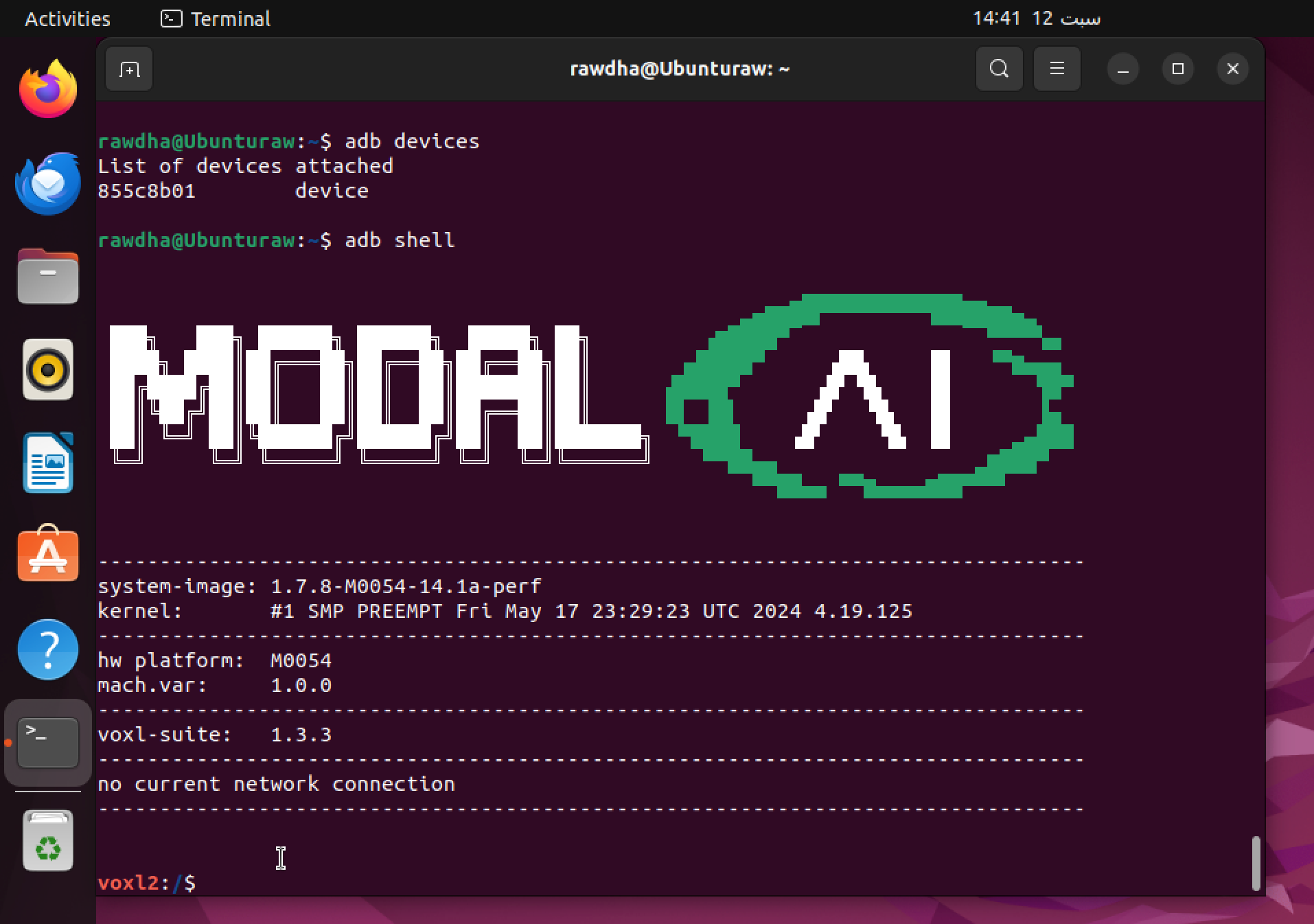
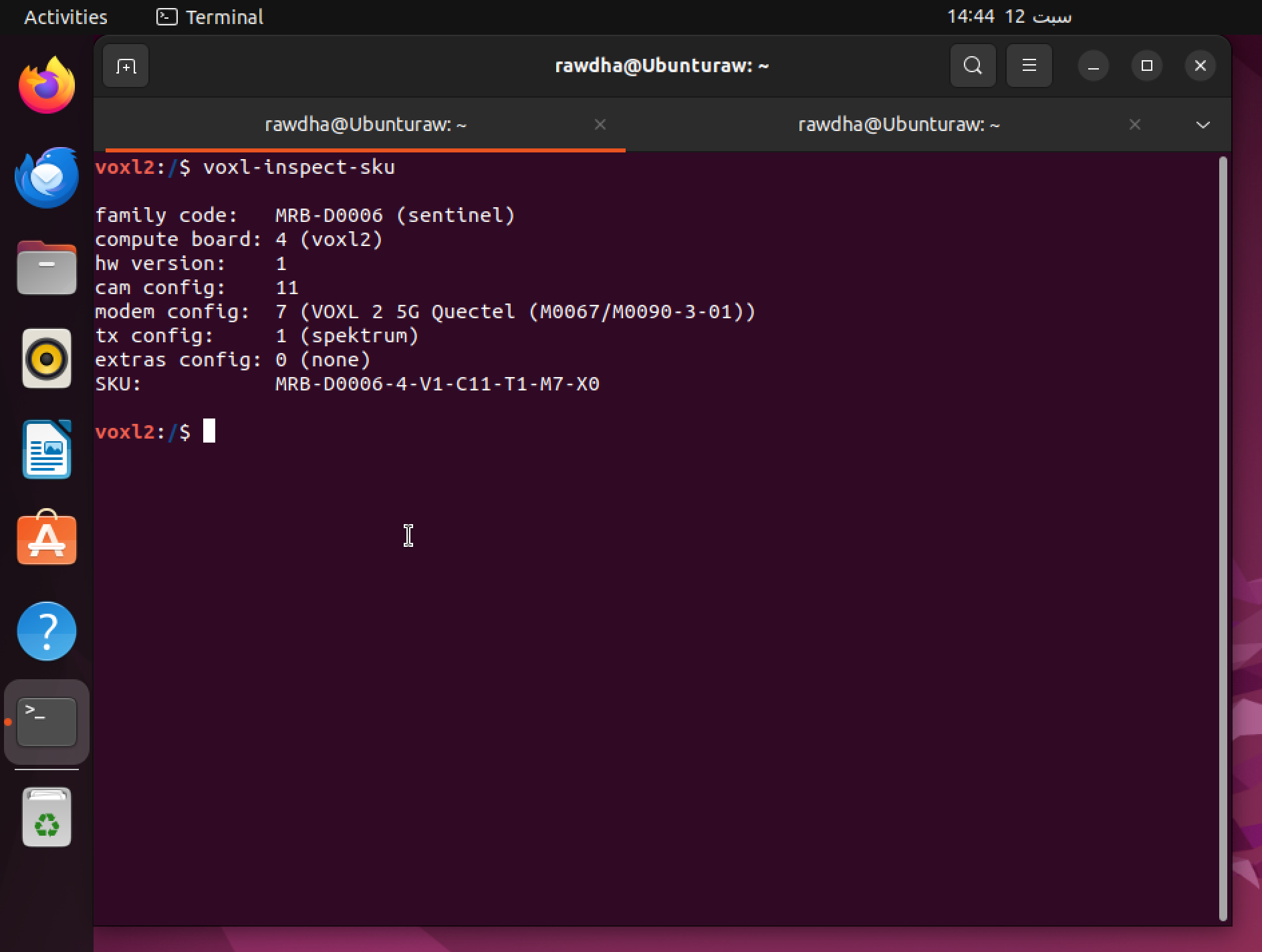
@tom It worked! I tightened the screws, and it turns out it was a hardware issue. I've installed the Tailscale VPN on both the drone and my machine, and I've completed the calibration and binding. However, I'm having trouble starting the camera; it's not turning on in VLC or QGroundControl.


Reading along? Create a free ModalAI Forum account to join in.
With an account you can reply, ask your own question, get an email when a ModalAI engineer answers, and mark the reply that solved it. Your place in each thread is saved between visits.
Questions about VOXL, Flight Core, ESCs and ModalAI drones are answered here by the engineers who build them.
Register Login