
HexagonSDK4.1.0.4 installation fails due to erro on license verification
-
Hi all,
I am trying to install Qualcom HexagonSDK4.1.0.4 on a Linux system. I followed the instructions reported at following link:
https://gitlab.com/voxl-public/rb5-flight/rb5-flight-px4-build-docker
Unfortunately it failf with following error message, after I press the INSTALL button.
"License verification failed for Hexagon SDK 4.x" (see attached screenshot)
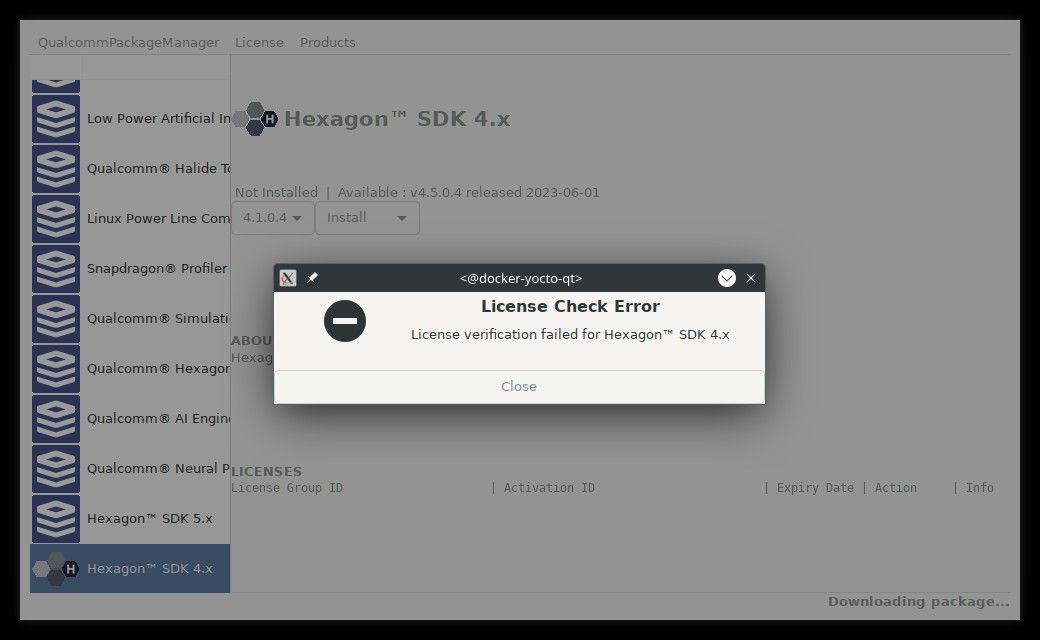
Any idea how to specify correct license?
Thanks
Enrico@enrico-bandera-0 Did you create an account first? Perhaps you need to wait a little bit after creating the account? I know it is very painful to deal with the Qualcomm site but with some patience and perseverance it usually ends up working.
-
@enrico-bandera-0 Did you create an account first? Perhaps you need to wait a little bit after creating the account? I know it is very painful to deal with the Qualcomm site but with some patience and perseverance it usually ends up working.
@Eric-Katzfey Yes, I've an active account and first of all the Qualcom Package Manager request to login with it. I did log in without any error (access was successful).
Anyway it was not possible to obtain any license. -
@Eric-Katzfey Yes, I've an active account and first of all the Qualcom Package Manager request to login with it. I did log in without any error (access was successful).
Anyway it was not possible to obtain any license.@enrico-bandera-0 I'm not sure why it doesn't show a license for you. Others outside of ModalAI have tried it and been successful. I just tried it again and I don't see that issue. Perhaps you can request support from Qualcomm? They should be able to help you download the SDK.
-
@enrico-bandera-0 I'm not sure why it doesn't show a license for you. Others outside of ModalAI have tried it and been successful. I just tried it again and I don't see that issue. Perhaps you can request support from Qualcomm? They should be able to help you download the SDK.
@Eric-Katzfey I've opened a Case on Qualcom site. They answered it was a backend problem they also detected and fixed. So I've tried again and actually it activates a license. But now the installation breaks up after a while, reporting a post install error. See attached screenshot
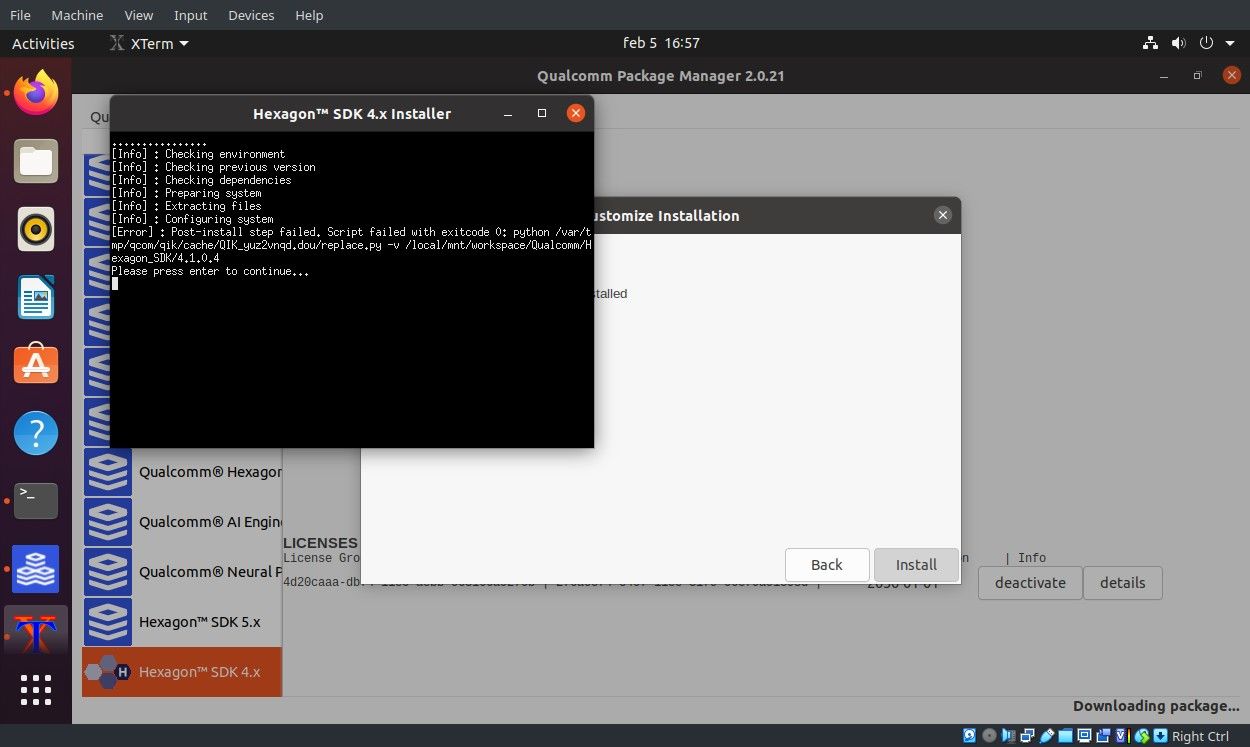
So I've tried launching installation with CLI tool. It produces the same error, but it addictionally ask me to install another component: Compute.Core.1.x
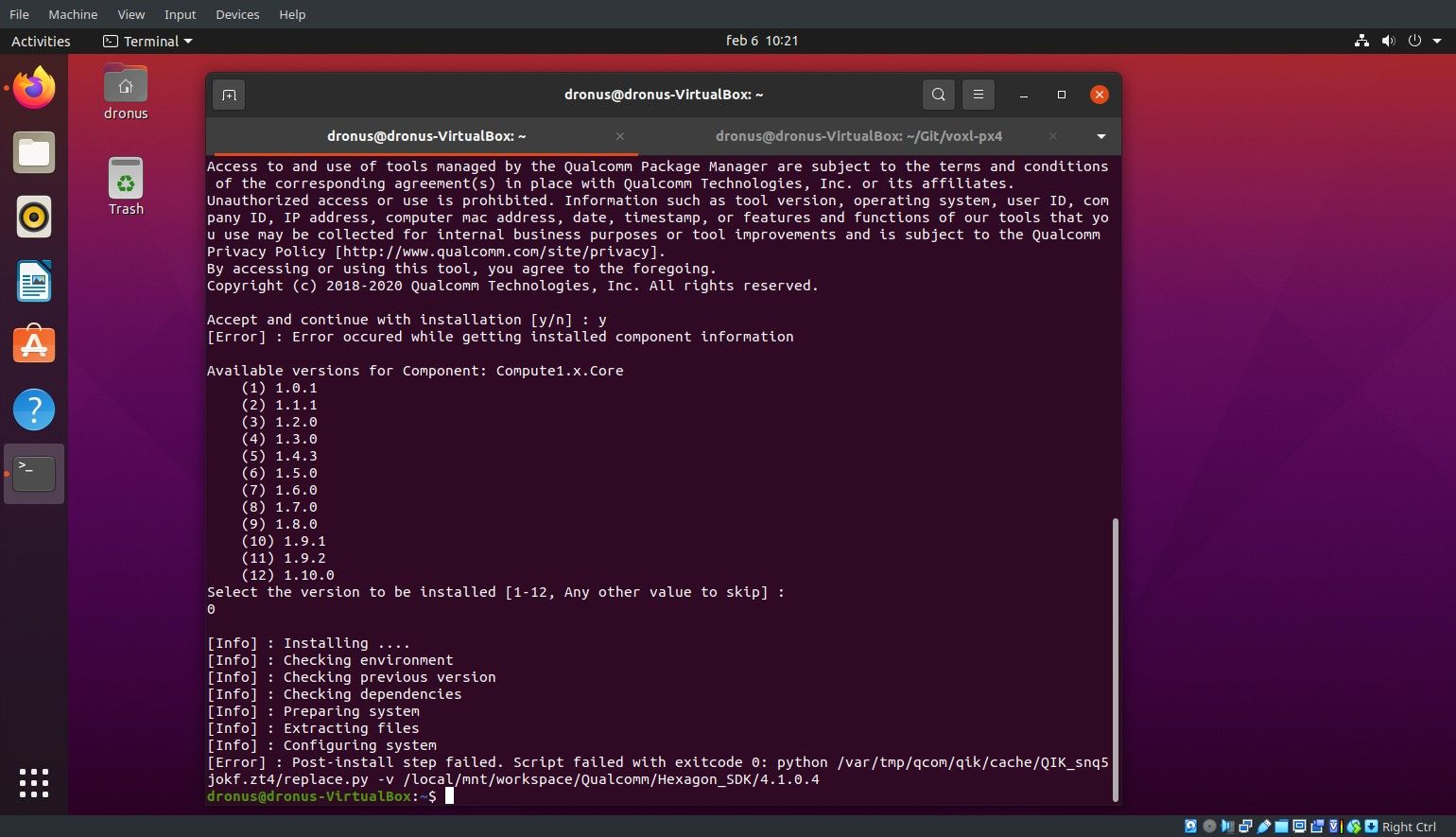
Shoul I also install it? Which version (it offers me 12 diferent chiches), also the option to skip (as I did)
Please let me know if this component is requested.Here screenshot of qpm-cli output:
-
@Eric-Katzfey I've opened a Case on Qualcom site. They answered it was a backend problem they also detected and fixed. So I've tried again and actually it activates a license. But now the installation breaks up after a while, reporting a post install error. See attached screenshot
So I've tried launching installation with CLI tool. It produces the same error, but it addictionally ask me to install another component: Compute.Core.1.x
Shoul I also install it? Which version (it offers me 12 diferent chiches), also the option to skip (as I did)
Please let me know if this component is requested.Here screenshot of qpm-cli output:
@enrico-bandera-0 Even though that post install step failed it may be okay. Do you see the files that it installed? Can you proceed to the next step of the process (e.g. tar the files)?
-
@Eric-Katzfey I've opened a Case on Qualcom site. They answered it was a backend problem they also detected and fixed. So I've tried again and actually it activates a license. But now the installation breaks up after a while, reporting a post install error. See attached screenshot
So I've tried launching installation with CLI tool. It produces the same error, but it addictionally ask me to install another component: Compute.Core.1.x
Shoul I also install it? Which version (it offers me 12 diferent chiches), also the option to skip (as I did)
Please let me know if this component is requested.Here screenshot of qpm-cli output:
@enrico-bandera-0 You shouldn't have to install any additional things that aren't called out in the instructions.
-
@enrico-bandera-0 You shouldn't have to install any additional things that aren't called out in the instructions.
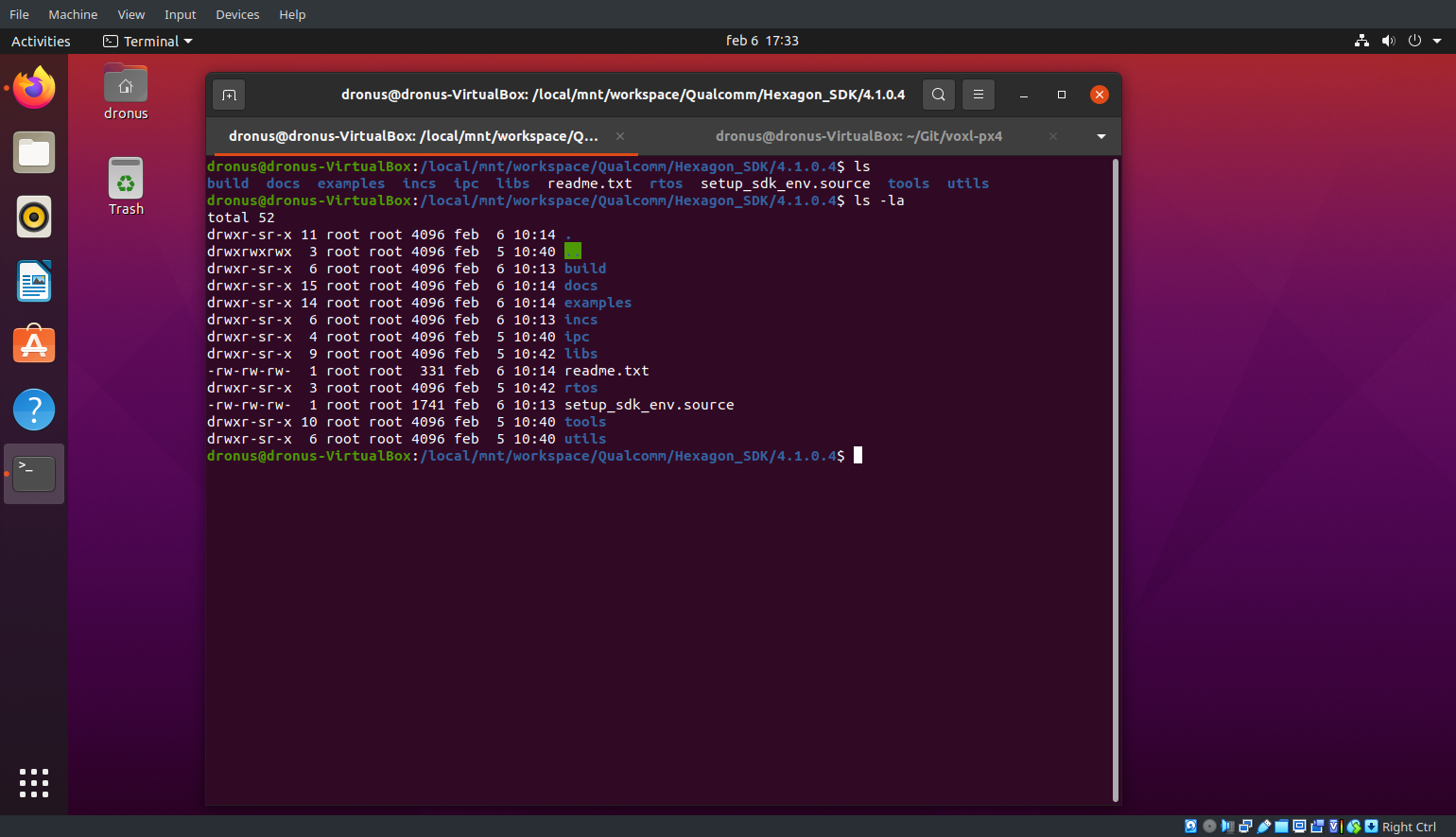
@Eric-Katzfey thanks for your help. Anyway I guess thet even the tar archive is already unpacked since I can see this folder content:
But if I try to follow next steps:
Download and load the base Docker image from ModalAI
Use setup.sh to retrieve and load the base Docker imageBuild the Docker image
Make sure the Hexagon SDK archive is in the project directory
Run build.shI obtain further errors since both setup.sh and build.sh are missing
I've already done the steps in this link:
https://gitlab.com/voxl-public/voxl-sdk/services/voxl-px4But obviously the run_docker fails, since docker image above mentioned is missing.
So I guess (and hope) just last fix is missing.Thanks in advance.
-
@Eric-Katzfey thanks for your help. Anyway I guess thet even the tar archive is already unpacked since I can see this folder content:
But if I try to follow next steps:
Download and load the base Docker image from ModalAI
Use setup.sh to retrieve and load the base Docker imageBuild the Docker image
Make sure the Hexagon SDK archive is in the project directory
Run build.shI obtain further errors since both setup.sh and build.sh are missing
I've already done the steps in this link:
https://gitlab.com/voxl-public/voxl-sdk/services/voxl-px4But obviously the run_docker fails, since docker image above mentioned is missing.
So I guess (and hope) just last fix is missing.Thanks in advance.
-
@Eric-Katzfey the directory is shown in the shell prompt: it is /local/mnt/workspace/Qualcomm/Hexagon_SDK/4.1.0.4/
I assume this is the default installation path for Hexagon_SDK v 4.1.0.4 sinc I have not customized the installation path.Kind Regards
-
@Eric-Katzfey the directory is shown in the shell prompt: it is /local/mnt/workspace/Qualcomm/Hexagon_SDK/4.1.0.4/
I assume this is the default installation path for Hexagon_SDK v 4.1.0.4 sinc I have not customized the installation path.Kind Regards
@enrico-bandera-0 In order to use the rb5-flight-px4-build-docker repo you need to clone it first to your machine. Then in the top level directory of that cloned repo you will see the scripts and can run through the instructions.
-
@enrico-bandera-0 In order to use the rb5-flight-px4-build-docker repo you need to clone it first to your machine. Then in the top level directory of that cloned repo you will see the scripts and can run through the instructions.
This post is deleted! -
@enrico-bandera-0 In order to use the rb5-flight-px4-build-docker repo you need to clone it first to your machine. Then in the top level directory of that cloned repo you will see the scripts and can run through the instructions.
@Eric-Katzfey thanks, I completed all steps successfully and also built the px4 image for voxl2
Thanks a lot for your help
Enrico -
R ravi referenced this topic on

Reading along? Create a free ModalAI Forum account to join in.
With an account you can reply, ask your own question, get an email when a ModalAI engineer answers, and mark the reply that solved it. Your place in each thread is saved between visits.
Questions about VOXL, Flight Core, ESCs and ModalAI drones are answered here by the engineers who build them.
Register Login