Skip to content
  • Categories
  • Recent
  • Tags
  • Popular
  • Users
  • Groups
Collapse
Brand Logo

ModalAI Forum

  1. ModalAI Support Forum
  2. Ask your questions right here!
  3. Issue in Microhard paring with Slave unit

Issue in Microhard paring with Slave unit
Scheduled Pinned Locked Moved Ask your questions right here!
18 Posts 2 Posters 3.0k Views 2 Watching
  • Oldest to Newest
  • Newest to Oldest
  • Most Votes
Reply
  • Reply as topic
Log in to reply
This topic has been deleted. Only users with topic management privileges can see it.
  • M Offline
    M Offline
    manzur
    Contributor
    wrote on last edited by
    #5

    @tom I have already checked the ifconfig and it shows the the VOXL is connected with microhard
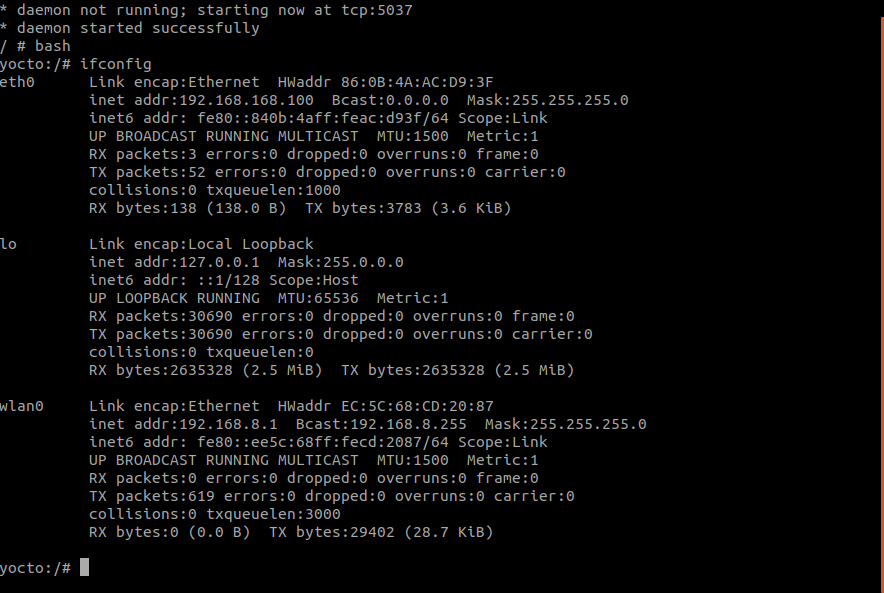
    ifconfig.png

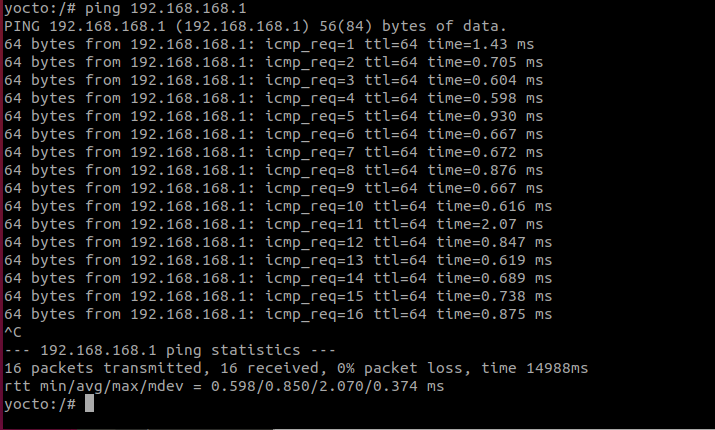
    and also I have tested master mode in microhard by holding the button for 10 sec. The IP ping test as follows:
    ping168_1.png

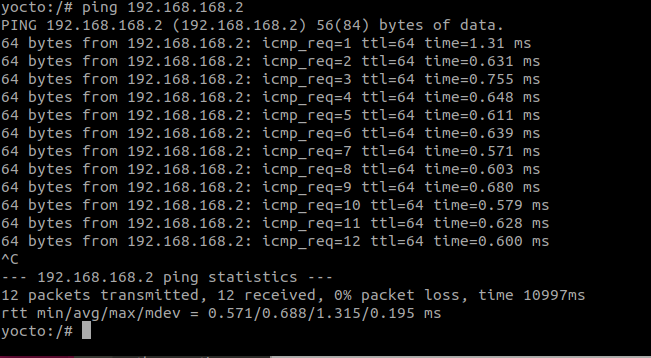
    I have also tested the VOXL microhard unit by putting it in slave mode by pressing the button for 5 sec and it also shows in the ping result as follows:
    ping168_2.png

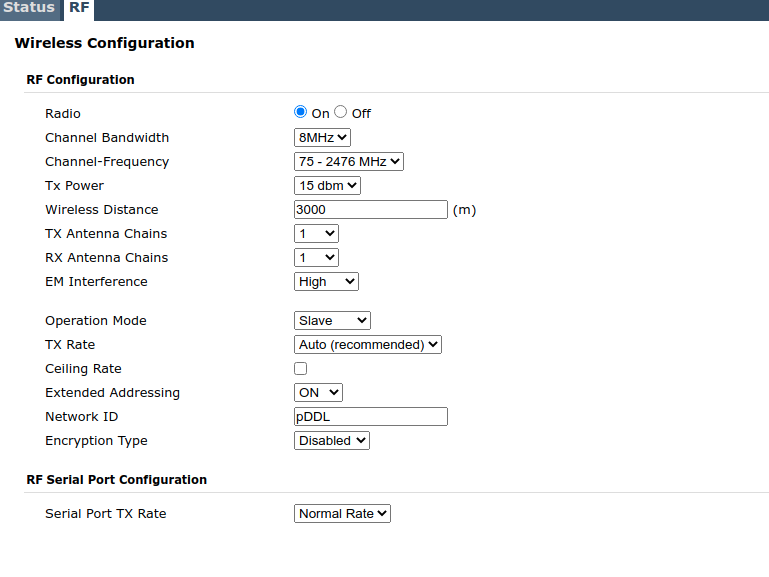
    The problem is that, it does not connect with another microhard unit whether we keep that in master or slave. There must be some configuration issue that we must be missing and or it not matching with another unit. Can you please tell me what is the default Network ID: pDDL. For us the slave unit has pDDL. And the channel frequency is set as Channel-Frequency: 75_ 2476 MHz .

    1 Reply Last reply
    0
    • tomT Online
      tomT Online
      tom
      admin
      wrote on last edited by
      #6

      @manzur pDDL is the default Network ID. Which Microhard modules are you using? 1800 MHz? 2400 MHz? It looks as though the VOXL side is fully functional.

      Are you able to take the standalone side Mircohard module and plug it into a PC in order to see if it correctly connects to the PC? That way you would be able to try pinging it to determine whether the IP address is being set correctly.

      1 Reply Last reply
      0
      • M Offline
        M Offline
        manzur
        Contributor
        wrote on last edited by
        #7

        @tom We are using microhard from Airborne innovations 2400 MHz unit on the other side. And I can access the slave standalone unit perfectly with PC.

        1 Reply Last reply
        0
        • tomT Online
          tomT Online
          tom
          admin
          wrote on last edited by
          #8

          @manzur From what I can see, it looks as though the Microhard carrier boards are doing their jobs as the correct network interfaces are appearing.

          Have you ever been able to establish a connection between these two Microhard modules in the past? It's possible that one or both are faulty.

          And just to confirm, on the standalone side you are using antennas as well correct?

          1 Reply Last reply
          0
          • M Offline
            M Offline
            manzur
            Contributor
            wrote on last edited by
            #9

            @tom I have not been able to establish connection between these two Microhard modules. But independently the slave standalone unit has been used for another system as well and I know It is working. 0ad561d0-053a-45b7-96ef-fbd93611da3b-image.png
            Standalone unit

            1 Reply Last reply
            0
            • tomT Online
              tomT Online
              tom
              admin
              wrote on last edited by
              #10

              @manzur I see, so the standalone isn't from us. Did you acquire the Microhard module that is in the add-on board from us? And is it also a pDDL2450?

              1 Reply Last reply
              0
              • M Offline
                M Offline
                manzur
                Contributor
                wrote on last edited by manzur
                #11

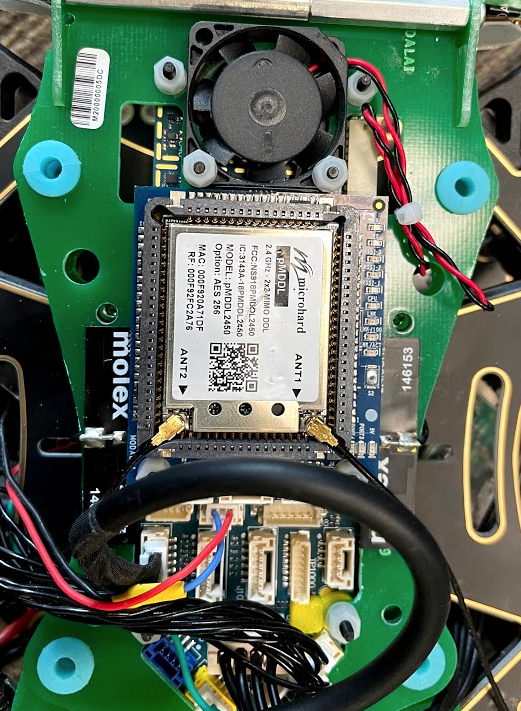
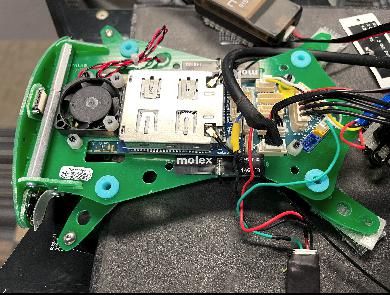
                @tom Microhard module that is in the add-on board from Modal AI as an add on to m500 unit and same is pDDL2450

                2210729b-a92a-4a5f-813e-1445b856509a-image.png

                1 Reply Last reply
                0
                • tomT Online
                  tomT Online
                  tom
                  admin
                  wrote on last edited by
                  #12

                  @manzur When both modules are powered on and you wait a couple minutes with no connection, what behavior are you seeing from the LED's on the VOXL add-on board?

                  1 Reply Last reply
                  0
                  • M Offline
                    M Offline
                    manzur
                    Contributor
                    wrote on last edited by
                    #13

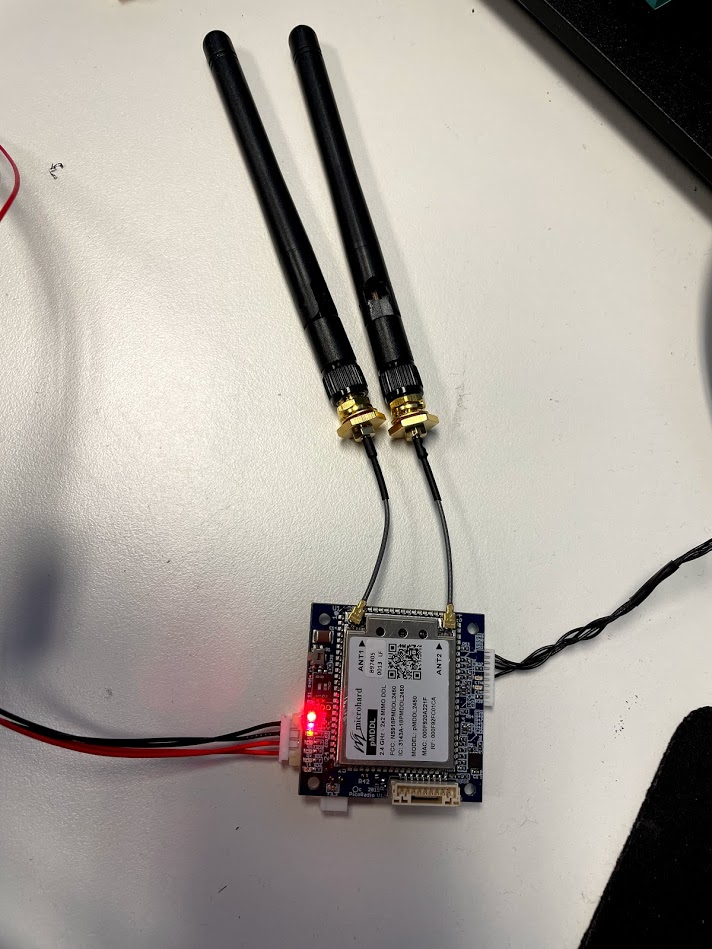
                    @tom This is the image showing LED behaviour.
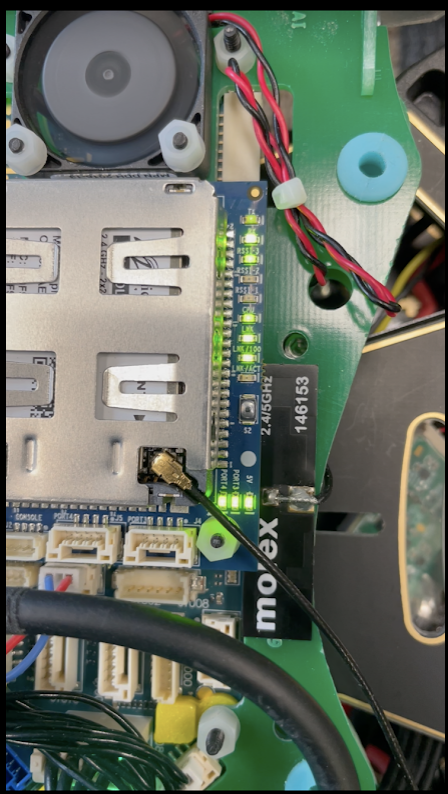
                    ec27339a-bcd3-4a55-85ad-c39c6368b146-image.png

                    From the bottom

                    1. Lnk/ACT : OFF
                    2. Lnk/100 : ON
                    3. Lnk : ON
                    4. CPU : ON
                    5. RSSI_1, RSSI_2, RSSI_3 : blinking one after another
                    6. RX : ON (continuous)
                    7. TX : Blinking (low)

                    Note: One thing I noticed now is that the Standalone microhard unit we have is 128 bit AES encryption model, where the Modal AI add-on module is showing 256 bit AES encryption model. Do you think this is the reason they are not communicating? All the microhard unit we have here is 128 bit AES model. If that is the case how can we access the Add-on Microhard unit?

                    1 Reply Last reply
                    0
                    • tomT Online
                      tomT Online
                      tom
                      admin
                      wrote on last edited by
                      #14

                      @manzur Interesting, that LED behavior indicates that the two modules are in fact connected. If the modules are searching for each other then the LEDs will cycle.

                      As for the encryption question, I will look into it.

                      1 Reply Last reply
                      0
                      • M Offline
                        M Offline
                        manzur
                        Contributor
                        wrote on last edited by
                        #15

                        @tom Thanks for your reply. Let me know if you can come up with some solution. In the mean time I am trying to get a development board for the Microhard unit to plugin and see if I can log in to the config-webpage.

                        1 Reply Last reply
                        0
                        • tomT Online
                          tomT Online
                          tom
                          admin
                          wrote on last edited by
                          #16

                          @manzur Okay great, there is an option in the web interface under Wireless -> RF -> Encryption Type which should allow you to change the module's encryption type to 128-bit in order to match the other module.

                          1 Reply Last reply
                          0
                          • M Offline
                            M Offline
                            manzur
                            Contributor
                            wrote on last edited by
                            #17

                            @tom I was able to access the web interface by plugging the Add-on Microhard unit into a development board. And indeed I found the Network ID is mismatched and was set to as pMDDL instead of pDDL. Also the frequency was set to 76-2477 which is okay since I tried with multiple band with the slave unit as well. See the default configuration of the Add-on unit before changing
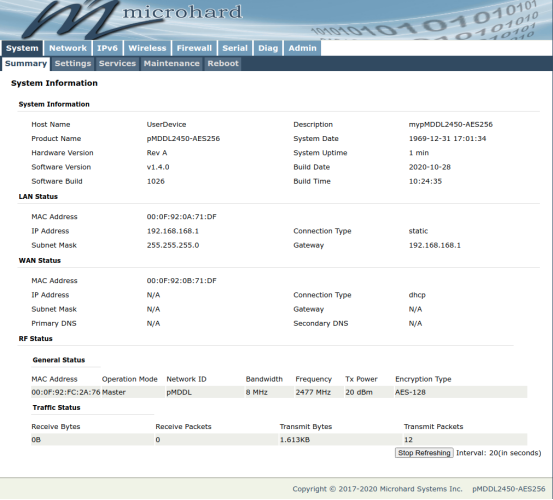

                            5a6d73fb-a02b-4a5f-b74b-3f9e1e1619cd-image.png

                            1 Reply Last reply
                            0
                            • tomT Online
                              tomT Online
                              tom
                              admin
                              wrote on last edited by
                              #18

                              @manzur Interesting, thank you for the information! Perhaps I was wrong about the default Network ID, I will take a note of that.

                              1 Reply Last reply
                              0

                              Hello! It looks like you're interested in this conversation, but you don't have an account yet.

                              Getting fed up of having to scroll through the same posts each visit? When you register for an account, you'll always come back to exactly where you were before, and choose to be notified of new replies (either via email, or push notification). You'll also be able to save bookmarks and upvote posts to show your appreciation to other community members.

                              With your input, this post could be even better 💗

                              Register Login
                              Reply
                              • Reply as topic
                              Log in to reply
                              • Oldest to Newest
                              • Newest to Oldest
                              • Most Votes


                              ModalAI
                              Categories Recent Tags ModalAI.com Docs
                              © 2026 ModalAI® · Accelerating autonomy for smaller, smarter, safer drones · Powered by NodeBB
                              • Login

                              • Don't have an account? Register

                              • Login or register to search.
                              • First post
                                Last post
                              0
                              • Categories
                              • Recent
                              • Tags
                              • Popular
                              • Users
                              • Groups