Skip to content
  • Categories
  • Recent
  • Tags
  • Popular
  • Users
  • Groups
Collapse
Brand Logo

ModalAI Forum

  1. ModalAI Support Forum
  2. Ask your questions right here!
  3. No connection between Microhard modems

No connection between Microhard modems

Scheduled Pinned Locked Moved Ask your questions right here!
7 Posts 2 Posters 1.4k Views 1 Watching
  • Oldest to Newest
  • Newest to Oldest
  • Most Votes
Reply
  • Reply as topic
Log in to reply
This topic has been deleted. Only users with topic management privileges can see it.
  • R Offline
    R Offline
    rjpking92
    Contributor
    wrote on last edited by
    #1

    Hello Dev team,

    I am having an extremely difficult time establishing a connection between my two Microhard modems with the Voxl2. Whenever I try to ping the modem on the carrier board with Ip: (192.168.168.2)

    I always receive a destination host unreachable message. I can see the configuration page from that Ip, but I also cannot ping the modem on the add-on board with Ip: (192.168.168.1). How can I fix this?
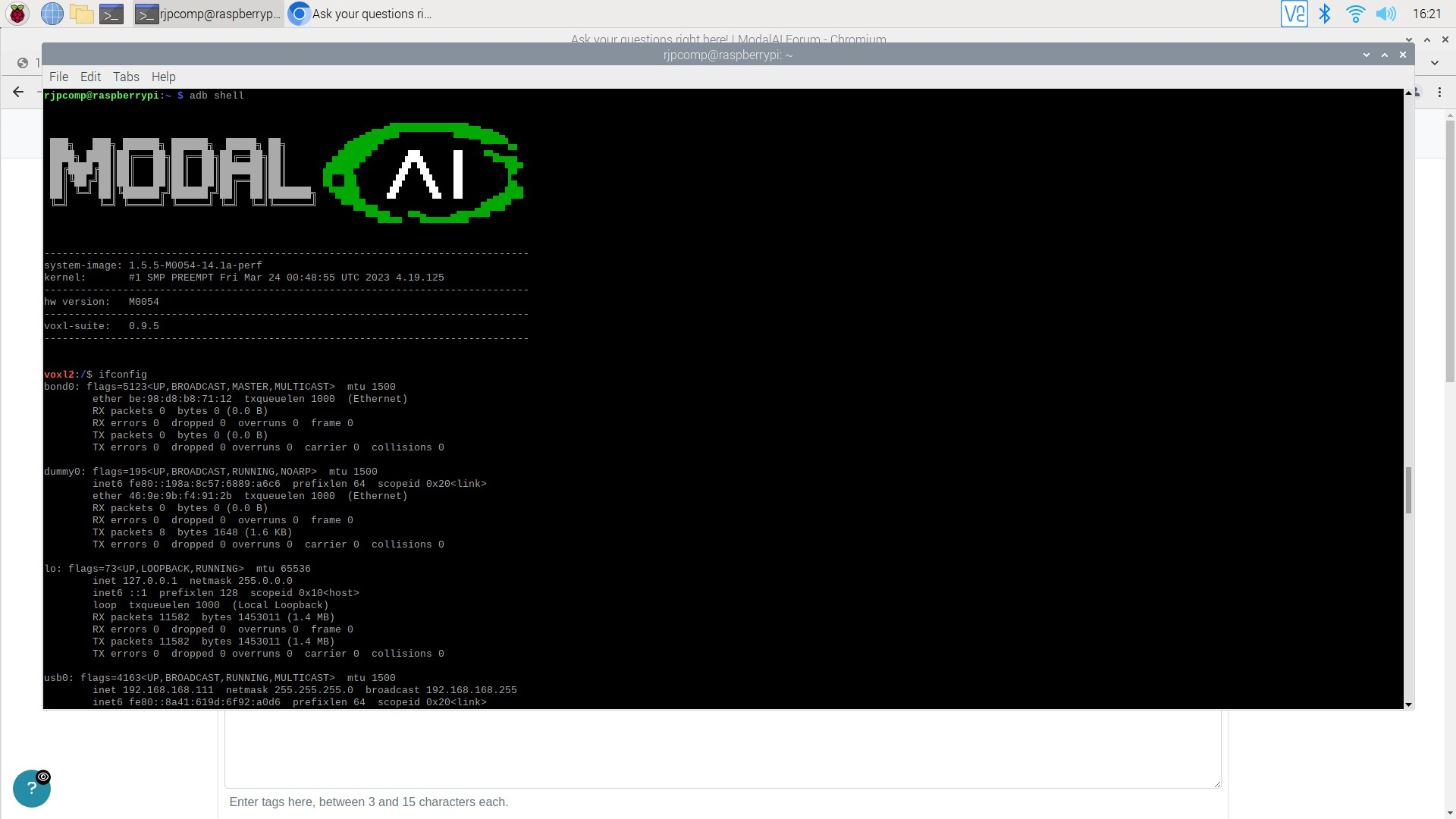
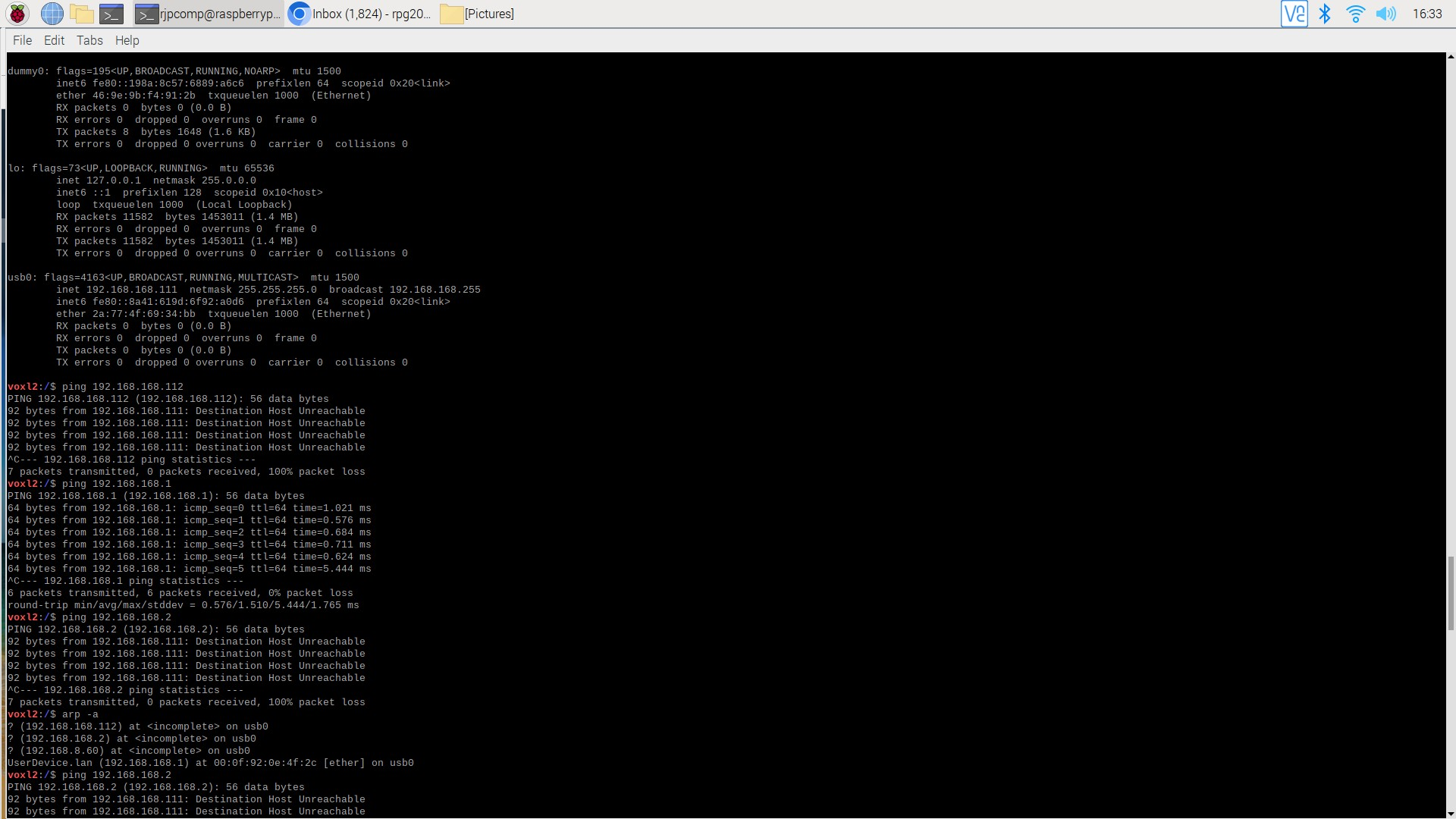
    voxl2_shell.png

    ping.png

    voxl_version.png

    tomT 1 Reply Last reply
    0
    • R rjpking92

      Hello Dev team,

      I am having an extremely difficult time establishing a connection between my two Microhard modems with the Voxl2. Whenever I try to ping the modem on the carrier board with Ip: (192.168.168.2)

      I always receive a destination host unreachable message. I can see the configuration page from that Ip, but I also cannot ping the modem on the add-on board with Ip: (192.168.168.1). How can I fix this?
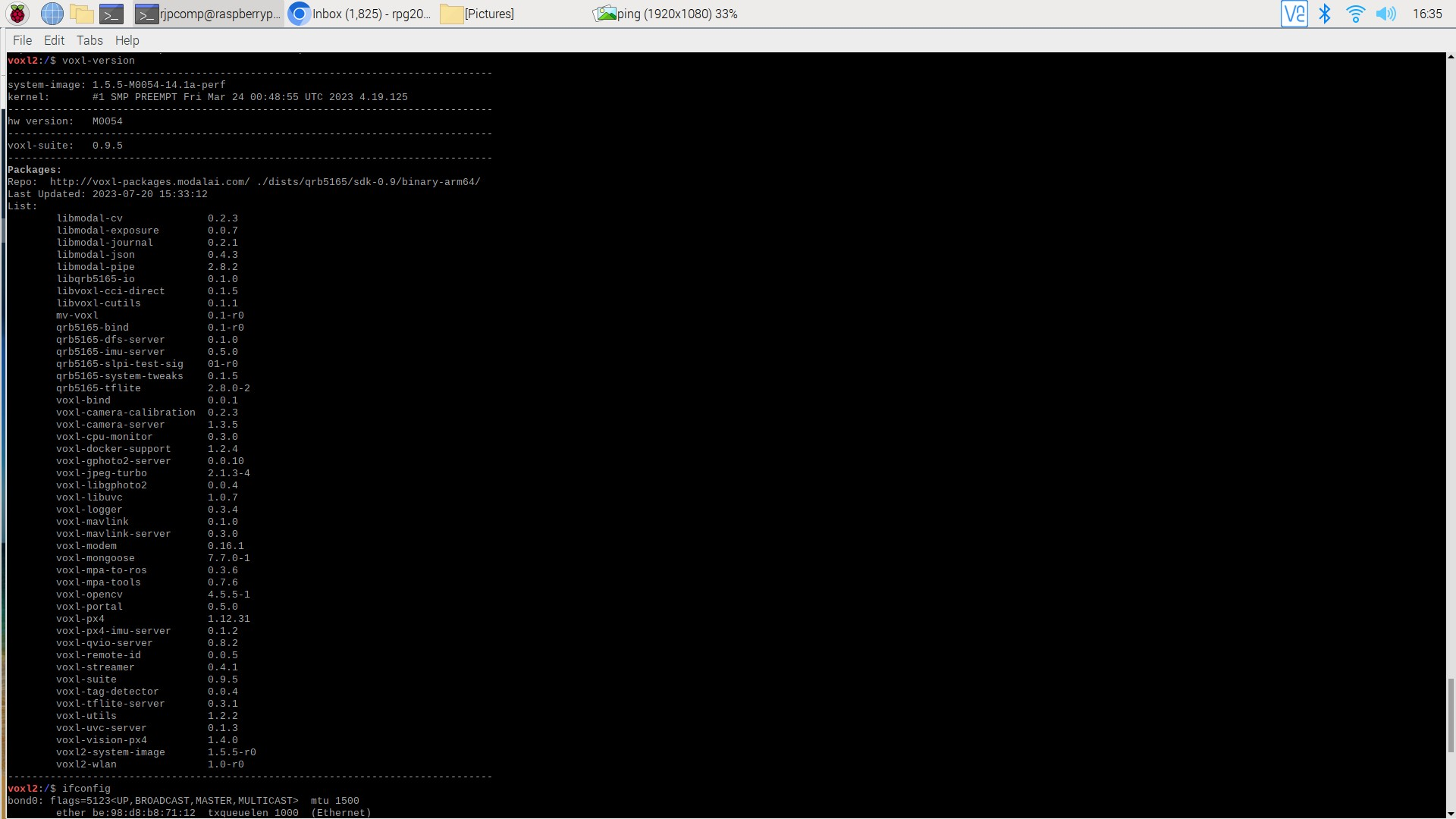
      voxl2_shell.png

      ping.png

      voxl_version.png

      tomT Offline
      tomT Offline
      tom
      admin
      wrote on last edited by
      #2

      @rjpking92 It looks like you were able to ping 192.168.168.1 successfully from VOXL2, that means that the IP of the modem on VOXL2 is 192.168.168.1.

      Is the other modem connected to your host PC? Are you able to ping it from your host PC? 192.168.168.2 or 192.168.168.1? It's possible they're both setup as "master" and therefore not connecting to eachother

      R 1 Reply Last reply
      0
      • tomT tom

        @rjpking92 It looks like you were able to ping 192.168.168.1 successfully from VOXL2, that means that the IP of the modem on VOXL2 is 192.168.168.1.

        Is the other modem connected to your host PC? Are you able to ping it from your host PC? 192.168.168.2 or 192.168.168.1? It's possible they're both setup as "master" and therefore not connecting to eachother

        R Offline
        R Offline
        rjpking92
        Contributor
        wrote on last edited by
        #3

        @tom Yes the other modem is connected to my Windows PC from the carrier board and its IP is (192.168.168.2). Unfortunately I am not able to ping (192.168.168.1) from my host PC. I am able to ping (192.168.168.2) from my host PC, and I configured the modem to be in slave mode.

        R 1 Reply Last reply
        0
        • R rjpking92

          @tom Yes the other modem is connected to my Windows PC from the carrier board and its IP is (192.168.168.2). Unfortunately I am not able to ping (192.168.168.1) from my host PC. I am able to ping (192.168.168.2) from my host PC, and I configured the modem to be in slave mode.

          R Offline
          R Offline
          rjpking92
          Contributor
          wrote on last edited by rjpking92
          #4

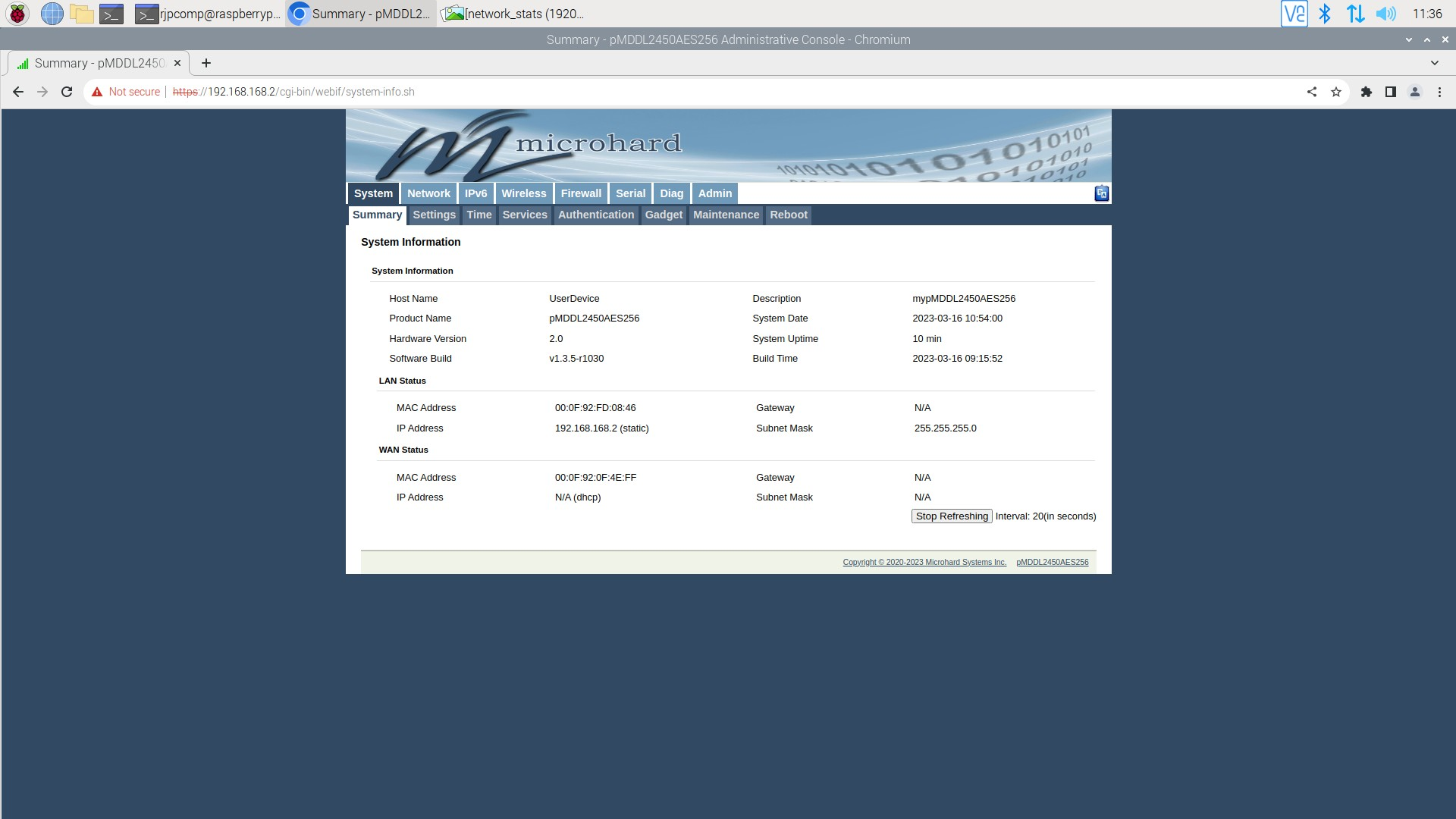
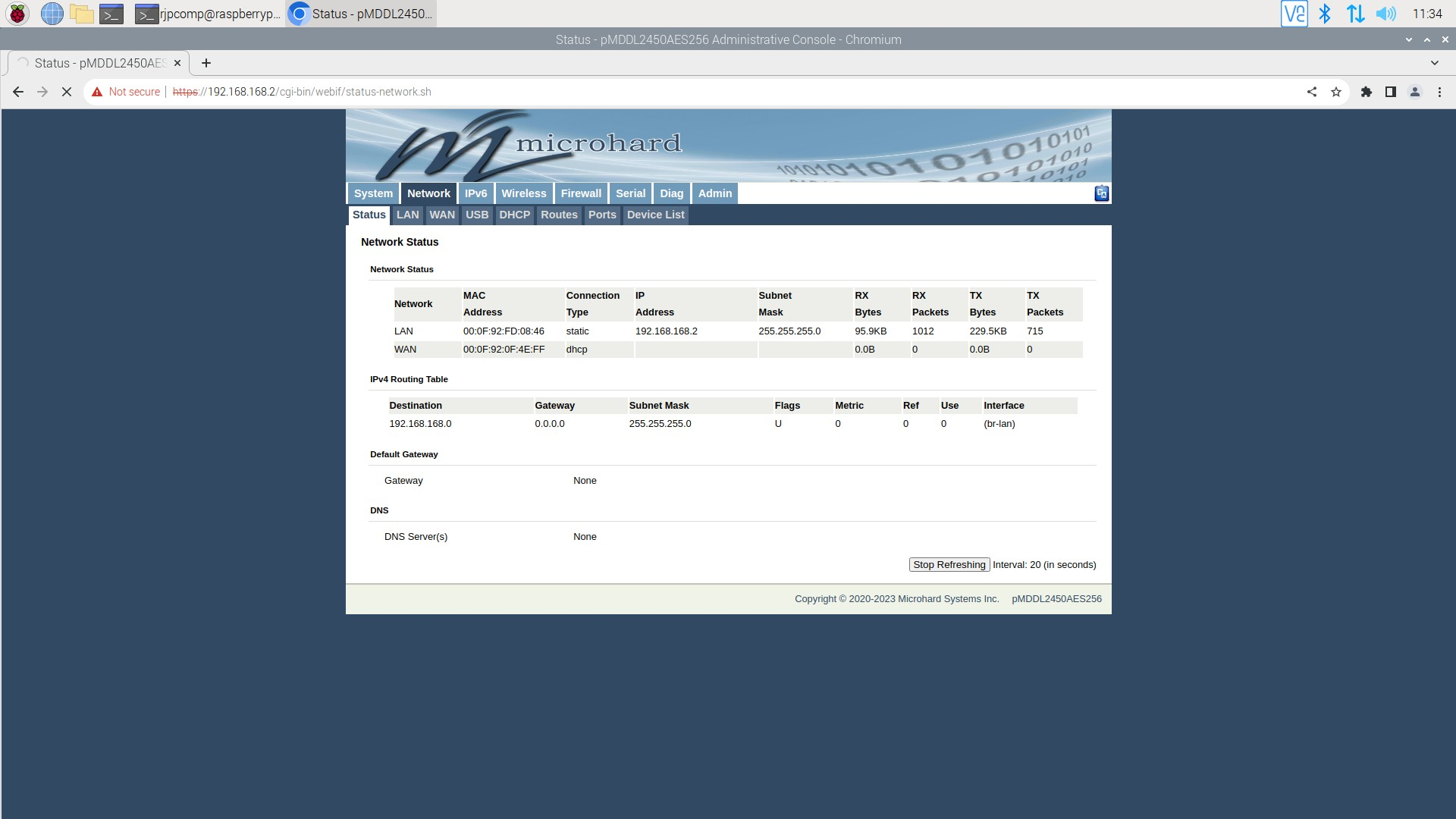
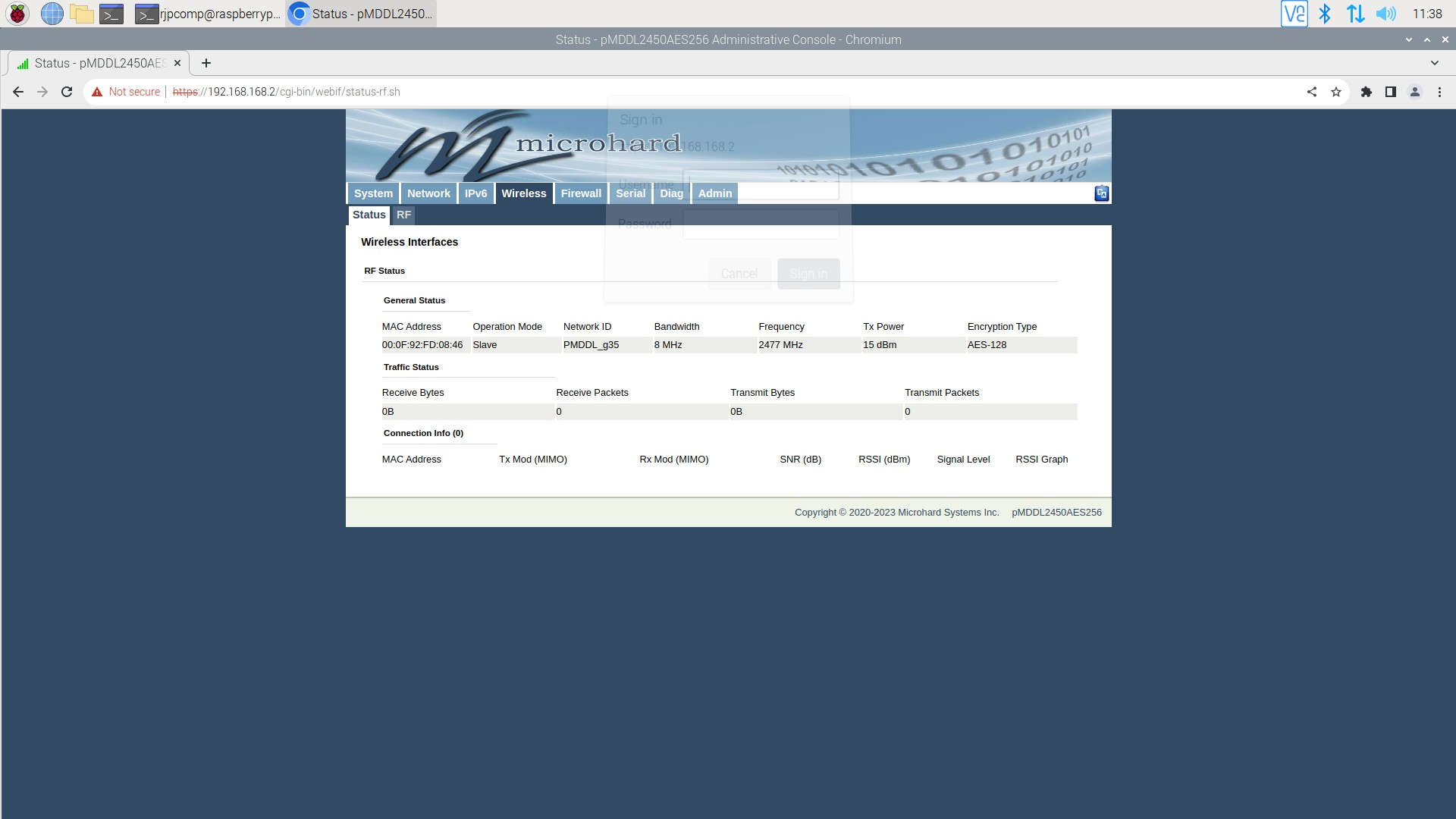
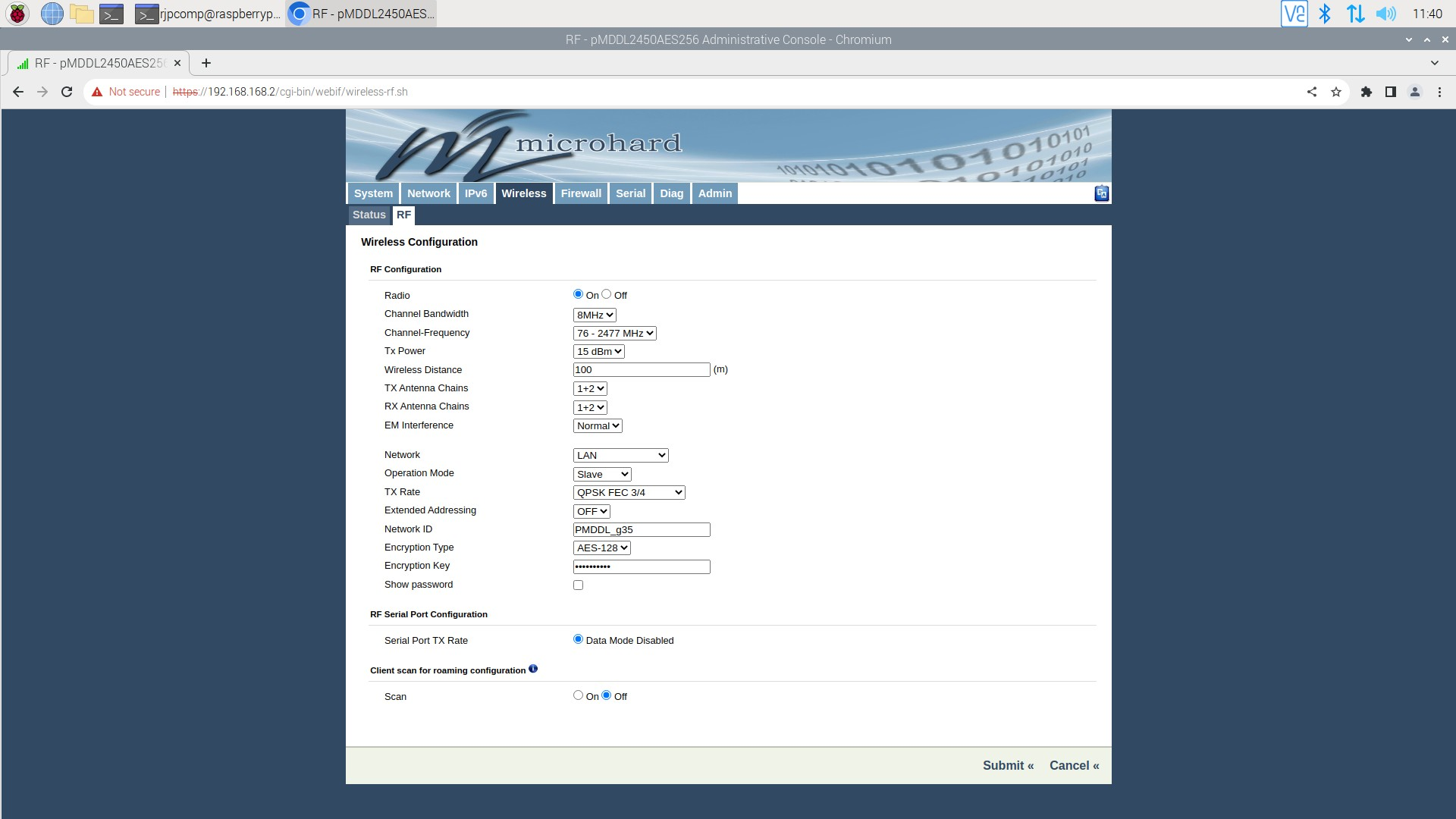
          @tom Here is my current configuration for the modem with IP (192.168.168.2).

          summary.png

          network_stats.png

          wireless.png

          rf.png

          tomT 1 Reply Last reply
          0
          • R rjpking92

            @tom Here is my current configuration for the modem with IP (192.168.168.2).

            summary.png

            network_stats.png

            wireless.png

            rf.png

            tomT Offline
            tomT Offline
            tom
            admin
            wrote on last edited by
            #5

            @rjpking92 I'm not sure why the modems aren't connecting.

            What kind of antennas are you using on the modems? What happens if you turn off encryption of the modems?

            Microhard themselves may have an idea why things aren't working as expected

            R 2 Replies Last reply
            0
            • tomT tom

              @rjpking92 I'm not sure why the modems aren't connecting.

              What kind of antennas are you using on the modems? What happens if you turn off encryption of the modems?

              Microhard themselves may have an idea why things aren't working as expected

              R Offline
              R Offline
              rjpking92
              Contributor
              wrote on last edited by
              #6

              @tom I know both units work because I tried both of them on the carrier board, and they worked without any issues on that board. However, every time I try to connect to a unit that is on the add-on board with the Voxl2 the destination host is always unreachable.

              The antennas that I am working with are the Molex 2.4GHz / 5 GHz combo. This is my current setup below.
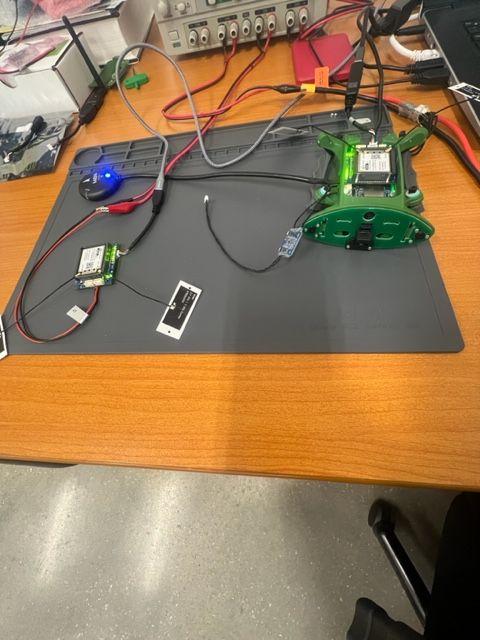
              micro_setup.jpg

              1 Reply Last reply
              0
              • tomT tom

                @rjpking92 I'm not sure why the modems aren't connecting.

                What kind of antennas are you using on the modems? What happens if you turn off encryption of the modems?

                Microhard themselves may have an idea why things aren't working as expected

                R Offline
                R Offline
                rjpking92
                Contributor
                wrote on last edited by
                #7

                @tom I turned off the encryption on the modem that I can access, but I did not see any changes. I will also contact Microhard about this issue.

                1 Reply Last reply
                0

                Hello! It looks like you're interested in this conversation, but you don't have an account yet.

                Getting fed up of having to scroll through the same posts each visit? When you register for an account, you'll always come back to exactly where you were before, and choose to be notified of new replies (either via email, or push notification). You'll also be able to save bookmarks and upvote posts to show your appreciation to other community members.

                With your input, this post could be even better 💗

                Register Login
                Reply
                • Reply as topic
                Log in to reply
                • Oldest to Newest
                • Newest to Oldest
                • Most Votes


                ModalAI
                Categories Recent Tags ModalAI.com Docs
                © 2026 ModalAI® · Accelerating autonomy for smaller, smarter, safer drones · Powered by NodeBB
                • Login

                • Don't have an account? Register

                • Login or register to search.
                • First post
                  Last post
                0
                • Categories
                • Recent
                • Tags
                • Popular
                • Users
                • Groups