
Obstacle avoidance / Collision prevention is disable in QGroundControl
-
Hi guys,
I'm testing flight deck and I'm trying to test object avoidance and collision prevention.
as you know flight deck sensors, I have hi-resolution camera, stereo vision and tracking camera with default configuration.
this is my voxl-vision-px4.conf
{
"qgc_ip": "192.168.219.182",
"en_localhost_mavlink_udp": true,
"en_secondary_qgc": false,
"secondary_qgc_ip": "192.168.1.214",
"qgc_udp_port_number": 14550,
"localhost_udp_port_number": 14551,
"en_vio": true,
"en_voa": true,
"en_send_vio_to_qgc": false,
"en_send_voa_to_qgc": false,
"en_adsb": false,
"adsb_uart_bus": 7,
"adsb_uart_baudrate": 57600,
"px4_uart_bus": 5,
"px4_uart_baudrate": 921600,
"offboard_mode": "figure_eight","R_imu_to_body": [[0, 1, 0], [1, 0, 0], [0, 0, -1]], "T_imu_wrt_body": [0.068, -0.015, -0.008], "height_body_above_ground_m": 0.05, "T_stereo_wrt_body": [0.10, -0.04, 0.0], "land_on_tag_id": 0, "follow_tag_id": 0, "en_apriltag_fixed_frame": false, "fixed_apriltags": [{ "tag_id": 0, "R_tag_to_fixed": [[0, -1, 0], [1, 0, 0], [0, 0, 1]], "T_tag_wrt_fixed": [0, 0, 0] }], "en_transform_mavlink_pos_setpoints_from_fixed_frame": true, "en_fixed_frame_pipe": false, "fixed_frame_filter_len": 5}
I already calibrated my stereo vision camera and I found calibration result as below.
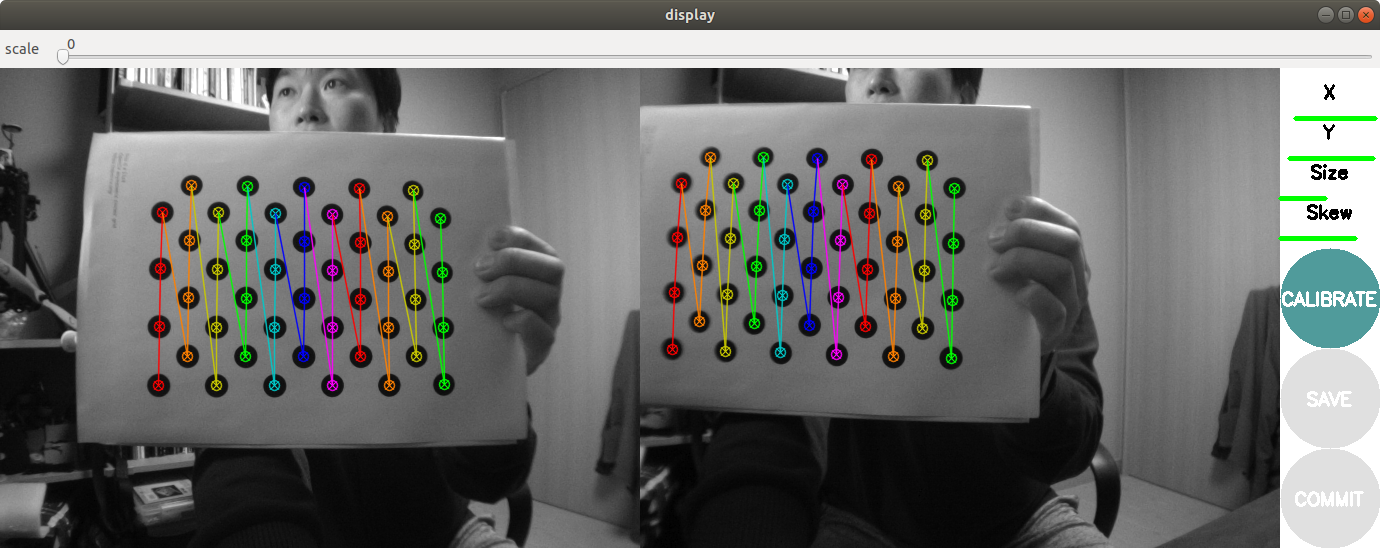
before calibration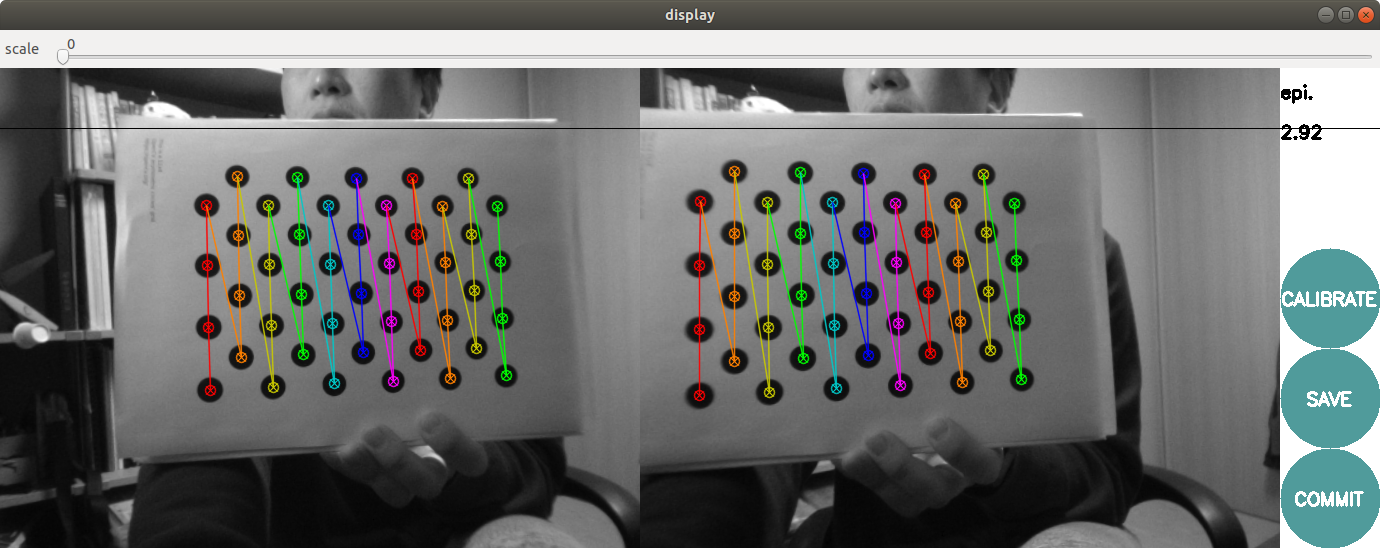
after calibrationyocto:/# ls /home/root/.ros/camera_info/
left.yaml right.yaml tracking.yamlyocto:/# ls /etc/snav/
calibration.stereo.xmlbut, when I try to debug stereo mode with voxl-vision-px4, it stop on this.
I think it's not normal. It sound display cloud point on terminal.
am I right?{
yocto:/# voxl-vision-px4 -s
loading our own config fileParameters as loaded from config file:
qgc_ip: 192.168.219.182
en_localhost_mavlink_udp 1
en_secondary_qgc: 0
secondary_qgc_ip: 192.168.1.214
qgc_udp_port_number: 14550
localhost_udp_port_number: 14551
en_vio: 1
en_voa: 1
en_send_vio_to_qgc: 0
en_send_voa_to_qgc: 0
en_adsb: 0
adsb_uart_bus: 7
adsb_uart_baudrate: 57600
px4_uart_bus: 5
px4_uart_baudrate: 921600
offboard_mode: figure_eight
follow_tag_id: 0
en_apriltag_fixed_frame: 0
fixed_frame_filter_len: 5
en_transform_mavlink_pos_setpoints_from_fixed_frame:1loading extrinsics and apriltag external config files
#0:
tag id: 0
name: default_name
location: fixed
size_m: 0.400
T_tag_wrt_fixed: 0.0 0.0 0.0
R_tag_to_fixed: 0.0 -1.0 0.0
1.0 0.0 0.0
0.0 0.0 1.0
#1:
tag id: 1
name: default_name
location: fixed
size_m: 0.400
T_tag_wrt_fixed: 0.0 0.0 0.0
R_tag_to_fixed: 0.0 -1.0 0.0
1.0 0.0 0.0
0.0 0.0 1.0
loaded in 2 fixed apriltags
#0:
parent: imu1
child: imu0
T_child_wrt_parent: -0.048 0.037 0.002
RPY_parent_to_child: 0.0 0.0 0.0
R_child_to_parent: 1.000 -0.000 0.000
0.000 1.000 -0.000
0.000 0.000 1.000
#1:
parent: imu0
child: tracking
T_child_wrt_parent: 0.065 -0.014 0.013
RPY_parent_to_child: 0.0 45.0 90.0
R_child_to_parent: 0.000 -0.707 0.707
1.000 0.000 -0.000
-0.000 0.707 0.707
#2:
parent: imu1
child: tracking
T_child_wrt_parent: 0.017 0.015 0.013
RPY_parent_to_child: 0.0 45.0 90.0
R_child_to_parent: 0.000 -0.707 0.707
1.000 0.000 -0.000
-0.000 0.707 0.707
#3:
parent: body
child: imu0
T_child_wrt_parent: 0.020 0.014 -0.008
RPY_parent_to_child: 0.0 0.0 0.0
R_child_to_parent: 1.000 -0.000 0.000
0.000 1.000 -0.000
0.000 0.000 1.000
#4:
parent: body
child: imu1
T_child_wrt_parent: 0.068 -0.015 -0.008
RPY_parent_to_child: 0.0 0.0 0.0
R_child_to_parent: 1.000 -0.000 0.000
0.000 1.000 -0.000
0.000 0.000 1.000
#5:
parent: body
child: stereo_l
T_child_wrt_parent: 0.100 -0.040 0.000
RPY_parent_to_child: 0.0 90.0 90.0
R_child_to_parent: 0.000 -0.000 1.000
1.000 0.000 -0.000
-0.000 1.000 0.000
#6:
parent: body
child: tof
T_child_wrt_parent: 0.100 0.000 0.000
RPY_parent_to_child: 0.0 90.0 90.0
R_child_to_parent: 0.000 -0.000 1.000
1.000 0.000 -0.000
-0.000 1.000 0.000
#7:
parent: body
child: ground
T_child_wrt_parent: 0.000 0.000 0.100
RPY_parent_to_child: 0.0 0.0 0.0
R_child_to_parent: 1.000 -0.000 0.000
0.000 1.000 -0.000
0.000 0.000 1.000
starting geometry module
starting uart mavlink
Successfully opened mavparser
starting udp mavlink
Adding manual QGC IP address to udp connection list: 192.168.219.182
Added new UDP connection to 192.168.219.182
starting px4 shell
Detected PX4 Mavlink SYSID 1
starting fixed pose input
starting vio manager
starting apriltag manager
starting voa manager
starting offboard figure eight
Init complete, entering main loop
Connected to voxl-qvio-server
done updating transforms to use imu: imu0
PX4 Connected over UART with sysid 1 <------ stop on this point for my stereo debug mode}
also, when I connect to QGroundControl, I cannot satisfy pre-arm check because of avoidance/collision prevention Disabled
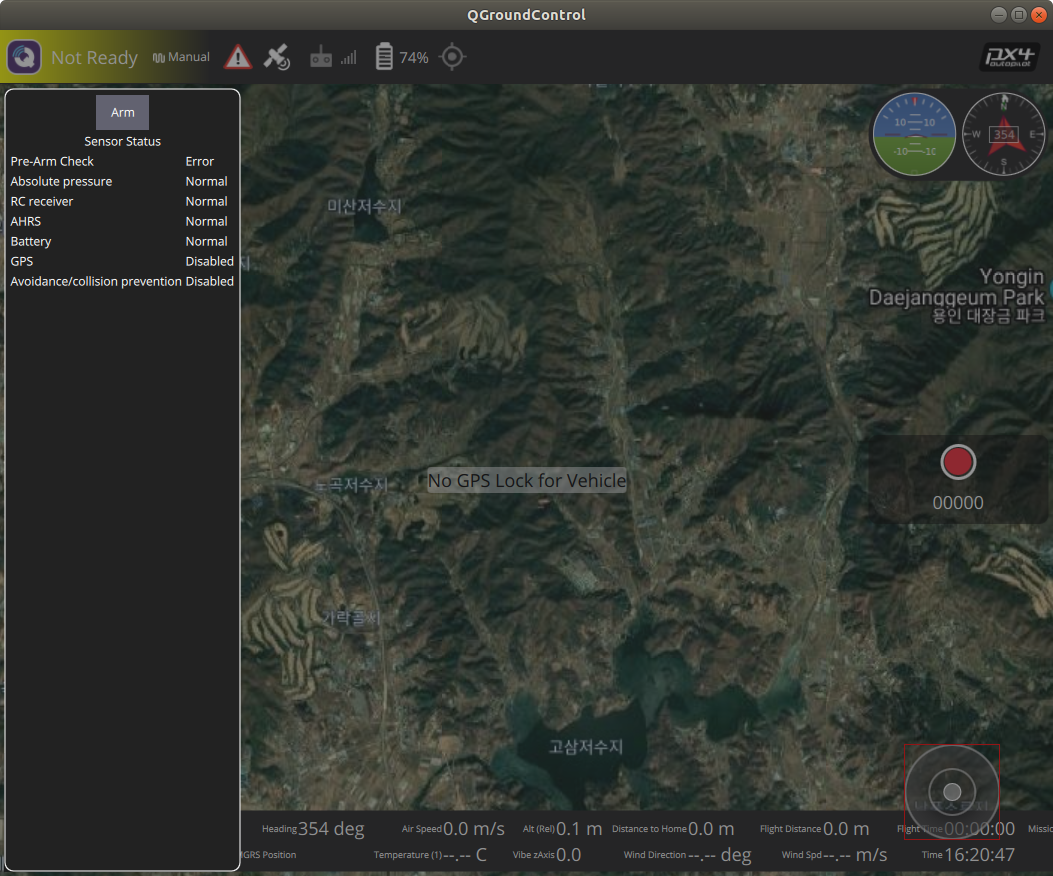
also, I alredy checked all the relative parameters as like this.
https://docs.modalai.com/voxl-vision-px4-collision-prevention/Could you please give me advise to test obstacle avoidance?
Thanks,
-
If you start voxl-vision-px4 manually, you can run 'voxl-vision-px4 --help' and see the following option available
-s, --debug_stereo print detected stereo obstacles as linescan points
-
If you start voxl-vision-px4 manually, you can run 'voxl-vision-px4 --help' and see the following option available
-s, --debug_stereo print detected stereo obstacles as linescan points
-
If you start voxl-vision-px4 manually, you can run 'voxl-vision-px4 --help' and see the following option available
-s, --debug_stereo print detected stereo obstacles as linescan points
-
I'm afraid to say the VOA feature has not yet been ported forward to our new software architecture (voxl-suite v0.3.4), but it still works in the legacy software (voxl-suite 0.2.0). We are a few weeks away from finishing the new version of VOA and adding it back in, at which point we will release another voxl-suite version. Until then you can go back to voxl-suite 0.2.0, sorry for the inconvenience! We are in a bit of a transition period as we rewrite all of our legacy software in the new architecture.
Best Regards,
James -
I'm afraid to say the VOA feature has not yet been ported forward to our new software architecture (voxl-suite v0.3.4), but it still works in the legacy software (voxl-suite 0.2.0). We are a few weeks away from finishing the new version of VOA and adding it back in, at which point we will release another voxl-suite version. Until then you can go back to voxl-suite 0.2.0, sorry for the inconvenience! We are in a bit of a transition period as we rewrite all of our legacy software in the new architecture.
Best Regards,
James


Reading along? Create a free ModalAI Forum account to join in.
With an account you can reply, ask your own question, get an email when a ModalAI engineer answers, and mark the reply that solved it. Your place in each thread is saved between visits.
Questions about VOXL, Flight Core, ESCs and ModalAI drones are answered here by the engineers who build them.
Register Login