
multiple rtsp stream using voxl-streamer on same port ?
-
@Vaibhav-Usapkar You would need to modify the voxl-streamer source code but should be fairly straightforward.
@Eric-Katzfey @Chad-Sweet @modaltb I tried to build the voxl-streamer code with some edits, However I am having some package locating errors encountered while building it as shown in below pic
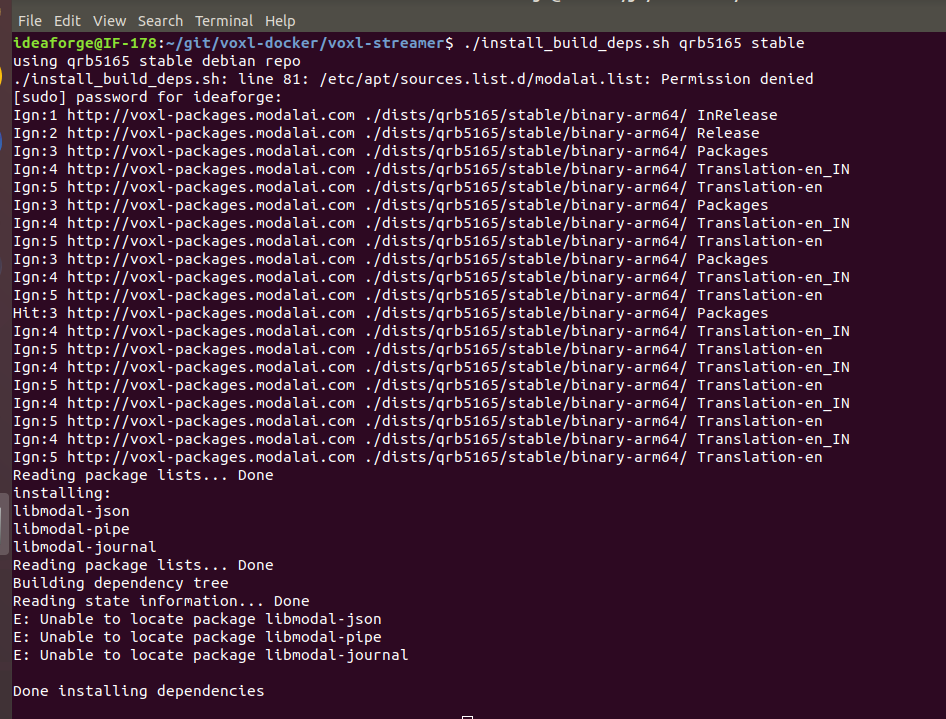
I tried to locate the packages as shown below, but unable to locate it
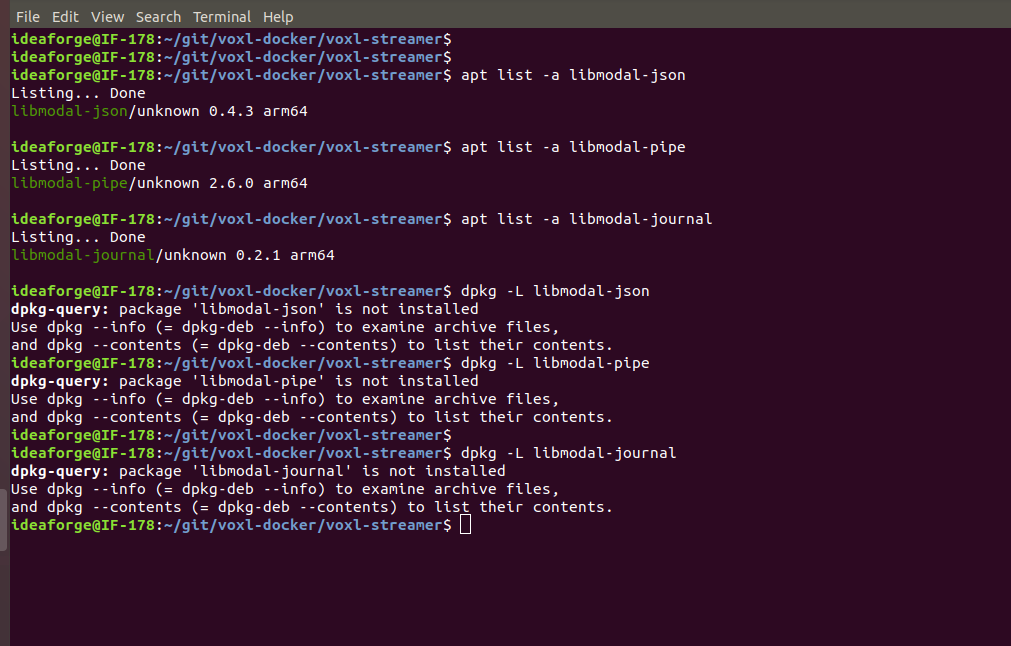
Could you suggest what could be done here.
-
@Eric-Katzfey @Chad-Sweet @modaltb I tried to build the voxl-streamer code with some edits, However I am having some package locating errors encountered while building it as shown in below pic
I tried to locate the packages as shown below, but unable to locate it
Could you suggest what could be done here.
@Vaibhav-Usapkar You need to do all that in the build docker, not in the host environment.
-
@Eric-Katzfey @Chad-Sweet @modaltb I tried to build the voxl-streamer code with some edits, However I am having some package locating errors encountered while building it as shown in below pic
I tried to locate the packages as shown below, but unable to locate it
Could you suggest what could be done here.
@Vaibhav-Usapkar https://gitlab.com/voxl-public/voxl-sdk/services/voxl-streamer/-/tree/dev#prerequisites has some instructions. I have a feeling they are not complete but should be good enough to get you going. Let us know if there are any obvious problems with the documentation.
-
@Vaibhav-Usapkar https://gitlab.com/voxl-public/voxl-sdk/services/voxl-streamer/-/tree/dev#prerequisites has some instructions. I have a feeling they are not complete but should be good enough to get you going. Let us know if there are any obvious problems with the documentation.
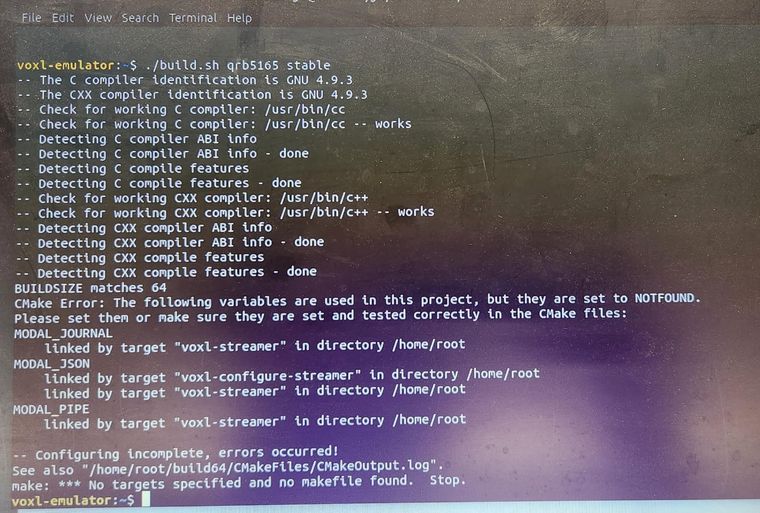
@Eric-Katzfey Yes I have followed the instructions on that link but still the same error persists
-
@Eric-Katzfey Yes I have followed the instructions on that link but still the same error persists
@Vaibhav-Usapkar Please run the command to install the build dependencies before trying the build. For example
./install_build_deps.sh qrb5165 stable. The documentation left that step out so I'll update the documentation. Sorry for the confusion. -
@Vaibhav-Usapkar Please run the command to install the build dependencies before trying the build. For example
./install_build_deps.sh qrb5165 stable. The documentation left that step out so I'll update the documentation. Sorry for the confusion.Hi @Eric-Katzfey, even after running "./install_build_deps.sh" command the issue persists.
Do i need to change any paths or install these libraries what do you think ?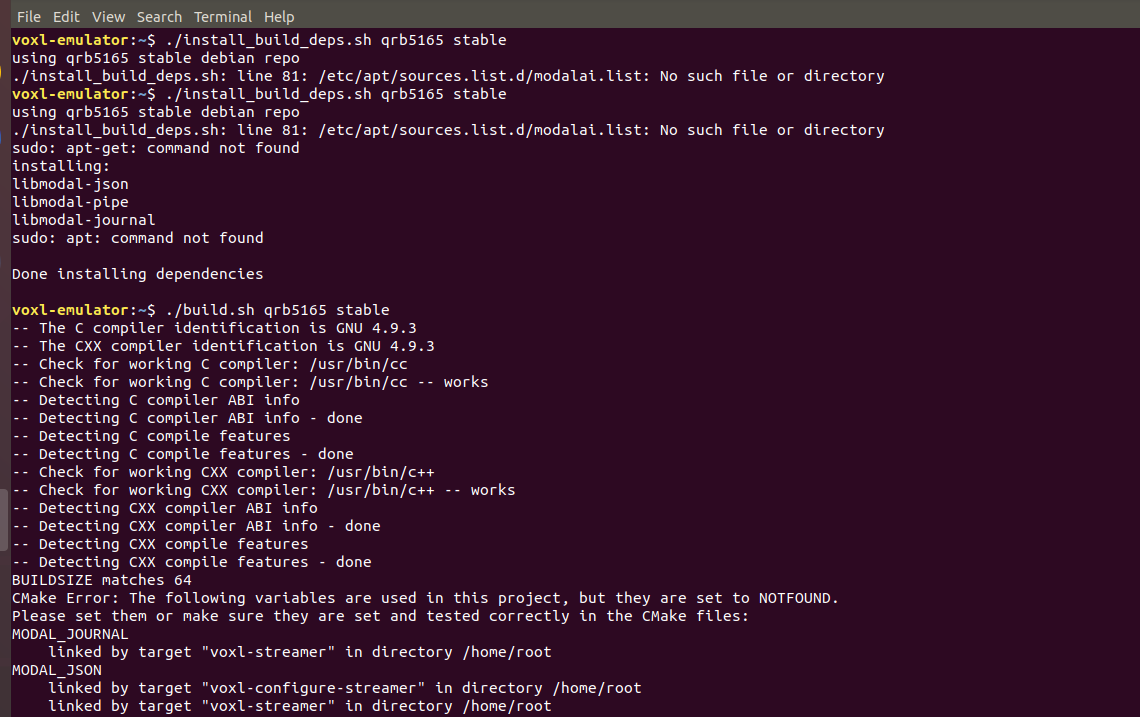
-
Hi @Eric-Katzfey, even after running "./install_build_deps.sh" command the issue persists.
Do i need to change any paths or install these libraries what do you think ?@Vaibhav-Usapkar Looks like there is something wrong with your emulator. How are you launching the docker? Are you using
voxl-docker -i qrb5165-emulator? -
@Vaibhav-Usapkar Looks like there is something wrong with your emulator. How are you launching the docker? Are you using
voxl-docker -i qrb5165-emulator?@Eric-Katzfey launching with the command
voxl-docker -i voxl-emulator
-
@Eric-Katzfey launching with the command
voxl-docker -i voxl-emulator
@Vaibhav-Usapkar Yeah, that is the voxl emulator for VOXL. You need to launch the qrb5165-emulator for VOXL2.
-
@Vaibhav-Usapkar Yeah, that is the voxl emulator for VOXL. You need to launch the qrb5165-emulator for VOXL2.
This post is deleted!


Reading along? Create a free ModalAI Forum account to join in.
With an account you can reply, ask your own question, get an email when a ModalAI engineer answers, and mark the reply that solved it. Your place in each thread is saved between visits.
Questions about VOXL, Flight Core, ESCs and ModalAI drones are answered here by the engineers who build them.
Register Login