
voxl-send-command not working to manually set exposure, gain on hires on flight deck
-
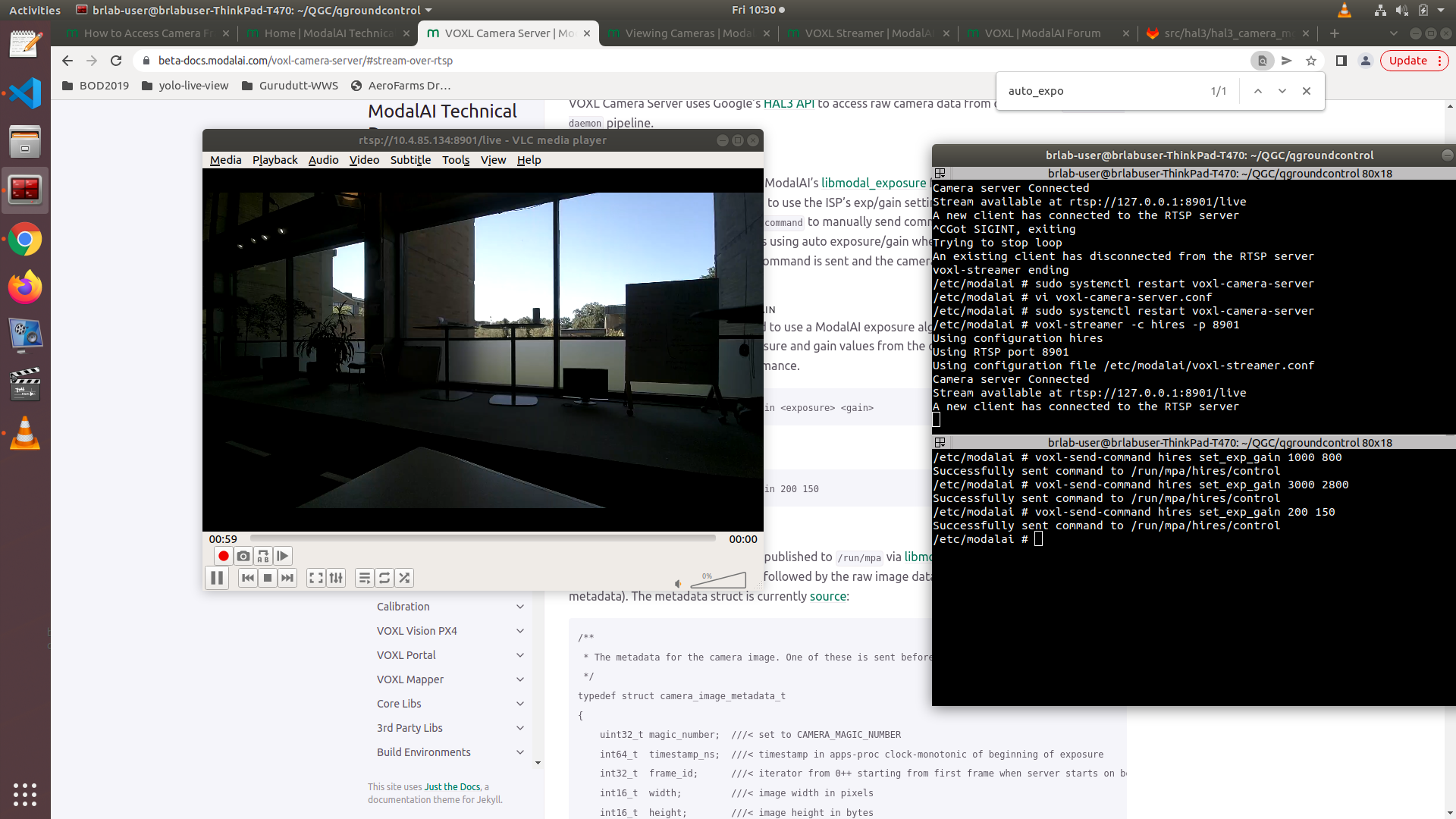
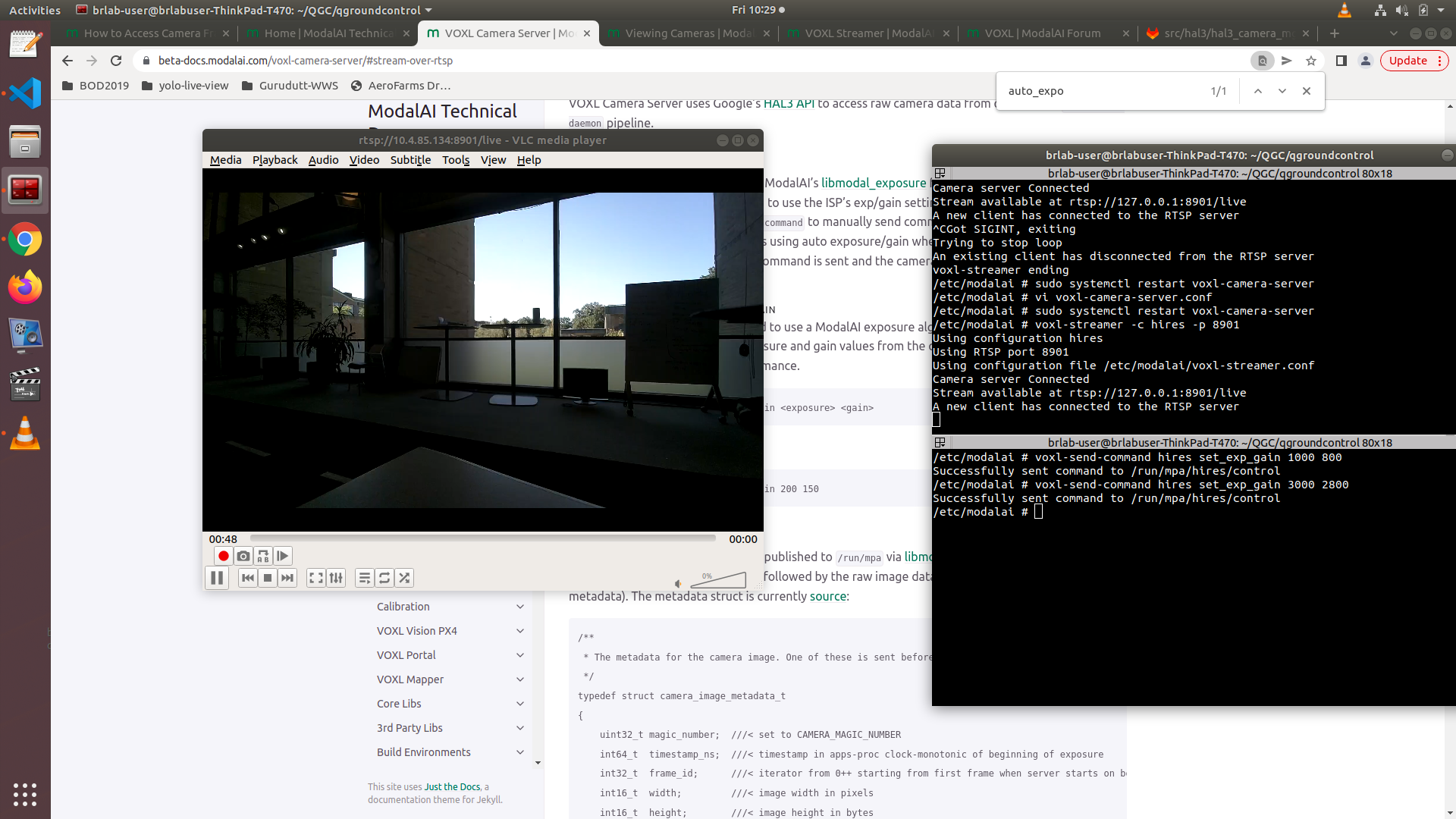
I've been testing the voxl-send-command utility to see if I can tune the camera settings manually for the environment I plan to deploy the voxl flight deck into. I've configured the camera server to use the "modalai" auto_exposure_mode setting, and after I restarted the camera-server I expected to be able to control the exposure and gain of the hires camera. However, when I send the command to adjust those settings, I do not see a change in the image quality. The tool returns that it was successful to send the command to the /run/hires/mpa/control, but nothing happens.
Here is my entry in the voxl-camera-server.conf for the hires camera:
{
"version": 0.2,
"port_J2": {
"name": "hires",
"enabled": true,
"type": "hires",
"api": "hal3",
"frame_rate": 10,
"override_id": -1,
"auto_exposure_mode": "modalai",
"modal_ae_gain_min": 0,
"modal_ae_gain_max": 1000,
"modal_ae_gain_period": 2,
"modal_ae_exposure_min_us": 100,
"modal_ae_exposure_max_us": 33000,
"modal_ae_exposure_period": 1,
"modal_ae_exposure_offset": 8000,
"modal_ae_desired_msv": 58,
"modal_ae_k_p_ns": 32000,
"modal_ae_k_i_ns": 20,
"modal_ae_max_i": 250,
"modal_ae_good_thresh": 3,
"modal_ae_display_debug": false,
"preview": {
"enabled": true,
"width": 1920,
"height": 1080,
"format": "nv21"
},
"video": {
"enabled": false,
"width": 1024,
"height": 768,
"format": "h265"
},
"snapshot": {
"enabled": false,
"width": 1024,
"height": 768,
"format": "jpg"
}
}Here are various screen shots trying to set the exposure and gain to different values; you will notice the image show in vlc doesn't change at all
-
@Eric-Katzfey Do you possibly have any ideas on this?
-
Hi,
This was a known bug when running the camera with the ISP's Auto exposure, it's been fixed in the latest camera server that we're preparing to release.
-
Hi,
This was a known bug when running the camera with the ISP's Auto exposure, it's been fixed in the latest camera server that we're preparing to release.
@Alex-Gardner Thanks; you mention that is is the case when running the auto exposure through the ISP. I had configured it not to use it - I thought by using the "modalai" keyword for the auto_exposure_mode param - but maybe this is not working?
Is there perchance a public backlog that people can check on to see if issues like this are known and being worked?
-
Camera Server is in a bit of a funny place because we recently rewrote significant portions of it and fixed the bugs in that new repo, but generally speaking you can look at the changelog on the dev branch of each of our projects to see what we've been fixing recently (for example: camera server)
-
Camera Server is in a bit of a funny place because we recently rewrote significant portions of it and fixed the bugs in that new repo, but generally speaking you can look at the changelog on the dev branch of each of our projects to see what we've been fixing recently (for example: camera server)
@Alex-Gardner I am using stable branch currently and unable to fly a quad because of qvio NOT STATIONARY issue while taking off. any suggestion.. which branch should I use ?
-
I've been testing the voxl-send-command utility to see if I can tune the camera settings manually for the environment I plan to deploy the voxl flight deck into. I've configured the camera server to use the "modalai" auto_exposure_mode setting, and after I restarted the camera-server I expected to be able to control the exposure and gain of the hires camera. However, when I send the command to adjust those settings, I do not see a change in the image quality. The tool returns that it was successful to send the command to the /run/hires/mpa/control, but nothing happens.
Here is my entry in the voxl-camera-server.conf for the hires camera:
{
"version": 0.2,
"port_J2": {
"name": "hires",
"enabled": true,
"type": "hires",
"api": "hal3",
"frame_rate": 10,
"override_id": -1,
"auto_exposure_mode": "modalai",
"modal_ae_gain_min": 0,
"modal_ae_gain_max": 1000,
"modal_ae_gain_period": 2,
"modal_ae_exposure_min_us": 100,
"modal_ae_exposure_max_us": 33000,
"modal_ae_exposure_period": 1,
"modal_ae_exposure_offset": 8000,
"modal_ae_desired_msv": 58,
"modal_ae_k_p_ns": 32000,
"modal_ae_k_i_ns": 20,
"modal_ae_max_i": 250,
"modal_ae_good_thresh": 3,
"modal_ae_display_debug": false,
"preview": {
"enabled": true,
"width": 1920,
"height": 1080,
"format": "nv21"
},
"video": {
"enabled": false,
"width": 1024,
"height": 768,
"format": "h265"
},
"snapshot": {
"enabled": false,
"width": 1024,
"height": 768,
"format": "jpg"
}
}Here are various screen shots trying to set the exposure and gain to different values; you will notice the image show in vlc doesn't change at all


Reading along? Create a free ModalAI Forum account to join in.
With an account you can reply, ask your own question, get an email when a ModalAI engineer answers, and mark the reply that solved it. Your place in each thread is saved between visits.
Questions about VOXL, Flight Core, ESCs and ModalAI drones are answered here by the engineers who build them.
Register Login