Skip to content
  • Categories
  • Recent
  • Tags
  • Popular
  • Users
  • Groups
Collapse
Brand Logo

ModalAI Forum

  1. ModalAI Support Forum
  2. Ask your questions right here!
  3. voxl-vision-px4 not working

voxl-vision-px4 not working

Scheduled Pinned Locked Moved Ask your questions right here!
4 Posts 2 Posters 790 Views
  • Oldest to Newest
  • Newest to Oldest
  • Most Votes
Reply
  • Reply as topic
Log in to reply
This topic has been deleted. Only users with topic management privileges can see it.
  • SHofmeesterS Offline
    SHofmeesterS Offline
    SHofmeester
    Contributor
    wrote on last edited by
    #1

    Hi,

    We noticed that on our VOXL, voxl-vision-px4 isn't running.
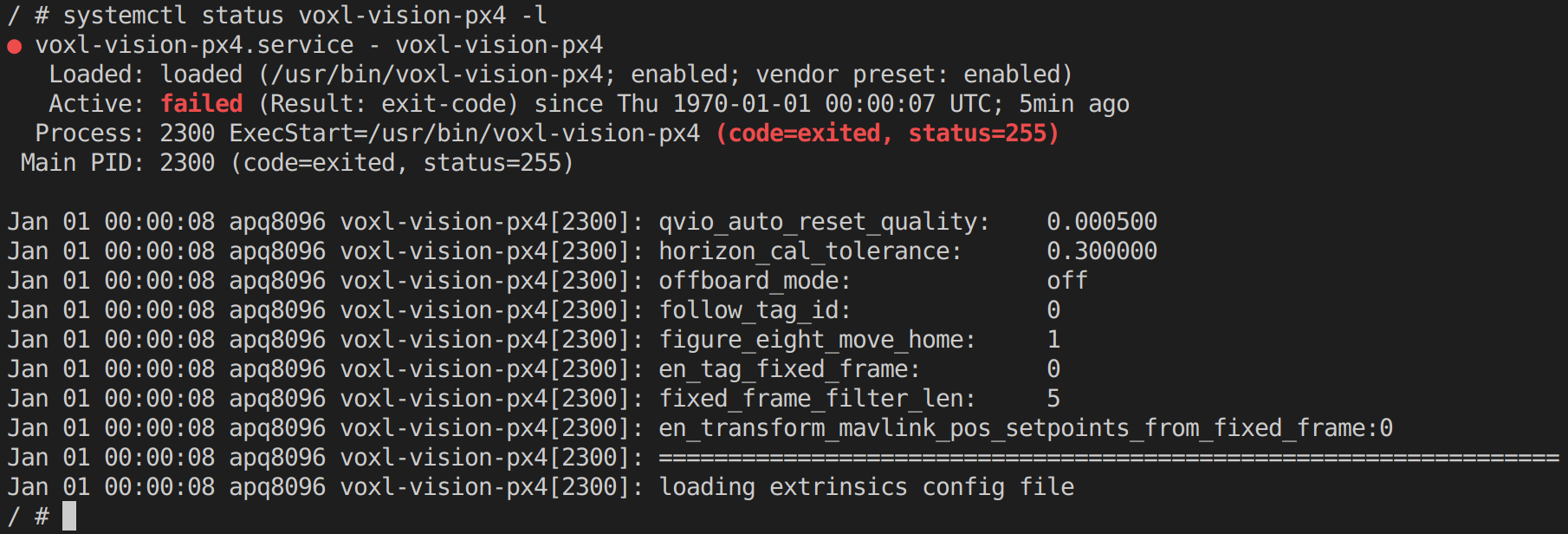
    27900c51-d396-487e-bd64-78b250004922-image.png

    When we try to configure mpa, the following error is raised:

    d6dd1849-af5e-4314-aa65-9f479669998a-image.png

    Also, in /data, there is no folder named /modalai.

    How can we fix this?

    Thanks in advance!

    1 Reply Last reply
    0
    • ? Offline
      ? Offline
      A Former User
      wrote on last edited by
      #2

      Hi,

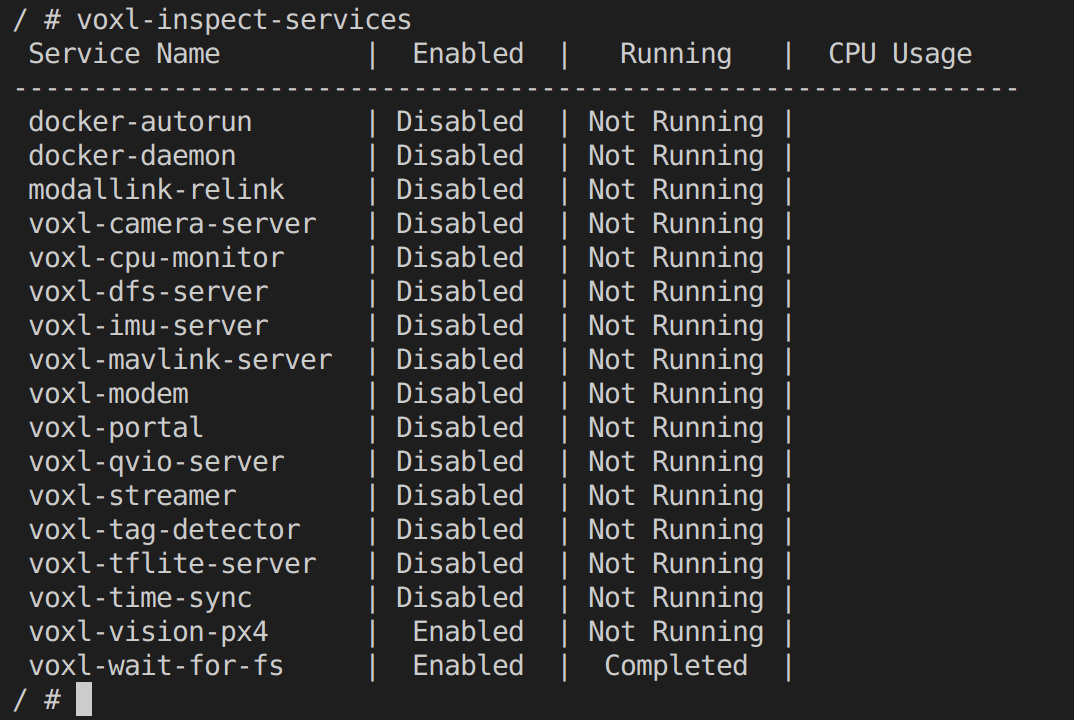
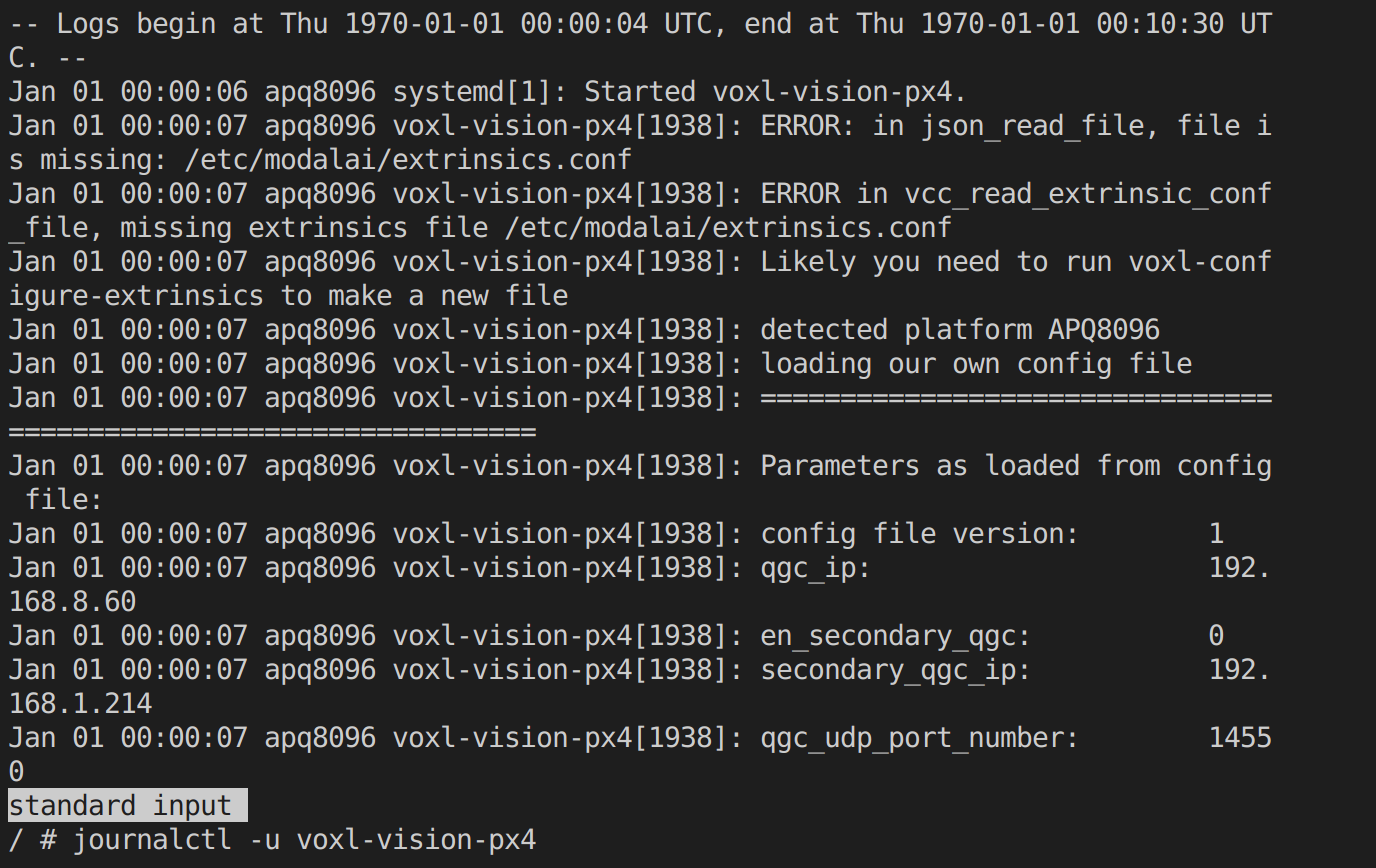
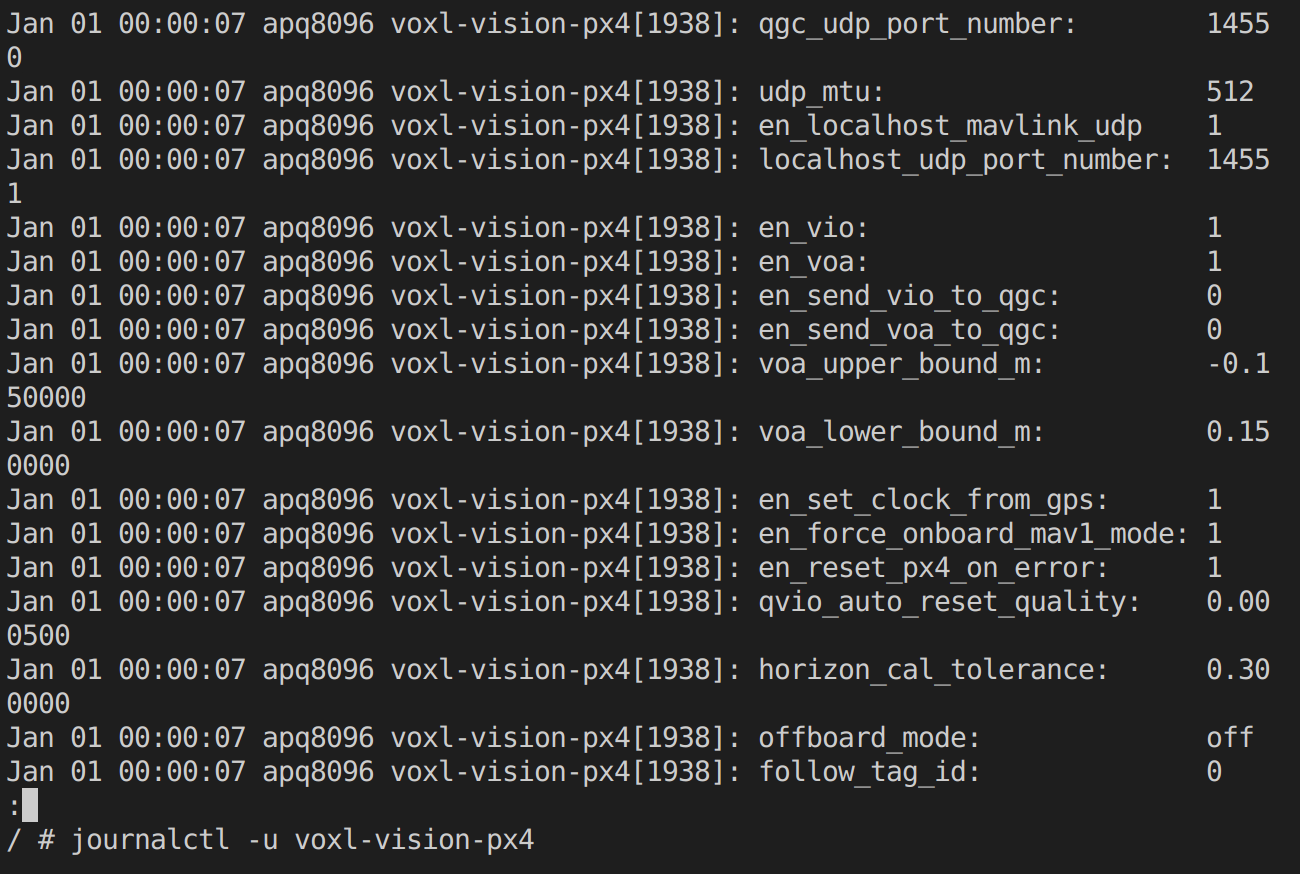
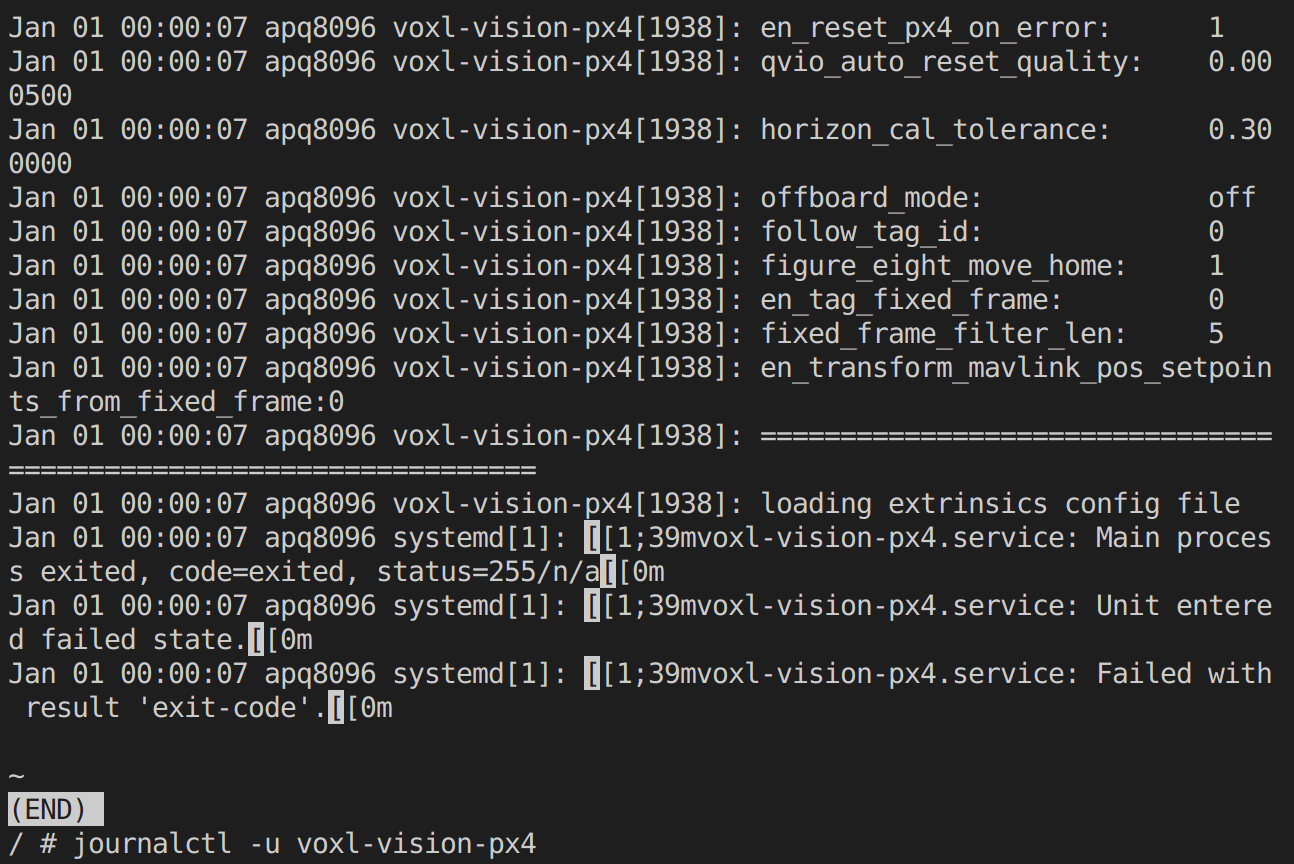
      What version of the software stack is your drone running? Can you post the output of voxl-version and voxl-inspect-services. Also, can you paste the full log from VVPX4 with journalctl -u voxl-vision-px4. Finally, did you recently reflash the drone? All of our drones shipped within the last year and a half or so should have a factory mode saved in that data directory, which shouldn't get overwritten unless you're reflashing the drone (and choose to wipe it since we can reflash without wiping the data partition).

      1 Reply Last reply
      0
      • SHofmeesterS Offline
        SHofmeesterS Offline
        SHofmeester
        Contributor
        wrote on last edited by
        #3

        Hi @Alex-Gardner,

        We recently flashed the voxl to 3.8.0. When we noticed voxl-vision-px4 we reflashed it again with and without wipe, to see if that would resolve it.

        Outputs:
        voxl-version
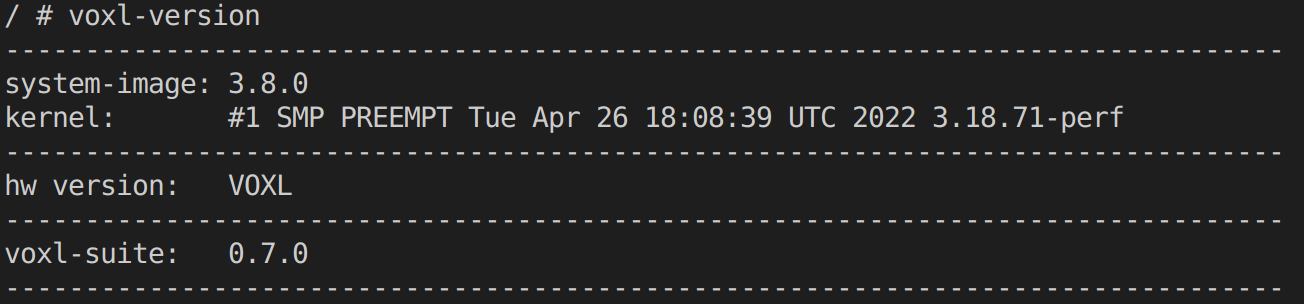
        e99146d7-cf75-4c69-b542-6075aedecf6e-image.png

        voxl-inspect-services
        b3994ea3-aff4-4332-b576-f5f08a367fd5-image.png

        journalctl -u voxl-vision-px4
        ce409261-c3ee-4d39-bc28-df9bc791a8a9-image.png
        f154bfa1-5c07-4214-957c-2145e680c630-image.png
        4cca5aaa-f577-462a-87aa-3a7c905a3b15-image.png

        Thanks in advance!

        1 Reply Last reply
        0
        • SHofmeesterS Offline
          SHofmeesterS Offline
          SHofmeester
          Contributor
          wrote on last edited by
          #4

          Hi @Alex-Gardner,
          We resolved the issue using this forumpost:
          https://forum.modalai.com/topic/1050/position-flight-is-not-available-after-firmware-update?_=1658251944919

          Thanks for the help

          1 Reply Last reply
          0

          Hello! It looks like you're interested in this conversation, but you don't have an account yet.

          Getting fed up of having to scroll through the same posts each visit? When you register for an account, you'll always come back to exactly where you were before, and choose to be notified of new replies (either via email, or push notification). You'll also be able to save bookmarks and upvote posts to show your appreciation to other community members.

          With your input, this post could be even better 💗

          Register Login
          Reply
          • Reply as topic
          Log in to reply
          • Oldest to Newest
          • Newest to Oldest
          • Most Votes


          ModalAI
          Categories Recent Tags ModalAI.com Docs
          © 2026 ModalAI® · Accelerating autonomy for smaller, smarter, safer drones · Powered by NodeBB
          • Login

          • Don't have an account? Register

          • Login or register to search.
          • First post
            Last post
          0
          • Categories
          • Recent
          • Tags
          • Popular
          • Users
          • Groups