
Unable to access px4 with qgc in voxl 2 using usb-jst cable
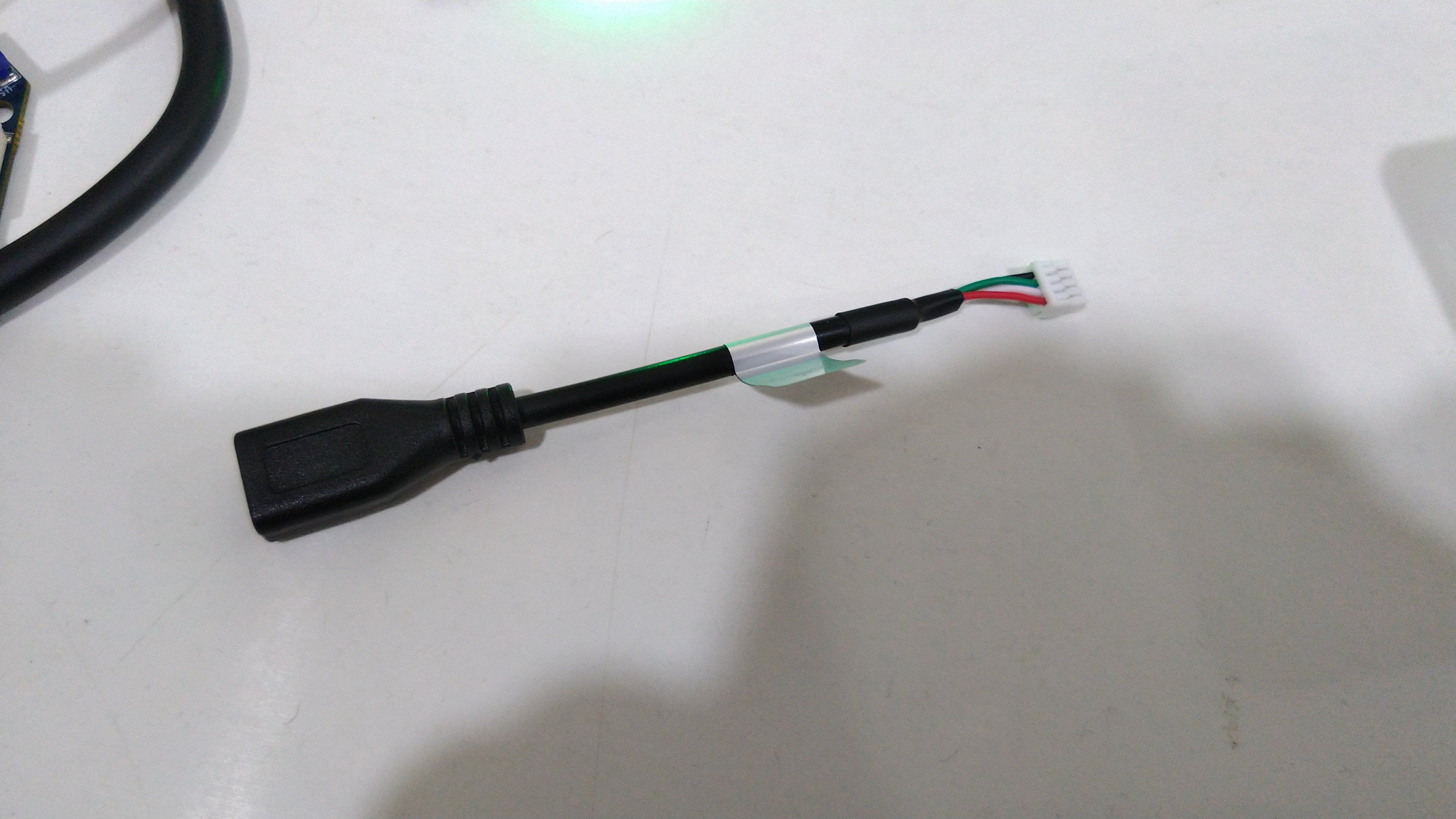
-
I have flashed the voxl-dev branch files to the voxl 2's /etc/modalai/ folder. It seems like voxl-dev branch's voxl-px4-hitl is not an executable file. I am facing this issue.
voxl2:~$ voxl-px4-hitl
bash: voxl-px4-hitl: command not found
How to fix the problem?@Tamas-Pal-0 You can get a voxl-dev branch package from here: http://voxl-packages.modalai.com/dists/qrb5165/dev/binary-arm64/voxl-px4_1.4.19-202208111710_arm64.deb. Install that package instead of trying to copy files over manually.
-
@Tamas-Pal-0 You can get a voxl-dev branch package from here: http://voxl-packages.modalai.com/dists/qrb5165/dev/binary-arm64/voxl-px4_1.4.19-202208111710_arm64.deb. Install that package instead of trying to copy files over manually.
@Eric-Katzfey
The voxl-px4-hitl is still missing in the package. I have installed it and tried to run voxl-px4-hitl command. It is not working. I have shared the terminal syntax below. How to fix it?voxl2:/$ sudo dpkg -i voxl-px4_1.4.19-202208111710_arm64.deb
(Reading database ... 81777 files and directories currently installed.)
Preparing to unpack voxl-px4_1.4.19-202208111710_arm64.deb ...
Unpacking voxl-px4 (1.4.19-202208111710) over (1.4.19-202208111710) ...
Setting up voxl-px4 (1.4.19-202208111710) ...
Found DSP signature file
/
voxl2:/$ sudo apt-get install -f
Reading package lists... Done
Building dependency tree
Reading state information... Done
0 upgraded, 0 newly installed, 0 to remove and 1 not upgraded.
voxl2:/$ voxl-px4-hitl
bash: /usr/bin/voxl-px4-hitl: Permission denied
voxl2:/$ sudo voxl-px4-hitl
sudo: voxl-px4-hitl: command not found -
Hi Tamas - please run a
chmod +x /usr/bin/voxl-px4-hitland that will enable permissions. After running that, you can runvoxl-px4-hitlfrom any directory and it will work. -
Hi Tamas - please run a
chmod +x /usr/bin/voxl-px4-hitland that will enable permissions. After running that, you can runvoxl-px4-hitlfrom any directory and it will work.@Zachary-Lowell
Aftert running the voxl-px4-hitl command I am still gettting an output like this. Is it fine? If not how to solve the problem?voxl2:/usr/bin$ chmod +x /usr/bin/voxl-px4-hitl voxl2:/usr/bin$ voxl-px4-hitl Found DSP signature file Setting GPS Parameters for HITL INFO [px4] mlockall() enabled. PX4's virtual address space is locked into RAM. INFO [px4] PX4 daemon already running for instance 0 (Success) INFO [px4] mlockall() enabled. PX4's virtual address space is locked into RAM. INFO [px4] PX4 daemon already running for instance 0 (Success) voxl2:/usr/bin$ -
@Zachary-Lowell
Aftert running the voxl-px4-hitl command I am still gettting an output like this. Is it fine? If not how to solve the problem?voxl2:/usr/bin$ chmod +x /usr/bin/voxl-px4-hitl voxl2:/usr/bin$ voxl-px4-hitl Found DSP signature file Setting GPS Parameters for HITL INFO [px4] mlockall() enabled. PX4's virtual address space is locked into RAM. INFO [px4] PX4 daemon already running for instance 0 (Success) INFO [px4] mlockall() enabled. PX4's virtual address space is locked into RAM. INFO [px4] PX4 daemon already running for instance 0 (Success) voxl2:/usr/bin$@Tamas-Pal-0 Looks like px4 was already running. It was probably automatically started on system bootup using the systemd service. What is the output from
voxl-inspect-services? -
@Tamas-Pal-0 Looks like px4 was already running. It was probably automatically started on system bootup using the systemd service. What is the output from
voxl-inspect-services?voxl2:/$ voxl-inspect-services Service Name | Enabled | Running | CPU Usage --------------------------------------------------------------- docker-autorun | Disabled | Not Running | docker-daemon | Disabled | Not Running | modallink-relink | Enabled | Not Running | voxl-camera-server | Enabled | Not Running | voxl-cpu-monitor | Enabled | Running | 0.0 voxl-dfs-server | Enabled | Not Running | voxl-imu-server | Enabled | Running | 0.0 voxl-mavlink-server | Enabled | Running | 0.0 voxl-modem | Disabled | Not Running | voxl-portal | Enabled | Running | 0.0 voxl-px4-imu-server | Enabled | Running | 0.0 voxl-px4 | Enabled | Running | 0.0 voxl-qvio-server | Enabled | Not Running | voxl-softap | Disabled | Not Running | voxl-static-ip | Enabled | Not Running | voxl-streamer | Enabled | Running | 0.0 voxl-tag-detector | Enabled | Not Running | voxl-tflite-server | Enabled | Running | 0.0 voxl-time-sync | Disabled | Not Running | voxl-vision-px4 | Enabled | Running | 0.0 voxl-wait-for-fs | Enabled | Completed | voxl2:/$As mentioned by @Zachary-Lowell the voxl-px4-hitl file is not executable as shown in the youtube video https://www.youtube.com/watch?v=ysvpJdXFWaM&ab_channel=AscendEngineering
how to get the voxl-px4-hitl executable file? -
voxl2:/$ voxl-inspect-services
 Service Name         |  Enabled  |   Running   |  CPU Usage
---------------------------------------------------------------
 docker-autorun       | Disabled  | Not Running |
 docker-daemon        | Disabled  | Not Running |
 modallink-relink     |  Enabled  | Not Running |
 voxl-camera-server   |  Enabled  | Not Running |
 voxl-cpu-monitor     |  Enabled  |   Running   |     0.0
 voxl-dfs-server      |  Enabled  | Not Running |
 voxl-imu-server      |  Enabled  |   Running   |     0.0
 voxl-mavlink-server  |  Enabled  |   Running   |     0.0
 voxl-modem           | Disabled  | Not Running |
 voxl-portal          |  Enabled  |   Running   |     0.0
 voxl-px4-imu-server  |  Enabled  |   Running   |     0.0
 voxl-px4             |  Enabled  |   Running   |     0.0
 voxl-qvio-server     |  Enabled  | Not Running |
 voxl-softap          | Disabled  | Not Running |
 voxl-static-ip       |  Enabled  | Not Running |
 voxl-streamer        |  Enabled  |   Running   |     0.0
 voxl-tag-detector    |  Enabled  | Not Running |
 voxl-tflite-server   |  Enabled  |   Running   |     0.0
 voxl-time-sync       | Disabled  | Not Running |
 voxl-vision-px4      |  Enabled  |   Running   |     0.0
 voxl-wait-for-fs     |  Enabled  |  Completed  |
voxl2:/$
As mentioned by @Zachary-Lowell the voxl-px4-hitl file is not executable as shown in the youtube video https://www.youtube.com/watch?v=ysvpJdXFWaM&ab_channel=AscendEngineering
how to get the voxl-px4-hitl executable file?@Tamas-Pal-0
sudo chmod +x /usr/bin/voxl-px4-hitl -
@Tamas-Pal-0
sudo chmod +x /usr/bin/voxl-px4-hitl@Eric-Katzfey The voxl-px4-hitl is still missing. I followed all the steps but the executable file voxl-px4-hitl is still not there
voxl2:/$ wget  http://voxl-packages.modalai.com/dists/qrb5165/dev/binary-arm64/voxl-px4_1.4.19-202208111710_arm64.deb
--2022-08-25 10:05:37--  http://voxl-packages.modalai.com/dists/qrb5165/dev/binary-arm64/voxl-px4_1.4.19-202208111710_arm64.deb
Resolving voxl-packages.modalai.com (voxl-packages.modalai.com)... 35.215.116.197
Connecting to voxl-packages.modalai.com (voxl-packages.modalai.com)|35.215.116.197|:80... connected.
HTTP request sent, awaiting response... 200 OK
Length: 5093080 (4.9M) [application/octet-stream]
Saving to: 'voxl-px4_1.4.19-202208111710_arm64.deb'

voxl-px4_1.4.19-202 100%[===================>]   4.86M  1.86MB/s    in 2.6s

2022-08-25 10:05:41 (1.86 MB/s) - 'voxl-px4_1.4.19-202208111710_arm64.deb' saved [5093080/5093080]

voxl2:/$ dpkg -i voxl-px4_1.4.19-202208111710_arm64.deb
(Reading database ... 81777 files and directories currently installed.)
Preparing to unpack voxl-px4_1.4.19-202208111710_arm64.deb ...
Unpacking voxl-px4 (1.4.19-202208111710) over (1.4.19-202208111710) ...
Setting up voxl-px4 (1.4.19-202208111710) ...
Found DSP signature file
/
voxl2:/$ apt-get install -f
Reading package lists... Done
Building dependency tree
Reading state information... Done
0 upgraded, 0 newly installed, 0 to remove and 1 not upgraded.
voxl2:/$ sudo chmod +x /usr/bin/voxl-px4-hitl
voxl2:/$ voxl-px4-hitl
Found DSP signature file
Setting GPS Parameters for HITL
INFO  [px4] mlockall() enabled. PX4's virtual address space is locked into RAM.
INFO  [px4] PX4 daemon already running for instance 0 (Success)
INFO  [px4] mlockall() enabled. PX4's virtual address space is locked into RAM.
INFO  [px4] PX4 daemon already running for instance 0 (Success)
voxl2:/$
how to fix this ?
-
@Eric-Katzfey The voxl-px4-hitl is still missing. I followed all the steps but the executable file voxl-px4-hitl is still not there
voxl2:/$ wget  http://voxl-packages.modalai.com/dists/qrb5165/dev/binary-arm64/voxl-px4_1.4.19-202208111710_arm64.deb
--2022-08-25 10:05:37--  http://voxl-packages.modalai.com/dists/qrb5165/dev/binary-arm64/voxl-px4_1.4.19-202208111710_arm64.deb
Resolving voxl-packages.modalai.com (voxl-packages.modalai.com)... 35.215.116.197
Connecting to voxl-packages.modalai.com (voxl-packages.modalai.com)|35.215.116.197|:80... connected.
HTTP request sent, awaiting response... 200 OK
Length: 5093080 (4.9M) [application/octet-stream]
Saving to: 'voxl-px4_1.4.19-202208111710_arm64.deb'

voxl-px4_1.4.19-202 100%[===================>]   4.86M  1.86MB/s    in 2.6s

2022-08-25 10:05:41 (1.86 MB/s) - 'voxl-px4_1.4.19-202208111710_arm64.deb' saved [5093080/5093080]

voxl2:/$ dpkg -i voxl-px4_1.4.19-202208111710_arm64.deb
(Reading database ... 81777 files and directories currently installed.)
Preparing to unpack voxl-px4_1.4.19-202208111710_arm64.deb ...
Unpacking voxl-px4 (1.4.19-202208111710) over (1.4.19-202208111710) ...
Setting up voxl-px4 (1.4.19-202208111710) ...
Found DSP signature file
/
voxl2:/$ apt-get install -f
Reading package lists... Done
Building dependency tree
Reading state information... Done
0 upgraded, 0 newly installed, 0 to remove and 1 not upgraded.
voxl2:/$ sudo chmod +x /usr/bin/voxl-px4-hitl
voxl2:/$ voxl-px4-hitl
Found DSP signature file
Setting GPS Parameters for HITL
INFO  [px4] mlockall() enabled. PX4's virtual address space is locked into RAM.
INFO  [px4] PX4 daemon already running for instance 0 (Success)
INFO  [px4] mlockall() enabled. PX4's virtual address space is locked into RAM.
INFO  [px4] PX4 daemon already running for instance 0 (Success)
voxl2:/$
how to fix this ?
@Tamas-Pal-0
voxl-px4-hitlisn't missing. Your screen shot shows you executing it. But as I said in the earlier response you already have px4 running and when you execute the command it won't allow you to run a second instance of px4. -
@Eric-Katzfey The voxl-px4-hitl is still missing. I followed all the steps but the executable file voxl-px4-hitl is still not there
voxl2:/$ wget  http://voxl-packages.modalai.com/dists/qrb5165/dev/binary-arm64/voxl-px4_1.4.19-202208111710_arm64.deb
--2022-08-25 10:05:37--  http://voxl-packages.modalai.com/dists/qrb5165/dev/binary-arm64/voxl-px4_1.4.19-202208111710_arm64.deb
Resolving voxl-packages.modalai.com (voxl-packages.modalai.com)... 35.215.116.197
Connecting to voxl-packages.modalai.com (voxl-packages.modalai.com)|35.215.116.197|:80... connected.
HTTP request sent, awaiting response... 200 OK
Length: 5093080 (4.9M) [application/octet-stream]
Saving to: 'voxl-px4_1.4.19-202208111710_arm64.deb'

voxl-px4_1.4.19-202 100%[===================>]   4.86M  1.86MB/s    in 2.6s

2022-08-25 10:05:41 (1.86 MB/s) - 'voxl-px4_1.4.19-202208111710_arm64.deb' saved [5093080/5093080]

voxl2:/$ dpkg -i voxl-px4_1.4.19-202208111710_arm64.deb
(Reading database ... 81777 files and directories currently installed.)
Preparing to unpack voxl-px4_1.4.19-202208111710_arm64.deb ...
Unpacking voxl-px4 (1.4.19-202208111710) over (1.4.19-202208111710) ...
Setting up voxl-px4 (1.4.19-202208111710) ...
Found DSP signature file
/
voxl2:/$ apt-get install -f
Reading package lists... Done
Building dependency tree
Reading state information... Done
0 upgraded, 0 newly installed, 0 to remove and 1 not upgraded.
voxl2:/$ sudo chmod +x /usr/bin/voxl-px4-hitl
voxl2:/$ voxl-px4-hitl
Found DSP signature file
Setting GPS Parameters for HITL
INFO  [px4] mlockall() enabled. PX4's virtual address space is locked into RAM.
INFO  [px4] PX4 daemon already running for instance 0 (Success)
INFO  [px4] mlockall() enabled. PX4's virtual address space is locked into RAM.
INFO  [px4] PX4 daemon already running for instance 0 (Success)
voxl2:/$
how to fix this ?
@Tamas-Pal-0 In order to prevent px4 from running automatically in the background as a daemon on system startup use
systemctl disable voxl-px4and thensync. Reboot voxl 2 and then tryvoxl-px4-hitlagain.



Reading along? Create a free ModalAI Forum account to join in.
With an account you can reply, ask your own question, get an email when a ModalAI engineer answers, and mark the reply that solved it. Your place in each thread is saved between visits.
Questions about VOXL, Flight Core, ESCs and ModalAI drones are answered here by the engineers who build them.
Register Login