
CANT ACCESS CAMERA
-
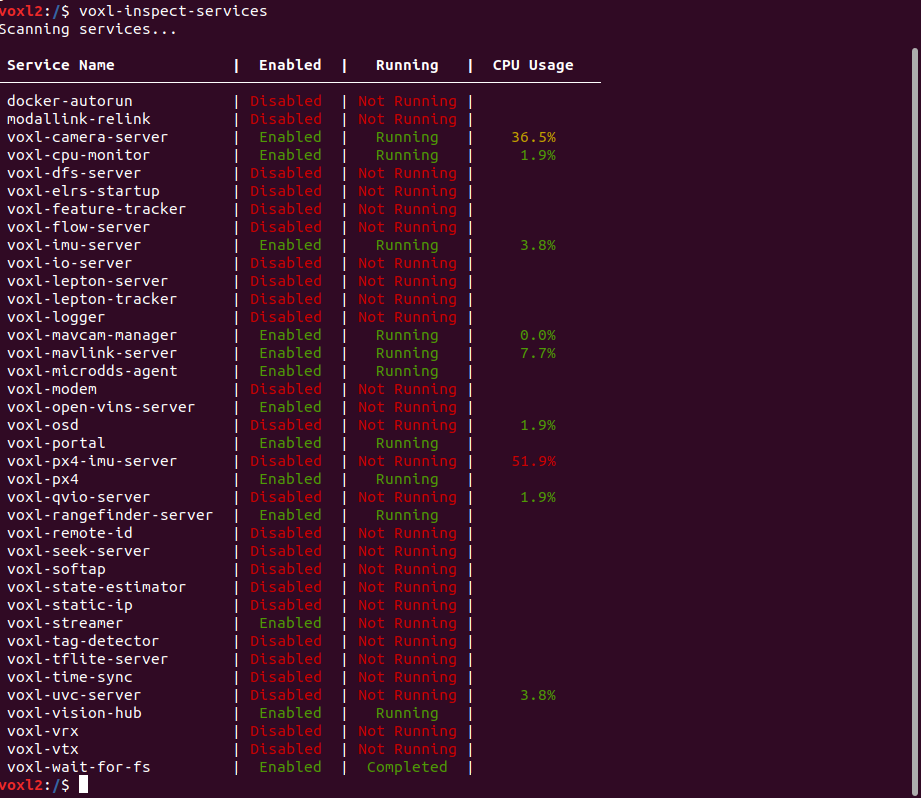
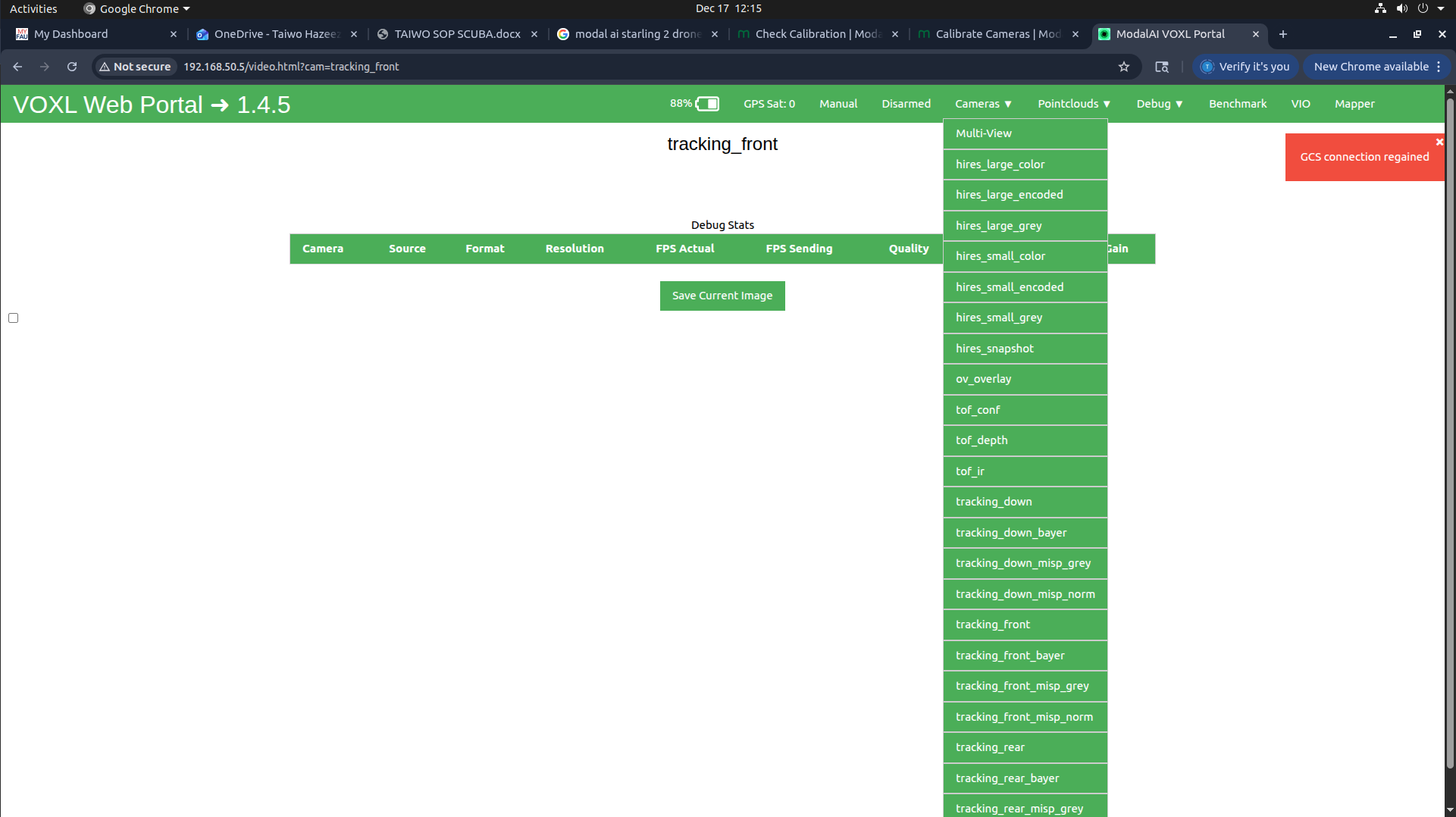
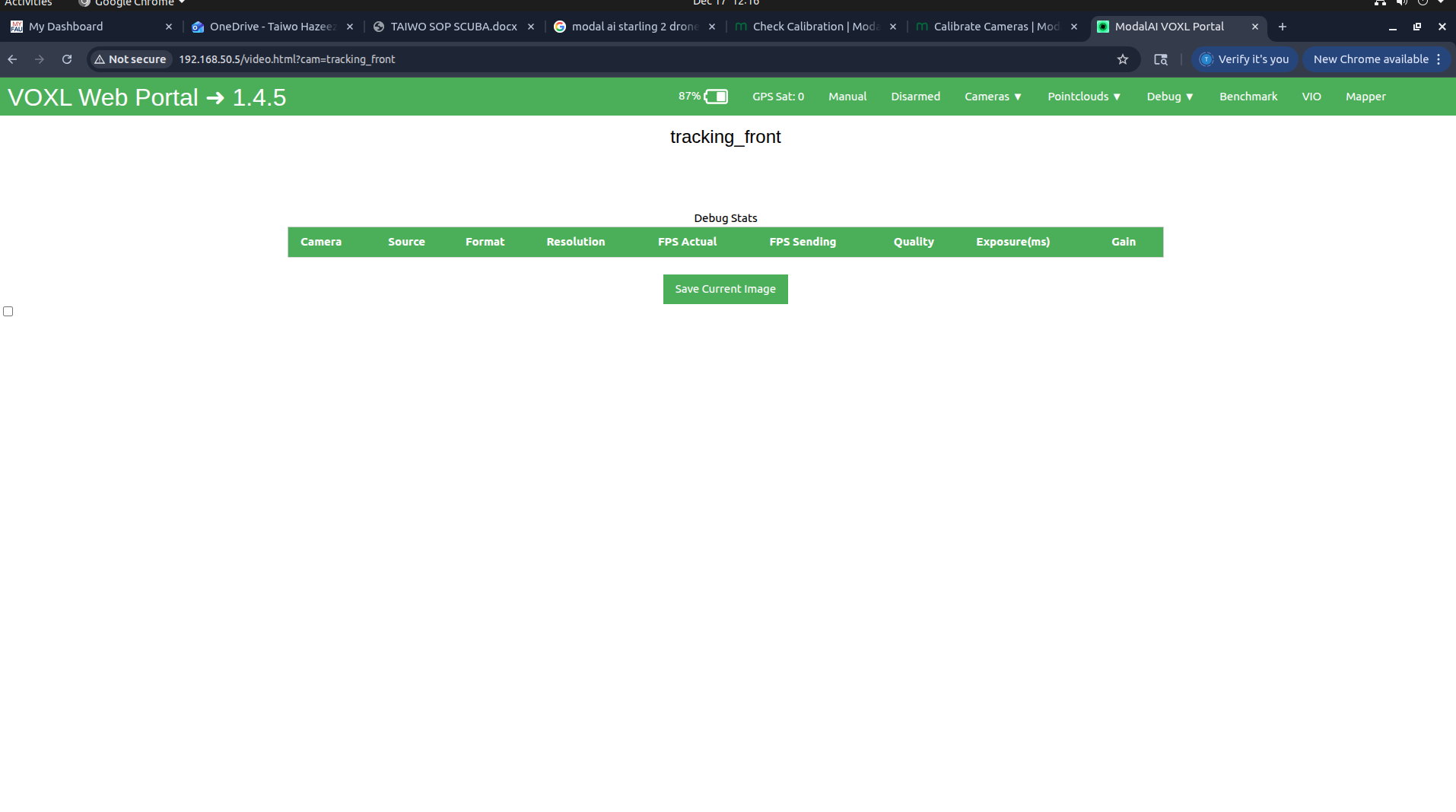
HI, I am trying to calibrate my starling 2 drone cameras, but I realized I cant access my cameras from the voxl-portal. On voxl portal, I can see the list of camera pipes, but if I select any one if them, I dont get a footage. I have attached screenshots to make you understand what I mean better. I dont know mcuh about this, could you please point me in the right direction? How can I get it working

 )
) -
Hello Support,
Can anyone kindly look into this please?
I tried it accessing the cameras today from the voxl portal, it showed live footage at first, then it crashed. Can you kindly assist.
Thanks
Please try the following after a fresh reboot:
voxl-inspect-cam tracking_down tracking_front tracking_rear tof_ir hires_small_colorRunning
voxl-inspect-cam -acan break the camera server because there are too many output streams to process. This used to be a good option in the past for a quick test, but with 5 cameras and ~25 streams this is becoming too heavy. In normal use cases, only one stream is used from each camera.If you are just getting started, I would suggest updating your drone to at least SDK 1.5 or even 1.6, however you should still be able to get camera streams displayed in voxl-portal or using the limited
voxl-inspect-camcommand.If you still cannot get this to work, please do the following to stop the background service for
voxl-camera-serverand run in in the foreground and past the output:#stop the background service (it will restart after reboot) systemctl stop voxl-camera-server #run camera server in foreground voxl-camera-serverAlex
-
Please try the following after a fresh reboot:
voxl-inspect-cam tracking_down tracking_front tracking_rear tof_ir hires_small_colorRunning
voxl-inspect-cam -acan break the camera server because there are too many output streams to process. This used to be a good option in the past for a quick test, but with 5 cameras and ~25 streams this is becoming too heavy. In normal use cases, only one stream is used from each camera.If you are just getting started, I would suggest updating your drone to at least SDK 1.5 or even 1.6, however you should still be able to get camera streams displayed in voxl-portal or using the limited
voxl-inspect-camcommand.If you still cannot get this to work, please do the following to stop the background service for
voxl-camera-serverand run in in the foreground and past the output:#stop the background service (it will restart after reboot) systemctl stop voxl-camera-server #run camera server in foreground voxl-camera-serverAlex
@Alex-Kushleyev Thank you for the response. After fresh reboot the camera pipes functions for a little while and stops immediately (I can see it in voxl-portal, then they keep disappearing until i am left with tag_overlay and multi-view
-
@Alex-Kushleyev Thank you for the response. After fresh reboot the camera pipes functions for a little while and stops immediately (I can see it in voxl-portal, then they keep disappearing until i am left with tag_overlay and multi-view
Can you please confirm that you only inspected several pipes using the command:
voxl-inspect-cam tracking_down tracking_front tracking_rear tof_ir hires_small_colorAlso please use
voxl-inspect-cputo check if the cpu is overheating during your testing.Additionally, are you able to provide output of
voxl-camera-server(running in the foreground) when the pipes start disappearing?If you are able to update to the latest SDK (1.6.x) , it may be easier for us to support, as 1.4.5 is 7 months old.
Alex
-
Can you please confirm that you only inspected several pipes using the command:
voxl-inspect-cam tracking_down tracking_front tracking_rear tof_ir hires_small_colorAlso please use
voxl-inspect-cputo check if the cpu is overheating during your testing.Additionally, are you able to provide output of
voxl-camera-server(running in the foreground) when the pipes start disappearing?If you are able to update to the latest SDK (1.6.x) , it may be easier for us to support, as 1.4.5 is 7 months old.
Alex
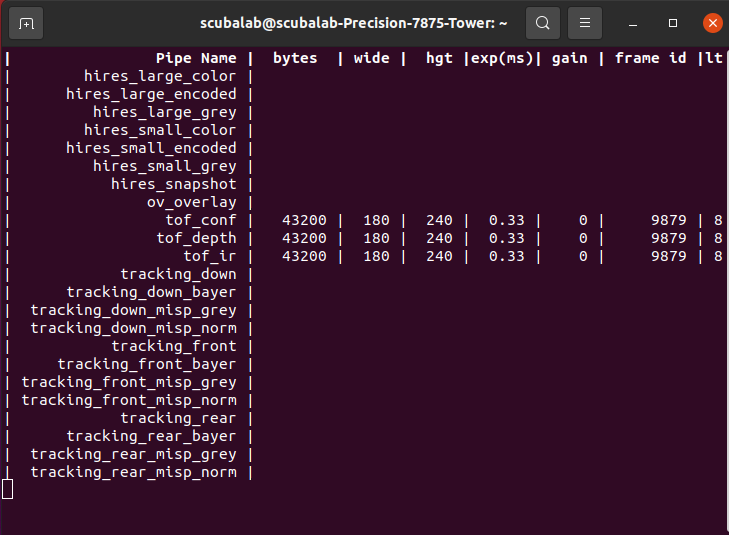
@Alex-Kushleyev I updated to SDK 1.62 already, and yes I only inspected using voxl-inspect-cam tracking_down tracking_front tracking_rear tof_ir hires_small_color.
After running that, I got this (empty response), and when you Ctrl C, you get waiting for server
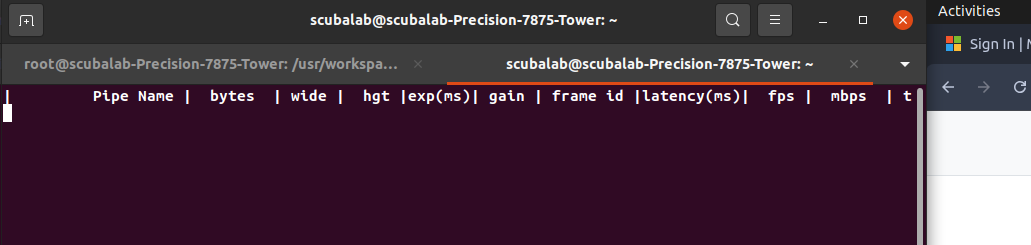
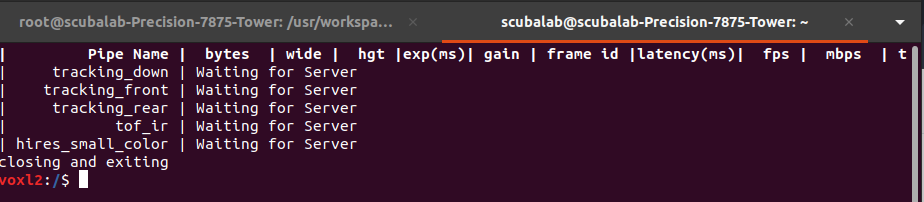
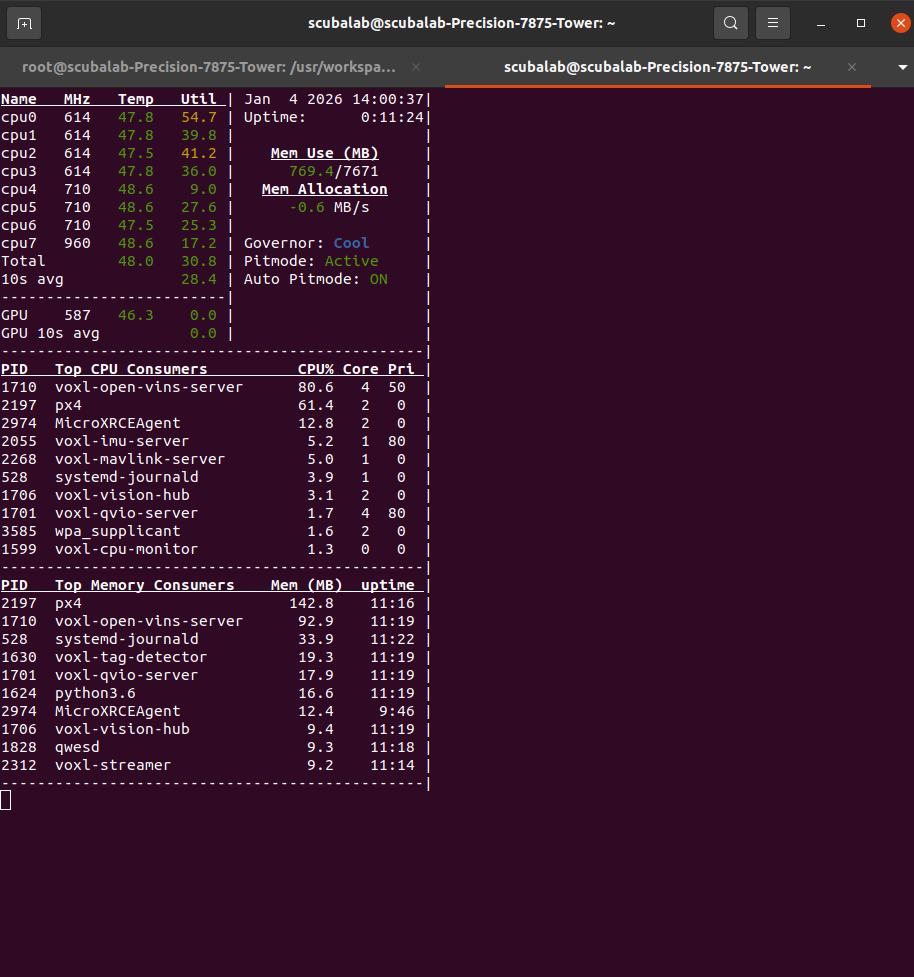
This is the output after I ran voxl-inspect-cpu
After running voxl-camera-server, i got this:
voxl2:/$ voxl-camera-server
Setting MISP AWB to Auto
MISP channels enabled in defaults : 0
MISP channels enabled in config file: 0
detected system image 1.8.6
using new imx412 defaults
Setting MISP AWB to Auto
MISP channels enabled in defaults : 0
MISP channels enabled in config file: 0
Setting MISP AWB to Auto
MISP channels enabled in defaults : 0
MISP channels enabled in config file: 0configuration for 5 cameras:
cam #0
name: tracking_front
type: ar0144
bayer_type: 0
enabled: 1
camera_id: 0
camera_id_second: -1
fps: 30
en_rotate: 1
en_rotate2: 0en_preview: 1 en_raw_preview: 1 preview_width: 1280 preview_height: 800 en_misp: 0 misp_width: 1280 misp_height: 800 en_small_video: 0 small_video_width: -1 small_video_height: -1 en_large_video: 0 large_video_width: -1 large_video_height: -1 en_snapshot: 0 snap_width: -1 snap_height: -1 exif_focal_length: 0.000000 exif_focal_len_35mm_format:0 exif_fnumber: 0.000000 ae_mode: lme_msv msv_exposure_min_us: 20 msv_exposure_max_us: 12000 gain_min : 54 gain_max : 8000 standby_enabled: 0 decimator: 1 independent_exposure:0cam #1
name: hires
type: imx412
bayer_type: 2
enabled: 1
camera_id: 1
camera_id_second: -1
fps: 30
en_rotate: 0
en_rotate2: 0en_preview: 0 en_raw_preview: 0 preview_width: 640 preview_height: 480 en_misp: 0 misp_width: -1 misp_height: -1 en_small_video: 1 small_video_width: 1024 small_video_height: 768 en_large_video: 1 large_video_width: 4056 large_video_height: 3040 en_snapshot: 1 snap_width: 4056 snap_height: 3040 exif_focal_length: 3.100000 exif_focal_len_35mm_format:17 exif_fnumber: 1.240000 ae_mode: isp msv_exposure_min_us: 20 msv_exposure_max_us: 33000 gain_min : 54 gain_max : 8000 standby_enabled: 0 decimator: 1 independent_exposure:0cam #2
name: tracking_rear
type: ar0144
bayer_type: 0
enabled: 1
camera_id: 2
camera_id_second: -1
fps: 30
en_rotate: 1
en_rotate2: 0en_preview: 1 en_raw_preview: 1 preview_width: 1280 preview_height: 800 en_misp: 1 misp_width: 1280 misp_height: 800 en_small_video: 0 small_video_width: -1 small_video_height: -1 en_large_video: 0 large_video_width: -1 large_video_height: -1 en_snapshot: 0 snap_width: -1 snap_height: -1 exif_focal_length: 0.000000 exif_focal_len_35mm_format:0 exif_fnumber: 0.000000 ae_mode: lme_msv msv_exposure_min_us: 20 msv_exposure_max_us: 12000 gain_min : 54 gain_max : 8000 standby_enabled: 0 decimator: 1 independent_exposure:0cam #3
name: tof
type: pmd-tof-liow2
bayer_type: 0
enabled: 1
camera_id: 3
camera_id_second: -1
fps: 10
en_rotate: 1
en_rotate2: 0en_preview: 1 en_raw_preview: 1 preview_width: 240 preview_height: 1629 en_misp: 0 misp_width: -1 misp_height: -1 en_small_video: 0 small_video_width: -1 small_video_height: -1 en_large_video: 0 large_video_width: -1 large_video_height: -1 en_snapshot: 0 snap_width: -1 snap_height: -1 exif_focal_length: 0.000000 exif_focal_len_35mm_format:0 exif_fnumber: 0.000000 ae_mode: off msv_exposure_min_us: 0 msv_exposure_max_us: 6000 gain_min : 0 gain_max : 0 standby_enabled: 0 decimator: 5 independent_exposure:0cam #4
name: tracking_down
type: ar0144
bayer_type: 0
enabled: 1
camera_id: 4
camera_id_second: -1
fps: 30
en_rotate: 0
en_rotate2: 0en_preview: 1 en_raw_preview: 1 preview_width: 1280 preview_height: 800 en_misp: 1 misp_width: 1280 misp_height: 800 en_small_video: 0 small_video_width: -1 small_video_height: -1 en_large_video: 0 large_video_width: -1 large_video_height: -1 en_snapshot: 0 snap_width: -1 snap_height: -1 exif_focal_length: 0.000000 exif_focal_len_35mm_format:0 exif_fnumber: 0.000000 ae_mode: lme_msv msv_exposure_min_us: 20 msv_exposure_max_us: 12000 gain_min : 54 gain_max : 8000 standby_enabled: 0 decimator: 1 independent_exposure:0fsync_en: 1
fsync_gpio: 109thread is locked to cores: 4 5 6 7
connected to mavlink pipe
Connected to cpu-monitor
Starting Camera: tracking_front (id #0)
gbm_create_device(156): Info: backend name is: msm_drm
Starting Camera: hires (id #1)
Estimated imu dt = 0.000977s
Starting Camera: tracking_rear (id #2)
ERROR: Received Fatal error from camera: tracking_front
ERROR: Sending request 10, ErrorCode: -ENODEV
ERROR: Received "Result" error from camera: tracking_front, frame number 4
WARNING: Thread: tracking_front request thread Received ESTOP
WARNING: Thread: tracking_front result thread Received ESTOP
WARNING: Thread: hires result thread Received ESTOP
WARNING: Thread: hires request thread Received ESTOP
MISP Initializing for camera tracking_rear
Detected 1 platform(s)
Detected 1 GPU device(s)
WARNING: OMX SetTargetBitrate: H265 CBR requires bps >= 3.0Mbit (1200000 bps provided). Using FPS hack. scale = 2.500000
Starting Camera: tof (id #3)
Starting Camera: tracking_down (id #4)
MISP Initializing for camera tracking_down
WARNING: OMX SetTargetBitrate: H265 CBR requires bps >= 3.0Mbit (1200000 bps provided). Using FPS hack. scale = 2.500000------ voxl-camera-server: Started 5 of 5 cameras
------ voxl-camera-server: Camera server is now running
------ voxl-camera-server: Camera server is now stopping
Stats For Camera tracking_front:
Received Frame Count: 10
Request Error Count: 0
Buffer Error Count: 0
Result Error Count: 1
ERROR: Received "Result" error from camera: tracking_down, frame number 0
ERROR: Received "Buffer" error from camera: tracking_down, frame number 0
ERROR: Received Fatal error from camera: tracking_down
ERROR: Sending request 6, ErrorCode: -ENODEV
WARNING: Pushed buffers back to pools for frame: 0
WARNING: Thread: tracking_down request thread Received ESTOP
WARNING: Thread: tof result thread Received ESTOP
WARNING: Thread: tracking_rear result thread Received ESTOP
WARNING: Thread: tracking_down result thread Received ESTOP
WARNING: Thread: tracking_rear request thread Received ESTOPStats For Camera hires:
Received Frame Count: 6
Request Error Count: 0
Buffer Error Count: 0
Result Error Count: 0Stats For Camera tracking_rear:
Received Frame Count: 0
Request Error Count: 0
Buffer Error Count: 0
Result Error Count: 0
WARNING: Thread: tof request thread Received ESTOPStats For Camera tof:
Received Frame Count: 0
Request Error Count: 0
Buffer Error Count: 0
Result Error Count: 0Stats For Camera tracking_down:
Received Frame Count: 6
Request Error Count: 0
Buffer Error Count: 1
Result Error Count: 1------ voxl-camera-server: Camera server exited gracefully, returning 0
IMU Manager closing and exiting
voxl2:/$ -
Can you please confirm that you only inspected several pipes using the command:
voxl-inspect-cam tracking_down tracking_front tracking_rear tof_ir hires_small_colorAlso please use
voxl-inspect-cputo check if the cpu is overheating during your testing.Additionally, are you able to provide output of
voxl-camera-server(running in the foreground) when the pipes start disappearing?If you are able to update to the latest SDK (1.6.x) , it may be easier for us to support, as 1.4.5 is 7 months old.
Alex
@Alex-Kushleyev Also, when you run voxl-inspect-services, voxl-camera-server will be enables but not running, Immediately i start it, it runs and stops almost immediately
-
@Alex-Kushleyev Also, when you run voxl-inspect-services, voxl-camera-server will be enables but not running, Immediately i start it, it runs and stops almost immediately
Once thing i noticed is that you don't have
en_mispset to 1 for thetracking_frontcamera. I don't think this is the reason for the failure, but it should be set to 1.Meanwhile, please try to identify which camera is causing the issue by disabling cameras and testing camera server ( you can set
enabledflag to 0, so that this camera is not started.Also, when you installed SDK 1.6.2, did you run
voxl-configure-camerasand which option did you select for the camera configuration?Alex

Reading along? Create a free ModalAI Forum account to join in.
With an account you can reply, ask your own question, get an email when a ModalAI engineer answers, and mark the reply that solved it. Your place in each thread is saved between visits.
Questions about VOXL, Flight Core, ESCs and ModalAI drones are answered here by the engineers who build them.
Register Login