
VOLX 1 Board Unbricking
-
Hello everyone,
after considerations I determined that my VOXL version. 1.2.0 on VOXL 1 board is most likely bricked, or has some issues as id does only respond to ssh, the android adb has stopped working, as the system is not being detected, and with alot of other issues that I encountered I wanted to completely reinstall the system, as the andoid adb is not responding, I looked on the website and the only Unbricking process for complete reinstall is through use of expansion boards which I cant buy or at least not sure if they are still available. Therefore I wanted to ask what steps should I follow to completely reinstall the VOXL on the Seeker drone?
At this point I am trying to just make the Seeker drones working in even a basic state, but like to reinstall the onboard OS to start from clean slate and eliminate any potential software issues that resulted with previous attempts.
Thank you for your time and consideration.
Sincerely,
Adam Nekolny
-
Hello everyone,
after considerations I determined that my VOXL version. 1.2.0 on VOXL 1 board is most likely bricked, or has some issues as id does only respond to ssh, the android adb has stopped working, as the system is not being detected, and with alot of other issues that I encountered I wanted to completely reinstall the system, as the andoid adb is not responding, I looked on the website and the only Unbricking process for complete reinstall is through use of expansion boards which I cant buy or at least not sure if they are still available. Therefore I wanted to ask what steps should I follow to completely reinstall the VOXL on the Seeker drone?
At this point I am trying to just make the Seeker drones working in even a basic state, but like to reinstall the onboard OS to start from clean slate and eliminate any potential software issues that resulted with previous attempts.
Thank you for your time and consideration.
Sincerely,
Adam Nekolny
-
@nekolny It's possible we can still get ADB working for you. If you plug the voxl into your host machine (ideally linux) and run
lsusbwhat do you see?I'm wondering if it'll still enumerate
Tried both USB-A ports on the Razer Blade 15 2020 Model Laptop, running Ubuntu 22.04.5 and got the4 same output as below. I have also reinstalled the OS clean so the only software on it is adb shell and QGroundControl.
nekolny@uavcontrol: JUAlS adb shell
error: no devices/emulators found
nekolny@uavcontrol:- /UAV$ lsusb
Bus 002 Device 001: ID 1d6b:0003 Linux Foundation 3.0 root hub
Bus 001 Device 003: ID 1532:0268 Razer USA, Ltd Razer Blade
Bus 001 Device 002: ID 04f2:b65a Chicony Electronics Co., Ltd HD Webcam
Bus 001 Device 004: ID 8087:0aaa Intel Corp. Bluetooth 9460/9560 Jefferson Peak (JfP)
Bus 001 Device 001: ID 1d6b:0002 Linux Foundation 2.0 root hub
Bus 004 Device 001: ID 1d6b:0003 Linux Foundation 3.0 root hub
Bus 003 Device 001: ID 1d6b:0002 Linux Foundation 2.0 root -
Tried both USB-A ports on the Razer Blade 15 2020 Model Laptop, running Ubuntu 22.04.5 and got the4 same output as below. I have also reinstalled the OS clean so the only software on it is adb shell and QGroundControl.
nekolny@uavcontrol: JUAlS adb shell
error: no devices/emulators found
nekolny@uavcontrol:- /UAV$ lsusb
Bus 002 Device 001: ID 1d6b:0003 Linux Foundation 3.0 root hub
Bus 001 Device 003: ID 1532:0268 Razer USA, Ltd Razer Blade
Bus 001 Device 002: ID 04f2:b65a Chicony Electronics Co., Ltd HD Webcam
Bus 001 Device 004: ID 8087:0aaa Intel Corp. Bluetooth 9460/9560 Jefferson Peak (JfP)
Bus 001 Device 001: ID 1d6b:0002 Linux Foundation 2.0 root hub
Bus 004 Device 001: ID 1d6b:0003 Linux Foundation 3.0 root hub
Bus 003 Device 001: ID 1d6b:0002 Linux Foundation 2.0 root -
@nekolny Hmm I would double check on another machine or with a different USB cable and if you still have issues issue an RMA:
I managed to get ADB working and have reinstalled the VOXL. I went for 1.1.2 version as wanted to see if previous issues i had with both 1.2.0 and 0.9.5 would be present. As of now I am able to ADB to the drone, as well as ssh, with it using the AP mode however my QGroundControl does not see the drone. I have changed within the voxl-mavlink-server.conf the secondary ip address to the one that PC has when connected to the drone IP, and the following services are running. But QGroundControl does not seem to see the connection.
These are the following commands and their outputs. The one VOXL version which worked the best on the VOXL 1 board was 0.9.5 but after updating and switching both between AP mode and connected to Wifi router, there is no responce to the connection. When checking messages send to QGC the terminal is stopped at the step of the screenshot.
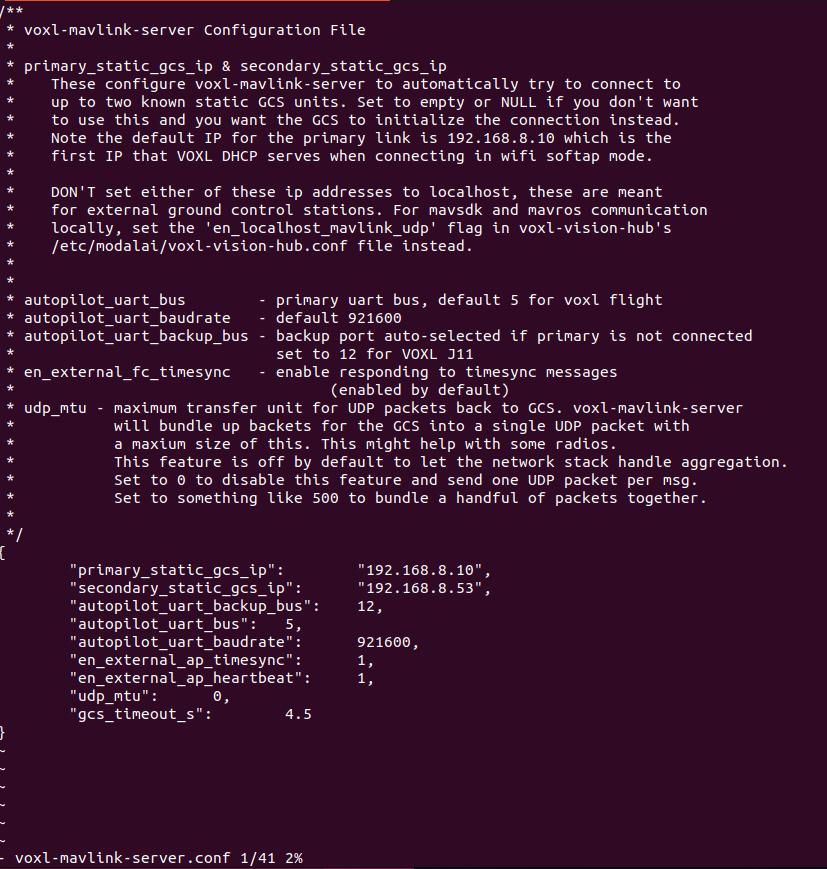
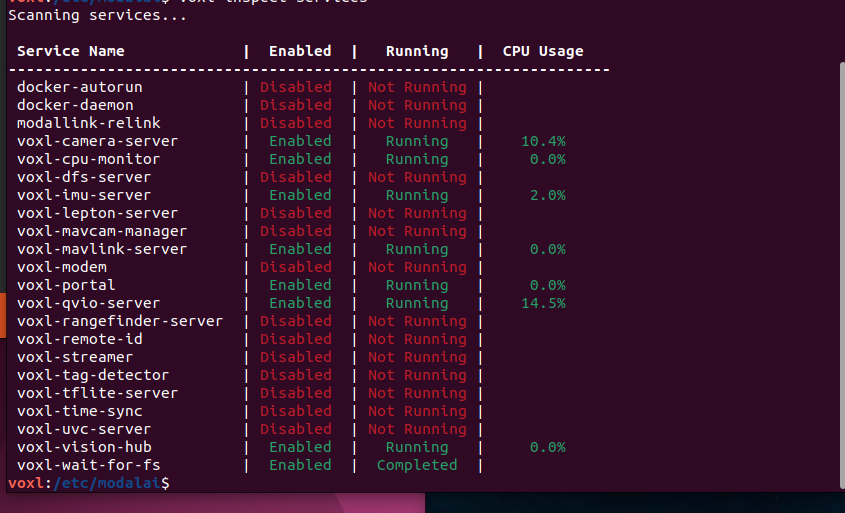

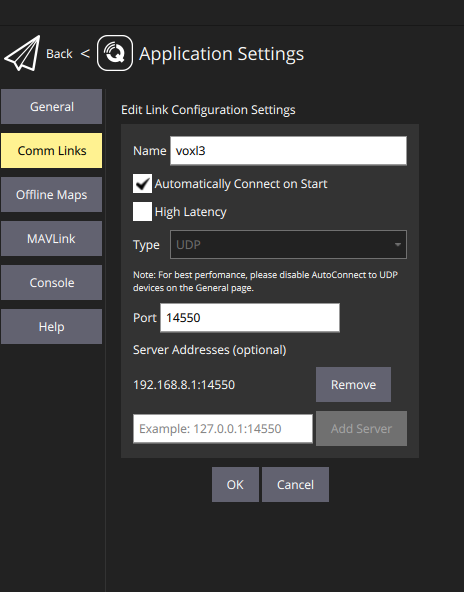
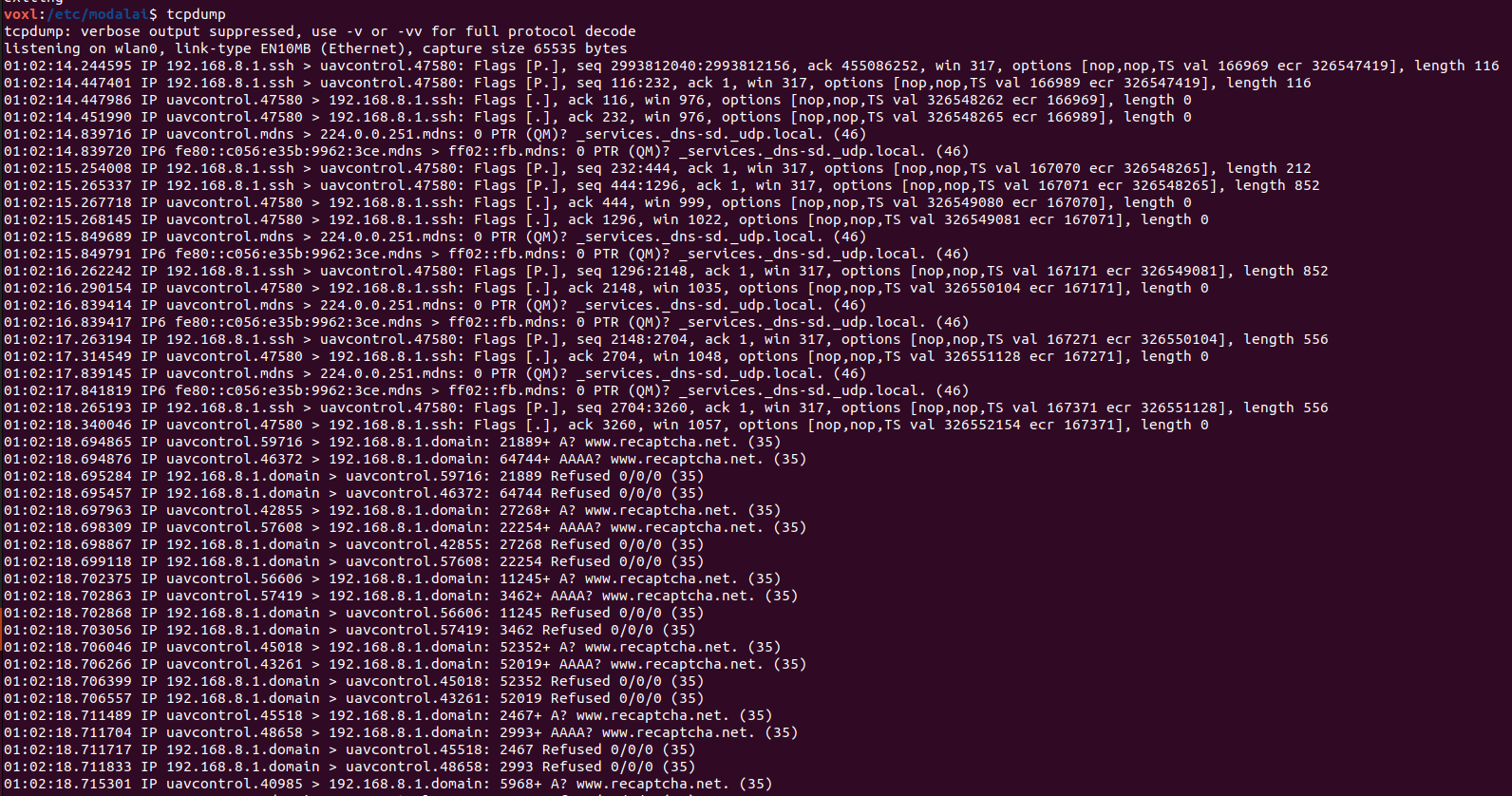
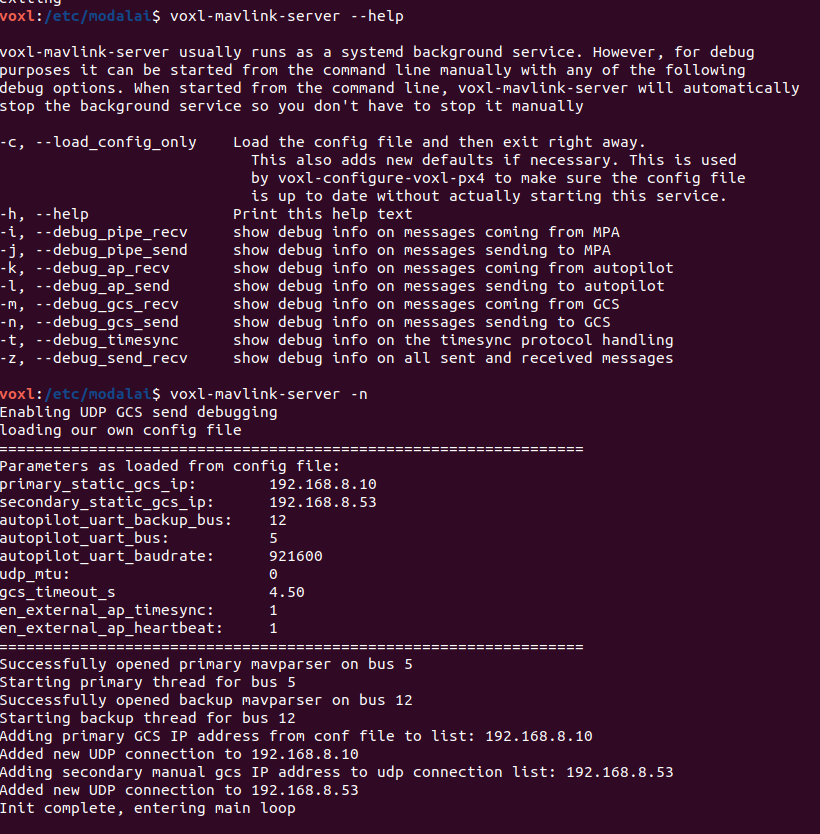
I went through the setup process few times and am unsure what could be the issue or what to try next. The QGC version is v4.4.5
In case I can create new thread for this but been trying to get two Seeker drones operational.Thank you for your time and assistance.
Sincerely
Adam Nekolny

Reading along? Create a free ModalAI Forum account to join in.
With an account you can reply, ask your own question, get an email when a ModalAI engineer answers, and mark the reply that solved it. Your place in each thread is saved between visits.
Questions about VOXL, Flight Core, ESCs and ModalAI drones are answered here by the engineers who build them.
Register Login