
Haze over ov7251 Tracking Camera.
-
Hey @Alex-Kushleyev @James-Strawson
I'm using a Starling 2 with VOXL 2 setup on a custom airframe build. I'm currently testing the setup with SDK release 1.2.0.
In the initial testing, in the QVIO server as from the input pipeline was displaying a clear display of features. But over time, the QVIO server output feed has been blurry with a kind of haze being formed around camera frame as seen in the feed. This reduces the features being captured, and the drone loses VIO many a times ultimately loosing position.
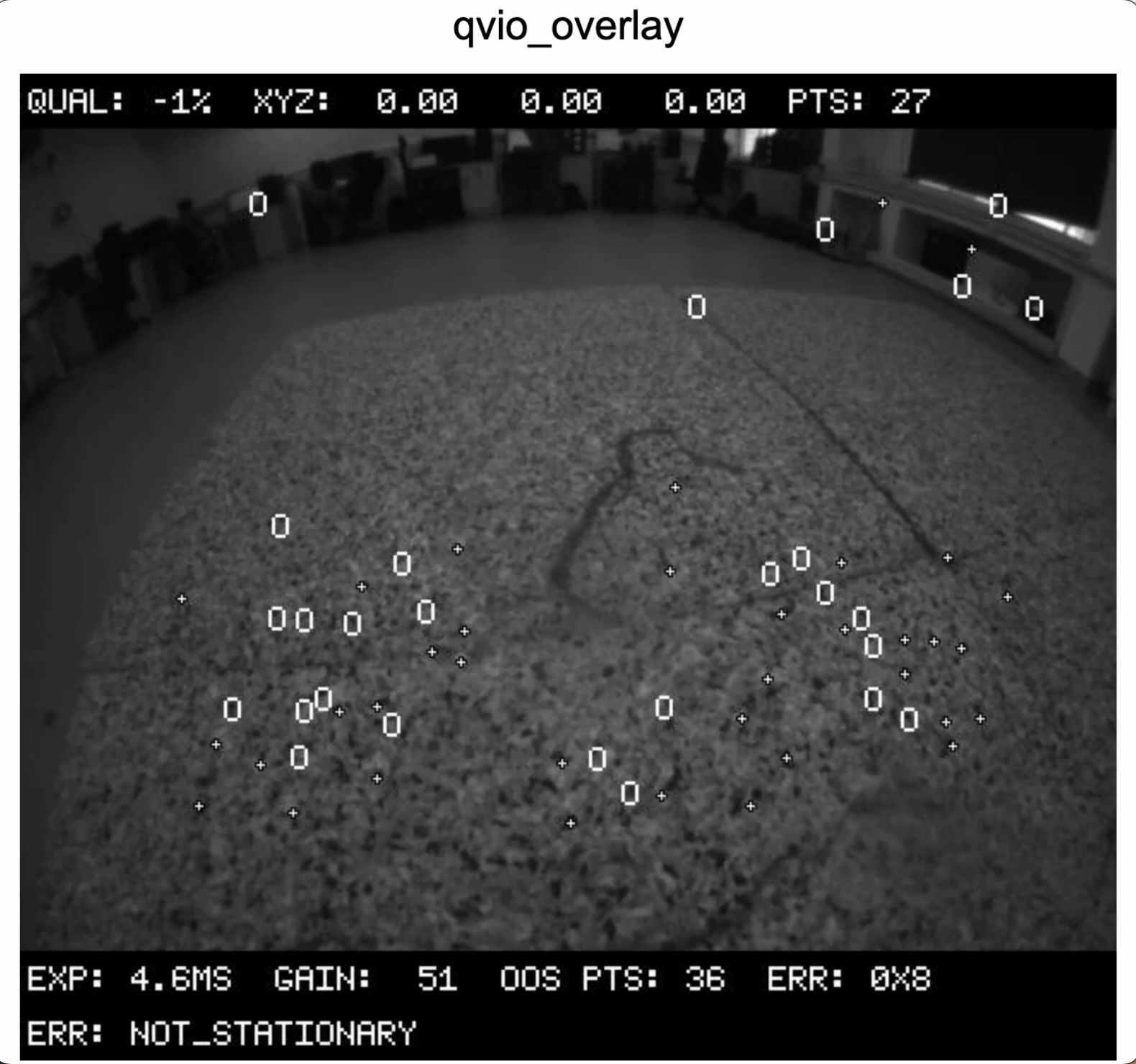
Is there any way we can clear this haze and initialise the QVIO server?
Note: Also checked if it was a physical damage to the Lens or hardware but hardware seems to be fine.
-
Hey @Alex-Kushleyev @James-Strawson
I'm using a Starling 2 with VOXL 2 setup on a custom airframe build. I'm currently testing the setup with SDK release 1.2.0.
In the initial testing, in the QVIO server as from the input pipeline was displaying a clear display of features. But over time, the QVIO server output feed has been blurry with a kind of haze being formed around camera frame as seen in the feed. This reduces the features being captured, and the drone loses VIO many a times ultimately loosing position.
Is there any way we can clear this haze and initialise the QVIO server?
Note: Also checked if it was a physical damage to the Lens or hardware but hardware seems to be fine.
Can you please double check your
/etc/modalai/voxl-camera-server.confto make sure that the tracking camera has"en_raw_preview"set to true?It is hard to tell whether there is haze in the image (the tracking camera has 640x480 resolution and if you zoom in, it may appear that the details are blurry). If you have another tracking camera to compare to, please try. Also please try looking at the image from
voxl-portal(original tracking image and overlay image).Alex


Reading along? Create a free ModalAI Forum account to join in.
With an account you can reply, ask your own question, get an email when a ModalAI engineer answers, and mark the reply that solved it. Your place in each thread is saved between visits.
Questions about VOXL, Flight Core, ESCs and ModalAI drones are answered here by the engineers who build them.
Register Login