
Qgroundcontrol don't Connect
-
was configuring the voxl-mavcam-server service when enabling it together with voxl-streamer on my Drone Seeker MRB-D0003-2-V2-C7, Qgroundcontrol stopped working, started connecting and disconnecting where it finally sent the following error message
"Vehicle 1 did not respond to the parameter request. This will cause QGroundControl to be unable to display its full user interface."
-
was configuring the voxl-mavcam-server service when enabling it together with voxl-streamer on my Drone Seeker MRB-D0003-2-V2-C7, Qgroundcontrol stopped working, started connecting and disconnecting where it finally sent the following error message
"Vehicle 1 did not respond to the parameter request. This will cause QGroundControl to be unable to display its full user interface."
@Ariel-Saez So if you go back and disable the voxl-mavcam-server service and reboot does QGC start working normally again?
-
@Ariel-Saez So if you go back and disable the voxl-mavcam-server service and reboot does QGC start working normally again?
This post is deleted! -
@Ariel-Saez So if you go back and disable the voxl-mavcam-server service and reboot does QGC start working normally again?
@Eric-Katzfey I try the factory_reset and disable config for both mavcam and voxl-streamer and the error is still happening
-
@Ariel-Saez So if you go back and disable the voxl-mavcam-server service and reboot does QGC start working normally again?
@Eric-Katzfey I Still can't fix the error, I try installing a older version of sdk, but didn't fix it, also I check the console on the QGroundControl and it shows "Error writing to QHostAddress("192.168.8.1") "14550"
-
@Eric-Katzfey I Still can't fix the error, I try installing a older version of sdk, but didn't fix it, also I check the console on the QGroundControl and it shows "Error writing to QHostAddress("192.168.8.1") "14550"
@Ariel-Saez Okay, so the connection issue isn't related to voxl-mavlink-server or voxl-streamer then. How are you configuring your WiFi? Is it using the default SoftAP mode where the drone acts as an access point? If so, are you connecting the computer running QGC to the drone's WiFi network?
-
@Ariel-Saez Okay, so the connection issue isn't related to voxl-mavlink-server or voxl-streamer then. How are you configuring your WiFi? Is it using the default SoftAP mode where the drone acts as an access point? If so, are you connecting the computer running QGC to the drone's WiFi network?
@Eric-Katzfey Hello, yes I use the voxl-wifi -f comand to configurate the wifi.
-
@Eric-Katzfey Hello, yes I use the voxl-wifi -f comand to configurate the wifi.
@Eric-Katzfey I try the usb cable directly into the flight core v2 and even with usb conection have the same error
-
@Eric-Katzfey I try the usb cable directly into the flight core v2 and even with usb conection have the same error
@Eric-Katzfey all the messages I got in QgroundControl are these:
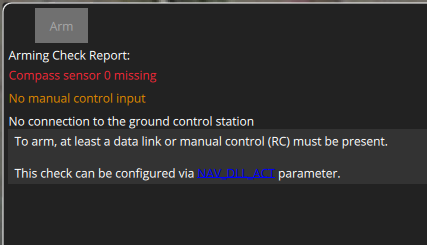
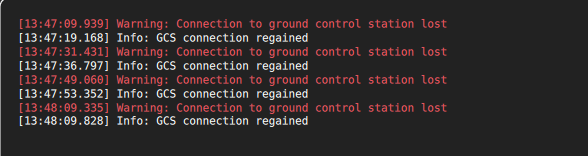


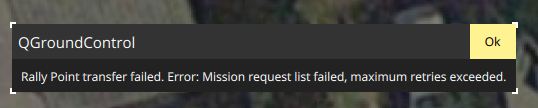


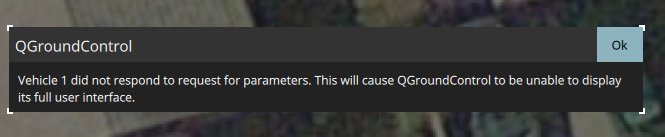
In the other side, the configuration and, services in the voxl are these:
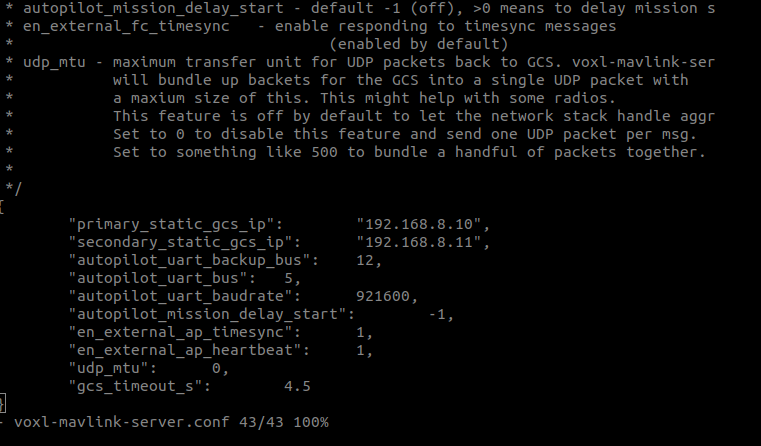
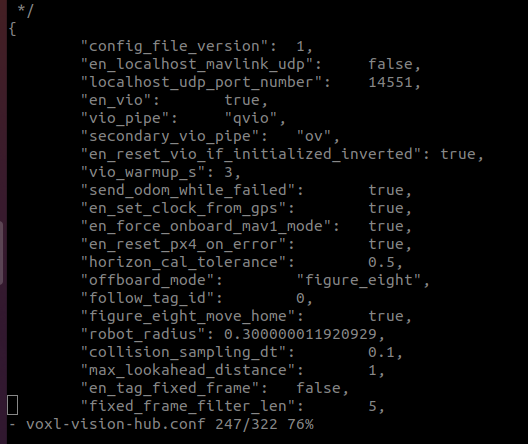
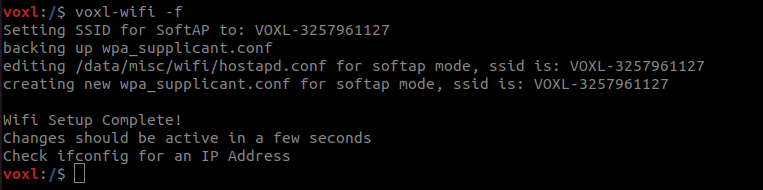
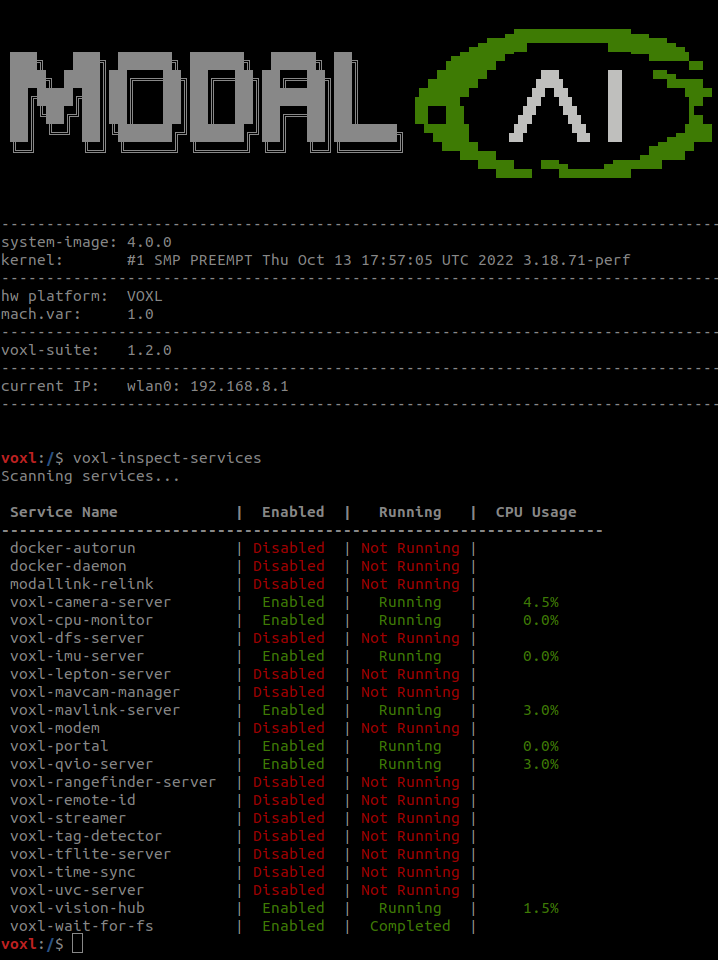
Is posible, that the flight core 2 has been damage? or someting, or it's a configuration problem?
because it's am worried when I try the usb connection with the same problem.

Reading along? Create a free ModalAI Forum account to join in.
With an account you can reply, ask your own question, get an email when a ModalAI engineer answers, and mark the reply that solved it. Your place in each thread is saved between visits.
Questions about VOXL, Flight Core, ESCs and ModalAI drones are answered here by the engineers who build them.
Register Login