Skip to content
  • Categories
  • Recent
  • Tags
  • Popular
  • Users
  • Groups
Collapse
Brand Logo

ModalAI Forum

  1. ModalAI Support Forum
  2. Ask your questions right here!
  3. 3D Models
  4. 3D STEP file for Seeker GPS Mount

3D STEP file for Seeker GPS Mount

Scheduled Pinned Locked Moved 3D Models
7 Posts 3 Posters 2.4k Views
  • Oldest to Newest
  • Newest to Oldest
  • Most Votes
Reply
  • Reply as topic
Log in to reply
This topic has been deleted. Only users with topic management privileges can see it.
  • ModeratorM Offline
    ModeratorM Offline
    Moderator
    ModalAI Team
    wrote on last edited by
    #1

    We have the GPS mount STEP file found here: https://storage.googleapis.com/modalai_public/modal_drawings/M10000742_M10000743_Seeker_GPS_Mount.step

    It seems to be for the full assembly, so we can't snap the GPS module inside. Can you send us individual STEP files for both individual components so we can print them?

    1 Reply Last reply
    0
    • JacobJ Offline
      JacobJ Offline
      Jacob
      ModalAI Team
      wrote on last edited by Jacob
      #2

      Hello,

      This model is a .step, which will show up as multiple bodies/components within CAD software (Fusion, Solidworks, etc...) but in most slicers will show up as a single unit if not separated previously or with tools within the slicer. Some current slicers have the ability to read the individual bodies within a .step and separate them as desired.

      Which slicer and printer are you using? It may have this feature and save you time. If I am familiar with it I should be able to walk you through the process.
      If you utilize a CAD program, that would also enable you to read the file properly as multiple bodies and save/export each as the file type compatible with your slicer.

      If none of these options are available I can start the process of getting pre-separated STL/step files placed into a zipped folder for you to try.

      JacobJ 1 Reply Last reply
      0
      • JacobJ Jacob

        Hello,

        This model is a .step, which will show up as multiple bodies/components within CAD software (Fusion, Solidworks, etc...) but in most slicers will show up as a single unit if not separated previously or with tools within the slicer. Some current slicers have the ability to read the individual bodies within a .step and separate them as desired.

        Which slicer and printer are you using? It may have this feature and save you time. If I am familiar with it I should be able to walk you through the process.
        If you utilize a CAD program, that would also enable you to read the file properly as multiple bodies and save/export each as the file type compatible with your slicer.

        If none of these options are available I can start the process of getting pre-separated STL/step files placed into a zipped folder for you to try.

        JacobJ Offline
        JacobJ Offline
        Jacob
        ModalAI Team
        wrote on last edited by
        #3

        @Jacob

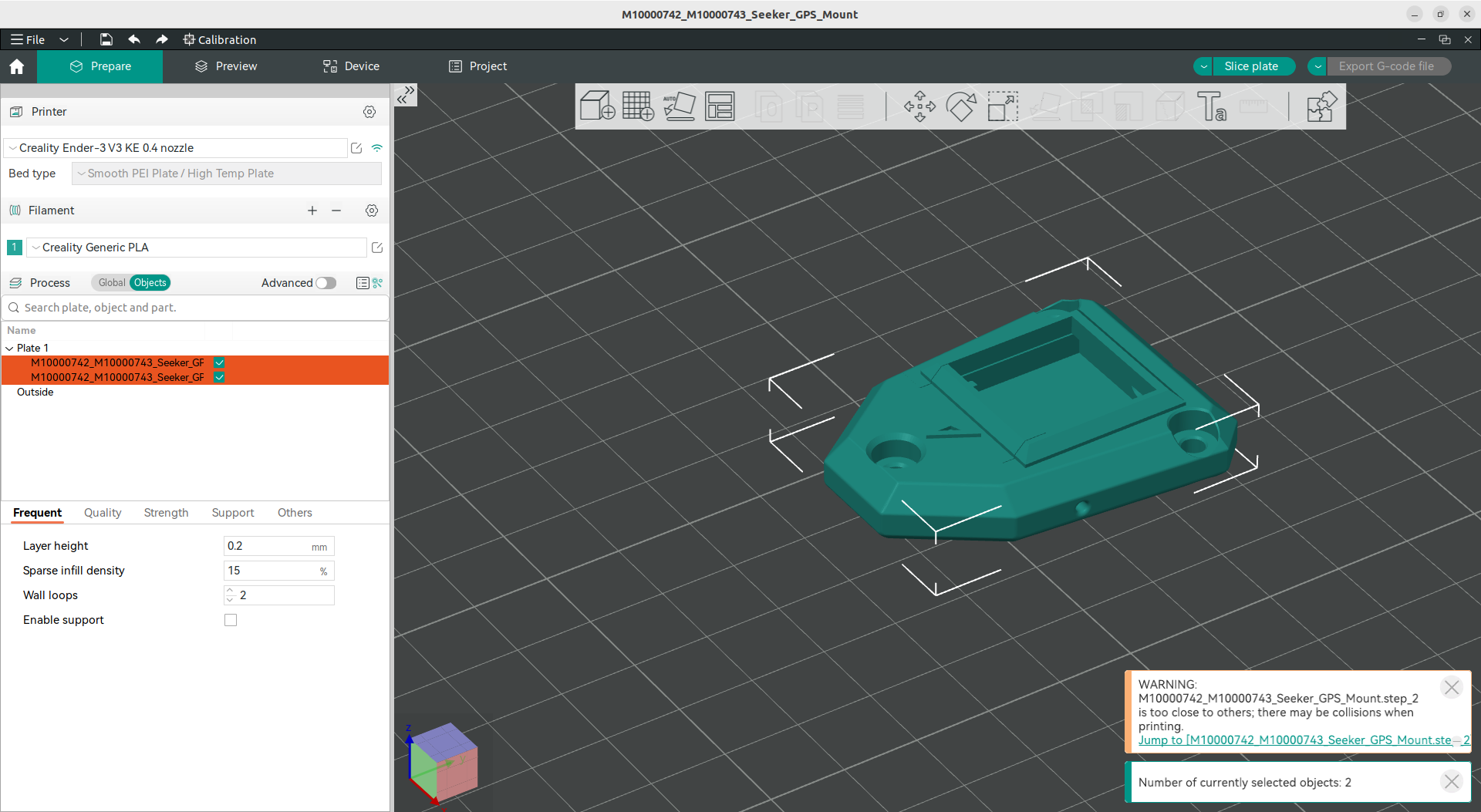
        As an example within a popular slicer, "Orca Slicer" this is how it shows up initially and after using a command to separate it.
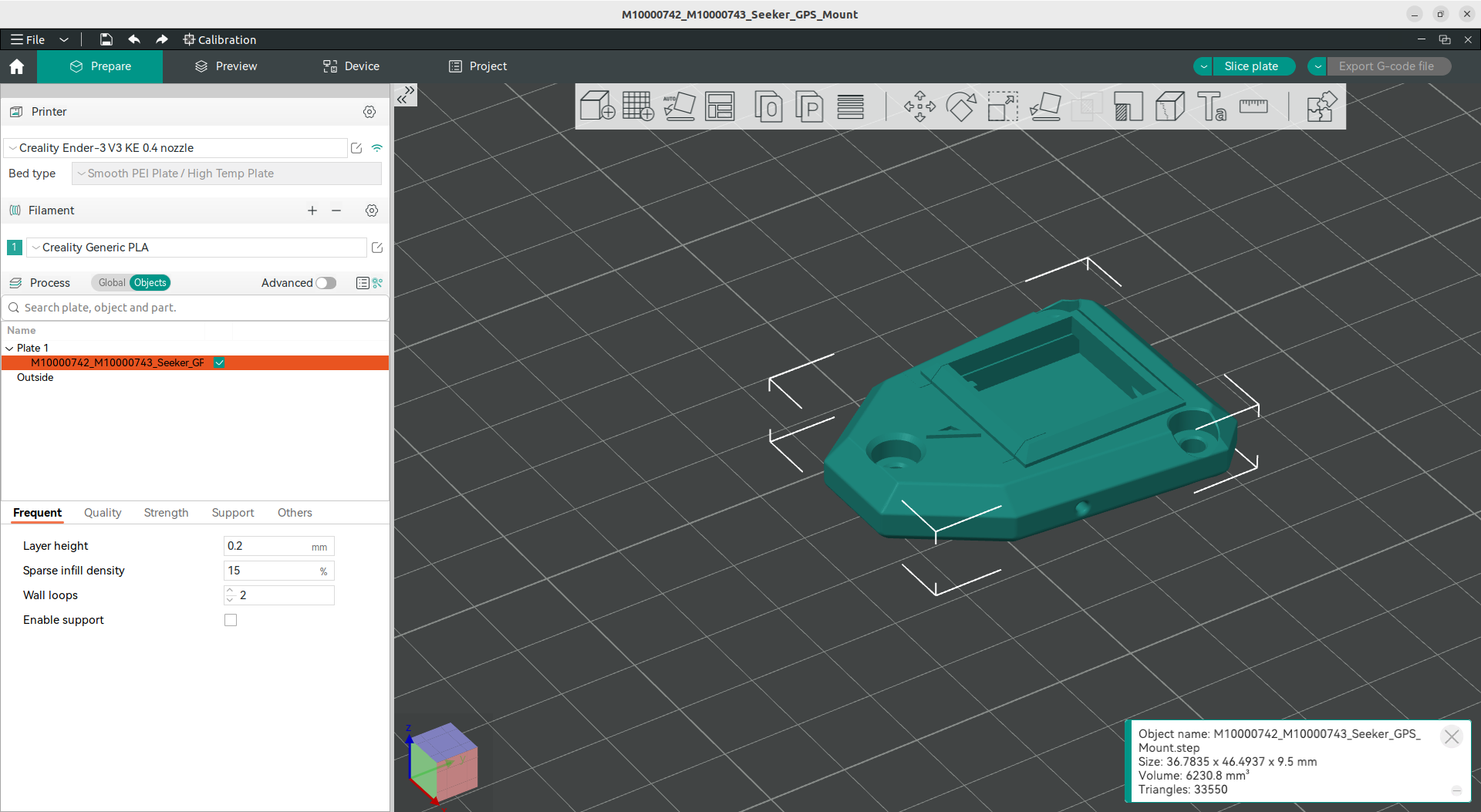
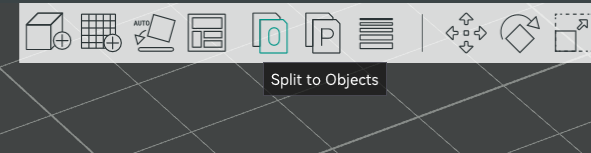
        Screenshot from 2024-05-17 10-56-31.png

        Screenshot from 2024-05-17 10-55-23.png

        Screenshot from 2024-05-17 10-56-48.png

        Screenshot from 2024-05-17 10-58-41.png

        Devang DhakeD 1 Reply Last reply
        0
        • JacobJ Jacob

          @Jacob

          As an example within a popular slicer, "Orca Slicer" this is how it shows up initially and after using a command to separate it.
          Screenshot from 2024-05-17 10-56-31.png

          Screenshot from 2024-05-17 10-55-23.png

          Screenshot from 2024-05-17 10-56-48.png

          Screenshot from 2024-05-17 10-58-41.png

          Devang DhakeD Offline
          Devang DhakeD Offline
          Devang Dhake
          wrote on last edited by
          #4

          @Jacob Hey,
          I am using Solidworks to convert it into STL file and Ultimaker Cura to slice it. Can you tell me how I can convert them as separate files using Solidworks?

          JacobJ 1 Reply Last reply
          0
          • Devang DhakeD Devang Dhake

            @Jacob Hey,
            I am using Solidworks to convert it into STL file and Ultimaker Cura to slice it. Can you tell me how I can convert them as separate files using Solidworks?

            JacobJ Offline
            JacobJ Offline
            Jacob
            ModalAI Team
            wrote on last edited by
            #5

            @Devang-Dhake Sorry for the late rely, I don't currently have a Solidworks installation on my computer but the steps outlined here should be sufficient to aid in splitting it up within Solidworks. The .step file consists of a single part with multiple bodies, which should be able to be exported individually if that is what your installation of Cura requires.

            Devang DhakeD 1 Reply Last reply
            0
            • JacobJ Jacob

              @Devang-Dhake Sorry for the late rely, I don't currently have a Solidworks installation on my computer but the steps outlined here should be sufficient to aid in splitting it up within Solidworks. The .step file consists of a single part with multiple bodies, which should be able to be exported individually if that is what your installation of Cura requires.

              Devang DhakeD Offline
              Devang DhakeD Offline
              Devang Dhake
              wrote on last edited by
              #6

              @Jacob I tried to so that, but the problem is the file is a assembly file and does not invoke features tab. I also tried to search the split feature buit it is not activated as it can only be used in part file.

              JacobJ 1 Reply Last reply
              0
              • Devang DhakeD Devang Dhake

                @Jacob I tried to so that, but the problem is the file is a assembly file and does not invoke features tab. I also tried to search the split feature buit it is not activated as it can only be used in part file.

                JacobJ Offline
                JacobJ Offline
                Jacob
                ModalAI Team
                wrote on last edited by
                #7

                @Devang-Dhake That is interesting, I was able to get the parts separated and uploaded. Here is a link to download a zip file containing an A and B stl.

                https://storage.googleapis.com/modalai_public/modal_drawings/Seeker_GPS_Mount.zip

                1 Reply Last reply
                0

                Hello! It looks like you're interested in this conversation, but you don't have an account yet.

                Getting fed up of having to scroll through the same posts each visit? When you register for an account, you'll always come back to exactly where you were before, and choose to be notified of new replies (either via email, or push notification). You'll also be able to save bookmarks and upvote posts to show your appreciation to other community members.

                With your input, this post could be even better 💗

                Register Login
                Reply
                • Reply as topic
                Log in to reply
                • Oldest to Newest
                • Newest to Oldest
                • Most Votes


                ModalAI
                Categories Recent Tags ModalAI.com Docs
                © 2026 ModalAI® · Accelerating autonomy for smaller, smarter, safer drones · Powered by NodeBB
                • Login

                • Don't have an account? Register

                • Login or register to search.
                • First post
                  Last post
                0
                • Categories
                • Recent
                • Tags
                • Popular
                • Users
                • Groups