
UAV climbs out of control in POSITION mode (All QVIO sensors successfully calibrated)
-
Flight log from second flight:https://logs.px4.io/plot_app?log=4bb1781f-abc9-49bc-a713-e03a7629b074
a few screenshots from qvio logger while on the bench. Can get some from the air potentially.
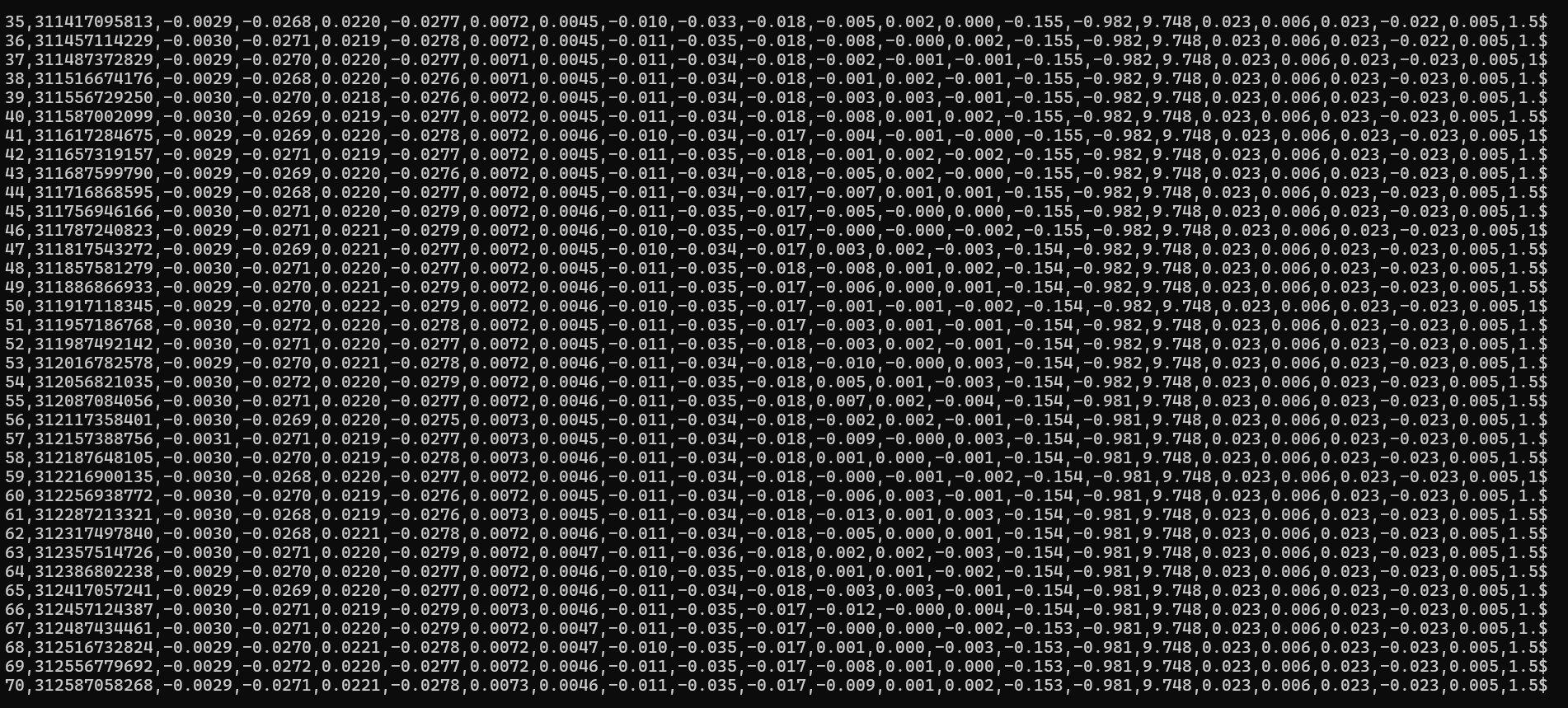
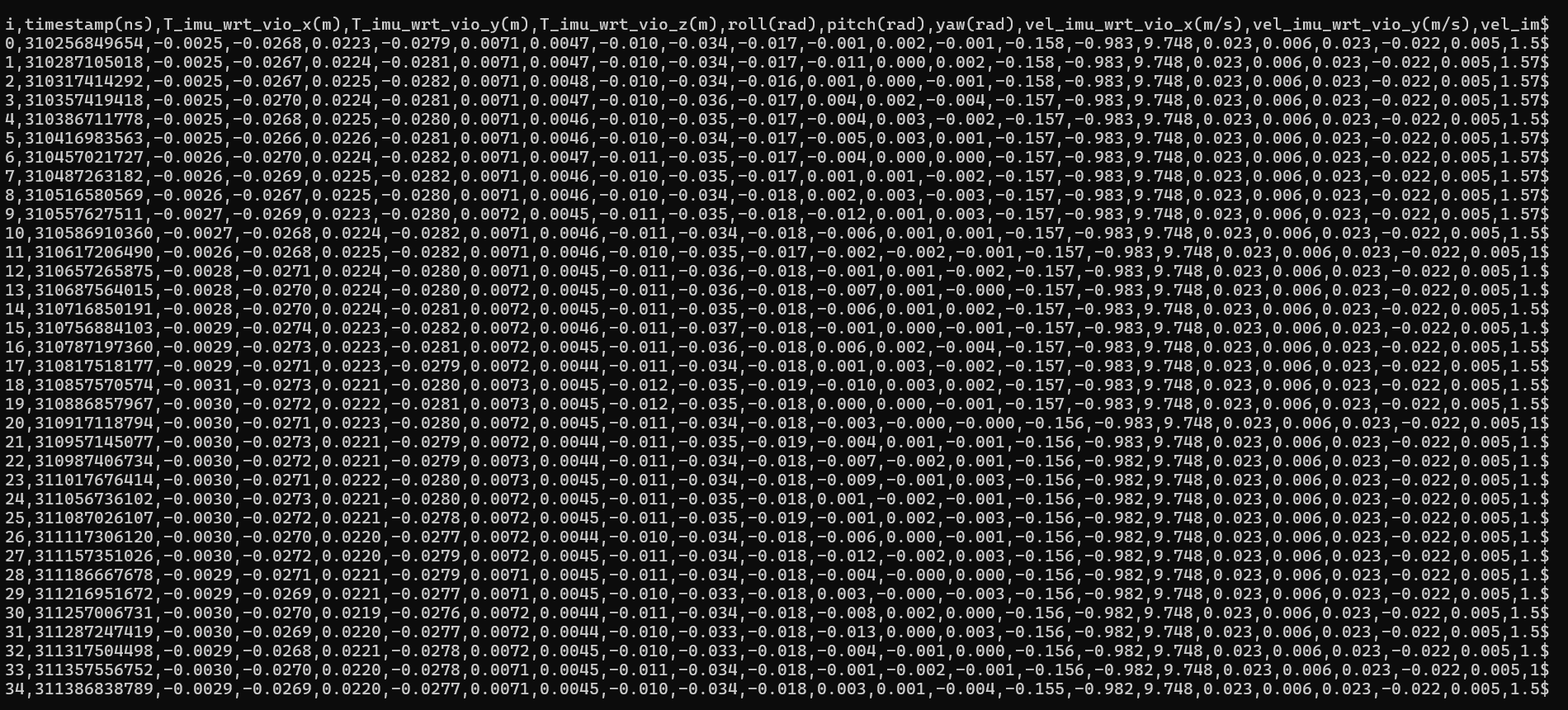
video of QVIO Overly from web portal. This was two flights, one in manual, the second in position. drone becomes uncontrollable in position mode and keeps attempting to climb with no throttle input or extremely little
(https://drive.google.com/file/d/1fBXyT1QNDqnYAGuz7ahqJcGqRUeZFnU-/view?usp=sharing)Is your vehicle in standard configuration that is offered in our dev kits (specifically, orientation between the camera and the VIO IMU?)
This looks like you may have an incorrect transform between the VIO IMU and camera.
Before attempting to fly using VIO after making changes or initial bring up, always verify VIO operation by doing handheld tests that would simulate flight (propellers off, disarmed, etc).
You can look at the qvio overlay to make sure features are tracked and quality is good, otherwise you most likely have an issue with the IMU to camera transform.
Alex
-
Is your vehicle in standard configuration that is offered in our dev kits (specifically, orientation between the camera and the VIO IMU?)
This looks like you may have an incorrect transform between the VIO IMU and camera.
Before attempting to fly using VIO after making changes or initial bring up, always verify VIO operation by doing handheld tests that would simulate flight (propellers off, disarmed, etc).
You can look at the qvio overlay to make sure features are tracked and quality is good, otherwise you most likely have an issue with the IMU to camera transform.
Alex
Hello Alex,
- Yes, vehicle is in standard configuration for C11 DevKit
- Extrinsic have been set for the placement of IMU and VIO
- If this is an incorrect transform between the VIO IMU (IMU Apps) and Camera, how do we correct it other than adjusting extrinsics.conf file?
- When hand flying VIO quality fluctuates through the entire range -1 - 100%, in a multiple indoor, highly lite conditions.
- As you can see in the video link posted, points are tracked, and stay tracked as the VIO quality drops to 0 after takeoff.
Any suggestions?
Thanks,
RDJ -
Is your vehicle in standard configuration that is offered in our dev kits (specifically, orientation between the camera and the VIO IMU?)
This looks like you may have an incorrect transform between the VIO IMU and camera.
Before attempting to fly using VIO after making changes or initial bring up, always verify VIO operation by doing handheld tests that would simulate flight (propellers off, disarmed, etc).
You can look at the qvio overlay to make sure features are tracked and quality is good, otherwise you most likely have an issue with the IMU to camera transform.
Alex
-
@Alex-Kushleyev was the issue referenced at the start of this post from March ever resolved? It seems they had the same issues with a Starling UAV.
-
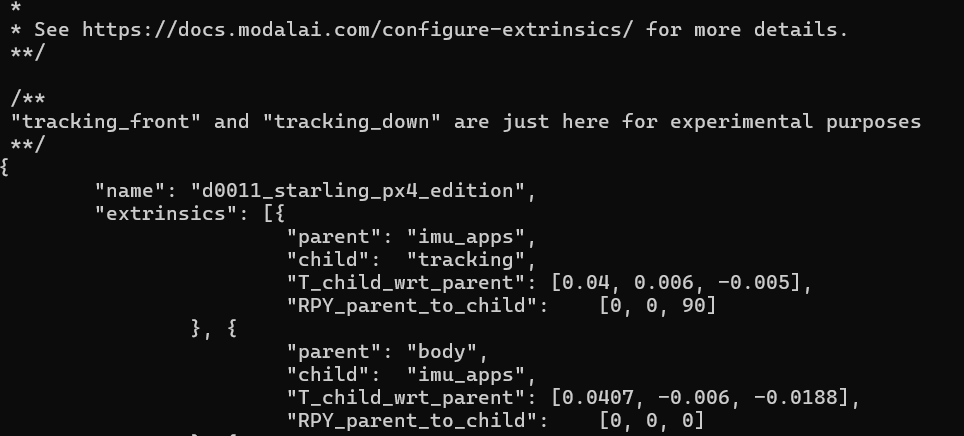
@rdjarvis was the camera orientation changed? That does not look like the standard C11 orientation
@Moderator Yes, as per ModalAI documentation, is says putting the camera in a vertical plane is ideal for indoor only operations.
We modified camera t wrt body from 45 to 0 for the vertical placement of camera.
UAV had identical unstable flight before this value and camera position was modified.
-
@Moderator Yes, as per ModalAI documentation, is says putting the camera in a vertical plane is ideal for indoor only operations.
We modified camera t wrt body from 45 to 0 for the vertical placement of camera.
UAV had identical unstable flight before this value and camera position was modified.
the RPY between
imu_appsandtrackingframes is not correct. Please review the following documentation : https://docs.modalai.com/configure-extrinsics/The IMU has z axis "into the pcb" = down, if you look at the VOXL2 board from top. You have specified rotation 0,0,90, which is just yaw 90 degrees (around z axis). However, the camera is looking straight out, which means the camera's Z axis is where IMU's X axis is.
The RPY should be 0, 90, 90 - please make sure you understand how to calculate it based on the documentation. Let me know if that fixes your issue.
Regarding VIO initialization, it is a bit tricky. When the vehicle initially is not moving, there is no way for VIO to initialize scale (disatance) of all the features for monocular VIO. In order to fully initialize, VIO needs to start moving. Also only when it starts moving, if there are errors in reference frames, they will result in inconsistencies within VIO and it will blow up.
When vio reports quality and features before you start moving, it can be a bit misleading -- VIO is only using partial information to report its state. But it needs to report some "good news", otherwise you would not even take off until your VIO has converged (chicken and egg problem - you need VIO to be converged before you take off, but in order to for vio to converge, it needs to take off..). So, vio evaluates initial quality based on the availability of features that are being tracked without fully localizing them until there is sufficient motion.
-
the RPY between
imu_appsandtrackingframes is not correct. Please review the following documentation : https://docs.modalai.com/configure-extrinsics/The IMU has z axis "into the pcb" = down, if you look at the VOXL2 board from top. You have specified rotation 0,0,90, which is just yaw 90 degrees (around z axis). However, the camera is looking straight out, which means the camera's Z axis is where IMU's X axis is.
The RPY should be 0, 90, 90 - please make sure you understand how to calculate it based on the documentation. Let me know if that fixes your issue.
Regarding VIO initialization, it is a bit tricky. When the vehicle initially is not moving, there is no way for VIO to initialize scale (disatance) of all the features for monocular VIO. In order to fully initialize, VIO needs to start moving. Also only when it starts moving, if there are errors in reference frames, they will result in inconsistencies within VIO and it will blow up.
When vio reports quality and features before you start moving, it can be a bit misleading -- VIO is only using partial information to report its state. But it needs to report some "good news", otherwise you would not even take off until your VIO has converged (chicken and egg problem - you need VIO to be converged before you take off, but in order to for vio to converge, it needs to take off..). So, vio evaluates initial quality based on the availability of features that are being tracked without fully localizing them until there is sufficient motion.
-
the RPY between
imu_appsandtrackingframes is not correct. Please review the following documentation : https://docs.modalai.com/configure-extrinsics/The IMU has z axis "into the pcb" = down, if you look at the VOXL2 board from top. You have specified rotation 0,0,90, which is just yaw 90 degrees (around z axis). However, the camera is looking straight out, which means the camera's Z axis is where IMU's X axis is.
The RPY should be 0, 90, 90 - please make sure you understand how to calculate it based on the documentation. Let me know if that fixes your issue.
Regarding VIO initialization, it is a bit tricky. When the vehicle initially is not moving, there is no way for VIO to initialize scale (disatance) of all the features for monocular VIO. In order to fully initialize, VIO needs to start moving. Also only when it starts moving, if there are errors in reference frames, they will result in inconsistencies within VIO and it will blow up.
When vio reports quality and features before you start moving, it can be a bit misleading -- VIO is only using partial information to report its state. But it needs to report some "good news", otherwise you would not even take off until your VIO has converged (chicken and egg problem - you need VIO to be converged before you take off, but in order to for vio to converge, it needs to take off..). So, vio evaluates initial quality based on the availability of features that are being tracked without fully localizing them until there is sufficient motion.
-
@Alex-Kushleyev You are correct. After reviewing, studying and having a better understanding of the relationship between imu_apps and tracking we have achieved stable indoor flight in POSTION with QVIO.
Thank you for all you have done!
RDJ@rdjarvis , very good! I am glad you got it working.
Alex
-
@rdjarvis , very good! I am glad you got it working.
Alex
@Alex-Kushleyev After logging 10 flights indoors/position we've noticed the Camera server is running at 100+%, and VIO around 30-40%. We disabled front and rear stereo for troubling shooting the tracking camera. Camera server dropped to 30-40% while running, but flight still tends to be erratic, but not uncontrollable.
Flight in Altitude and Manual are great, and honestly rather enjoyable.
Where should we start to optimize the tracking camera/VIO to keep dialing this in?
-
@rdjarvis , very good! I am glad you got it working.
Alex
@Alex-Kushleyev When the UAV is stationary on the deck, looking at the same objects the VIO quality fluctuates, randomly from 0-100%. Occasionally (bad camera calibration/Not stationary/no position estimate) errors are sent. Is this a result of the camera server being overloaded, or are there any other issues we can investigate?
Thanks,
RDJ -
@Alex-Kushleyev When the UAV is stationary on the deck, looking at the same objects the VIO quality fluctuates, randomly from 0-100%. Occasionally (bad camera calibration/Not stationary/no position estimate) errors are sent. Is this a result of the camera server being overloaded, or are there any other issues we can investigate?
Thanks,
RDJ@rdjarvis , the cpu (by default) will run in auto mode, meaning it will slow down under light load. Can you try to set the cpu to performance mode using
voxl-set-cpu-mode perfand see if your performance inproves?For front and rear stereo, which outputs for those cameras do you use? The code does debayering to mono and color for each camera, so disabling unneeded debayering can help.
-
@rdjarvis , the cpu (by default) will run in auto mode, meaning it will slow down under light load. Can you try to set the cpu to performance mode using
voxl-set-cpu-mode perfand see if your performance inproves?For front and rear stereo, which outputs for those cameras do you use? The code does debayering to mono and color for each camera, so disabling unneeded debayering can help.
-
@Alex-Kushleyev As always, thanks Alex. I will plug away at it today and get back to you.
FYI FPV 4n1 ESC will be sent to you this week so you can evaluate when you get the time.
THanks,
RDJWe applied the changed to the CPU and that seems to be working slightly better. The drone no longer climbs out of control and seems to maintain VIO with between 20-45%, however, the drone continuously goes nose down and to the left like the front left motor is not working hard enough.
steps we have taken include calibrating level and doing an accelerometer calibration as well; however, the issue still persists.
We have recalibrated the cameras as well and double checked our extrinsic values to make sure those are correct as well.
we have double checked the weight and balance of the drone as well and these are not causing the issue in our opinion.what are other steps we can take to try and correct this issue?
-
We applied the changed to the CPU and that seems to be working slightly better. The drone no longer climbs out of control and seems to maintain VIO with between 20-45%, however, the drone continuously goes nose down and to the left like the front left motor is not working hard enough.
steps we have taken include calibrating level and doing an accelerometer calibration as well; however, the issue still persists.
We have recalibrated the cameras as well and double checked our extrinsic values to make sure those are correct as well.
we have double checked the weight and balance of the drone as well and these are not causing the issue in our opinion.what are other steps we can take to try and correct this issue?
@Stefan-Amundarain what do the flight logs tell you?




Reading along? Create a free ModalAI Forum account to join in.
With an account you can reply, ask your own question, get an email when a ModalAI engineer answers, and mark the reply that solved it. Your place in each thread is saved between visits.
Questions about VOXL, Flight Core, ESCs and ModalAI drones are answered here by the engineers who build them.
Register Login