
Seeker VIO doesn't do Position mode
-
I am using seeker drone, and I am trying the VIO for the first time with the QGC, however, it doesn't work!
I am following the following link:
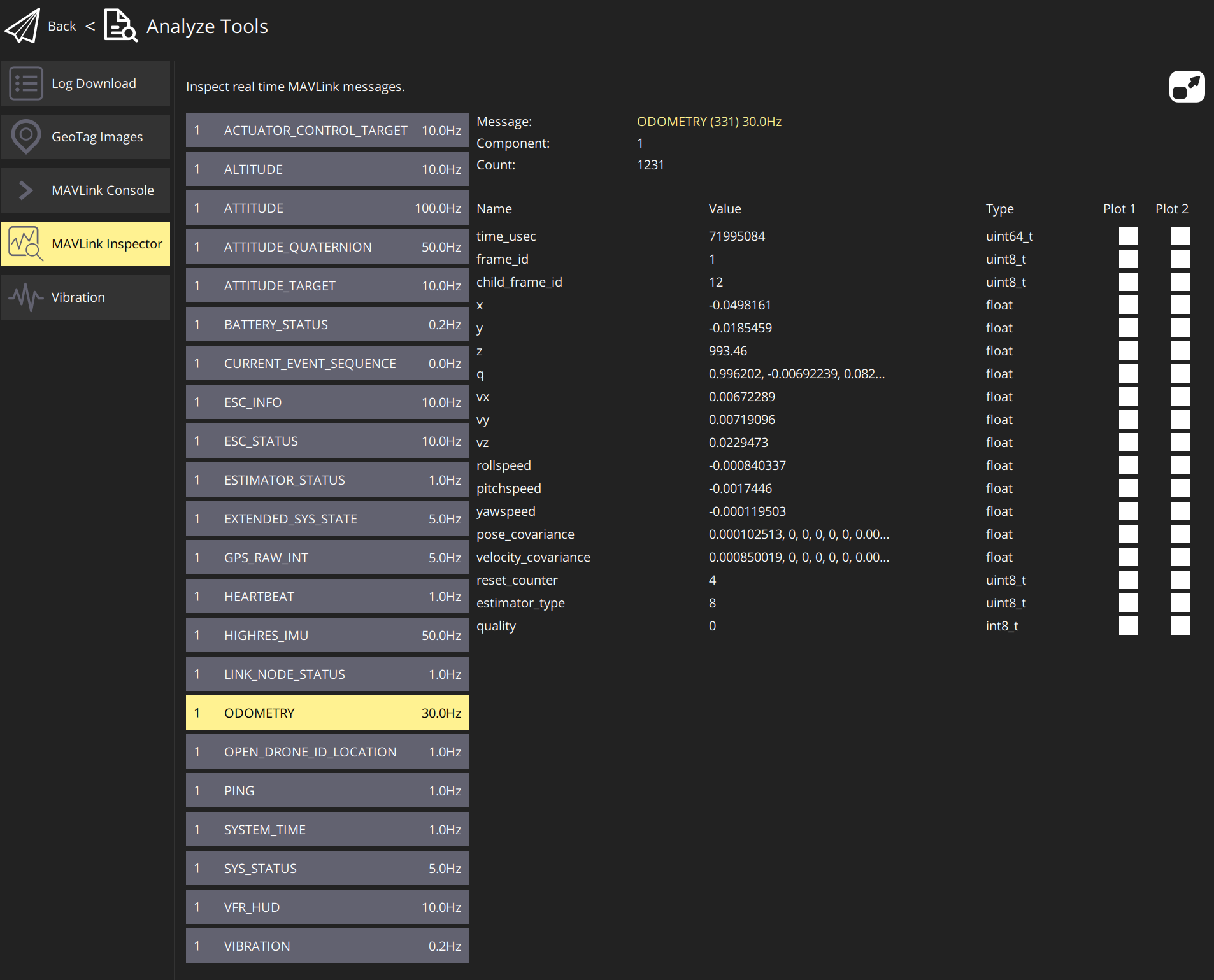
https://docs.modalai.com/flying-with-vio/I can see X&Y values in ODOMETRY as follow, but I can't go to position mode. I will get an error saying "Switching to mode 'position control' is currently not possible.
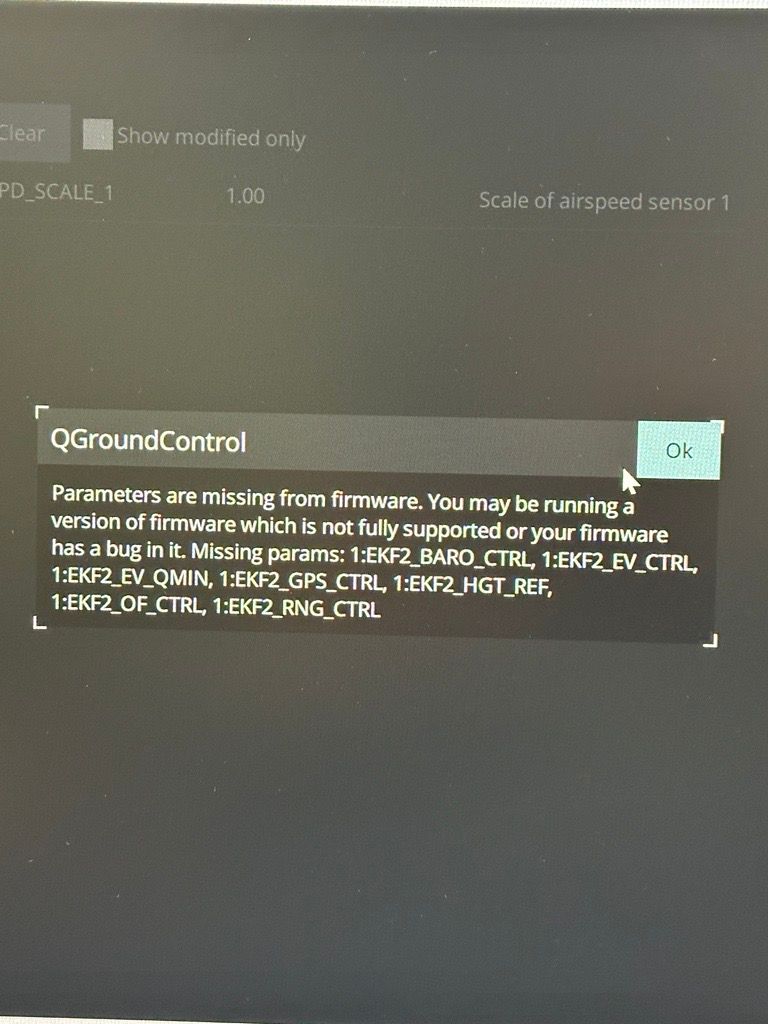
I wanted to update the parameters of the following file by uploading the file in the QGC, but I get many errors (I put one here).
I saw from the link that the parameter EKF2_AID_MASK should be important, but when I search for it in Parameters in QGC, nothing will be found. Having said that I have tried to upload other parameter files in the provided Gitlab link and even the one for the Seeker didn't work, and showed me many errors.
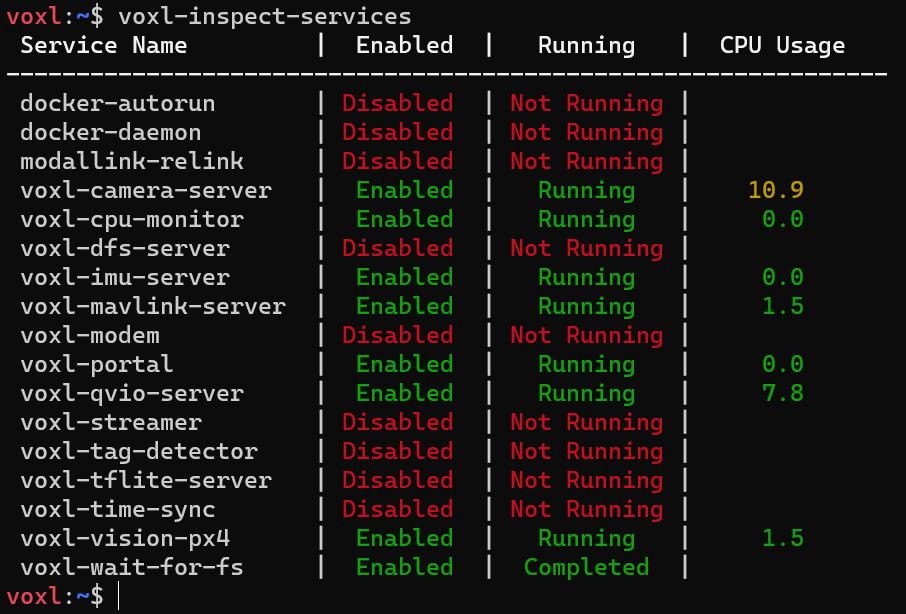
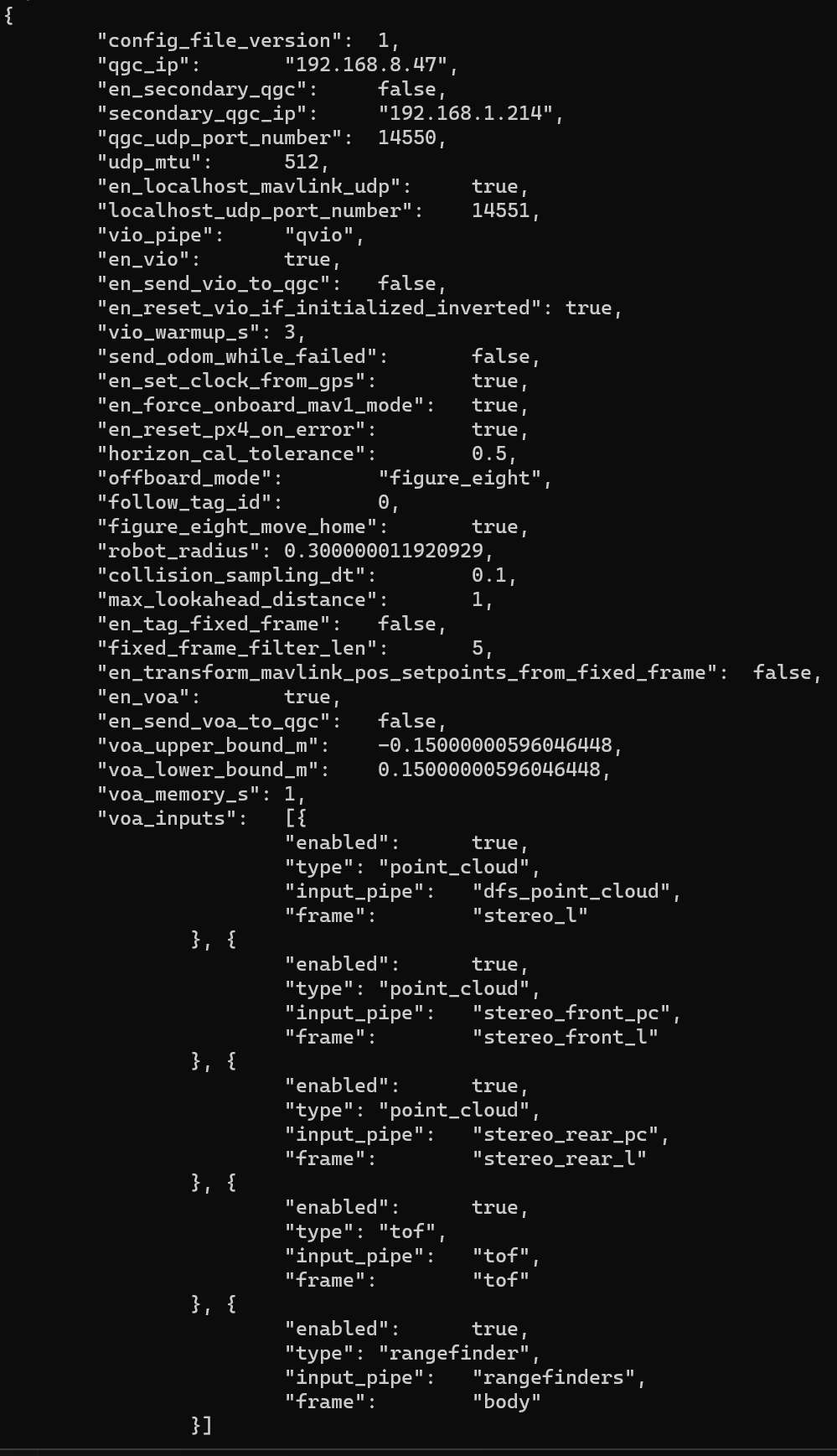
I have the following services and Px4 configuration:
My device is using voxl-suite: 0.9.5
I would appreciate it if you could help me.
-
I am using seeker drone, and I am trying the VIO for the first time with the QGC, however, it doesn't work!
I am following the following link:
https://docs.modalai.com/flying-with-vio/I can see X&Y values in ODOMETRY as follow, but I can't go to position mode. I will get an error saying "Switching to mode 'position control' is currently not possible.
I wanted to update the parameters of the following file by uploading the file in the QGC, but I get many errors (I put one here).
I saw from the link that the parameter EKF2_AID_MASK should be important, but when I search for it in Parameters in QGC, nothing will be found. Having said that I have tried to upload other parameter files in the provided Gitlab link and even the one for the Seeker didn't work, and showed me many errors.
I have the following services and Px4 configuration:
My device is using voxl-suite: 0.9.5
I would appreciate it if you could help me.
This post is deleted! -
I am using seeker drone, and I am trying the VIO for the first time with the QGC, however, it doesn't work!
I am following the following link:
https://docs.modalai.com/flying-with-vio/I can see X&Y values in ODOMETRY as follow, but I can't go to position mode. I will get an error saying "Switching to mode 'position control' is currently not possible.
I wanted to update the parameters of the following file by uploading the file in the QGC, but I get many errors (I put one here).
I saw from the link that the parameter EKF2_AID_MASK should be important, but when I search for it in Parameters in QGC, nothing will be found. Having said that I have tried to upload other parameter files in the provided Gitlab link and even the one for the Seeker didn't work, and showed me many errors.
I have the following services and Px4 configuration:
My device is using voxl-suite: 0.9.5
I would appreciate it if you could help me.
-
-
@Pooyan I would start by getting both the VOXL and Flight Core loaded with SDK 1.1.2.
SDK 0.9.5 is almost a year old at this point and lacks many of the features available now
@tom Sorry, may you please give some other options other than starting with the upgrading? I don't have the USB cable yet and I was wondering if I could check other possible options if I want to continue with SDK0.9.5, as we should be able to work with the older version as well.
-
@tom Sorry, may you please give some other options other than starting with the upgrading? I don't have the USB cable yet and I was wondering if I could check other possible options if I want to continue with SDK0.9.5, as we should be able to work with the older version as well.
@Pooyan You can try to load the correct parameter files for your drone based off of the release that is on there.
What PX4 version does QGC say your flight core has? You'll have to load the corresponding params for that version.
For example if it has PX4 1.11 loaded you'll have to only load params from the 1.11 directory: https://gitlab.com/voxl-public/voxl-sdk/utilities/voxl-px4-params/-/tree/dev/params/v1.11?ref_type=heads
Seeker params would be here: https://gitlab.com/voxl-public/voxl-sdk/utilities/voxl-px4-params/-/blob/dev/params/v1.11/Seeker_v1_param_rev_A.params?ref_type=heads
Indoor VIO params would be here: https://gitlab.com/voxl-public/voxl-sdk/utilities/voxl-px4-params/-/blob/dev/params/v1.11/ekf2_indoor_vio.params?ref_type=heads
But make sure you verify the PX4 version before loading the above params
-
@Pooyan You can try to load the correct parameter files for your drone based off of the release that is on there.
What PX4 version does QGC say your flight core has? You'll have to load the corresponding params for that version.
For example if it has PX4 1.11 loaded you'll have to only load params from the 1.11 directory: https://gitlab.com/voxl-public/voxl-sdk/utilities/voxl-px4-params/-/tree/dev/params/v1.11?ref_type=heads
Seeker params would be here: https://gitlab.com/voxl-public/voxl-sdk/utilities/voxl-px4-params/-/blob/dev/params/v1.11/Seeker_v1_param_rev_A.params?ref_type=heads
Indoor VIO params would be here: https://gitlab.com/voxl-public/voxl-sdk/utilities/voxl-px4-params/-/blob/dev/params/v1.11/ekf2_indoor_vio.params?ref_type=heads
But make sure you verify the PX4 version before loading the above params
@tom Sorry, can you please tell me how to know the px4 version?
I have tried the ver all command on the VOXL and on the QGC but neither of them showed a number I was looking for!
On VOXL, I could see this: voxl-vision-px4 1.4.0
and on the QGC, it is like this:
PX4GUID: 00060000000033333630313151010025001cI would appreciate it if you could tell me more about it.
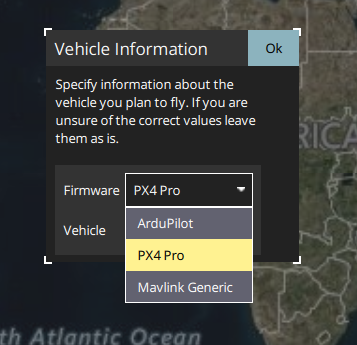
And I was thinking of something else as well. The first time QGC starts, it askes to specify information about the vehicle you plan to fly, and there are 3 options: ArduPilot, PX4 Pro, and Mavlink Generic. which one do you think is the best match?
Thank you,
-
@tom Sorry, can you please tell me how to know the px4 version?
I have tried the ver all command on the VOXL and on the QGC but neither of them showed a number I was looking for!
On VOXL, I could see this: voxl-vision-px4 1.4.0
and on the QGC, it is like this:
PX4GUID: 00060000000033333630313151010025001cI would appreciate it if you could tell me more about it.
And I was thinking of something else as well. The first time QGC starts, it askes to specify information about the vehicle you plan to fly, and there are 3 options: ArduPilot, PX4 Pro, and Mavlink Generic. which one do you think is the best match?
Thank you,
-
@Pooyan It'll show in the "Airframe" section of the "Summary" tab on QGC
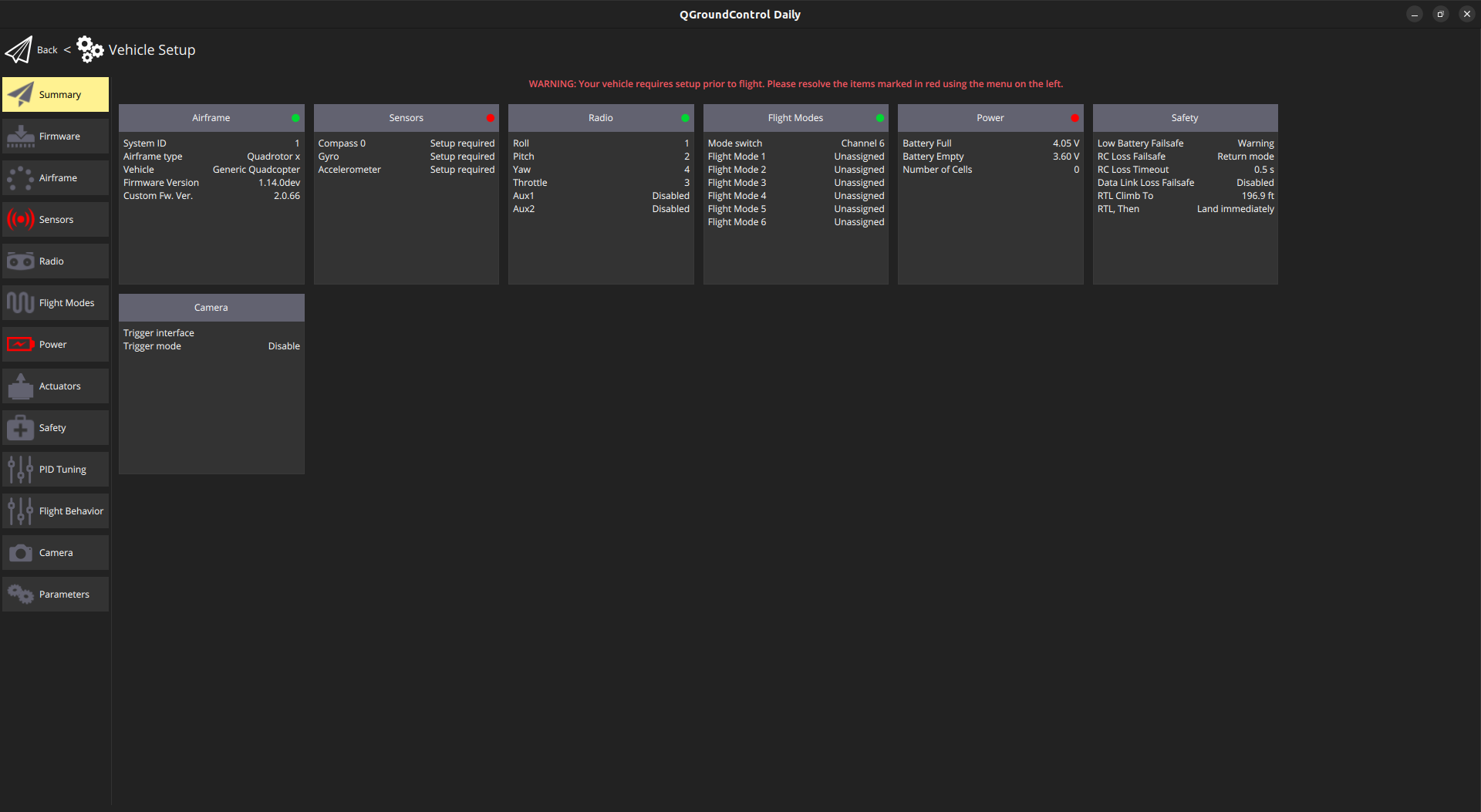
i.e. in this pic you can see my firmware version and custom fw version


Reading along? Create a free ModalAI Forum account to join in.
With an account you can reply, ask your own question, get an email when a ModalAI engineer answers, and mark the reply that solved it. Your place in each thread is saved between visits.
Questions about VOXL, Flight Core, ESCs and ModalAI drones are answered here by the engineers who build them.
Register Login