
Issue in Microhard paring with Slave unit
-
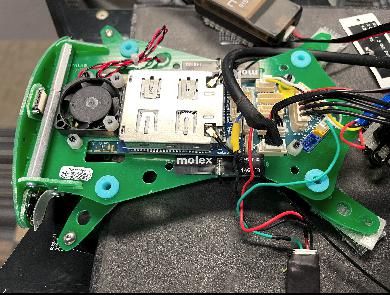
The m500 unit we received came with a microhard 2.4 GHz and we were trying to connect it with our Microhard unit that is configured as Slave unit with am IP address of
192.168.168.2. And also we were trying to configure the VOXL unit with the following setup instruction in the link https://docs.modalai.com/microhard-add-on-manual/, but this instruction does not seems to connect with the slave unit we have. Is there any other parameter we need to change and how can we access the Microhard connected with m500 VOXL unit.
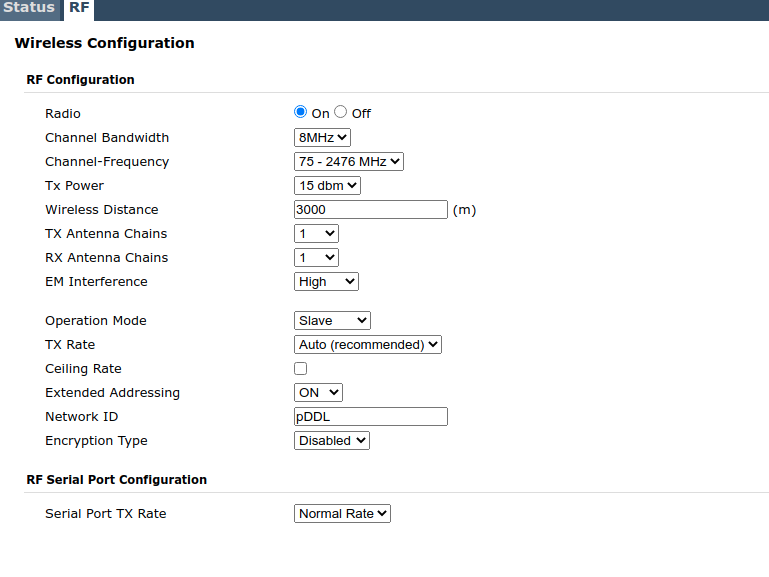
The slave wireless is configured as shown below, so we were wondering if the frequency or the ID is not matching, which is causing not to pair.
Is there any way to access the Microhard in the voxl unit? -
@manzur If you followed all of the other configuration steps correctly there are a couple things to try.
The first thing I would try is to increase the physical distance between the two modules, if you have both on a bench then there is often RF saturation if they are too close to each other. The other thing to try is to lower the "Tx Power" setting to it's lowest setting if you are indeed doing bench testing.
-
@tom Thanks for reply. I followed all the configuration steps and I have also tested by keeping the Microhard further, but the connection does not seems to work. I have also tried to use lowest TX power but same result. The only possible solution I see is to access the VOXL microhard unit and check all the configuration to match with slave unit, but I do not know how to access the Microhard using USB port or from the VOXL ssh terminal. Can you suggest ?
-
@manzur The only way to do that without having the two connected would be to switch the Microhard modems, but I wouldn't recommend doing that if you don't have the correct tools.
When you are on VOXL what do you see when you type
ifconfig?Are you able to
ping 192.168.168.1orping 192.168.168.2from VOXL? -
@tom I have already checked the ifconfig and it shows the the VOXL is connected with microhard
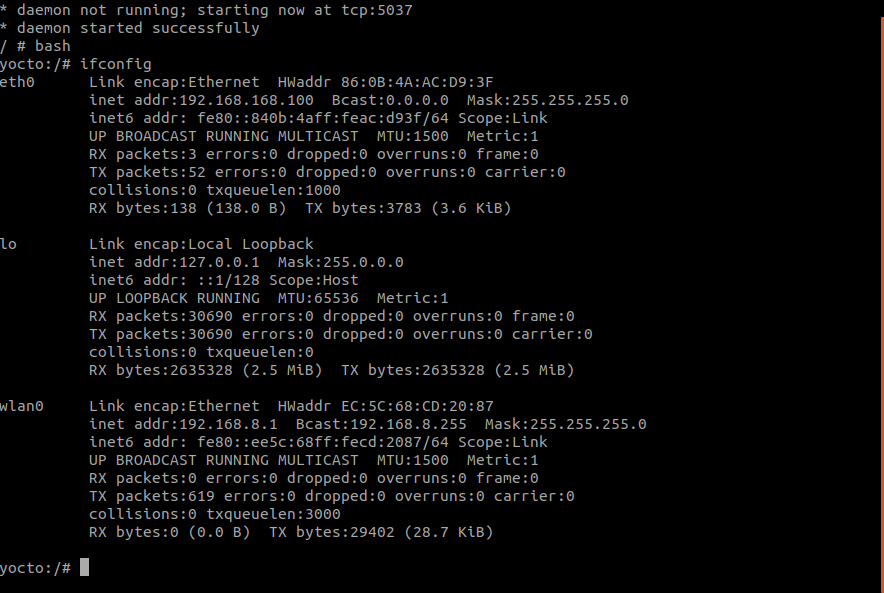
and also I have tested master mode in microhard by holding the button for 10 sec. The IP ping test as follows:
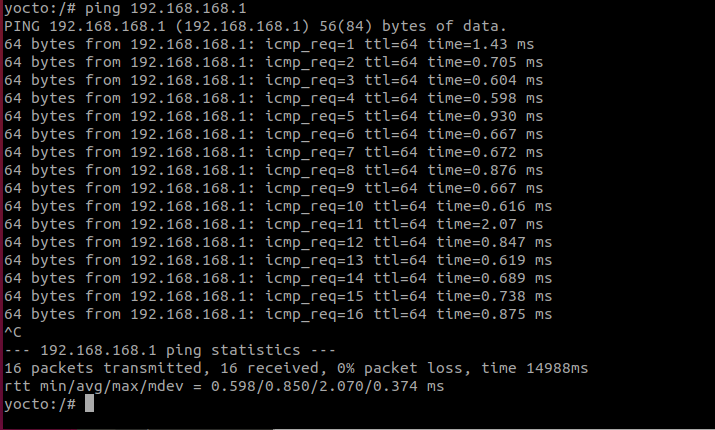
I have also tested the VOXL microhard unit by putting it in slave mode by pressing the button for 5 sec and it also shows in the ping result as follows:
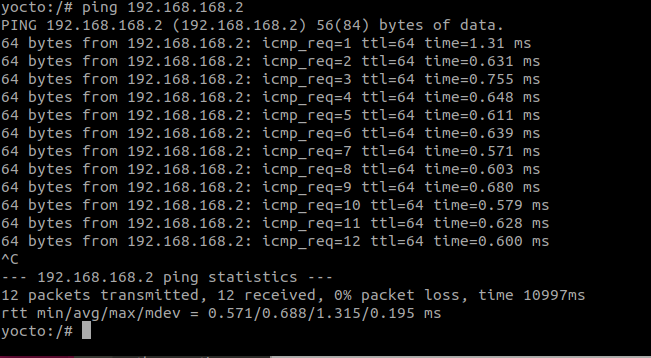
The problem is that, it does not connect with another microhard unit whether we keep that in master or slave. There must be some configuration issue that we must be missing and or it not matching with another unit. Can you please tell me what is the default
Network ID: pDDL. For us the slave unit haspDDL. And the channel frequency is set asChannel-Frequency: 75_ 2476 MHz. -
@manzur
pDDLis the default Network ID. Which Microhard modules are you using? 1800 MHz? 2400 MHz? It looks as though the VOXL side is fully functional.Are you able to take the standalone side Mircohard module and plug it into a PC in order to see if it correctly connects to the PC? That way you would be able to try pinging it to determine whether the IP address is being set correctly.
-
@manzur From what I can see, it looks as though the Microhard carrier boards are doing their jobs as the correct network interfaces are appearing.
Have you ever been able to establish a connection between these two Microhard modules in the past? It's possible that one or both are faulty.
And just to confirm, on the standalone side you are using antennas as well correct?
-
@tom This is the image showing LED behaviour.
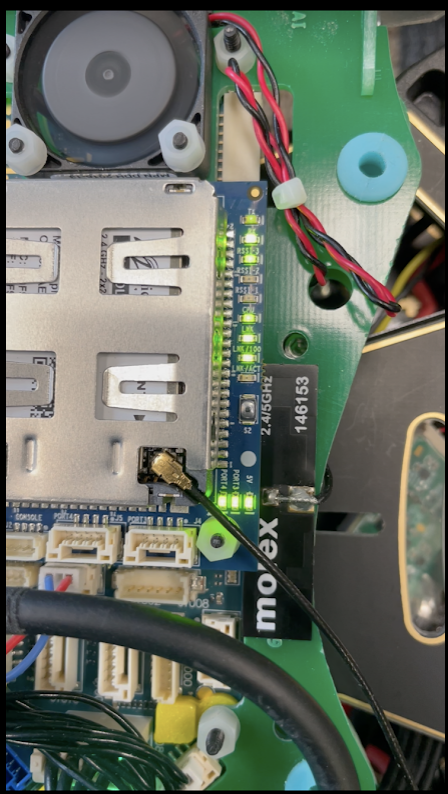
From the bottom
- Lnk/ACT : OFF
- Lnk/100 : ON
- Lnk : ON
- CPU : ON
- RSSI_1, RSSI_2, RSSI_3 : blinking one after another
- RX : ON (continuous)
- TX : Blinking (low)
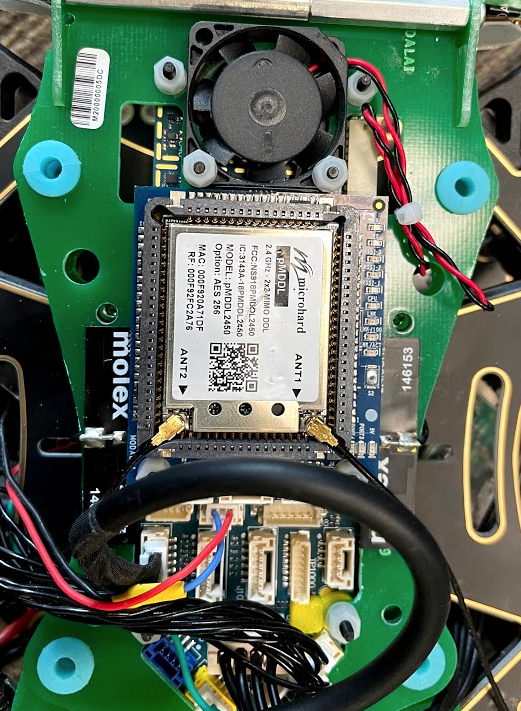
Note: One thing I noticed now is that the Standalone microhard unit we have is 128 bit AES encryption model, where the Modal AI add-on module is showing 256 bit AES encryption model. Do you think this is the reason they are not communicating? All the microhard unit we have here is 128 bit AES model. If that is the case how can we access the Add-on Microhard unit?
-
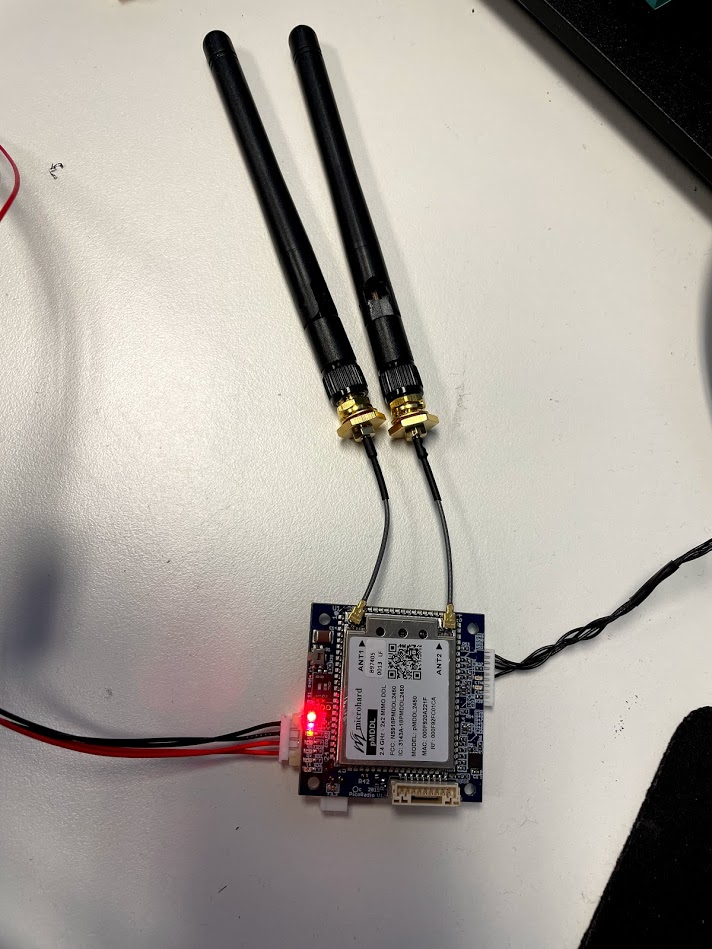
@tom I was able to access the web interface by plugging the Add-on Microhard unit into a development board. And indeed I found the Network ID is mismatched and was set to as
pMDDLinstead ofpDDL. Also the frequency was set to76-2477which is okay since I tried with multiple band with the slave unit as well. See the default configuration of the Add-on unit before changing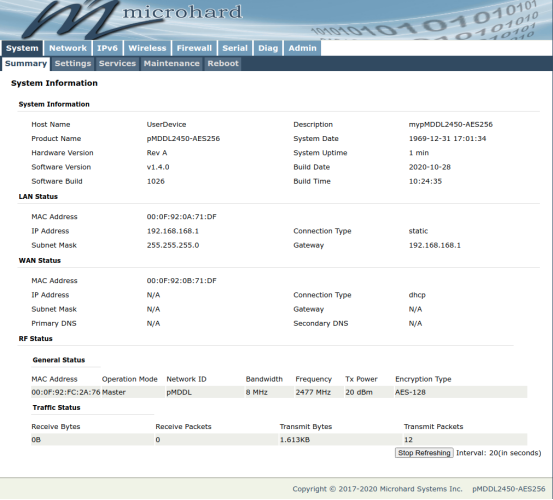

Reading along? Create a free ModalAI Forum account to join in.
With an account you can reply, ask your own question, get an email when a ModalAI engineer answers, and mark the reply that solved it. Your place in each thread is saved between visits.
Questions about VOXL, Flight Core, ESCs and ModalAI drones are answered here by the engineers who build them.
Register Login